jack JEEP WRANGLER 2015 JK / 3.G Owners Manual
[x] Cancel search | Manufacturer: JEEP, Model Year: 2015, Model line: WRANGLER, Model: JEEP WRANGLER 2015 JK / 3.GPages: 695, PDF Size: 20.64 MB
Page 304 of 695
▫Advanced EVIC Messages (Customer Information
Features)............................337
▫System Status........................337
▫Personal Settings (Customer-Programmable
Features)...........................338
!Uconnect® 230 – AM/FM STEREO RADIO AND
6–DISC CD/DVD CHANGER (MP3/WMA AUX
JACK)..............................342
▫Operating Instructions — Radio Mode.......342
▫Operation Instructions — DISC Mode For CD And
MP3/WMA Audio Play, DVD – Video.......350
▫Notes On Playing MP3/WMA Files.........352
▫LIST Button — DISC Mode For MP3/WMA
Play...............................355
▫INFO Button — DISC Mode For MP3/WMA
Play...............................355
▫Uconnect® (Satellite Radio) — If Equipped . . .358
!Uconnect® 730N/430/430N CD/DVD/HDD/NAV
— IF EQUIPPED.......................362
▫Operating Instructions (Voice Command System)
— If Equipped.......................362
▫Operating Instructions (Uconnect® Phone) — If
Equipped...........................362
!Uconnect® 130........................362
▫Operating Instructions — Radio Mode.......363
▫Operation Instructions — CD MODE For CD And
MP3 Audio Play......................366
▫Notes On Playing MP3 Files..............368
▫Operation Instructions — Auxiliary Mode . . . .371
302 UNDERSTANDING YOUR INSTRUMENT PANEL
Page 344 of 695
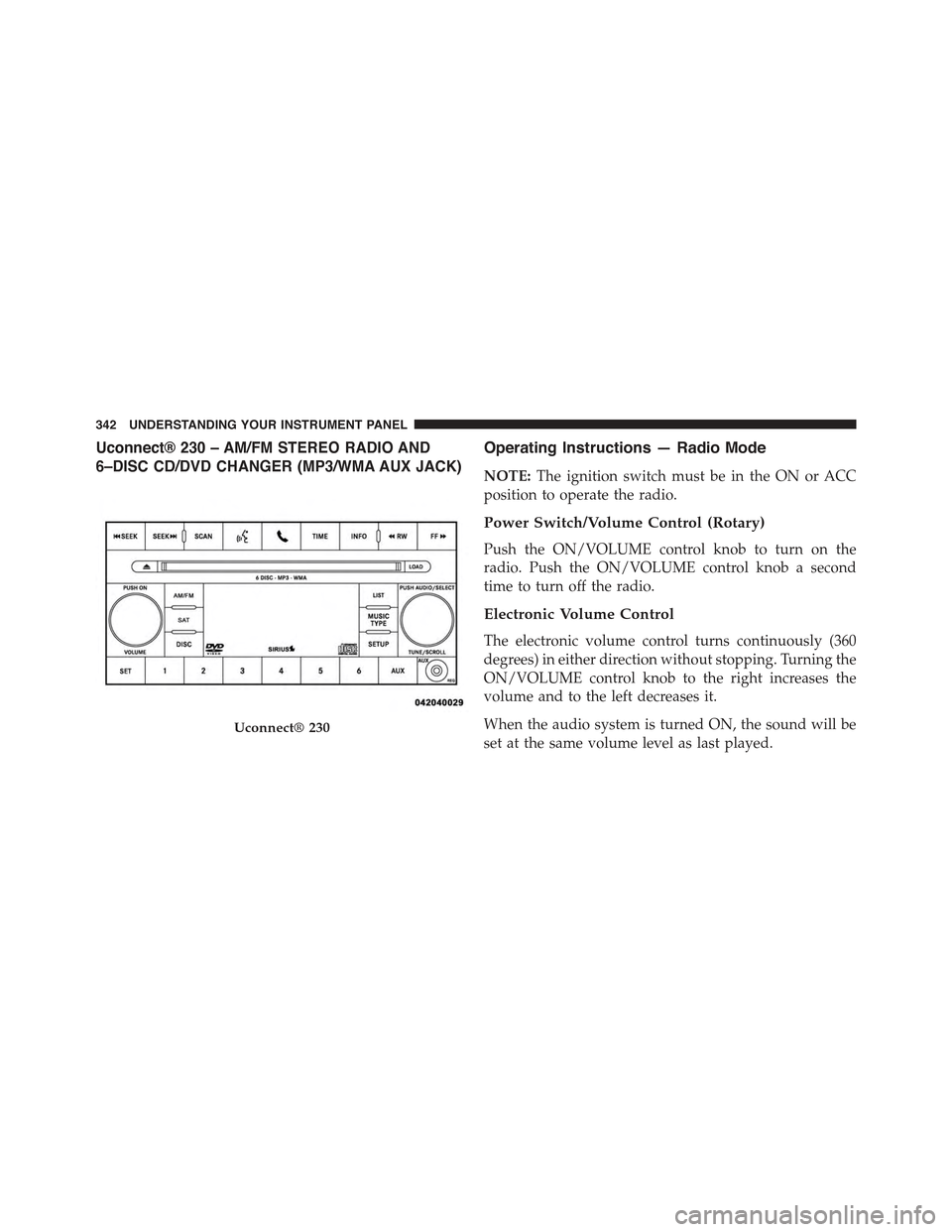
Uconnect® 230 – AM/FM STEREO RADIO AND
6–DISC CD/DVD CHANGER (MP3/WMA AUX JACK)
Operating Instructions — Radio Mode
NOTE:The ignition switch must be in the ON or ACC
position to operate the radio.
Power Switch/Volume Control (Rotary)
Push the ON/VOLUME control knob to turn on the
radio. Push the ON/VOLUME control knob a second
time to turn off the radio.
Electronic Volume Control
The electronic volume control turns continuously (360
degrees) in either direction without stopping. Turning the
ON/VOLUME control knob to the right increases the
volume and to the left decreases it.
When the audio system is turned ON, the sound will be
set at the same volume level as last played.
Uconnect® 230
342 UNDERSTANDING YOUR INSTRUMENT PANEL
Page 358 of 695
Push the INFO button once more to return to#elapsed
time#priority mode.
Push and hold the INFO button for three seconds or more
and radio will display song titles for each file.
Push and hold the INFO button again for three seconds
to return to#elapsed time#display.
Operation Instructions — Auxiliary Mode
The auxiliary (AUX) jack is an audio input jack which
allows the user to plug in a portable device such as an
MP3/WMA player, an ipod®, or a microphone and
utilize the vehicles audio system to amplify the source
and play through the vehicle speakers.
Pushing the AUX button will change the mode to auxil-
iary device if the AUX jack is connected.
NOTE:The AUX device must be turned on and the
device’s volume set to the proper level. If the AUX audio
is not loud enough, turn the device’s volume up. If the
AUX audio sounds distorted, turn the device’s volume
down.
SEEK Button (Auxiliary Mode)
No function.
SCAN Button (Auxiliary Mode)
No function.
EJECT Button (Auxiliary Mode)
No function.
356 UNDERSTANDING YOUR INSTRUMENT PANEL
Page 373 of 695
To increase the speed of disc loading, it is recommended
to use CD-R media and single-session discs. To create a
single-session disc, enable the “Disc at Once” option
before writing to the disc.
Operation Instructions — Auxiliary Mode
The auxiliary (AUX) jack is an audio input jack, which
allows the user to plug in a portable device, such as an
MP3 player, or iPod®, and utilize the vehicle’s audio
system to amplify the source and play through the
vehicle speakers.
Pushing the DISC/AUX button will change the mode to
auxiliary device if the AUX jack is connected.
NOTE:The AUX device must be turned on and the
device’s volume set to proper level. If the AUX audio is
not loud enough, turn the device’s volume up. If the AUX
audio sounds distorted, turn the device’s volume down.
TIME Button (Auxiliary Mode)
Push this button to change the display to time of day. The
time of day will display for five seconds (when ignition is
OFF).4
UNDERSTANDING YOUR INSTRUMENT PANEL 371
Page 386 of 695
INFO Button — CD Mode For MP3 Play
Pushing the INFO button repeatedly will scroll through
the following TAG information: Song Title, Artist, File
Name, and Folder Name (if available).
Push the INFO button once more to return to#elapsed
time#priority mode.
Push and hold the INFO button for three seconds or more
and the radio will display song titles for each file.
Push and hold the INFO button again for three seconds
to return to#elapsed time#display.
Operation Instructions — Auxiliary Mode
The auxiliary (AUX) jack is an audio input jack which
allows the user to plug in a portable device such as an
MP3 player or iPod® and utilize the vehicle’s audio
system to amplify the source and play through the
vehicle speakers.
Pushing the AUX button will change the mode to auxil-
iary device if the AUX jack is connected.
NOTE:The AUX device must be turned on and the
device’s volume set to the proper level. If the AUX audio
is not loud enough, turn the device’s volume up. If the
AUX audio sounds distorted, turn the device’s volume
down.
TIME Button (Auxiliary Mode)
Push this button to change the display to time of day. The
time of day will display for five seconds (when the
ignition is OFF).
Uconnect® (Satellite Radio) — If Equipped
Satellite radio uses direct satellite-to-receiver broadcast-
ing technology to provide clear digital sound, coast to
coast. The subscription service provider is Sirius Satellite
Radio. This service offers over 130 channels of music,
384 UNDERSTANDING YOUR INSTRUMENT PANEL
Page 458 of 695
You should now be able to drive out following the trench
you just created at a 45-degree angle.
WARNING!
There is an increased risk of rollover when crossing
an obstacle, at any angle, with steep sides.
Crossing Logs
To cross a log, approach it at a slight angle (approxi-
mately 10 to 15 degrees). This allows one front tire to be
on top of the log while the other just starts to climb the
log. While climbing the log, modulate your brake and
accelerator to avoid spinning the log out from under your
tires. Then ease the vehicle off the log using your brakes.
CAUTION!
Do not attempt to cross a log with a greater diameter
than the running ground clearance or the vehicle will
become high-centered.
Getting High-Centered
If you get hung up or high-centered on an object, get out
of the vehicle and try to determine what the vehicle is
hung up on, where it is contacting the underbody and
what is the best direction to recover the vehicle. Depend-
ing on what you are in contact with, jack the vehicle up
and place a few rocks under the tires so the weight is off
of the high point when you let the vehicle down. You can
also try rocking the vehicle or winching the vehicle off
the object.
456 STARTING AND OPERATING
Page 561 of 695
WHAT TO DO IN EMERGENCIES
CONTENTS
!HAZARD WARNING FLASHERS...........560
!IF YOUR ENGINE OVERHEATS............560
!WHEEL AND TIRE TORQUE
SPECIFICATIONS......................561
▫Torque Specifications...................561
!JACKING AND TIRE CHANGING..........563
▫Jack Location........................564
▫Spare Tire Removal....................565
▫Preparations For Jacking................565
▫Jacking Instructions...................566
▫Road Tire Installation...................569
!JUMP-STARTING PROCEDURES...........570
▫Preparations For Jump-Start..............571
▫Jump-Starting Procedure................572
!FREEING A STUCK VEHICLE.............574
!EMERGENCY TOW HOOKS — IF EQUIPPED . . .575
!SHIFT LEVER OVERRIDE................576
!TOWING A DISABLED VEHICLE...........577
▫Without The Ignition Key................579
▫Four–Wheel Drive Models...............579
6
Page 565 of 695
WARNING!
To avoid the risk of forcing the vehicle off the jack,
do not tighten the lug nuts fully until the vehicle has
been lowered. Failure to follow this warning may
result in personal injury.
JACKING AND TIRE CHANGING
WARNING!
•Do not attempt to change a tire on the side of the
vehicle close to moving traffic. Pull far enough off
the road to avoid the danger of being hit when
operating the jack or changing the wheel.
(Continued)
WARNING!(Continued)
•Being under a jacked-up vehicle is dangerous. The
vehicle could slip off the jack and fall on you. You
could be crushed. Never put any part of your body
under a vehicle that is on a jack. If you need to get
under a raised vehicle, take it to a service center
where it can be raised on a lift.
•Never start or run the engine while the vehicle is
on a jack.
•The jack is designed to be used as a tool for
changing tires only. The jack should not be used to
lift the vehicle for service purposes. The vehicle
should be jacked on a firm level surface only.
Avoid ice or slippery areas.
6
WHAT TO DO IN EMERGENCIES 563
Page 566 of 695
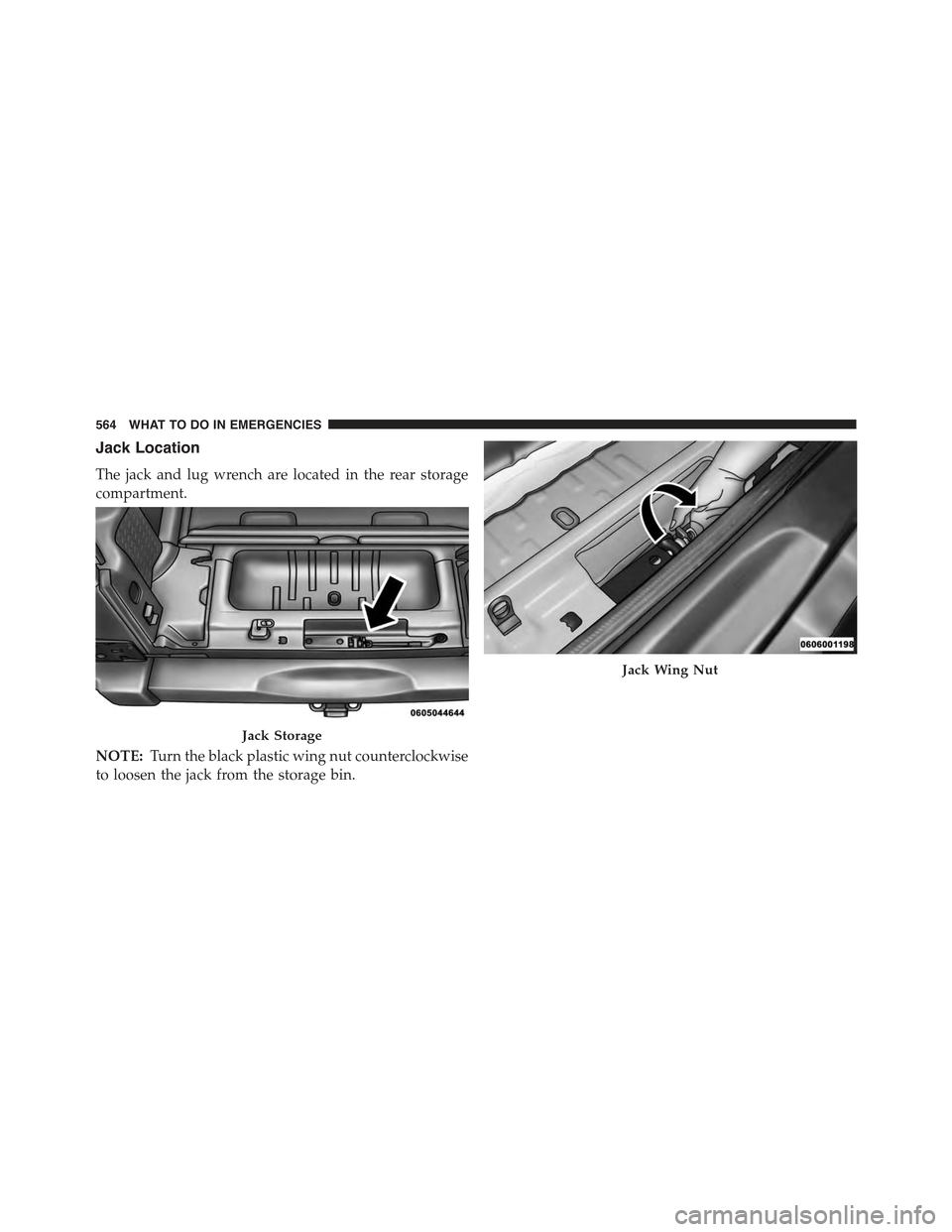
Jack Location
The jack and lug wrench are located in the rear storage
compartment.
NOTE:Turn the black plastic wing nut counterclockwise
to loosen the jack from the storage bin.
Jack Storage
Jack Wing Nut
564 WHAT TO DO IN EMERGENCIES
Page 567 of 695
Spare Tire Removal
To remove the spare tire from the carrier, remove the tire
cover, if equipped, and remove the lug nuts with the lug
wrench turning them counterclockwise.
NOTE:If you have added aftermarket accessories to the
spare tire mounted carrier, it cannot exceed a gross
weight of 85 lbs (38.5 kg) including the weight of the
spare tire.
Preparations For Jacking
1.Park on a firm, level surface. Avoid ice or slippery areas.
WARNING!
Do not attempt to change a tire on the side of the
vehicle close to moving traffic, pull far enough off
the road to avoid being hit when operating the jack
or changing the wheel.
2. Turn on the Hazard Warning flasher.
3. Set the parking brake.
4. Shift the automatic transmission into PARK, or a
manual transmission into REVERSE.
5. Turn the ignition to LOCK.
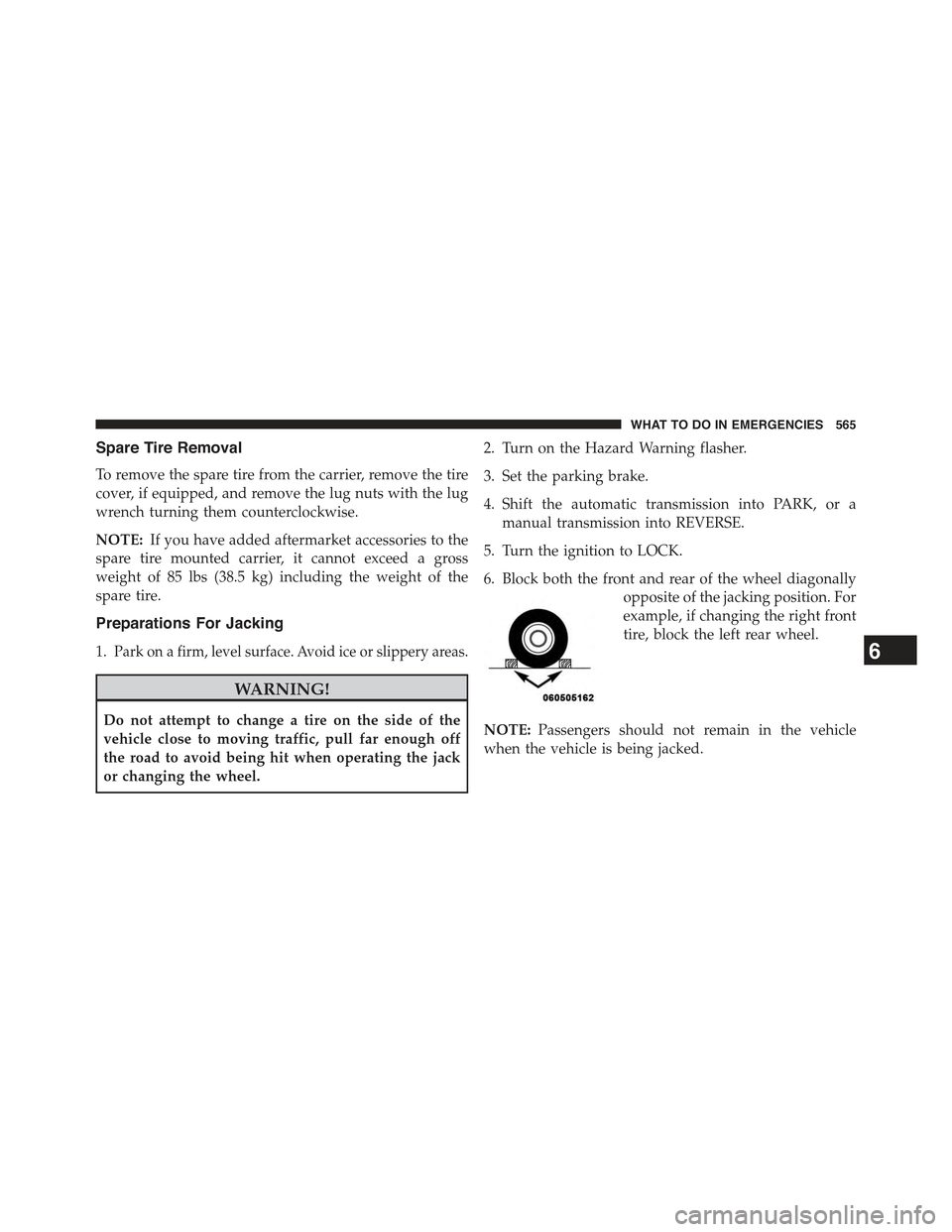
6. Block both the front and rear of the wheel diagonally
opposite of the jacking position. For
example, if changing the right front
tire, block the left rear wheel.
NOTE:Passengers should not remain in the vehicle
when the vehicle is being jacked.
6
WHAT TO DO IN EMERGENCIES 565