battery JEEP WRANGLER 2023 User Guide
[x] Cancel search | Manufacturer: JEEP, Model Year: 2023, Model line: WRANGLER, Model: JEEP WRANGLER 2023Pages: 396, PDF Size: 25.15 MB
Page 25 of 396
GETTING TO KNOW YOUR VEHICLE23
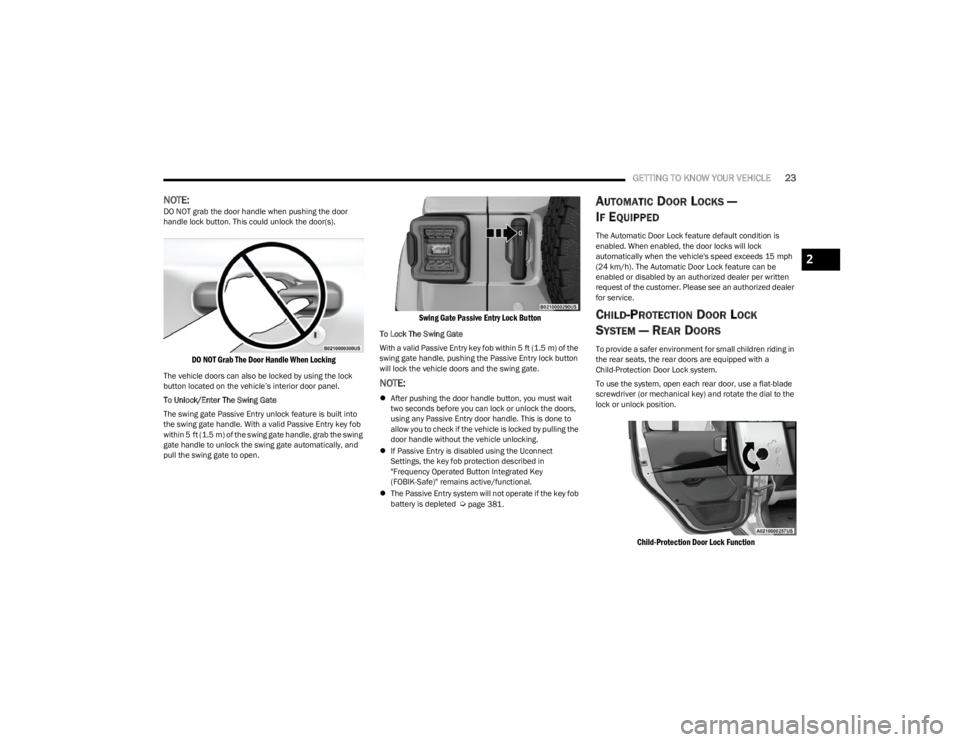
NOTE:DO NOT grab the door handle when pushing the door
handle lock button. This could unlock the door(s).
DO NOT Grab The Door Handle When Locking
The vehicle doors can also be locked by using the lock
button located on the vehicle’s interior door panel.
To Unlock/Enter The Swing Gate
The swing gate Passive Entry unlock feature is built into
the swing gate handle. With a valid Passive Entry key fob
within 5 ft (1.5 m) of the swing gate handle, grab the swing
gate handle to unlock the swing gate automatically, and
pull the swing gate to open.
Swing Gate Passive Entry Lock Button
To Lock The Swing Gate
With a valid Passive Entry key fob within 5 ft (1.5 m) of the
swing gate handle, pushing the Passive Entry lock button
will lock the vehicle doors and the swing gate.
NOTE:
After pushing the door handle button, you must wait
two seconds before you can lock or unlock the doors,
using any Passive Entry door handle. This is done to
allow you to check if the vehicle is locked by pulling the
door handle without the vehicle unlocking.
If Passive Entry is disabled using the Uconnect
Settings, the key fob protection described in
"Frequency Operated Button Integrated Key
(FOBIK-Safe)" remains active/functional.
The Passive Entry system will not operate if the key fob
battery is depleted
Úpage 381.
AUTOMATIC DOOR LOCKS —
I
F EQUIPPED
The Automatic Door Lock feature default condition is
enabled. When enabled, the door locks will lock
automatically when the vehicle's speed exceeds 15 mph
(24 km/h). The Automatic Door Lock feature can be
enabled or disabled by an authorized dealer per written
request of the customer. Please see an authorized dealer
for service.
CHILD-PROTECTION DOOR LOCK
S
YSTEM — REAR DOORS
To provide a safer environment for small children riding in
the rear seats, the rear doors are equipped with a
Child-Protection Door Lock system.
To use the system, open each rear door, use a flat-blade
screwdriver (or mechanical key) and rotate the dial to the
lock or unlock position.
Child-Protection Door Lock Function
2
23_JL_OM_EN_USC_t.book Page 23
Page 49 of 396
GETTING TO KNOW YOUR VEHICLE47
The power mirror controls consist of mirror select buttons
and a four-way mirror control switch. To adjust a mirror,
push either the L (left) or R (right) button to select the
mirror that you want to adjust.
Using the mirror control switch, push any of the four
arrows for the direction that you want the mirror to move.
UNIVERSAL GARAGE DOOR OPENER
(HOMELINK®) — IF EQUIPPED
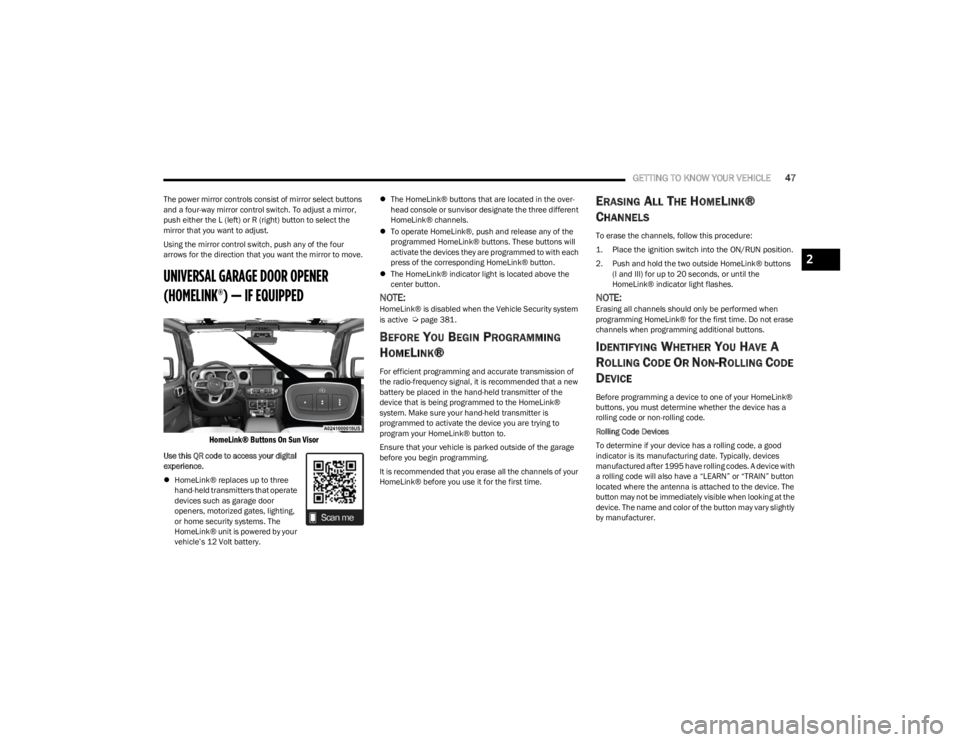
HomeLink® Buttons On Sun Visor
Use this QR code to access your digital
experience.
HomeLink® replaces up to three
hand-held transmitters that operate
devices such as garage door
openers, motorized gates, lighting,
or home security systems. The
HomeLink® unit is powered by your
vehicle’s 12 Volt battery.
The HomeLink® buttons that are located in the over -
head console or sunvisor designate the three different
HomeLink® channels.
To operate HomeLink®, push and release any of the
programmed HomeLink® buttons. These buttons will
activate the devices they are programmed to with each
press of the corresponding HomeLink® button.
The HomeLink® indicator light is located above the
center button.
NOTE:HomeLink® is disabled when the Vehicle Security system
is active Úpage 381.
BEFORE YOU BEGIN PROGRAMMING
H
OMELINK®
For efficient programming and accurate transmission of
the radio-frequency signal, it is recommended that a new
battery be placed in the hand-held transmitter of the
device that is being programmed to the HomeLink®
system. Make sure your hand-held transmitter is
programmed to activate the device you are trying to
program your HomeLink® button to.
Ensure that your vehicle is parked outside of the garage
before you begin programming.
It is recommended that you erase all the channels of your
HomeLink® before you use it for the first time.
ERASING ALL THE HOMELINK®
C
HANNELS
To erase the channels, follow this procedure:
1. Place the ignition switch into the ON/RUN position.
2. Push and hold the two outside HomeLink® buttons
(I and III) for up to 20 seconds, or until the
HomeLink® indicator light flashes.
NOTE:Erasing all channels should only be performed when
programming HomeLink® for the first time. Do not erase
channels when programming additional buttons.
IDENTIFYING WHETHER YOU HAVE A
R
OLLING CODE OR NON-ROLLING CODE
D
EVICE
Before programming a device to one of your HomeLink®
buttons, you must determine whether the device has a
rolling code or non-rolling code.
Rolling Code Devices
To determine if your device has a rolling code, a good
indicator is its manufacturing date. Typically, devices
manufactured after 1995 have rolling codes. A device with
a rolling code will also have a “LEARN” or “TRAIN” button
located where the antenna is attached to the device. The
button may not be immediately visible when looking at the
device. The name and color of the button may vary slightly
by manufacturer.
2
23_JL_OM_EN_USC_t.book Page 47
Page 52 of 396
50GETTING TO KNOW YOUR VEHICLE
TROUBLESHOOTING TIPS
If you are having trouble programming HomeLink®, here
are some of the most common solutions:
Replace the battery in the garage door opener
hand-held transmitter.
Push the LEARN button on the garage door opener to
complete the training for a rolling code.
Did you unplug the device for programming and
remember to plug it back in?
If you have any problems, or require assistance, please
call toll-free 1-800-355-3515 or, on the Internet at
HomeLink.com for information or assistance.
EXTERIOR LIGHTS
HEADLIGHT SWITCH
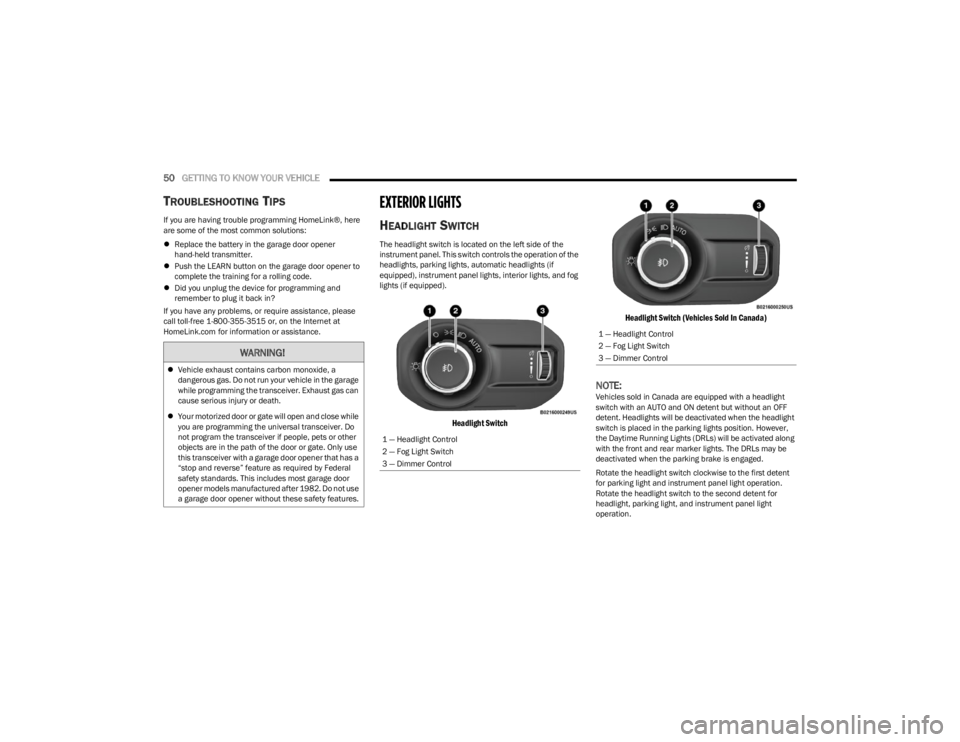
The headlight switch is located on the left side of the
instrument panel. This switch controls the operation of the
headlights, parking lights, automatic headlights (if
equipped), instrument panel lights, interior lights, and fog
lights (if equipped).
Headlight Switch Headlight Switch (Vehicles Sold In Canada)
NOTE:Vehicles sold in Canada are equipped with a headlight
switch with an AUTO and ON detent but without an OFF
detent. Headlights will be deactivated when the headlight
switch is placed in the parking lights position. However,
the Daytime Running Lights (DRLs) will be activated along
with the front and rear marker lights. The DRLs may be
deactivated when the parking brake is engaged.
Rotate the headlight switch clockwise to the first detent
for parking light and instrument panel light operation.
Rotate the headlight switch to the second detent for
headlight, parking light, and instrument panel light
operation.
WARNING!
Vehicle exhaust contains carbon monoxide, a
dangerous gas. Do not run your vehicle in the garage
while programming the transceiver. Exhaust gas can
cause serious injury or death.
Your motorized door or gate will open and close while
you are programming the universal transceiver. Do
not program the transceiver if people, pets or other
objects are in the path of the door or gate. Only use
this transceiver with a garage door opener that has a
“stop and reverse” feature as required by Federal
safety standards. This includes most garage door
opener models manufactured after 1982. Do not use
a garage door opener without these safety features.
1 — Headlight Control
2 — Fog Light Switch
3 — Dimmer Control
1 — Headlight Control
2 — Fog Light Switch
3 — Dimmer Control
23_JL_OM_EN_USC_t.book Page 50
Page 54 of 396
52GETTING TO KNOW YOUR VEHICLE
FRONT FOG LIGHTS — IF EQUIPPED
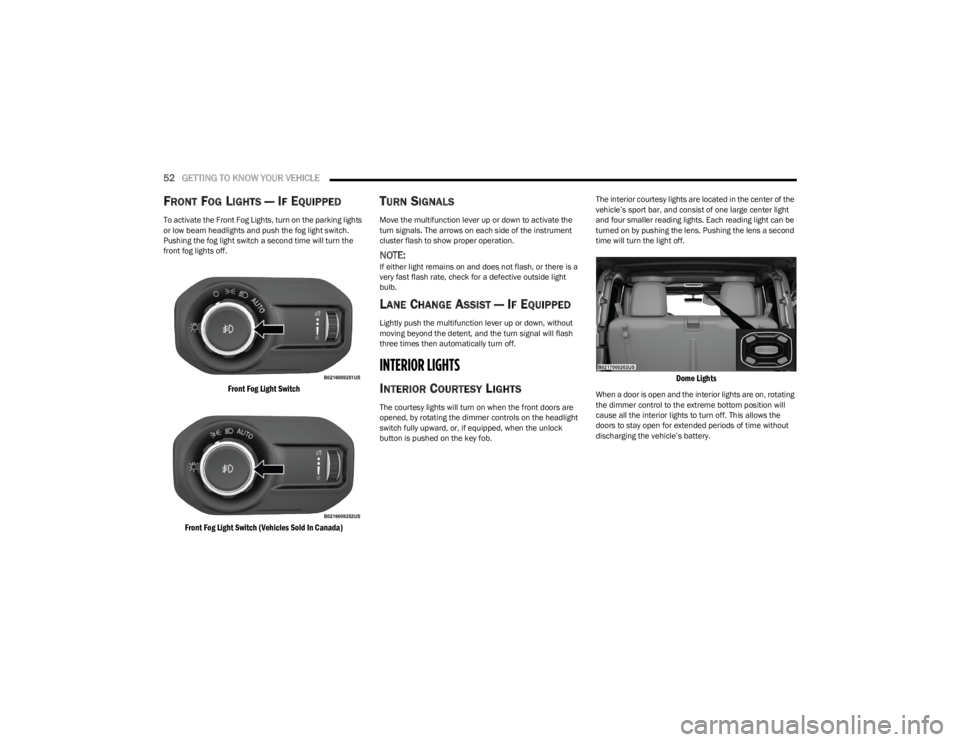
To activate the Front Fog Lights, turn on the parking lights
or low beam headlights and push the fog light switch.
Pushing the fog light switch a second time will turn the
front fog lights off.
Front Fog Light Switch
Front Fog Light Switch (Vehicles Sold In Canada)
TURN SIGNALS
Move the multifunction lever up or down to activate the
turn signals. The arrows on each side of the instrument
cluster flash to show proper operation.
NOTE:If either light remains on and does not flash, or there is a
very fast flash rate, check for a defective outside light
bulb.
LANE CHANGE ASSIST — IF EQUIPPED
Lightly push the multifunction lever up or down, without
moving beyond the detent, and the turn signal will flash
three times then automatically turn off.
INTERIOR LIGHTS
INTERIOR COURTESY LIGHTS
The courtesy lights will turn on when the front doors are
opened, by rotating the dimmer controls on the headlight
switch fully upward, or, if equipped, when the unlock
button is pushed on the key fob. The interior courtesy lights are located in the center of the
vehicle’s sport bar, and consist of one large center light
and four smaller reading lights. Each reading light can be
turned on by pushing the lens. Pushing the lens a second
time will turn the light off.
Dome Lights
When a door is open and the interior lights are on, rotating
the dimmer control to the extreme bottom position will
cause all the interior lights to turn off. This allows the
doors to stay open for extended periods of time without
discharging the vehicle’s battery.
23_JL_OM_EN_USC_t.book Page 52
Page 64 of 396
62GETTING TO KNOW YOUR VEHICLE
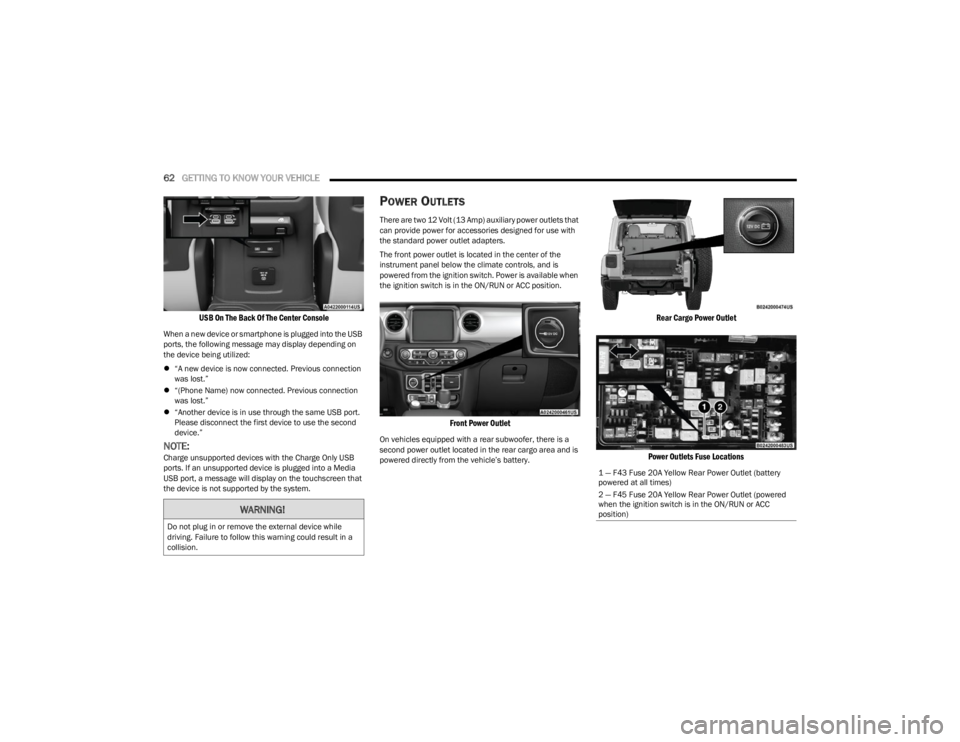
USB On The Back Of The Center Console
When a new device or smartphone is plugged into the USB
ports, the following message may display depending on
the device being utilized:
“A new device is now connected. Previous connection
was lost.”
“(Phone Name) now connected. Previous connection
was lost.”
“Another device is in use through the same USB port.
Please disconnect the first device to use the second
device.”
NOTE:Charge unsupported devices with the Charge Only USB
ports. If an unsupported device is plugged into a Media
USB port, a message will display on the touchscreen that
the device is not supported by the system.
POWER OUTLETS
There are two 12 Volt (13 Amp) auxiliary power outlets that
can provide power for accessories designed for use with
the standard power outlet adapters.
The front power outlet is located in the center of the
instrument panel below the climate controls, and is
powered from the ignition switch. Power is available when
the ignition switch is in the ON/RUN or ACC position.
Front Power Outlet
On vehicles equipped with a rear subwoofer, there is a
second power outlet located in the rear cargo area and is
powered directly from the vehicle’s battery.
Rear Cargo Power Outlet
Power Outlets Fuse Locations
WARNING!
Do not plug in or remove the external device while
driving. Failure to follow this warning could result in a
collision.
1 — F43 Fuse 20A Yellow Rear Power Outlet (battery
powered at all times)
2 — F45 Fuse 20A Yellow Rear Power Outlet (powered
when the ignition switch is in the ON/RUN or ACC
position)
23_JL_OM_EN_USC_t.book Page 62
Page 65 of 396
GETTING TO KNOW YOUR VEHICLE63
(Continued)
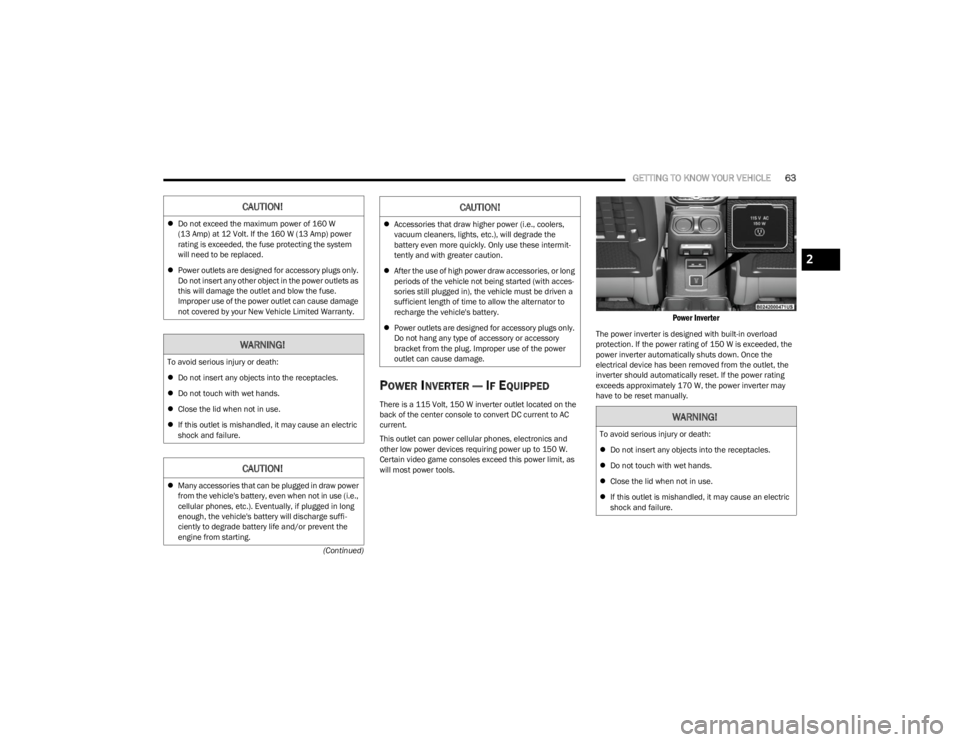
POWER INVERTER — IF EQUIPPED
There is a 115 Volt, 150 W inverter outlet located on the
back of the center console to convert DC current to AC
current.
This outlet can power cellular phones, electronics and
other low power devices requiring power up to 150 W.
Certain video game consoles exceed this power limit, as
will most power tools.
Power Inverter
The power inverter is designed with built-in overload
protection. If the power rating of 150 W is exceeded, the
power inverter automatically shuts down. Once the
electrical device has been removed from the outlet, the
inverter should automatically reset. If the power rating
exceeds approximately 170 W, the power inverter may
have to be reset manually.
CAUTION!
Do not exceed the maximum power of 160 W
(13 Amp) at 12 Volt. If the 160 W (13 Amp) power
rating is exceeded, the fuse protecting the system
will need to be replaced.
Power outlets are designed for accessory plugs only.
Do not insert any other object in the power outlets as
this will damage the outlet and blow the fuse.
Improper use of the power outlet can cause damage
not covered by your New Vehicle Limited Warranty.
WARNING!
To avoid serious injury or death:
Do not insert any objects into the receptacles.
Do not touch with wet hands.
Close the lid when not in use.
If this outlet is mishandled, it may cause an electric
shock and failure.
CAUTION!
Many accessories that can be plugged in draw power
from the vehicle's battery, even when not in use (i.e.,
cellular phones, etc.). Eventually, if plugged in long
enough, the vehicle's battery will discharge suffi -
ciently to degrade battery life and/or prevent the
engine from starting.
Accessories that draw higher power (i.e., coolers,
vacuum cleaners, lights, etc.), will degrade the
battery even more quickly. Only use these intermit -
tently and with greater caution.
After the use of high power draw accessories, or long
periods of the vehicle not being started (with acces -
sories still plugged in), the vehicle must be driven a
sufficient length of time to allow the alternator to
recharge the vehicle's battery.
Power outlets are designed for accessory plugs only.
Do not hang any type of accessory or accessory
bracket from the plug. Improper use of the power
outlet can cause damage.
CAUTION!
WARNING!
To avoid serious injury or death:
Do not insert any objects into the receptacles.
Do not touch with wet hands.
Close the lid when not in use.
If this outlet is mishandled, it may cause an electric
shock and failure.
2
23_JL_OM_EN_USC_t.book Page 63
Page 66 of 396
64GETTING TO KNOW YOUR VEHICLE
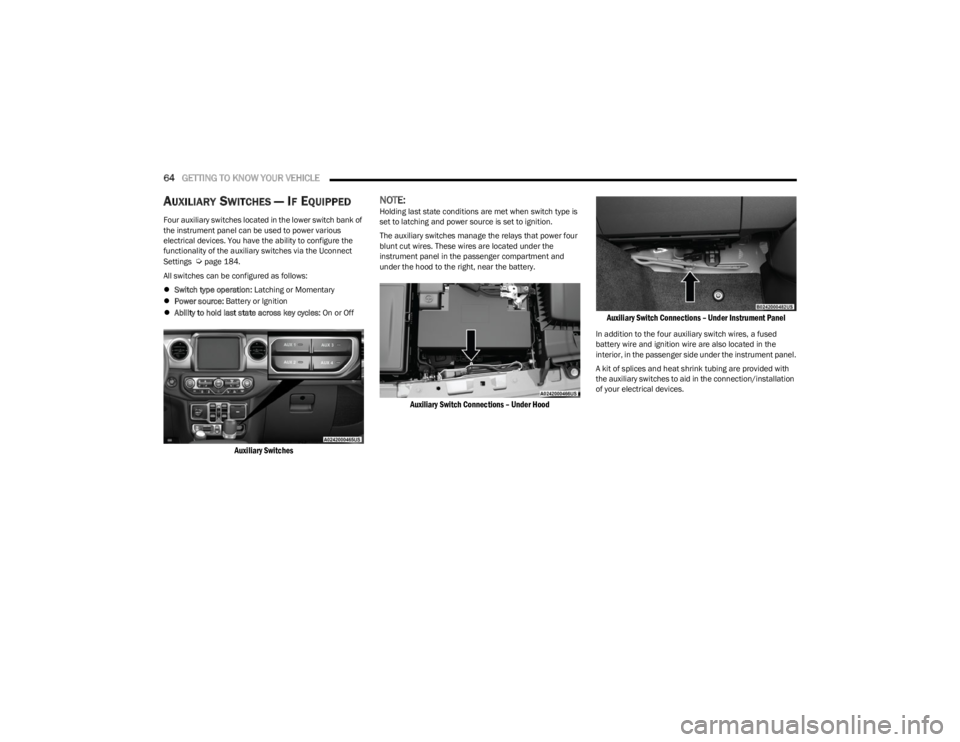
AUXILIARY SWITCHES — IF EQUIPPED
Four auxiliary switches located in the lower switch bank of
the instrument panel can be used to power various
electrical devices. You have the ability to configure the
functionality of the auxiliary switches via the Uconnect
Settings
Úpage 184.
All switches can be configured as follows:
Switch type operation: Latching or Momentary
Power source: Battery or Ignition
Ability to hold last state across key cycles: On or Off
Auxiliary Switches
NOTE:Holding last state conditions are met when switch type is
set to latching and power source is set to ignition.
The auxiliary switches manage the relays that power four
blunt cut wires. These wires are located under the
instrument panel in the passenger compartment and
under the hood to the right, near the battery.
Auxiliary Switch Connections – Under Hood Auxiliary Switch Connections – Under Instrument Panel
In addition to the four auxiliary switch wires, a fused
battery wire and ignition wire are also located in the
interior, in the passenger side under the instrument panel.
A kit of splices and heat shrink tubing are provided with
the auxiliary switches to aid in the connection/installation
of your electrical devices.
23_JL_OM_EN_USC_t.book Page 64
Page 67 of 396
GETTING TO KNOW YOUR VEHICLE65
Wire Color Chart
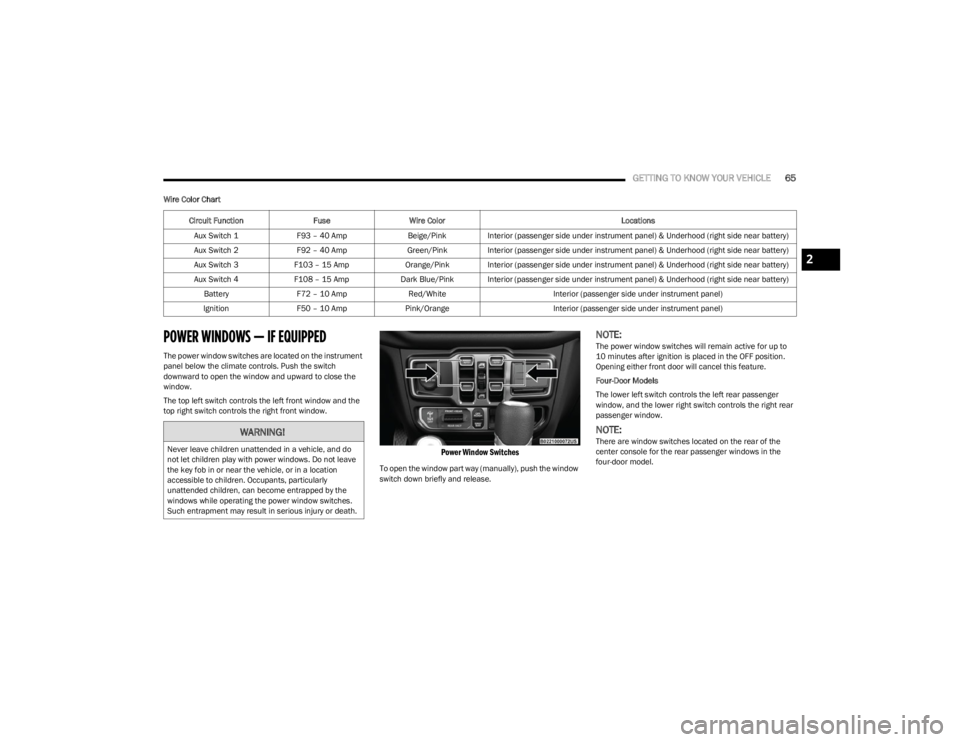
POWER WINDOWS — IF EQUIPPED
The power window switches are located on the instrument
panel below the climate controls. Push the switch
downward to open the window and upward to close the
window.
The top left switch controls the left front window and the
top right switch controls the right front window.
Power Window Switches
To open the window part way (manually), push the window
switch down briefly and release.
NOTE:The power window switches will remain active for up to
10 minutes after ignition is placed in the OFF position.
Opening either front door will cancel this feature.
Four-Door Models
The lower left switch controls the left rear passenger
window, and the lower right switch controls the right rear
passenger window.
NOTE:There are window switches located on the rear of the
center console for the rear passenger windows in the
four-door model.
Circuit Function
FuseWire Color Locations
Aux Switch 1 F93 – 40 Amp Beige/Pink Interior (passenger side under instrument panel) & Underhood (right side near battery)
Aux Switch 2 F92 – 40 Amp Green/Pink Interior (passenger side under instrument panel) & Underhood (right side near battery)
Aux Switch 3 F103 – 15 Amp Orange/Pink Interior (passenger side under instrument panel) & Underhood (right side near battery)
Aux Switch 4 F108 – 15 Amp Dark Blue/Pink Interior (passenger side under instrument panel) & Underhood (right side near battery)
Battery F72 – 10 Amp Red/White Interior (passenger side under instrument panel)
Ignition F50 – 10 Amp Pink/Orange Interior (passenger side under instrument panel)WARNING!
Never leave children unattended in a vehicle, and do
not let children play with power windows. Do not leave
the key fob in or near the vehicle, or in a location
accessible to children. Occupants, particularly
unattended children, can become entrapped by the
windows while operating the power window switches.
Such entrapment may result in serious injury or death.
2
23_JL_OM_EN_USC_t.book Page 65
Page 114 of 396
112GETTING TO KNOW YOUR INSTRUMENT PANEL
INSTRUMENT CLUSTER DISPLAY
S
ELECTABLE ITEMS
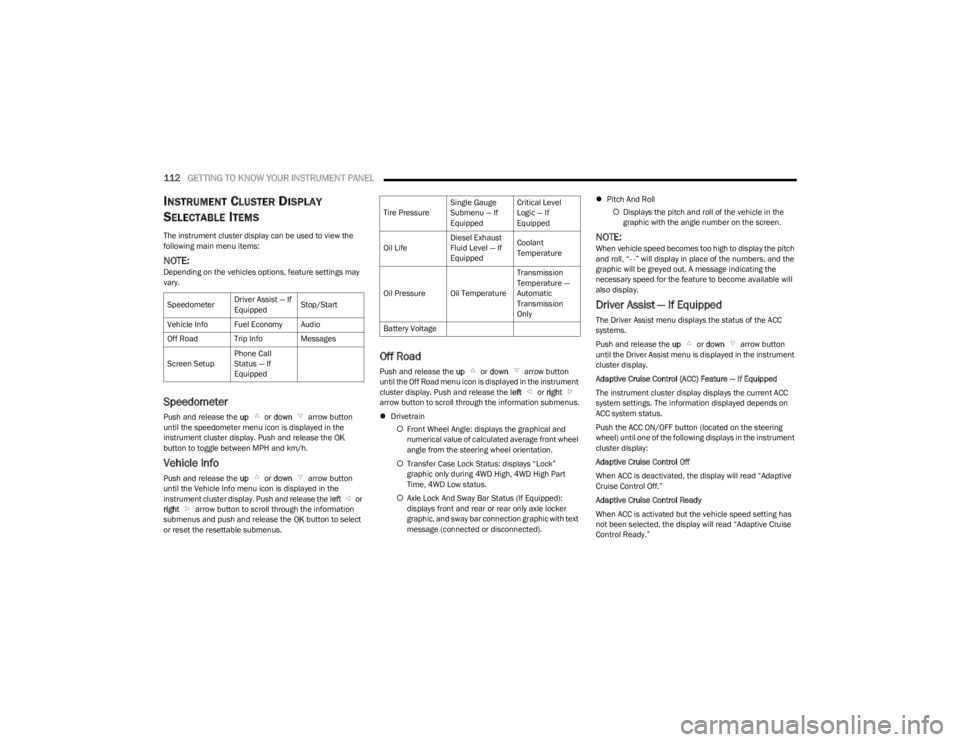
The instrument cluster display can be used to view the
following main menu items:
NOTE:Depending on the vehicles options, feature settings may
vary.
Speedometer
Push and release the up or down arrow button
until the speedometer menu icon is displayed in the
instrument cluster display. Push and release the OK
button to toggle between MPH and km/h.
Vehicle Info
Push and release the up or down arrow button
until the Vehicle Info menu icon is displayed in the
instrument cluster display. Push and release the left or
right arrow button to scroll through the information
submenus and push and release the OK button to select
or reset the resettable submenus.
Off Road
Push and release the up or down arrow button
until the Off Road menu icon is displayed in the instrument
cluster display. Push and release the left or right
arrow button to scroll through the information submenus.
Drivetrain
Front Wheel Angle: displays the graphical and
numerical value of calculated average front wheel
angle from the steering wheel orientation.
Transfer Case Lock Status: displays “Lock”
graphic only during 4WD High, 4WD High Part
Time, 4WD Low status.
Axle Lock And Sway Bar Status (If Equipped):
displays front and rear or rear only axle locker
graphic, and sway bar connection graphic with text
message (connected or disconnected).
Pitch And Roll
Displays the pitch and roll of the vehicle in the
graphic with the angle number on the screen.
NOTE:When vehicle speed becomes too high to display the pitch
and roll, “- -” will display in place of the numbers, and the
graphic will be greyed out. A message indicating the
necessary speed for the feature to become available will
also display.
Driver Assist — If Equipped
The Driver Assist menu displays the status of the ACC
systems.
Push and release the up or down arrow button
until the Driver Assist menu is displayed in the instrument
cluster display.
Adaptive Cruise Control (ACC) Feature — If Equipped
The instrument cluster display displays the current ACC
system settings. The information displayed depends on
ACC system status.
Push the ACC ON/OFF button (located on the steering
wheel) until one of the following displays in the instrument
cluster display:
Adaptive Cruise Control Off
When ACC is deactivated, the display will read “Adaptive
Cruise Control Off.”
Adaptive Cruise Control Ready
When ACC is activated but the vehicle speed setting has
not been selected, the display will read “Adaptive Cruise
Control Ready.”
Speedometer
Driver Assist — If
EquippedStop/Start
Vehicle Info Fuel Economy Audio
Off Road Trip Info Messages
Screen Setup Phone Call
Status — If
Equipped
Tire PressureSingle Gauge
Submenu — If
EquippedCritical Level
Logic — If
Equipped
Oil Life Diesel Exhaust
Fluid Level — If
EquippedCoolant
Temperature
Oil Pressure Oil Temperature Transmission
Temperature —
Automatic
Transmission
Only
Battery Voltage
23_JL_OM_EN_USC_t.book Page 112
Page 116 of 396

114GETTING TO KNOW YOUR INSTRUMENT PANEL
Screen Setup Driver Selectable Items Gear Display — If Equipped
Full
Single
Current Gear — If Equipped
On
Off
Odometer — If Equipped
Show
Hide
Defaults (Restores All Settings To Default Settings)
Cancel
Restore
The menu with (show/hide) means user can press OK
button to choose show or hide this menu on the
instrument cluster display.
Phone Call Status — If Equipped
A pop-up message for an incoming call will appear on any
screen within your instrument cluster. The pop-up
message will appear on your screen until it is cleared out
of the call is ignored, answered, or the calling ends.
NOTE:The Uconnect Settings can be programmed to turn the
pop-up off. This will not affect the audio menu or any
phone status information
Úpage 184.
Any incoming calls, active calls, and outgoing calls will
take the place of your audio information. A caller’s name will only be displayed if:
A number is associated with the call. The phone
number will be displayed in place of the caller’s name.
The test/font of the name is not supported by the
instrument cluster. The instrument cluster will not
display anything in place of the name.
The caller’s name exceeds the maximum number of
characters. The last two to three digits that will fit will
be replaced with “...”.
NOTE:Any audio information will return to the instrument cluster
once the call has ended.
BATTERY SAVER ON/BATTERY SAVER
M
ODE MESSAGE — ELECTRICAL LOAD
R
EDUCTION ACTIONS — IF EQUIPPED
This vehicle is equipped with an Intelligent Battery Sensor
(IBS) to perform additional monitoring of the electrical
system and status of the vehicle battery.
In cases when the IBS detects charging system failure, or
the vehicle battery conditions are deteriorating, electrical
load reduction actions will take place to extend the driving
time and distance of the vehicle. This is done by reducing
power to or turning off non-essential electrical loads.
Load reduction is only active when the engine is running.
It will display a message if there is a risk of battery
depletion to the point where the vehicle may stall due to
lack of electrical supply, or will not restart after the current
drive cycle.
Upper Left and Right
None Current Econ (or
L/100km, km/L)Average Econ (or
L/100km, km/L)
Outside Temp Compass Trip A Distance
Range To Empty Time Trip B Distance
Center
None Compass Time
Outside Temp Average Econ (or
L/100km, km/L)Trip A Distance
Range to Empty Audio Speedometer
Current Econ (or
L/100km, km/L) Trip B Distance Menu Title
Favorite Menus
Speedometer Stop/Start Vehicle Info
Off Road – If
Equipped
(show/hide) MessagesDriver Assist – If
Equipped
(show/hide)
Fuel Economy
(show/hide) Screen SetupTrip Info
(Show/Hide)
Audio
(show/hide)
23_JL_OM_EN_USC_t.book Page 114