instrument panel JEEP WRANGLER 2023 User Guide
[x] Cancel search | Manufacturer: JEEP, Model Year: 2023, Model line: WRANGLER, Model: JEEP WRANGLER 2023Pages: 396, PDF Size: 25.15 MB
Page 60 of 396
58GETTING TO KNOW YOUR VEHICLE
Temperature Control
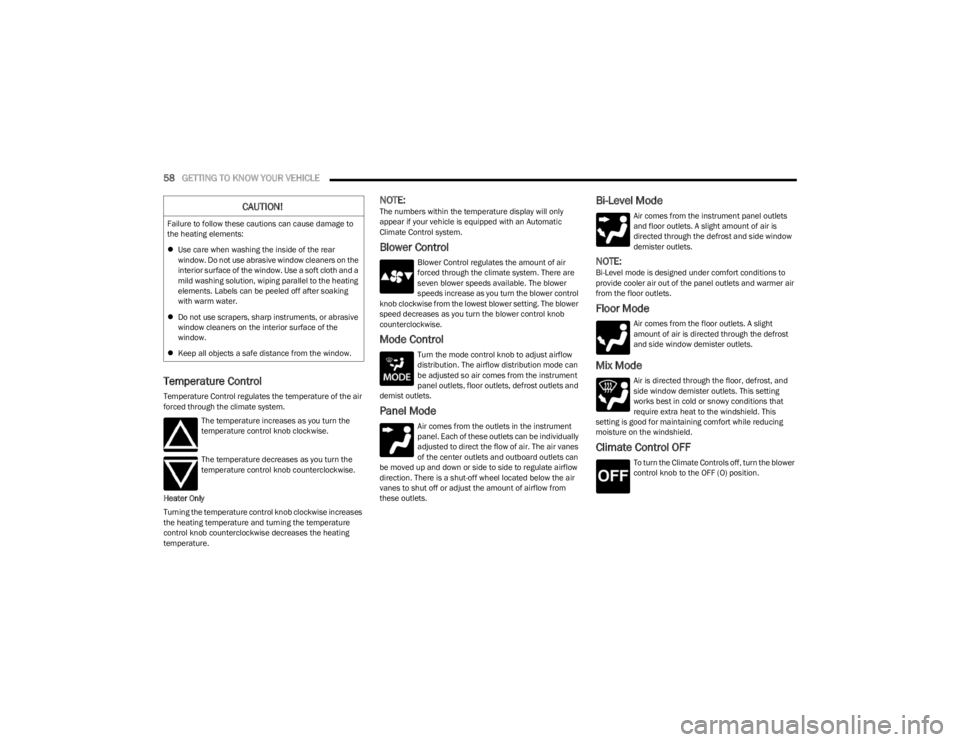
Temperature Control regulates the temperature of the air
forced through the climate system.
The temperature increases as you turn the
temperature control knob clockwise.
The temperature decreases as you turn the
temperature control knob counterclockwise.
Heater Only
Turning the temperature control knob clockwise increases
the heating temperature and turning the temperature
control knob counterclockwise decreases the heating
temperature.
NOTE:The numbers within the temperature display will only
appear if your vehicle is equipped with an Automatic
Climate Control system.
Blower Control
Blower Control regulates the amount of air
forced through the climate system. There are
seven blower speeds available. The blower
speeds increase as you turn the blower control
knob clockwise from the lowest blower setting. The blower
speed decreases as you turn the blower control knob
counterclockwise.
Mode Control
Turn the mode control knob to adjust airflow
distribution. The airflow distribution mode can
be adjusted so air comes from the instrument
panel outlets, floor outlets, defrost outlets and
demist outlets.
Panel Mode
Air comes from the outlets in the instrument
panel. Each of these outlets can be individually
adjusted to direct the flow of air. The air vanes
of the center outlets and outboard outlets can
be moved up and down or side to side to regulate airflow
direction. There is a shut-off wheel located below the air
vanes to shut off or adjust the amount of airflow from
these outlets.
Bi-Level Mode
Air comes from the instrument panel outlets
and floor outlets. A slight amount of air is
directed through the defrost and side window
demister outlets.
NOTE:Bi-Level mode is designed under comfort conditions to
provide cooler air out of the panel outlets and warmer air
from the floor outlets.
Floor Mode
Air comes from the floor outlets. A slight
amount of air is directed through the defrost
and side window demister outlets.
Mix Mode
Air is directed through the floor, defrost, and
side window demister outlets. This setting
works best in cold or snowy conditions that
require extra heat to the windshield. This
setting is good for maintaining comfort while reducing
moisture on the windshield.
Climate Control OFF
To turn the Climate Controls off, turn the blower
control knob to the OFF (O) position.
CAUTION!
Failure to follow these cautions can cause damage to
the heating elements:
Use care when washing the inside of the rear
window. Do not use abrasive window cleaners on the
interior surface of the window. Use a soft cloth and a
mild washing solution, wiping parallel to the heating
elements. Labels can be peeled off after soaking
with warm water.
Do not use scrapers, sharp instruments, or abrasive
window cleaners on the interior surface of the
window.
Keep all objects a safe distance from the window.
23_JL_OM_EN_USC_t.book Page 58
Page 62 of 396
60GETTING TO KNOW YOUR VEHICLE
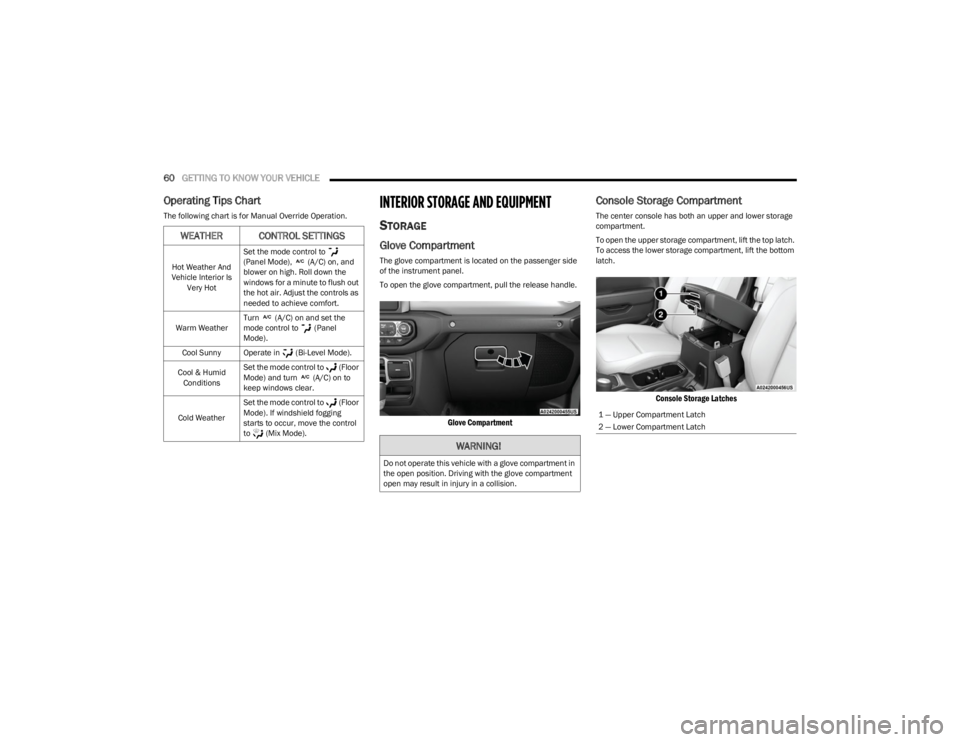
Operating Tips Chart
The following chart is for Manual Override Operation.INTERIOR STORAGE AND EQUIPMENT
STORAGE
Glove Compartment
The glove compartment is located on the passenger side
of the instrument panel.
To open the glove compartment, pull the release handle.
Glove Compartment
Console Storage Compartment
The center console has both an upper and lower storage
compartment.
To open the upper storage compartment, lift the top latch.
To access the lower storage compartment, lift the bottom
latch.
Console Storage Latches
WEATHER CONTROL SETTINGS
Hot Weather And
Vehicle Interior Is Very Hot Set the mode control to
(Panel Mode), (A/C) on, and
blower on high. Roll down the
windows for a minute to flush out
the hot air. Adjust the controls as
needed to achieve comfort.
Warm Weather Turn (A/C) on and set the
mode control to (Panel
Mode).
Cool Sunny Operate in (Bi-Level Mode).
Cool & Humid Conditions Set the mode control to (Floor
Mode) and turn (A/C) on to
keep windows clear.
Cold Weather Set the mode control to (Floor
Mode). If windshield fogging
starts to occur, move the control
to (Mix Mode).
WARNING!
Do not operate this vehicle with a glove compartment in
the open position. Driving with the glove compartment
open may result in injury in a collision.
1 — Upper Compartment Latch
2 — Lower Compartment Latch
23_JL_OM_EN_USC_t.book Page 60
Page 63 of 396
GETTING TO KNOW YOUR VEHICLE61
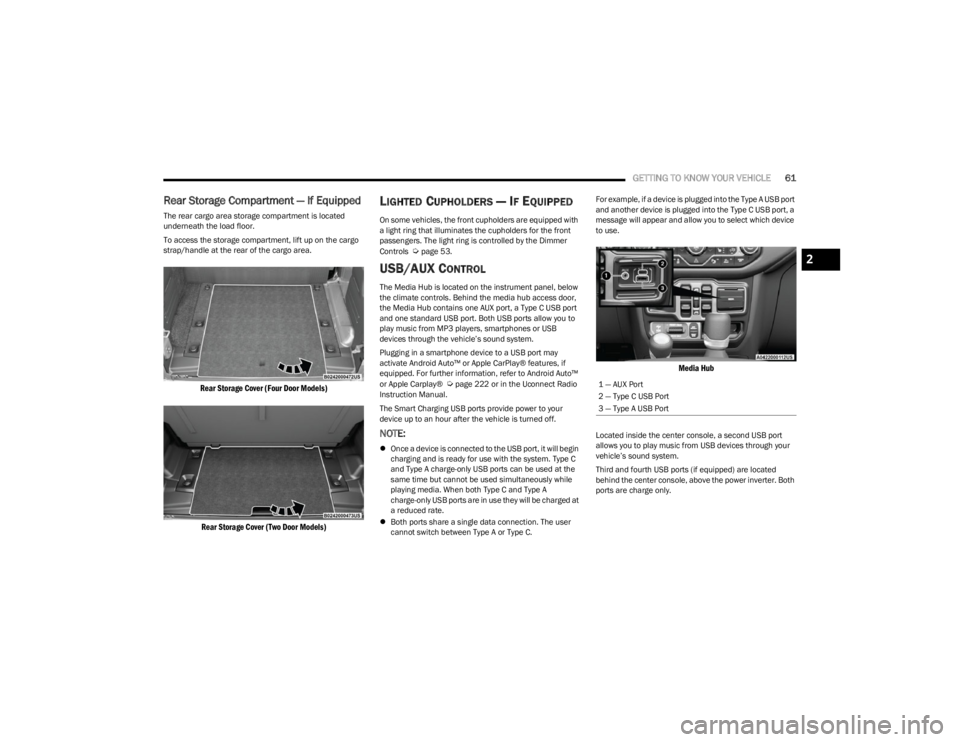
Rear Storage Compartment — If Equipped
The rear cargo area storage compartment is located
underneath the load floor.
To access the storage compartment, lift up on the cargo
strap/handle at the rear of the cargo area.
Rear Storage Cover (Four Door Models)
Rear Storage Cover (Two Door Models)
LIGHTED CUPHOLDERS — IF EQUIPPED
On some vehicles, the front cupholders are equipped with
a light ring that illuminates the cupholders for the front
passengers. The light ring is controlled by the Dimmer
Controls
Úpage 53.
USB/AUX CONTROL
The Media Hub is located on the instrument panel, below
the climate controls. Behind the media hub access door,
the Media Hub contains one AUX port, a Type C USB port
and one standard USB port. Both USB ports allow you to
play music from MP3 players, smartphones or USB
devices through the vehicle’s sound system.
Plugging in a smartphone device to a USB port may
activate Android Auto™ or Apple CarPlay® features, if
equipped. For further information, refer to Android Auto™
or Apple Carplay®
Úpage 222 or in the Uconnect Radio
Instruction Manual.
The Smart Charging USB ports provide power to your
device up to an hour after the vehicle is turned off.
NOTE:
Once a device is connected to the USB port, it will begin
charging and is ready for use with the system. Type C
and Type A charge-only USB ports can be used at the
same time but cannot be used simultaneously while
playing media. When both Type C and Type A
charge-only USB ports are in use they will be charged at
a reduced rate.
Both ports share a single data connection. The user
cannot switch between Type A or Type C. For example, if a device is plugged into the Type A USB port
and another device is plugged into the Type C USB port, a
message will appear and allow you to select which device
to use.
Media Hub
Located inside the center console, a second USB port
allows you to play music from USB devices through your
vehicle’s sound system.
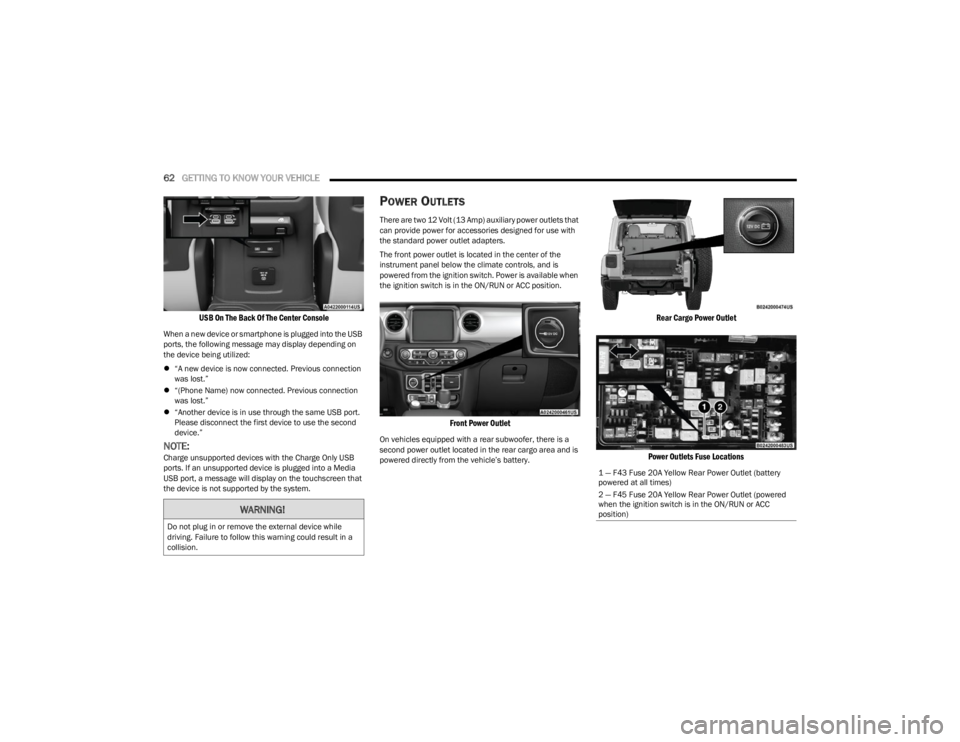
Third and fourth USB ports (if equipped) are located
behind the center console, above the power inverter. Both
ports are charge only.
1 — AUX Port
2 — Type C USB Port
3 — Type A USB Port
2
23_JL_OM_EN_USC_t.book Page 61
Page 64 of 396
62GETTING TO KNOW YOUR VEHICLE
USB On The Back Of The Center Console
When a new device or smartphone is plugged into the USB
ports, the following message may display depending on
the device being utilized:
“A new device is now connected. Previous connection
was lost.”
“(Phone Name) now connected. Previous connection
was lost.”
“Another device is in use through the same USB port.
Please disconnect the first device to use the second
device.”
NOTE:Charge unsupported devices with the Charge Only USB
ports. If an unsupported device is plugged into a Media
USB port, a message will display on the touchscreen that
the device is not supported by the system.
POWER OUTLETS
There are two 12 Volt (13 Amp) auxiliary power outlets that
can provide power for accessories designed for use with
the standard power outlet adapters.
The front power outlet is located in the center of the
instrument panel below the climate controls, and is
powered from the ignition switch. Power is available when
the ignition switch is in the ON/RUN or ACC position.
Front Power Outlet
On vehicles equipped with a rear subwoofer, there is a
second power outlet located in the rear cargo area and is
powered directly from the vehicle’s battery.
Rear Cargo Power Outlet
Power Outlets Fuse Locations
WARNING!
Do not plug in or remove the external device while
driving. Failure to follow this warning could result in a
collision.
1 — F43 Fuse 20A Yellow Rear Power Outlet (battery
powered at all times)
2 — F45 Fuse 20A Yellow Rear Power Outlet (powered
when the ignition switch is in the ON/RUN or ACC
position)
23_JL_OM_EN_USC_t.book Page 62
Page 66 of 396
64GETTING TO KNOW YOUR VEHICLE
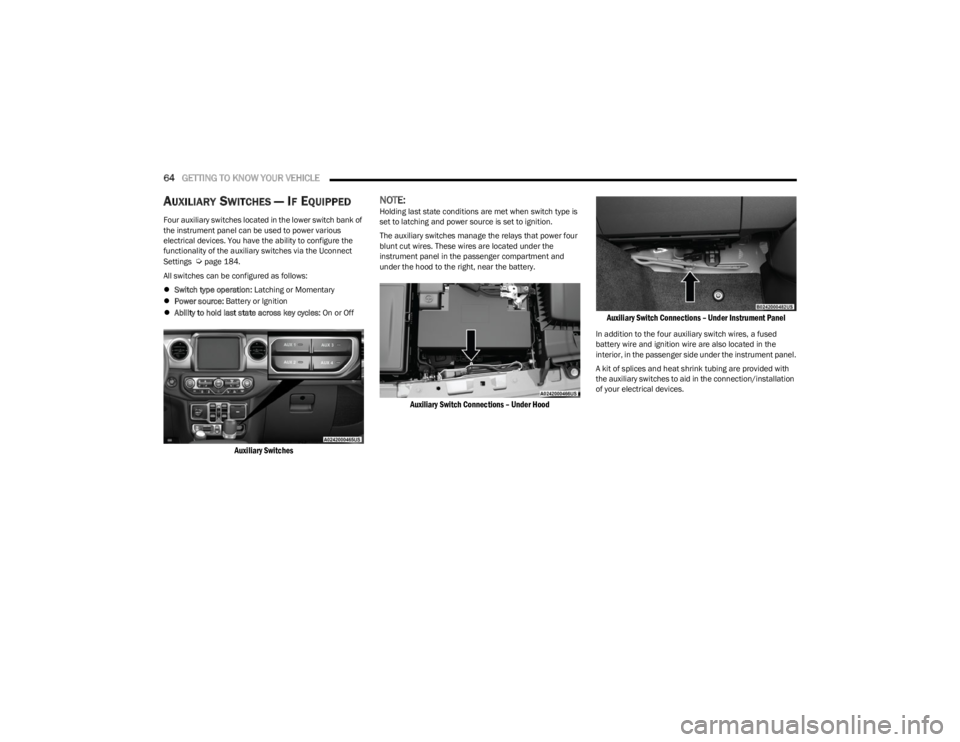
AUXILIARY SWITCHES — IF EQUIPPED
Four auxiliary switches located in the lower switch bank of
the instrument panel can be used to power various
electrical devices. You have the ability to configure the
functionality of the auxiliary switches via the Uconnect
Settings
Úpage 184.
All switches can be configured as follows:
Switch type operation: Latching or Momentary
Power source: Battery or Ignition
Ability to hold last state across key cycles: On or Off
Auxiliary Switches
NOTE:Holding last state conditions are met when switch type is
set to latching and power source is set to ignition.
The auxiliary switches manage the relays that power four
blunt cut wires. These wires are located under the
instrument panel in the passenger compartment and
under the hood to the right, near the battery.
Auxiliary Switch Connections – Under Hood Auxiliary Switch Connections – Under Instrument Panel
In addition to the four auxiliary switch wires, a fused
battery wire and ignition wire are also located in the
interior, in the passenger side under the instrument panel.
A kit of splices and heat shrink tubing are provided with
the auxiliary switches to aid in the connection/installation
of your electrical devices.
23_JL_OM_EN_USC_t.book Page 64
Page 67 of 396
GETTING TO KNOW YOUR VEHICLE65
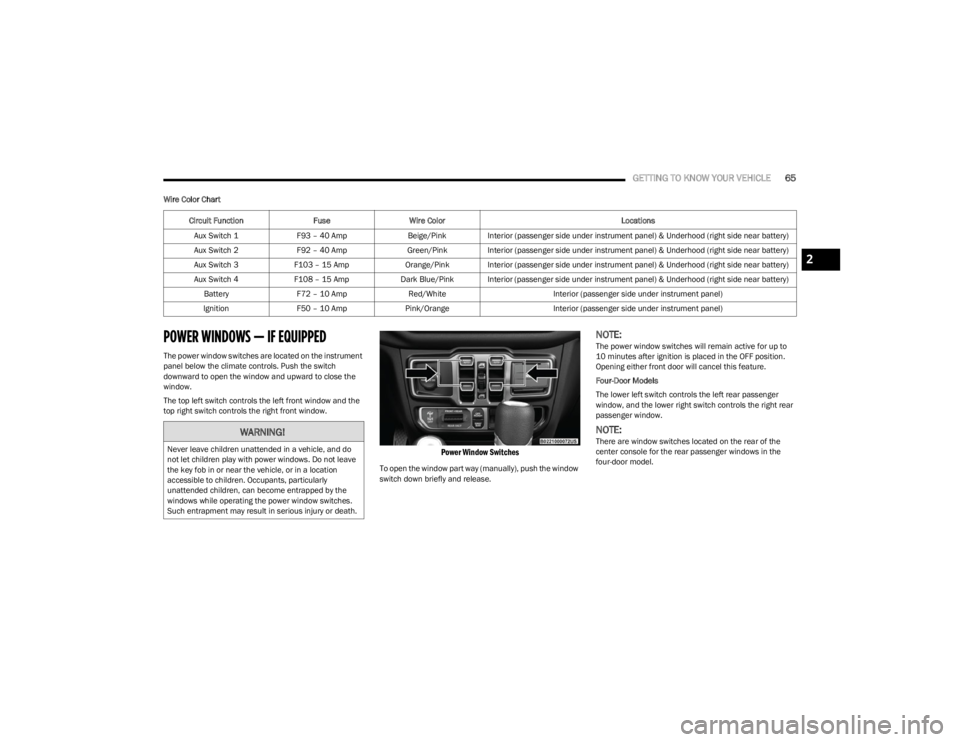
Wire Color Chart
POWER WINDOWS — IF EQUIPPED
The power window switches are located on the instrument
panel below the climate controls. Push the switch
downward to open the window and upward to close the
window.
The top left switch controls the left front window and the
top right switch controls the right front window.
Power Window Switches
To open the window part way (manually), push the window
switch down briefly and release.
NOTE:The power window switches will remain active for up to
10 minutes after ignition is placed in the OFF position.
Opening either front door will cancel this feature.
Four-Door Models
The lower left switch controls the left rear passenger
window, and the lower right switch controls the right rear
passenger window.
NOTE:There are window switches located on the rear of the
center console for the rear passenger windows in the
four-door model.
Circuit Function
FuseWire Color Locations
Aux Switch 1 F93 – 40 Amp Beige/Pink Interior (passenger side under instrument panel) & Underhood (right side near battery)
Aux Switch 2 F92 – 40 Amp Green/Pink Interior (passenger side under instrument panel) & Underhood (right side near battery)
Aux Switch 3 F103 – 15 Amp Orange/Pink Interior (passenger side under instrument panel) & Underhood (right side near battery)
Aux Switch 4 F108 – 15 Amp Dark Blue/Pink Interior (passenger side under instrument panel) & Underhood (right side near battery)
Battery F72 – 10 Amp Red/White Interior (passenger side under instrument panel)
Ignition F50 – 10 Amp Pink/Orange Interior (passenger side under instrument panel)WARNING!
Never leave children unattended in a vehicle, and do
not let children play with power windows. Do not leave
the key fob in or near the vehicle, or in a location
accessible to children. Occupants, particularly
unattended children, can become entrapped by the
windows while operating the power window switches.
Such entrapment may result in serious injury or death.
2
23_JL_OM_EN_USC_t.book Page 65
Page 106 of 396
104
GETTING TO KNOW YOUR INSTRUMENT PANEL
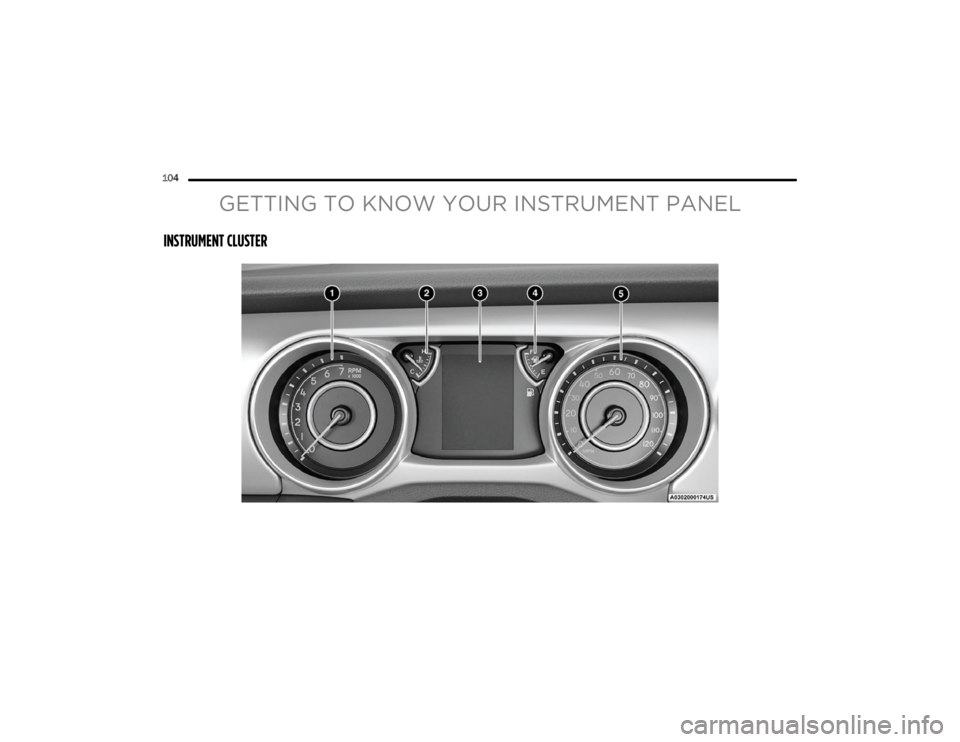
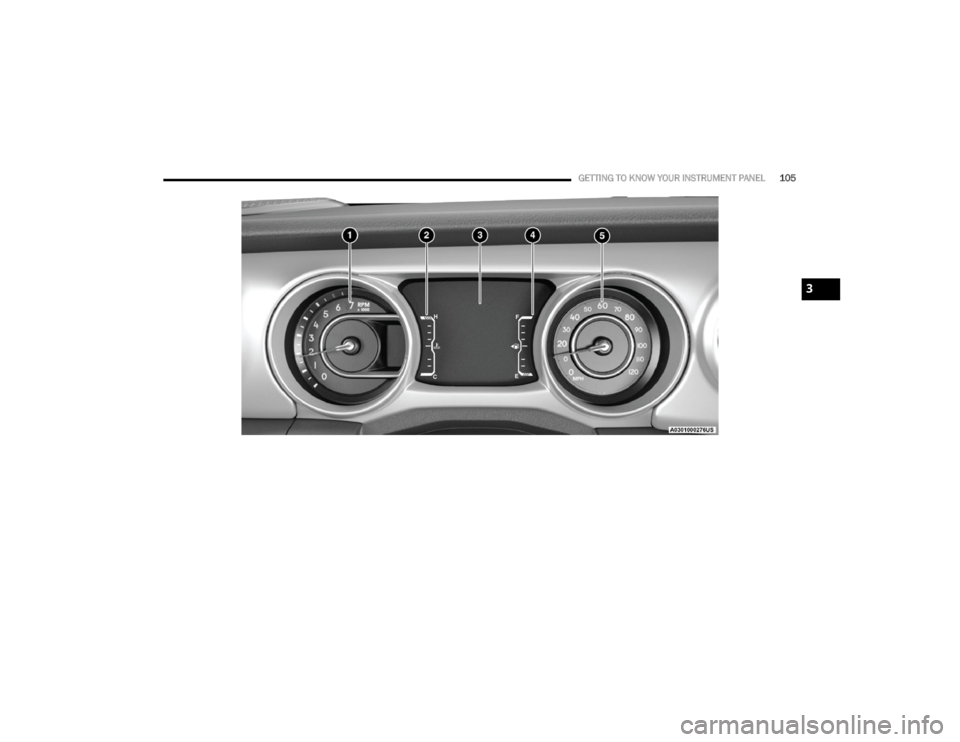
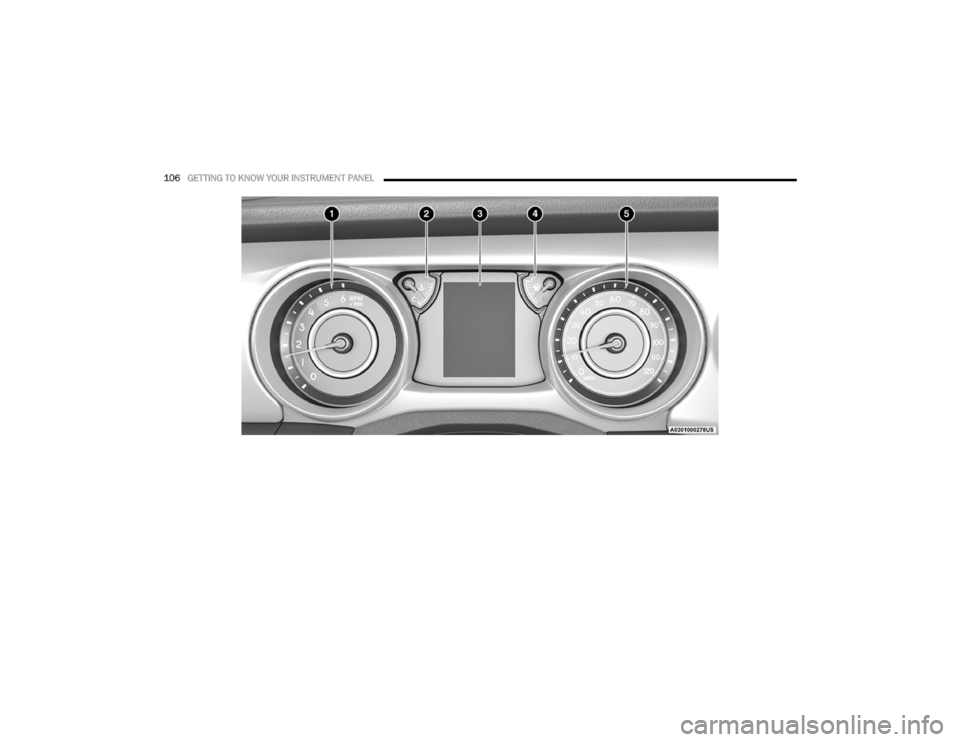
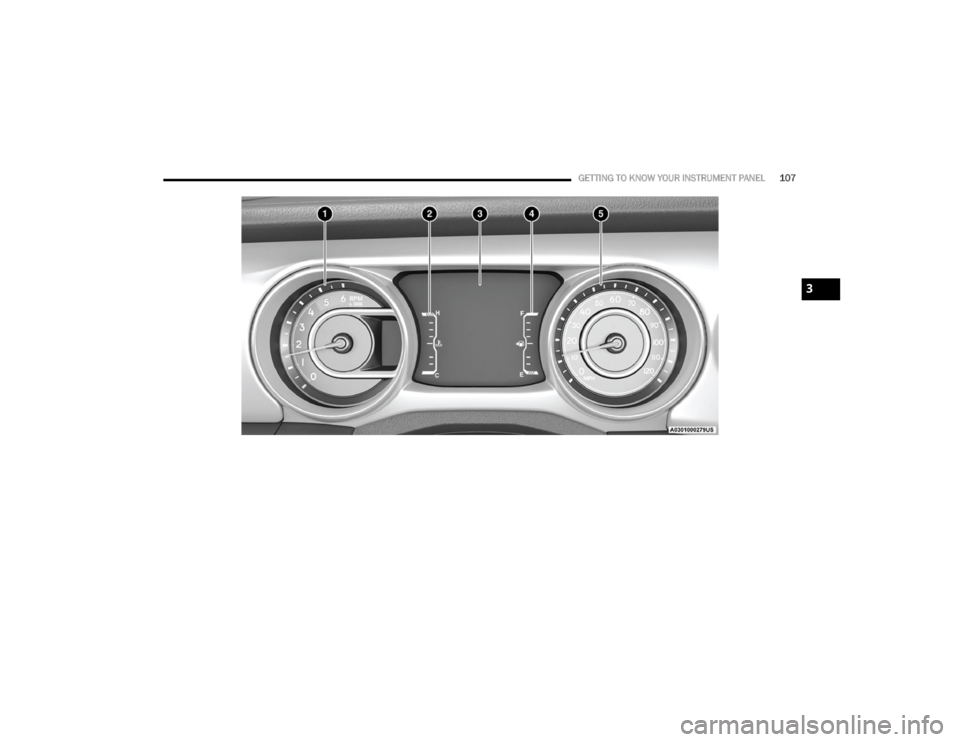
INSTRUMENT CLUSTER
23_JL_OM_EN_USC_t.book Page 104
Page 107 of 396
GETTING TO KNOW YOUR INSTRUMENT PANEL105
3
23_JL_OM_EN_USC_t.book Page 105
Page 108 of 396
106GETTING TO KNOW YOUR INSTRUMENT PANEL
23_JL_OM_EN_USC_t.book Page 106
Page 109 of 396
GETTING TO KNOW YOUR INSTRUMENT PANEL107
3
23_JL_OM_EN_USC_t.book Page 107