reset JEEP WRANGLER 2023 User Guide
[x] Cancel search | Manufacturer: JEEP, Model Year: 2023, Model line: WRANGLER, Model: JEEP WRANGLER 2023Pages: 396, PDF Size: 25.15 MB
Page 142 of 396
140STARTING AND OPERATING
In the event of a momentary problem, the transmission
can be reset to regain all forward gears by performing the
following steps:
NOTE:
In cases where the instrument cluster message indi -
cates the transmission may not re-engage after engine
shutdown, perform this procedure only in a desired
location (preferably, at an authorized dealer).
Even if the transmission can be reset, we recommend
that you visit an authorized dealer at your earliest
possible convenience. An authorized dealer has diag-
nostic equipment to assess the condition of your trans -
mission.
If the transmission cannot be reset, authorized dealer
service is required.
1. Stop the vehicle.
2. Shift the transmission into PARK, if possible. If not, shift the transmission to NEUTRAL.
3. Push and hold the ignition switch until the engine turns off.
4. Wait approximately 30 seconds.
5. Restart the engine.
6. Shift into the desired gear range. If the problem is no longer detected, the transmission will return to
normal operation.
AutoStick
AutoStick is a driver-interactive transmission feature
providing manual shift control, giving you more control of
the vehicle. AutoStick allows you to maximize engine
braking, eliminate undesirable upshifts and downshifts, and improve overall vehicle performance. This feature can
also provide you with more control during passing, city
driving, cold slippery conditions, mountain driving, trailer
towing, and many other situations.
Operation
To activate AutoStick mode, move the gear selector into
the MANUAL (M) position (beside the DRIVE position). The
current transmission gear will be displayed in the
instrument cluster. In AutoStick mode, you can use the
gear selector (in the MANUAL position) to manually shift
the transmission.
AutoStick mode has the following operational benefits:
The transmission will automatically downshift as the
vehicle slows (to prevent engine lugging) and will
display the current gear.
The transmission will automatically downshift to FIRST
gear when coming to a stop. After a stop, the driver
should manually upshift (+) the transmission as the
vehicle is accelerated.
You can start out, from a stop, in FIRST or SECOND gear
(or THIRD gear, in 4L range). Tapping (+) (at a stop) will
allow starting in SECOND gear. Starting out in SECOND
or THIRD gear can be helpful in snowy or icy conditions.
If a requested downshift would cause the engine to
overspeed, that shift will not occur.
The system will ignore attempts to upshift at too low of
a vehicle speed.
Holding the gear selector in the (-) position will down -
shift the transmission to the lowest gear possible at the
current speed.
Transmission shifting will be more noticeable when
AutoStick is enabled.
The system may revert to automatic shift mode if a
fault or overheat condition is detected.
NOTE:When Hill Descent Control is enabled, AutoStick is not
active.
To disengage AutoStick mode, return the gear selector to
the DRIVE position. You can shift in or out of the AutoStick
position at any time without taking your foot off the
accelerator pedal.
FOUR–WHEEL DRIVE OPERATION
WARNING!
Do not downshift for additional engine braking on a
slippery surface. The drive wheels could lose their grip
and the vehicle could skid, causing a collision or
personal injury.
WARNING!
Failure to engage a transfer case position completely
can cause transfer case damage or loss of power and
vehicle control. You could have a collision. Do not drive
the vehicle unless the transfer case is fully engaged.
23_JL_OM_EN_USC_t.book Page 140
Page 150 of 396
148STARTING AND OPERATING
POSSIBLE REASONS THE ENGINE DOES
N
OT AUTOSTOP
Prior to engine shut down, the system will check many
safety and comfort conditions to see if they are fulfilled.
Detailed information about the operation of the Stop/Start
system may be viewed in the instrument cluster display
Stop/Start screen. Situations when the engine will not
stop include (but not limited to):
Driver’s seat belt is not buckled.
Driver’s door is not closed.
Battery temperature is too warm or cold.
Battery charge is low.
The vehicle is on a steep grade.
Cabin heating or cooling is in process and an accept -
able cabin temperature has not been achieved.
Gear selector is in MANUAL (M) mode.
HVAC is set to full defrost mode at a high blower speed.
HVAC is set to MAX A/C.
Engine has not reached normal operating temperature.
Engine or exhaust temperature is too high.
The transmission is not in a forward gear.
Hood is open.
Transfer case is in 4L or N (Neutral).
Brake pedal is not pressed with sufficient pressure.
Accelerator pedal input.
Vehicle speed threshold has not been achieved from
previous Autostop.
Steering angle is beyond threshold (ESS Models Only).
ACC is on and speed is set.
Vehicle is at high altitude.
System fault is present. It may be possible for the vehicle to be driven several
times without the Stop/Start system going into a STOP/
START READY state under more extreme conditions of the
previously listed items.
TO START THE ENGINE WHILE IN
A
UTOSTOP MODE
While in a forward gear, the engine will start when the
brake pedal is released or the throttle pedal is pressed.
The transmission will automatically re-engage upon
engine restart.
Conditions That Will Cause The Engine To Start
Automatically While In Autostop Mode:
The transmission selector is moved out of DRIVE.
To maintain cabin temperature comfort.
Actual cabin temperature is significantly different than
temperature set on Auto HVAC.
HVAC is set to full defrost mode.
HVAC system temperature or fan speed is manually
adjusted higher.
Battery voltage drops too low.
Stop/Start OFF switch is pushed.
A Stop/Start system error occurs.
Stop/Start Autostop Active time exceeds five minutes.
Transfer case is in 4L or N (Neutral).
Steering wheel is turned beyond threshold (ESS
Models Only).
TO MANUALLY TURN OFF THE STOP/
S
TART SYSTEM
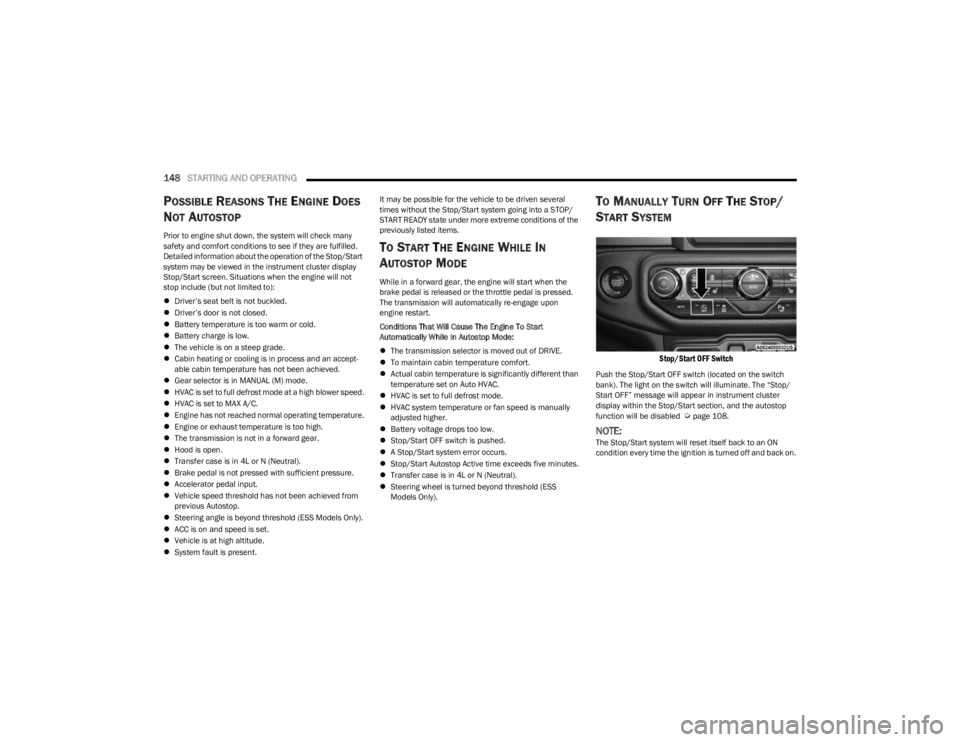
Stop/Start OFF Switch
Push the Stop/Start OFF switch (located on the switch
bank). The light on the switch will illuminate. The “Stop/
Start OFF” message will appear in instrument cluster
display within the Stop/Start section, and the autostop
function will be disabled
Úpage 108.
NOTE:The Stop/Start system will reset itself back to an ON
condition every time the ignition is turned off and back on.
23_JL_OM_EN_USC_t.book Page 148
Page 152 of 396
150STARTING AND OPERATING
POSSIBLE REASONS THE ENGINE DOES
N
OT AUTOSTOP
Prior to engine shut down, the system will check many
safety and comfort conditions to see if they are fulfilled.
Situations when the engine will not stop include (but not
limited to):
Driver’s seat belt is not buckled.
Outside temperature is less than 10°F (–12°C) or
greater than 109°F (43°C).
Actual cabin temperature is significantly different than
temperature set on Auto HVAC.
HVAC is set to full defrost mode.
Engine has not reached normal operating temperature.
Battery is discharged.
When driving in REVERSE.
Hood is open.
Transfer case is in 4L or N (Neutral).
Driver's seat is not occupied or driver’s door is open.
Vehicle is at high altitude.
The vehicle is on a steep grade.
Forward Gear is engaged.
Steering angle is beyond threshold (ESS Models Only).
System fault is present.
HVAC is set to MAX A/C.
It may be possible for the vehicle to be driven several
times without the Stop/Start system going into a STOP/
START READY state under more extreme conditions of the
previously listed items.
TO START THE ENGINE WHILE IN
A
UTOSTOP MODE
When the gear selector is in NEUTRAL, the engine will start
when the clutch pedal is pressed (does not require
complete/full pedal press). The vehicle will go into STOP/
START SYSTEM NOT READY mode until the vehicle speed
is greater than 5 mph (8 km/h).
Conditions that will cause the engine to start
automatically while in STOP/START AUTOSTOP ACTIVE
mode
The Engine Will Start Automatically When:
Actual cabin temperature is significantly different than
temperature set on Auto HVAC.
HVAC is set to full defrost mode.
HVAC system temperature or fan speed is manually
adjusted higher.
Stop/Start Autostop Active time exceeds five minutes.
Battery voltage drops too low.
Vehicle is moving faster than 5 mph (8 km/h).
STOP/START OFF switch is pressed.
Transfer case is in 4L or N (Neutral).
Steering wheel is turned beyond threshold (ESS
Models Only).
TO MANUALLY TURN OFF THE STOP/
S
TART SYSTEM
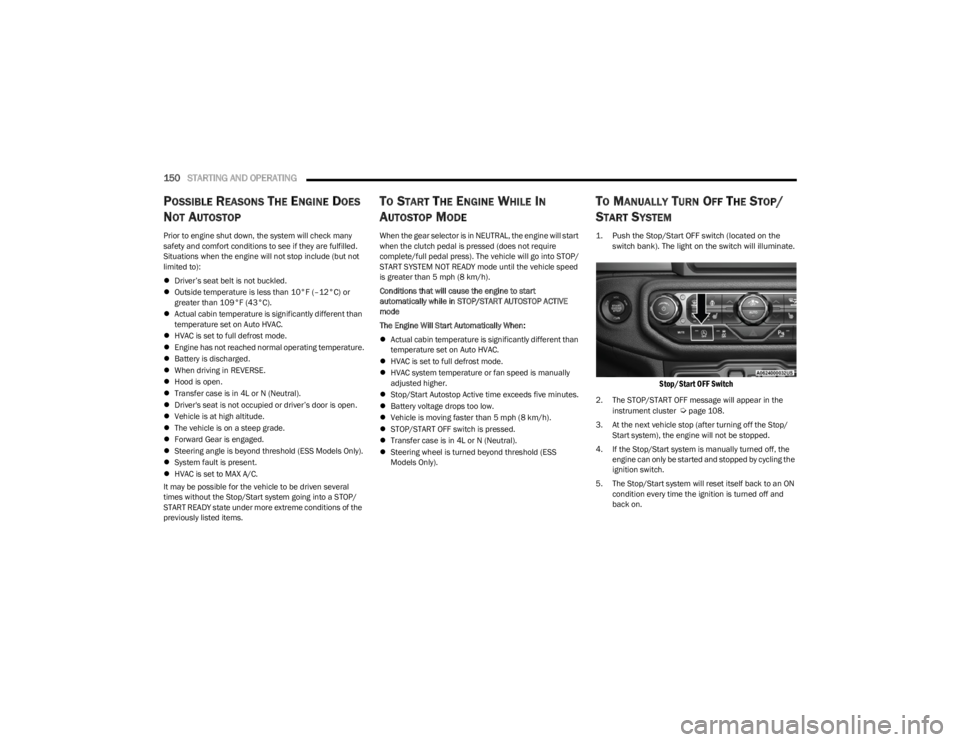
1. Push the Stop/Start OFF switch (located on the
switch bank). The light on the switch will illuminate.
Stop/Start OFF Switch
2. The STOP/START OFF message will appear in the
instrument cluster Úpage 108.
3. At the next vehicle stop (after turning off the Stop/ Start system), the engine will not be stopped.
4. If the Stop/Start system is manually turned off, the engine can only be started and stopped by cycling the
ignition switch.
5. The Stop/Start system will reset itself back to an ON condition every time the ignition is turned off and
back on.
23_JL_OM_EN_USC_t.book Page 150
Page 153 of 396
STARTING AND OPERATING151
TO MANUALLY TURN ON THE STOP/
S
TART SYSTEM
Push the Stop/Start OFF switch (located on the switch
bank). The light on the switch will turn off.
SYSTEM MALFUNCTION
If there is a malfunction in the Stop/Start system, the
system will not shut down the engine. A “SERVICE STOP/
START SYSTEM” message and a yellow Stop/Start telltale
will appear in the Instrument Cluster Display
Úpage 108.
If the “SERVICE STOP/START SYSTEM” message appears
in the instrument cluster display, have the system
checked by an authorized dealer.
If a malfunction occurs during an autostop, the vehicle
may not auto start and will need a key start.
CRUISE CONTROL SYSTEMS — IF EQUIPPED
Your vehicle may be equipped with the Cruise Control
system, or the Adaptive Cruise Control (ACC) system:
Cruise Control will keep your vehicle at a constant
preset speed.
Adaptive Cruise Control (ACC) will adjust the vehicle
speed up to the preset speed to maintain a distance
with the vehicle ahead.
NOTE:
In vehicles equipped with ACC, if ACC is not enabled,
Fixed Speed Cruise Control will not detect vehicles
directly ahead of you. Always be aware of the feature
selected.
Only one Cruise Control feature can operate at a time.
For example, if Fixed Speed Cruise Control is enabled,
Adaptive Cruise Control will be unavailable, and vice
versa.
CRUISE CONTROL
When engaged, the Cruise Control takes over accelerator
operations at speeds greater than 20 mph (32 km/h).
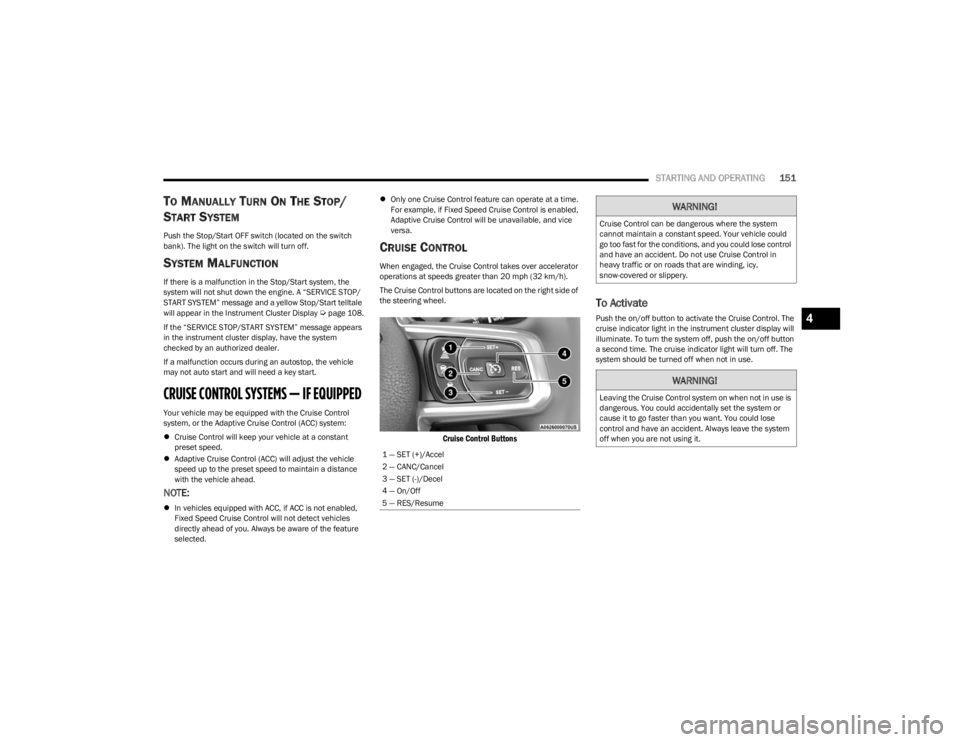
The Cruise Control buttons are located on the right side of
the steering wheel.
Cruise Control Buttons
To Activate
Push the on/off button to activate the Cruise Control. The
cruise indicator light in the instrument cluster display will
illuminate. To turn the system off, push the on/off button
a second time. The cruise indicator light will turn off. The
system should be turned off when not in use.
1 — SET (+)/Accel
2 — CANC/Cancel
3 — SET (-)/Decel
4 — On/Off
5 — RES/Resume
WARNING!
Cruise Control can be dangerous where the system
cannot maintain a constant speed. Your vehicle could
go too fast for the conditions, and you could lose control
and have an accident. Do not use Cruise Control in
heavy traffic or on roads that are winding, icy,
snow-covered or slippery.
WARNING!
Leaving the Cruise Control system on when not in use is
dangerous. You could accidentally set the system or
cause it to go faster than you want. You could lose
control and have an accident. Always leave the system
off when you are not using it.
4
23_JL_OM_EN_USC_t.book Page 151
Page 154 of 396
152STARTING AND OPERATING
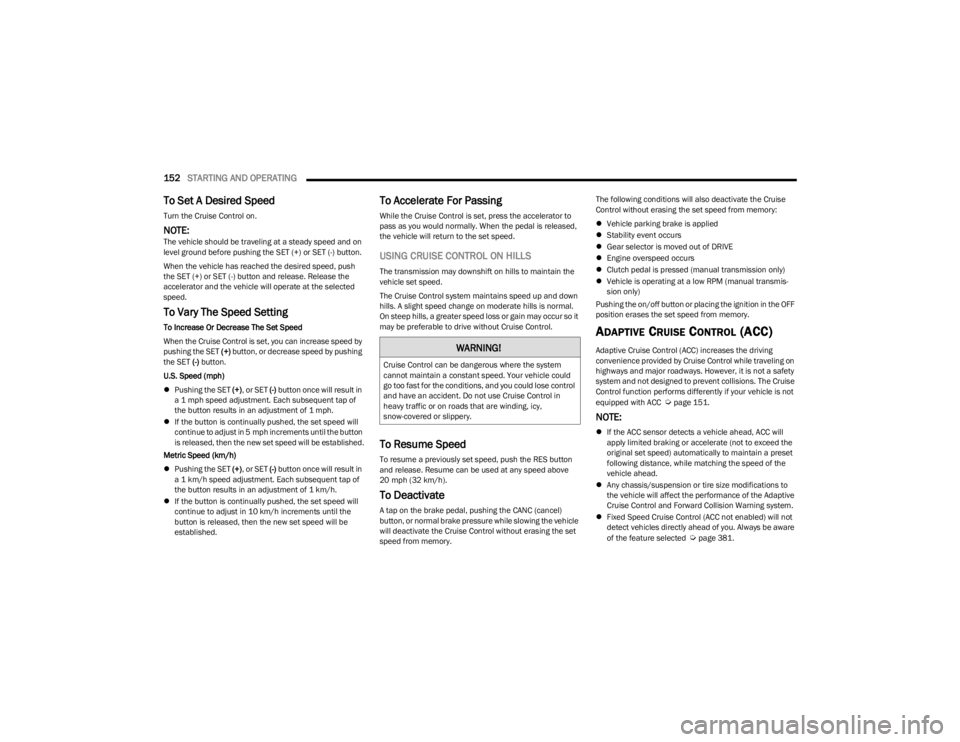
To Set A Desired Speed
Turn the Cruise Control on.
NOTE:The vehicle should be traveling at a steady speed and on
level ground before pushing the SET (+) or SET (-) button.
When the vehicle has reached the desired speed, push
the SET (+) or SET (-) button and release. Release the
accelerator and the vehicle will operate at the selected
speed.
To Vary The Speed Setting
To Increase Or Decrease The Set Speed
When the Cruise Control is set, you can increase speed by
pushing the SET (+) button, or decrease speed by pushing
the SET (-) button.
U.S. Speed (mph)
Pushing the SET (+), or SET (-) button once will result in
a 1 mph speed adjustment. Each subsequent tap of
the button results in an adjustment of 1 mph.
If the button is continually pushed, the set speed will
continue to adjust in 5 mph increments until the button
is released, then the new set speed will be established.
Metric Speed (km/h)
Pushing the SET (+), or SET (-) button once will result in
a 1 km/h speed adjustment. Each subsequent tap of
the button results in an adjustment of 1 km/h.
If the button is continually pushed, the set speed will
continue to adjust in 10 km/h increments until the
button is released, then the new set speed will be
established.
To Accelerate For Passing
While the Cruise Control is set, press the accelerator to
pass as you would normally. When the pedal is released,
the vehicle will return to the set speed.
USING CRUISE CONTROL ON HILLS
The transmission may downshift on hills to maintain the
vehicle set speed.
The Cruise Control system maintains speed up and down
hills. A slight speed change on moderate hills is normal.
On steep hills, a greater speed loss or gain may occur so it
may be preferable to drive without Cruise Control.
To Resume Speed
To resume a previously set speed, push the RES button
and release. Resume can be used at any speed above
20 mph (32 km/h).
To Deactivate
A tap on the brake pedal, pushing the CANC (cancel)
button, or normal brake pressure while slowing the vehicle
will deactivate the Cruise Control without erasing the set
speed from memory. The following conditions will also deactivate the Cruise
Control without erasing the set speed from memory:
Vehicle parking brake is applied
Stability event occurs
Gear selector is moved out of DRIVE
Engine overspeed occurs
Clutch pedal is pressed (manual transmission only)
Vehicle is operating at a low RPM (manual transmis -
sion only)
Pushing the on/off button or placing the ignition in the OFF
position erases the set speed from memory.
ADAPTIVE CRUISE CONTROL (ACC)
Adaptive Cruise Control (ACC) increases the driving
convenience provided by Cruise Control while traveling on
highways and major roadways. However, it is not a safety
system and not designed to prevent collisions. The Cruise
Control function performs differently if your vehicle is not
equipped with ACC
Úpage 151.
NOTE:
If the ACC sensor detects a vehicle ahead, ACC will
apply limited braking or accelerate (not to exceed the
original set speed) automatically to maintain a preset
following distance, while matching the speed of the
vehicle ahead.
Any chassis/suspension or tire size modifications to
the vehicle will affect the performance of the Adaptive
Cruise Control and Forward Collision Warning system.
Fixed Speed Cruise Control (ACC not enabled) will not
detect vehicles directly ahead of you. Always be aware
of the feature selected
Úpage 381.
WARNING!
Cruise Control can be dangerous where the system
cannot maintain a constant speed. Your vehicle could
go too fast for the conditions, and you could lose control
and have an accident. Do not use Cruise Control in
heavy traffic or on roads that are winding, icy,
snow-covered or slippery.
23_JL_OM_EN_USC_t.book Page 152
Page 168 of 396
166STARTING AND OPERATING
(Continued)
4. Fill the vehicle with fuel.
NOTE:
When the fuel nozzle “clicks” or shuts off, the fuel
tank is full.
Wait five seconds before removing the fuel nozzle
to allow excess fuel to drain from the nozzle.
5. Remove the fuel nozzle, reinstall fuel cap and close fuel filler door.
NOTE:
When the fuel nozzle “clicks” or shuts off, the fuel tank
is full.
Tighten the fuel filler cap about a quarter turn until you
hear one click. This is an indication that the cap is prop -
erly tightened.
If the fuel filler cap is not tightened properly, the MIL
will come on. Be sure the cap is tightened every time
the vehicle is refueled.
LOOSE FUEL FILLER CAP MESSAGE
After fuel has been added, the vehicle diagnostic system
can determine if the fuel filler cap is possibly loose,
improperly installed, or damaged. If the system detects a
malfunction, the “gASCAP” message will display in the
odometer display. Tighten the gas cap until a "clicking"
sound is heard. This is an indication that the gas cap is
properly tightened. Push the odometer reset button to turn
the message off. If the problem persists, the message will
appear the next time the vehicle is started. This might
indicate a damaged cap. If the problem is detected twice
in a row, the system will turn on the MIL. Resolving the
problem will turn the MIL off.
REFUELING THE VEHICLE — DIESEL ENGINE
(IF EQUIPPED)
The fuel filler cap is located on the driver's side of the
vehicle. If the fuel filler cap is lost or damaged, be sure the
replacement cap is the correct one for this vehicle.
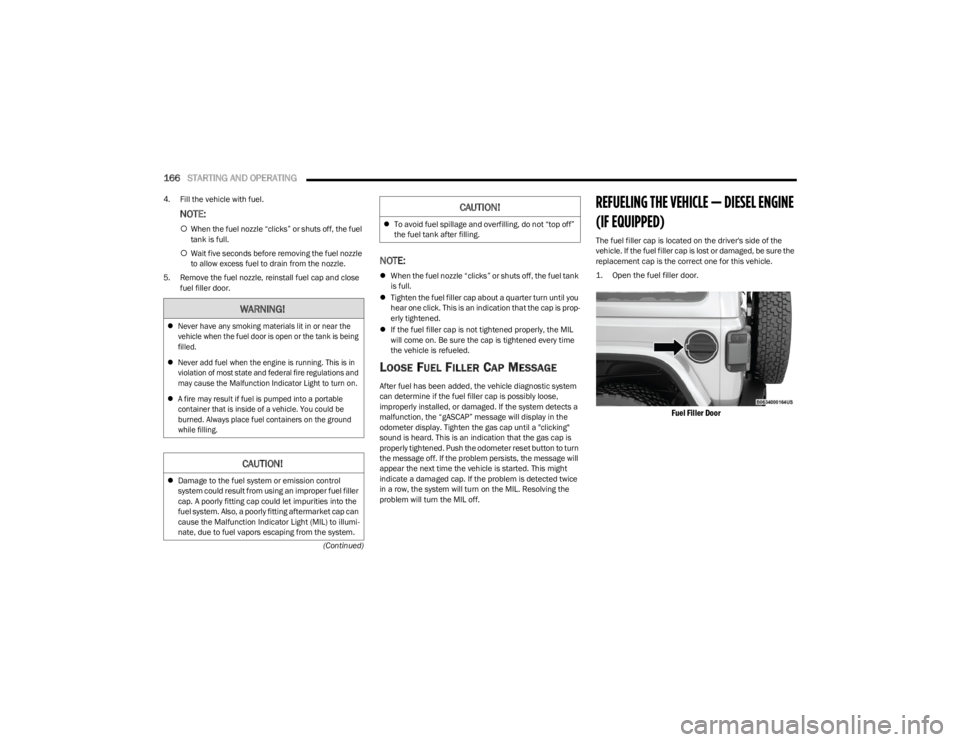
1. Open the fuel filler door.
Fuel Filler Door
WARNING!
Never have any smoking materials lit in or near the
vehicle when the fuel door is open or the tank is being
filled.
Never add fuel when the engine is running. This is in
violation of most state and federal fire regulations and
may cause the Malfunction Indicator Light to turn on.
A fire may result if fuel is pumped into a portable
container that is inside of a vehicle. You could be
burned. Always place fuel containers on the ground
while filling.
CAUTION!
Damage to the fuel system or emission control
system could result from using an improper fuel filler
cap. A poorly fitting cap could let impurities into the
fuel system. Also, a poorly fitting aftermarket cap can
cause the Malfunction Indicator Light (MIL) to illumi -
nate, due to fuel vapors escaping from the system.
To avoid fuel spillage and overfilling, do not “top off”
the fuel tank after filling.
CAUTION!
23_JL_OM_EN_USC_t.book Page 166
Page 197 of 396

MULTIMEDIA195
SiriusXM® Setup — If Equipped
Paired Phones And Audio Devices This setting will show the list of paired phones and audio devices.
Paired Phones This setting will show the list of paired phones.
Paired Audio Sources This setting will show the list of paired audio sources.
Projection Manager This setting will activate your smartphone to be projected on the vehicle’s touchscreen.
Setting Name Description
When the SiriusXM® Setup button is pressed on the touchscreen, the system displays options related to SiriusXM® satellite radio. These settings can be used to skip specific radio
channels and restart favorite songs from the beginning.
NOTE:
A subscription to SiriusXM® satellite radio is required for these settings to be functional.
Depending on the vehicle’s options, feature settings may vary.
Setting Name Description
Tune Start This setting will play the current song from the beginning when you tune to a music
channel using one of the 12 presets.
Channel Skip This setting allows you to set channels that you wish to skip. A channel list will display of
the skipped channels.
Subscription Info This menu provides SiriusXM® subscription information. SiriusXM® Travel Link is a
separate subscription.5
23_JL_OM_EN_USC_t.book Page 195
Page 198 of 396

196MULTIMEDIA
Reset/Restore Settings
System Information
When the Reset/Restore Settings button is pressed on the touchscreen, the system displays the options related to resetting the Uconnect system back to its default settings. These
settings can clear personal data and reset selected settings from other menus.
NOTE:Depending on the vehicle’s options, feature settings may vary.
Setting Name Description
Reset App Drawer To Default OrderThis setting will reset the app drawer to its factory default layout.
Restore Apps This setting will restore all installed apps. This feature is used if there is an issue using or
installing apps.
Restore Settings to Default This setting will return all the previously changed settings to their factory defaults.
Clear Personal Data This setting will display a pop-up that gives you the option to clear all personal data from
the system, including Bluetooth® devices and presets.
When the System Information button is pressed on the touchscreen, the system displays the radio system information.
NOTE:Depending on the vehicle’s options, feature settings may vary.
Setting Name
Description
Software LicensesThis setting will display the software licensing information screen.
Map Update This setting will display different ways to update maps of the radio into your system.
“Download System Information To USB” and “Generate Request Code” will appear as the
two options to select from.
23_JL_OM_EN_USC_t.book Page 196
Page 201 of 396
MULTIMEDIA199
Feature Description
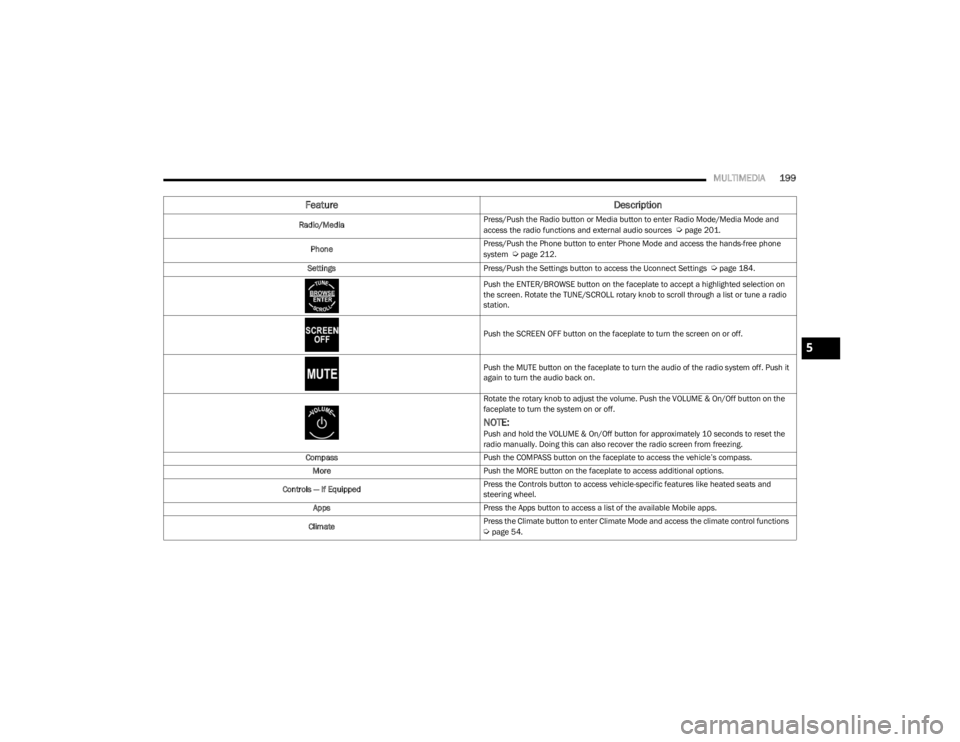
Radio/MediaPress/Push the Radio button or Media button to enter Radio Mode/Media Mode and
access the radio functions and external audio sources Úpage 201.
Phone Press/Push the Phone button to enter Phone Mode and access the hands-free phone
system
Úpage 212.
Settings Press/Push the Settings button to access the Uconnect Settings
Úpage 184.
Push the ENTER/BROWSE button on the faceplate to accept a highlighted selection on
the screen. Rotate the TUNE/SCROLL rotary knob to scroll through a list or tune a radio
station.
Push the SCREEN OFF button on the faceplate to turn the screen on or off.
Push the MUTE button on the faceplate to turn the audio of the radio system off. Push it
again to turn the audio back on.
Rotate the rotary knob to adjust the volume. Push the VOLUME & On/Off button on the
faceplate to turn the system on or off.
NOTE:Push and hold the VOLUME & On/Off button for approximately 10 seconds to reset the
radio manually. Doing this can also recover the radio screen from freezing.
Compass Push the COMPASS button on the faceplate to access the vehicle’s compass.
More Push the MORE button on the faceplate to access additional options.
Controls — If Equipped Press the Controls button to access vehicle-specific features like heated seats and
steering wheel.
Apps Press the Apps button to access a list of the available Mobile apps.
Climate Press the Climate button to enter Climate Mode and access the climate control functions
Úpage 54.
5
23_JL_OM_EN_USC_t.book Page 199
Page 203 of 396
MULTIMEDIA201
UCONNECT MODES
STEERING WHEEL AUDIO CONTROLS
The remote sound system controls are located on the rear
surface of the steering wheel at the three and nine o’clock
positions.
Remote Sound System Controls
The right-hand control is a rocker-type switch with a push
button in the center and controls the volume and mode of
the sound system. Pushing the top of the rocker switch will
increase the volume, and pushing the bottom of the rocker
switch will decrease the volume.
Pushing the right-hand control’s center button will make
the radio switch between the various modes available
(AM/FM/SXM or Media, etc.). The left-hand control is a rocker-type switch with a push
button in the center. The function of the left-hand control
is different depending on which mode you are in.
The following describes the left-hand control operation in
each mode:
Radio Operation
Pushing the top of the switch will seek up for the next
available station and pushing the bottom of the switch will
seek down for the next available station.
The button located in the center of the left-hand control
will tune to the next preset station that you have
programmed in the radio presets.
Media Mode
Pushing the top of the switch skips to the next track on the
selected media (AUX/USB/Bluetooth®). Pushing the
switch up twice will go forward two tracks. Pushing the
bottom switch goes to the beginning of the current track,
or the beginning of the previous track if it is within eight
seconds after the current track begins to play. Double
pressing the bottom button switch will skip to the previous
track if it is after eight seconds into the current track.
RADIO MODE
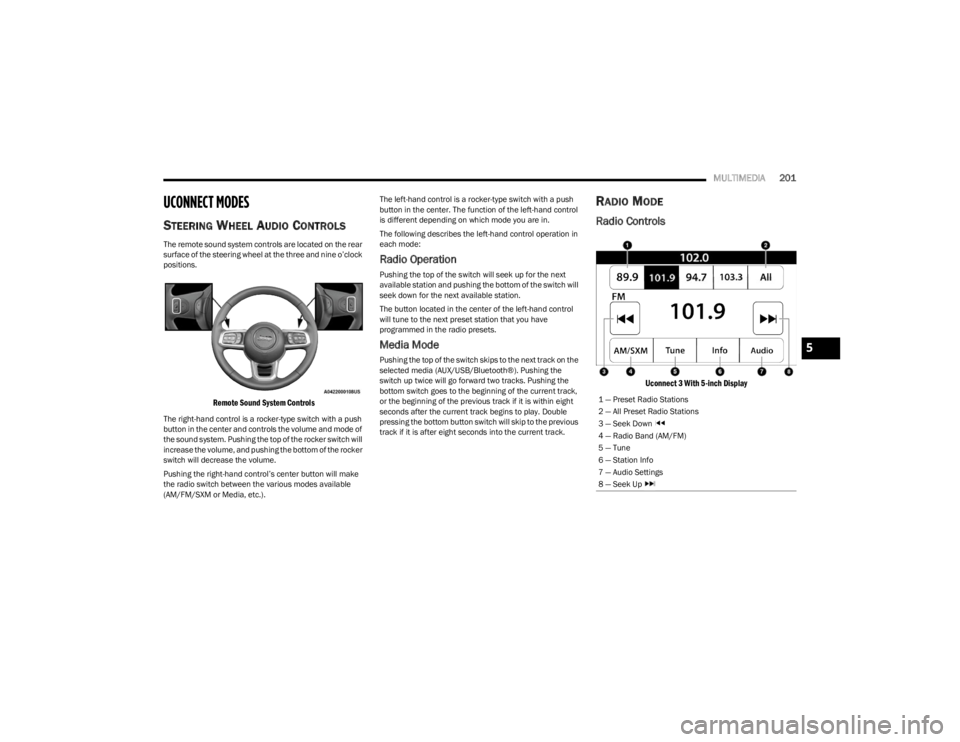
Radio Controls
Uconnect 3 With 5-inch Display
1 — Preset Radio Stations
2 — All Preset Radio Stations
3 — Seek Down
4 — Radio Band (AM/FM)
5 — Tune
6 — Station Info
7 — Audio Settings
8 — Seek Up
5
23_JL_OM_EN_USC_t.book Page 201