lock JEEP WRANGLER 2023 Repair Manual
[x] Cancel search | Manufacturer: JEEP, Model Year: 2023, Model line: WRANGLER, Model: JEEP WRANGLER 2023Pages: 396, PDF Size: 25.15 MB
Page 139 of 396

STARTING AND OPERATING137
(Continued)
AUTOMATIC TRANSMISSION — IF EQUIPPED
You must press and hold the brake pedal while shifting out
of PARK.
IGNITION PARK INTERLOCK
This vehicle is equipped with an Ignition Park Interlock
which requires the transmission to be in PARK before the
ignition can be turned to the OFF position. This helps the
driver avoid inadvertently leaving the vehicle without
placing the transmission in PARK. This system also locks
the transmission in PARK whenever the ignition is in the
OFF position.
NOTE:The transmission is NOT locked in PARK when the ignition
is in the ACC position (even though the engine will be off).
Ensure that the transmission is in PARK, and the ignition
is OFF (not in ACC position) before exiting the vehicle.
WARNING!
Never use the PARK position as a substitute for the
parking brake. Always apply the parking brake fully
when exiting the vehicle to guard against vehicle
movement and possible injury or damage.
Your vehicle could move and injure you and others if
it is not in PARK. Check by trying to move the trans -
mission gear selector out of PARK with the brake
pedal released. Make sure the transmission is in
PARK before exiting the vehicle.
The transmission may not engage PARK if the vehicle
is moving. Always bring the vehicle to a complete
stop before shifting to PARK, and verify that the
transmission gear position indicator solidly indicates
PARK (P) without blinking. Ensure that the vehicle is
completely stopped, and the PARK position is prop -
erly indicated, before exiting the vehicle.
It is dangerous to shift out of PARK or NEUTRAL if the
engine speed is higher than idle speed. If your foot is
not firmly pressing the brake pedal, the vehicle could
accelerate quickly forward or in reverse. You could
lose control of the vehicle and hit someone or some -
thing. Only shift into gear when the engine is idling
normally and your foot is firmly pressing the brake
pedal.
Unintended movement of a vehicle could injure
those in or near the vehicle. As with all vehicles, you
should never exit a vehicle while the engine is
running. Before exiting a vehicle, always come to a
complete stop, then apply the parking brake, shift
the transmission into PARK, and turn the ignition
OFF. When the ignition is in the OFF position, the
transmission is locked in PARK, securing the vehicle
against unwanted movement.
When exiting the vehicle, always make sure the igni -
tion is in the OFF position, remove the key fob from
the vehicle, and lock the vehicle.
Never leave children alone in a vehicle, or with
access to an unlocked vehicle. Allowing children to
be in a vehicle unattended is dangerous for a
number of reasons. A child or others could be seri -
ously or fatally injured. Children should be warned
not to touch the parking brake, brake pedal or the
transmission gear selector.
Do not leave the key fob in or near the vehicle (or in
a location accessible to children), and do not leave
the ignition in the ACC or ON/RUN position. A child
could operate power windows, other controls, or
move the vehicle.
WARNING!CAUTION!
Damage to the transmission may occur if the following
precautions are not observed:
Shift into or out of PARK or REVERSE only after the
vehicle has come to a complete stop.
Do not shift between PARK, REVERSE, NEUTRAL, or
DRIVE when the engine is above idle speed.
Before shifting into any gear, make sure your foot is
firmly pressing the brake pedal.
4
23_JL_OM_EN_USC_t.book Page 137
Page 140 of 396
138STARTING AND OPERATING
BRAKE/TRANSMISSION SHIFT
I
NTERLOCK (BTSI) SYSTEM
This vehicle is equipped with a BTSI system that holds the
transmission gear selector in PARK unless the brakes are
applied. To shift the transmission out of PARK, the engine
must be running and the brake pedal must be pressed.
The brake pedal must also be pressed to shift from
NEUTRAL into DRIVE or REVERSE when the vehicle is
stopped or moving at low speeds.
8–SPEED AUTOMATIC TRANSMISSION
The transmission gear range (PRNDM) is displayed both
beside the gear selector and in the instrument cluster. To
select a gear range, push the lock button on the gear
selector and move the selector rearward or forward. To
shift the transmission out of PARK, the engine must be
running and the brake pedal must be pressed. You must
also press the brake pedal to shift from NEUTRAL into
DRIVE or REVERSE when the vehicle is stopped or moving
at low speeds. Select the DRIVE range for normal driving.
NOTE:In the event of a mismatch between the gear selector
position and the actual transmission gear (for example,
driver selects PARK while driving), the position indicator
will blink continuously until the selector is returned to the
proper position, or the requested shift can be completed.
The electronically controlled transmission adapts its shift
schedule based on driver inputs, along with environmental
and road conditions. The transmission electronics are
self-calibrating; therefore, the first few shifts on a new
vehicle may be somewhat abrupt. This is a normal condition, and precision shifts will develop within a few
hundred miles (kilometers).
Only shift from DRIVE to PARK or REVERSE when the
accelerator pedal is released and the vehicle is stopped.
Be sure to keep your foot on the brake pedal when shifting
between these gears.
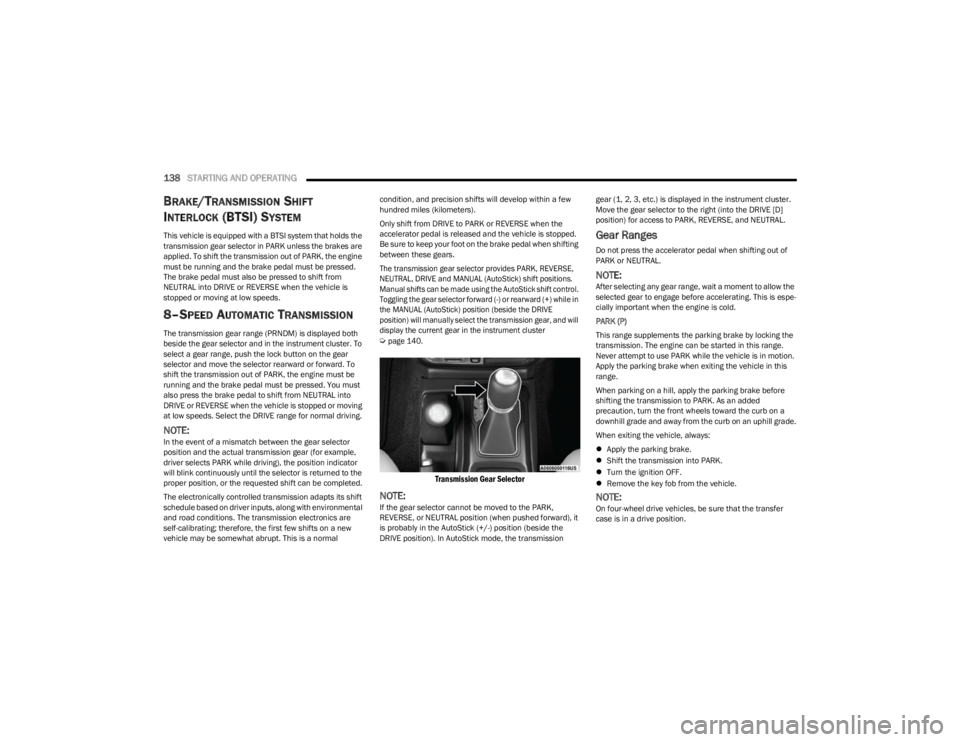
The transmission gear selector provides PARK, REVERSE,
NEUTRAL, DRIVE and MANUAL (AutoStick) shift positions.
Manual shifts can be made using the AutoStick shift control.
Toggling the gear selector forward (-) or rearward (+) while in
the MANUAL (AutoStick) position (beside the DRIVE
position) will manually select the transmission gear, and will
display the current gear in the instrument cluster
Ú
page 140.
Transmission Gear Selector
NOTE:If the gear selector cannot be moved to the PARK,
REVERSE, or NEUTRAL position (when pushed forward), it
is probably in the AutoStick (+/-) position (beside the
DRIVE position). In AutoStick mode, the transmission gear (1, 2, 3, etc.) is displayed in the instrument cluster.
Move the gear selector to the right (into the DRIVE [D]
position) for access to PARK, REVERSE, and NEUTRAL.
Gear Ranges
Do not press the accelerator pedal when shifting out of
PARK or NEUTRAL.
NOTE:After selecting any gear range, wait a moment to allow the
selected gear to engage before accelerating. This is espe
-
cially important when the engine is cold.
PARK (P)
This range supplements the parking brake by locking the
transmission. The engine can be started in this range.
Never attempt to use PARK while the vehicle is in motion.
Apply the parking brake when exiting the vehicle in this
range.
When parking on a hill, apply the parking brake before
shifting the transmission to PARK. As an added
precaution, turn the front wheels toward the curb on a
downhill grade and away from the curb on an uphill grade.
When exiting the vehicle, always:
Apply the parking brake.
Shift the transmission into PARK.
Turn the ignition OFF.
Remove the key fob from the vehicle.
NOTE:On four-wheel drive vehicles, be sure that the transfer
case is in a drive position.
23_JL_OM_EN_USC_t.book Page 138
Page 141 of 396

STARTING AND OPERATING139
The following indicators should be used to ensure that you
have properly engaged the transmission into the PARK
position:
When shifting into PARK, push the lock button on the
gear selector and firmly move the gear selector all the
way forward until it stops and is fully seated.
Look at the transmission gear position display and
verify that it indicates the PARK position (P), and is not
blinking.
With the brake pedal released, verify that the gear
selector will not move out of PARK.
REVERSE (R)
This range is for moving the vehicle backward. Shift into
REVERSE only after the vehicle has come to a complete
stop.
NEUTRAL (N)
Use this range when the vehicle is standing for prolonged
periods with the engine running. Apply the parking brake
and shift the transmission into PARK if you must exit the
vehicle. DRIVE (D)
This range should be used for most city and highway
driving. It provides the smoothest upshifts and downshifts,
and the best fuel economy. The transmission
automatically upshifts through all forward gears. The
DRIVE position should be used for all normal operating
conditions.
When frequent transmission shifting occurs (such as
when operating the vehicle under heavy loading
conditions, in hilly terrain, traveling into strong head
winds, or while towing a heavy trailer), use the AutoStick
shift control to select a lower gear
Úpage 140. Under these conditions, using a lower gear will improve
performance and extend transmission life by reducing
excessive shifting and heat buildup.
During extremely cold temperatures (-22°F [-30°C] or
below), transmission operation may be modified
depending on engine and transmission temperature as
well as vehicle speed. Normal operation will resume once
the transmission temperature has risen to a suitable level.
MANUAL (M)
The MANUAL (M, +/-) position (beside the DRIVE position)
enables full manual control of transmission shifting also
known as AutoStick mode. Toggling the gear selector
forward (-) or rearward (+) while in the MANUAL (AutoStick)
position will manually select the transmission gear, and
will display the current gear in the instrument cluster
Úpage 140.
Transmission Limp Home Mode
Transmission function is monitored electronically for
abnormal conditions. If a condition is detected that could
result in transmission damage, Transmission Limp Home
mode is activated. In this mode, the transmission may
operate only in certain gears, or may not shift at all.
Vehicle performance may be severely degraded and the
engine may stall. In some situations, the transmission may
not re-engage if the engine is turned off and restarted. The
Malfunction Indicator Light (MIL) may be illuminated. A
message in the instrument cluster will inform the driver of
the more serious conditions, and indicate what actions
may be necessary.
CAUTION!
Before moving the transmission gear selector out of
PARK, you must start the engine, and also press the
brake pedal. Otherwise, damage to the gear selector
could result.
DO NOT race the engine when shifting from PARK or
NEUTRAL into another gear range, as this can
damage the drivetrain.
WARNING!
Do not coast in NEUTRAL and never turn off the ignition
to coast down a hill. These are unsafe practices that
limit your response to changing traffic or road
conditions. You might lose control of the vehicle and
have a collision.
CAUTION!
Towing the vehicle, coasting, or driving for any other
reason with the transmission in NEUTRAL can cause
severe transmission damage.
For Recreational Towing
Úpage 176.
For Towing A Disabled Vehicle
Úpage 303.
4
23_JL_OM_EN_USC_t.book Page 139
Page 143 of 396
STARTING AND OPERATING141
FOUR-POSITION TRANSFER CASE —
I
F EQUIPPED
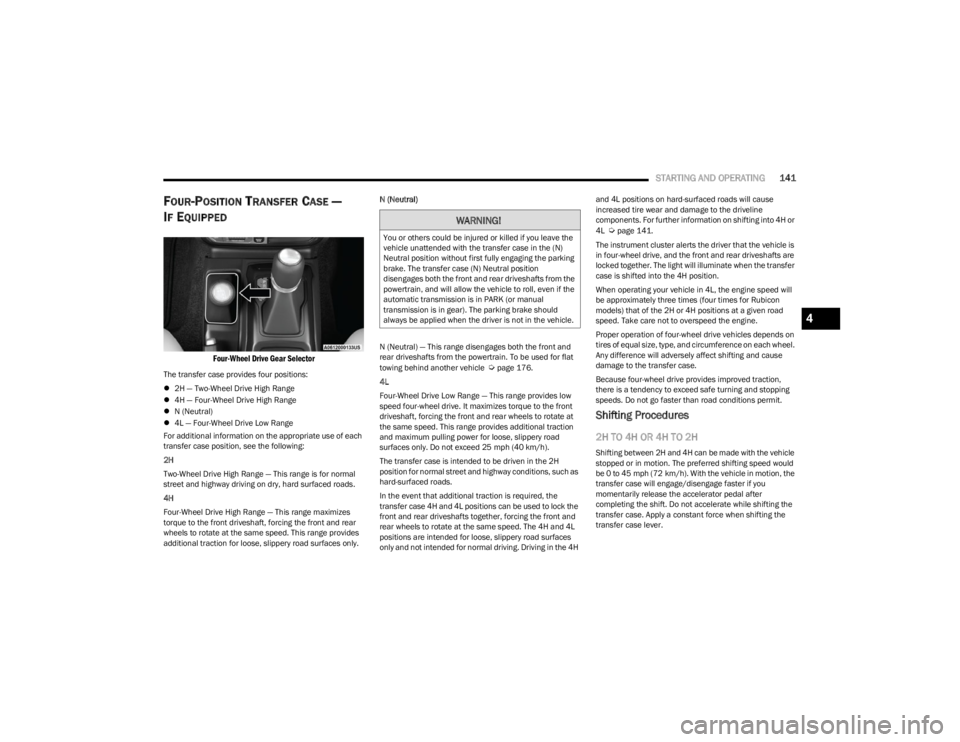
Four-Wheel Drive Gear Selector
The transfer case provides four positions:
2H — Two-Wheel Drive High Range
4H — Four-Wheel Drive High Range
N (Neutral)
4L — Four-Wheel Drive Low Range
For additional information on the appropriate use of each
transfer case position, see the following:
2H
Two-Wheel Drive High Range — This range is for normal
street and highway driving on dry, hard surfaced roads.
4H
Four-Wheel Drive High Range — This range maximizes
torque to the front driveshaft, forcing the front and rear
wheels to rotate at the same speed. This range provides
additional traction for loose, slippery road surfaces only. N (Neutral)
N (Neutral) — This range disengages both the front and
rear driveshafts from the powertrain. To be used for flat
towing behind another vehicle Úpage 176.
4L
Four-Wheel Drive Low Range — This range provides low
speed four-wheel drive. It maximizes torque to the front
driveshaft, forcing the front and rear wheels to rotate at
the same speed. This range provides additional traction
and maximum pulling power for loose, slippery road
surfaces only. Do not exceed 25 mph (40 km/h).
The transfer case is intended to be driven in the 2H
position for normal street and highway conditions, such as
hard-surfaced roads.
In the event that additional traction is required, the
transfer case 4H and 4L positions can be used to lock the
front and rear driveshafts together, forcing the front and
rear wheels to rotate at the same speed. The 4H and 4L
positions are intended for loose, slippery road surfaces
only and not intended for normal driving. Driving in the 4H and 4L positions on hard-surfaced roads will cause
increased tire wear and damage to the driveline
components. For further information on shifting into 4H or
4L
Úpage 141.
The instrument cluster alerts the driver that the vehicle is
in four-wheel drive, and the front and rear driveshafts are
locked together. The light will illuminate when the transfer
case is shifted into the 4H position.
When operating your vehicle in 4L, the engine speed will
be approximately three times (four times for Rubicon
models) that of the 2H or 4H positions at a given road
speed. Take care not to overspeed the engine.
Proper operation of four-wheel drive vehicles depends on
tires of equal size, type, and circumference on each wheel.
Any difference will adversely affect shifting and cause
damage to the transfer case.
Because four-wheel drive provides improved traction,
there is a tendency to exceed safe turning and stopping
speeds. Do not go faster than road conditions permit.
Shifting Procedures
2H TO 4H OR 4H TO 2H
Shifting between 2H and 4H can be made with the vehicle
stopped or in motion. The preferred shifting speed would
be 0 to 45 mph (72 km/h). With the vehicle in motion, the transfer case will engage/disengage faster if you
momentarily release the accelerator pedal after
completing the shift. Do not accelerate while shifting the
transfer case. Apply a constant force when shifting the
transfer case lever.
WARNING!
You or others could be injured or killed if you leave the
vehicle unattended with the transfer case in the (N)
Neutral position without first fully engaging the parking
brake. The transfer case (N) Neutral position
disengages both the front and rear driveshafts from the
powertrain, and will allow the vehicle to roll, even if the
automatic transmission is in PARK (or manual
transmission is in gear). The parking brake should
always be applied when the driver is not in the vehicle.
4
23_JL_OM_EN_USC_t.book Page 141
Page 145 of 396
STARTING AND OPERATING143
N (Neutral)
Neutral — This range disengages both the front and rear
driveshafts from the powertrain. To be used for flat towing
behind another vehicle
Úpage 176.
4L
Four-Wheel Drive Low Range — This range provides low
speed four-wheel drive. It maximizes torque to the front
driveshaft, forcing the front and rear wheels to rotate at
the same speed. This range provides additional traction
and maximum pulling power for loose, slippery road
surfaces only. Do not exceed 25 mph (40 km/h).
This transfer case is designed to be driven in the
two-wheel drive position (2H) or four-wheel drive position
(4H AUTO) for normal street and highway conditions on dry
hard surfaced roads.
For variable driving conditions, the 4H AUTO mode can be
used. In this mode, the front axle is engaged, but the
vehicle's power is sent to the rear wheels. Four-wheel drive
will be automatically engaged when the vehicle senses a loss of traction. Because the front axle is engaged, this
mode will result in lower fuel economy than the 2H mode.
In the event that additional traction is required, the
transfer case 4H and 4L positions can be used to lock the
front and rear driveshafts together, forcing the front and
rear wheels to rotate at the same speed. The 4H and 4L
positions are intended for loose, slippery road surfaces
only and not intended for normal driving. Driving in the 4H
and 4L positions on hard-surfaced roads will cause
increased tire wear and damage to the driveline
components. For further information on shifting into 4H or
4L
Úpage 143.
The instrument cluster alerts the driver that the vehicle is
in four-wheel drive, and the front and rear driveshafts are
locked together. The light will illuminate when the transfer
case is shifted into the 4H position.
When operating your vehicle in 4L, the engine speed will
be approximately three times (four times for Rubicon
models) that of the 2H or 4H positions at a given road
speed. Take care not to overspeed the engine.
Proper operation of four-wheel drive vehicles depends on
tires of equal size, type, and circumference on each wheel.
Any difference will adversely affect shifting and cause
damage to the transfer case.
Because four-wheel drive provides improved traction,
there is a tendency to exceed safe turning and stopping
speeds. Do not go faster than road conditions permit.
Shifting Procedures
2H TO 4H AUTO OR 4H AUTO TO 2H
Shifting between 2H and 4H AUTO can be made with the
vehicle stopped or in motion. The preferred shifting speed would be 0 to 45 mph (72 km/h). With the vehicle in
motion, the transfer case will engage/disengage faster if
you momentarily release the accelerator pedal after
completing the shift. Do not accelerate while shifting the
transfer case. Apply a constant force when shifting the
transfer case lever.
2H/4H AUTO TO 4H PART TIME OR 4H PART
TIME TO 2H/4H AUTO
Shifting between 2H/4H AUTO to 4H PART TIME can be
made with the vehicle stopped or in motion. The preferred
shifting speed would be 0 to 45 mph (72 km/h). With the
vehicle in motion, the transfer case will engage/disengage
faster if you momentarily release the accelerator pedal
after completing the shift. Do not accelerate while shifting
the transfer case. Apply a constant force when shifting the
transfer case lever.
NOTE:
Do not attempt to make a shift while only the front or
rear wheels are spinning. The front and rear driveshaft
speeds must be equal for the shift to take place.
Shifting while only the front or rear wheels are spinning
can cause damage to the transfer case.
Delayed shifts out of four-wheel drive may be experi -
enced due to uneven tire wear, low or uneven tire pres -
sures, excessive vehicle loading, or cold temperatures.
Shifting effort will increase with speed, this is normal.
During cold weather, you may experience increased effort
in shifting until the transfer case fluid warms up. This is
normal.
WARNING!
You or others could be injured or killed if you leave the
vehicle unattended with the transfer case in the (N)
Neutral position without first fully engaging the parking
brake. The transfer case (N) Neutral position
disengages both the front and rear driveshafts from the
powertrain, and will allow the vehicle to roll, even if the
automatic transmission is in PARK (or manual
transmission is in gear). The parking brake should
always be applied when the driver is not in the vehicle.
4
23_JL_OM_EN_USC_t.book Page 143
Page 146 of 396
144STARTING AND OPERATING
4H PART TIME/4H AUTO TO 4L OR 4L TO 4H
PART TIME/4H AUTO
With the vehicle rolling at 1 to 3 mph (2 to 5 km/h), shift
an automatic transmission into NEUTRAL (N), or press the
clutch pedal on a manual transmission. While the vehicle
is coasting at 1 to 3 mph (2 to 5 km/h), shift the transfer case lever firmly to the desired position. Do not pause with
the transfer case in N (Neutral). Once the shift is
completed, place the automatic transmission into DRIVE
or release the clutch pedal on a manual transmission.
NOTE:Shifting into or out of 4L is possible with the vehicle
completely stopped; however, difficulty may occur due to
the mating teeth not being properly aligned. Several
attempts may be required for clutch teeth alignment and
shift completion to occur. The preferred method is with the
vehicle rolling at 1 to 3 mph (2 to 5 km/h). Avoid attempting to engage or disengage 4L with the vehicle
moving faster than 1 to 3 mph (2 to 5 km/h).
TRAC-LOK REAR AXLE — IF EQUIPPED
The Trac-Lok rear axle provides a constant driving force to
both rear wheels and reduces wheel spin caused by the
loss of traction at one driving wheel. If traction differs
between the two rear wheels, the differential automatically proportions the usable torque by providing
more torque to the wheel that has traction.
Trac-Lok is especially helpful during slippery driving
conditions. With both rear wheels on a slippery surface, a
slight application of the accelerator will supply maximum
traction.
AXLE LOCK (TRU-LOK) FRONT AND
R
EAR — IF EQUIPPED
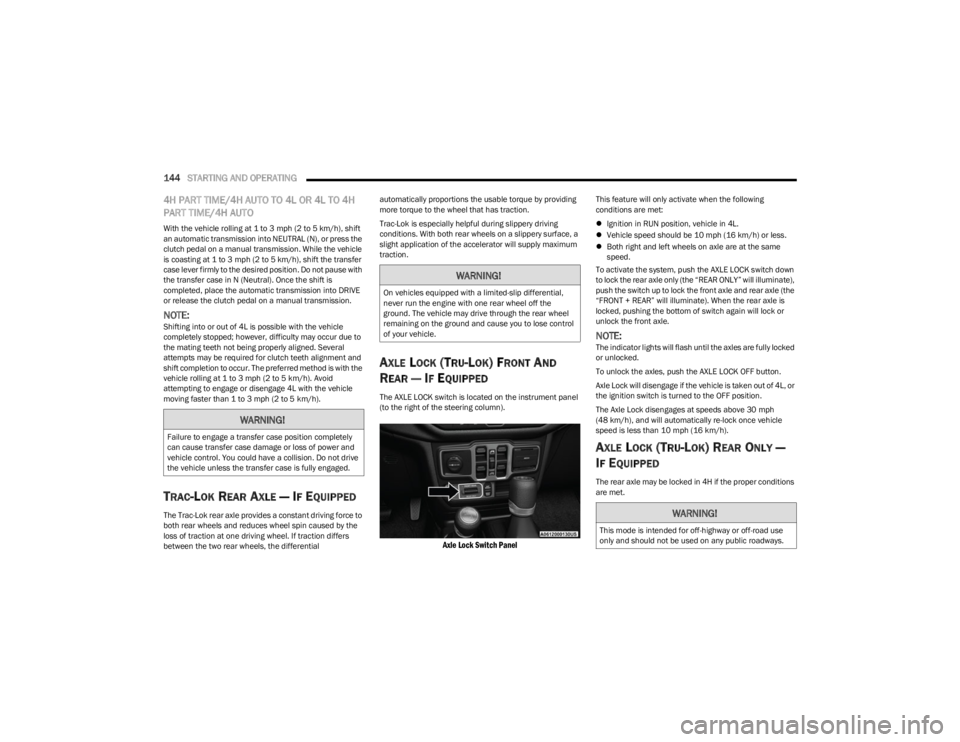
The AXLE LOCK switch is located on the instrument panel
(to the right of the steering column).
Axle Lock Switch Panel
This feature will only activate when the following
conditions are met:
Ignition in RUN position, vehicle in 4L.
Vehicle speed should be 10 mph (16 km/h) or less.
Both right and left wheels on axle are at the same
speed.
To activate the system, push the AXLE LOCK switch down
to lock the rear axle only (the “REAR ONLY” will illuminate),
push the switch up to lock the front axle and rear axle (the
“FRONT + REAR” will illuminate). When the rear axle is
locked, pushing the bottom of switch again will lock or
unlock the front axle.
NOTE:The indicator lights will flash until the axles are fully locked
or unlocked.
To unlock the axles, push the AXLE LOCK OFF button.
Axle Lock will disengage if the vehicle is taken out of 4L, or
the ignition switch is turned to the OFF position.
The Axle Lock disengages at speeds above 30 mph
(48 km/h), and will automatically re-lock once vehicle
speed is less than 10 mph (16 km/h).
AXLE LOCK (TRU-LOK) REAR ONLY —
I
F EQUIPPED
The rear axle may be locked in 4H if the proper conditions
are met.
WARNING!
Failure to engage a transfer case position completely
can cause transfer case damage or loss of power and
vehicle control. You could have a collision. Do not drive
the vehicle unless the transfer case is fully engaged.
WARNING!
On vehicles equipped with a limited-slip differential,
never run the engine with one rear wheel off the
ground. The vehicle may drive through the rear wheel
remaining on the ground and cause you to lose control
of your vehicle.
WARNING!
This mode is intended for off-highway or off-road use
only and should not be used on any public roadways.
23_JL_OM_EN_USC_t.book Page 144
Page 147 of 396
STARTING AND OPERATING145
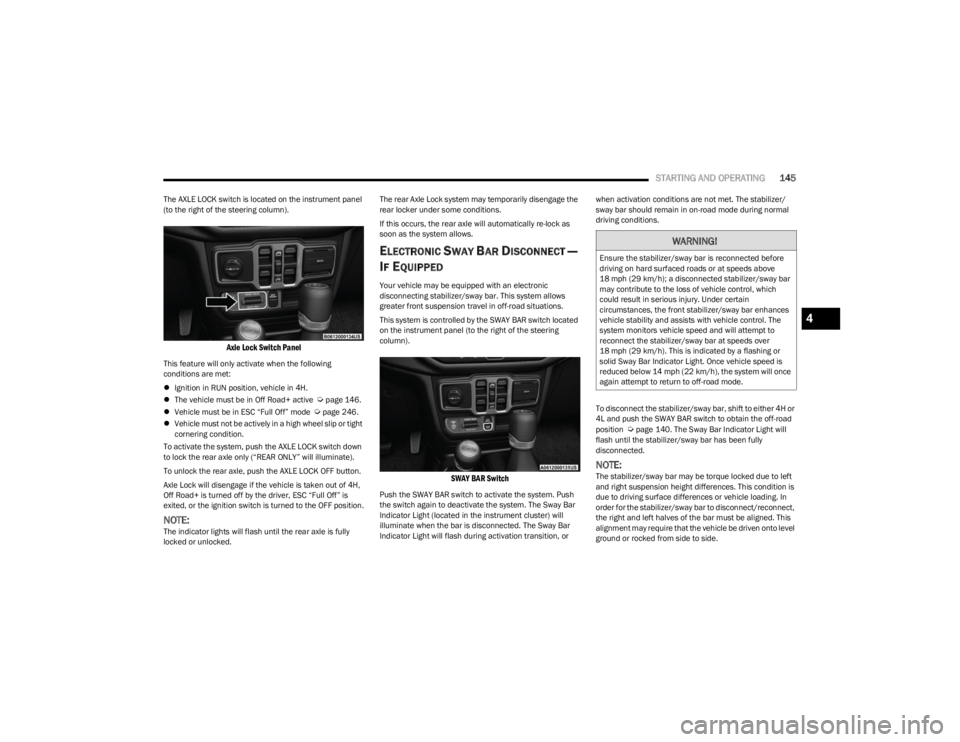
The AXLE LOCK switch is located on the instrument panel
(to the right of the steering column).
Axle Lock Switch Panel
This feature will only activate when the following
conditions are met:
Ignition in RUN position, vehicle in 4H.
The vehicle must be in Off Road+ active
Úpage 146.
Vehicle must be in ESC “Full Off” mode Úpage 246.
Vehicle must not be actively in a high wheel slip or tight
cornering condition.
To activate the system, push the AXLE LOCK switch down
to lock the rear axle only (“REAR ONLY” will illuminate).
To unlock the rear axle, push the AXLE LOCK OFF button.
Axle Lock will disengage if the vehicle is taken out of 4H,
Off Road+ is turned off by the driver, ESC “Full Off” is
exited, or the ignition switch is turned to the OFF position.
NOTE:The indicator lights will flash until the rear axle is fully
locked or unlocked. The rear Axle Lock system may temporarily disengage the
rear locker under some conditions.
If this occurs, the rear axle will automatically re-lock as
soon as the system allows.
ELECTRONIC SWAY BAR DISCONNECT —
I
F EQUIPPED
Your vehicle may be equipped with an electronic
disconnecting stabilizer/sway bar. This system allows
greater front suspension travel in off-road situations.
This system is controlled by the SWAY BAR switch located
on the instrument panel (to the right of the steering
column).
SWAY BAR Switch
Push the SWAY BAR switch to activate the system. Push
the switch again to deactivate the system. The Sway Bar
Indicator Light (located in the instrument cluster) will
illuminate when the bar is disconnected. The Sway Bar
Indicator Light will flash during activation transition, or when activation conditions are not met. The stabilizer/
sway bar should remain in on-road mode during normal
driving conditions.
To disconnect the stabilizer/sway bar, shift to either 4H or
4L and push the SWAY BAR switch to obtain the off-road
position
Úpage 140. The Sway Bar Indicator Light will
flash until the stabilizer/sway bar has been fully
disconnected.
NOTE:The stabilizer/sway bar may be torque locked due to left
and right suspension height differences. This condition is
due to driving surface differences or vehicle loading. In
order for the stabilizer/sway bar to disconnect/reconnect,
the right and left halves of the bar must be aligned. This
alignment may require that the vehicle be driven onto level
ground or rocked from side to side.
WARNING!
Ensure the stabilizer/sway bar is reconnected before
driving on hard surfaced roads or at speeds above
18 mph (29 km/h); a disconnected stabilizer/sway bar may contribute to the loss of vehicle control, which
could result in serious injury. Under certain
circumstances, the front stabilizer/sway bar enhances
vehicle stability and assists with vehicle control. The
system monitors vehicle speed and will attempt to
reconnect the stabilizer/sway bar at speeds over
18 mph (29 km/h). This is indicated by a flashing or solid Sway Bar Indicator Light. Once vehicle speed is
reduced below 14 mph (22 km/h), the system will once
again attempt to return to off-road mode.
4
23_JL_OM_EN_USC_t.book Page 145
Page 148 of 396
146STARTING AND OPERATING
To return to on-road mode, push the SWAY BAR switch
again.
OFF ROAD+ — IF EQUIPPED
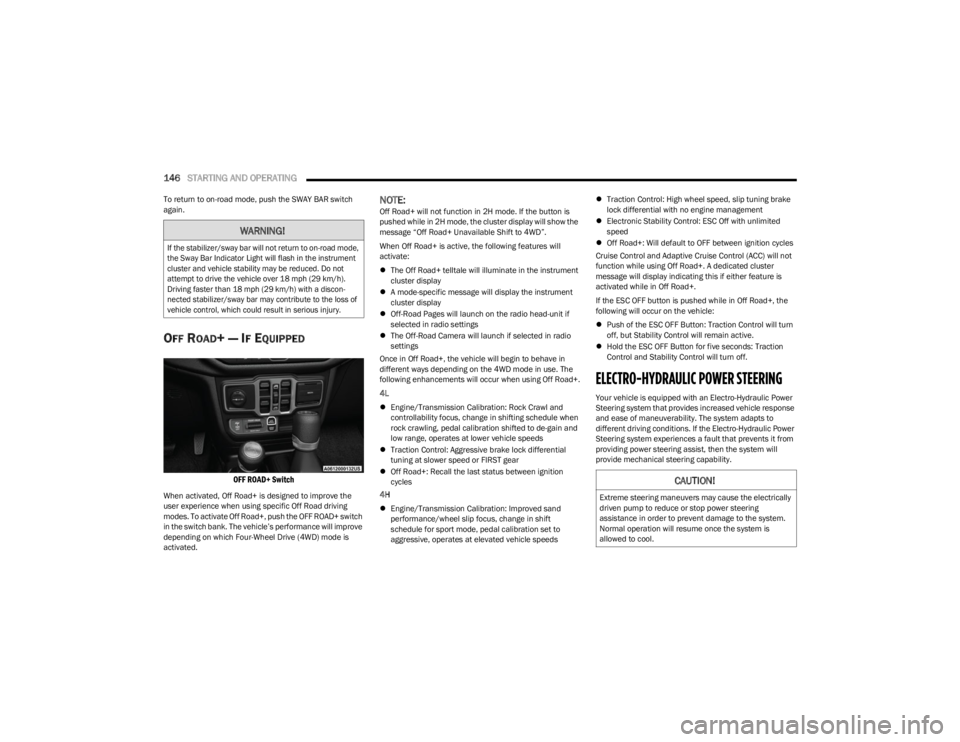
OFF ROAD+ Switch
When activated, Off Road+ is designed to improve the
user experience when using specific Off Road driving
modes. To activate Off Road+, push the OFF ROAD+ switch
in the switch bank. The vehicle’s performance will improve
depending on which Four-Wheel Drive (4WD) mode is
activated.
NOTE:Off Road+ will not function in 2H mode. If the button is
pushed while in 2H mode, the cluster display will show the
message “Off Road+ Unavailable Shift to 4WD”.
When Off Road+ is active, the following features will
activate:
The Off Road+ telltale will illuminate in the instrument
cluster display
A mode-specific message will display the instrument
cluster display
Off-Road Pages will launch on the radio head-unit if
selected in radio settings
The Off-Road Camera will launch if selected in radio
settings
Once in Off Road+, the vehicle will begin to behave in
different ways depending on the 4WD mode in use. The
following enhancements will occur when using Off Road+.
4L
Engine/Transmission Calibration: Rock Crawl and
controllability focus, change in shifting schedule when
rock crawling, pedal calibration shifted to de-gain and
low range, operates at lower vehicle speeds
Traction Control: Aggressive brake lock differential
tuning at slower speed or FIRST gear
Off Road+: Recall the last status between ignition
cycles
4H
Engine/Transmission Calibration: Improved sand
performance/wheel slip focus, change in shift
schedule for sport mode, pedal calibration set to
aggressive, operates at elevated vehicle speeds
Traction Control: High wheel speed, slip tuning brake
lock differential with no engine management
Electronic Stability Control: ESC Off with unlimited
speed
Off Road+: Will default to OFF between ignition cycles
Cruise Control and Adaptive Cruise Control (ACC) will not
function while using Off Road+. A dedicated cluster
message will display indicating this if either feature is
activated while in Off Road+.
If the ESC OFF button is pushed while in Off Road+, the
following will occur on the vehicle:
Push of the ESC OFF Button: Traction Control will turn
off, but Stability Control will remain active.
Hold the ESC OFF Button for five seconds: Traction
Control and Stability Control will turn off.
ELECTRO-HYDRAULIC POWER STEERING
Your vehicle is equipped with an Electro-Hydraulic Power
Steering system that provides increased vehicle response
and ease of maneuverability. The system adapts to
different driving conditions. If the Electro-Hydraulic Power
Steering system experiences a fault that prevents it from
providing power steering assist, then the system will
provide mechanical steering capability.
WARNING!
If the stabilizer/sway bar will not return to on-road mode,
the Sway Bar Indicator Light will flash in the instrument
cluster and vehicle stability may be reduced. Do not
attempt to drive the vehicle over 18 mph (29 km/h).
Driving faster than 18 mph (29 km/h) with a discon -
nected stabilizer/sway bar may contribute to the loss of
vehicle control, which could result in serious injury.
CAUTION!
Extreme steering maneuvers may cause the electrically
driven pump to reduce or stop power steering
assistance in order to prevent damage to the system.
Normal operation will resume once the system is
allowed to cool.
23_JL_OM_EN_USC_t.book Page 146
Page 157 of 396

STARTING AND OPERATING155
If ACC is set when the vehicle speed is below 20 mph
(32 km/h), the set speed will default to 20 mph
(32 km/h).
NOTE:Fixed Speed Cruise Control cannot be set below 20 mph
(32 km/h).
If either system is set when the vehicle speed is above
20 mph (32 km/h), the set speed shall be the current speed of the vehicle.
On vehicles equipped with a manual transmission, the
ACC system cannot be set when the vehicle speed is below
20 mph (32 km/h) or when the vehicle is in FIRST gear.
NOTE:
Keeping your foot on the accelerator pedal can cause
the vehicle to continue to accelerate beyond the set
speed. If this occurs, the message “DRIVER OVERRIDE”
will display in the instrument cluster display.
If you continue to accelerate beyond the set speed
while ACC is enabled, the system will not be controlling
the distance between your vehicle and the vehicle
ahead. The vehicle speed will only be determined by
the position of the accelerator pedal.
To Cancel
The following conditions cancel the ACC or Fixed Speed
Cruise Control systems:
The brake pedal is applied
The CANC button is pushed
The Anti-Lock Brake System (ABS) activates
The gear selector is removed from the DRIVE position
The Electronic Stability Control/Traction Control
System (ESC/TCS) activates
The vehicle parking brake is applied
The braking temperature exceeds normal range (over -
heated)
The Trailer Sway Control (TSC) activates
The vehicle speed is less than 15 mph (24 km/h)
(manual transmission only)
The clutch is pressed for more than 10 seconds
(manual transmission only)
The vehicle is placed in NEUTRAL for more than
10 seconds (manual transmission only)
The driver shifts to FIRST gear (manual transmission
only)
The following conditions will only cancel the ACC system:
Driver seat belt is unbuckled at low speeds
Driver door is opened at low speeds
To Turn Off
The system will turn off and erase the set speed in
memory if:
The Adaptive Cruise Control (ACC) on/off button is
pushed
The Fixed Speed Cruise Control on/off button is pushed
The ignition is placed in the OFF position
4WD Low is engaged
To Resume
If there is a set speed in the memory, push the RES button
and then remove your foot from the accelerator pedal. The
instrument cluster display will show the last set speed. Resume can be used at any speed above 20 mph
(32 km/h) when only Fixed Speed Cruise Control is being
used.
Resume can be used at any speed above 0 mph (0 km/h)
when ACC is active.
NOTE:
While in ACC mode, when the vehicle comes to a
complete stop longer than two seconds, the system will
cancel. The driver will have to apply the brakes to keep
the vehicle at a standstill.
ACC cannot be resumed if there is a stationary vehicle
in front of your vehicle in close proximity.
To Vary The Speed Setting
To Increase Or Decrease The Set Speed
After setting a speed, you can increase the set speed by
pushing the SET (+) button, or decrease speed by pushing
the SET (-) button.
WARNING!
The Resume function should only be used if traffic and
road conditions permit. Resuming a set speed that is
too high or too low for prevailing traffic and road condi -
tions could cause the vehicle to accelerate or deceler -
ate too sharply for safe operation. Failure to follow
these warnings can result in a collision and death or
serious personal injury.
4
23_JL_OM_EN_USC_t.book Page 155
Page 167 of 396
STARTING AND OPERATING165
NOTE:The system will stay active while in 4WD Low.
The TrailCam system has programmable settings that may
be selected through the Uconnect system
Úpage 184.
Manual Activation Of The TrailCam
TrailCam view can be activated via the below methods:
Press the FWD Camera button on the controls screen.
Press the Forward Facing Camera button on the apps
menu.
Press the TrailCam button on the Off Road Pages.
Press the Off Road+ button when “Auto Launch Off
Road+” (if equipped) has been selected under camera
settings.
The TrailCam view can also be activated by pressing the icon on the Back Up Camera view. The Back Up
Camera view can also be activated by pressing the
icon on the TrailCam view.
When the vehicle is shifted out of REVERSE with Camera
Delay turned off and TrailCam view is active, the TrailCam
mode is exited and the previous screen appears again.
When the vehicle is shifted out of REVERSE with Camera
Delay turned on and the TrailCam view is active, the
TrailCam image will be displayed for up to 10 seconds
unless the vehicle speed exceeds 8 mph (13 km/h), the
transmission is shifted into PARK, the ignition is placed in
the OFF position, or the touchscreen X button to disable
display of the TrailCam view is pressed.
Whenever the TrailCam image is activated through the
Manual Activation Methods, and the vehicle speed is
greater than or equal to 8 mph (13 km/h), a display timer for the image is initiated. The image will continue to be
displayed until the display timer exceeds 10 seconds.
NOTE:
If the vehicle speed remains below 8 mph (13 km/h)
while in 2WD or 4WD High, the TrailCam image will be
displayed continuously until deactivated via the touch -
screen X button, the transmission is shifted into PARK,
or the ignition is placed in the OFF position.
The touchscreen X button to disable the display of the
camera image is made available ONLY when the
vehicle is not in REVERSE.
The TrailCam view will stay active regardless of the
vehicle speed and time while in 4WD Low.
Cleaning The TrailCam
Press and hold the Clean Camera button located on the
TrailCam view to wash the TrailCam. Washer fluid will stop
when the button is released.
The camera can be washed up to 20 seconds at a time
while holding the button.
The Clean Camera system is not available when wind -
shield washing is in process.
When enabled, active dynamic tire lines are projected on
the ground plane of the TrailCam view based on the
steering wheel position.
REFUELING THE VEHICLE — GASOLINE
ENGINE (IF EQUIPPED)
FUEL FILLER CAP
The fuel filler cap is located on the driver's side of the
vehicle. If the fuel filler cap is lost or damaged, be sure the
replacement cap is the correct one for this vehicle.
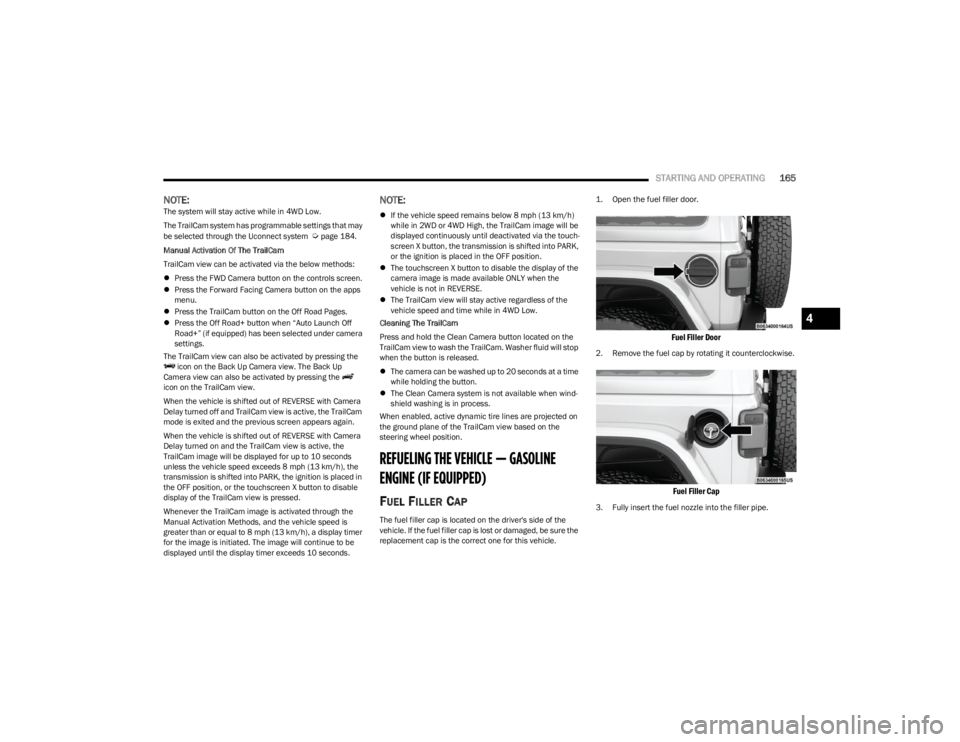
1. Open the fuel filler door.
Fuel Filler Door
2. Remove the fuel cap by rotating it counterclockwise.
Fuel Filler Cap
3. Fully insert the fuel nozzle into the filler pipe.
4
23_JL_OM_EN_USC_t.book Page 165