lights JEEP WRANGLER 2DOORS 2018 Owner handbook (in English)
[x] Cancel search | Manufacturer: JEEP, Model Year: 2018, Model line: WRANGLER 2DOORS, Model: JEEP WRANGLER 2DOORS 2018Pages: 348, PDF Size: 6.5 MB
Page 68 of 348
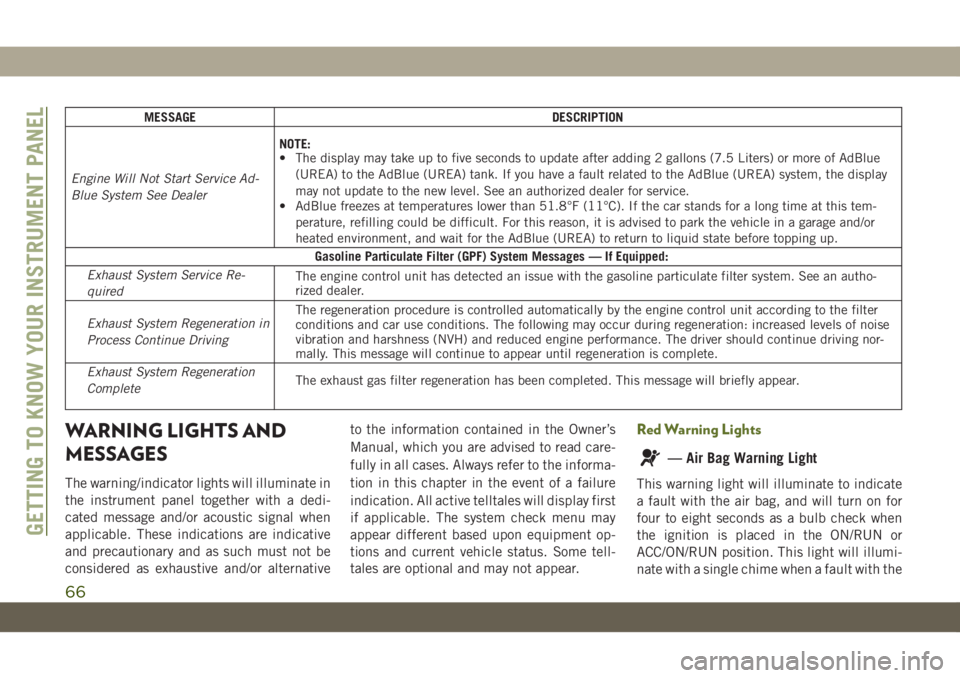
MESSAGE DESCRIPTION
Engine Will Not Start Service Ad-
Blue System See DealerNOTE:
• The display may take up to five seconds to update after adding 2 gallons (7.5 Liters) or more of AdBlue
(UREA) to the AdBlue (UREA) tank. If you have a fault related to the AdBlue (UREA) system, the display
may not update to the new level. See an authorized dealer for service.
• AdBlue freezes at temperatures lower than 51.8°F (11°C). If the car stands for a long time at this tem-
perature, refilling could be difficult. For this reason, it is advised to park the vehicle in a garage and/or
heated environment, and wait for the AdBlue (UREA) to return to liquid state before topping up.
Gasoline Particulate Filter (GPF) System Messages — If Equipped:
Exhaust System Service Re-
quiredThe engine control unit has detected an issue with the gasoline particulate filter system. See an autho-
rized dealer.
Exhaust System Regeneration in
Process Continue DrivingThe regeneration procedure is controlled automatically by the engine control unit according to the filter
conditions and car use conditions. The following may occur during regeneration: increased levels of noise
vibration and harshness (NVH) and reduced engine performance. The driver should continue driving nor-
mally. This message will continue to appear until regeneration is complete.
Exhaust System Regeneration
CompleteThe exhaust gas filter regeneration has been completed. This message will briefly appear.
WARNING LIGHTS AND
MESSAGES
The warning/indicator lights will illuminate in
the instrument panel together with a dedi-
cated message and/or acoustic signal when
applicable. These indications are indicative
and precautionary and as such must not be
considered as exhaustive and/or alternativeto the information contained in the Owner’s
Manual, which you are advised to read care-
fully in all cases. Always refer to the informa-
tion in this chapter in the event of a failure
indication. All active telltales will display first
if applicable. The system check menu may
appear different based upon equipment op-
tions and current vehicle status. Some tell-
tales are optional and may not appear.
Red Warning Lights
— Air Bag Warning Light
This warning light will illuminate to indicate
a fault with the air bag, and will turn on for
four to eight seconds as a bulb check when
the ignition is placed in the ON/RUN or
ACC/ON/RUN position. This light will illumi-
nate with a single chime when a fault with the
GETTING TO KNOW YOUR INSTRUMENT PANEL
66
Page 72 of 348
vehicle and run the engine at idle or slightly
faster, with the transmission in PARK or
NEUTRAL, until the light turns off. Once the
light turns off, you may continue to drive
normally.
WARNING!
If you continue operating the vehicle when
the Transmission Temperature Warning
Light is illuminated you could cause the
fluid to boil over, come in contact with hot
engine or exhaust components and cause
a fire.
CAUTION!
Continuous driving with the Transmission
Temperature Warning Light illuminated
will eventually cause severe transmission
damage or transmission failure.
— Vehicle Security Warning Light — If
Equipped
This light will flash at a fast rate for approxi-
mately 15 seconds when the vehicle security
alarm is arming, and then will flash slowly
until the vehicle is disarmed.
Yellow Warning Lights
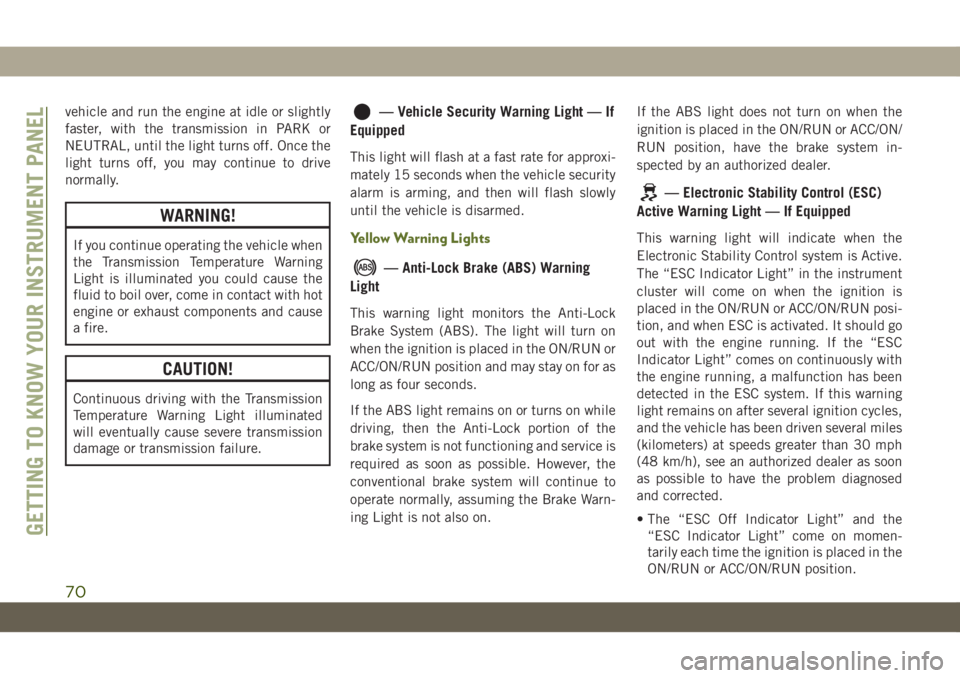
— Anti-Lock Brake (ABS) Warning
Light
This warning light monitors the Anti-Lock
Brake System (ABS). The light will turn on
when the ignition is placed in the ON/RUN or
ACC/ON/RUN position and may stay on for as
long as four seconds.
If the ABS light remains on or turns on while
driving, then the Anti-Lock portion of the
brake system is not functioning and service is
required as soon as possible. However, the
conventional brake system will continue to
operate normally, assuming the Brake Warn-
ing Light is not also on.If the ABS light does not turn on when the
ignition is placed in the ON/RUN or ACC/ON/
RUN position, have the brake system in-
spected by an authorized dealer.
— Electronic Stability Control (ESC)
Active Warning Light — If Equipped
This warning light will indicate when the
Electronic Stability Control system is Active.
The “ESC Indicator Light” in the instrument
cluster will come on when the ignition is
placed in the ON/RUN or ACC/ON/RUN posi-
tion, and when ESC is activated. It should go
out with the engine running. If the “ESC
Indicator Light” comes on continuously with
the engine running, a malfunction has been
detected in the ESC system. If this warning
light remains on after several ignition cycles,
and the vehicle has been driven several miles
(kilometers) at speeds greater than 30 mph
(48 km/h), see an authorized dealer as soon
as possible to have the problem diagnosed
and corrected.
• The “ESC Off Indicator Light” and the
“ESC Indicator Light” come on momen-
tarily each time the ignition is placed in the
ON/RUN or ACC/ON/RUN position.
GETTING TO KNOW YOUR INSTRUMENT PANEL
70
Page 76 of 348
Yellow Indicator Lights
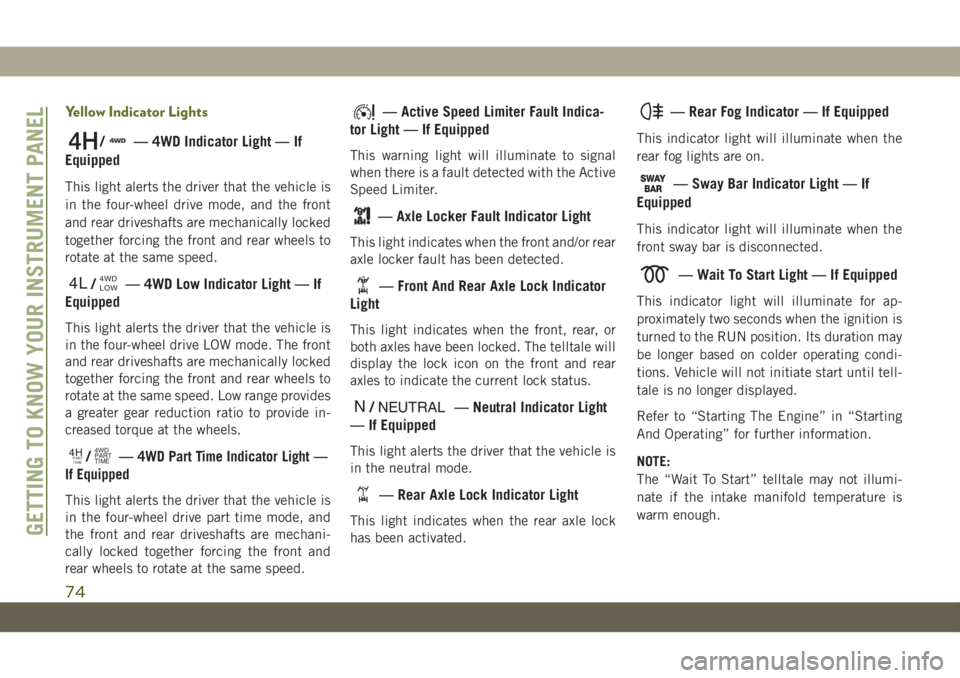
/— 4WD Indicator Light — If
Equipped
This light alerts the driver that the vehicle is
in the four-wheel drive mode, and the front
and rear driveshafts are mechanically locked
together forcing the front and rear wheels to
rotate at the same speed.
4L/4WD
LOW— 4WD Low Indicator Light — If
Equipped
This light alerts the driver that the vehicle is
in the four-wheel drive LOW mode. The front
and rear driveshafts are mechanically locked
together forcing the front and rear wheels to
rotate at the same speed. Low range provides
a greater gear reduction ratio to provide in-
creased torque at the wheels.
4HPART
TIME/4WD
PART
TIME—4WD Part Time Indicator Light —
If Equipped
This light alerts the driver that the vehicle is
in the four-wheel drive part time mode, and
the front and rear driveshafts are mechani-
cally locked together forcing the front and
rear wheels to rotate at the same speed.
— Active Speed Limiter Fault Indica-
tor Light — If Equipped
This warning light will illuminate to signal
when there is a fault detected with the Active
Speed Limiter.
— Axle Locker Fault Indicator Light
This light indicates when the front and/or rear
axle locker fault has been detected.
— Front And Rear Axle Lock Indicator
Light
This light indicates when the front, rear, or
both axles have been locked. The telltale will
display the lock icon on the front and rear
axles to indicate the current lock status.
N/NEUTRAL— Neutral Indicator Light
— If Equipped
This light alerts the driver that the vehicle is
in the neutral mode.
— Rear Axle Lock Indicator Light
This light indicates when the rear axle lock
has been activated.
— Rear Fog Indicator — If Equipped
This indicator light will illuminate when the
rear fog lights are on.
— Sway Bar Indicator Light — If
Equipped
This indicator light will illuminate when the
front sway bar is disconnected.
— Wait To Start Light — If Equipped
This indicator light will illuminate for ap-
proximately two seconds when the ignition is
turned to the RUN position. Its duration may
be longer based on colder operating condi-
tions. Vehicle will not initiate start until tell-
tale is no longer displayed.
Refer to “Starting The Engine” in “Starting
And Operating” for further information.
NOTE:
The “Wait To Start” telltale may not illumi-
nate if the intake manifold temperature is
warm enough.
GETTING TO KNOW YOUR INSTRUMENT PANEL
74
Page 77 of 348
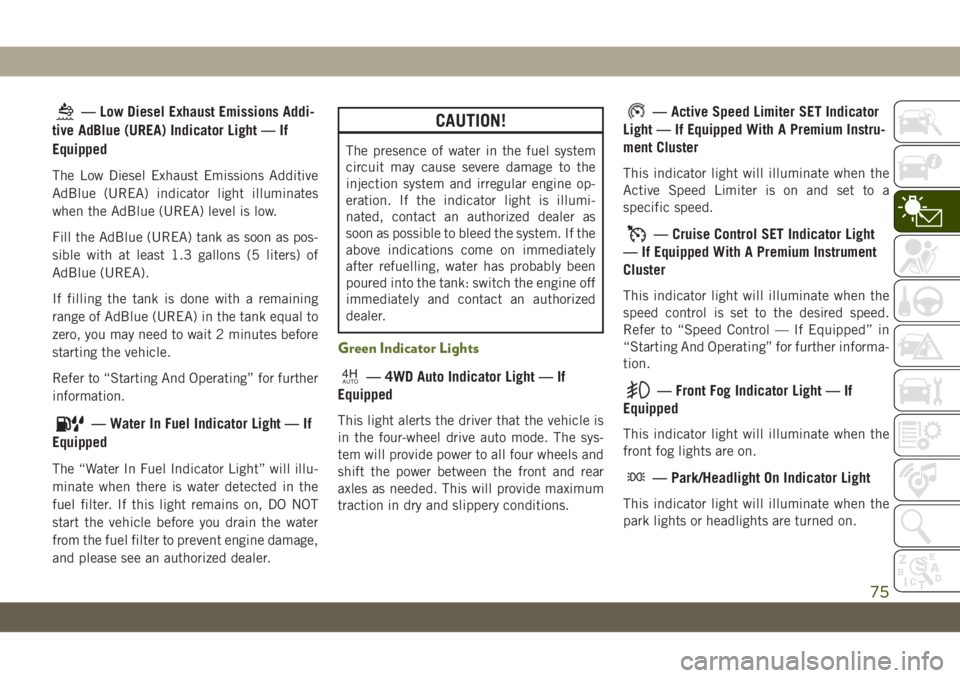
— Low Diesel Exhaust Emissions Addi-
tive AdBlue (UREA) Indicator Light — If
Equipped
The Low Diesel Exhaust Emissions Additive
AdBlue (UREA) indicator light illuminates
when the AdBlue (UREA) level is low.
Fill the AdBlue (UREA) tank as soon as pos-
sible with at least 1.3 gallons (5 liters) of
AdBlue (UREA).
If filling the tank is done with a remaining
range of AdBlue (UREA) in the tank equal to
zero, you may need to wait 2 minutes before
starting the vehicle.
Refer to “Starting And Operating” for further
information.
— Water In Fuel Indicator Light — If
Equipped
The “Water In Fuel Indicator Light” will illu-
minate when there is water detected in the
fuel filter. If this light remains on, DO NOT
start the vehicle before you drain the water
from the fuel filter to prevent engine damage,
and please see an authorized dealer.
CAUTION!
The presence of water in the fuel system
circuit may cause severe damage to the
injection system and irregular engine op-
eration. If the indicator light is illumi-
nated, contact an authorized dealer as
soon as possible to bleed the system. If the
above indications come on immediately
after refuelling, water has probably been
poured into the tank: switch the engine off
immediately and contact an authorized
dealer.
Green Indicator Lights
4HAUTO— 4WD Auto Indicator Light — If
Equipped
This light alerts the driver that the vehicle is
in the four-wheel drive auto mode. The sys-
tem will provide power to all four wheels and
shift the power between the front and rear
axles as needed. This will provide maximum
traction in dry and slippery conditions.
— Active Speed Limiter SET Indicator
Light — If Equipped With A Premium Instru-
ment Cluster
This indicator light will illuminate when the
Active Speed Limiter is on and set to a
specific speed.
— Cruise Control SET Indicator Light
— If Equipped With A Premium Instrument
Cluster
This indicator light will illuminate when the
speed control is set to the desired speed.
Refer to “Speed Control — If Equipped” in
“Starting And Operating” for further informa-
tion.
— Front Fog Indicator Light — If
Equipped
This indicator light will illuminate when the
front fog lights are on.
— Park/Headlight On Indicator Light
This indicator light will illuminate when the
park lights or headlights are turned on.
75
Page 78 of 348
— Rear Seat Belt Fastened Indicator
Light — If Equipped
This light indicates when a rear seat belt has
been buckled in the second row. A telltale
will display in the upper right corner of the
instrument cluster display to correspond to
the specific seating position once the seat
belt has been buckled.
Refer to “Occupant Restraint Systems” in
“Safety” for further information.
— Stop/Start Active Indicator Light —
If Equipped
This indicator light will illuminate when the
Stop/Start function is in “Autostop” mode.
— Turn Signal Indicator Lights
When the left or right turn signal is activated,
the turn signal indicator will flash indepen-
dently and the corresponding exterior turn
signal lamps will flash. Turn signals can be
activated when the multifunction lever is
moved down (left) or up (right).NOTE:
• A continuous chime will sound if the ve-
hicle is driven more than 1 mile (1.6 km)
with either turn signal on.
• Check for an inoperative outside light bulb
if either indicator flashes at a rapid rate.
White Indicator Lights
2H— Two Wheel Drive High Indicator
Light — If Equipped With a Premium Cluster
This light alerts the driver that the vehicle is
in the two wheel drive high mode.
— Active Speed Limiter Ready Indica-
tor Light — If Equipped With A Premium
Instrument Cluster
This light will illuminate when the Active
Speed Limiter has been turned on, but not
set.
— Active Speed Limiter SET Indicator
Light — If Equipped With A Base Instrument
Cluster
This light will turn on when the Active Speed
Limiter is on and set to a specific speed.
— Hill Descent Control (HDC) Indicator
Light — If Equipped
This indicator shows when the Hill Descent
Control (HDC) feature is turned on. The lamp
will be on solid when HDC is armed. HDC can
only be armed when the transfer case is in the
“4WD LOW” position and the vehicle speed
is less then 30 mph (48 km/h). If these
conditions are not met while attempting to
use the HDC feature, the HDC indicator light
will flash on/off.
— Rear Seat Belt Fastened Indicator
Light — If Equipped
This light indicates when a rear seat belt has
been buckled in the second row. A telltale
will display in the upper right corner of the
instrument cluster display to correspond to
the specific seating position once the seat
belt has been buckled.
Refer to “Occupant Restraint Systems” in
“Safety” for further information.
GETTING TO KNOW YOUR INSTRUMENT PANEL
76
Page 79 of 348
— Rear Seat Belt Reminder Indicator
Light — If Equipped
This light indicates when a rear seat belt is
unbuckled in the second row. When the igni-
tion is first placed in the ON/RUN or ACC/ON/
RUN position, and if a seat belt in the second
row is unbuckled, a light corresponding to the
specific seat will turn on in the upper right
portion of the instrument cluster display, mo-
mentarily replacing the configurable corner
information. If a second row seat belt that
was buckled at the start of the trip is unbuck-
led, the Rear Seat Belt Reminder Light will
change from the buckled to the unbuckled
symbol, and a chime will sound.
Refer to “Occupant Restraint Systems” in
“Safety” for further information.
— Rear Seat Unoccupied Indicator
Light — If Equipped
This light indicates when the rear passenger
seats are unoccupied, and will illuminate in
the upper right portion of the instrument
cluster display, momentarily replacing the
configurable corner information.Refer to “Occupant Restraint Systems” in
“Safety” for further information.
— Speed Warning Indicator Light — If
Equipped
When Set Speed Warning is turned on, the
speed warning telltale will illuminate in the
instrument cluster with a number matching
the set speed. When the set speed is ex-
ceeded, the indication will light up yellow
and flash along with a continuous chime (up
to ten seconds or until the speed is no longer
exceeded). Speed Warning can be turned on
and off in the instrument cluster display, for
further information refer to “Instrument Clus-
ter Display Menu Items” in “Getting To Know
Your Instrument Panel.”
The number “55” is only an example of a
speed that can be set.
— Cruise Control Ready Indicator
Light — If Equipped With A Premium Instru-
ment Cluster
This light will turn on when the speed control
has been turned on, but not set. Refer to
“Speed Control — If Equipped” in “Starting
And Operating” for further information.
—Cruise Control SET Indicator Light —
If Equipped With Base Instrument Cluster
This indicator light will illuminate when the
speed control is set.
Refer to “Speed Control — If Equipped” in
“Starting And Operating” for further informa-
tion.
Blue Indicator Lights
— High Beam Indicator Light
This indicator light will illuminate to indicate
that the high beam headlights are on. With
the low beams activated, push the multifunc-
tion lever forward (toward the front of the
vehicle) to turn on the high beams. Pull the
multifunction lever rearward (toward the rear
of the vehicle) to turn off the high beams. If
the high beams are off, pull the lever toward
you for a temporary high beam on, "flash to
pass" scenario.
77
Page 80 of 348
Gray Indicator Lights
— Cruise Control Ready Indicator
Light — If Equipped With Base Instrument
Cluster
This light will turn on when the speed control
has been turned on, but not set. Refer to
“Speed Control — If Equipped” in “Starting
And Operating” for further information.
— Active Speed Limiter Ready Indica-
tor Light — If Equipped With A Base Instru-
ment Cluster
This light will turn on when the Active Speed
Limiter is on, but not set.
ONBOARD DIAGNOSTIC
SYSTEM — OBD II
Your vehicle is equipped with a sophisticated
Onboard Diagnostic system called OBD II.
This system monitors the performance of the
emissions, engine, and transmission control
systems. When these systems are operatingproperly, your vehicle will provide excellent
performance and fuel economy, as well as
engine emissions well within current govern-
ment regulations.
If any of these systems require service, the
OBD II system will turn on the Malfunction
Indicator Light (MIL). It will also store diag-
nostic codes and other information to assist
your service technician in making repairs.
Although your vehicle will usually be drivable
and not need towing, see an authorized
dealer for service as soon as possible.
CAUTION!
• Prolonged driving with the MIL on could
cause further damage to the emission
control system. It could also affect fuel
economy and driveability. The vehicle
must be serviced before any emissions
tests can be performed.
• If the MIL is flashing while the vehicle is
running, severe catalytic converter dam-
age and power loss will soon occur. Im-
mediate service is required.
Onboard Diagnostic System (OBD II)
Cybersecurity
Your vehicle is required to have an Onboard
Diagnostic system (OBD II) and a connection
port to allow access to information related to
the performance of your emissions controls.
Authorized service technicians may need to
access this information to assist with the
diagnosis and service of your vehicle and
emissions system.
WARNING!
• ONLY an authorized service technician
should connect equipment to the OBD II
connection port in order to read the VIN,
diagnose, or service your vehicle.
• If unauthorized equipment is connected
to the OBD II connection port, such as a
driver-behavior tracking device, it may:
• Be possible that vehicle systems,
including safety related systems,
could be impaired or a loss of ve-
hicle control could occur that may
result in an accident involving seri-
ous injury or death.
GETTING TO KNOW YOUR INSTRUMENT PANEL
78
Page 93 of 348
Feedback To The Driver
The instrument cluster has an HDC icon and
the HDC switch has an indicator light, which
offers feedback to the driver about the state
HDC is in.
• The cluster icon and switch indicator light
will illuminate and remain on solid when
HDC is enabled or activated. This is the
normal operating condition for HDC.
• The cluster icon and switch indicator light
will flash for several seconds then extin-
guish when the driver pushes the HDC
switch but enable conditions are not met.
• The cluster icon and switch indicator light
will flash for several seconds then extin-
guish when HDC disables due to excess
speed.
• The cluster icon and switch indicator light
will flash when HDC deactivates due to
overheated brakes. The flashing will stop
and HDC will activate again once the brakes
have cooled sufficiently.WARNING!
HDC is only intended to assist the driver in
controlling vehicle speed when descend-
ing hills. The driver must remain attentive
to the driving conditions and is responsible
for maintaining a safe vehicle speed.
AUXILIARY DRIVING
SYSTEMS
Blind Spot Monitoring (BSM) — If
Equipped
The Blind Spot Monitoring (BSM) system
uses two radar-based sensors, located inside
the taillights, to detect highway licensable
vehicles (automobiles, trucks, motorcycles,
etc.) that enter the blind spot zones from the
rear/front/side of the vehicle.When the vehicle is started, the BSM warning
light will momentarily illuminate in both out-
side rear view mirrors to let the driver know
that the system is operational. The BSM
system sensors operate when the vehicle is in
any forward gear or REVERSE and enters
stand-by mode when the vehicle is in PARK.
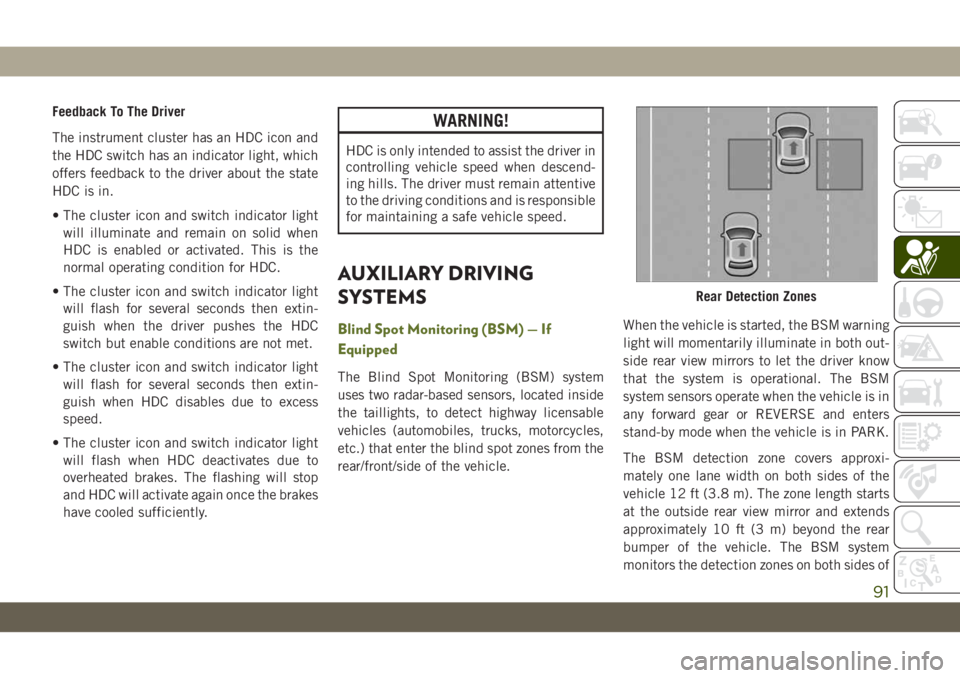
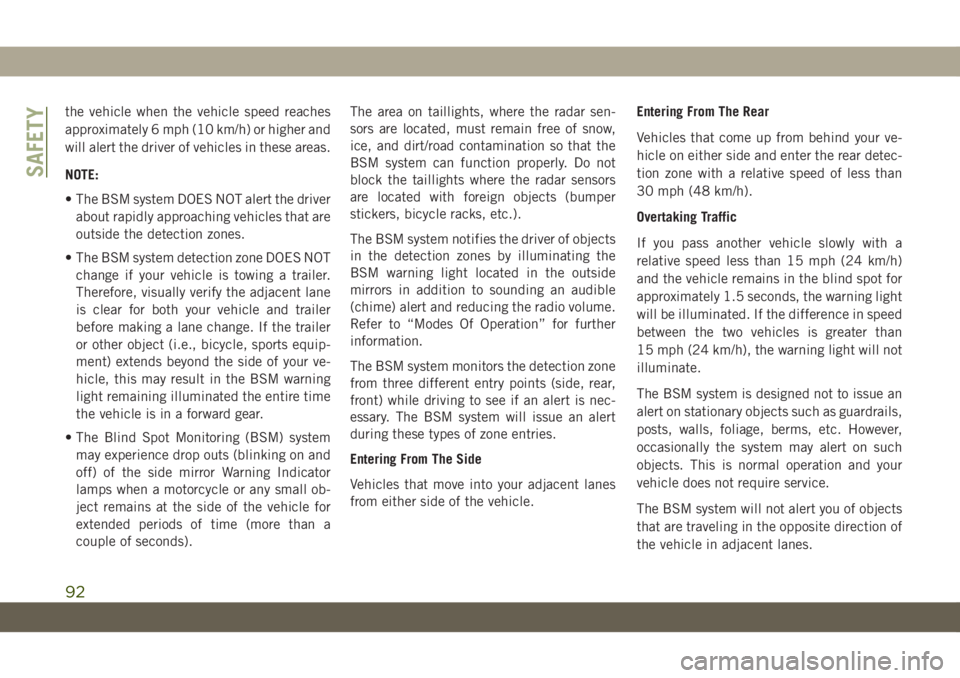
The BSM detection zone covers approxi-
mately one lane width on both sides of the
vehicle 12 ft (3.8 m). The zone length starts
at the outside rear view mirror and extends
approximately 10 ft (3 m) beyond the rear
bumper of the vehicle. The BSM system
monitors the detection zones on both sides of
Rear Detection Zones
91
Page 94 of 348
the vehicle when the vehicle speed reaches
approximately 6 mph (10 km/h) or higher and
will alert the driver of vehicles in these areas.
NOTE:
• The BSM system DOES NOT alert the driver
about rapidly approaching vehicles that are
outside the detection zones.
• The BSM system detection zone DOES NOT
change if your vehicle is towing a trailer.
Therefore, visually verify the adjacent lane
is clear for both your vehicle and trailer
before making a lane change. If the trailer
or other object (i.e., bicycle, sports equip-
ment) extends beyond the side of your ve-
hicle, this may result in the BSM warning
light remaining illuminated the entire time
the vehicle is in a forward gear.
• The Blind Spot Monitoring (BSM) system
may experience drop outs (blinking on and
off) of the side mirror Warning Indicator
lamps when a motorcycle or any small ob-
ject remains at the side of the vehicle for
extended periods of time (more than a
couple of seconds).The area on taillights, where the radar sen-
sors are located, must remain free of snow,
ice, and dirt/road contamination so that the
BSM system can function properly. Do not
block the taillights where the radar sensors
are located with foreign objects (bumper
stickers, bicycle racks, etc.).
The BSM system notifies the driver of objects
in the detection zones by illuminating the
BSM warning light located in the outside
mirrors in addition to sounding an audible
(chime) alert and reducing the radio volume.
Refer to “Modes Of Operation” for further
information.
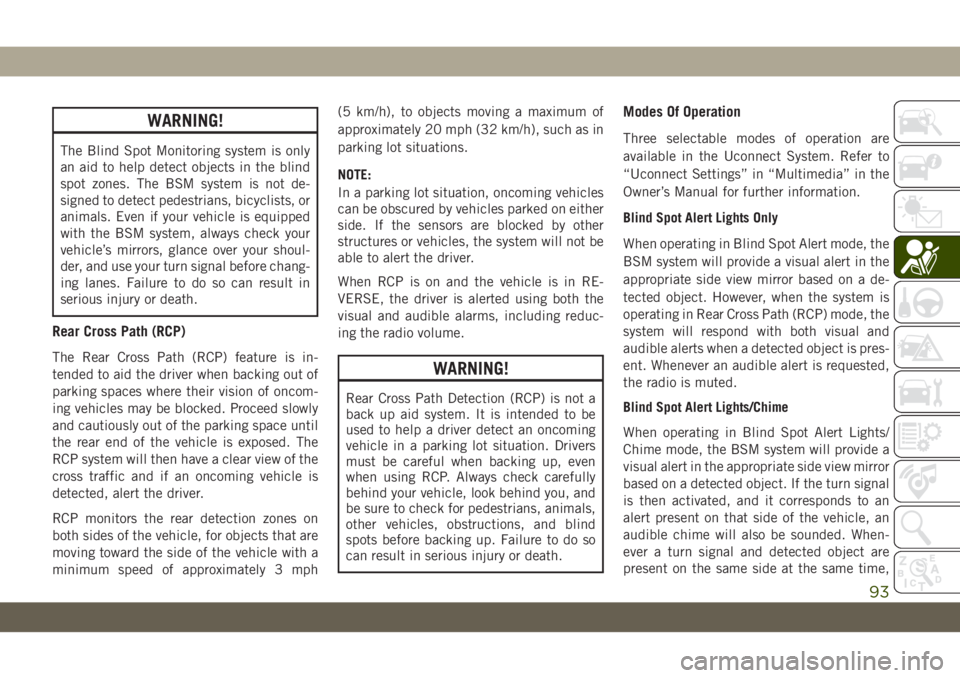
The BSM system monitors the detection zone
from three different entry points (side, rear,
front) while driving to see if an alert is nec-
essary. The BSM system will issue an alert
during these types of zone entries.
Entering From The Side
Vehicles that move into your adjacent lanes
from either side of the vehicle.Entering From The Rear
Vehicles that come up from behind your ve-
hicle on either side and enter the rear detec-
tion zone with a relative speed of less than
30 mph (48 km/h).
Overtaking Traffic
If you pass another vehicle slowly with a
relative speed less than 15 mph (24 km/h)
and the vehicle remains in the blind spot for
approximately 1.5 seconds, the warning light
will be illuminated. If the difference in speed
between the two vehicles is greater than
15 mph (24 km/h), the warning light will not
illuminate.
The BSM system is designed not to issue an
alert on stationary objects such as guardrails,
posts, walls, foliage, berms, etc. However,
occasionally the system may alert on such
objects. This is normal operation and your
vehicle does not require service.
The BSM system will not alert you of objects
that are traveling in the opposite direction of
the vehicle in adjacent lanes.
SAFETY
92
Page 95 of 348
WARNING!
The Blind Spot Monitoring system is only
an aid to help detect objects in the blind
spot zones. The BSM system is not de-
signed to detect pedestrians, bicyclists, or
animals. Even if your vehicle is equipped
with the BSM system, always check your
vehicle’s mirrors, glance over your shoul-
der, and use your turn signal before chang-
ing lanes. Failure to do so can result in
serious injury or death.
Rear Cross Path (RCP)
The Rear Cross Path (RCP) feature is in-
tended to aid the driver when backing out of
parking spaces where their vision of oncom-
ing vehicles may be blocked. Proceed slowly
and cautiously out of the parking space until
the rear end of the vehicle is exposed. The
RCP system will then have a clear view of the
cross traffic and if an oncoming vehicle is
detected, alert the driver.
RCP monitors the rear detection zones on
both sides of the vehicle, for objects that are
moving toward the side of the vehicle with a
minimum speed of approximately 3 mph(5 km/h), to objects moving a maximum of
approximately 20 mph (32 km/h), such as in
parking lot situations.
NOTE:
In a parking lot situation, oncoming vehicles
can be obscured by vehicles parked on either
side. If the sensors are blocked by other
structures or vehicles, the system will not be
able to alert the driver.
When RCP is on and the vehicle is in RE-
VERSE, the driver is alerted using both the
visual and audible alarms, including reduc-
ing the radio volume.WARNING!
Rear Cross Path Detection (RCP) is not a
back up aid system. It is intended to be
used to help a driver detect an oncoming
vehicle in a parking lot situation. Drivers
must be careful when backing up, even
when using RCP. Always check carefully
behind your vehicle, look behind you, and
be sure to check for pedestrians, animals,
other vehicles, obstructions, and blind
spots before backing up. Failure to do so
can result in serious injury or death.
Modes Of Operation
Three selectable modes of operation are
available in the Uconnect System. Refer to
“Uconnect Settings” in “Multimedia” in the
Owner’s Manual for further information.
Blind Spot Alert Lights Only
When operating in Blind Spot Alert mode, the
BSM system will provide a visual alert in the
appropriate side view mirror based on a de-
tected object. However, when the system is
operating in Rear Cross Path (RCP) mode, the
system will respond with both visual and
audible alerts when a detected object is pres-
ent. Whenever an audible alert is requested,
the radio is muted.
Blind Spot Alert Lights/Chime
When operating in Blind Spot Alert Lights/
Chime mode, the BSM system will provide a
visual alert in the appropriate side view mirror
based on a detected object. If the turn signal
is then activated, and it corresponds to an
alert present on that side of the vehicle, an
audible chime will also be sounded. When-
ever a turn signal and detected object are
present on the same side at the same time,
93