display JEEP WRANGLER UNLIMITED 2013 User Guide
[x] Cancel search | Manufacturer: JEEP, Model Year: 2013, Model line: WRANGLER UNLIMITED, Model: JEEP WRANGLER UNLIMITED 2013Pages: 655, PDF Size: 9.04 MB
Page 312 of 655
(e.g., snow plowing, off-road operation). If this “HOT-
OIL” message turns on, stop the vehicle and run the
engine at idle or faster with the transmission in NEU-
TRAL until the message turns off.
CAUTION!Continuous driving with the Transmission Tempera-
ture “HOTOIL” Warning message illuminated will
eventually cause severe transmission damage or
transmission failure.
WARNING!If the Transmission Temperature “HOTOIL” Warn-
ing message is illuminated and you continue operat-
ing the vehicle, in some circumstances you could
cause the fluid to boil over, come in contact with hot
engine or exhaust components and cause a fire. gASCAP
If the vehicle diagnostic system determines that the fuel
filler cap is loose, improperly installed, or damaged, a
“gASCAP” message will display in the odometer display
area. Tighten the fuel filler cap properly and press the
TRIP ODOMETER button to turn off the message. If the
problem continues, the message will appear the next time
the vehicle is started.
noFUSE
If the vehicle diagnostic system determines that the
Ignition Off Draw (IOD) fuse is improperly installed, or
damaged, a “noFUSE” message will display in the odom-
eter display area. For further information on fuses and
fuse locations refer to “Fuses” in “Maintaining Your
Vehicle”.310 UNDERSTANDING YOUR INSTRUMENT PANEL
Page 313 of 655
CHAngE OIL Message
Your vehicle is equipped with an engine oil change
indicator system. The “CHANgE OIL” message will flash
in the instrument cluster odometer for approximately
12 seconds after a single chime has sounded to indicate
the next scheduled oil change interval. The engine oil
change indicator system is duty-cycle based, which
means the engine oil change interval may fluctuate
dependent upon your personal driving style.
Unless reset, this message will continue to display each
time you turn the ignition switch to the ON/RUN position.
To turn off the message temporarily, press and release the
Trip Odometer button on the instrument cluster. To reset
the oil change indicator system (after performing the
scheduled maintenance), refer to the following procedure:
Turn the ignition switch to the ON/RUN position (do not
start the engine). Fully depress the accelerator pedal slowly three times
within 10 seconds.
Turn the ignition switch to the OFF/LOCK position.
NOTE: If the indicator message illuminates when you
start the vehicle, the oil change indicator system did not
reset. If necessary, repeat this procedure.
25. Malfunction Indicator Light (MIL)
The Malfunction Indicator Light (MIL) is a part of
an Onboard Diagnostic System called OBD II that
monitors engine and automatic transmission con-
trol systems. The light will illuminate when the ignition
is in the ON position before engine start. If the bulb does
not come on when turning the key from OFF to ON/
RUN, have the condition checked promptly.
4 UNDERSTANDING YOUR INSTRUMENT PANEL 311
Page 317 of 655
30. Electronic Vehicle Information Center (EVIC) Display/
Compass Mini-Trip Computer Display — If Equipped
When the appropriate conditions exist, this display
shows the Electronic Vehicle Information Center (EVIC)
messages. For further information, refer to “Electronic
Vehicle Information Center”.
When the appropriate conditions exist, this display
shows the Mini-Trip Computer messages. Refer to “Mini-
Trip Computer” for further information. COMPASS AND TRIP COMPUTER — IF EQUIPPED
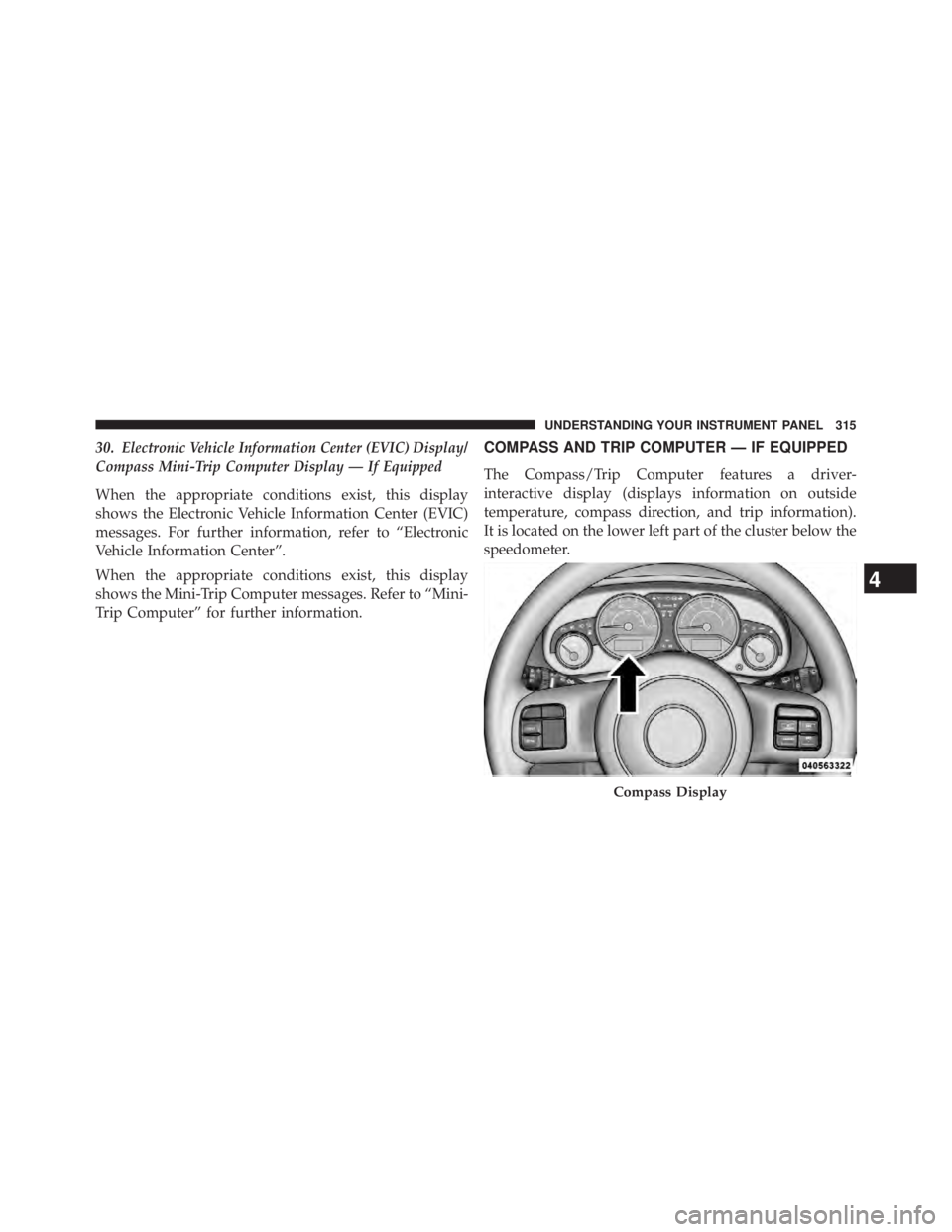
The Compass/Trip Computer features a driver-
interactive display (displays information on outside
temperature, compass direction, and trip information).
It is located on the lower left part of the cluster below the
speedometer.
Compass Display
4 UNDERSTANDING YOUR INSTRUMENT PANEL 315
Page 318 of 655
Control Buttons
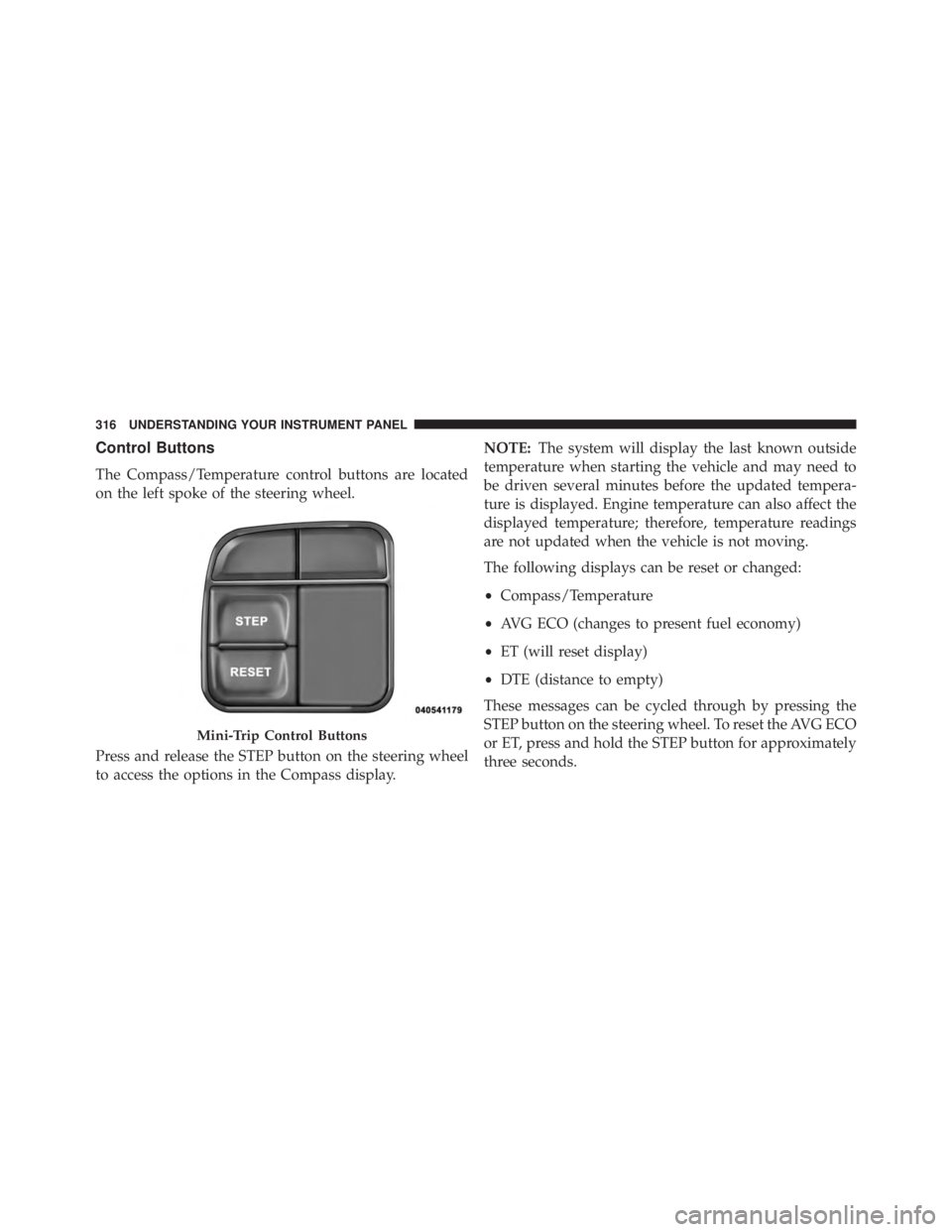
The Compass/Temperature control buttons are located
on the left spoke of the steering wheel.
Press and release the STEP button on the steering wheel
to access the options in the Compass display. NOTE: The system will display the last known outside
temperature when starting the vehicle and may need to
be driven several minutes before the updated tempera-
ture is displayed. Engine temperature can also affect the
displayed temperature; therefore, temperature readings
are not updated when the vehicle is not moving.
The following displays can be reset or changed:
• Compass/Temperature
• AVG ECO (changes to present fuel economy)
• ET (will reset display)
• DTE (distance to empty)
These messages can be cycled through by pressing the
STEP button on the steering wheel. To reset the AVG ECO
or ET, press and hold the STEP button for approximately
three seconds.Mini-Trip Control Buttons316 UNDERSTANDING YOUR INSTRUMENT PANEL
Page 319 of 655
Compass/Temperature Display
NOTE: If the vehicle is equipped with a Chrysler
Uconnect™ gps (Navigation Radio), the NAV system will
provide the compass direction, and the variance and
calibration menus will be unavailable. The compass will
perform accurately, based on GPS signals instead of the
Earth’s magnetic field.
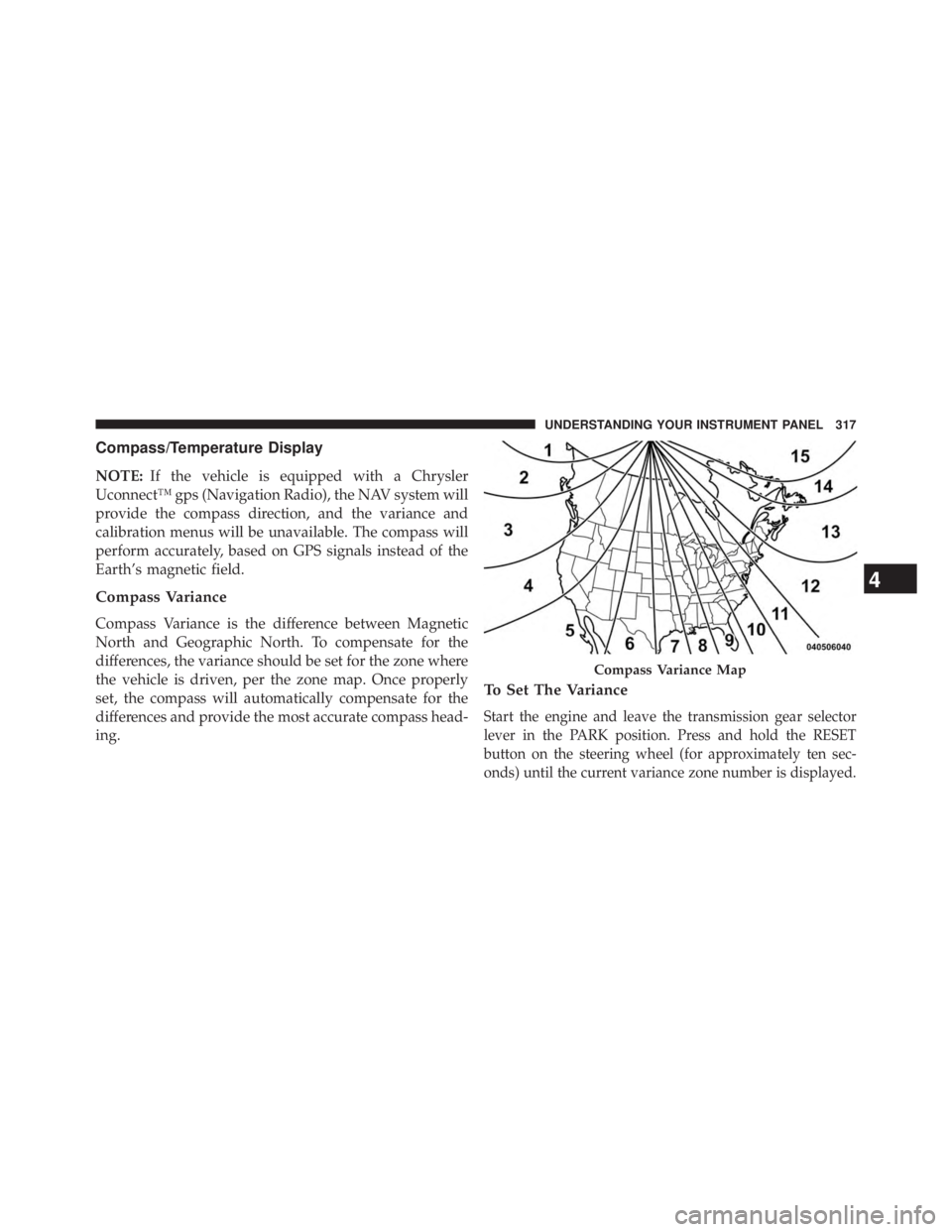
Compass Variance
Compass Variance is the difference between Magnetic
North and Geographic North. To compensate for the
differences, the variance should be set for the zone where
the vehicle is driven, per the zone map. Once properly
set, the compass will automatically compensate for the
differences and provide the most accurate compass head-
ing. To Set The Variance
Start the engine and leave the transmission gear selector
lever in the PARK position. Press and hold the RESET
button on the steering wheel (for approximately ten sec-
onds) until the current variance zone number is displayed. Compass Variance Map
4 UNDERSTANDING YOUR INSTRUMENT PANEL 317
Page 320 of 655
To change the zone, press and release the STEP button to
increase the variance one step. Repeat as necessary until
the desired variance is achieved.
NOTE: The factory default zone is 8. During program-
ming, the zone value will wrap around from zone 15 to
zone 1.
Manual Compass Calibration
If the compass appears erratic, inaccurate or abnormal,
you may wish to calibrate the compass. Prior to calibrat-
ing the compass, make sure the proper zone is selected.
1. Start the engine and leave the transmission in the
PARK position. 2. Press and hold the RESET button (for approximately
10 seconds) until the current variance zone number is
displayed.
3. Release the RESET button, then press and hold again
for approximately 10 seconds, until the direction is
displayed, with the CAL indicator on continuously in
the display.
4. To complete the compass calibration, drive the vehicle
in one or more complete 360–degree circles, under
5 mph (8 km/h) in an area free from power lines and
large metallic objects, until the CAL indicator turns
off. The compass will now function normally.318 UNDERSTANDING YOUR INSTRUMENT PANEL
Page 321 of 655
NOTE:
• A good calibration requires a level surface and an envi-
ronment free from large metallic objects such as build-
ings, bridges, underground cables, railroad tracks, etc.
• Magnetic materials should be kept away from the top
of the center of the instrument panel. This is where the
compass sensor is located.
Average Fuel Economy/Distance To Empty (DTE)/
Elapsed Time
• Average Fuel Economy
Shows the average fuel economy since the last reset.
When the fuel economy is reset, the digits will go blank
while the history information is erased. The averaging
will restart when enough new distance and fuel data is
accumulated. • Distance To Empty (DTE)
Shows the estimated distance that can be traveled with
the fuel remaining in the tank. This estimated distance is
determined by a weighted average of the instantaneous
and average fuel economy, according to the current fuel
tank level. DTE cannot be reset.
• Elapsed Time
Shows the total elapsed time of travel since the last reset.
Elapsed time will increment when the ignition switch is
in the RUN or START positions. The elapsed timer
displays minutes:seconds. After 59minutes:59seconds, it
displays hours:minutes:seconds.
4 UNDERSTANDING YOUR INSTRUMENT PANEL 319
Page 322 of 655
Trip Conditions
Trip Odometer (ODO) / ECO
(Fuel Saver Indicator) — If Equipped
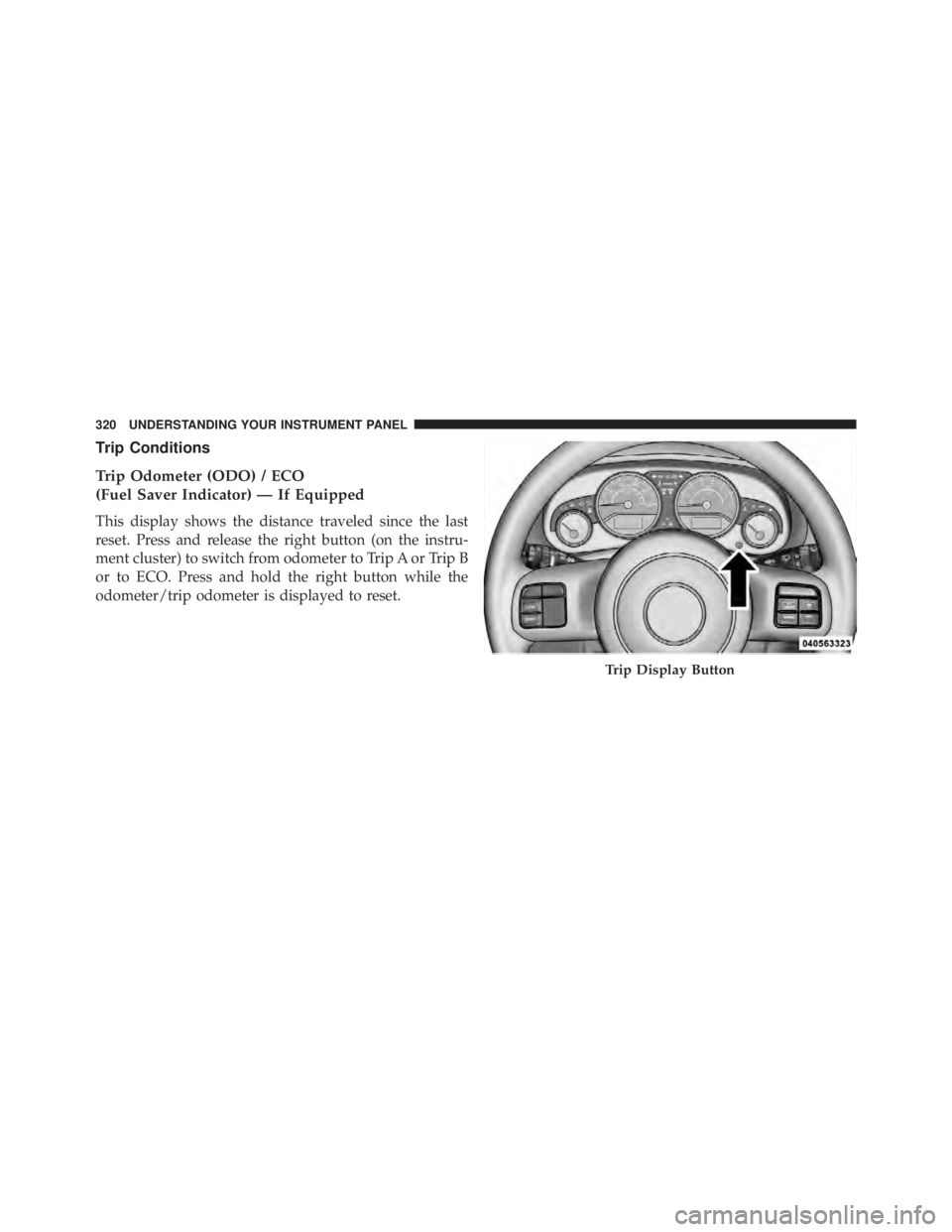
This display shows the distance traveled since the last
reset. Press and release the right button (on the instru-
ment cluster) to switch from odometer to Trip A or Trip B
or to ECO. Press and hold the right button while the
odometer/trip odometer is displayed to reset.
Trip Display Button320 UNDERSTANDING YOUR INSTRUMENT PANEL
Page 323 of 655
Trip A
Shows the total distance traveled for trip A since the last
reset.
Trip B
Shows the total distance traveled for trip B since the last
reset.
ECO (Fuel Saver Indicator) — If Equipped
The ECO indicator will illuminate when you are driving
in a fuel efficient manner and can be used to modify
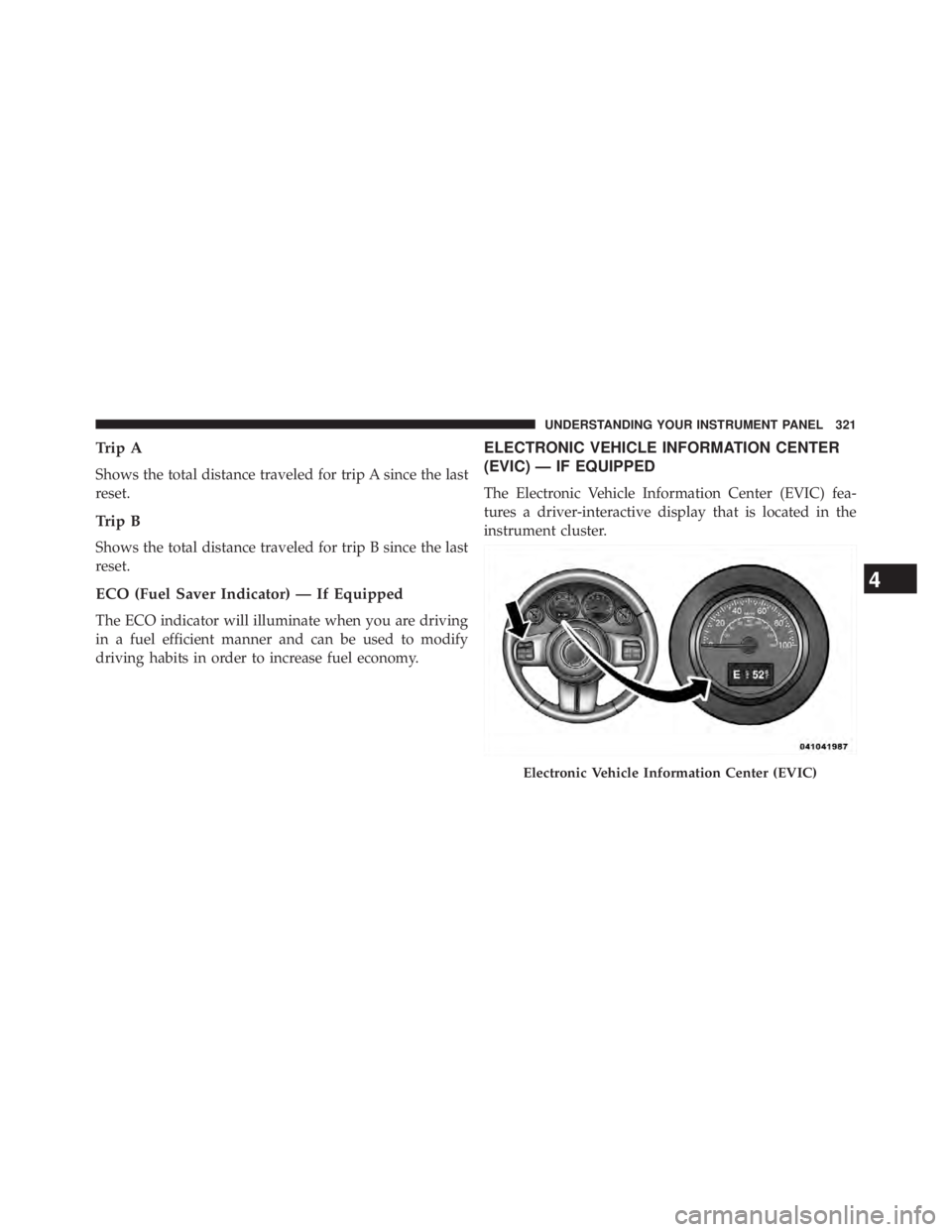
driving habits in order to increase fuel economy. ELECTRONIC VEHICLE INFORMATION CENTER
(EVIC) — IF EQUIPPED
The Electronic Vehicle Information Center (EVIC) fea-
tures a driver-interactive display that is located in the
instrument cluster.
Electronic Vehicle Information Center (EVIC)
4 UNDERSTANDING YOUR INSTRUMENT PANEL 321
Page 324 of 655
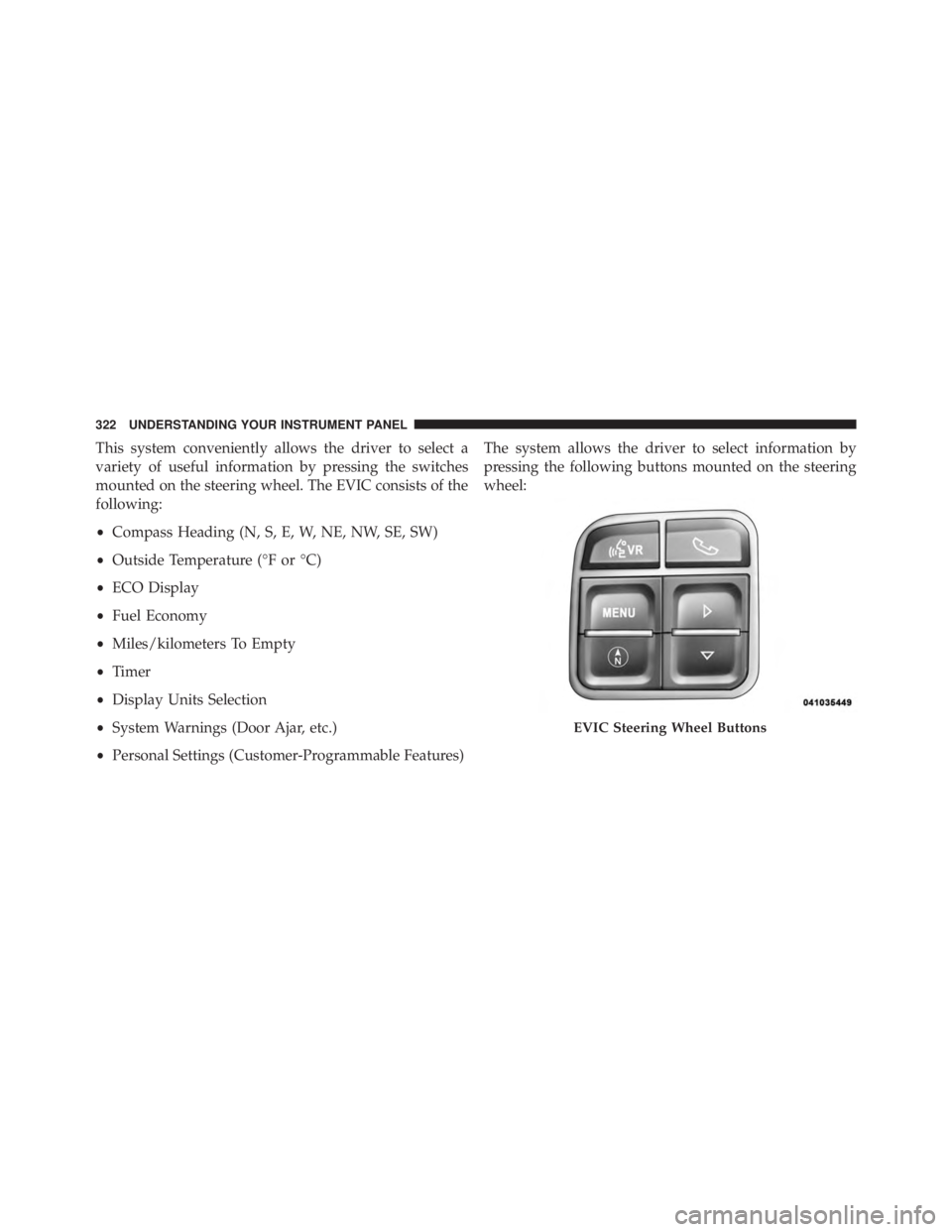
This system conveniently allows the driver to select a
variety of useful information by pressing the switches
mounted on the steering wheel. The EVIC consists of the
following:
• Compass Heading (N, S, E, W, NE, NW, SE, SW)
• Outside Temperature (°F or °C)
• ECO Display
• Fuel Economy
• Miles/kilometers To Empty
• Timer
• Display Units Selection
• System Warnings (Door Ajar, etc.)
• Personal Settings (Customer-Programmable Features) The system allows the driver to select information by
pressing the following buttons mounted on the steering
wheel:
EVIC Steering Wheel Buttons322 UNDERSTANDING YOUR INSTRUMENT PANEL