phone JEEP WRANGLER UNLIMITED 2014 User Guide
[x] Cancel search | Manufacturer: JEEP, Model Year: 2014, Model line: WRANGLER UNLIMITED, Model: JEEP WRANGLER UNLIMITED 2014Pages: 140, PDF Size: 12.72 MB
Page 82 of 140
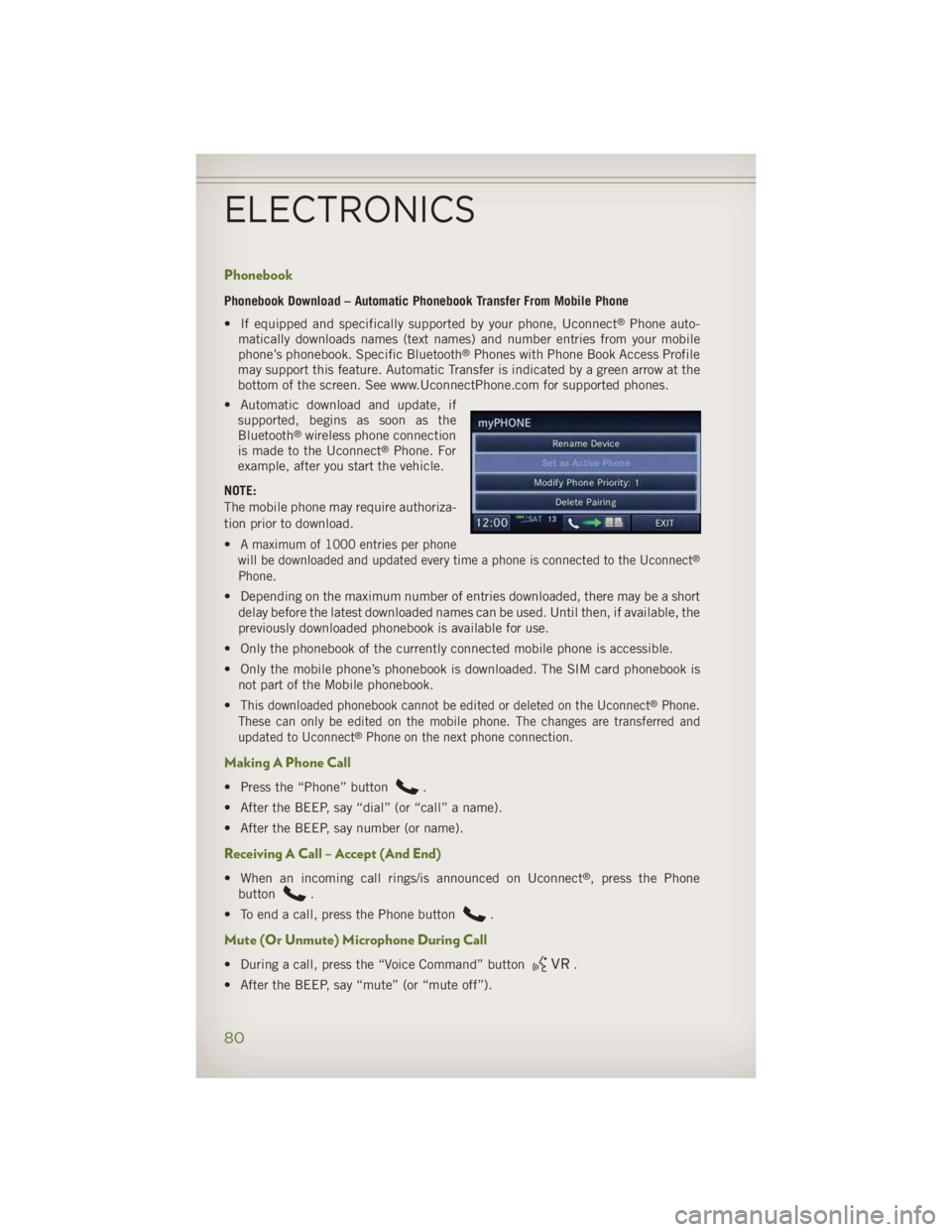
Phonebook Phonebook Download – Automatic Phonebook Transfer From Mobile Phone
• If equipped and specifically supported by your phone, Uconnect ®
Phone auto-
matically downloads names (text names) and number entries from your mobile
phone’s phonebook. Specific Bluetooth ®
Phones with Phone Book Access Profile
may support this feature. Automatic Transfer is indicated by a green arrow at the
bottom of the screen. See www.UconnectPhone.com for supported phones.
• Automatic download and update, if
supported, begins as soon as the
Bluetooth ®
wireless phone connection
is made to the Uconnect ®
Phone. For
example, after you start the vehicle.
NOTE:
The mobile phone may require authoriza-
tion prior to download.
•
A maximum of 1000 entries per phone
will be downloaded and updated every time a phone is connected to the Uconnect ®
Phone.
• Depending on the maximum number of entries downloaded, there may be a short
delay before the latest downloaded names can be used. Until then, if available, the
previously downloaded phonebook is available for use.
• Only the phonebook of the currently connected mobile phone is accessible.
• Only the mobile phone’s phonebook is downloaded. The SIM card phonebook is
not part of the Mobile phonebook.
• This downloaded phonebook cannot be edited or deleted on the Uconnect ®
Phone.
These can only be edited on the mobile phone. The changes are transferred and
updated to Uconnect ®
Phone on the next phone connection.
Making A Phone Call • Press the “Phone” button .
• After the BEEP, say “dial” (or “call” a name).
• After the BEEP, say number (or name).
Receiving A Call – Accept (And End)
• When an incoming call rings/is announced on Uconnect ®
, press the Phone
button .
• To end a call, press the Phone button .
Mute (Or Unmute) Microphone During Call
• During a call, press the “Voice Command” button .
• After the BEEP, say “mute” (or “mute off”).ELECTRONICS
80
Page 83 of 140
Transfer Ongoing Call Between Handset And Vehicle • During a call, press the “Voice Command” button .
• After the BEEP, say “transfer call.”
Changing The Volume • Start a dialogue by pressing the “Phone” button , then adjust the volume
during a normal call.
• Use the radio ON/OFF VOLUME rotary knob to adjust the volume to a comfortable
level while the Uconnect ®
system is speaking. Please note the volume setting for
Uconnect ®
is different than the audio system.
WARNING!• Any voice commanded system should be used only in safe driving conditions
following applicable laws regarding phone use. Your attention should be
focused on safely operating the vehicle. Failure to do so may result in a
collision causing you and others to be severely injured or killed.
• In an emergency, to use Uconnect ®
Phone, your mobile phone must be:
• turned on,
• paired to Uconnect ®
Phone,
• and have network coverage.
Uconnect® VOICE COMMAND Voice Command Operation • The Uconnect ®
Voice Command system allows you to control your AM, FM radio,
satellite radio, disc player, HDD, Uconnect ®
Phone, a memo recorder, and
supported portable media devices.
• When you press the “Voice Command” button located on the radio
faceplate or steering wheel, you will hear a beep. The beep is your signal to give a
command. If you do not say a command within a few seconds, the system will
present you with a list of options. If you ever wish to interrupt the system while it
lists options, press the “Voice Command” button , listen for the BEEP, and
say your command.
NOTE:
Visit http://www.driveuconnect.com/features/voiceCommand/ for more info on which
voice command features apply to your vehicle.ELECTRONICS
81
Page 85 of 140
While In: Voice Command Example:
Memo Mode To switch to the voice recorder mode, say “Memo.”
The following are common voice commands for this mode:
“New Memo” (to record a new memo) — During the
recording, you may press the Voice Command
button
to stop recording. You proceed by
saying one of the following commands:
— “Save” (to save the memo)
— “Continue” (to continue recording)
— “Delete” (to delete the recording)
— “Play Memos” (to play previously recorded memos) —
During the playback you may press the Voice Command
button
to stop playing memos. You proceed by
saying one of the following commands:
— “Repeat” (to repeat a memo)
— “Next” (to play the next memo)
— “Previous” (to play the previous memo)
— “Delete” (to delete a memo)
— “Delete All” (to delete all memos)
Voice Text Reply • If equipped with Uconnect ®
Voice Command, your Uconnect ®
430N, 730N &
731N radios may be able to play incoming Short Message Service (SMS) messages
(text messages) through the vehicle's sound system.
• It also allows you to respond by selecting from various pre - defined phrases.
• Not all phones are compatible with this feature. Refer to the phone compatibility
list at www.UconnectPhone.com. Connected mobile phones must be bluetooth-
compatible and paired with your radio.
• Press the “Voice Command” button and after the BEEP, say “SMS” to get
started.
NOTE:
To access the tutorial, press the “Voice Command” button
. After the BEEP,
say “tutorial.” Press any hard-key/button or touch the display (Touch-Screen radio) to
cancel the tutorial.
WARNING!Any voice commanded system should be used only in safe driving conditions
following applicable laws regarding phone use. Your attention should be focused
on safely operating the vehicle. Failure to do so may result in a collision causing
you and others to be severely injured or killed.ELECTRONICS
83
Page 86 of 140
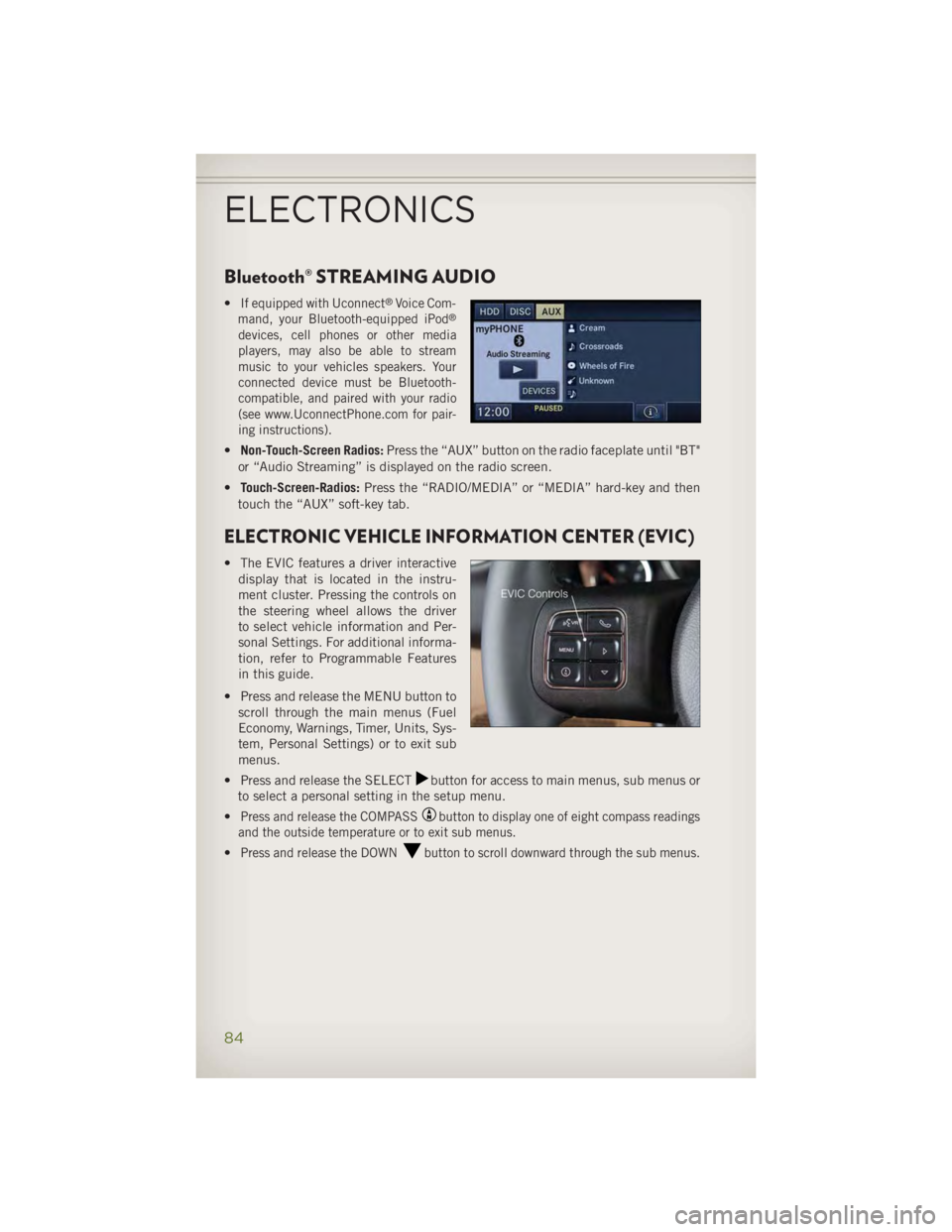
Bluetooth® STREAMING AUDIO • If equipped with Uconnect ®
Voice Com-
mand, your Bluetooth-equipped iPod ®
devices, cell phones or other media
players, may also be able to stream
music to your vehicles speakers. Your
connected device must be Bluetooth-
compatible, and paired with your radio
(see www.UconnectPhone.com for pair-
ing instructions).
• Non-Touch-Screen Radios: Press the “AUX” button on the radio faceplate until "BT"
or “Audio Streaming” is displayed on the radio screen.
• Touch-Screen-Radios: Press the “RADIO/MEDIA” or “MEDIA” hard-key and then
touch the “AUX” soft-key tab.
ELECTRONIC VEHICLE INFORMATION CENTER (EVIC) • The EVIC features a driver interactive
display that is located in the instru-
ment cluster. Pressing the controls on
the steering wheel allows the driver
to select vehicle information and Per-
sonal Settings. For additional informa-
tion, refer to Programmable Features
in this guide.
• Press and release the MENU button to
scroll through the main menus (Fuel
Economy, Warnings, Timer, Units, Sys-
tem, Personal Settings) or to exit sub
menus.
• Press and release the SELECT button for access to main menus, sub menus or
to select a personal setting in the setup menu.
• Press and release the COMPASS button to display one of eight compass readings
and the outside temperature or to exit sub menus.
• Press and release the DOWN button to scroll downward through the sub menus.
ELECTRONICS
84
Page 89 of 140
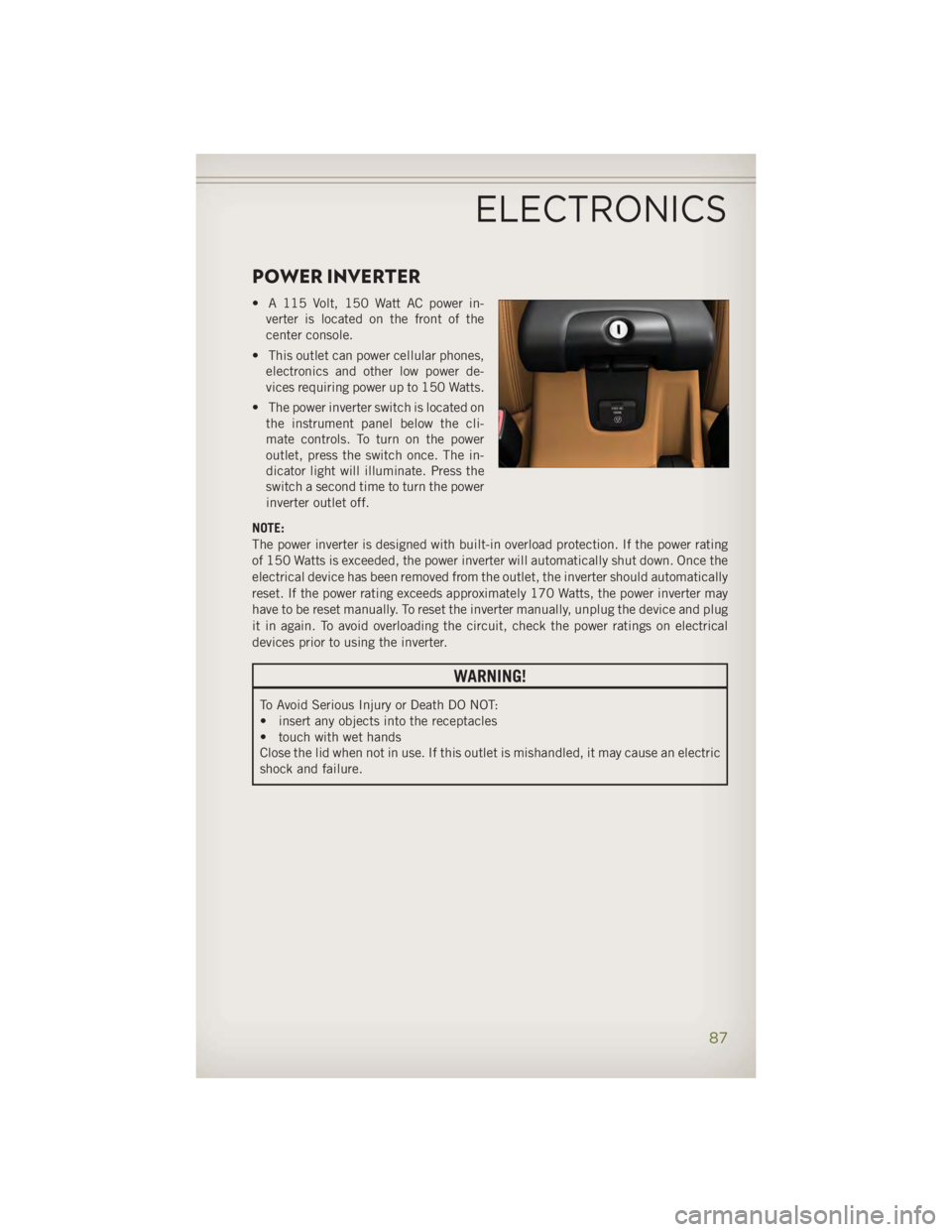
POWER INVERTER • A 115 Volt, 150 Watt AC power in-
verter is located on the front of the
center console.
• This outlet can power cellular phones,
electronics and other low power de-
vices requiring power up to 150 Watts.
• The power inverter switch is located on
the instrument panel below the cli-
mate controls. To turn on the power
outlet, press the switch once. The in-
dicator light will illuminate. Press the
switch a second time to turn the power
inverter outlet off.
NOTE:
The power inverter is designed with built-in overload protection. If the power rating
of 150 Watts is exceeded, the power inverter will automatically shut down. Once the
electrical device has been removed from the outlet, the inverter should automatically
reset. If the power rating exceeds approximately 170 Watts, the power inverter may
have to be reset manually. To reset the inverter manually, unplug the device and plug
it in again. To avoid overloading the circuit, check the power ratings on electrical
devices prior to using the inverter.
WARNING!To Avoid Serious Injury or Death DO NOT:
• insert any objects into the receptacles
• touch with wet hands
Close the lid when not in use. If this outlet is mishandled, it may cause an electric
shock and failure.
ELECTRONICS
87
Page 98 of 140
ROADSIDE ASSISTANCE • Dial toll-free 1-800-521-2779 for U.S. Residents or 1-800-363-4869 for Cana-
dian Residents.
• Provide your name, vehicle identification number, license plate number, and your
location, including the telephone number from which you are calling.
• Briefly describe the nature of the problem and answer a few simple questions.
• You will be given the name of the service provider and an estimated time of arrival.
If you feel you are in an “unsafe situation”, please let us know. With your consent,
we will contact local police or safety authorities.
INSTRUMENT CLUSTER WARNING LIGHTS - Electronic Stability Control (ESC) Activation/Malfunction Indicator Light• If the “ESC Activation/Malfunction Indicator Light” comes on continuously with
the engine running, a malfunction has been detected in the ESC system. If this
light remains on after several ignition cycles, and the vehicle has been driven
several miles (kilometers) at speeds greater than 30 mph (48 km/h), we recom-
mend you drive to the nearest service center and have the vehicle serviced
immediately.
• The “ESC Activation/Malfunction Indicator Light” starts to flash as soon as the
tires lose traction and the ESC system becomes active. If the light begins to flash
during acceleration, ease up on the accelerator and apply as little throttle as
possible. Be sure to adapt your speed and driving to the prevailing road conditions.
The light also flashes when TCS is active. To improve the vehicle's traction when
starting off in deep snow, sand or gravel, it may be desirable to switch the ESC
system to Partial Off mode by momentarily pressing the ESC Off switch.
- Tire Pressure Monitoring System (TPMS) Light• Each tire, including the spare (if provided), should be checked monthly, when cold
and inflated to the inflation pressure recommended by the vehicle manufacturer
on the vehicle placard or tire inflation pressure label. (If your vehicle has tires of
a different size than the size indicated on the vehicle placard or tire inflation
pressure label, you should determine the proper tire inflation pressure for those
tires.)
• As an added safety feature, your vehicle has been equipped with a Tire Pressure
Monitoring System (TPMS) that illuminates a low tire pressure telltale when one or
more of your tires is significantly under-inflated. Accordingly, when the low tire
pressure telltale illuminates, you should stop and check your tires as soon as
possible, and inflate them to the proper pressure. Driving on a significantly
under-inflated tire causes the tire to overheat and can lead to tire failure.
Under-inflation also reduces fuel efficiency and tire tread life, and may affect the
vehicle’s handling and stopping ability.WHAT TO DO IN EMERGENCIES
96
Page 110 of 140
Once the engine is started, remove the jumper cables in the reverse sequence:
• Disconnect the negative (-) jumper cable from the engine ground of the vehicle
with the discharged battery.
• Disconnect the negative end (-) of the jumper cable from the negative (-) post of
the booster battery.
• Disconnect the opposite end of the positive (+) jumper cable from the positive (+)
post of the booster battery.
• Disconnect the positive (+) end of the jumper cable from the positive (+) post of
the discharged vehicle.
• If frequent jump-starting is required to start your vehicle you should have the
battery and charging system inspected at your authorized dealer.
CAUTION!• Do not use a portable battery booster pack or any other booster source with a
system voltage greater than 12 Volts or damage to the battery, starter motor,
alternator or electrical system may occur.
• Failure to follow these procedures could result in damage to the charging
system of the booster vehicle or the discharged vehicle.
• Accessories that can be plugged into the vehicle power outlets draw power from
the vehicle’s battery, even when not in use (i.e., cellular phones, etc.).
Eventually, if plugged in long enough, the vehicle’s battery discharges suffi-
ciently to degrade battery life and/or prevent the engine from starting.
WARNING!• When temperatures are below the freezing point, electrolyte in a discharged battery
may freeze. Do not attempt jump-starting because the battery could rupture or
explode and cause personal injury. Battery temperature must be brought above the
freezing point before attempting a jump-start.
• Take care to avoid the radiator cooling fan whenever the hood is raised. It can start
anytime the ignition switch is on. You can be injured by moving fan blades.
• Remove any metal jewelry, such as watch bands or bracelets, that might make an
inadvertent electrical contact. You could be severely injured.
• Batteries contain sulfuric acid that can burn your skin or eyes and generate
hydrogen gas which is flammable and explosive. Keep open flames or sparks away
from the battery.
• Do not allow vehicles to touch each other as this could establish a ground
connection and personal injury could result.
• Failure to follow this procedure could result in personal injury or property damage
due to battery explosion.
• Do not connect the cable to the negative post (-) of the discharged battery. The
resulting electrical spark could cause the battery to explode and could result in
personal injury.WHAT TO DO IN EMERGENCIES
108
Page 128 of 140
CHRYSLER GROUP LLC CUSTOMER CENTER P.O. Box 21–8004 Auburn Hills, MI 48321–8004 Phone: 1–877–426–5337
CHRYSLER CANADA INC. CUSTOMER CENTER P.O. Box 1621 Windsor, Ontario N9A 4H6 Phone: 1–800–465–2001 (English)
Phone: 1–800–387–9983 (French)
ASSISTANCE FOR THE HEARING IMPAIRED • To assist customers who have hearing difficulties, the manufacturer has installed
special TDD (Telecommunication Devices for the Deaf) equipment at its customer
center. Any hearing or speech impaired customer, who has access to a TDD or a
conventional teletypewriter (TTY) in the United States, can communicate with the
manufacturer by dialing 1–800–380–CHRY. Canadian residents with hearing
difficulties that require assistance can use the special needs relay service offered
by Bell Canada. For TTY teletypewriter users, dial 711 and for Voice callers, dial
1–800–855–0511 to connect with a Bell Relay Service operator.
WARNING!Engine exhaust, some of its constituents, and certain vehicle components con-
tain, or emit, chemicals known to the State of California to cause cancer and birth
defects, or other reproductive harm. In addition, certain fluids contained in
vehicles and certain products of component wear contain, or emit, chemicals
known to the State of California to cause cancer and birth defects, or other
reproductive harm.
PUBLICATIONS ORDERING • If you are the first registered retail owner of your vehicle, you may obtain one free
printed copy of the Owner's Manual, Warranty Booklet or Radio Manuals on your
DVD by calling 1–877–426–5337 (U.S.) or 1–800–387–1143 (Canada) or by
contacting your dealer.
•
Replacement User Guide kits or DVDs or, if you prefer, additional printed copies of
the Owner's Manual, Warranty Booklet or Radio Manuals may be purchased by visiting
www.techauthority.com or by calling 1–877–890–4038 (U.S.) or 1–800–387–1143
(Canada). Visa, Master Card, American Express and Discover orders are accepted.
If you prefer mailing your order, please call the above numbers for an order form.CONSUMER ASSISTANCE
126
Page 134 of 140
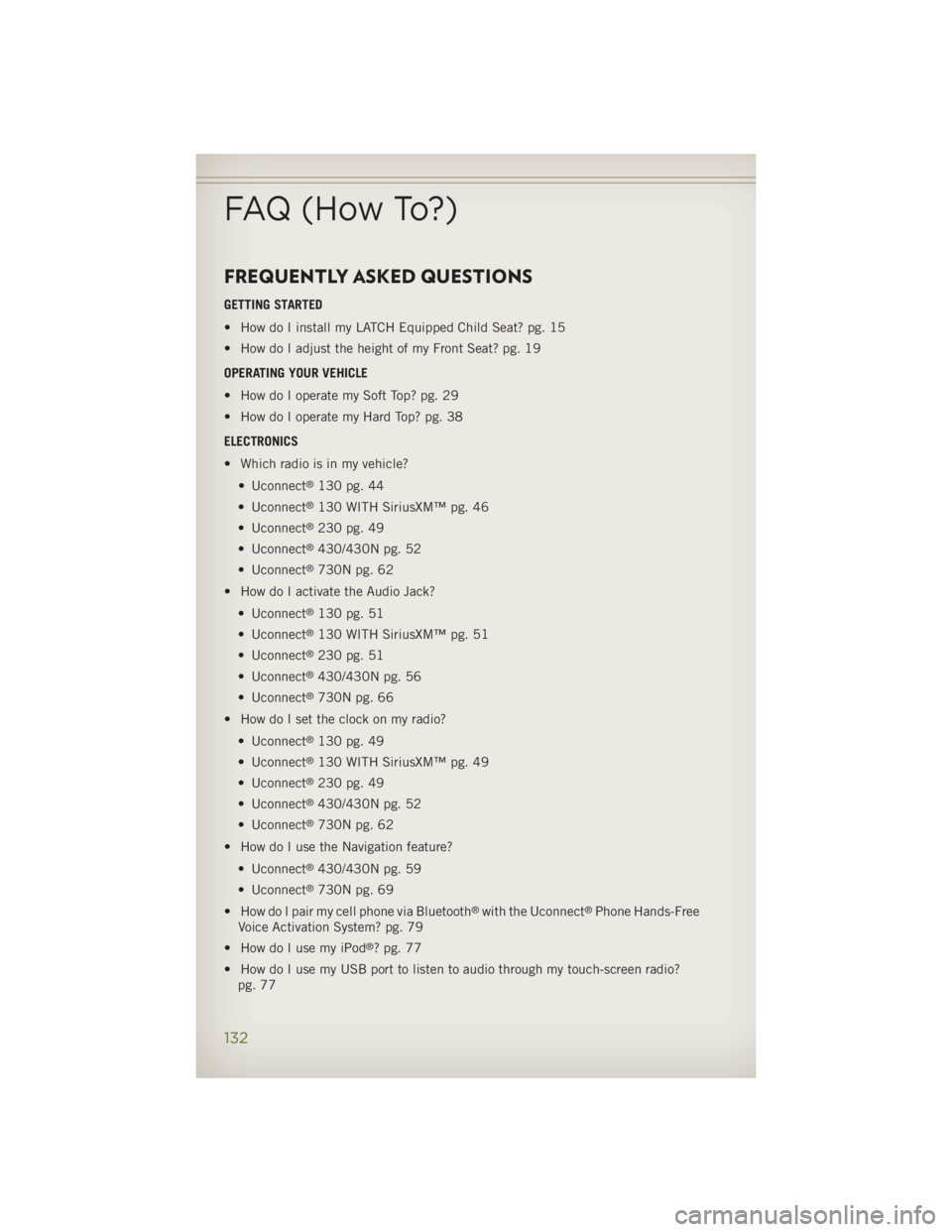
FREQUENTLY ASKED QUESTIONS GETTING STARTED
• How do I install my LATCH Equipped Child Seat? pg. 15
• How do I adjust the height of my Front Seat? pg. 19
OPERATING YOUR VEHICLE
• How do I operate my Soft Top? pg. 29
• How do I operate my Hard Top? pg. 38
ELECTRONICS
• Which radio is in my vehicle?
• Uconnect ®
130 pg. 44
• Uconnect ®
130 WITH SiriusXM™ pg. 46
• Uconnect ®
230 pg. 49
• Uconnect ®
430/430N pg. 52
• Uconnect ®
730N pg. 62
• How do I activate the Audio Jack?
• Uconnect ®
130 pg. 51
• Uconnect ®
130 WITH SiriusXM™ pg. 51
• Uconnect ®
230 pg. 51
• Uconnect ®
430/430N pg. 56
• Uconnect ®
730N pg. 66
• How do I set the clock on my radio?
• Uconnect ®
130 pg. 49
• Uconnect ®
130 WITH SiriusXM™ pg. 49
• Uconnect ®
230 pg. 49
• Uconnect ®
430/430N pg. 52
• Uconnect ®
730N pg. 62
• How do I use the Navigation feature?
• Uconnect ®
430/430N pg. 59
• Uconnect ®
730N pg. 69
• How do I pair my cell phone via Bluetooth ®
with the Uconnect ®
Phone Hands-Free
Voice Activation System? pg. 79
• How do I use my iPod ®
? pg. 77
• How do I use my USB port to listen to audio through my touch-screen radio?
pg. 77FAQ (How To?)
132
Page 139 of 140
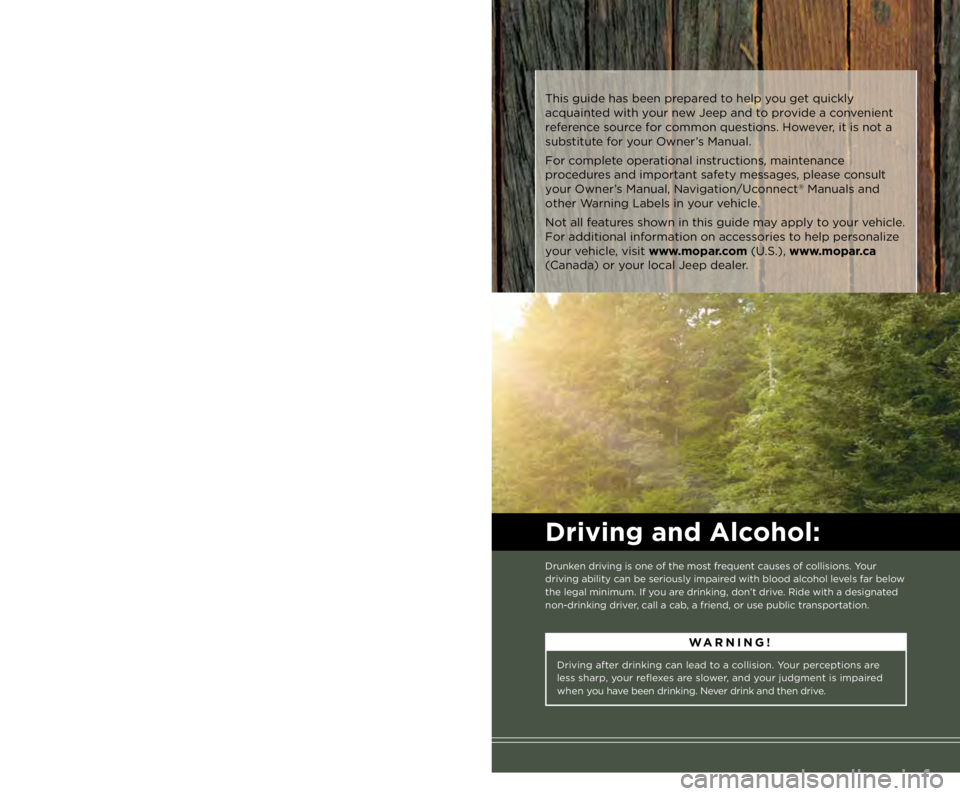
Driving after drinking can lead to a collision. Your perceptions are
less sharp, your reflexes are slower, and your judgment is impaired
when you have been drinking. Never drink and then drive. WARNING!
Important: This User Guide is intended to familiarize you with the important features
of your vehicle. The DVD enclosed contains your Owner’s Manual,
Navigation/Uconnect ®
Manuals, Warranty Booklets, Tire Warranty
and Roadside Assistance (new vehicles purchased in the U.S.) or
Roadside Assistance (new vehicles purchased in Canada) in electronic
format. We hope you find it useful. Replacement DVD kits may be
purchased by visiting www.techauthority.com. Jeep ®
is a registered
trademark of Chrysler Group LLC. Copyright 2013 Chrysler Group LLC.The driver’s primary responsibility is the safe operation of the vehicle.
Driving while distracted can result in loss of vehicle control, resulting in
a collision and personal injury. Chrysler Group LLC strongly recommends
that the driver use extreme caution when using any device or feature
that may take their attention off the road. Use of any electrical devices
such as cell phones, computers, portable radios, vehicle navigation or
other devices by the driver while the vehicle is moving is dangerous and
could lead to a serious collision. Texting while driving is also dangerous
and should never be done while the vehicle is moving. If you find
yourself unable to devote your full attention to vehicle operation, pull off
the road to a safe location and stop your vehicle. Some States or
Provinces prohibit the use of cellular telephones or texting while driving.
It is always the driver’s responsibility to comply with all local laws.
Driving and Alcohol: Drunken driving is one of the most frequent causes of collisions. Your
driving ability can be seriously impaired with blood alcohol levels far below
the legal minimum. If you are drinking, don’t drive. Ride with a designated
non-drinking driver, call a cab, a friend, or use public transportation.If you are the first registered retail owner of
your vehicle, you may obtain a complimentary
printed copy of the Owner’s Manual, Navigation/
Uconnect ®
Manuals or Warranty Booklet by calling
1-877-426-5337 (U.S.) or 1-800-387-1143 (Canada)
or by contacting your dealer. This guide has been prepared to help you get quickly
acquainted with your new Jeep and to provide a convenient
reference source for common questions. However, it is not a
substitute for your Owner’s Manual.
For complete operational instructions, maintenance
procedures and important safety messages, please consult
your Owner’s Manual, Navigation/Uconnect ®
Manuals and
other Warning Labels in your vehicle.
Not all features shown in this guide may apply to your vehicle.
For additional information on accessories to help personalize
your vehicle, visit www.mopar.com (U.S.), www.mopar.ca
(Canada) or your local Jeep dealer.
1571445_14_Wrangler_UG_071713.indd 2 7/17/13 2:03 PM