steering JEEP WRANGLER UNLIMITED 2014 User Guide
[x] Cancel search | Manufacturer: JEEP, Model Year: 2014, Model line: WRANGLER UNLIMITED, Model: JEEP WRANGLER UNLIMITED 2014Pages: 140, PDF Size: 12.72 MB
Page 86 of 140
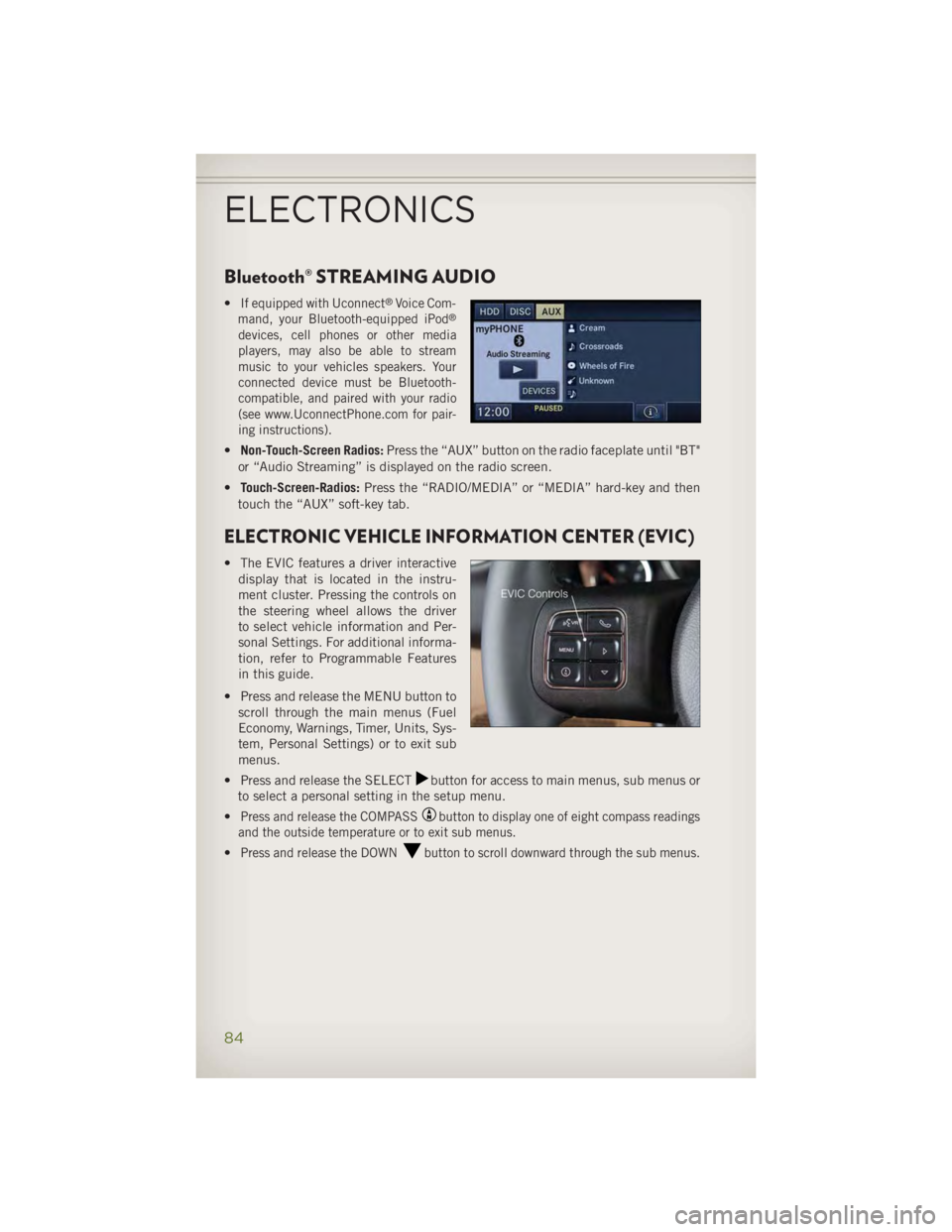
Bluetooth® STREAMING AUDIO • If equipped with Uconnect ®
Voice Com-
mand, your Bluetooth-equipped iPod ®
devices, cell phones or other media
players, may also be able to stream
music to your vehicles speakers. Your
connected device must be Bluetooth-
compatible, and paired with your radio
(see www.UconnectPhone.com for pair-
ing instructions).
• Non-Touch-Screen Radios: Press the “AUX” button on the radio faceplate until "BT"
or “Audio Streaming” is displayed on the radio screen.
• Touch-Screen-Radios: Press the “RADIO/MEDIA” or “MEDIA” hard-key and then
touch the “AUX” soft-key tab.
ELECTRONIC VEHICLE INFORMATION CENTER (EVIC) • The EVIC features a driver interactive
display that is located in the instru-
ment cluster. Pressing the controls on
the steering wheel allows the driver
to select vehicle information and Per-
sonal Settings. For additional informa-
tion, refer to Programmable Features
in this guide.
• Press and release the MENU button to
scroll through the main menus (Fuel
Economy, Warnings, Timer, Units, Sys-
tem, Personal Settings) or to exit sub
menus.
• Press and release the SELECT button for access to main menus, sub menus or
to select a personal setting in the setup menu.
• Press and release the COMPASS button to display one of eight compass readings
and the outside temperature or to exit sub menus.
• Press and release the DOWN button to scroll downward through the sub menus.
ELECTRONICS
84
Page 91 of 140
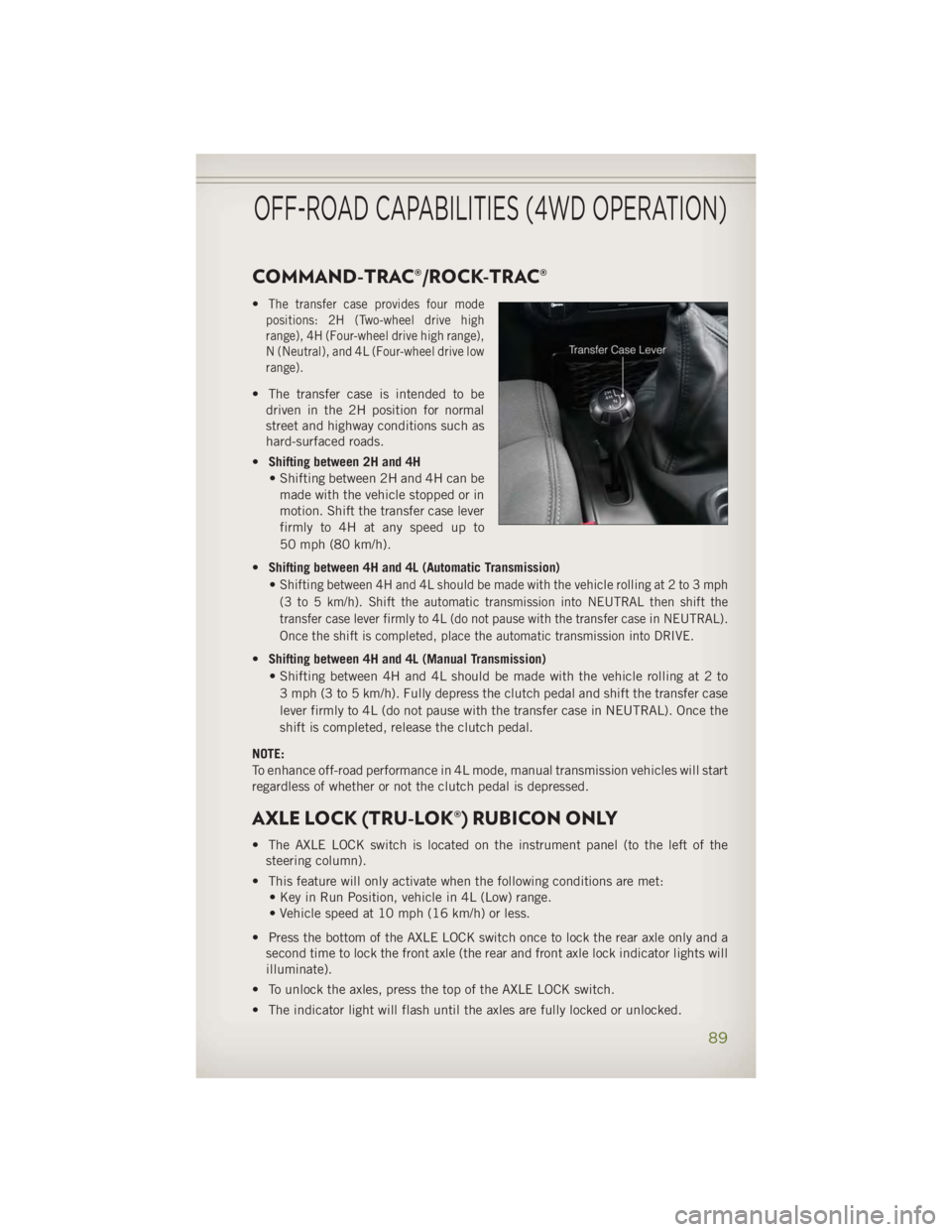
COMMAND-TRAC®/ROCK-TRAC® • The transfer case provides four mode
positions: 2H (Two-wheel drive high
range), 4H (Four-wheel drive high range),
N (Neutral), and 4L (Four-wheel drive low
range).
• The transfer case is intended to be
driven in the 2H position for normal
street and highway conditions such as
hard-surfaced roads.
• Shifting between 2H and 4H
• Shifting between 2H and 4H can be
made with the vehicle stopped or in
motion. Shift the transfer case lever
firmly to 4H at any speed up to
50 mph (80 km/h).
• Shifting between 4H and 4L (Automatic Transmission)
•
Shifting between 4H and 4L should be made with the vehicle rolling at 2 to 3 mph
(3 to 5 km/h). Shift the automatic transmission into NEUTRAL then shift the
transfer case lever firmly to 4L (do not pause with the transfer case in NEUTRAL).
Once the shift is completed, place the automatic transmission into DRIVE.
• Shifting between 4H and 4L (Manual Transmission)
• Shifting between 4H and 4L should be made with the vehicle rolling at 2 to
3 mph (3 to 5 km/h). Fully depress the clutch pedal and shift the transfer case
lever firmly to 4L (do not pause with the transfer case in NEUTRAL). Once the
shift is completed, release the clutch pedal.
NOTE:
To enhance off-road performance in 4L mode, manual transmission vehicles will start
regardless of whether or not the clutch pedal is depressed.
AXLE LOCK (TRU-LOK®) RUBICON ONLY • The AXLE LOCK switch is located on the instrument panel (to the left of the
steering column).
• This feature will only activate when the following conditions are met:
• Key in Run Position, vehicle in 4L (Low) range.
• Vehicle speed at 10 mph (16 km/h) or less.
• Press the bottom of the AXLE LOCK switch once to lock the rear axle only and a
second time to lock the front axle (the rear and front axle lock indicator lights will
illuminate).
• To unlock the axles, press the top of the AXLE LOCK switch.
• The indicator light will flash until the axles are fully locked or unlocked.OFF-ROAD CAPABILITIES (4WD OPERATION)
89
Page 92 of 140
ELECTRONIC SWAY BAR DISCONNECT – RUBICON
ONLY Off-Road • This feature will only activate when the following conditions are met:
• Key in Run positon, vehicle in 4L (Low) or 4H (High) range.
• Vehicle speed under 18 mph.
• Press the SWAY BAR switch, located on the instrument panel (to the left of the
steering column), once to disconnect the Sway Bar.
• The Sway Bar indicator light will illuminate in the instrument cluster.
On-Road • Press the SWAY BAR switch a second time to reconnect the Sway Bar.
• The Sway Bar should remain in on-road mode during normal driving conditions.
OFF-ROAD CAPABILITIES (4WD OPERATION)
90
Page 112 of 140
TOWING A DISABLED VEHICLE • The manufacturer requires towing your vehicle with all four wheels OFF the ground
using a flatbed.
CAUTION!Towing this vehicle using any other method could result in extensive damage to the
transfer case and/or transmission.
FREEING A STUCK VEHICLE • If your vehicle becomes stuck in mud, sand or snow, it can often be moved by a
rocking motion. Turn your steering wheel right and left to clear the area around the
front wheels. Then shift back and forth between DRIVE/1st gear and REVERSE.
Using minimal accelerator pedal pressure to maintain the rocking motion, without
spinning the wheels, is most effective.
NOTE:
If your vehicle is equipped with Traction Control or Electronic Stability Control (ESC),
turn the system OFF before attempting to “rock” the vehicle.
CAUTION!• Racing the engine or spinning the wheels may lead to transmission overheating
and failure. Allow the engine to idle with the shift lever in NEUTRAL for at least
one minute after every five rocking-motion cycles. This will minimize overheat-
ing and reduce the risk of transmission failure during prolonged efforts to free
a stuck vehicle.
• When “rocking” a stuck vehicle by moving between DRIVE/1st gear and
REVERSE, do not spin the wheels faster than 15 mph (24 km/h), or drivetrain
damage may result.
• Revving the engine or spinning the wheels too fast may lead to transmission
overheating and failure. It can also damage the tires. Do not spin the wheels
above 30 mph (48 km/h) while in gear (no transmission shifting occurring).
WARNING!Fast spinning tires can be dangerous. Forces generated by excessive wheel speeds
may cause damage, or even failure, of the axle and tires. A tire could explode and
injure someone. Do not spin your vehicle's wheels faster than 30 mph (48 km/h)
or for longer than 30 seconds continuously without stopping when you are stuck
and do not let anyone near a spinning wheel, no matter what the speed.WHAT TO DO IN EMERGENCIES
110
Page 116 of 140
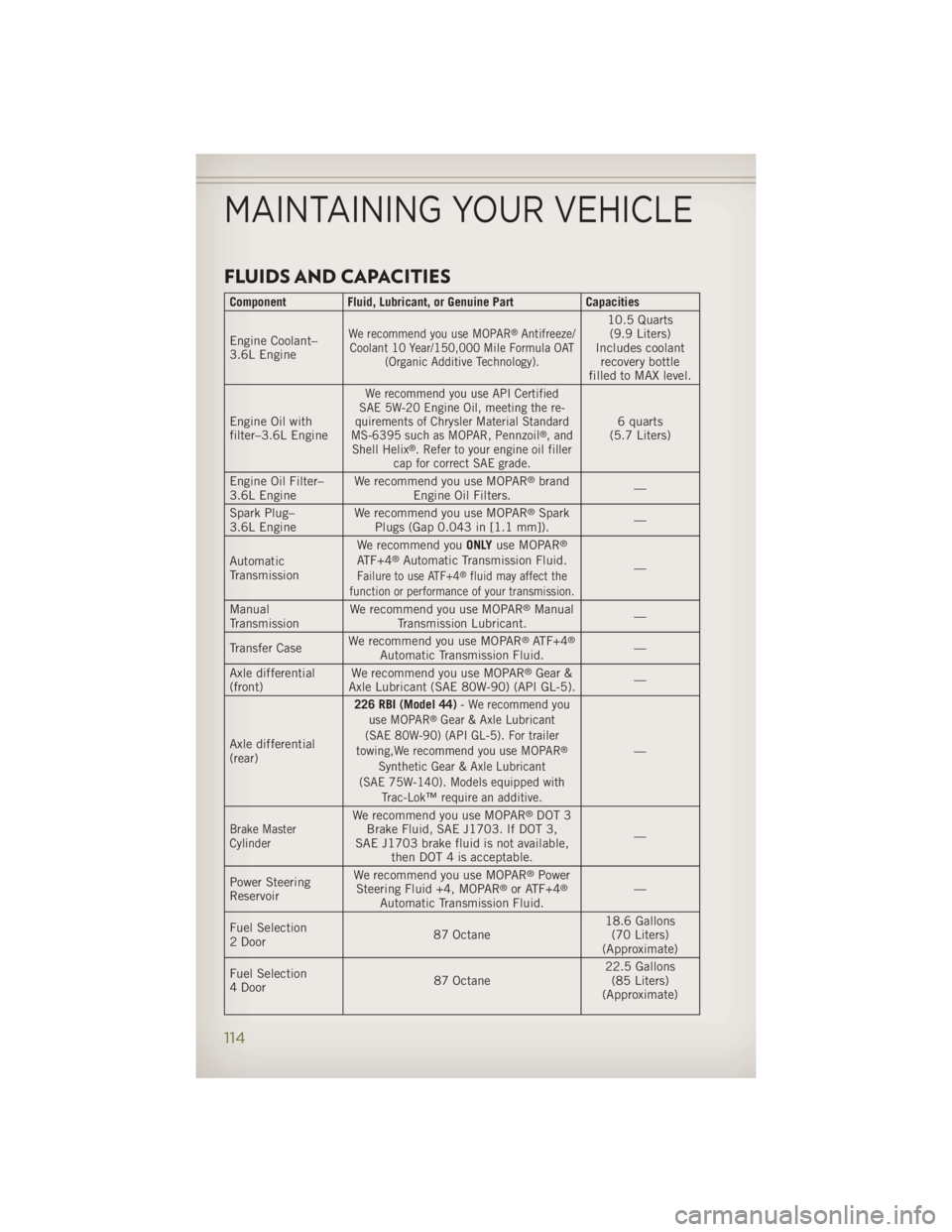
FLUIDS AND CAPACITIES Component Fluid, Lubricant, or Genuine Part Capacities
Engine Coolant–
3.6L Engine We recommend you use MOPAR ®
Antifreeze/
Coolant 10 Year/150,000 Mile Formula OAT
(Organic Additive Technology). 10.5 Quarts
(9.9 Liters)
Includes coolant
recovery bottle
filled to MAX level.
Engine Oil with
filter–3.6L Engine We recommend you use API Certified
SAE 5W-20 Engine Oil, meeting the re-
quirements of Chrysler Material Standard
MS-6395 such as MOPAR, Pennzoil ®
, and
Shell Helix ®
. Refer to your engine oil filler
cap for correct SAE grade. 6 quarts
(5.7 Liters)
Engine Oil Filter–
3.6L Engine We recommend you use MOPAR ®
brand
Engine Oil Filters. —
Spark Plug–
3.6L Engine We recommend you use MOPAR ®
Spark
Plugs (Gap 0.043 in [1.1 mm]). —
Automatic
Transmission We recommend you ONLY use MOPAR ®
ATF+4 ®
Automatic Transmission Fluid.
Failure to use ATF+4 ®
fluid may affect the
function or performance of your transmission. —
Manual
Transmission We recommend you use MOPAR ®
Manual
Transmission Lubricant. —
Transfer Case We recommend you use MOPAR ®
ATF+4 ®
Automatic Transmission Fluid. —
Axle differential
(front) We recommend you use MOPAR ®
Gear &
Axle Lubricant (SAE 80W-90) (API GL-5). —
Axle differential
(rear) 226 RBI (Model 44) - We recommend you
use MOPAR ®
Gear & Axle Lubricant
(SAE 80W-90) (API GL-5). For trailer
towing,We recommend you use MOPAR ®
Synthetic Gear & Axle Lubricant
(SAE 75W-140). Models equipped with
Trac-Lok™ require an additive. —
Brake Master
Cylinder We recommend you use MOPAR ®
DOT 3
Brake Fluid, SAE J1703. If DOT 3,
SAE J1703 brake fluid is not available,
then DOT 4 is acceptable. —
Power Steering
Reservoir We recommend you use MOPAR ®
Power
Steering Fluid +4, MOPAR ®
or ATF+4 ®
Automatic Transmission Fluid. —
Fuel Selection
2 Door 87 Octane 18.6 Gallons
(70 Liters)
(Approximate)
Fuel Selection
4 Door 87 Octane 22.5 Gallons
(85 Liters)
(Approximate)MAINTAINING YOUR VEHICLE
114
Page 118 of 140
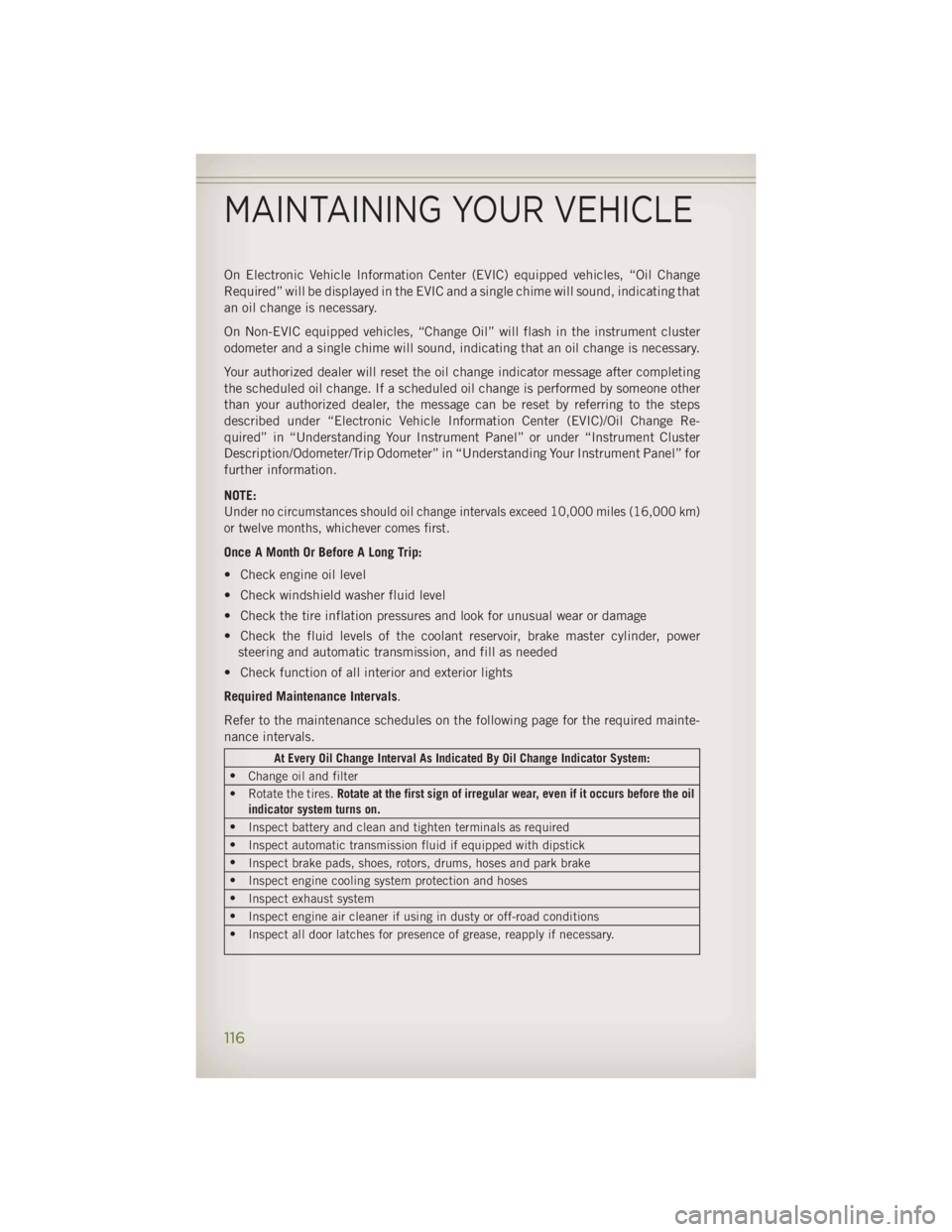
On Electronic Vehicle Information Center (EVIC) equipped vehicles, “Oil Change
Required” will be displayed in the EVIC and a single chime will sound, indicating that
an oil change is necessary.
On Non-EVIC equipped vehicles, “Change Oil” will flash in the instrument cluster
odometer and a single chime will sound, indicating that an oil change is necessary.
Your authorized dealer will reset the oil change indicator message after completing
the scheduled oil change. If a scheduled oil change is performed by someone other
than your authorized dealer, the message can be reset by referring to the steps
described under “Electronic Vehicle Information Center (EVIC)/Oil Change Re-
quired” in “Understanding Your Instrument Panel” or under “Instrument Cluster
Description/Odometer/Trip Odometer” in “Understanding Your Instrument Panel” for
further information.
NOTE:
Under no circumstances should oil change intervals exceed 10,000 miles (16,000 km)
or twelve months, whichever comes first.
Once A Month Or Before A Long Trip:
• Check engine oil level
• Check windshield washer fluid level
• Check the tire inflation pressures and look for unusual wear or damage
• Check the fluid levels of the coolant reservoir, brake master cylinder, power
steering and automatic transmission, and fill as needed
• Check function of all interior and exterior lights
Required Maintenance Intervals .
Refer to the maintenance schedules on the following page for the required mainte-
nance intervals. At Every Oil Change Interval As Indicated By Oil Change Indicator System:
•
Change oil and filter
• Rotate the tires. Rotate at the first sign of irregular wear, even if it occurs before the oil
indicator system turns on.
•
Inspect battery and clean and tighten terminals as required
•
Inspect automatic transmission fluid if equipped with dipstick
•
Inspect brake pads, shoes, rotors, drums, hoses and park brake
•
Inspect engine cooling system protection and hoses
•
Inspect exhaust system
•
Inspect engine air cleaner if using in dusty or off-road conditions
•
Inspect all door latches for presence of grease, reapply if necessary.MAINTAINING YOUR VEHICLE
116
Page 126 of 140
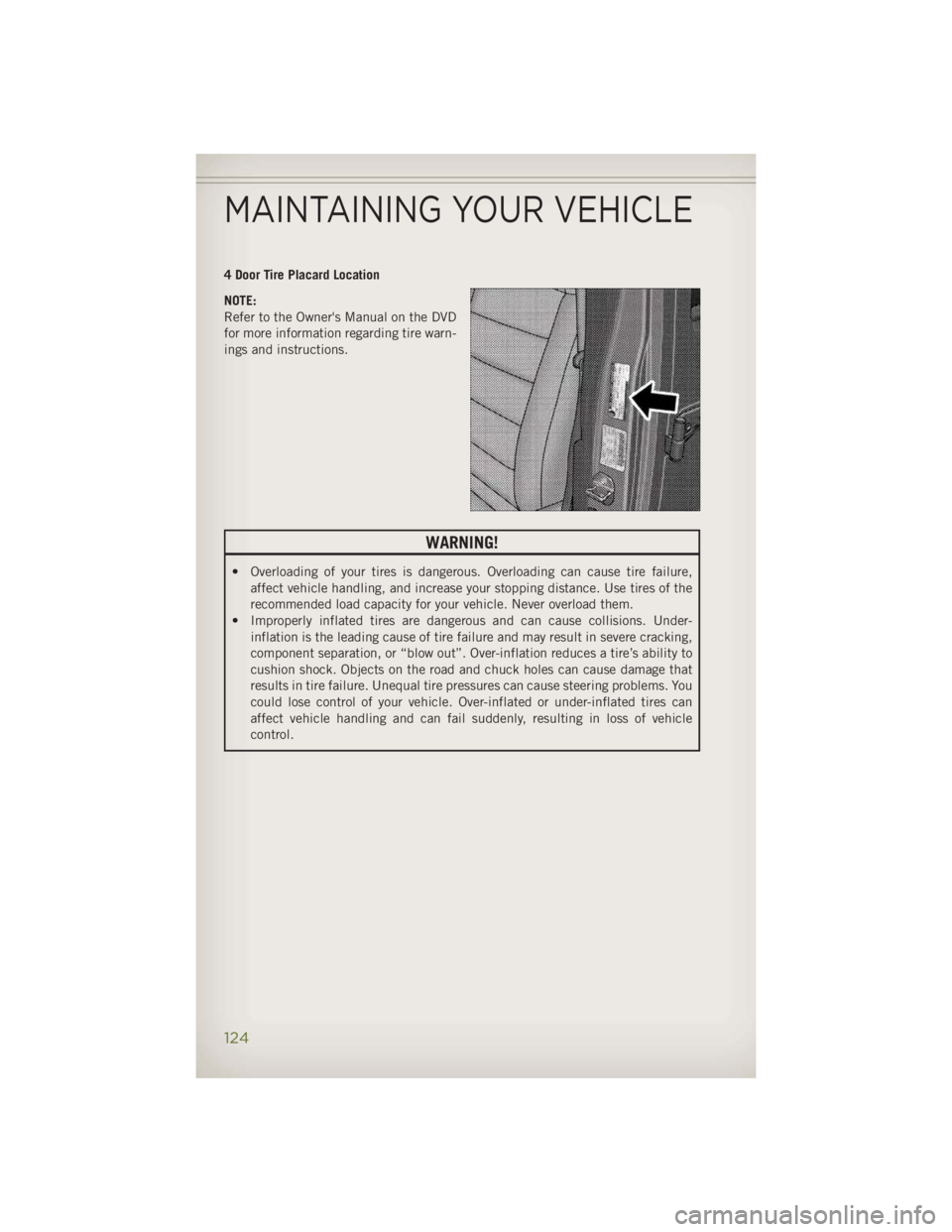
4 Door Tire Placard Location
NOTE:
Refer to the Owner's Manual on the DVD
for more information regarding tire warn-
ings and instructions.
WARNING!• Overloading of your tires is dangerous. Overloading can cause tire failure,
affect vehicle handling, and increase your stopping distance. Use tires of the
recommended load capacity for your vehicle. Never overload them.
• Improperly inflated tires are dangerous and can cause collisions. Under-
inflation is the leading cause of tire failure and may result in severe cracking,
component separation, or “blow out”. Over-inflation reduces a tire’s ability to
cushion shock. Objects on the road and chuck holes can cause damage that
results in tire failure. Unequal tire pressures can cause steering problems. You
could lose control of your vehicle. Over-inflated or under-inflated tires can
affect vehicle handling and can fail suddenly, resulting in loss of vehicle
control.
MAINTAINING YOUR VEHICLE
124
Page 132 of 140
Jacking Instructions .........103
Jack Location .............102
Jack Operation ......... 102, 103
Jump Starting .............107
KeyFob.................10
Key Fob Programmable Features . . .86
LaneChangeandTurnSignals....24
Lane Change Assist ..........24
Lap/Shoulder Belts ...........12
LATCH (Lower Anchors and Tether for
CHildren).....14,15,16,17,18
Lights
Engine Temperature Warning . . .98
Tire Pressure Monitoring
(TPMS) ...............96
TurnSignal .............24
Warning (Instrument Cluster
Description) .............8
Lower Anchors and Tether for CHildren
(LATCH) ...............15
Maintenance Record .........119
MaintenanceSchedule........115
Malfunction Indicator Light
(CheckEngine) ...........98
Navigation Voice Prompt
Volume .............59,70
New Vehicle Break-In Period .....23
Oil Change Indicator .........100
Oil Change Indicator, Reset .....100
Oil, Engine
Capacity ..............114
Recommendation ........114
Viscosity .............114
Outlet
Power ................88
Overheating, Engine .........101
Placard, Tire and Loading
Information .............123
Power
Inverter ...............87
Outlet
(Auxiliary Electrical Outlet) ....88 Preparation for Jacking ........103
Programmable Electronic
Features ...............86
Rain Sensitive Wiper System .....25
RearSeat,Folding...........20
Recreational Towing ..........93
Shifting into Transfer Case
Neutral (N) .............94
Shifting out of Transfer Case
Neutral (N) .............94
Remote Starting System ........11
Replacement Bulbs ..........125
Reporting Safety Defects .......127
Schedule,Maintenance .......115
Seat Belts ................12
Seats ...................19
Adjustment .............19
EasyEntry .............19
Heated ...............22
RearFolding ............20
Security Against Theft .........11
Shifting
Transfer Case, Shifting into
Transfer Case Neutral (N) .....94
Transfer Case, Shifting out of
Transfer Case Neutral (N) .....94
Shift Lever Override .........109
Signals, Turn ..............24
SpareTire...............102
Speed Control (Cruise Control) ....26
Starting
Remote ...............11
Steering
TiltColumn .............21
Steering
Wheel Audio Controls ....
77
Stuck, Freeing .............110
Supplemental Restraint System -
Airbag ................13
Sway Bar Disconnect,
Electronic ..............90
Temperature Control,
Automatic (ATC) ...........28
Theft System Arming ..........11
Theft System Disarming ........12
Tilt Steering Column ..........21INDEX
130