instrument panel KIA Amanti 2004 1.G User Guide
[x] Cancel search | Manufacturer: KIA, Model Year: 2004, Model line: Amanti, Model: KIA Amanti 2004 1.GPages: 296, PDF Size: 29.34 MB
Page 96 of 296
385
1
2
3
4
5
6
7
8
9
Knowing your vehicle
✽ ✽NOTICE• Make sure to refuel with gasoline
(unleaded fuel) only for the gaso-
line engine vehicles.
• Check to make sure the fuel filler cap is securely closed after refuel-
ing.
• If the fuel filler cap requires replacement, use only a genuine
Kia cap or the equivalent specified
for your vehicle. An incorrect fuel
filler cap can result in a serious
malfunction of the fuel system or
emission control system. Correct
replacement caps are available at
authorized Kia dealers.
• Do not spill fuel on the exterior surfaces of the vehicle. Any type of
fuel spilled on painted surfaces
may damage the paint. (Continued)(Continued)
• A loose fuel filler cap may cause
the “Check Engine” (Malfunction
Indicator) light in the instrument
panel to illuminate unnecessarily.
• If the fuel filler lid will not open in cold weather because the area
around it is frozen, push or lightly
tap the lid.
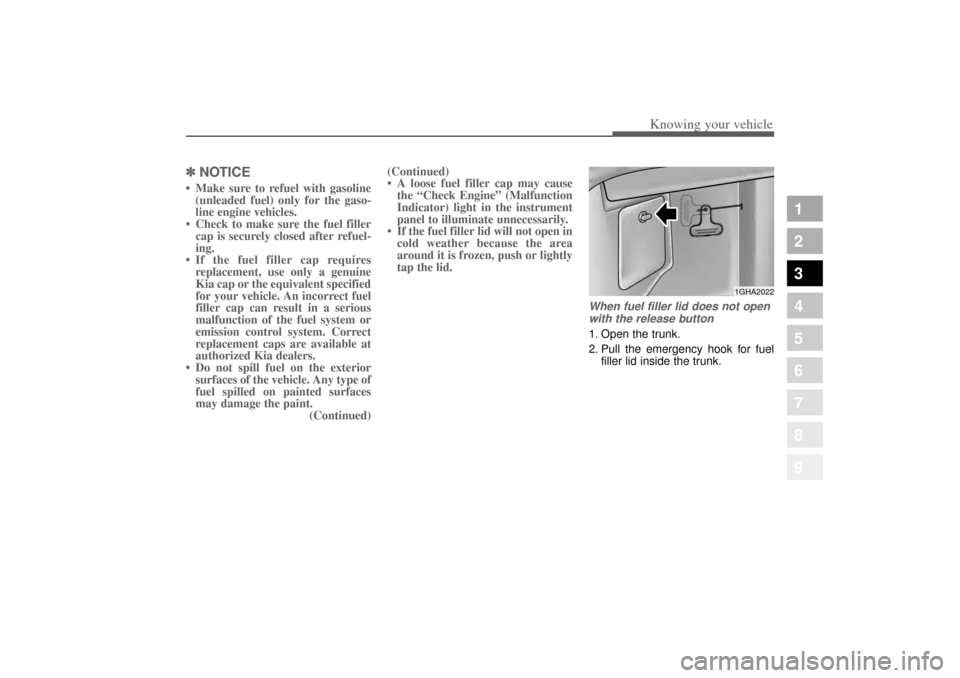
When fuel filler lid does not open
with the release button1. Open the trunk.
2. Pull the emergency hook for fuel filler lid inside the trunk.
1GHA2022
Opirus-ENG (CAN) 3.qxd 7/8/03 1:56 PM Page 85
Page 133 of 296
419
1
2
3
4
5
6
7
8
9
Driving your vehicle
✽ ✽
NOTICEIf the vehicle is parked for extended
periods outside in cold weather
(below -10 °C/14 °F), the power
steering may require increased
effort when the engine is first start-
ed. This is caused by increased fluid
viscosity due to the cold weather and
does not indicate a malfunction.
When this happens, increase the
engine RPM by depressing accelera-
tor until the RPM reaches 1,500 rpm
then release or let the engine idle for
two or three minutes to warm up the
fluid.
Tilt steering (if equipped)A tilt steering wheel allows you to
adjust the steering wheel before you
drive.You can also raise it to the
highest level to give your legs more
room when you exit and enter the
vehicle.
The steering wheel should be posi-
tioned so that it is comfortable for
you to drive, while permitting you to
see the instrument panel warning
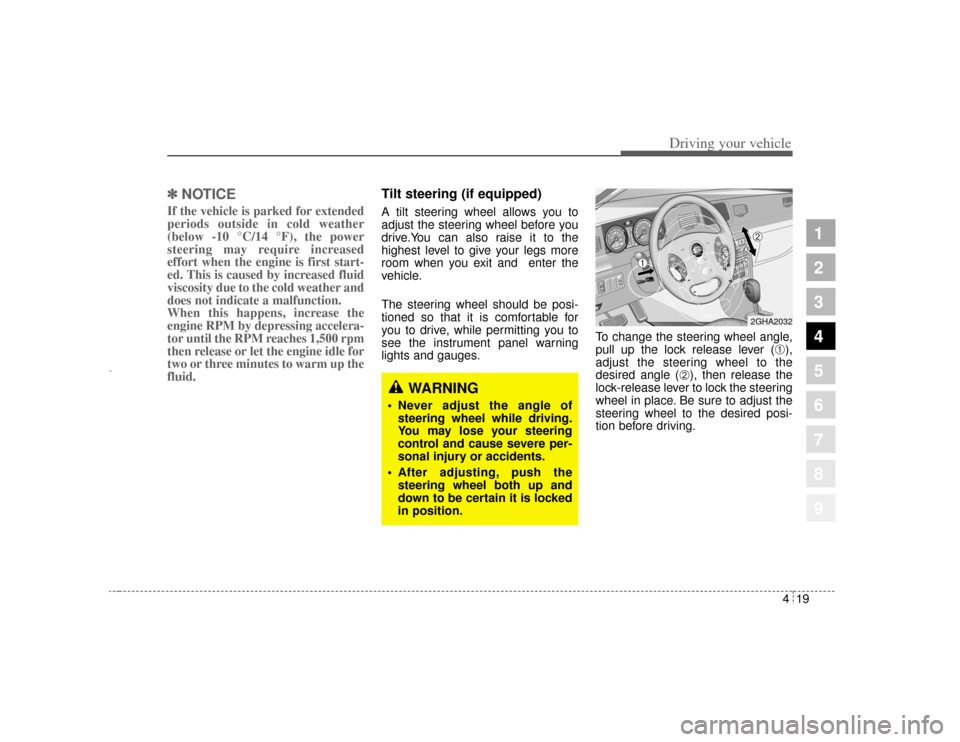
lights and gauges. To change the steering wheel angle,
pull up the lock release lever (
➀),
adjust the steering wheel to the
desired angle (
➁), then release the
lock-release lever to lock the steering
wheel in place. Be sure to adjust the
steering wheel to the desired posi-
tion before driving.
WARNING
Never adjust the angle of
steering wheel while driving.
You may lose your steering
control and cause severe per-
sonal injury or accidents.
After adjusting, push the
steering wheel both up and
down to be certain it is locked
in position.
2GHA2032
➀
➁
Opirus-ENG (CAN) 4.qxd 7/8/03 2:19 PM Page 19
Page 149 of 296
435
1
2
3
4
5
6
7
8
9
Driving your vehicle
Engine temperature gauge This gauge shows the temperature
of the engine coolant when the igni-
tion switch is ON.
Do not continue driving with an over-
heated engine. If your vehicle over-
heats, refer to “Overheating” in the
Index.✽ ✽
NOTICEIf the gauge pointer moves beyond
the normal range area toward the
“H” position, it indicates overheat-
ing that may damage the engine.
Fuel gaugeThe fuel gauge indicates the approx-
imate amount of fuel remaining in the
fuel tank.
Fuel tank capacity - 70 liters.
The fuel gauge is supplemented by a
low fuel warning light, which will illu-
minate when the fuel level has
dropped to about 9 liters.
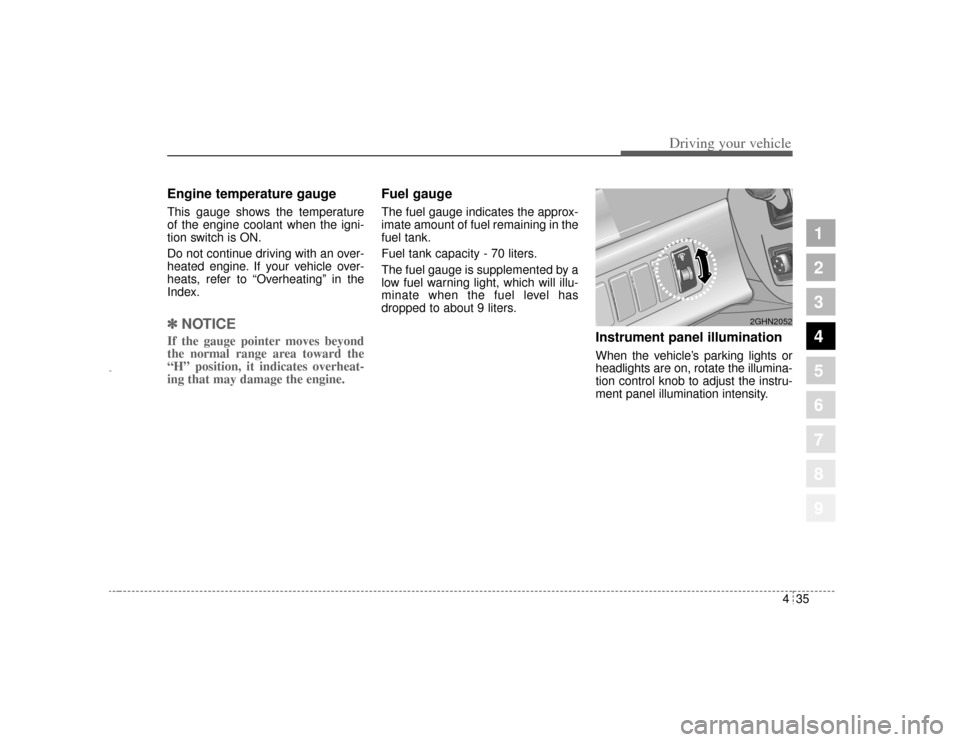
Instrument panel illuminationWhen the vehicle’s parking lights or
headlights are on, rotate the illumina-
tion control knob to adjust the instru-
ment panel illumination intensity.
2GHN2052
Opirus-ENG (CAN) 4.qxd 7/8/03 2:19 PM Page 35
Page 154 of 296
Driving your vehicle40
4
1
2
3
4
5
6
7
8
9
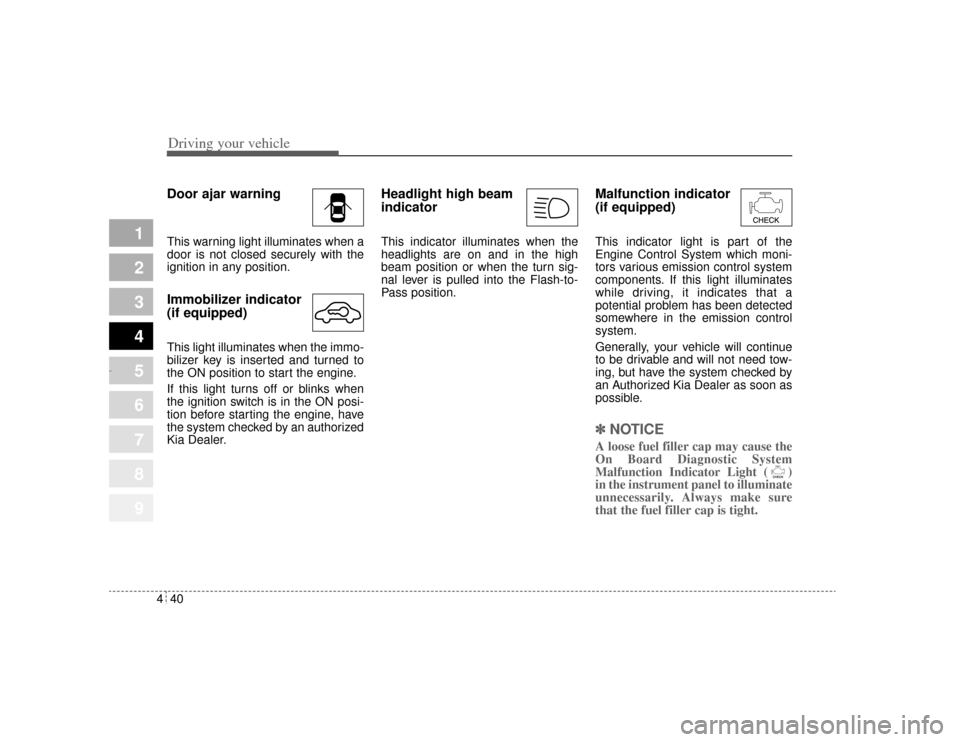
Door ajar warningThis warning light illuminates when a
door is not closed securely with the
ignition in any position.Immobilizer indicator
(if equipped)This light illuminates when the immo-
bilizer key is inserted and turned to
the ON position to start the engine.
If this light turns off or blinks when
the ignition switch is in the ON posi-
tion before starting the engine, have
the system checked by an authorized
Kia Dealer.
Headlight high beam
indicator This indicator illuminates when the
headlights are on and in the high
beam position or when the turn sig-
nal lever is pulled into the Flash-to-
Pass position.
Malfunction indicator
(if equipped)This indicator light is part of the
Engine Control System which moni-
tors various emission control system
components. If this light illuminates
while driving, it indicates that a
potential problem has been detected
somewhere in the emission control
system.
Generally, your vehicle will continue
to be drivable and will not need tow-
ing, but have the system checked by
an Authorized Kia Dealer as soon as
possible.✽ ✽
NOTICEA loose fuel filler cap may cause the
On Board Diagnostic System
Malfunction Indicator Light ( )
in the instrument panel to illuminate
unnecessarily. Always make sure
that the fuel filler cap is tight.
Opirus-ENG (CAN) 4.qxd 7/8/03 2:19 PM Page 40
Page 158 of 296
Driving your vehicle44
4
1
2
3
4
5
6
7
8
9
Battery saver function The purpose of this feature is to
prevent the battery from being dis-
charged. The system automatically
turns off the small light when the
driver removes the ignition key and
opens the driver- side door.
With this feature, the parklight will be turned off automatically if the
driver parks on the side of road at
night.
If necessary, to keep the lights on
when the ignition key is removed,
perform the following :
1) Open the driver-side door.
2) Turn the parklights OFF and ON again using the light switch on the
steering column.
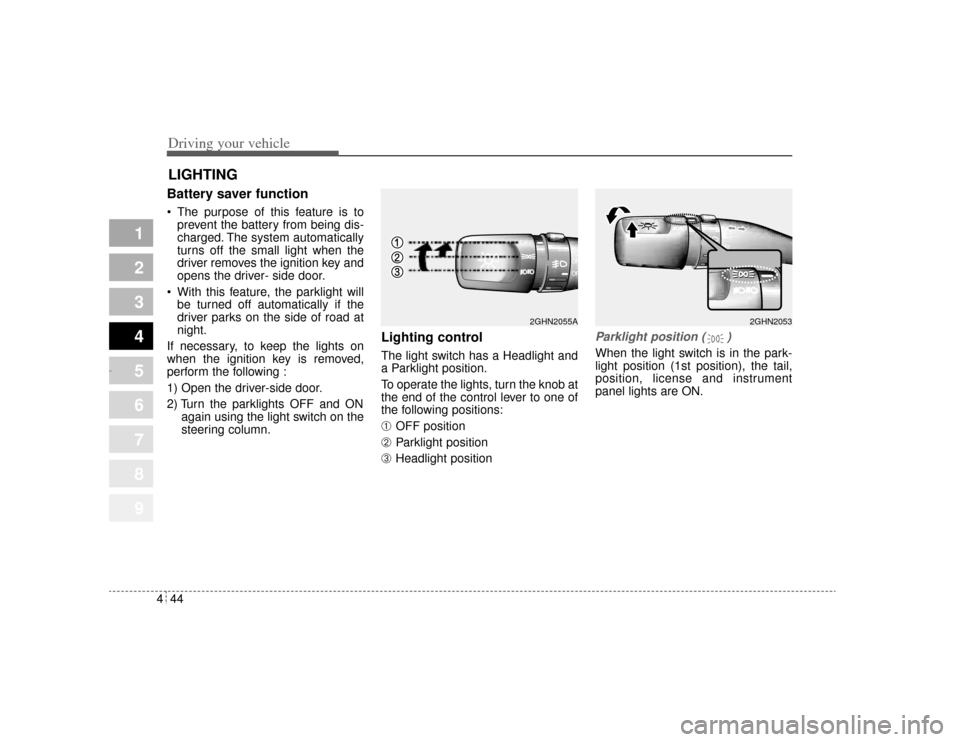
Lighting control The light switch has a Headlight and
a Parklight position.
To operate the lights, turn the knob at
the end of the control lever to one of
the following positions:➀
OFF position
➁
Parklight position
➂
Headlight position
Parklight position ( )When the light switch is in the park-
light position (1st position), the tail,
position, license and instrument
panel lights are ON.
LIGHTING
2GHN2053
2GHN2055A
Opirus-ENG (CAN) 4.qxd 7/8/03 2:19 PM Page 44
Page 159 of 296
445
1
2
3
4
5
6
7
8
9
Driving your vehicle
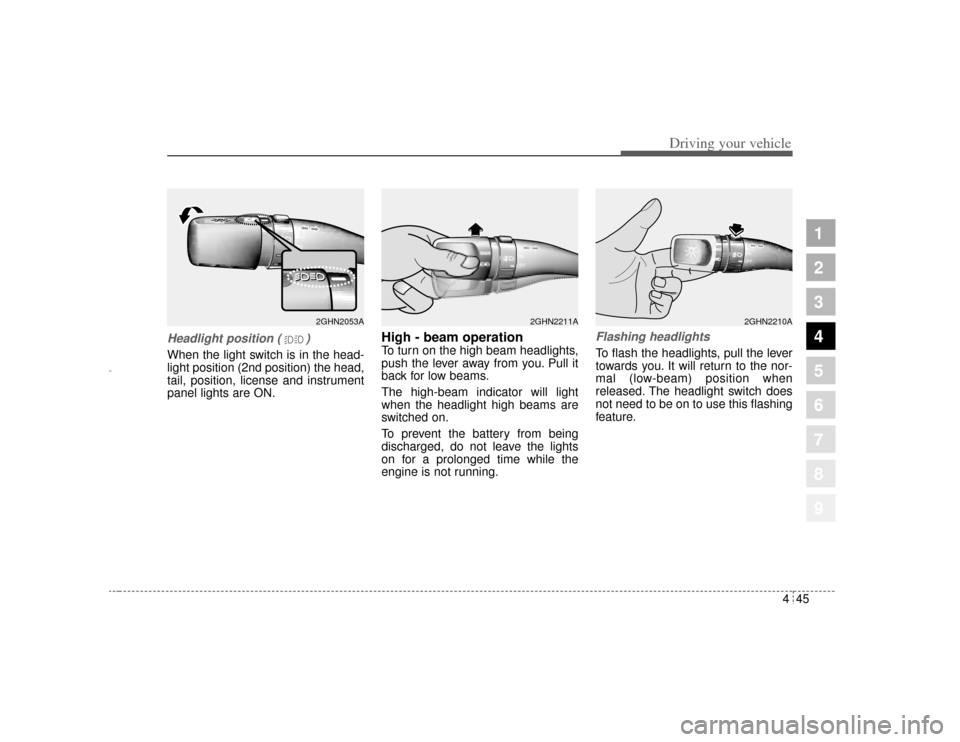
Headlight position ( )When the light switch is in the head-
light position (2nd position) the head,
tail, position, license and instrument
panel lights are ON.
High - beam operation To turn on the high beam headlights,
push the lever away from you. Pull it
back for low beams.
The high-beam indicator will light
when the headlight high beams are
switched on.
To prevent the battery from being
discharged, do not leave the lights
on for a prolonged time while the
engine is not running.
Flashing headlights To flash the headlights, pull the lever
towards you. It will return to the nor-
mal (low-beam) position when
released. The headlight switch does
not need to be on to use this flashing
feature.
2GHN2053A
2GHN2210A
2GHN2211A
Opirus-ENG (CAN) 4.qxd 7/8/03 2:19 PM Page 45
Page 160 of 296
Driving your vehicle46
4
1
2
3
4
5
6
7
8
9
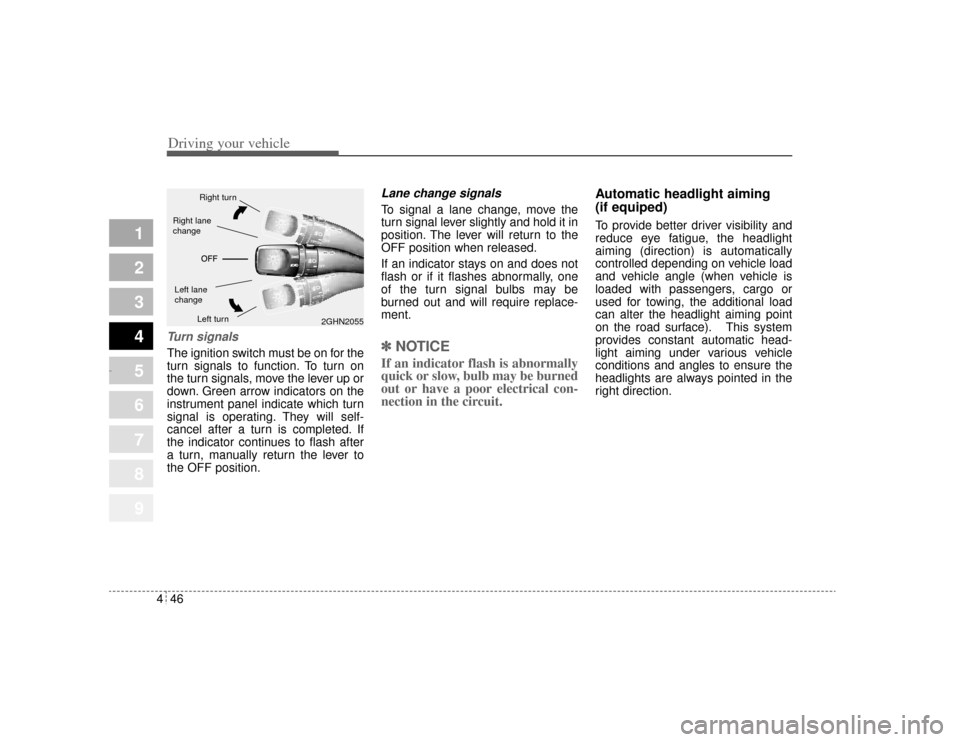
Turn signalsThe ignition switch must be on for the
turn signals to function. To turn on
the turn signals, move the lever up or
down. Green arrow indicators on the
instrument panel indicate which turn
signal is operating. They will self-
cancel after a turn is completed. If
the indicator continues to flash after
a turn, manually return the lever to
the OFF position.
Lane change signals To signal a lane change, move the
turn signal lever slightly and hold it in
position. The lever will return to the
OFF position when released.
If an indicator stays on and does not
flash or if it flashes abnormally, one
of the turn signal bulbs may be
burned out and will require replace-
ment.✽ ✽
NOTICEIf an indicator flash is abnormally
quick or slow, bulb may be burned
out or have a poor electrical con-
nection in the circuit. Automatic headlight aiming
(if equiped)
To provide better driver visibility and
reduce eye fatigue, the headlight
aiming (direction) is automatically
controlled depending on vehicle load
and vehicle angle (when vehicle is
loaded with passengers, cargo or
used for towing, the additional load
can alter the headlight aiming point
on the road surface). This system
provides constant automatic head-
light aiming under various vehicle
conditions and angles to ensure the
headlights are always pointed in the
right direction.
2GHN2055
Right turnLeft turn
Left lane
changeRight lane
change
Opirus-ENG (CAN) 4.qxd 7/8/03 2:19 PM Page 46
Page 168 of 296
Driving your vehicle54
4
1
2
3
4
5
6
7
8
9
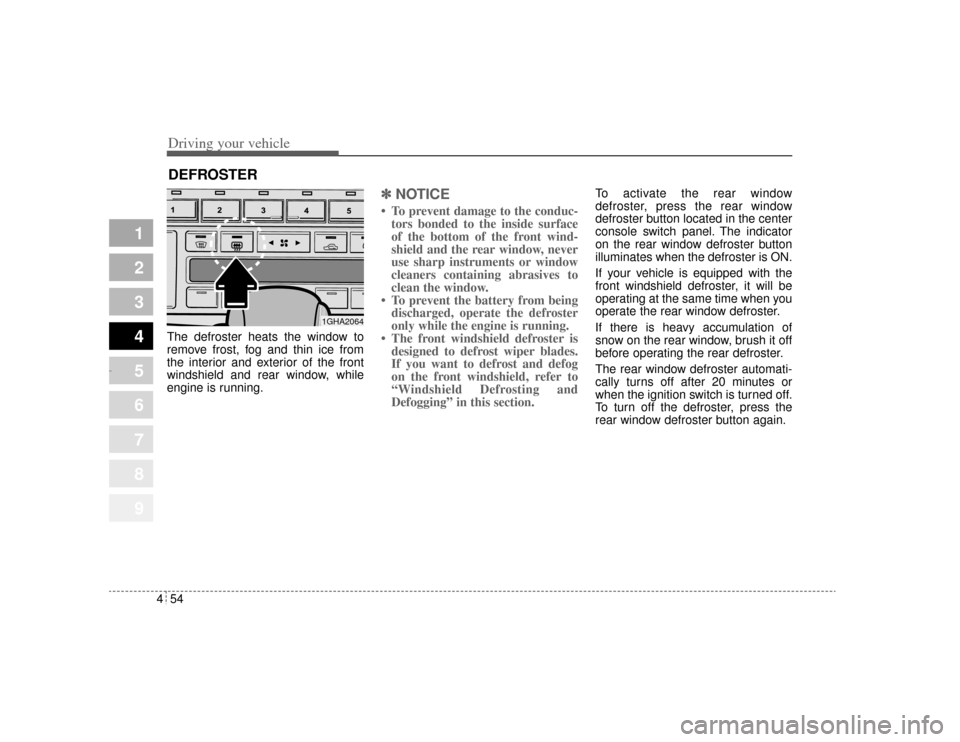
The defroster heats the window to
remove frost, fog and thin ice from
the interior and exterior of the front
windshield and rear window, while
engine is running.
✽ ✽
NOTICE• To prevent damage to the conduc-
tors bonded to the inside surface
of the bottom of the front wind-
shield and the rear window, never
use sharp instruments or window
cleaners containing abrasives to
clean the window.
• To prevent the battery from being discharged, operate the defroster
only while the engine is running.
• The front windshield defroster is designed to defrost wiper blades.
If you want to defrost and defog
on the front windshield, refer to
“Windshield Defrosting and
Defogging” in this section.
To activate the rear window
defroster, press the rear window
defroster button located in the center
console switch panel. The indicator
on the rear window defroster button
illuminates when the defroster is ON.
If your vehicle is equipped with the
front windshield defroster, it will be
operating at the same time when you
operate the rear window defroster.
If there is heavy accumulation of
snow on the rear window, brush it off
before operating the rear defroster.
The rear window defroster automati-
cally turns off after 20 minutes or
when the ignition switch is turned off.
To turn off the defroster, press the
rear window defroster button again.
DEFROSTER
1GHA2064
Opirus-ENG (CAN) 4.qxd 7/8/03 2:19 PM Page 54
Page 171 of 296
457
1
2
3
4
5
6
7
8
9
Driving your vehicle
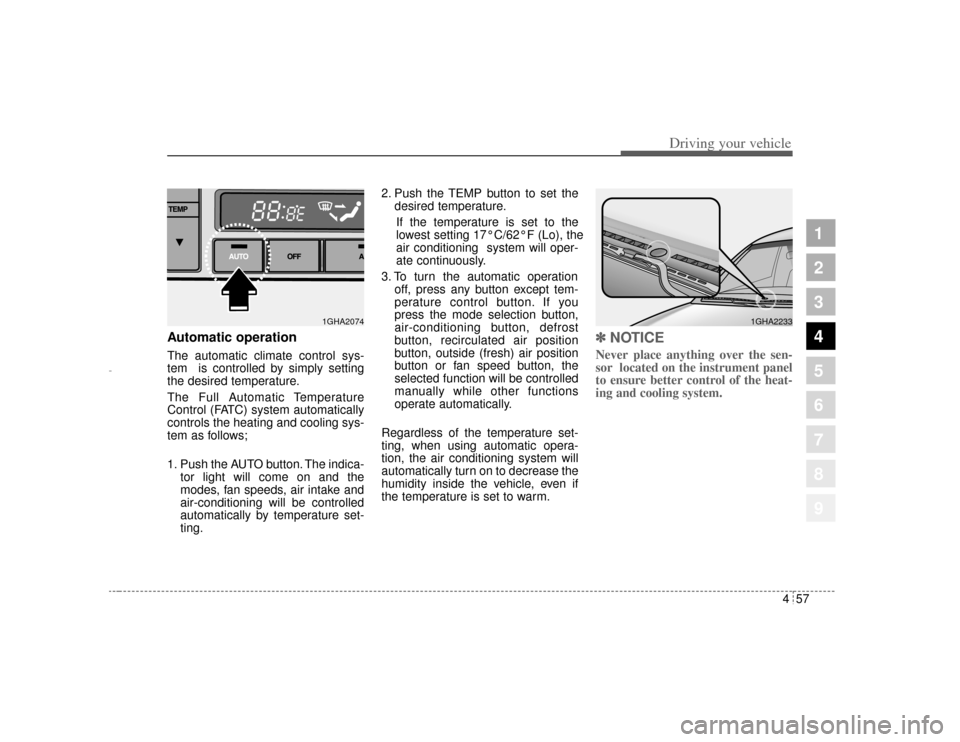
Automatic operationThe automatic climate control sys-
tem is controlled by simply setting
the desired temperature.
The Full Automatic Temperature
Control (FATC) system automatically
controls the heating and cooling sys-
tem as follows;
1. Push the AUTO button. The indica-tor light will come on and the
modes, fan speeds, air intake and
air-conditioning will be controlled
automatically by temperature set-
ting. 2. Push the TEMP button to set the
desired temperature.
If the temperature is set to the
lowest setting 17°C/62°F (Lo), the
air conditioning system will oper-
ate continuously.
3. To turn the automatic operation off, press any button except tem-
perature control button. If you
press the mode selection button,
air-conditioning button, defrost
button, recirculated air position
button, outside (fresh) air position
button or fan speed button, the
selected function will be controlled
manually while other functions
operate automatically.
Regardless of the temperature set-
ting, when using automatic opera-
tion, the air conditioning system will
automatically turn on to decrease the
humidity inside the vehicle, even if
the temperature is set to warm.
✽ ✽ NOTICENever place anything over the sen-
sor located on the instrument panel
to ensure better control of the heat-
ing and cooling system.
1GHA2074
1GHA2233
Opirus-ENG (CAN) 4.qxd 7/8/03 2:19 PM Page 57
Page 178 of 296
Driving your vehicle64
4
1
2
3
4
5
6
7
8
9
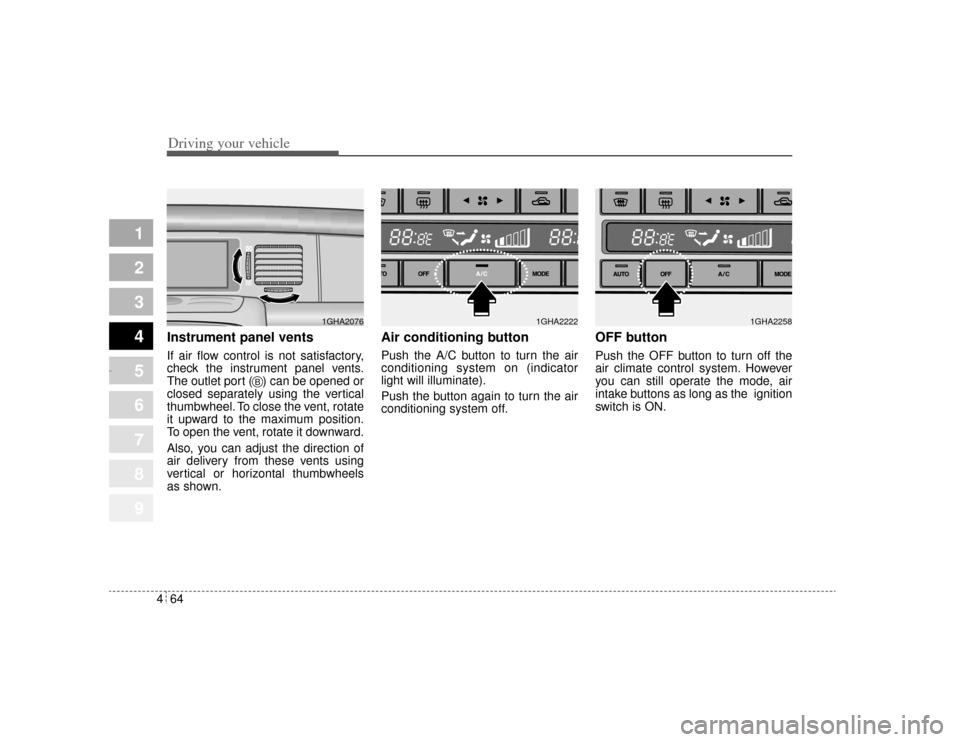
Instrument panel ventsIf air flow control is not satisfactory,
check the instrument panel vents.
The outlet port ( ) can be opened or
closed separately using the vertical
thumbwheel. To close the vent, rotate
it upward to the maximum position.
To open the vent, rotate it downward.
Also, you can adjust the direction of
air delivery from these vents using
vertical or horizontal thumbwheels
as shown.
Air conditioning button Push the A/C button to turn the air
conditioning system on (indicator
light will illuminate).
Push the button again to turn the air
conditioning system off.
OFF buttonPush the OFF button to turn off the
air climate control system. However
you can still operate the mode, air
intake buttons as long as the ignition
switch is ON.
1GHA2076
B
1GHA2222
1GHA2258
Opirus-ENG (CAN) 4.qxd 7/8/03 2:19 PM Page 64