electrical KIA Amanti 2004 1.G Owner's Manual
[x] Cancel search | Manufacturer: KIA, Model Year: 2004, Model line: Amanti, Model: KIA Amanti 2004 1.GPages: 296, PDF Size: 29.34 MB
Page 30 of 296
319
1
2
3
4
5
6
7
8
9
Knowing your vehicle
WARNING
- Driver’s seat
Never attempt to adjust seat
while the vehicle is moving.
This could result in loss of
control, and an accident caus-
ing death, serious injury, or
property damage.
Do not allow anything to inter- fere with the normal position
of the seatback. Storing items
against a seatback or in any
other way interfering with
proper locking of a seatback
could result in serious or fatal
injury in a sudden stop or col-
lision.
(Continued)
For a seating position more comfort-
able to the driver and front passen-
ger, adjust the seat forward, back-
ward, up and down.✽ ✽NOTICE• Power seats are driven by the elec-
tric motor. Stop operating if the
adjustment is completed. Excessive
operation may damage the electri-
cal equipment.
• When in operation, the power seats consume large amounts of
electrical power. To prevent unnec-
essary charging system drain,
don’t adjust the power seats longer
than necessary while the engine is
not running.
• Do not operate two or more power seat control buttons at the same
time. Doing so may result in power
seat motor or electrical component
malfunction.
WARNING
Loose objects in the driver ’s
foot area could interfere with
the operation of the foot ped-
als, possibly causing an acci-
dent. Loose objects might
interfere with the seat slide
mechanism. Do not place any-
thing under the front seats.
The power seats are operable
with the ignition OFF.
Therefore, children should
never be left unattended in the
car.
Opirus-ENG (CAN) 3.qxd 7/8/03 1:56 PM Page 19
Page 33 of 296
Knowing your vehicle22
3
1
2
3
4
5
6
7
8
9
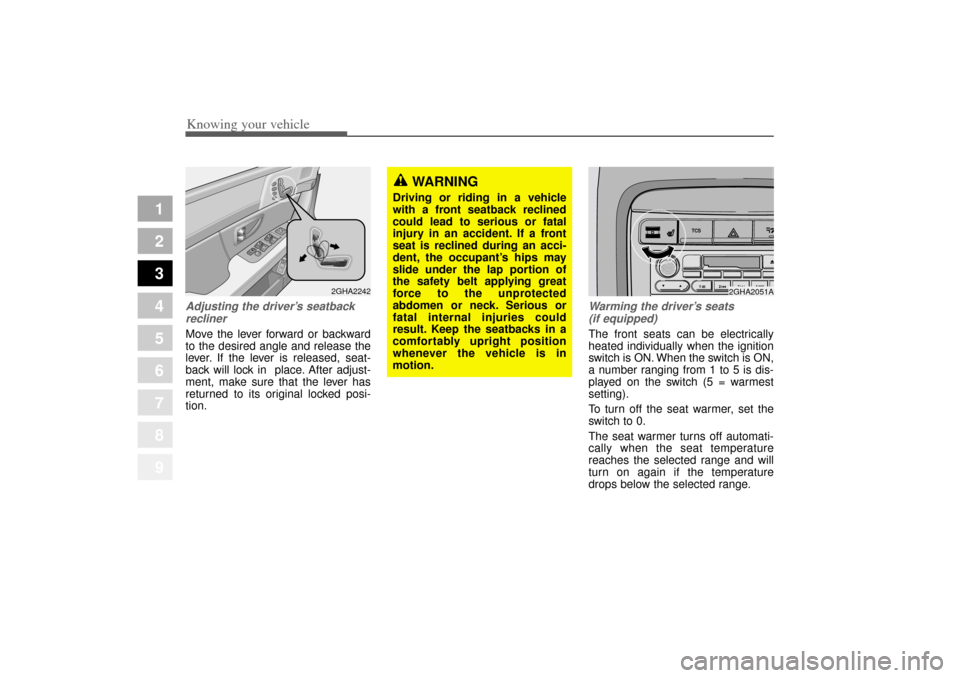
Adjusting the driver ’s seatback
reclinerMove the lever forward or backward
to the desired angle and release the
lever. If the lever is released, seat-
back will lock in place. After adjust-
ment, make sure that the lever has
returned to its original locked posi-
tion.
Warming the driver ’s seats
(if equipped)The front seats can be electrically
heated individually when the ignition
switch is ON. When the switch is ON,
a number ranging from 1 to 5 is dis-
played on the switch (5 = warmest
setting).
To turn off the seat warmer, set the
switch to 0.
The seat warmer turns off automati-
cally when the seat temperature
reaches the selected range and will
turn on again if the temperature
drops below the selected range.
2GHA2242
WARNING
Driving or riding in a vehicle
with a front seatback reclined
could lead to serious or fatal
injury in an accident. If a front
seat is reclined during an acci-
dent, the occupant’ s hips may
slide under the lap portion of
the safety belt applying great
force to the unprotected
abdomen or neck. Serious or
fatal internal injuries could
result. Keep the seatbacks in a
comfortably upright position
whenever the vehicle is in
motion.
TCS
2GHA2051A
Opirus-ENG (CAN) 3.qxd 7/8/03 1:56 PM Page 22
Page 38 of 296
327
1
2
3
4
5
6
7
8
9
Knowing your vehicle
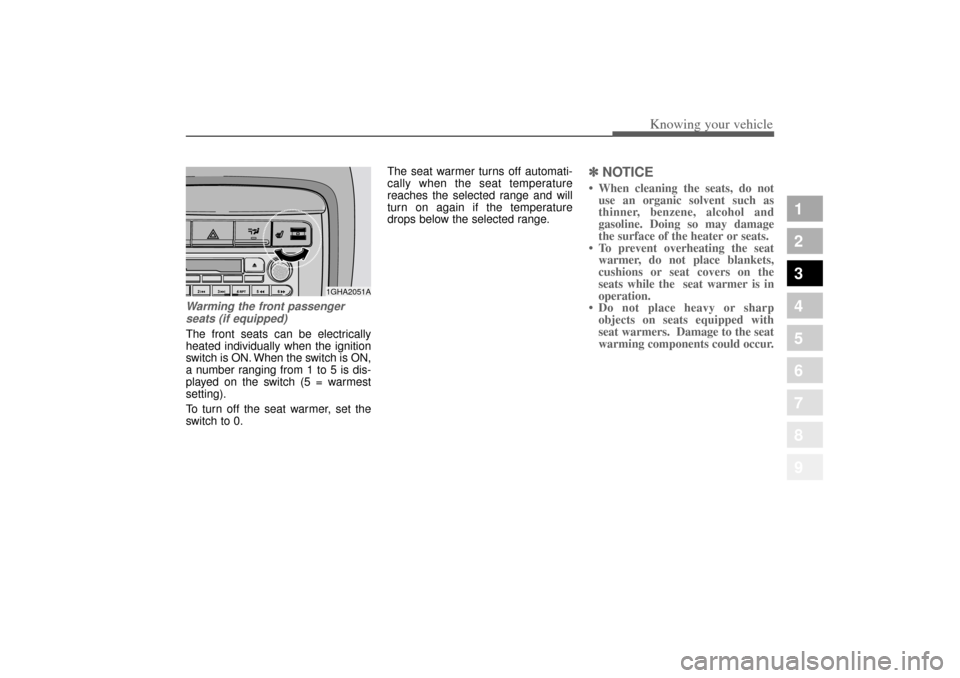
Warming the front passengerseats (if equipped)The front seats can be electrically
heated individually when the ignition
switch is ON. When the switch is ON,
a number ranging from 1 to 5 is dis-
played on the switch (5 = warmest
setting).
To turn off the seat warmer, set the
switch to 0. The seat warmer turns off automati-
cally when the seat temperature
reaches the selected range and will
turn on again if the temperature
drops below the selected range.
✽ ✽
NOTICE• When cleaning the seats, do not
use an organic solvent such as
thinner, benzene, alcohol and
gasoline. Doing so may damage
the surface of the heater or seats.
• To prevent overheating the seat warmer, do not place blankets,
cushions or seat covers on the
seats while the seat warmer is in
operation.
• Do not place heavy or sharp objects on seats equipped with
seat warmers. Damage to the seat
warming components could occur.
1GHA2051A
Opirus-ENG (CAN) 3.qxd 7/8/03 1:56 PM Page 27
Page 42 of 296
331
1
2
3
4
5
6
7
8
9
Knowing your vehicle
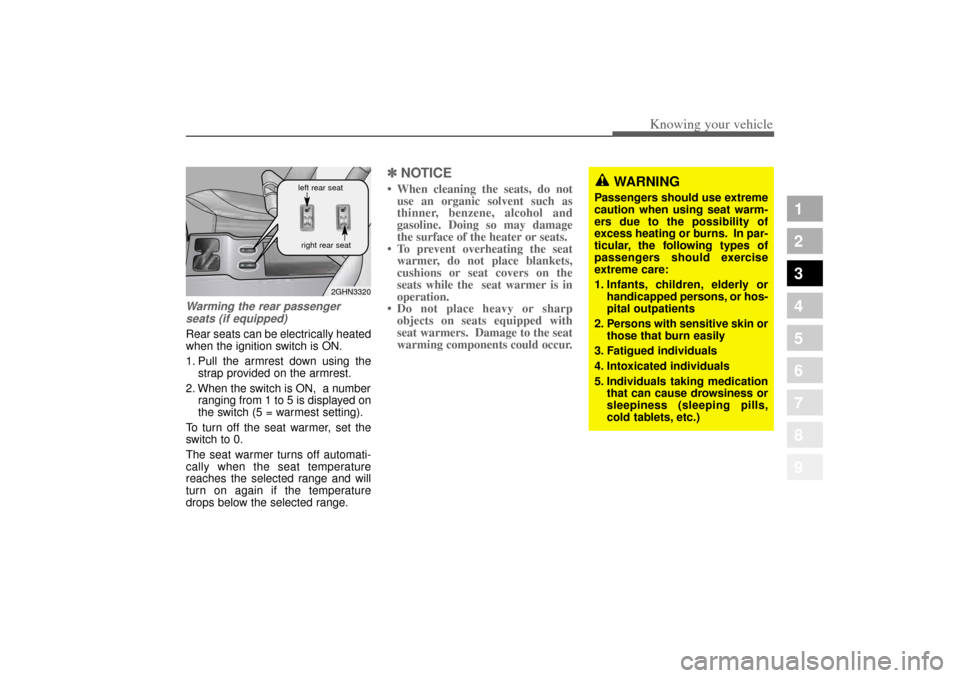
Warming the rear passengerseats (if equipped)Rear seats can be electrically heated
when the ignition switch is ON.
1. Pull the armrest down using the strap provided on the armrest.
2. When the switch is ON, a number ranging from 1 to 5 is displayed on
the switch (5 = warmest setting).
To turn off the seat warmer, set the
switch to 0.
The seat warmer turns off automati-
cally when the seat temperature
reaches the selected range and will
turn on again if the temperature
drops below the selected range.
✽ ✽ NOTICE• When cleaning the seats, do not
use an organic solvent such as
thinner, benzene, alcohol and
gasoline. Doing so may damage
the surface of the heater or seats.
• To prevent overheating the seat warmer, do not place blankets,
cushions or seat covers on the
seats while the seat warmer is in
operation.
• Do not place heavy or sharp objects on seats equipped with
seat warmers. Damage to the seat
warming components could occur.
WARNING
Passengers should use extreme
caution when using seat warm-
ers due to the possibility of
excess heating or burns. In par-
ticular, the following types of
passengers should exercise
extreme care:
1. Infants, children, elderly or
handicapped persons, or hos-
pital outpatients
2. Persons with sensitive skin or those that burn easily
3. Fatigued individuals
4. Intoxicated individuals
5. Individuals taking medication that can cause drowsiness or
sleepiness (sleeping pills,
cold tablets, etc.)
2GHN3320
left rear seat
right rear seat
Opirus-ENG (CAN) 3.qxd 7/8/03 1:56 PM Page 31
Page 74 of 296
363
1
2
3
4
5
6
7
8
9
Knowing your vehicle
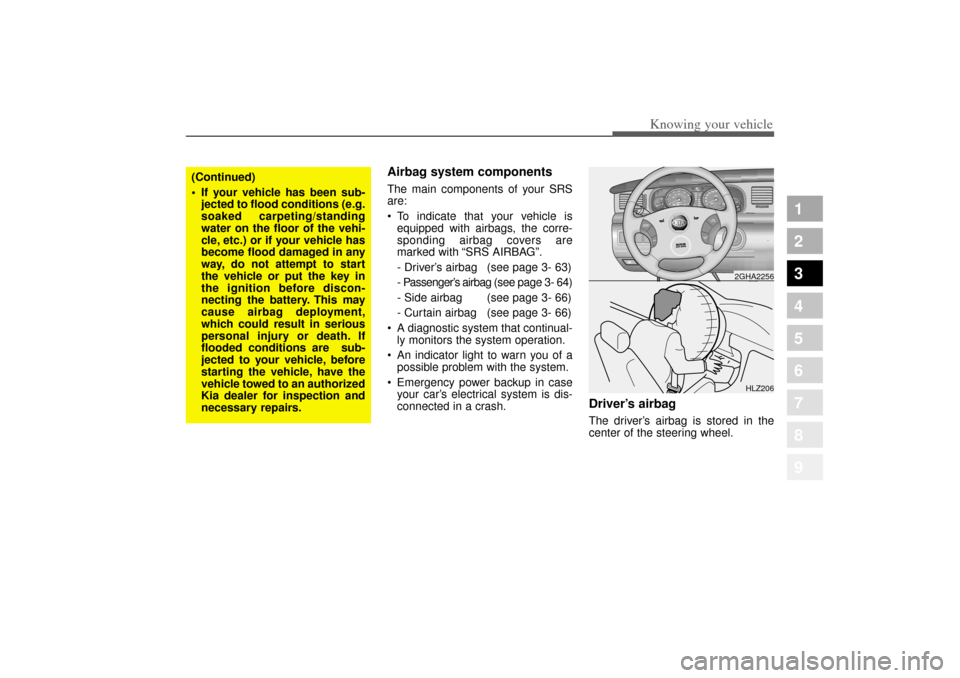
Airbag system components The main components of your SRS
are:
To indicate that your vehicle is
equipped with airbags, the corre-
sponding airbag covers are
marked with “SRS AIRBAG”.
- Driver’ s airbag (see page 3- 63)
- Passenger’ s airbag(see page 3- 64)
- Side airbag (see page 3- 66)
- Curtain airbag (see page 3- 66)
A diagnostic system that continual-
ly monitors the system operation.
An indicator light to warn you of a
possible problem with the system.
Emergency power backup in case
your car’ s electrical system is dis-
connected in a crash.
Driver’ s airbagThe driver’ s airbag is stored in the
center of the steering wheel.
CRUISE
ON/OFFCAN CE
L
COAST
SETRES
ACCEL
HLZ206
(Continued)
If your vehicle has been sub-
jected to flood conditions (e.g.
soaked carpeting/standing
water on the floor of the vehi-
cle, etc.) or if your vehicle has
become flood damaged in any
way, do not attempt to start
the vehicle or put the key in
the ignition before discon-
necting the battery. This may
cause airbag deployment,
which could result in serious
personal injury or death. If
flooded conditions are sub-
jected to your vehicle, before
starting the vehicle, have the
vehicle towed to an authorized
Kia dealer for inspection and
necessary repairs.
2GHA2256
Opirus-ENG (CAN) 3.qxd 7/8/03 1:56 PM Page 63
Page 106 of 296
395
1
2
3
4
5
6
7
8
9
Knowing your vehicle
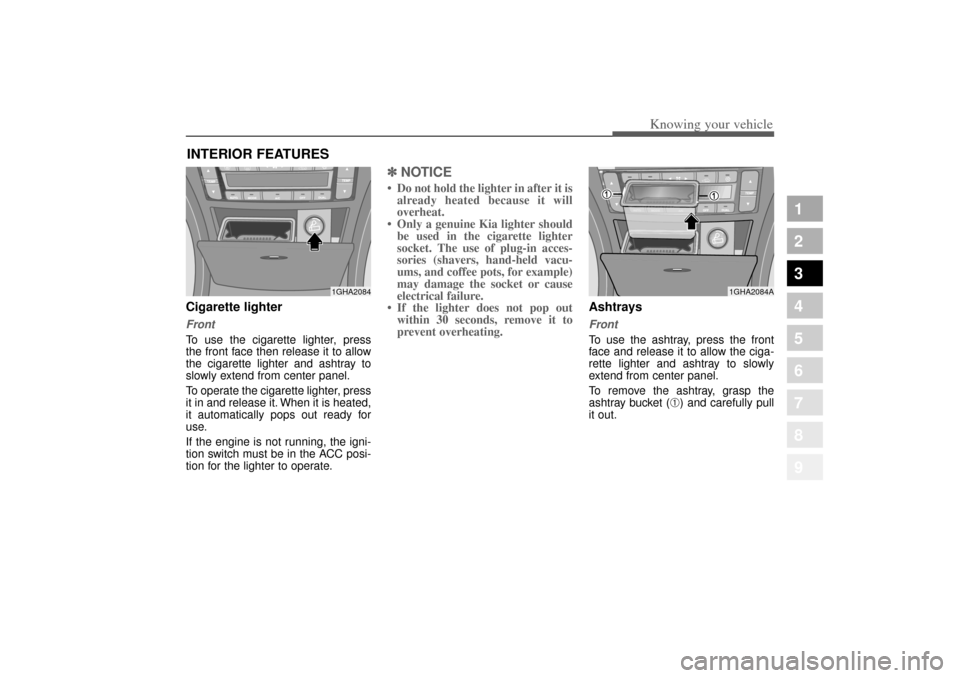
Cigarette lighterFrontTo use the cigarette lighter, press
the front face then release it to allow
the cigarette lighter and ashtray to
slowly extend from center panel.
To operate the cigarette lighter, press
it in and release it. When it is heated,
it automatically pops out ready for
use.
If the engine is not running, the igni-
tion switch must be in the ACC posi-
tion for the lighter to operate.
✽ ✽NOTICE• Do not hold the lighter in after it is
already heated because it will
overheat.
• Only a genuine Kia lighter should be used in the cigarette lighter
socket. The use of plug-in acces-
sories (shavers, hand-held vacu-
ums, and coffee pots, for example)
may damage the socket or cause
electrical failure.
• If the lighter does not pop out within 30 seconds, remove it to
prevent overheating.
Ashtrays Front To use the ashtray, press the front
face and release it to allow the ciga-
rette lighter and ashtray to slowly
extend from center panel.
To remove the ashtray, grasp the
ashtray bucket (
➀) and carefully pull
it out.
INTERIOR FEATURES
1GHA2084
1GHA2084A
Opirus-ENG (CAN) 3.qxd 7/8/03 1:56 PM Page 95
Page 109 of 296
Knowing your vehicle98
3
1
2
3
4
5
6
7
8
9
✽ ✽
NOTICEClose the vanity mirror cover
securely and return the sunvisor to
its original position after use. If the
vanity mirror is not closed securely,
the lamp will stay on and could
result in battery discharge and pos-
sible sunvisor damage.
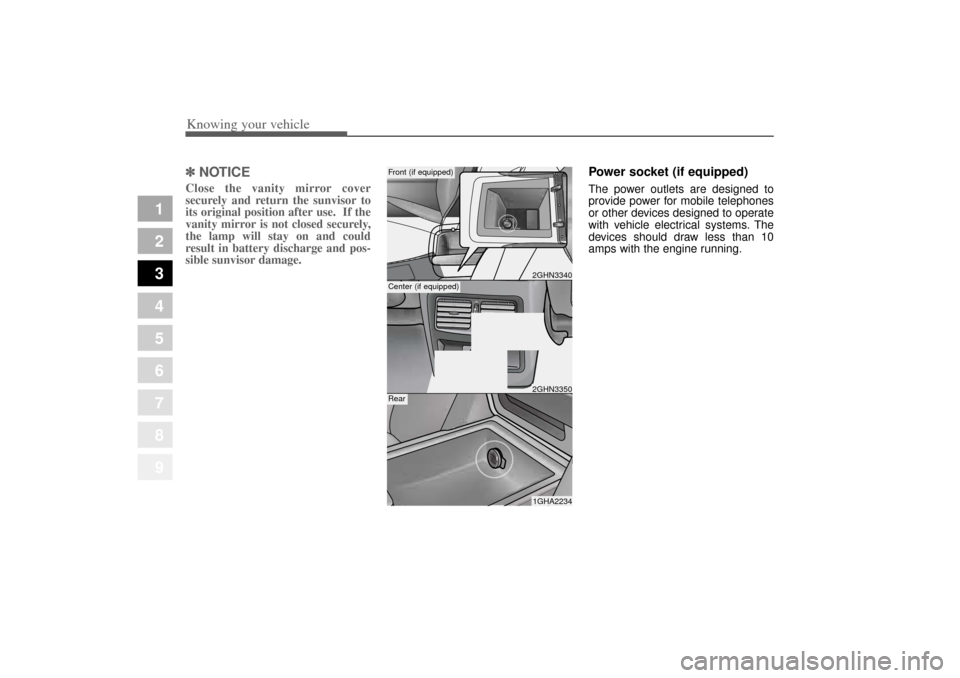
Power socket (if equipped)The power outlets are designed to
provide power for mobile telephones
or other devices designed to operate
with vehicle electrical systems. The
devices should draw less than 10
amps with the engine running.
2GHN33401GHA2234
Front (if equipped)Rear
2GHN3350
Center (if equipped)
Opirus-ENG (CAN) 3.qxd 7/8/03 1:56 PM Page 98
Page 116 of 296
Driving your vehicle24
1
2
3
4
5
6
7
8
9
Illuminated ignition switchWhenever a door is opened, the igni-
tion switch will be illuminated for your
convenience, provided the ignition
switch is not in the ON position. The
light will go off approximately 10 sec-
onds after closing the door or when
the ignition switch is turned on.
Ignition switch and anti-theft
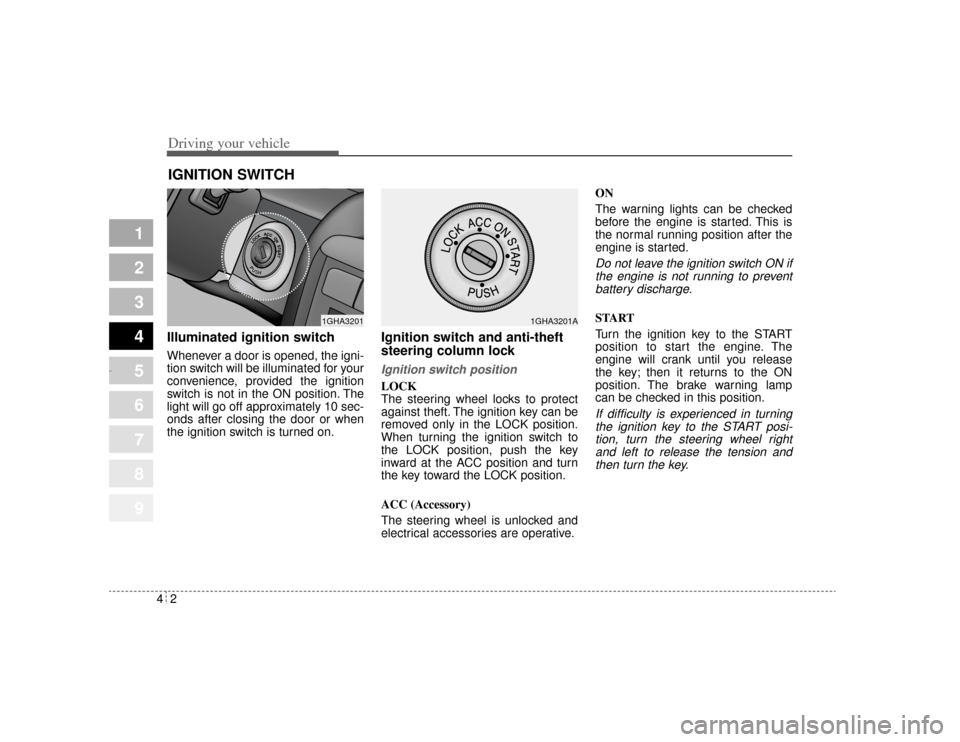
steering column lock Ignition switch positionLOCK
The steering wheel locks to protect
against theft. The ignition key can be
removed only in the LOCK position.
When turning the ignition switch to
the LOCK position, push the key
inward at the ACC position and turn
the key toward the LOCK position.
ACC (Accessory)
The steering wheel is unlocked and
electrical accessories are operative.ON
The warning lights can be checked
before the engine is started. This is
the normal running position after the
engine is started.
Do not leave the ignition switch ON if
the engine is not running to preventbattery discharge.START
Turn the ignition key to the START
position to start the engine. The
engine will crank until you release
the key; then it returns to the ON
position. The brake warning lamp
can be checked in this position.If difficulty is experienced in turningthe ignition key to the START posi-tion, turn the steering wheel rightand left to release the tension andthen turn the key.
IGNITION SWITCH
PUSH
1GHA3201
1GHA3201A
Opirus-ENG (CAN) 4.qxd 7/8/03 2:19 PM Page 2
Page 151 of 296
437
1
2
3
4
5
6
7
8
9
Driving your vehicle
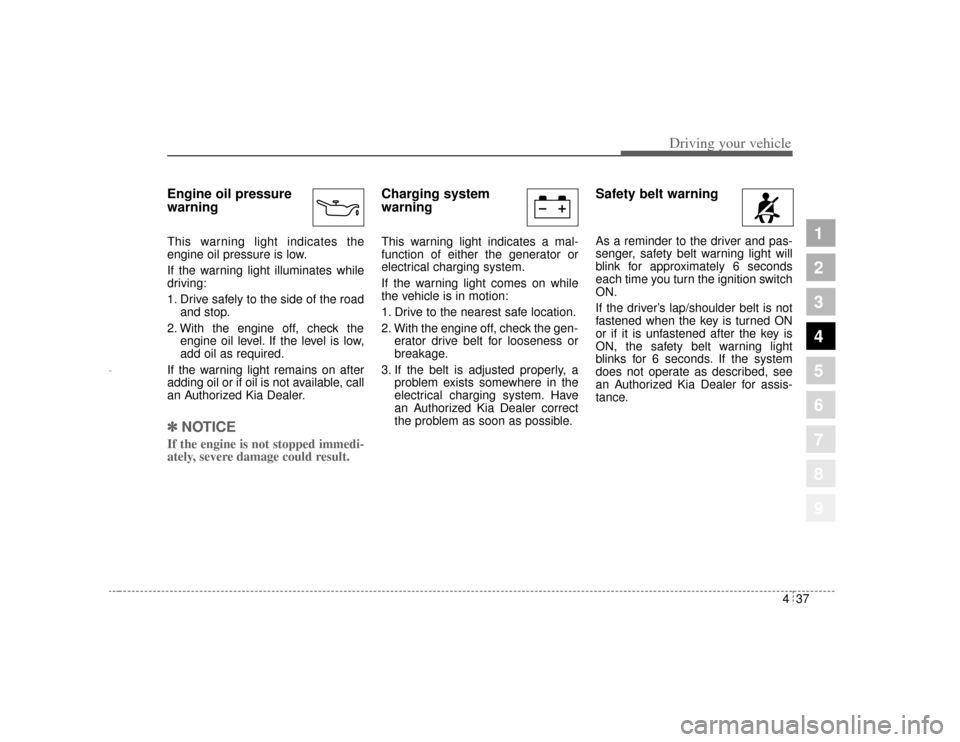
Engine oil pressure
warning This warning light indicates the
engine oil pressure is low.
If the warning light illuminates while
driving:
1. Drive safely to the side of the roadand stop.
2. With the engine off, check the engine oil level. If the level is low,
add oil as required.
If the warning light remains on after
adding oil or if oil is not available, call
an Authorized Kia Dealer.✽ ✽
NOTICEIf the engine is not stopped immedi-
ately, severe damage could result.
Charging system
warning This warning light indicates a mal-
function of either the generator or
electrical charging system.
If the warning light comes on while
the vehicle is in motion:
1. Drive to the nearest safe location.
2. With the engine off, check the gen-
erator drive belt for looseness or
breakage.
3. If the belt is adjusted properly, a problem exists somewhere in the
electrical charging system. Have
an Authorized Kia Dealer correct
the problem as soon as possible.
Safety belt warning As a reminder to the driver and pas-
senger, safety belt warning light will
blink for approximately 6 seconds
each time you turn the ignition switch
ON.
If the driver’s lap/shoulder belt is not
fastened when the key is turned ON
or if it is unfastened after the key is
ON, the safety belt warning light
blinks for 6 seconds. If the system
does not operate as described, see
an Authorized Kia Dealer for assis-
tance.
Opirus-ENG (CAN) 4.qxd 7/8/03 2:19 PM Page 37
Page 160 of 296
Driving your vehicle46
4
1
2
3
4
5
6
7
8
9
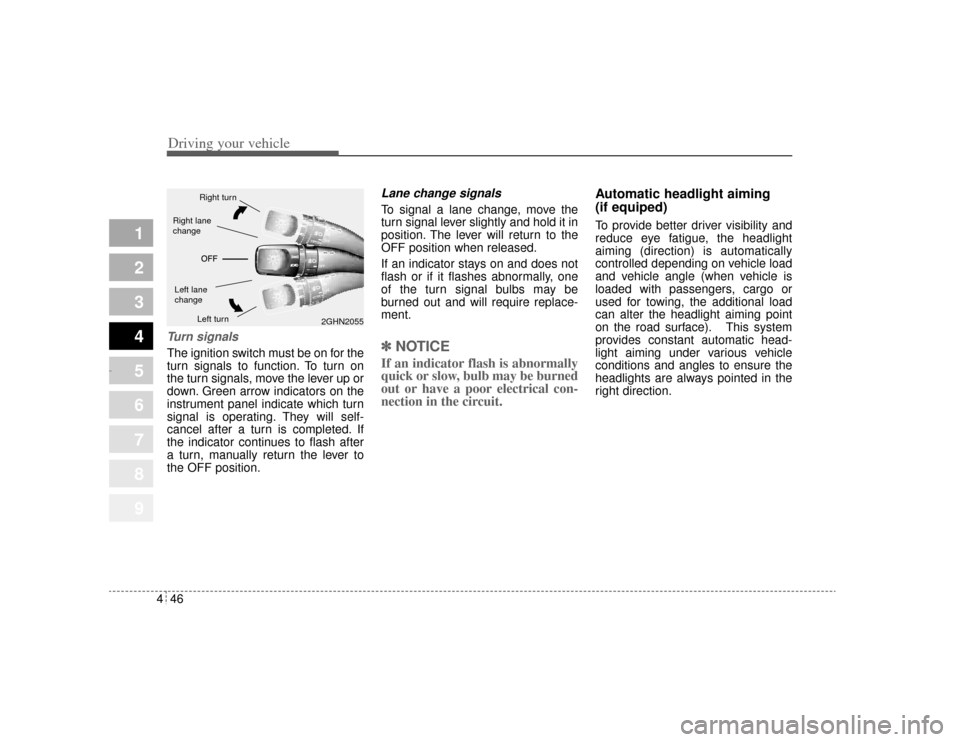
Turn signalsThe ignition switch must be on for the
turn signals to function. To turn on
the turn signals, move the lever up or
down. Green arrow indicators on the
instrument panel indicate which turn
signal is operating. They will self-
cancel after a turn is completed. If
the indicator continues to flash after
a turn, manually return the lever to
the OFF position.
Lane change signals To signal a lane change, move the
turn signal lever slightly and hold it in
position. The lever will return to the
OFF position when released.
If an indicator stays on and does not
flash or if it flashes abnormally, one
of the turn signal bulbs may be
burned out and will require replace-
ment.✽ ✽
NOTICEIf an indicator flash is abnormally
quick or slow, bulb may be burned
out or have a poor electrical con-
nection in the circuit. Automatic headlight aiming
(if equiped)
To provide better driver visibility and
reduce eye fatigue, the headlight
aiming (direction) is automatically
controlled depending on vehicle load
and vehicle angle (when vehicle is
loaded with passengers, cargo or
used for towing, the additional load
can alter the headlight aiming point
on the road surface). This system
provides constant automatic head-
light aiming under various vehicle
conditions and angles to ensure the
headlights are always pointed in the
right direction.
2GHN2055
Right turnLeft turn
Left lane
changeRight lane
change
Opirus-ENG (CAN) 4.qxd 7/8/03 2:19 PM Page 46