battery KIA AMANTI 2006 User Guide
[x] Cancel search | Manufacturer: KIA, Model Year: 2006, Model line: AMANTI, Model: KIA AMANTI 2006Pages: 322, PDF Size: 44.16 MB
Page 124 of 322
Driving your vehicle24
1
2
3
4
5
6
7
8
910
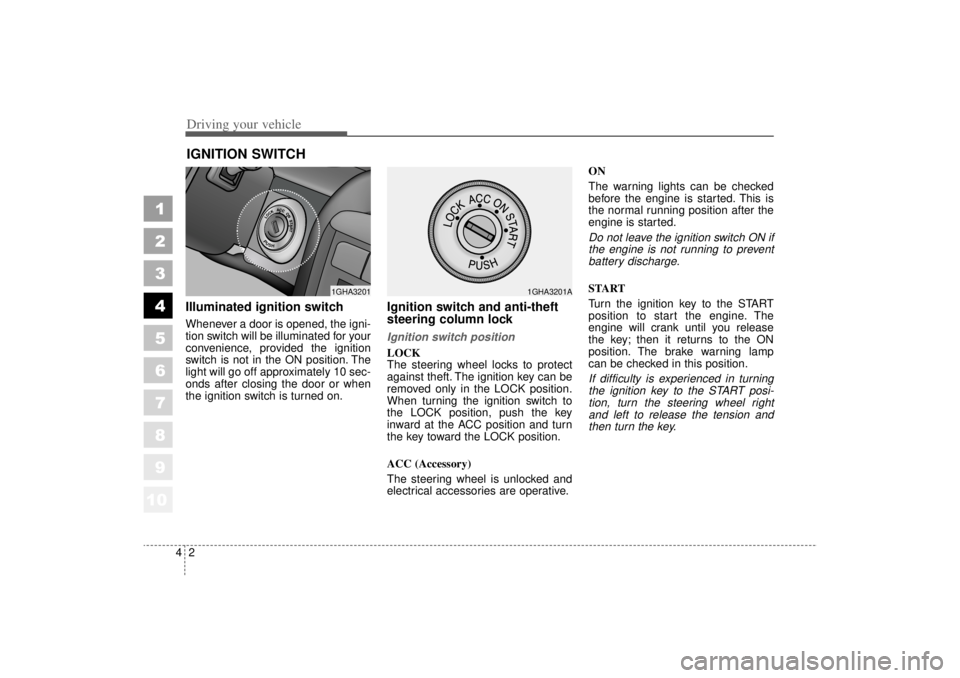
Illuminated ignition switchWhenever a door is opened, the igni-
tion switch will be illuminated for your
convenience, provided the ignition
switch is not in the ON position. The
light will go off approximately 10 sec-
onds after closing the door or when
the ignition switch is turned on.
Ignition switch and anti-theft
steering column lock Ignition switch positionLOCK
The steering wheel locks to protect
against theft. The ignition key can be
removed only in the LOCK position.
When turning the ignition switch to
the LOCK position, push the key
inward at the ACC position and turn
the key toward the LOCK position.
ACC (Accessory)
The steering wheel is unlocked and
electrical accessories are operative.ON
The warning lights can be checked
before the engine is started. This is
the normal running position after the
engine is started.
Do not leave the ignition switch ON if
the engine is not running to preventbattery discharge.START
Turn the ignition key to the START
position to start the engine. The
engine will crank until you release
the key; then it returns to the ON
position. The brake warning lamp
can be checked in this position.If difficulty is experienced in turningthe ignition key to the START posi-tion, turn the steering wheel rightand left to release the tension andthen turn the key.
IGNITION SWITCH
PUSH
1GHA3201
1GHA3201A
Page 139 of 322
417
1
2
3
4
5
6
7
8
910
Driving your vehicle
✽ ✽NOTICEWhen you jump start your vehicle
because of a drained battery, the
engine may not run as smoothly and
the ABS warning light may turn on
at the same time. This happens
because of the low battery voltage. It
does not mean your ABS is malfunc-
tioning.
• Do not pump your brakes!
• Have the battery recharged before
driving the vehicle.
Page 166 of 322
Driving your vehicle44
4
1
2
3
4
5
6
7
8
910
Battery saver function The purpose of this feature is to
prevent the battery from being dis-
charged. The system automatically
turns off the small light when the
driver removes the ignition key and
opens the driver- side door.
With this feature, the parklight will be turned off automatically if the
driver parks on the side of road at
night.
If necessary, to keep the lights on
when the ignition key is removed,
perform the following :
1) Open the driver-side door.
2) Turn the parklights OFF and ON again using the light switch on the
steering column.
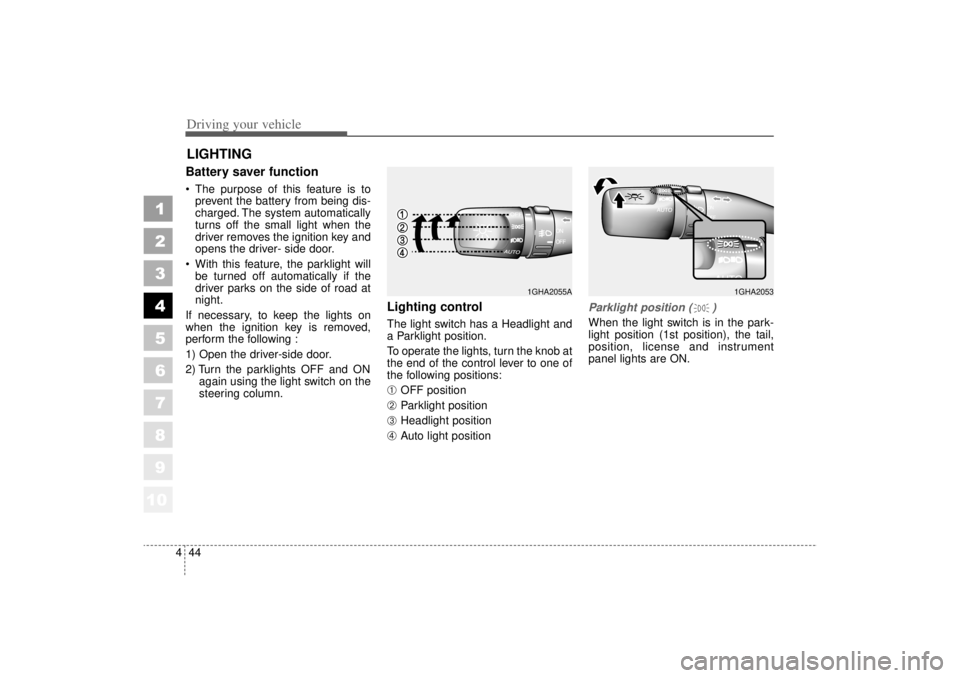
Lighting control The light switch has a Headlight and
a Parklight position.
To operate the lights, turn the knob at
the end of the control lever to one of
the following positions:➀
OFF position
➁
Parklight position
➂
Headlight position
\b
Auto light position
Parklight position ( )When the light switch is in the park-
light position (1st position), the tail,
position, license and instrument
panel lights are ON.
LIGHTING
1GHA2053
1GHA2055A
Page 168 of 322
Driving your vehicle46
4
1
2
3
4
5
6
7
8
910
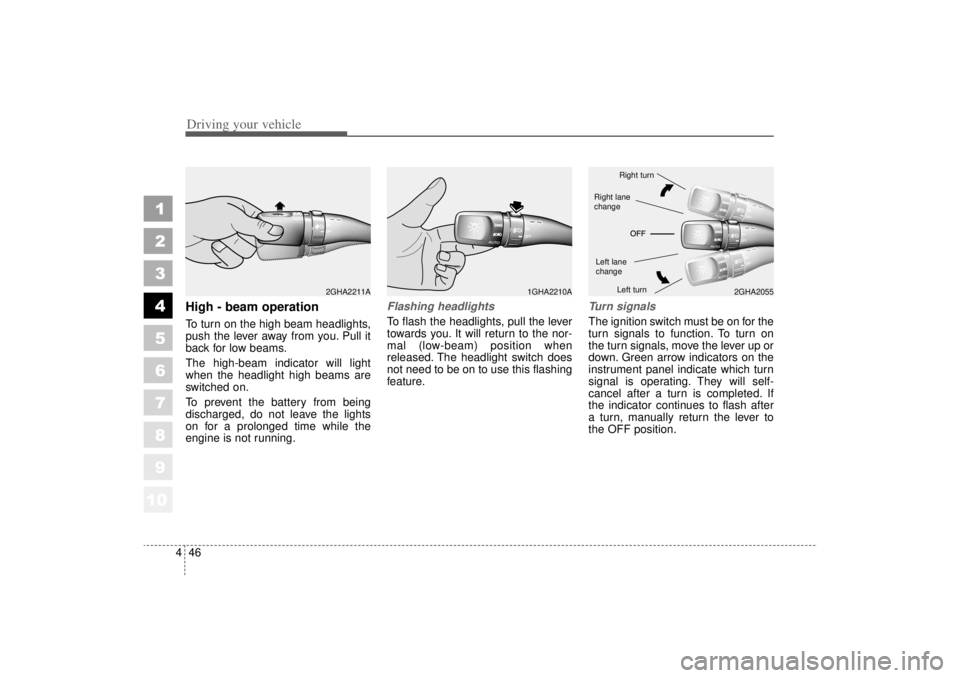
High - beam operation To turn on the high beam headlights,
push the lever away from you. Pull it
back for low beams.
The high-beam indicator will light
when the headlight high beams are
switched on.
To prevent the battery from being
discharged, do not leave the lights
on for a prolonged time while the
engine is not running.
Flashing headlights To flash the headlights, pull the lever
towards you. It will return to the nor-
mal (low-beam) position when
released. The headlight switch does
not need to be on to use this flashing
feature.
Turn signalsThe ignition switch must be on for the
turn signals to function. To turn on
the turn signals, move the lever up or
down. Green arrow indicators on the
instrument panel indicate which turn
signal is operating. They will self-
cancel after a turn is completed. If
the indicator continues to flash after
a turn, manually return the lever to
the OFF position.
1GHA2210A
2GHA2055
2GHA2211A
Right turnLeft turn
Left lane
changeRight lane
change
Page 170 of 322
Driving your vehicle48
4
1
2
3
4
5
6
7
8
910
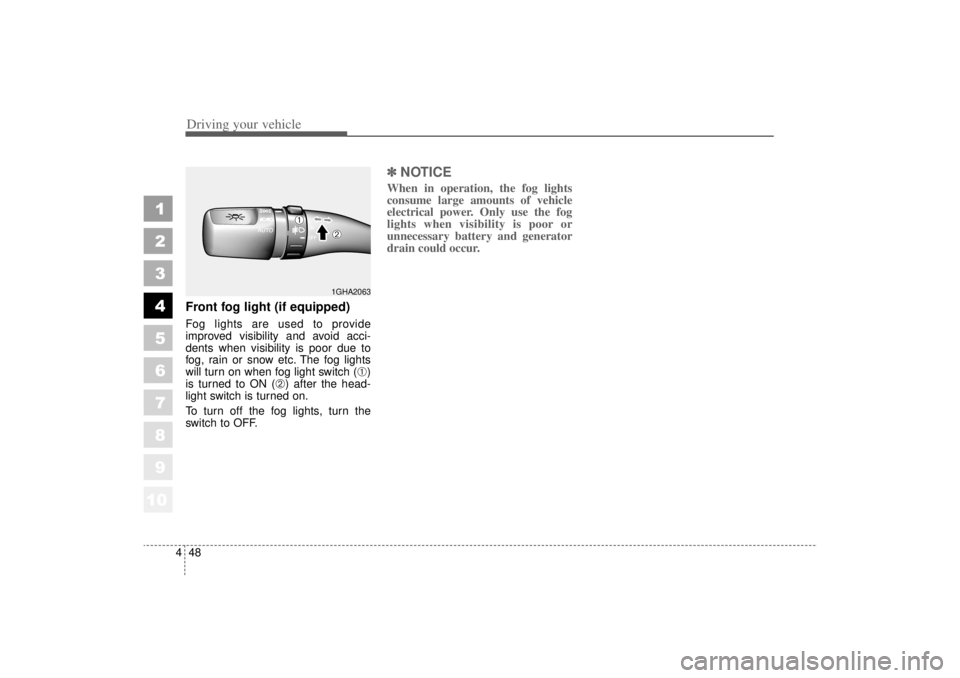
Front fog light (if equipped) Fog lights are used to provide
improved visibility and avoid acci-
dents when visibility is poor due to
fog, rain or snow etc. The fog lights
will turn on when fog light switch (
➀)
is turned to ON (
➁) after the head-
light switch is turned on.
To turn off the fog lights, turn the
switch to OFF.
✽ ✽
NOTICEWhen in operation, the fog lights
consume large amounts of vehicle
electrical power. Only use the fog
lights when visibility is poor or
unnecessary battery and generator
drain could occur.
1GHA2063
➀
➁
Page 174 of 322
Driving your vehicle52
4
1
2
3
4
5
6
7
8
910
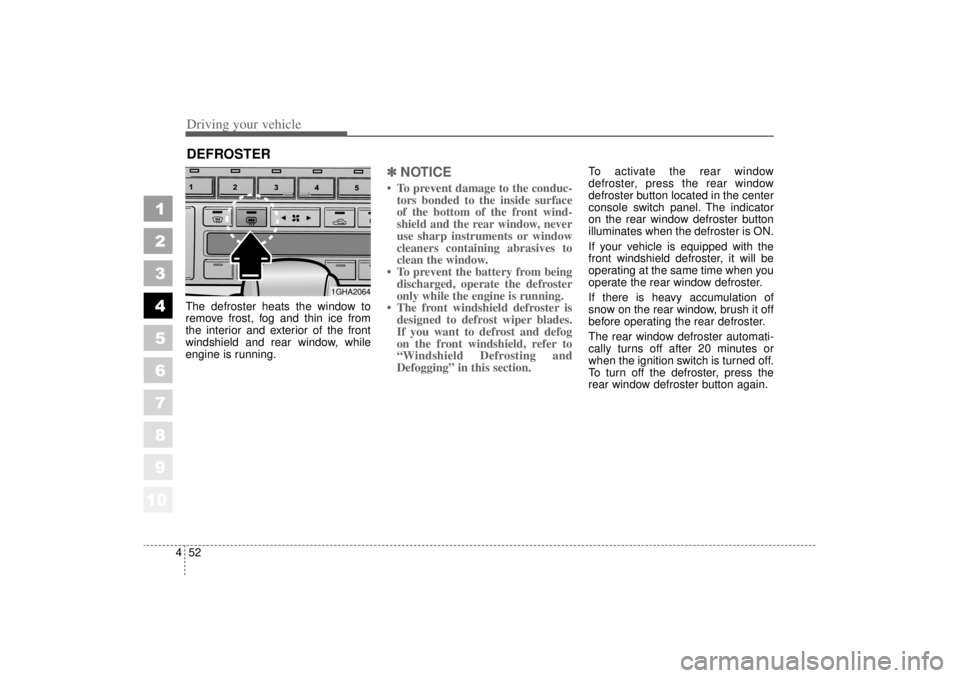
The defroster heats the window to
remove frost, fog and thin ice from
the interior and exterior of the front
windshield and rear window, while
engine is running.
✽ ✽
NOTICE• To prevent damage to the conduc-
tors bonded to the inside surface
of the bottom of the front wind-
shield and the rear window, never
use sharp instruments or window
cleaners containing abrasives to
clean the window.
• To prevent the battery from being discharged, operate the defroster
only while the engine is running.
• The front windshield defroster is designed to defrost wiper blades.
If you want to defrost and defog
on the front windshield, refer to
“Windshield Defrosting and
Defogging” in this section.
To activate the rear window
defroster, press the rear window
defroster button located in the center
console switch panel. The indicator
on the rear window defroster button
illuminates when the defroster is ON.
If your vehicle is equipped with the
front windshield defroster, it will be
operating at the same time when you
operate the rear window defroster.
If there is heavy accumulation of
snow on the rear window, brush it off
before operating the rear defroster.
The rear window defroster automati-
cally turns off after 20 minutes or
when the ignition switch is turned off.
To turn off the defroster, press the
rear window defroster button again.
DEFROSTER
1GHA2064
Page 179 of 322
457
1
2
3
4
5
6
7
8
910
Driving your vehicle
2. Press the left temperature controlto adjust the driver side tempera-
ture. Press the right temperature
control to adjust the passenger
side temperature. Adjusting the driver and passenger
side temperature equally
1. Press the DUAL button again to
deactivate DUAL mode (the indi-
cator light in the button is off). The
passenger side temperature will
be set to the same as the driver
side temperature.
2. Press the left temperature control button. The driver and passenger
side temperature will be adjusted
equally.
Temperature conversionIf the battery has been discharged or
disconnected, the temperature mode
will reset as Centigrade degrees.
This is normal condition and you can
switch the temperature mode
between Centigrade to Fahrenheit as
follows;
While depressing the MODE button,
depress the DUAL button for 3 sec-
onds or more. The display will
change from Centigrade to
Fahrenheit, or from Fahrenheit to
Centigrade.
Page 201 of 322

59
Driving tips
Driving too fast through large pud-dles can affect your brakes. If you
must go through puddles, try to
drive through them slowly.
If you believe you may have gotten your brakes wet, apply them lightly
while driving until normal braking
operation returns.
Winter driving We recommend that you carryemergency equipment, including
tire chains, a window scraper,
windshield de-icer, a bag of sand
or salt, flares, a small shovel and
jumper cables.
Make sure you have sufficient eth- ylene-glycol coolant in the radiator.
Check the battery condition and cables. Cold temperatures reduce
the capacity of any battery, so it
must be in excellent condition to
provide enough winter starting
power.
Make sure the engine oil viscosity is suitable for cold weather.
Check the ignition system for loose connections and damage. Use antifreeze-formulated wind-
shield washer fluid. (Do not use
engine coolant antifreeze.)
Do not use the parking brake if it might freeze. When parking, shift
to P (Park) with an automatic
transaxle and block the rear
wheels.
1
2
3
4
5
6
7
8
910
Page 216 of 322
Driving tips24
5
1
2
3
4
5
6
7
8
910
ProgrammingYour vehicle may require the ignition
switch to be turned to the ACC posi-
tion for programming and/or opera-
tion of HomeLink. It is also recom-
mended that a new battery be
replaced in the hand-held transmitter
of the device being programmed to
HomeLink for quicker training and
accurate transmission of the radio-
frequency.
Follow these steps to train your
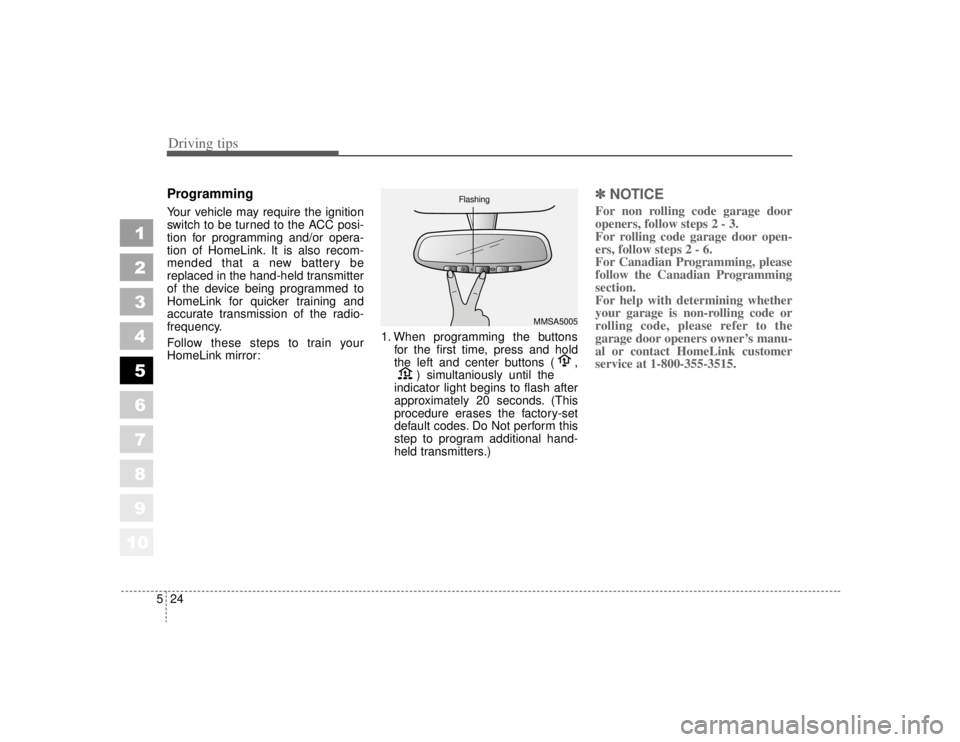
HomeLink mirror: 1. When programming the buttons
for the first time, press and hold
the left and center buttons ( , ) simultaniously until the
indicator light begins to flash after
approximately 20 seconds. (This
procedure erases the factory-set
default codes. Do Not perform this
step to program additional hand-
held transmitters.)
✽ ✽ NOTICEFor non rolling code garage door
openers, follow steps 2 - 3.
For rolling code garage door open-
ers, follow steps 2 - 6.
For Canadian Programming, please
follow the Canadian Programming
section.
For help with determining whether
your garage is non-rolling code or
rolling code, please refer to the
garage door openers owner’s manu-
al or contact HomeLink customer
service at 1-800-355-3515.
MMSA5005
Flashing
Page 224 of 322
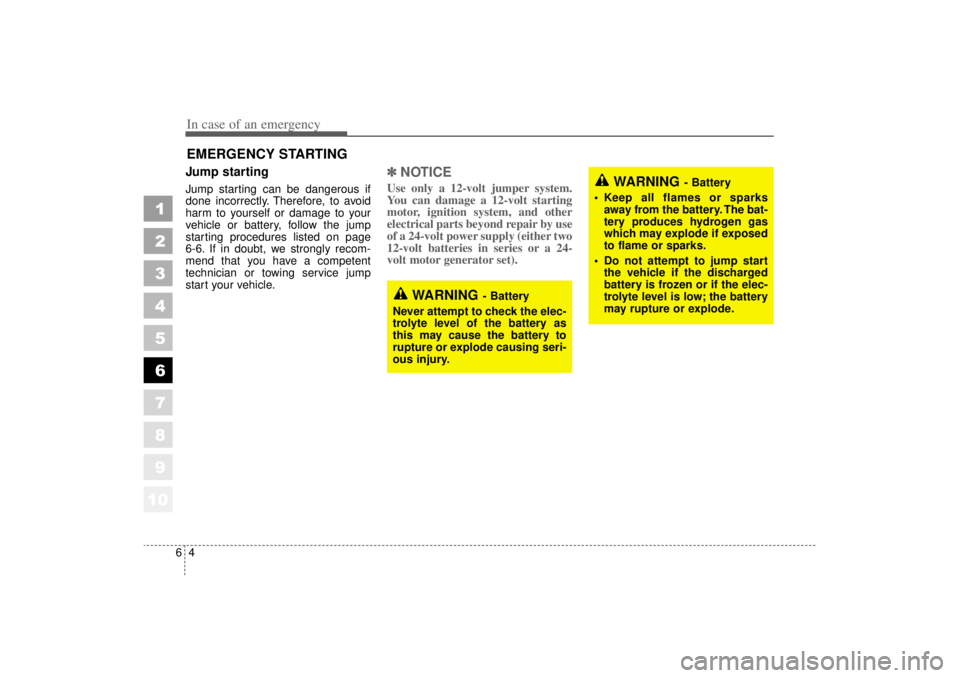
In case of an emergency46EMERGENCY STARTING Jump starting Jump starting can be dangerous if
done incorrectly. Therefore, to avoid
harm to yourself or damage to your
vehicle or battery, follow the jump
starting procedures listed on page
6-6. If in doubt, we strongly recom-
mend that you have a competent
technician or towing service jump
start your vehicle.
✽ ✽NOTICEUse only a 12-volt jumper system.
You can damage a 12-volt starting
motor, ignition system, and other
electrical parts beyond repair by use
of a 24-volt power supply (either two
12-volt batteries in series or a 24-
volt motor generator set).
1
2
3
4
5
6
7
8
910
WARNING
- Battery
• Keep all flames or sparks away from the battery. The bat-
tery produces hydrogen gas
which may explode if exposed
to flame or sparks.
Do not attempt to jump start the vehicle if the discharged
battery is frozen or if the elec-
trolyte level is low; the battery
may rupture or explode.
WARNING
- Battery
Never attempt to check the elec-
trolyte level of the battery as
this may cause the battery to
rupture or explode causing seri-
ous injury.