warning KIA Amanti 2008 1.G Repair Manual
[x] Cancel search | Manufacturer: KIA, Model Year: 2008, Model line: Amanti, Model: KIA Amanti 2008 1.GPages: 283, PDF Size: 20.47 MB
Page 100 of 283
Knowing your vehicle
903
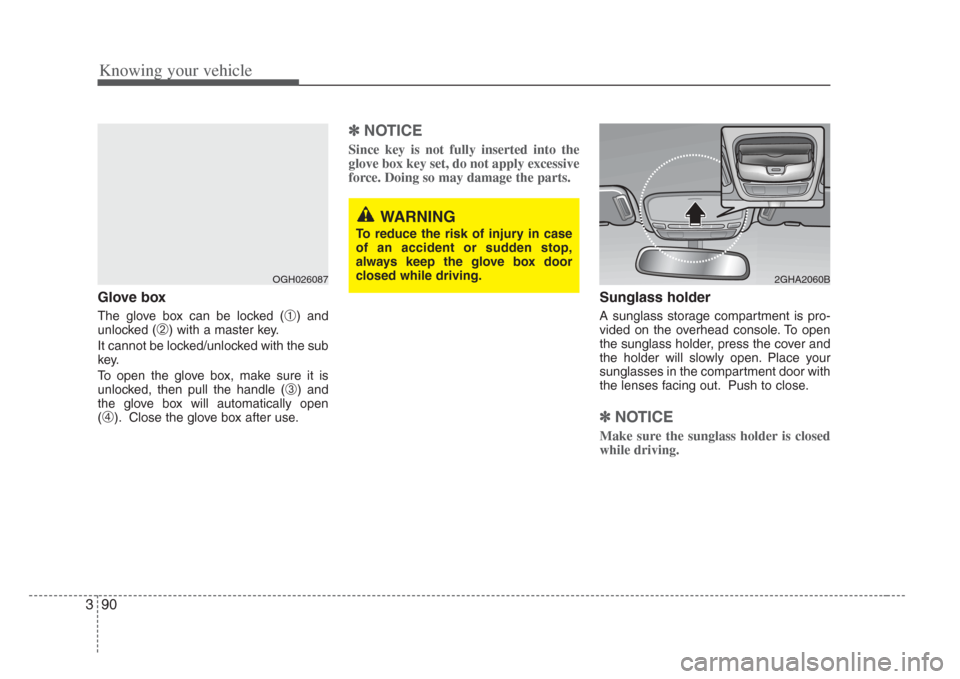
Glove box
The glove box can be locked (➀) and
unlocked (
➁) with a master key.
It cannot be locked/unlocked with the sub
key.
To open the glove box, make sure it is
unlocked, then pull the handle (
➂) and
the glove box will automatically open
(
➃). Close the glove box after use.
✽ NOTICE
Since key is not fully inserted into the
glove box key set, do not apply excessive
force. Doing so may damage the parts.
Sunglass holder
A sunglass storage compartment is pro-
vided on the overhead console. To open
the sunglass holder, press the cover and
the holder will slowly open. Place your
sunglasses in the compartment door with
the lenses facing out. Push to close.
✽NOTICE
Make sure the sunglass holder is closed
while driving.
OGH026087
WARNING
To reduce the ri sk of injury in case
of an accident or s udden stop,
always keep the glove box door
clo sed while driving.
2GHA2060B
Page 102 of 283
Knowing your vehicle
923
Cup holder
Cups or small beverage cans may be
placed in the cup holders.
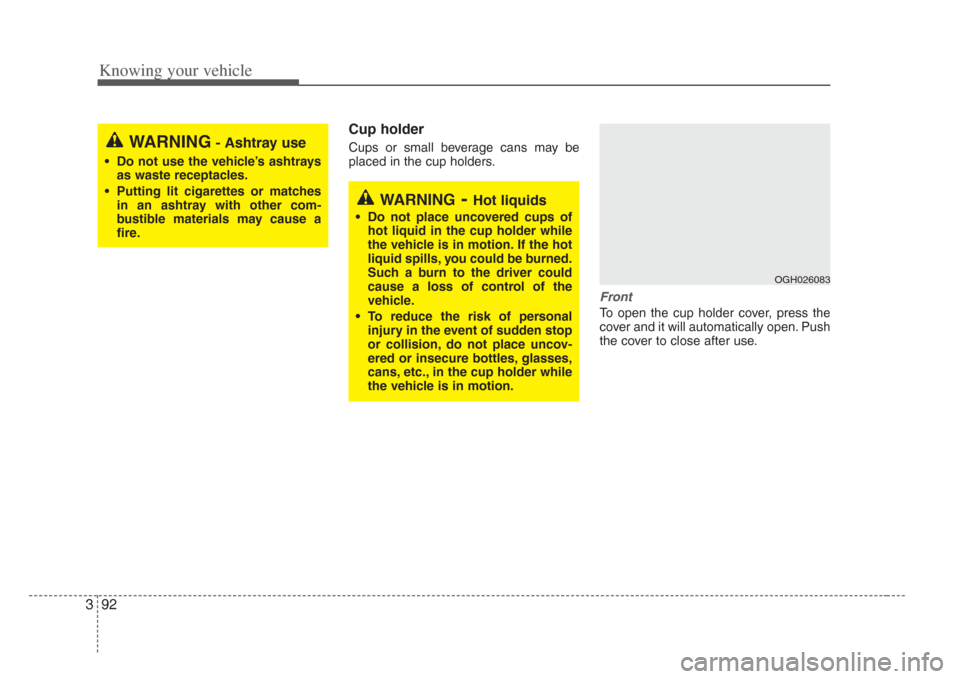
Front
To open the cup holder cover, press the
cover and it will automatically open. Push
the cover to close after use.
WARNING- Ashtray use
• Do not use the vehicle’s ashtrays
as waste receptacles.
• Putting lit cigarettes or matches in an as htray with other com-
bu stible materials may cause a
fire.
WARNING-Hot liquids
• Do not place uncovered cup s of
hot liquid in the cup holder while
the vehicle i s in motion. If the hot
liquid spills, you could be burned.
Such a burn to the driver could
cause a loss of control of the
vehicle.
• To reduce the risk of per sonal
injury in the event of sudden stop
or collision, do not place uncov-
ered or insecure bottles, glasses,
cans, etc., in the cup holder while
the vehicle i s in motion.
OGH026083
Page 107 of 283
397
Knowing your vehicle
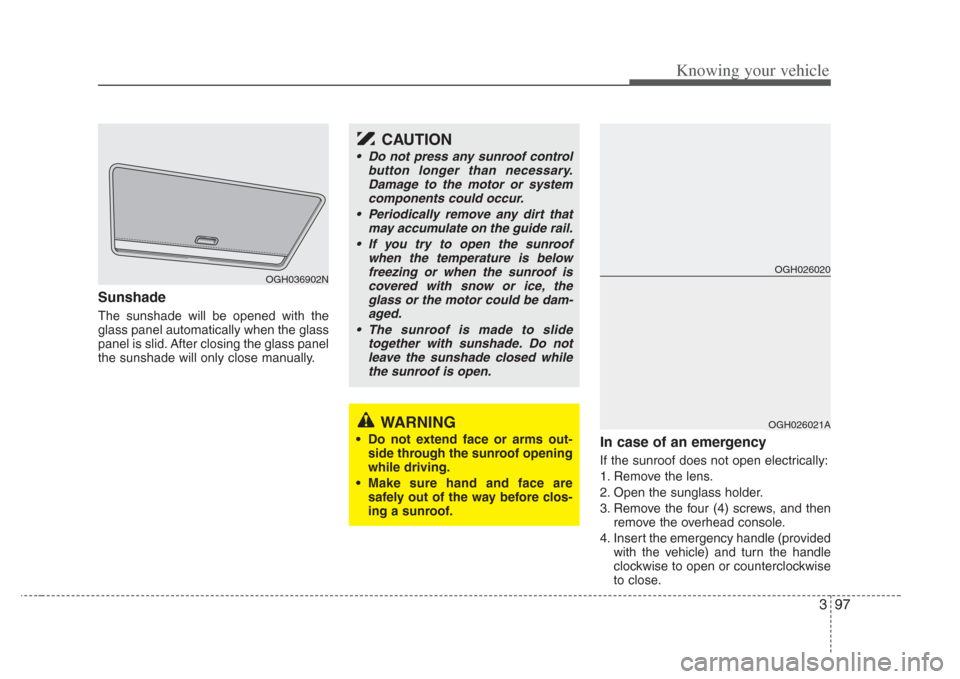
Sunshade
The sunshade will be opened with the
glass panel automatically when the glass
panel is slid. After closing the glass panel
the sunshade will only close manually.
In case of an emergency
If the sunroof does not open electrically:
1. Remove the lens.
2. Open the sunglass holder.
3. Remove the four (4) screws, and thenremove the overhead console.
4. Insert the emergency handle (provided with the vehicle) and turn the handle
clockwise to open or counterclockwise
to close.
OGH036902N
WARNING
• Do not extend face or arms out-side through the sunroof opening
while driving.
• Make sure hand and face are
safely out of the way before clo s-
ing a sunroof.
CAUTION
• Do not press any sunroof control button longer than necessary.Damage to the motor or system
components could occur.
• Periodically remove any dirt that may accumulate on the guide rail.
• If you try to open the sunroof when the temperature is belowfreezing or when the sunroof iscovered with s now or ice, the
glass or the motor could be dam- aged.
• The sunroof is made to s lide
together with sunshade. Do not leave the sunshade closed while the sunroof is open.
OGH026020
OGH026021A
Page 111 of 283
3101
Knowing your vehicle
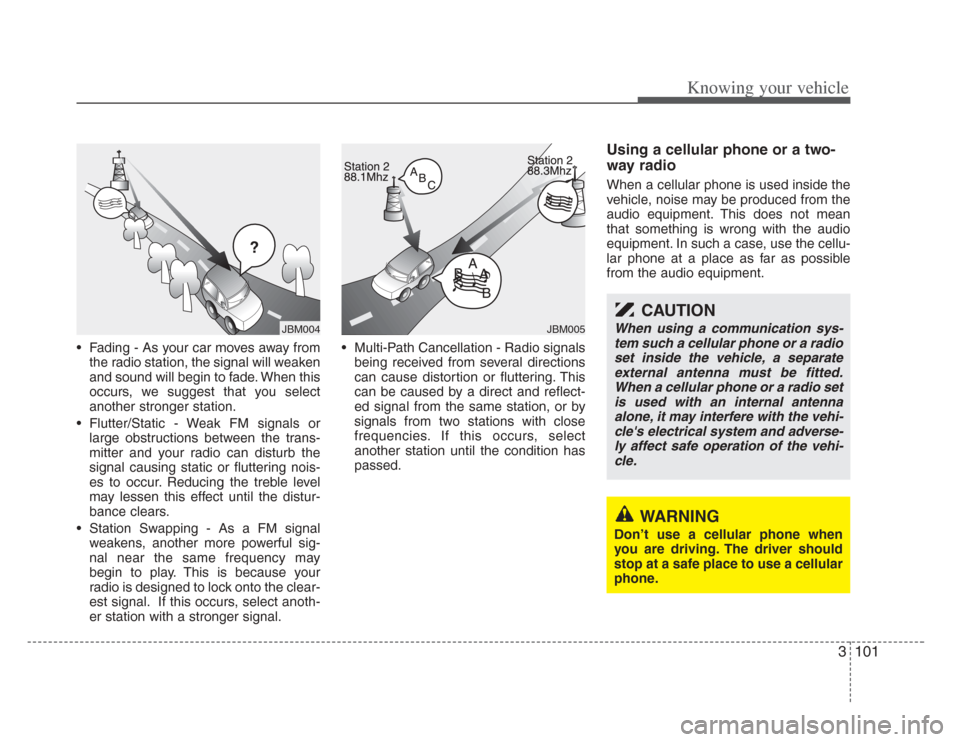
• Fading - As your car moves away fromthe radio station, the signal will weaken
and sound will begin to fade. When this
occurs, we suggest that you select
another stronger station.
• Flutter/Static - Weak FM signals or large obstructions between the trans-
mitter and your radio can disturb the
signal causing static or fluttering nois-
es to occur. Reducing the treble level
may lessen this effect until the distur-
bance clears.
• Station Swapping - As a FM signal weakens, another more powerful sig-
nal near the same frequency may
begin to play. This is because your
radio is designed to lock onto the clear-
est signal. If this occurs, select anoth-
er station with a stronger signal. • Multi-Path Cancellation - Radio signals
being received from several directions
can cause distortion or fluttering. This
can be caused by a direct and reflect-
ed signal from the same station, or by
signals from two stations with close
frequencies. If this occurs, select
another station until the condition has
passed.
Using a cellular phone or a two-
way radio
When a cellular phone is used inside the
vehicle, noise may be produced from the
audio equipment. This does not mean
that something is wrong with the audio
equipment. In such a case, use the cellu-
lar phone at a place as far as possible
from the audio equipment.
¢¢¢
JBM004JBM005
CAUTION
When using a communication sys-tem such a cellular phone or a radio
set inside the vehicle, a separate external antenna mus t be fitted.
When a cellular phone or a radio set is u sed with an internal antenna
alone, it may interfere with the vehi- cle's electrical system and adver se-
ly affect safe operation of the vehi- cle.
WARNING
Don’t use a cellular phone when
you are driving. The driver should
stop at a safe place to use a cellular
phone.
Page 132 of 283
4
Ignition switch / 4-2
Starting the engine / 4-4
Automatic transaxle / 4-5
Brake system / 4-10
Steering wheel / 4-17
Cruise control system / 4-19
Electronic stability control / 4-22
Instrument cluster / 4-25
Gauges / 4-26
Warnings and indicators / 4-28
Lighting / 4-34
Wipers and washers / 4-38
Defroster / 4-41
Hazard warning flasher / 4-42
Automatic climate control system / 4-43
Windshield defrosting and defogging / 4-53
Driving your vehicle
Page 133 of 283
Driving your vehicle
24
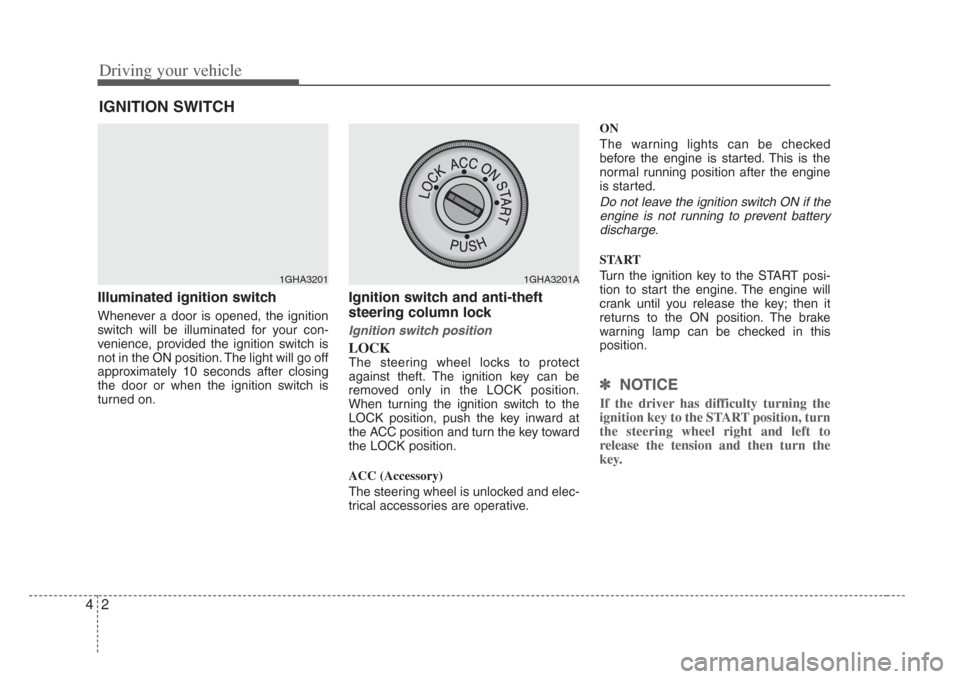
Illuminated ignition switch
Whenever a door is opened, the ignition
switch will be illuminated for your con-
venience, provided the ignition switch is
not in the ON position. The light will go off
approximately 10 seconds after closing
the door or when the ignition switch is
turned on.
Ignition switch and anti-theft
steering column lock
Ignition switch position
LOCK
The steering wheel locks to protect
against theft. The ignition key can be
removed only in the LOCK position.
When turning the ignition switch to the
LOCK position, push the key inward at
the ACC position and turn the key toward
the LOCK position.
ACC (Accessory)
The steering wheel is unlocked and elec-
trical accessories are operative. ON
The warning lights can be checked
before the engine is started. This is the
normal running position after the engine
is started.
Do not leave the ignition switch ON if the
engine is not running to prevent batterydischarge.
START
Turn the ignition key to the START posi-
tion to start the engine. The engine will
crank until you release the key; then it
returns to the ON position. The brake
warning lamp can be checked in this
position.
✽ NOTICE
If the driver has difficulty turning the
ignition key to the START position, turn
the steering wheel right and left to
release the tension and then turn the
key.
IGNITION SWITCH
1GHA32011GHA3201A
Page 134 of 283
43
Driving your vehicle
Automatic transaxle
When turning the ignition switch to the
LOCK position, the shift lever must be in
the P (Park) position.WARNING - Ignition key
• Never turn the ignition switch to
LOCK or ACC while the vehicle is
moving. Thi s would result in lo ss
of directional control and braking
function, which could cau se an
immediate accident.
• The anti-theft s teering column
lock is not a substitute for the
parking brake. Before leaving the
driver’ s seat, always make sure
the shift lever is engaged in P
(Park), set the parking brake fully
and shut the engine off.
Unexpected and sudden vehicle
movement may occur if these pre-
cautions are not taken.
• Never reach for the ignition switch, or any other controls
through the steering wheel while
the vehicle i s in motion. The pre s-
ence of your hand or arm in thi s
area could cause a loss of vehicle
control, an accident and serious
bodily injury or death.
• Do not put any movable thing s
around the driver’ s seat as they
can disturb your driving and may
cause accidents.
Page 135 of 283
Driving your vehicle
44
1. Make sure the parking brake isapplied.
2. Place the transaxle shift lever in P (Park). Depress the brake pedal fully.
You can also start the engine when the shift lever is in the N (Neutral)
position.
3. Turn the ignition switch to START and hold it there until the engine starts (a
maximum of 10 seconds), then
release the key.
4. In extremely cold weather (below -18°C / 0°F) or after the vehicle has
not been operated for several days, let
the engine warm up without depress-
ing the accelerator.
Whether the engine is cold or warm, itshould be started without depressing
the accelerator.
STARTING THE ENGINE
CAUTION
If the engine stalls while you are in motion, do not attempt to move the shift lever to the P (Park) po sition. If
traffic and road condition s permit,
you may put the shift lever in the N
(Neutral) position while the vehicle is still moving and turn the ignition
s witch to the START po sition in an
attempt to restart the engine.
WARNING
Always wear appropriate s hoes
when operating your vehicle.
Unsuitable shoes (high heel s,ski
boots,etc.) may interfere with your
ability to use the brake and acceler-
ator pedal.
Page 137 of 283
Driving your vehicle
64
Automatic transaxle operation
All normal forward driving is done with
the shift lever in the D (Drive) position.
To move the shift lever from the P (Park)
position, the brake pedal must be
depressed and the lock release button
must be depressed.
For smooth operation, depress the brakepedal when shifting from N (Neutral) to a forward or reverse gear.
✽ NOTICE
To avoid damage to your transaxle, do
not accelerate the engine in R
(Reverse) or any forward gear posi-
tion with the brakes on.
When stopped on an upgrade, do not hold the vehicle stationary with
engine power. Use the service brake
or the parking brake.
Do not shift from N (Neutral) or P (Park) into D (Drive), or R (Reverse)
when the engine is above idle speed.
Transaxle ranges
P (park)
This position locks the transaxle and pre-
vents the front wheels from rotating.
Always come to a complete stop before
shifting into this position.
WARNING- Automatic
transaxle
Before leaving the driver’ s seat,
always make sure the shift lever is
in the P (PARK) position; then set
the parking brake fully and shut the
engine off. Unexpected and sudden
vehicle movement can occur if
these precaution s are not followed
in the order identified.
WARNING
• Shifting into P (Park) while the vehicle is in motion will cause the
drive wheel s to lock which will
cause you to lose control of the
vehicle.
• Do not use the P (Park) po sition
in place of the parking brake.
Always make sure the shift lever
is latched in the P (Park) po sition
so that it cannot be moved unle ss
the lock release button is pushed
in, AND set the parking brake
fully.
(Continued)
Page 141 of 283
Driving your vehicle
104
Power brakes
Your vehicle has power-assisted brakes
that adjust automatically through normal
usage.
In the event that the power-assisted
brakes lose power because of a stalled
engine or some other reason, you can
still stop your vehicle by applying greater
force to the brake pedal than you nor-
mally would. The stopping distance, how-
ever, will be longer.
When the engine is not running, the
reserve brake power is partially depleted
each time the brake pedal is applied. Do
not pump the brake pedal when the
power assist has been interrupted.
In the event of brake failure
If service brakes fail to operate while the
vehicle is in motion, you can make an
emergency stop with the parking brake.
The stopping distance, however, will be
much greater than normal.
BRAKE SYSTEM
WARNING- Parking brake
Depressing the parking brake while
the vehicle is moving at normal
speeds can cause a sudden loss of
control of the vehicle. If you mu st
use the parking brake to stop the
vehicle, use great caution in apply-
ing the brake.
WARNING - Brakes
• Do not drive with your foot re st-
ing on the brake pedal. Thi s will
create abnormal high brake tem-
peratures, excessive brake lining
and pad wear, and increas ed
stopping di stances.
• When descending a long or steep hill, shift to a lower gear and
avoid continuous application of
the brakes . Continuous brake
application will cause the brakes
to overheat and could re sult in a
temporary loss of braking per-
formance.
(Continued)