ECO mode KIA AMANTI 2009 User Guide
[x] Cancel search | Manufacturer: KIA, Model Year: 2009, Model line: AMANTI, Model: KIA AMANTI 2009Pages: 321, PDF Size: 23.77 MB
Page 129 of 321
![KIA AMANTI 2009 User Guide 3117
Knowing your vehicle
1. iPod Selection ButtonIf iPod is connected, it turns to iPod mode.2. Automatic Track Selection Button Press the [TRACK ] button for lessthan 0.8 seconds to play from the
be](/img/2/57931/w960_57931-128.png "KIA AMANTI 2009 User Guide 3117
Knowing your vehicle
1. iPod Selection ButtonIf iPod is connected, it turns to iPod mode.2. Automatic Track Selection Button Press the [TRACK ] button for lessthan 0.8 seconds to play from the
be")
3117
Knowing your vehicle
1. iPod Selection ButtonIf iPod is connected, it turns to iPod mode.2. Automatic Track Selection Button Press the [TRACK ] button for lessthan 0.8 seconds to play from the
beginning of the song currently played.
Press the button for less than 0.8 sec-
onds and press it again within 1 sec-
onds to move and play the previous
track. Press the button for 0.8 seconds
or longer to play the song in reverse
direction in fast speed.
Press the [SEEK ] button for less than 0.8 seconds to move to the next
track. Press the button for 0.8 seconds
or longer to play the song in forward
direction in fast speed.3. RANDOM Play Button Press this button for less than 0.8 sec-
onds to activate 'RDM ' mode and more
than 0.8 seconds to activate 'ALBUM
RDM 'mode.
RDM : All songs in the current catego-ry are played back at random.
ALBUM RDM: An album in the iPod is selected at random and is played back
in the album song order.
4. REPEAT Play ButtonA single song is repeatedly played back.5. INFORMATION ButtonDisplays the information of the file cur-
rently played back as below when the
button is pressed each time.
TITLE
➟ARTIST
➟ALBUM
➟...
6. Category Search ButtonMoves to the upper category from current-
ly played category of the iPod. To move to
the category displayed, press [File Search
/ENTER] Button. You will be able to search
through the lower category of the selected
category. The order of iPod’s category is
PLAYLISTS, COMPOSERS, SONGS, AL-
BUMES, ARTISTS, GENRES.
7. File Search/ENTER Button When you turn the button clockwise, itwill display the songs(category) next to
the song currently played(category in
the same level). Also, when you turn
the button counterclockwise, it will dis-
play the songs(category) before the
song currently played(category in the
same level).
If you want to listen to the song dis-
played in the song category, press the
button, then it will skip to the selected
song and play.
When you turn the button, it will display the categorys next to the categorys
currently displayed. you can narrow
down your search as shown in the
table below.
1 STEP 2 STEP 3 STEP 4 STEP 5 STEPPlaylist Playlists Songs --
Artist Artists Albums Songs -
Album Albums Songs --
Song Songs -- -
Genre Genres Artists Albums Songs
Composer Composers Albums Songs -
Page 133 of 321
3121
Knowing your vehicle
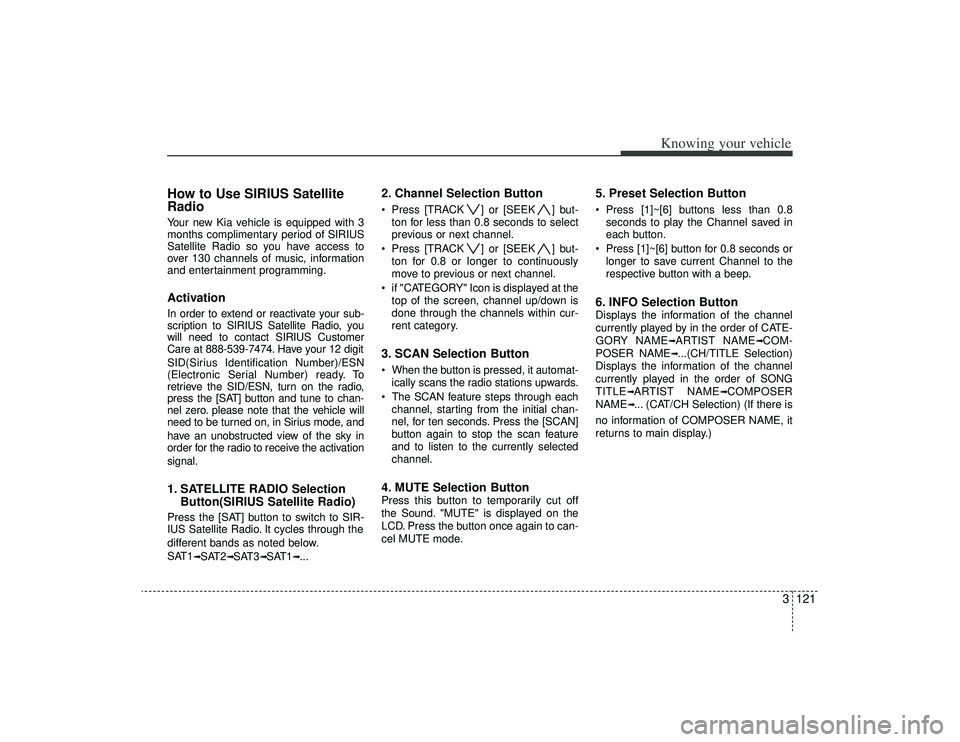
How to Use SIRIUS Satellite
RadioYour new Kia vehicle is equipped with 3
months complimentary period of SIRIUS
Satellite Radio so you have access to
over 130 channels of music, information
and entertainment programming.ActivationIn order to extend or reactivate your sub-
scription to SIRIUS Satellite Radio, you
will need to contact SIRIUS Customer
Care at 888-539-7474. Have your 12 digit
SID(Sirius Identification Number)/ESN
(Electronic Serial Number) ready. To
retrieve the SID/ESN, turn on the radio,
press the [SAT] button and tune to chan-
nel zero. please note that the vehicle will
need to be turned on, in Sirius mode, and
have an unobstructed view of the sky in
order for the radio to receive the activation
signal.1. SATELLITE RADIO SelectionButton(SIRIUS Satellite Radio)Press the [SAT] button to switch to SIR-
IUS Satellite Radio. It cycles through the
different bands as noted below.
SAT1
➟SAT2
➟SAT3
➟SAT1
➟...
2. Channel Selection Button Press [TRACK ] or [SEEK ] but-
ton for less than 0.8 seconds to select
previous or next channel.
Press [TRACK ] or [SEEK ] but- ton for 0.8 or longer to continuously
move to previous or next channel.
if "CATEGORY" Icon is displayed at the top of the screen, channel up/down is
done through the channels within cur-
rent category.3. SCAN Selection Button When the button is pressed, it automat-ically scans the radio stations upwards.
The SCAN feature steps through each channel, starting from the initial chan-
nel, for ten seconds. Press the [SCAN]
button again to stop the scan feature
and to listen to the currently selected
channel.4. MUTE Selection ButtonPress this button to temporarily cut off
the Sound. "MUTE" is displayed on the
LCD. Press the button once again to can-
cel MUTE mode.
5. Preset Selection Button Press [1]~[6] buttons less than 0.8seconds to play the Channel saved in
each button.
Press [1]~[6] button for 0.8 seconds or longer to save current Channel to the
respective button with a beep.6. INFO Selection ButtonDisplays the information of the channel
currently played by in the order of CATE-
GORY NAME
➟ARTIST NAME
➟COM-
POSER NAME
➟...(CH/TITLE Selection)
Displays the information of the channel
currently played in the order of SONG
TITLE
➟ARTIST NAME
➟COMPOSER
NAME
➟... (CAT/CH Selection) (If there is
no information of COMPOSER NAME, it
returns to main display.)
Page 136 of 321
![KIA AMANTI 2009 User Guide Knowing your vehicle124
31. DISPLAY ON/OFF This is the display window ON/OFF
function.
Each time the [DISP] button is pressed, the display window will be turned
ON/OFF.2. CLOCK Function This is the](/img/2/57931/w960_57931-135.png "KIA AMANTI 2009 User Guide Knowing your vehicle124
31. DISPLAY ON/OFF This is the display window ON/OFF
function.
Each time the [DISP] button is pressed, the display window will be turned
ON/OFF.2. CLOCK Function This is the")
Knowing your vehicle124
31. DISPLAY ON/OFF This is the display window ON/OFF
function.
Each time the [DISP] button is pressed, the display window will be turned
ON/OFF.2. CLOCK Function This is the clock adjustment function.
Each time [CLOCK] is pressed, thesecond
➟minute will blink once every
0.5 seconds and switch modes.
Pressing the [CLOCK] again while the "minute" mode is blinking or waiting 10
seconds will turn off time adjustment
mode and save the set time.
The clock can be set in 12 hour or 24 hour modes. The 12 hour system is the
default and can be changed to 24 hour
system within the SET-UP menu.
3. Time/Date Increase/Decrease Function While in Time/Date mode, pressing the
[ ], [ ] buttons will increase/
decrease the time/date.
This function will operate only after pressing the time/date button and the
hour/minute/month/day is blinking.
4. RESET Function The RESET function can be usedwhen adjusting the time.
If the [RESET] is pressed while adjust- ing the "hour", the hour will display
"AM12" when using 12 hour clock
mode and "00" when using 24 hour
clock mode.
If the RESET is pressed while adjust- ing the "min", the minute display will be
changed to "00".
The RESET function can be used while adjusting the date.
If the [RESET] is pressed while adjust- ing the "month/day", the corresponding
display will be changed to "01month/
01day".
5. DATE Function This is used to adjust the date.
Each time [DATE] is pressed, the mon-th
➟day will blink once every 0.5 sec-
onds and switch modes.
Pressing the [DATE] again while the "day" is blinking or waiting 10 seconds
will turn off date adjustment mode and
save the set date.
❈Slight differences with actual time may
occur. Please readjust the time upon
the occurrence of such differences.
Page 145 of 321
49
Driving your vehicle
Moving up a steep grade from a
standing startTo move up a steep grade from a stand-
ing start, depress the brake pedal, shift
the shift lever to D (Drive). Select the
appropriate gear depending on load
weight and steepness of the grade, and
release the parking brake. Depress the
accelerator gradually while releasing the
service brakes.
When accelerating from a stop on a
steep hill, the vehicle may have a ten-
dency to roll backwards. Shifting the
shift lever into 2 (Second Gear) while
in Sport mode will help prevent the
vehicle from rolling backwards.Ignition key inter lock systemThe ignition key cannot be removed
unless the shift lever is in the P (Park)
position. If the ignition switch is in any
other position, the key cannot be
removed.
Shift lock systemFor your safety, the Automatic Transaxle
has a shift lock system which prevents
shifting the transaxle out of P (Park)
unless the brake pedal is depressed.
To shift the transaxle out of P (Park):
1. Depress and hold the brake pedal.
2. Start the engine or turn the ignition tothe ON position.
3. Move the shift lever.
If the brake pedal is repeatedly
depressed and released with the shift
lever in the P (Park) position, a chattering
sound near the shift lever may be heard.
This is a normal condition.
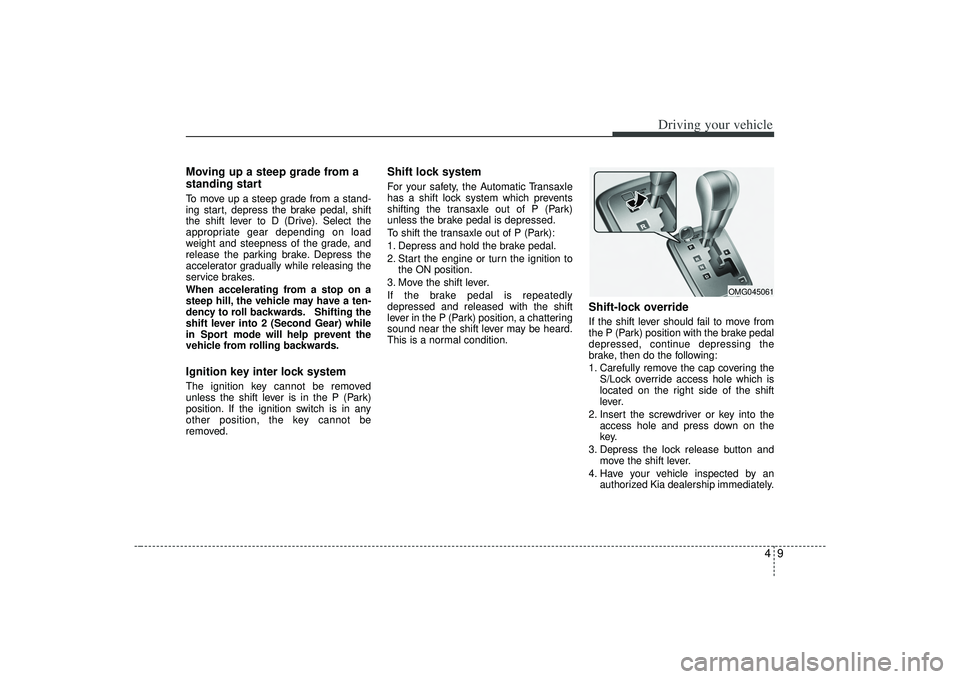
Shift-lock overrideIf the shift lever should fail to move from
the P (Park) position with the brake pedal
depressed, continue depressing the
brake, then do the following:
1. Carefully remove the cap covering the S/Lock override access hole which is
located on the right side of the shift
lever.
2. Insert the screwdriver or key into the access hole and press down on the
key.
3. Depress the lock release button and move the shift lever.
4. Have your vehicle inspected by an authorized Kia dealership immediately.
OMG045061
Page 164 of 321
Driving your vehicle28
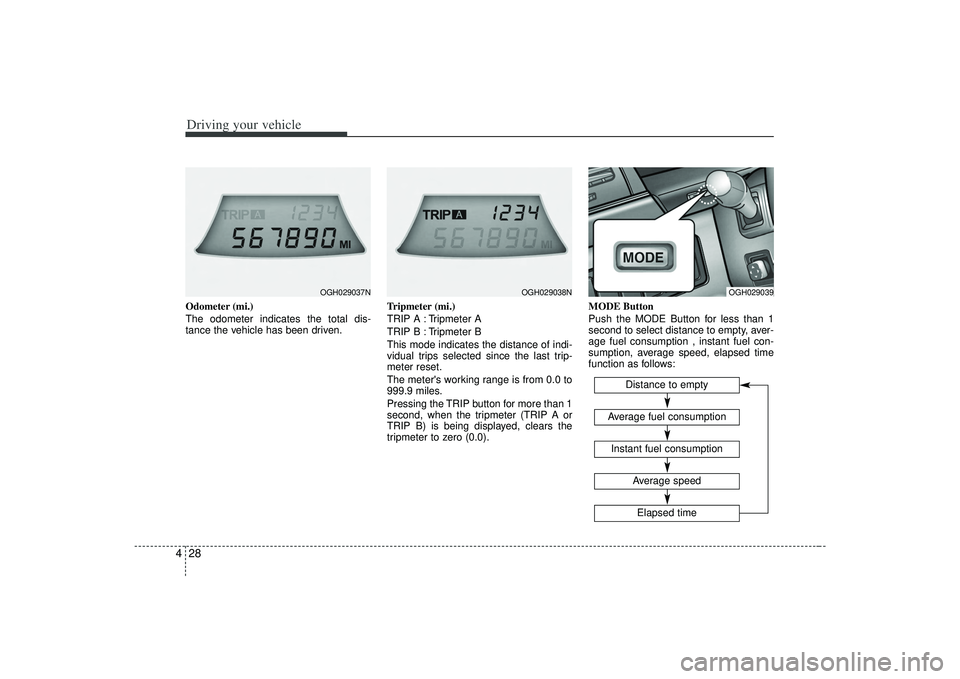
4Odometer (mi.)
The odometer indicates the total dis-
tance the vehicle has been driven. Tripmeter (mi.)
TRIP A : Tripmeter A
TRIP B : Tripmeter B
This mode indicates the distance of indi-
vidual trips selected since the last trip-
meter reset.
The meter's working range is from 0.0 to
999.9 miles.
Pressing the TRIP button for more than 1
second, when the tripmeter (TRIP A or
TRIP B) is being displayed, clears the
tripmeter to zero (0.0).MODE Button
Push the MODE Button for less than 1
second to select distance to empty, aver-
age fuel consumption , instant fuel con-
sumption, average speed, elapsed time
function as follows:
OGH029037N
OGH029038N
OGH029039
Distance to empty
Instant fuel consumptionAverage fuel consumption
Elapsed timeAverage speed
Page 165 of 321
429
Driving your vehicle
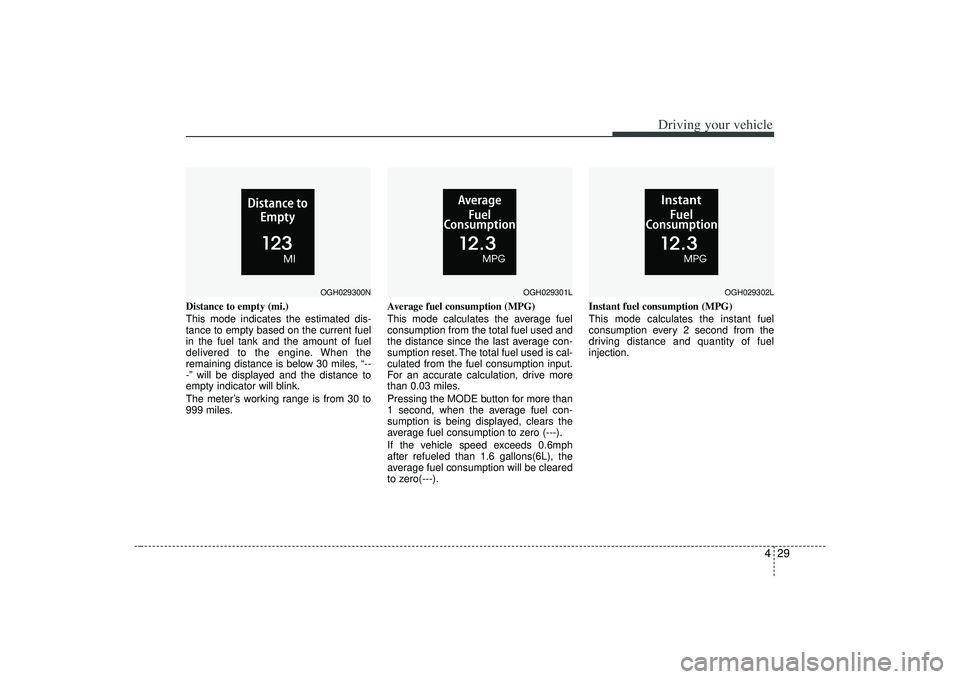
Distance to empty (mi.)
This mode indicates the estimated dis-
tance to empty based on the current fuel
in the fuel tank and the amount of fuel
delivered to the engine. When the
remaining distance is below 30 miles, “--
-” will be displayed and the distance to
empty indicator will blink.
The meter’s working range is from 30 to
999 miles.Average fuel consumption (MPG)
This mode calculates the average fuel
consumption from the total fuel used and
the distance since the last average con-
sumption reset. The total fuel used is cal-
culated from the fuel consumption input.
For an accurate calculation, drive more
than 0.03 miles.
Pressing the MODE button for more than
1 second, when the average fuel con-
sumption is being displayed, clears the
average fuel consumption to zero (---).
If the vehicle speed exceeds 0.6mph
after refueled than 1.6 gallons(6L), the
average fuel consumption will be cleared
to zero(---).Instant fuel consumption (MPG)
This mode calculates the instant fuel
consumption every 2 second from the
driving distance and quantity of fuel
injection.
OGH029300N
OGH029301L
OGH029302L
Page 166 of 321
Driving your vehicle30
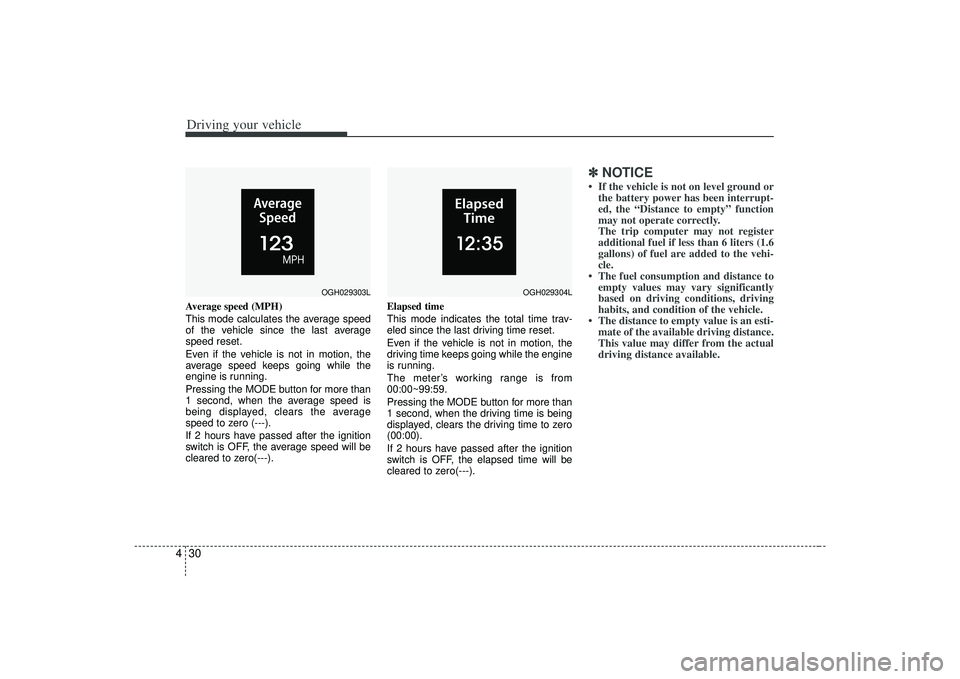
4Average speed (MPH)
This mode calculates the average speed
of the vehicle since the last average
speed reset.
Even if the vehicle is not in motion, the
average speed keeps going while the
engine is running.
Pressing the MODE button for more than
1 second, when the average speed is
being displayed, clears the average
speed to zero (---).
If 2 hours have passed after the ignition
switch is OFF, the average speed will be
cleared to zero(---). Elapsed time
This mode indicates the total time trav-
eled since the last driving time reset.
Even if the vehicle is not in motion, the
driving time keeps going while the engine
is running.
The meter’s working range is from
00:00~99:59.
Pressing the MODE button for more than
1 second, when the driving time is being
displayed, clears the driving time to zero
(00:00).
If 2 hours have passed after the ignition
switch is OFF, the elapsed time will be
cleared to zero(---).
✽ ✽
NOTICE• If the vehicle is not on level ground or
the battery power has been interrupt-
ed, the “Distance to empty” function
may not operate correctly.
The trip computer may not register
additional fuel if less than 6 liters (1.6
gallons) of fuel are added to the vehi-
cle.
• The fuel consumption and distance to empty values may vary significantly
based on driving conditions, driving
habits, and condition of the vehicle.
• The distance to empty value is an esti- mate of the available driving distance.
This value may differ from the actual
driving distance available.
OGH029303L
OGH029304L
Page 172 of 321
Driving your vehicle36
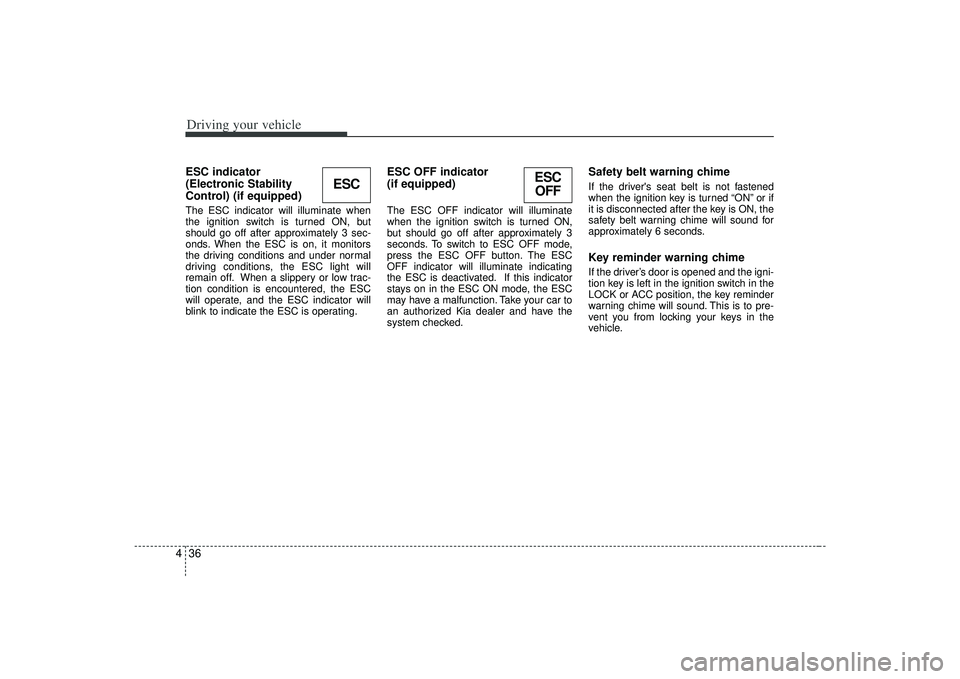
4ESC indicator
(Electronic Stability
Control) (if equipped) The ESC indicator will illuminate when
the ignition switch is turned ON, but
should go off after approximately 3 sec-
onds. When the ESC is on, it monitors
the driving conditions and under normal
driving conditions, the ESC light will
remain off. When a slippery or low trac-
tion condition is encountered, the ESC
will operate, and the ESC indicator will
blink to indicate the ESC is operating.
ESC OFF indicator
(if equipped)The ESC OFF indicator will illuminate
when the ignition switch is turned ON,
but should go off after approximately 3
seconds. To switch to ESC OFF mode,
press the ESC OFF button. The ESC
OFF indicator will illuminate indicating
the ESC is deactivated. If this indicator
stays on in the ESC ON mode, the ESC
may have a malfunction. Take your car to
an authorized Kia dealer and have the
system checked.
Safety belt warning chime If the driver's seat belt is not fastened
when the ignition key is turned “ON” or if
it is disconnected after the key is ON, the
safety belt warning chime will sound for
approximately 6 seconds.Key reminder warning chimeIf the driver’s door is opened and the igni-
tion key is left in the ignition switch in the
LOCK or ACC position, the key reminder
warning chime will sound. This is to pre-
vent you from locking your keys in the
vehicle.
ESC
ESC
OFF
Page 185 of 321
449
Driving your vehicle
Adjusting the driver and passenger side
temperature equally
1. Press the DUAL button again or if youselect the highest (HI) or lowest (Lo)
temperature, the DUAL mode deacti-
vates (the indicator light in the button
turns off). The passenger side temper-
ature will be set to the same tempera-
ture as the driver side.
2. Press the left temperature control but- ton. The driver and passenger side
temperature will be adjusted equally.Temperature conversionIf the battery has been discharged or dis-
connected, the temperature mode will
reset as Centigrade degrees.
This is normal condition and you can
switch the temperature mode between
Centigrade to Fahrenheit as follows;
While depressing the MODE button,
depress the DUAL button for 3 seconds
or more. The display will change from
Centigrade to Fahrenheit, or from
Fahrenheit to Centigrade.
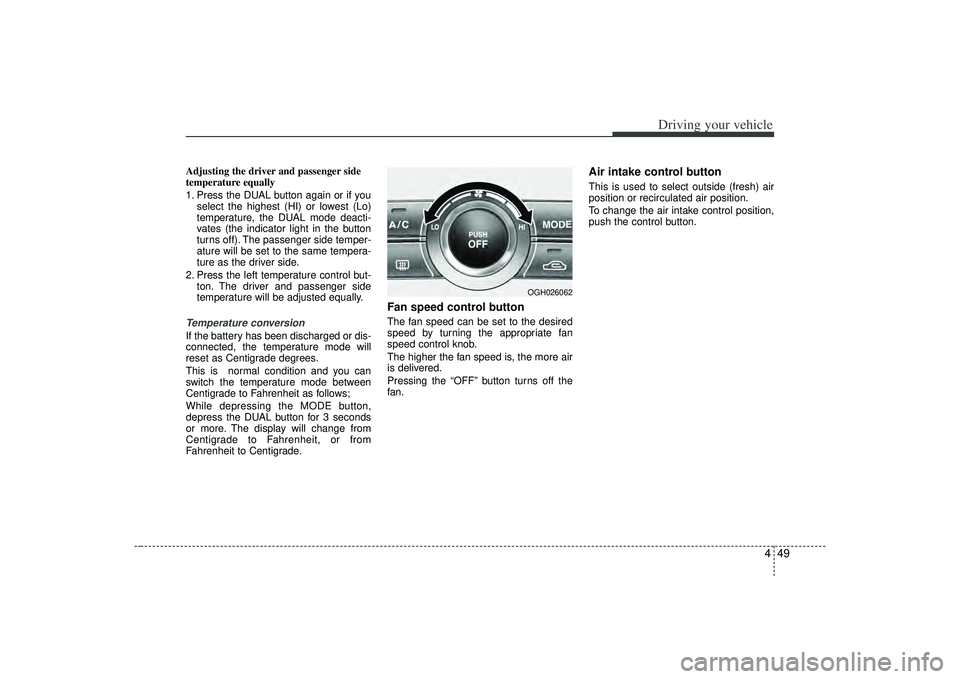
Fan speed control buttonThe fan speed can be set to the desired
speed by turning the appropriate fan
speed control knob.
The higher the fan speed is, the more air
is delivered.
Pressing the “OFF” button turns off the
fan.
Air intake control button This is used to select outside (fresh) air
position or recirculated air position.
To change the air intake control position,
push the control button.
OGH026062
Page 190 of 321
Driving your vehicle54
4Air conditioning system opera-
tion tips If the vehicle has been parked in direct
sunlight during hot weather, open the
windows for a short time to let the hot
air inside the vehicle escape.
To help reduce moisture inside of the windows on rainy humid days,
decrease the humidity inside the vehi-
cle by operating the air conditioning
system.
During air conditioning system opera- tion, you may occasionally notice a
slight change in the engine speed as
the air conditioning compressor cycles
on. This is a normal system operation
characteristics.
Use the air conditioning system every month only for a few minutes to ensure
maximum system performance.
When using the air conditioning sys- tem, you may notice clear water drip-
ping (or even pudding) on the ground
under the passenger side of the vehi-
cle. This is a normal system operation
characteristics. Operating the air conditioning system
in the recirculated air position does
provide maximum cooling, however,
continual operation in this mode may
cause the air inside the vehicle to
become stale.
Checking the amount of air con-
ditioner refrigerant and compres-
sor lubricantWhen the amount of refrigerant is low,
the performance of the air conditioning is
reduced. Overfilling also has a bad influ-
ence on the air conditioning system.
Therefore, if abnormal operation is
found, have the system inspected by an
authorized Kia dealer.
CAUTION
When the performance of the airconditioning system is reduced it isimportant that the correct type and amount of oil and refrigerant isused. Otherwise, damage to the compressor and abnormal systemoperation may occur.
CAUTION
When using the air conditioningsystem, monitor the temperature gauge closely while driving up hillsor in heavy traffic when outside temperatures are high. Air condi-tioning system operation maycause engine overheating. Continue to use the blower fan butturn the air conditioning system off if the temperature gauge indicatesengine overheating.
WARNING
The air conditioning system should
be serviced by an authorized Kia
dealer. Improper service may cause
serious injury to the person per-
forming the service.