battery KIA AMANTI 2009 User Guide
[x] Cancel search | Manufacturer: KIA, Model Year: 2009, Model line: AMANTI, Model: KIA AMANTI 2009Pages: 321, PDF Size: 23.77 MB
Page 110 of 321
Knowing your vehicle98
3Resetting the sunroofWhenever the vehicle battery is discon-
nected or discharged, or you use the
emergency handle to operate the sun-
roof, you have to reset your sunroof sys-
tem as follows:
1. Turn the ignition key to the ON posi-
tion.
2. According to the position of the sun- roof, do as follows.
1) in case that the sunroof has closedcompletely or been tilted
: Press the TILT UP button for 1 second.
2) in case that the sunroof has slide- opened
: Press and hold the CLOSE button for more than 5 seconds until the
sunroof has closed completely.
And then press the TILT UP but-
ton for 1 second
3. Then, release it.
4. Press and hold the TILT UP button once again until the sunroof has
returned to the original position of
TILT UP after it is raised a little higher
than the maximum TILT UP position.
When this is complete, the sunroof sys-
tem is reset.
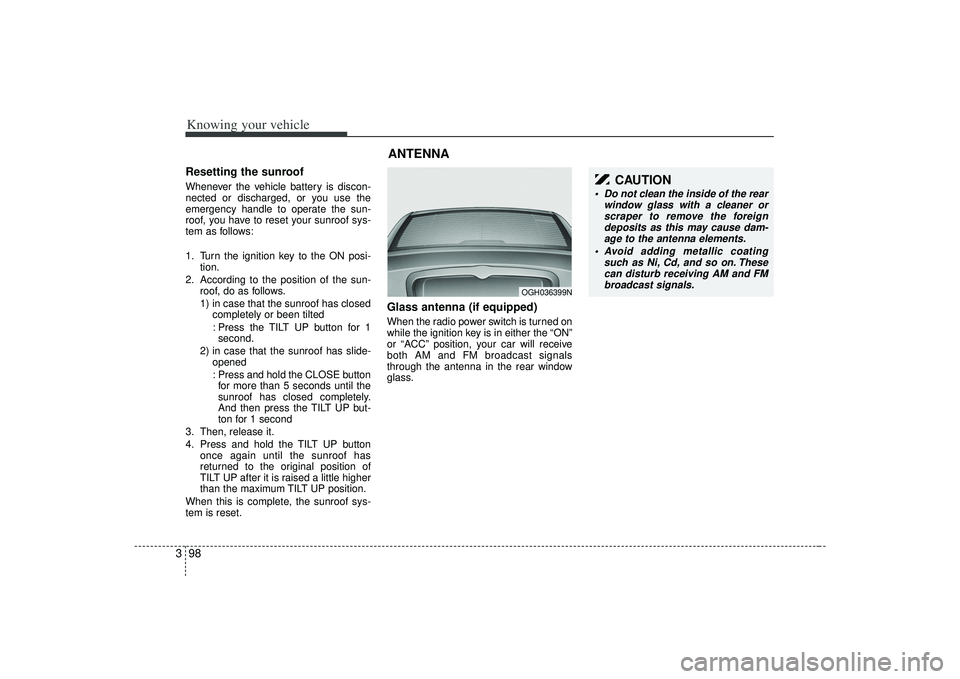
Glass antenna (if equipped)When the radio power switch is turned on
while the ignition key is in either the “ON”
or “ACC” position, your car will receive
both AM and FM broadcast signals
through the antenna in the rear window
glass.ANTENNA
OGH036399N
CAUTION
Do not clean the inside of the rear window glass with a cleaner orscraper to remove the foreigndeposits as this may cause dam- age to the antenna elements.
Avoid adding metallic coating such as Ni, Cd, and so on. Thesecan disturb receiving AM and FMbroadcast signals.
Page 130 of 321
Knowing your vehicle118
3✽
✽
NOTICE -
Using iPod device
• Some iPod models might not support
the communication protocol and the
files will not be played. (iPod models
supported: Mini, 4G, Photo, Nano,
5G)
• The order of search or playback of songs in the iPod can be different
from the order searched in the audio
system.
• If the iPod crashes due to its own trou- ble, reset iPod. (Reset: Refer to iPod
manual)
• iPod may not operate normally on low battery.
(Continued)
When the iPod cable is connected, the system can be switched to theAUX mode even without the iPoddevice and can cause noise. Disconnect iPod cable when youare not using the iPod device.
CAUTION
- Using iPod device
You need the power cable exclu-
sive for iPod in order to operateiPod with the buttons on the audio system. The PC cable provided byApple may cause malfunction and do not use it for vehicle use.
When connecting the device with iPod cable, push in the jack fullynot to interfere with communica-tion.
When adjusting the sound effects of iPod and the audio system, thesound effects of both devices willoverlap each and might causereduce or distort the quality of thesound.
Deactivate (turn off) the equalizer function of iPod when adjustingthe audio system’s volume, andturn off the equalizer of the audio system when using the equalizerof iPod.
(Continued)
Page 138 of 321
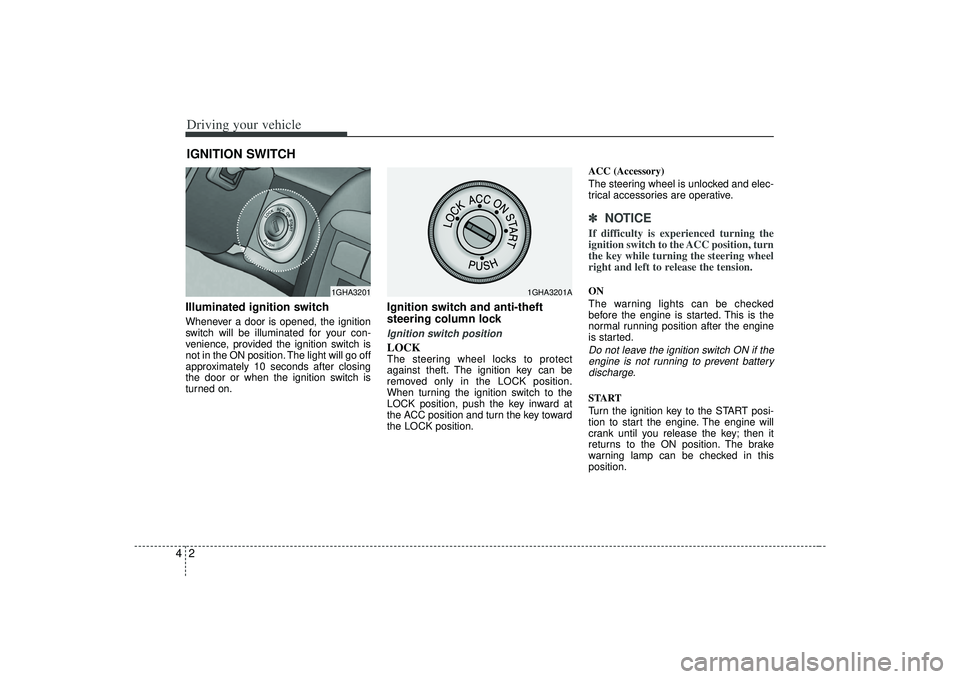
Driving your vehicle24Illuminated ignition switchWhenever a door is opened, the ignition
switch will be illuminated for your con-
venience, provided the ignition switch is
not in the ON position. The light will go off
approximately 10 seconds after closing
the door or when the ignition switch is
turned on.
Ignition switch and anti-theft
steering column lock Ignition switch positionLOCKThe steering wheel locks to protect
against theft. The ignition key can be
removed only in the LOCK position.
When turning the ignition switch to the
LOCK position, push the key inward at
the ACC position and turn the key toward
the LOCK position.ACC (Accessory)
The steering wheel is unlocked and elec-
trical accessories are operative.
✽ ✽
NOTICEIf difficulty is experienced turning the
ignition switch to the ACC position, turn
the key while turning the steering wheel
right and left to release the tension.ON
The warning lights can be checked
before the engine is started. This is the
normal running position after the engine
is started.Do not leave the ignition switch ON if the
engine is not running to prevent batterydischarge.START
Turn the ignition key to the START posi-
tion to start the engine. The engine will
crank until you release the key; then it
returns to the ON position. The brake
warning lamp can be checked in this
position.
IGNITION SWITCH
1GHA3201
1GHA3201A
Page 152 of 321
Driving your vehicle16
4✽
✽
NOTICE• If the ABS warning light is on and
stays on, you may have a problem
with the ABS system. In this case,
however, your regular brakes will
work normally.
• The ABS warning light will stay on for approximately 3 seconds after the
ignition switch is ON. During that
time, the ABS will go through self-
diagnosis and the light will go off if
everything is normal. If the light stays
on, you may have a problem with your
ABS system. Contact an authorized
Kia dealer as soon as possible.
✽ ✽ NOTICE• When you drive on a road having
poor traction, such as an icy road, and
operate your brakes continuously, the
ABS will be active continuously and
the ABS warning light may illuminate.
Pull your car over to a safe place and
stop the engine.
• Restart the engine. If the ABS warn- ing light is off, then your ABS system
is normal. Otherwise, you may have a
problem with the ABS. Contact an
authorized Kia dealer as soon as pos-
sible.
✽ ✽ NOTICEWhen you jump start your vehicle
because of a drained battery, the engine
may not run as smoothly and the ABS
warning light may turn on at the same
time. This happens because of the low
battery voltage. It does not mean your
ABS is malfunctioning.
• Do not pump your brakes!
• Have the battery recharged before
driving the vehicle.
ABS
W-78
Page 163 of 321
427
Driving your vehicle
Fuel gaugeThe fuel gauge indicates the approxi-
mate amount of fuel remaining in the fuel
tank.
Fuel tank capacity - 18.49 US gal. (70
liters).
The fuel gauge is supplemented by a low
fuel warning light, which will illuminate
when the fuel tank is nearly empty.
Trip computerThe trip computer is a microcomputer-
controlled driver information system that
displays information related to driving,
including odometer, tripmeter, driving
time, average speed, average fuel con-
sumption, instant fuel consumption and
distance to empty on the display when
the ignition switch is in the ON position.
All stored driving information (except
odometer) is reset if the battery is dis-
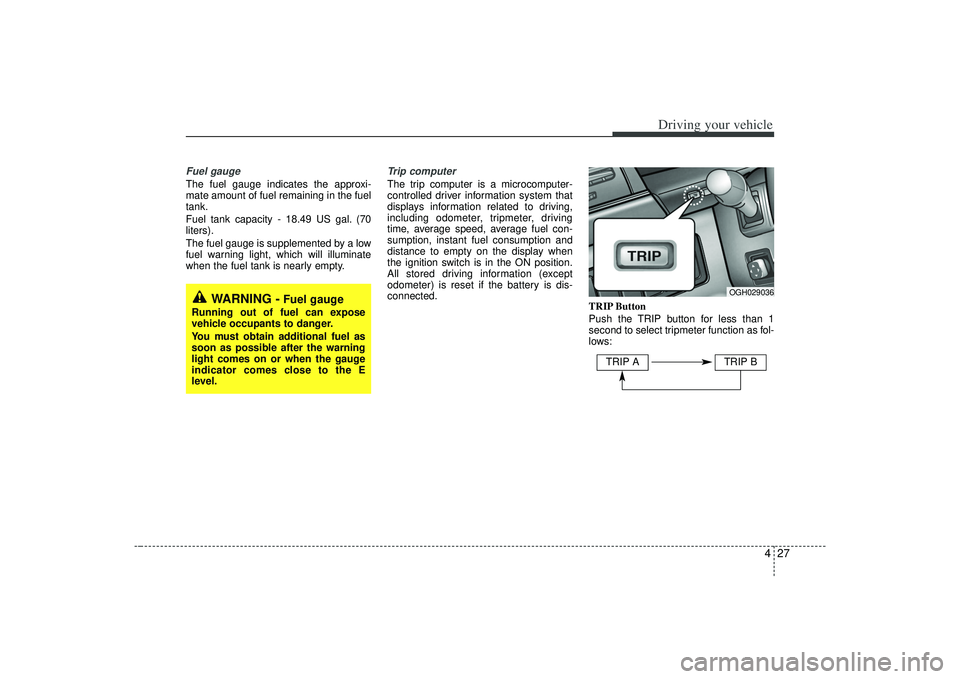
connected.TRIP Button
Push the TRIP button for less than 1
second to select tripmeter function as fol-
lows:
WARNING -
Fuel gauge
Running out of fuel can expose
vehicle occupants to danger.
You must obtain additional fuel as
soon as possible after the warning
light comes on or when the gauge
indicator comes close to the E
level.
OGH029036
TRIP A
TRIP B
Page 166 of 321
Driving your vehicle30
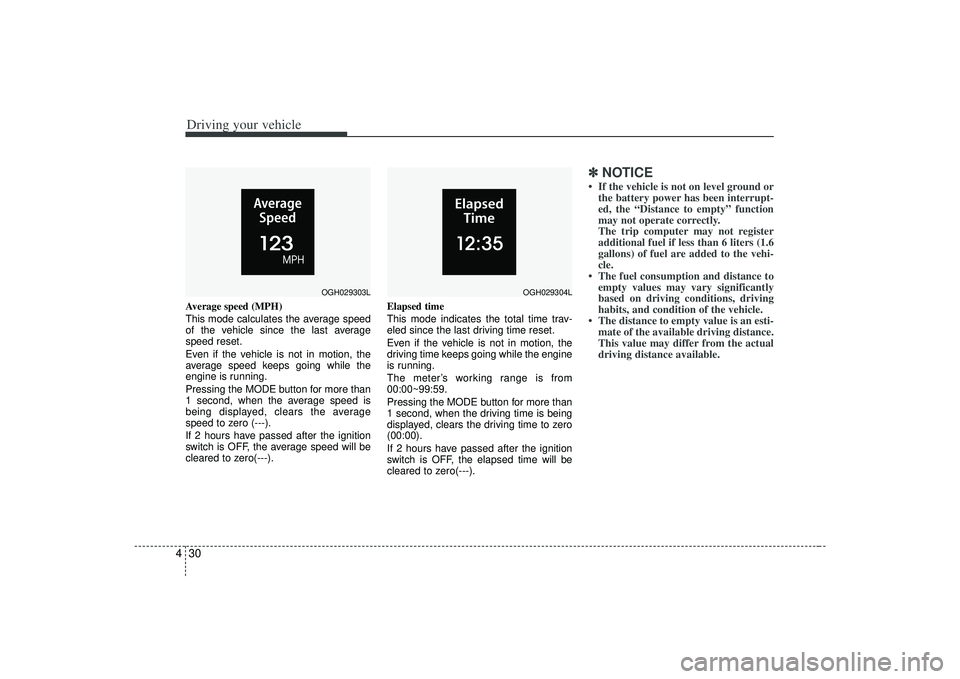
4Average speed (MPH)
This mode calculates the average speed
of the vehicle since the last average
speed reset.
Even if the vehicle is not in motion, the
average speed keeps going while the
engine is running.
Pressing the MODE button for more than
1 second, when the average speed is
being displayed, clears the average
speed to zero (---).
If 2 hours have passed after the ignition
switch is OFF, the average speed will be
cleared to zero(---). Elapsed time
This mode indicates the total time trav-
eled since the last driving time reset.
Even if the vehicle is not in motion, the
driving time keeps going while the engine
is running.
The meter’s working range is from
00:00~99:59.
Pressing the MODE button for more than
1 second, when the driving time is being
displayed, clears the driving time to zero
(00:00).
If 2 hours have passed after the ignition
switch is OFF, the elapsed time will be
cleared to zero(---).
✽ ✽
NOTICE• If the vehicle is not on level ground or
the battery power has been interrupt-
ed, the “Distance to empty” function
may not operate correctly.
The trip computer may not register
additional fuel if less than 6 liters (1.6
gallons) of fuel are added to the vehi-
cle.
• The fuel consumption and distance to empty values may vary significantly
based on driving conditions, driving
habits, and condition of the vehicle.
• The distance to empty value is an esti- mate of the available driving distance.
This value may differ from the actual
driving distance available.
OGH029303L
OGH029304L
Page 174 of 321
Driving your vehicle38
4Battery saver function The purpose of this feature is to pre-
vent the battery from being dis-
charged. The system automatically
turns off the exterior light when the
driver removes the ignition key and
opens the driver- side door.
With this feature, the parklight will be turned off automatically if the driver
parks on the side of road at night.
If necessary, to keep the lights on when
the ignition key is removed, perform the
following :
1) Open the driver-side door.
2) Turn the parklights OFF and ON again using the light switch on the steering
column.
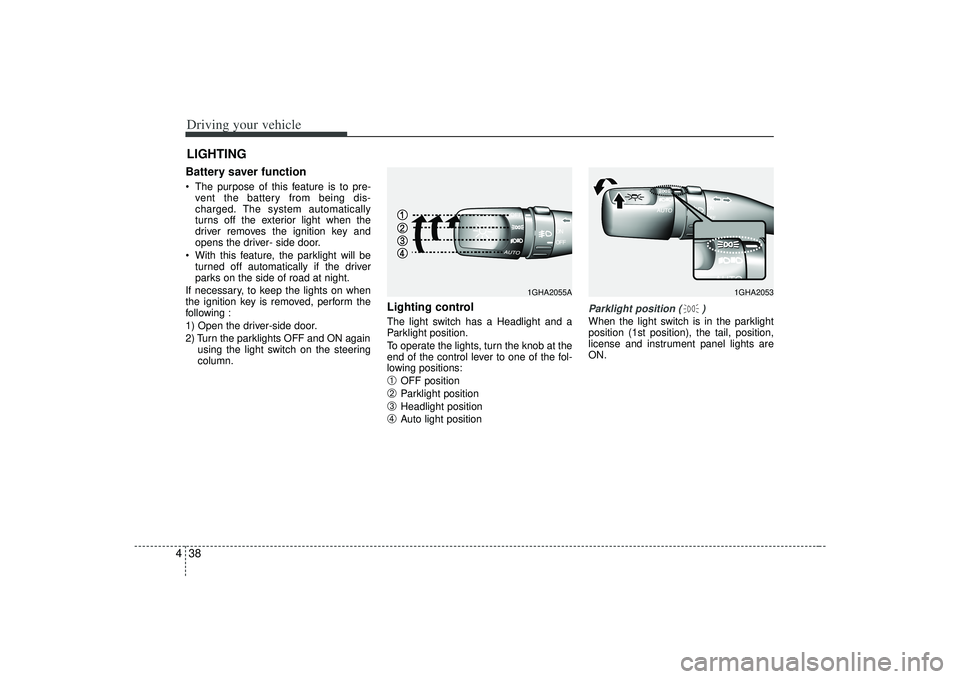
Lighting control The light switch has a Headlight and a
Parklight position.
To operate the lights, turn the knob at the
end of the control lever to one of the fol-
lowing positions:➀
OFF position
➁
Parklight position
➂
Headlight position
➃
Auto light position
Parklight position ( )When the light switch is in the parklight
position (1st position), the tail, position,
license and instrument panel lights are
ON.
LIGHTING
1GHA2053
1GHA2055A
Page 176 of 321
Driving your vehicle40
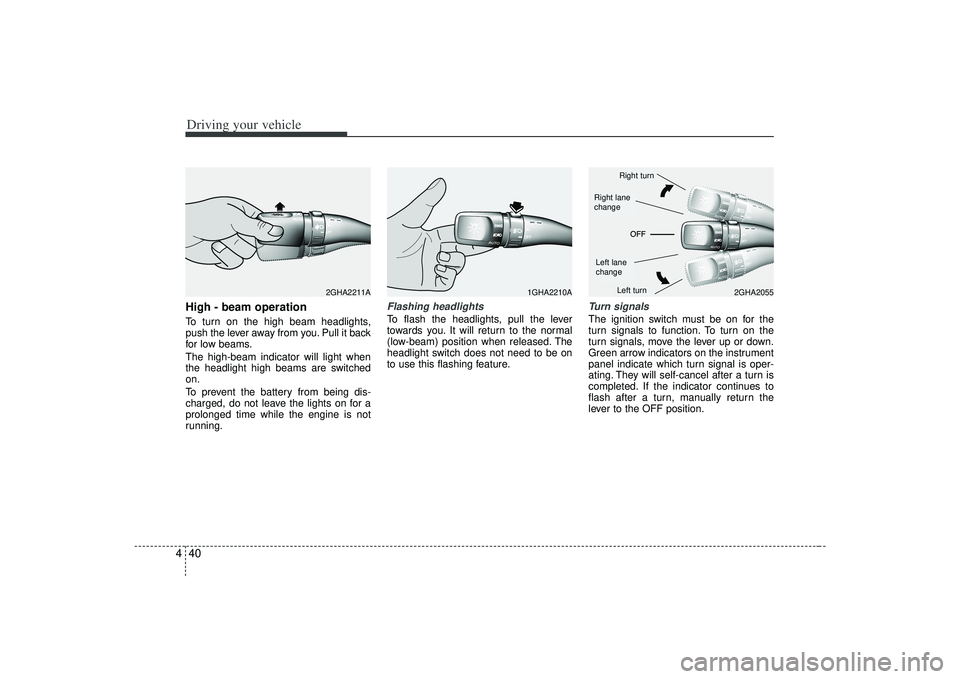
4High - beam operation To turn on the high beam headlights,
push the lever away from you. Pull it back
for low beams.
The high-beam indicator will light when
the headlight high beams are switched
on.
To prevent the battery from being dis-
charged, do not leave the lights on for a
prolonged time while the engine is not
running.
Flashing headlights To flash the headlights, pull the lever
towards you. It will return to the normal
(low-beam) position when released. The
headlight switch does not need to be on
to use this flashing feature.
Turn signalsThe ignition switch must be on for the
turn signals to function. To turn on the
turn signals, move the lever up or down.
Green arrow indicators on the instrument
panel indicate which turn signal is oper-
ating. They will self-cancel after a turn is
completed. If the indicator continues to
flash after a turn, manually return the
lever to the OFF position.
1GHA2210A
2GHA2055
2GHA2211A
Right turnLeft turn
Left lane
changeRight lane
change
Page 177 of 321
441
Driving your vehicle
Lane change signals To signal a lane change, move the turn
signal lever slightly and hold it in position.
The lever will return to the OFF position
when released.
If an indicator stays on and does not
flash or if it flashes abnormally, one of the
turn signal bulbs may be burned out and
will require replacement.✽ ✽NOTICEIf an indicator flash is abnormally quick
or slow, bulb may be burned out or have
a poor electrical connection in the cir-
cuit.
Automatic headlight aiming
(if equipped)To provide better driver visibility and
reduce eye fatigue, the headlight aiming
(direction) is automatically controlled
depending on vehicle load and vehicle
angle (when vehicle is loaded with pas-
sengers, cargo or used for towing, the
additional load can alter the headlight
aiming point on the road surface). This
system provides constant automatic
headlight aiming under various vehicle
conditions and angles to ensure the
headlights are always pointed in the right
direction.
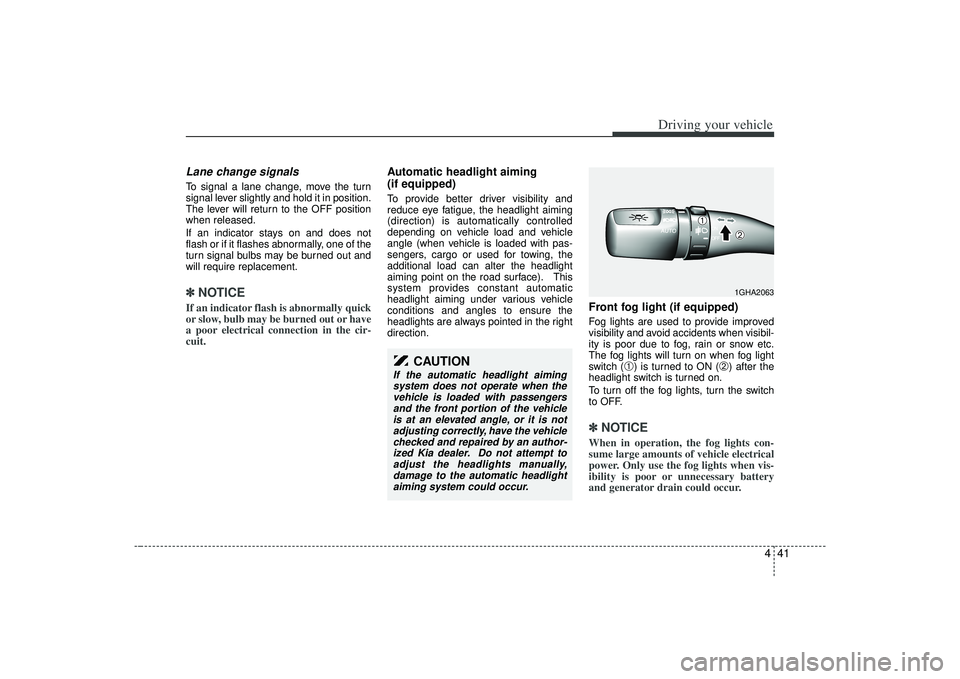
Front fog light (if equipped) Fog lights are used to provide improved
visibility and avoid accidents when visibil-
ity is poor due to fog, rain or snow etc.
The fog lights will turn on when fog light
switch (
➀) is turned to ON (
➁) after the
headlight switch is turned on.
To turn off the fog lights, turn the switch
to OFF.
✽ ✽ NOTICEWhen in operation, the fog lights con-
sume large amounts of vehicle electrical
power. Only use the fog lights when vis-
ibility is poor or unnecessary battery
and generator drain could occur.
CAUTION
If the automatic headlight aiming
system does not operate when thevehicle is loaded with passengersand the front portion of the vehicleis at an elevated angle, or it is not adjusting correctly, have the vehiclechecked and repaired by an author- ized Kia dealer. Do not attempt toadjust the headlights manually, damage to the automatic headlightaiming system could occur.
1GHA2063
➀
➁
Page 181 of 321
445
Driving your vehicle
✽
✽NOTICE• To prevent damage to the conductors
bonded to the inside surface of the
bottom of the front windshield and the
rear window, never use sharp instru-
ments or window cleaners containing
abrasives to clean the window.
• To prevent the battery from being dis- charged, operate the defroster only
while the engine is running.
• The front windshield defroster is designed to defrost wiper blades. If
you want to defrost and defog the
front windshield, refer to “Windshield
Defrosting and Defogging” in this sec-
tion.
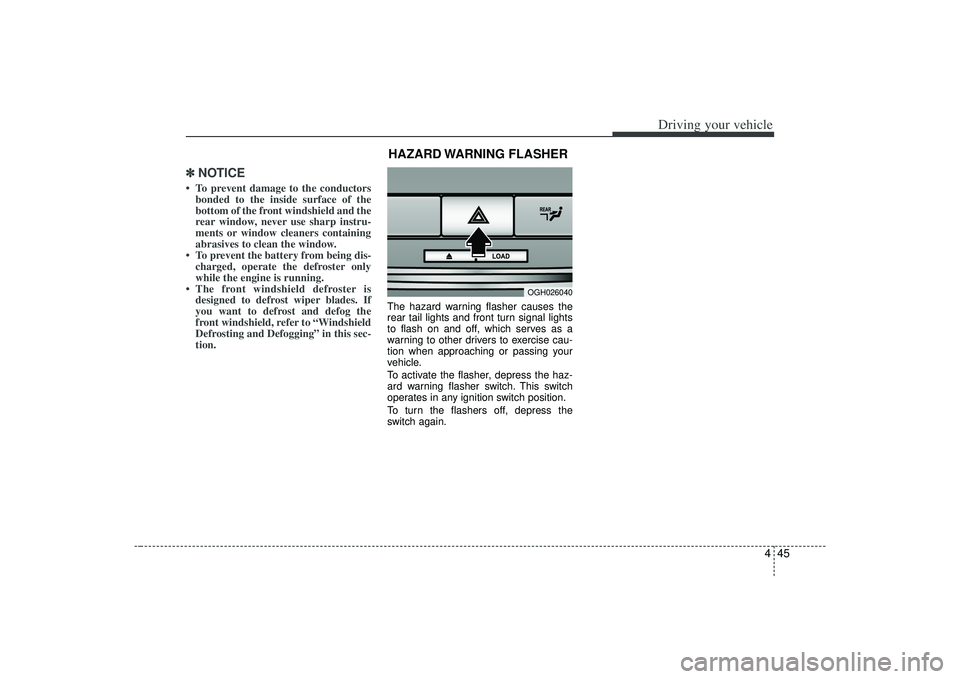
The hazard warning flasher causes the
rear tail lights and front turn signal lights
to flash on and off, which serves as a
warning to other drivers to exercise cau-
tion when approaching or passing your
vehicle.
To activate the flasher, depress the haz-
ard warning flasher switch. This switch
operates in any ignition switch position.
To turn the flashers off, depress the
switch again.
OGH026040
HAZARD WARNING FLASHER