reset KIA AMANTI 2009 Owners Manual
[x] Cancel search | Manufacturer: KIA, Model Year: 2009, Model line: AMANTI, Model: KIA AMANTI 2009Pages: 321, PDF Size: 23.77 MB
Page 27 of 321
315
Knowing your vehicle
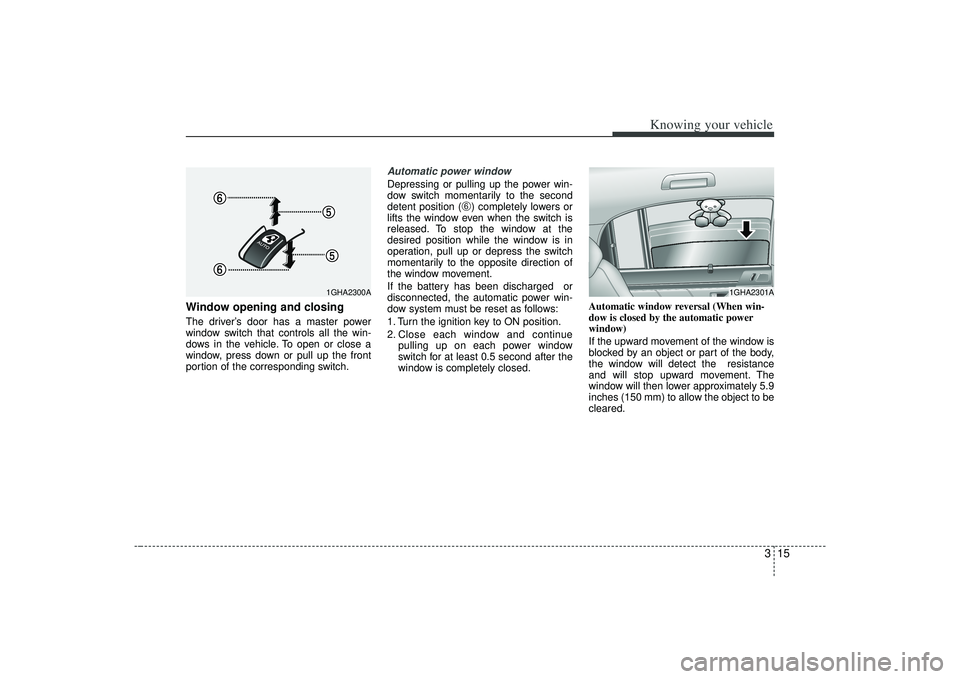
Window opening and closingThe driver’s door has a master power
window switch that controls all the win-
dows in the vehicle. To open or close a
window, press down or pull up the front
portion of the corresponding switch.
Automatic power windowDepressing or pulling up the power win-
dow switch momentarily to the second
detent position (
\b) completely lowers or
lifts the window even when the switch is
released. To stop the window at the
desired position while the window is in
operation, pull up or depress the switch
momentarily to the opposite direction of
the window movement.
If the battery has been discharged or
disconnected, the automatic power win-
dow system must be reset as follows:
1. Turn the ignition key to ON position.
2. Close each window and continue pulling up on each power window
switch for at least 0.5 second after the
window is completely closed. Automatic window reversal (When win-
dow is closed by the automatic power
window)
If the upward movement of the window is
blocked by an object or part of the body,
the window will detect the resistance
and will stop upward movement. The
window will then lower approximately 5.9
inches (150 mm) to allow the object to be
cleared.
1GHA2301A
1GHA2300A
Page 107 of 321
395
Knowing your vehicle
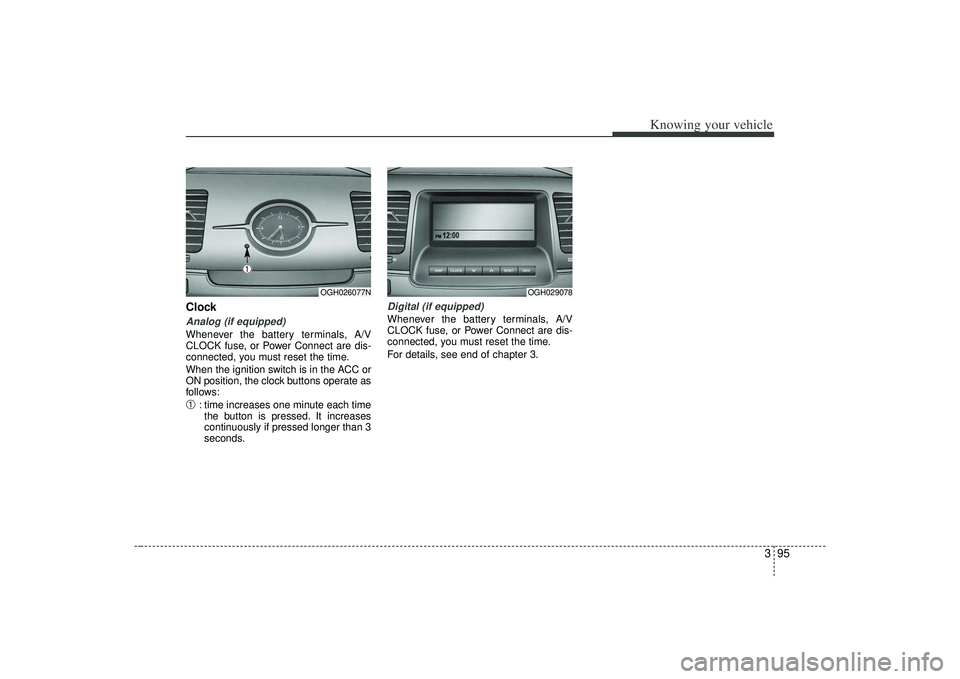
ClockAnalog (if equipped)Whenever the battery terminals, A/V
CLOCK fuse, or Power Connect are dis-
connected, you must reset the time.
When the ignition switch is in the ACC or
ON position, the clock buttons operate as
follows:➀
: time increases one minute each timethe button is pressed. It increases
continuously if pressed longer than 3
seconds.
Digital (if equipped)Whenever the battery terminals, A/V
CLOCK fuse, or Power Connect are dis-
connected, you must reset the time.
For details, see end of chapter 3.
OGH026077N
➀
OGH029078
Page 110 of 321
Knowing your vehicle98
3Resetting the sunroofWhenever the vehicle battery is discon-
nected or discharged, or you use the
emergency handle to operate the sun-
roof, you have to reset your sunroof sys-
tem as follows:
1. Turn the ignition key to the ON posi-
tion.
2. According to the position of the sun- roof, do as follows.
1) in case that the sunroof has closedcompletely or been tilted
: Press the TILT UP button for 1 second.
2) in case that the sunroof has slide- opened
: Press and hold the CLOSE button for more than 5 seconds until the
sunroof has closed completely.
And then press the TILT UP but-
ton for 1 second
3. Then, release it.
4. Press and hold the TILT UP button once again until the sunroof has
returned to the original position of
TILT UP after it is raised a little higher
than the maximum TILT UP position.
When this is complete, the sunroof sys-
tem is reset.
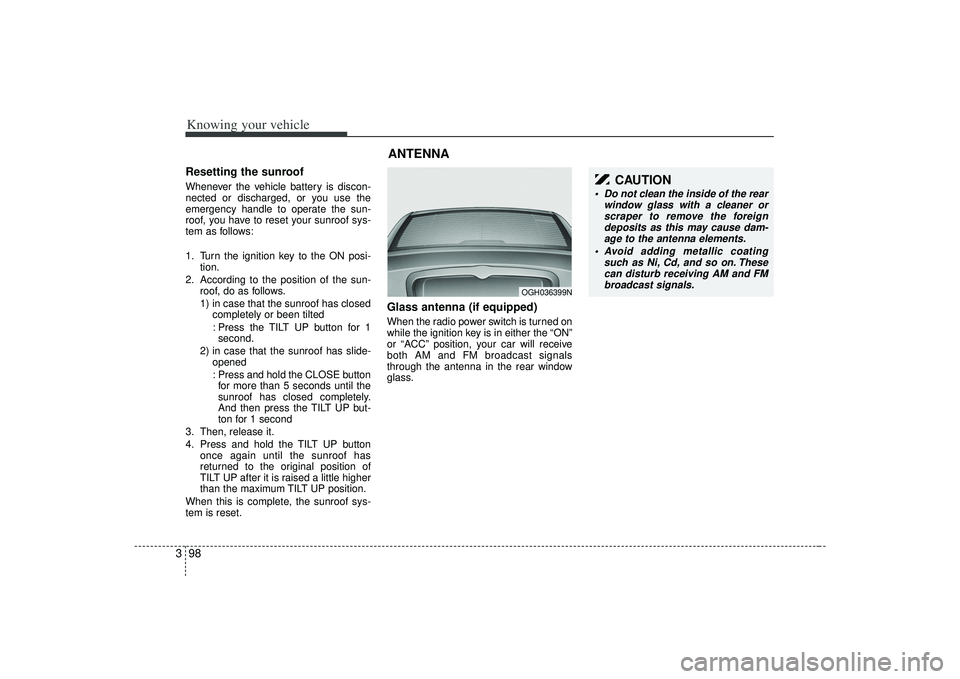
Glass antenna (if equipped)When the radio power switch is turned on
while the ignition key is in either the “ON”
or “ACC” position, your car will receive
both AM and FM broadcast signals
through the antenna in the rear window
glass.ANTENNA
OGH036399N
CAUTION
Do not clean the inside of the rear window glass with a cleaner orscraper to remove the foreigndeposits as this may cause dam- age to the antenna elements.
Avoid adding metallic coating such as Ni, Cd, and so on. Thesecan disturb receiving AM and FMbroadcast signals.
Page 111 of 321
399
Knowing your vehicle
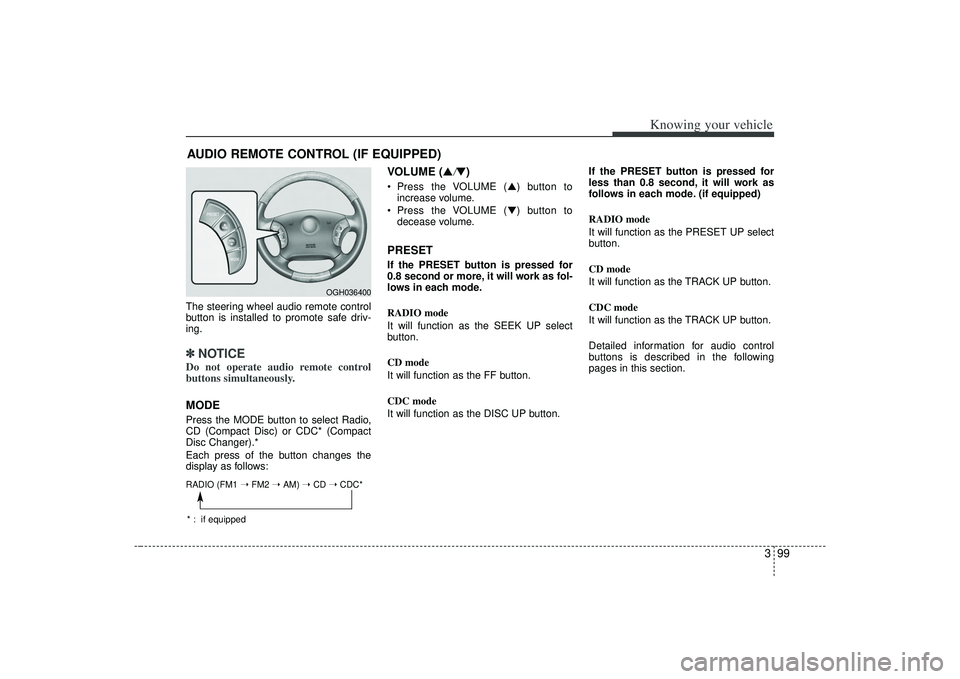
The steering wheel audio remote control
button is installed to promote safe driv-
ing.✽ ✽NOTICEDo not operate audio remote control
buttons simultaneously.MODEPress the MODE button to select Radio,
CD (Compact Disc) or CDC* (Compact
Disc Changer).*
Each press of the button changes the
display as follows:
VOLUME (▲
/▼)
Press the VOLUME ( ▲) button to
increase volume.
Press the VOLUME ( ▼) button to
decease volume.PRESETIf the PRESET button is pressed for
0.8 second or more, it will work as fol-
lows in each mode.
RADIO mode
It will function as the SEEK UP select
button.
CD mode
It will function as the FF button.
CDC mode
It will function as the DISC UP button. If the PRESET button is pressed for
less than 0.8 second, it will work as
follows in each mode. (if equipped)
RADIO mode
It will function as the PRESET UP select
button.
CD mode
It will function as the TRACK UP button.
CDC mode
It will function as the TRACK UP button.
Detailed information for audio control
buttons is described in the following
pages in this section.
AUDIO REMOTE CONTROL (IF EQUIPPED)
OGH036400
RADIO (FM1
➝ FM2 ➝ AM) ➝ CD ➝ CDC** : if equipped
Page 117 of 321
3105
Knowing your vehicle
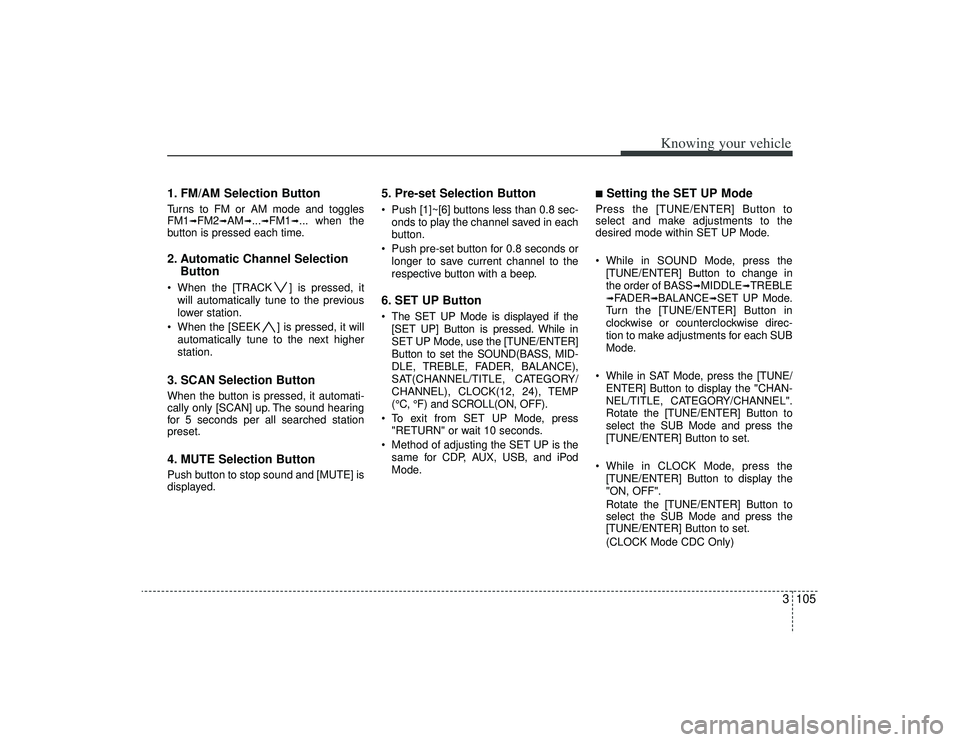
1. FM/AM Selection ButtonTurns to FM or AM mode and toggles
FM1
➟FM2
➟AM
➟...➟FM1
➟... when the
button is pressed each time.
2. Automatic Channel Selection Button When the [TRACK ] is pressed, it
will automatically tune to the previous
lower station.
When the [SEEK ] is pressed, it will automatically tune to the next higher
station.3. SCAN Selection ButtonWhen the button is pressed, it automati-
cally only [SCAN] up. The sound hearing
for 5 seconds per all searched station
preset.4. MUTE Selection ButtonPush button to stop sound and [MUTE] is
displayed.
5. Pre-set Selection Button Push [1]~[6] buttons less than 0.8 sec-onds to play the channel saved in each
button.
Push pre-set button for 0.8 seconds or longer to save current channel to the
respective button with a beep.6. SET UP Button The SET UP Mode is displayed if the[SET UP] Button is pressed. While in
SET UP Mode, use the [TUNE/ENTER]
Button to set the SOUND(BASS, MID-
DLE, TREBLE, FADER, BALANCE),
SAT(CHANNEL/TITLE, CATEGORY/
CHANNEL), CLOCK(12, 24), TEMP
(°C, °F) and SCROLL(ON, OFF).
To exit from SET UP Mode, press "RETURN" or wait 10 seconds.
Method of adjusting the SET UP is the same for CDP, AUX, USB, and iPod
Mode.
■Setting the SET UP Mode Press the [TUNE/ENTER] Button to
select and make adjustments to the
desired mode within SET UP Mode.
While in SOUND Mode, press the[TUNE/ENTER] Button to change in
the order of BASS
➟MIDDLE
➟TREBLE
➟FADER
➟BALANCE
➟SET UP Mode.
Turn the [TUNE/ENTER] Button in
clockwise or counterclockwise direc-
tion to make adjustments for each SUB
Mode.
While in SAT Mode, press the [TUNE/ ENTER] Button to display the "CHAN-
NEL/TITLE, CATEGORY/CHANNEL".
Rotate the [TUNE/ENTER] Button to
select the SUB Mode and press the
[TUNE/ENTER] Button to set.
While in CLOCK Mode, press the [TUNE/ENTER] Button to display the
"ON, OFF".
Rotate the [TUNE/ENTER] Button to
select the SUB Mode and press the
[TUNE/ENTER] Button to set.
(CLOCK Mode CDC Only)
Page 130 of 321
Knowing your vehicle118
3✽
✽
NOTICE -
Using iPod device
• Some iPod models might not support
the communication protocol and the
files will not be played. (iPod models
supported: Mini, 4G, Photo, Nano,
5G)
• The order of search or playback of songs in the iPod can be different
from the order searched in the audio
system.
• If the iPod crashes due to its own trou- ble, reset iPod. (Reset: Refer to iPod
manual)
• iPod may not operate normally on low battery.
(Continued)
When the iPod cable is connected, the system can be switched to theAUX mode even without the iPoddevice and can cause noise. Disconnect iPod cable when youare not using the iPod device.
CAUTION
- Using iPod device
You need the power cable exclu-
sive for iPod in order to operateiPod with the buttons on the audio system. The PC cable provided byApple may cause malfunction and do not use it for vehicle use.
When connecting the device with iPod cable, push in the jack fullynot to interfere with communica-tion.
When adjusting the sound effects of iPod and the audio system, thesound effects of both devices willoverlap each and might causereduce or distort the quality of thesound.
Deactivate (turn off) the equalizer function of iPod when adjustingthe audio system’s volume, andturn off the equalizer of the audio system when using the equalizerof iPod.
(Continued)
Page 131 of 321
3119
Knowing your vehicle
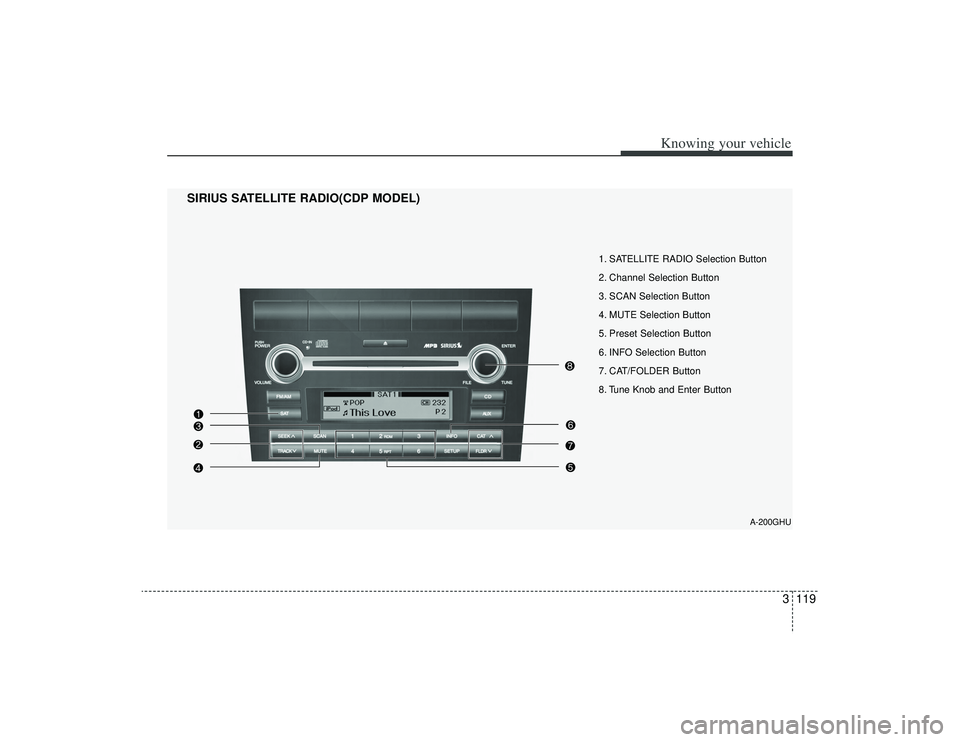
1. SATELLITE RADIO Selection Button
2. Channel Selection Button
3. SCAN Selection Button
4. MUTE Selection Button
5. Preset Selection Button
6. INFO Selection Button
7. CAT/FOLDER Button
8. Tune Knob and Enter Button
SIRIUS SATELLITE RADIO(CDP MODEL)
A-200GHU
Page 132 of 321
Knowing your vehicle120
3
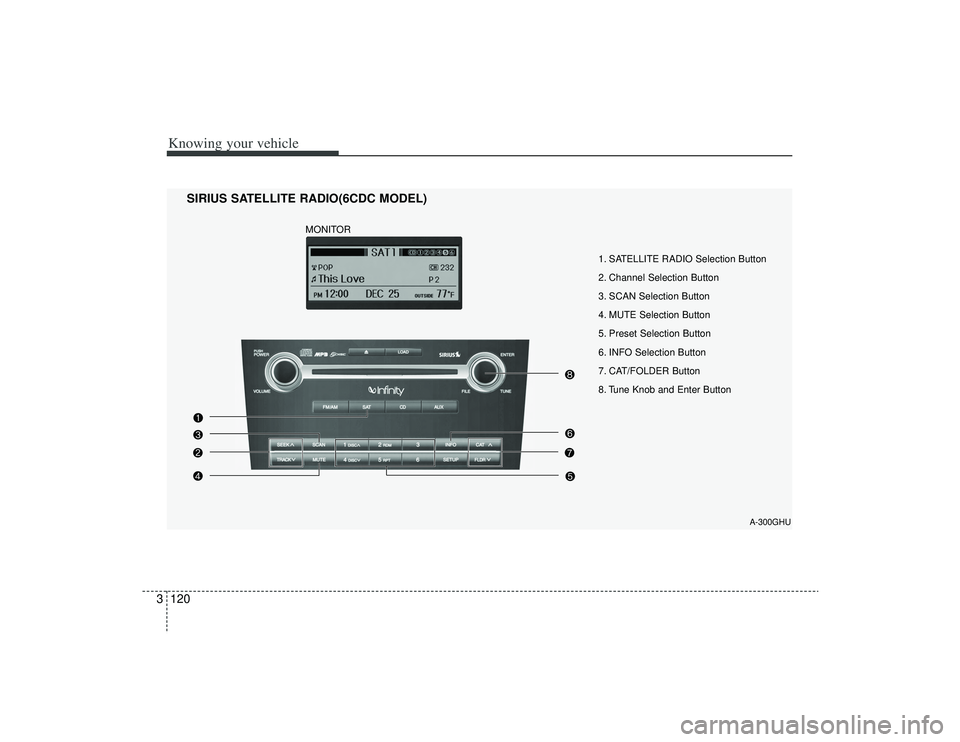
1. SATELLITE RADIO Selection Button
2. Channel Selection Button
3. SCAN Selection Button
4. MUTE Selection Button
5. Preset Selection Button
6. INFO Selection Button
7. CAT/FOLDER Button
8. Tune Knob and Enter Button
SIRIUS SATELLITE RADIO(6CDC MODEL)
A-300GHU
MONITOR
Page 133 of 321
3121
Knowing your vehicle
How to Use SIRIUS Satellite
RadioYour new Kia vehicle is equipped with 3
months complimentary period of SIRIUS
Satellite Radio so you have access to
over 130 channels of music, information
and entertainment programming.ActivationIn order to extend or reactivate your sub-
scription to SIRIUS Satellite Radio, you
will need to contact SIRIUS Customer
Care at 888-539-7474. Have your 12 digit
SID(Sirius Identification Number)/ESN
(Electronic Serial Number) ready. To
retrieve the SID/ESN, turn on the radio,
press the [SAT] button and tune to chan-
nel zero. please note that the vehicle will
need to be turned on, in Sirius mode, and
have an unobstructed view of the sky in
order for the radio to receive the activation
signal.1. SATELLITE RADIO SelectionButton(SIRIUS Satellite Radio)Press the [SAT] button to switch to SIR-
IUS Satellite Radio. It cycles through the
different bands as noted below.
SAT1
➟SAT2
➟SAT3
➟SAT1
➟...
2. Channel Selection Button Press [TRACK ] or [SEEK ] but-
ton for less than 0.8 seconds to select
previous or next channel.
Press [TRACK ] or [SEEK ] but- ton for 0.8 or longer to continuously
move to previous or next channel.
if "CATEGORY" Icon is displayed at the top of the screen, channel up/down is
done through the channels within cur-
rent category.3. SCAN Selection Button When the button is pressed, it automat-ically scans the radio stations upwards.
The SCAN feature steps through each channel, starting from the initial chan-
nel, for ten seconds. Press the [SCAN]
button again to stop the scan feature
and to listen to the currently selected
channel.4. MUTE Selection ButtonPress this button to temporarily cut off
the Sound. "MUTE" is displayed on the
LCD. Press the button once again to can-
cel MUTE mode.
5. Preset Selection Button Press [1]~[6] buttons less than 0.8seconds to play the Channel saved in
each button.
Press [1]~[6] button for 0.8 seconds or longer to save current Channel to the
respective button with a beep.6. INFO Selection ButtonDisplays the information of the channel
currently played by in the order of CATE-
GORY NAME
➟ARTIST NAME
➟COM-
POSER NAME
➟...(CH/TITLE Selection)
Displays the information of the channel
currently played in the order of SONG
TITLE
➟ARTIST NAME
➟COMPOSER
NAME
➟... (CAT/CH Selection) (If there is
no information of COMPOSER NAME, it
returns to main display.)
Page 135 of 321
3123
Knowing your vehicle
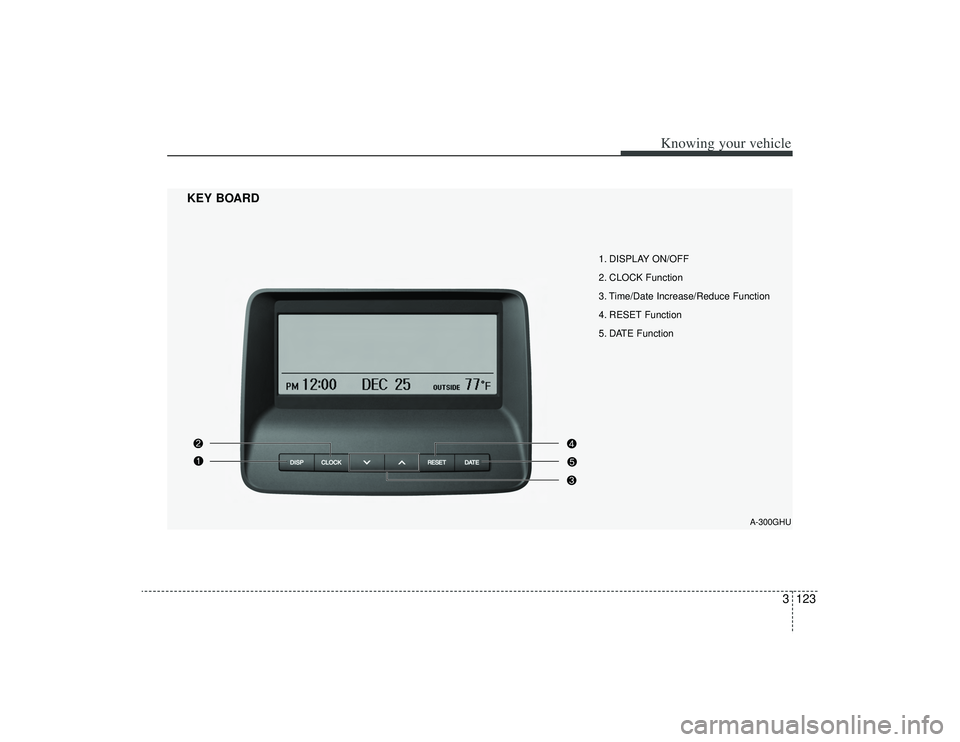
1. DISPLAY ON/OFF
2. CLOCK Function
3. Time/Date Increase/Reduce Function
4. RESET Function
5. DATE Function
KEY BOARD
A-300GHU