ESP KIA Borrego 2011 1.G User Guide
[x] Cancel search | Manufacturer: KIA, Model Year: 2011, Model line: Borrego, Model: KIA Borrego 2011 1.GPages: 464, PDF Size: 12.57 MB
Page 148 of 464
Features of your vehicle
68
4
D170000AEN-EU
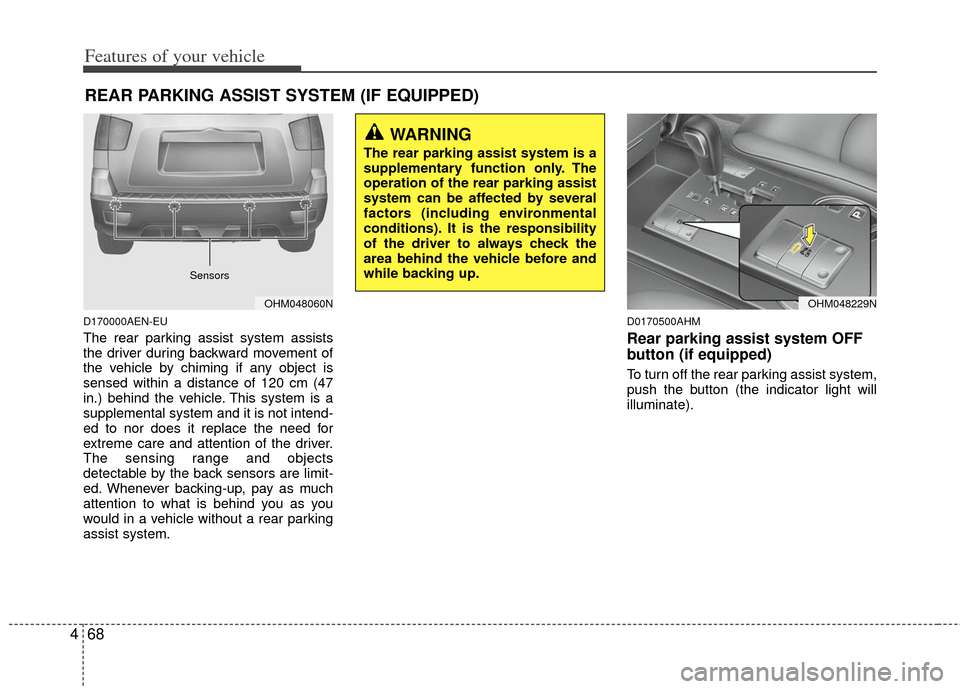
The rear parking assist system assists
the driver during backward movement of
the vehicle by chiming if any object is
sensed within a distance of 120 cm (47
in.) behind the vehicle. This system is a
supplemental system and it is not intend-
ed to nor does it replace the need for
extreme care and attention of the driver.
The sensing range and objects
detectable by the back sensors are limit-
ed. Whenever backing-up, pay as much
attention to what is behind you as you
would in a vehicle without a rear parking
assist system.
D0170500AHM
Rear parking assist system OFF
button (if equipped)
To turn off the rear parking assist system,
push the button (the indicator light will
illuminate).
REAR PARKING ASSIST SYSTEM (IF EQUIPPED)
OHM048060N
WARNING
The rear parking assist system is a
supplementary function only. The
operation of the rear parking assist
system can be affected by several
factors (including environmental
conditions). It is the responsibility
of the driver to always check the
area behind the vehicle before and
while backing up.
Sensors
OHM048229N
Page 150 of 464
Features of your vehicle
70
4
D170300AEN-EU
Rear parking assist system pre-
cautions
The rear parking assist system may
not sound sequentially depending on
the speed and shapes of the objects
detected.
The rear parking assist system may malfunction if the vehicle bumper
height or sensor installation has been
modified or damaged. Any non-factory
installed equipment or accessories
may also interfere with the sensor per-
formance.
The sensor may not recognize objects less than 40 cm (15 in.) from the sen-
sor, or it may sense an incorrect dis-
tance. Use caution.
When the sensor is frozen or stained with snow, dirt, or water, the sensor
may be inoperative until the stains are
removed using a soft cloth.
Do not push, scratch or strike the sen- sor. Sensor damage could occur.
✽ ✽ NOTICE
This system can only sense objects with-
in the range and location of the sensors;
It can not detect objects in other areas
where sensors are not installed. Also,
small or slim objects, such as poles or
objects located between sensors may not
be detected by the sensors.
Always visually check behind the vehi-
cle when backing up.
Be sure to inform any drivers of the
vehicle that may be unfamiliar with the
system regarding the systems capabili-
ties and limitations.
D170400AHM
Self-diagnosis
If you don’t hear an audible warning
sound or if the buzzer sounds intermit-
tently when shifting the gear to the R
(Reverse) position, this may indicate a
malfunction in the rear parking assist sys-
tem. If this occurs, have your vehicle
checked by an authorized KIA dealer as
soon as possible.
WARNING
Pay close attention when the vehi-
cle is driven close to objects on the
road, particularly pedestrians, and
especially children. Be aware that
some objects may not be detected
by the sensors, due to the object’s
distance, size or material, all of
which can limit the effectiveness of
the sensor. Always perform a visu-
al inspection to make sure the vehi-
cle is clear of all obstructions
before moving the vehicle in any
direction.
WARNING
Your new vehicle warranty does not
cover any accidents or damage to
the vehicle or injuries to its occu-
pants due to a rear parking assist
system malfunction. Always drive
safely and cautiously.
Page 151 of 464

471
Features of your vehicle
D330000BHM-EE
The rearview camera will activate when
the back-up light is ON with the ignition
switch ON and the shift lever in the R
(Reverse) position.
This system is a supplemental system
that shows behind of the vehicle through
the rearview display mirror while back-
ing-up.The rearview camera may be turned off
by pressing the ON/OFF button (1) when
the rearview camera is activated.
To turn the camera on again, press the
ON/OFF button (1) again when the igni-
tion switch is ON and the shift lever in R
(Reverse) position. Also, the camera will
turn on automatically whenever the igni-
tion switch is turned off and on again.
D180000AHM
The hazard warning flasher should be
used whenever you find it necessary to
stop the vehicle in a hazardous location.
When you must make such an emer-
gency stop, always pull off the road as far
as possible.
The hazard warning lights are turned on
by pushing in the hazard switch. Both
turn signal lights will blink. The hazard
warning lights will operate even though
the key is not in the ignition switch.
To turn the hazard warning lights off,
push the switch again.
OHM068001N
HAZARD WARNING FLASHER
WARNING
This system is a supplementary
function only. It is the responsi-
bility of the driver to always
check the inside/outside rearview
mirror and the area behind the
vehicle before and while backing
up because there is a dead zone
that can't see through the cam-
era.
Always keep the camera lens clean. If lens is covered with for-
eign matter, the camera may not
operate normally.
OHM048062
OHM048061L
REARVIEW CAMERA (IF EQUIPPED)
Page 156 of 464
Features of your vehicle
76
4
D190700AHM-EU
Front fog light (if equipped)
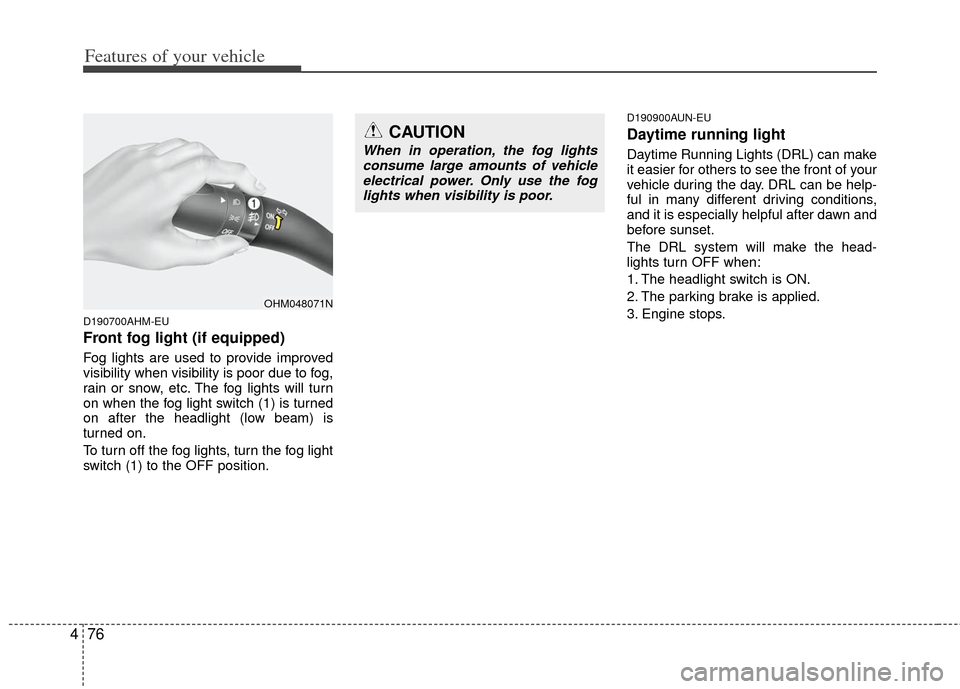
Fog lights are used to provide improved
visibility when visibility is poor due to fog,
rain or snow, etc. The fog lights will turn
on when the fog light switch (1) is turned
on after the headlight (low beam) is
turned on.
To turn off the fog lights, turn the fog light
switch (1) to the OFF position.
D190900AUN-EU
Daytime running light
Daytime Running Lights (DRL) can make
it easier for others to see the front of your
vehicle during the day. DRL can be help-
ful in many different driving conditions,
and it is especially helpful after dawn and
before sunset.
The DRL system will make the head-
lights turn OFF when:
1. The headlight switch is ON.
2. The parking brake is applied.
3. Engine stops.
OHM048071N
CAUTION
When in operation, the fog lights
consume large amounts of vehicleelectrical power. Only use the foglights when visibility is poor.
Page 172 of 464
Features of your vehicle
92
4
D230200AHM-EE
Rear heating and air conditioning
(if equipped)
To turn on the rear climate control sys-
tem
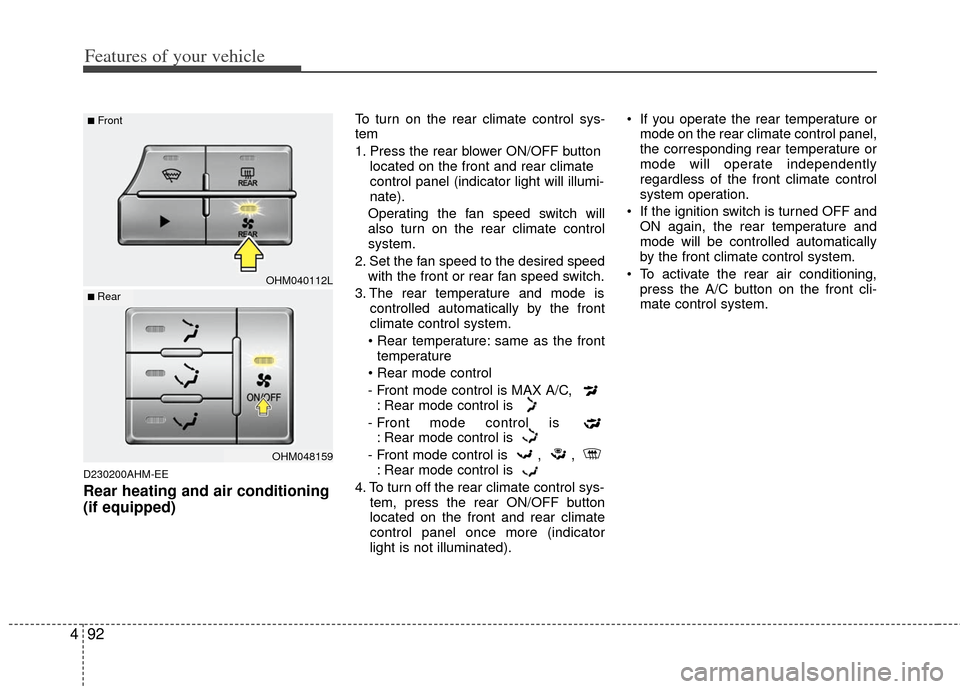
1. Press the rear blower ON/OFF button
located on the front and rear climate
control panel (indicator light will illumi-
nate).
Operating the fan speed switch will
also turn on the rear climate control
system.
2. Set the fan speed to the desired speed with the front or rear fan speed switch.
3. The rear temperature and mode is controlled automatically by the front
climate control system.
• Rear temperature: same as the front temperature
- Front mode control is MAX A/C, : Rear mode control is
- Front mode control is : Rear mode control is
- Front mode control is , , : Rear mode control is
4. To turn off the rear climate control sys- tem, press the rear ON/OFF button
located on the front and rear climate
control panel once more (indicator
light is not illuminated). If you operate the rear temperature or
mode on the rear climate control panel,
the corresponding rear temperature or
mode will operate independently
regardless of the front climate control
system operation.
If the ignition switch is turned OFF and ON again, the rear temperature and
mode will be controlled automatically
by the front climate control system.
To activate the rear air conditioning, press the A/C button on the front cli-
mate control system.
OHM040112L
OHM048159
■Front
■ Rear
Page 186 of 464

Features of your vehicle
106
4
D240300AHM-EE
Rear heating and air conditioning
(if equipped)
To turn on the rear climate control sys-
tem
1. Press the rear blower ON/OFF button
located on the front and rear climate
control panel (indicator light will illumi-
nate).
Operating the fan speed switch will
also turn on the rear climate control
system.
2. Set the fan speed to the desired speed with the front or rear fan speed switch.
3. The rear temperature and mode is controlled automatically by the front
climate control system.
same as the front temperature
- Front mode control is : Rear mode control is
- Front mode control is : Rear mode control is
- Front mode control is , , : Rear mode control is
4. To turn off the rear climate control sys- tem, press the rear blower ON/OFF
button located on the front and rear cli-
mate control panel once more (indica-
tor light is not illuminated). If you operate the rear temperature or
mode on the rear climate control panel,
the corresponding rear temperature or
mode will operate independently
regardless of the front climate control
system operation.
If the ignition switch is turned OFF and ON again, the rear temperature and
mode will be controlled automatically
by the front climate control system.
To activate the rear air conditioning, press the A/C button on the front cli-
mate control system.
OHM040112
OHM048159
■Front
■ Rear
Page 189 of 464
4109
Features of your vehicle
D250000AHM For maximum defrosting, set the tem-perature control to the extreme
right/hot position and the fan speed
control to the highest speed.
If warm air to the floor is desired while defrosting or defogging, set the mode
to the floor-defrost position.
Before driving, clear all snow and ice from the windshield, rear window, out-
side rear view mirrors, and all side win-
dows.
Clear all snow and ice from the hood and air inlet in the cowl grill to improve
heater and defroster efficiency and to
reduce the probability of fogging up the
inside of the windshield.
Manual climate control system
D250101AEN
To defog inside windshield
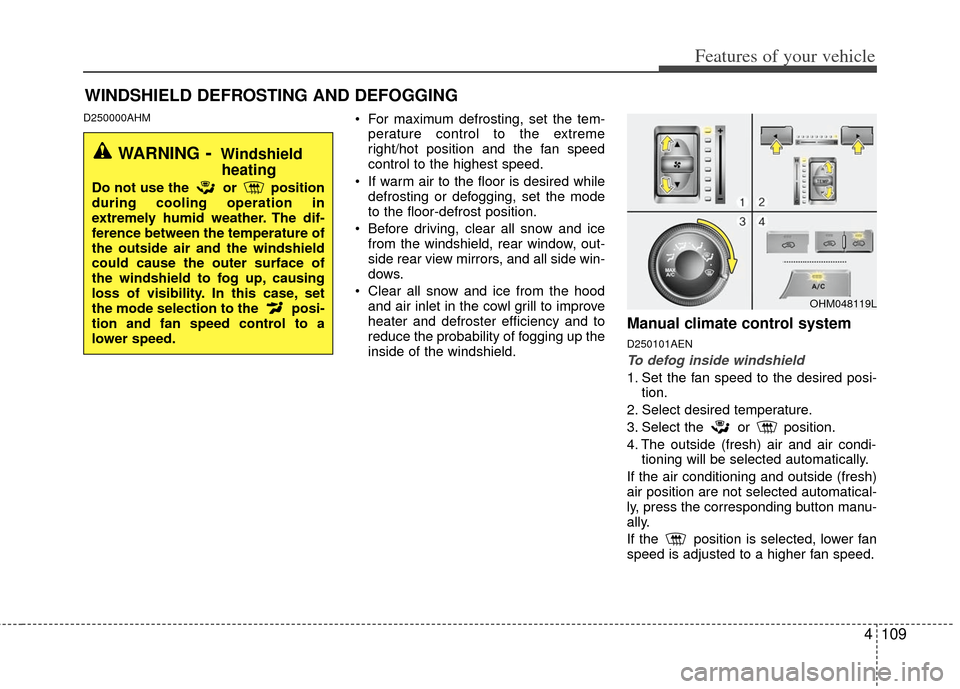
1. Set the fan speed to the desired posi- tion.
2. Select desired temperature.
3. Select the or position.
4. The outside (fresh) air and air condi- tioning will be selected automatically.
If the air conditioning and outside (fresh)
air position are not selected automatical-
ly, press the corresponding button manu-
ally.
If the position is selected, lower fan
speed is adjusted to a higher fan speed.
WINDSHIELD DEFROSTING AND DEFOGGING
OHM048119L
WARNING- Windshield heating
Do not use the or position
during cooling operation in
extremely humid weather. The dif-
ference between the temperature of
the outside air and the windshield
could cause the outer surface of
the windshield to fog up, causing
loss of visibility. In this case, set
the mode selection to the posi-
tion and fan speed control to a
lower speed.
Page 190 of 464

Features of your vehicle
110
4
D250102AEN
To defrost outside windshield
1. Set the fan speed to the highest posi-
tion.
2. Set the temperature to the extreme hot position.
3. Select the position.
4. The outside (fresh) air and air condi- tioning will be selected automatically.
If the position is selected, lower fan
speed is adjusted to a higher fan speed.
Automatic climate control system
D250201AHM
To defog inside windshield
1. Set the fan speed to the desired posi- tion.
2. Select desired temperature.
3. Press the defroster button ( ).
4. The air conditioning will turn on according to the detected ambient tem-
perature and outside (fresh) air posi-
tion will be selected automatically.
If the air conditioning and outside (fresh)
air position are not selected automatical-
ly, adjust the corresponding button man-
ually. If the position is selected,
lower fan speed is adjusted to a higher
fan speed.
D250202AHM
To defrost outside windshield
1. Set the fan speed to the highest posi- tion.
2. Set the temperature to the extreme hot (HI) position.
3. Press the defroster button ( ).
4. The air conditioning will turn on according to the detected ambient
temperature and outside (fresh) air
position will be selected automatically.
If the position is selected, lower fan
speed is adjusted to a higher fan speed.
OHM048121OHM048122OHM048120L
Page 203 of 464
4123
Features of your vehicle
D290200AEN
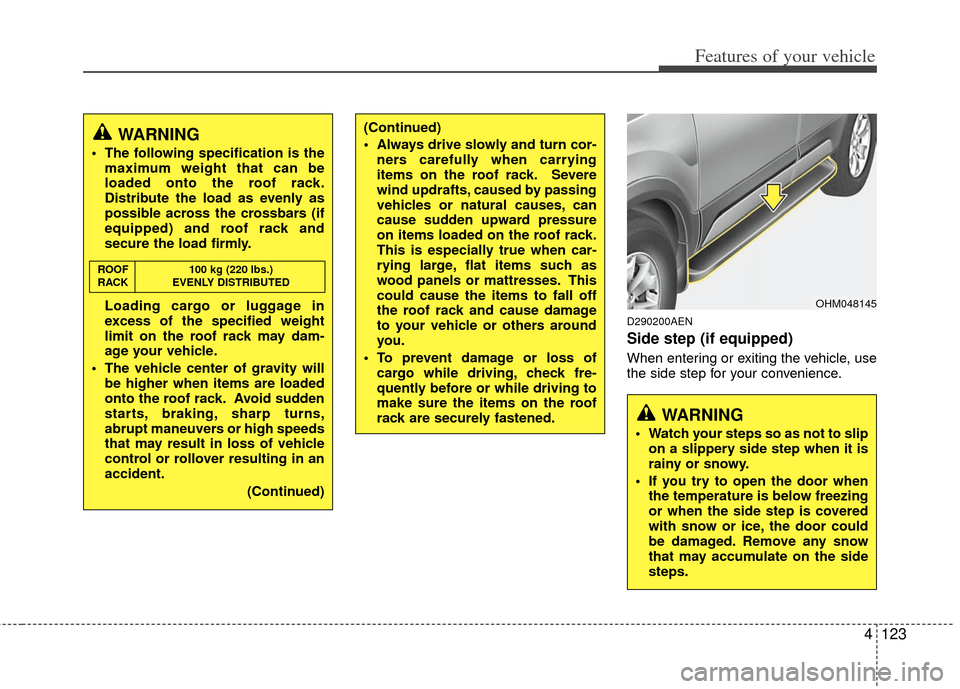
Side step (if equipped)
When entering or exiting the vehicle, use
the side step for your convenience.
OHM048145
WARNING
Watch your steps so as not to slipon a slippery side step when it is
rainy or snowy.
If you try to open the door when the temperature is below freezing
or when the side step is covered
with snow or ice, the door could
be damaged. Remove any snow
that may accumulate on the side
steps.
(Continued)
Always drive slowly and turn cor-ners carefully when carrying
items on the roof rack. Severe
wind updrafts, caused by passing
vehicles or natural causes, can
cause sudden upward pressure
on items loaded on the roof rack.
This is especially true when car-
rying large, flat items such as
wood panels or mattresses. This
could cause the items to fall off
the roof rack and cause damage
to your vehicle or others around
you.
To prevent damage or loss of cargo while driving, check fre-
quently before or while driving to
make sure the items on the roof
rack are securely fastened.WARNING
The following specification is themaximum weight that can be
loaded onto the roof rack.
Distribute the load as evenly as
possible across the crossbars (if
equipped) and roof rack and
secure the load firmly.
Loading cargo or luggage in
excess of the specified weight
limit on the roof rack may dam-
age your vehicle.
The vehicle center of gravity will be higher when items are loaded
onto the roof rack. Avoid sudden
starts, braking, sharp turns,
abrupt maneuvers or high speeds
that may result in loss of vehicle
control or rollover resulting in an
accident.
(Continued)
ROOF100 kg (220 lbs.)
RACK EVENLY DISTRIBUTED
Page 214 of 464
Features of your vehicle
134
4
How to Activate RADIO,
SET UP, VOLUME Control
1. FM/AM Selection Button The FM/AM button toggles between FM
and AM. Listed below are the paths as
the system switches from FM to AM and
back to FM.
FM/AM : FM1
➟FM2➟AM➟FM1...
FM : FM1
➟FM2➟FM1...
2. Power ON/OFF Button & Volume Control Knob
Turns the audio system on/off when
the ignition switch is on ACC or ON.
If the knob is turned clockwise/counter- clockwise, the volume will increase
/decrease.
3. Automatic Channel Selection Button
When the [TRACK ] is pressed, it
will automatically tune to the next lower
station.
When the [SEEK ] is pressed, it will automatically tune to the next higher
station.
4. SCAN Selection Button
When the button is pressed, it auto-matically scans the radio stations
upwards.
The SCAN feature steps through each station, starting from the initial station,
for ten seconds.
Press the [SCAN] button again to stop the scan feature and to listen to the
currently selected channel.
5. Preset Selection Button
Press [1]~[6] buttons less than 0.8 sec-ond to play the station saved in each
button.
Press [1]~[6] b utton more than 0.8 sec-
ond or longer to save the current station
to the respective button with a beep.
6. TUNE/AUDIO Knob
If the knob is turned clockwise/counter-
clockwise, the frequency will increase/
decrease.
(AM 10kHz, FM 200kHz)
■Audio Setup MODE
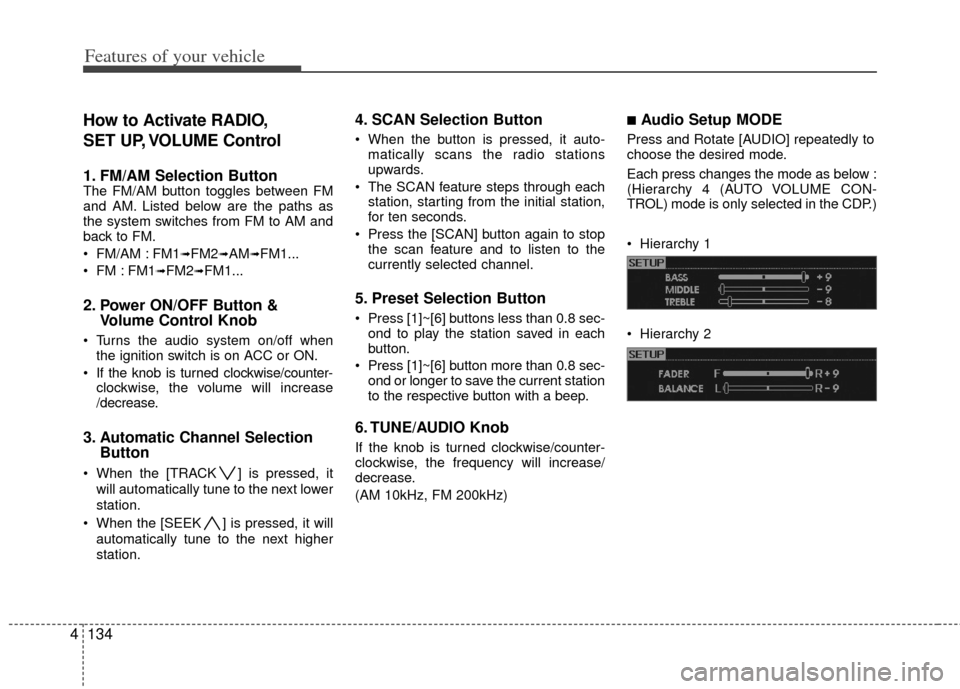
Press and Rotate [AUDIO] repeatedly to
choose the desired mode.
Each press changes the mode as below :
(Hierarchy 4 (AUTO VOLUME CON-
TROL) mode is only selected in the CDP.)
Hierarchy 1
Hierarchy 2