ESP KIA CADENZA 2011 User Guide
[x] Cancel search | Manufacturer: KIA, Model Year: 2011, Model line: CADENZA, Model: KIA CADENZA 2011Pages: 352, PDF Size: 28.17 MB
Page 110 of 352
449
Features of your vehicle
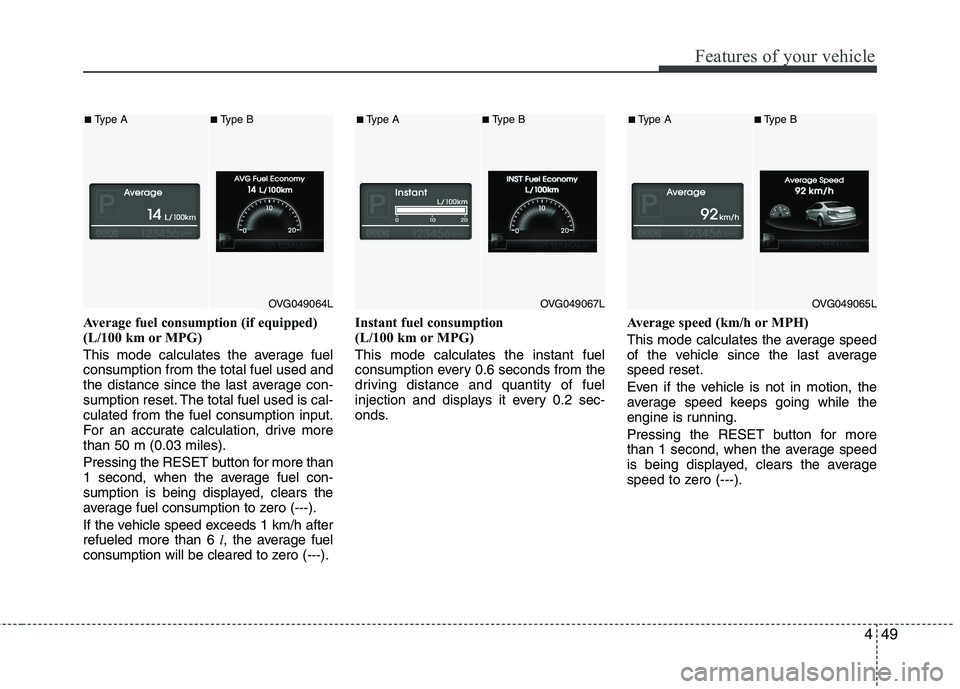
Average fuel consumption (if equipped)
(L/100 km or MPG)
This mode calculates the average fuel consumption from the total fuel used and
the distance since the last average con-
sumption reset. The total fuel used is cal-culated from the fuel consumption input.
For an accurate calculation, drive morethan 50 m (0.03 miles). Pressing the RESETbutton for more than
1 second, when the average fuel con-
sumption is being displayed, clears the
average fuel consumption to zero (---).
If the vehicle speed exceeds 1 km/h after refueled more than 6 l, the average fuel
consumption will be cleared to zero (---). Instant fuel consumption
(L/100 km or MPG) This mode calculates the instant fuel
consumption every 0.6 seconds from the
driving distance and quantity of fuel
injection and displays it every 0.2 sec-
onds.
Average speed (km/h or MPH)
This mode calculates the average speed
of the vehicle since the last averagespeed reset.
Even if the vehicle is not in motion, the
average speed keeps going while the
engine is running.
Pressing the RESET button for more
than 1 second, when the average speed
is being displayed, clears the average
speed to zero (---).
OVG049064L
■
Type A■Type B
OVG049067L
■Type A■Type B
OVG049065L
■Type A■ Type B
Page 122 of 352
461
Features of your vehicle
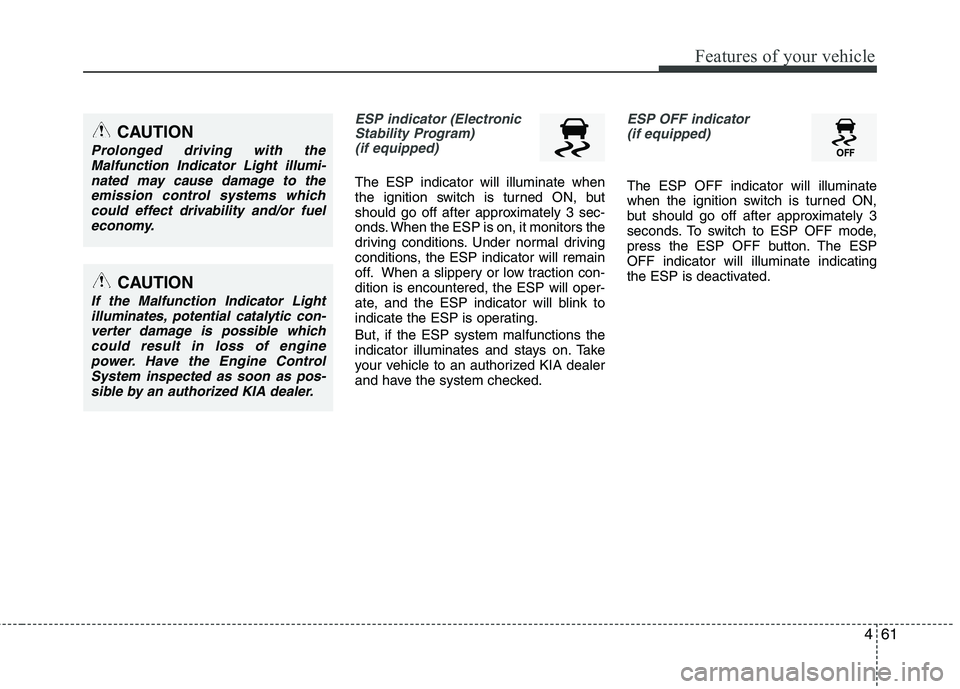
ESP indicator (ElectronicStability Program) (if equipped)
The ESP indicator will illuminate when
the ignition switch is turned ON, but
should go off after approximately 3 sec-
onds. When the ESP is on, it monitors the
driving conditions. Under normal driving
conditions, the ESP indicator will remain
off. When a slippery or low traction con-dition is encountered, the ESP will oper-
ate, and the ESP indicator will blink to
indicate the ESP is operating. But, if the ESP system malfunctions the
indicator illuminates and stays on. Take
your vehicle to an authorized KIA dealer
and have the system checked.
ESP OFF indicator
(if equipped)
The ESP OFF indicator will illuminate
when the ignition switch is turned ON,
but should go off after approximately 3
seconds. To switch to ESP OFF mode,
press the ESP OFF button. The ESPOFF indicator will illuminate indicating
the ESP is deactivated.
CAUTION
Prolonged driving with the Malfunction Indicator Light illumi-
nated may cause damage to theemission control systems whichcould effect drivability and/or fuel economy.
CAUTION
If the Malfunction Indicator Lightilluminates, potential catalytic con-
verter damage is possible whichcould result in loss of enginepower. Have the Engine ControlSystem inspected as soon as pos-
sible by an authorized KIA dealer.
Page 129 of 352
Features of your vehicle
68
4
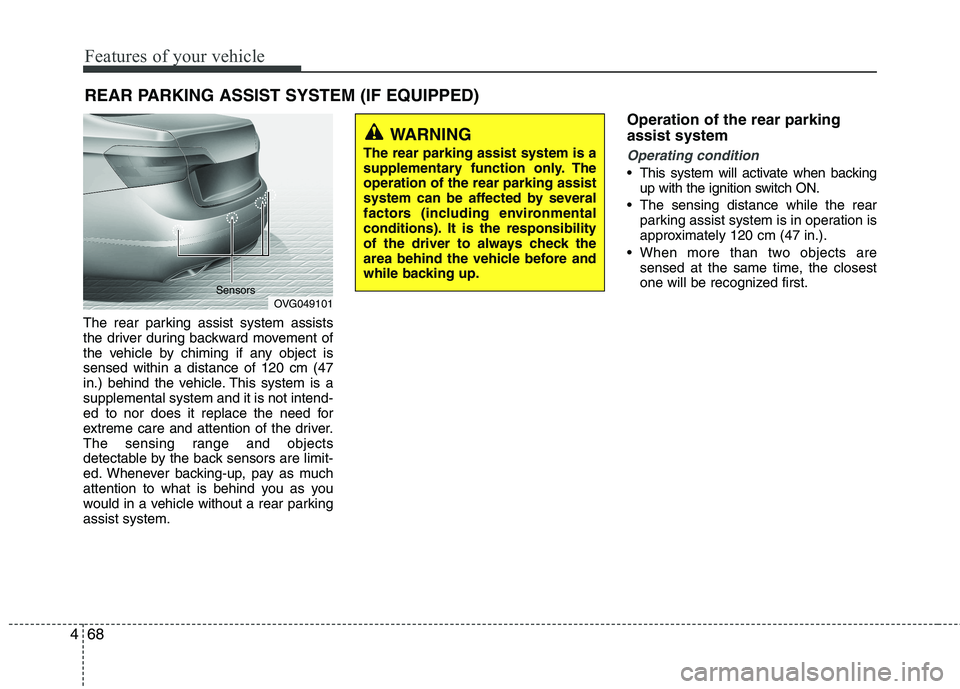
The rear parking assist system assists
the driver during backward movement of
the vehicle by chiming if any object issensed within a distance of 120 cm (47
in.) behind the vehicle. This system is asupplemental system and it is not intend-
ed to nor does it replace the need for
extreme care and attention of the driver.
The sensing range and objects
detectable by the back sensors are limit-
ed. Whenever backing-up, pay as much
attention to what is behind you as you
would in a vehicle without a rear parkingassist system. Operation of the rear parking assist system
Operating condition
This system will activate when backing
up with the ignition switch ON.
The sensing distance while the rear parking assist system is in operation is
approximately 120 cm (47 in.).
When more than two objects are sensed at the same time, the closest
one will be recognized first.
REAR PARKING ASSIST SYSTEM (IF EQUIPPED)
OVG049101
Sensors
WARNING
The rear parking assist system is a
supplementary function only. Theoperation of the rear parking assist
system can be affected by several
factors (including environmental
conditions). It is the responsibility
of the driver to always check the
area behind the vehicle before and
while backing up.
Page 131 of 352
Features of your vehicle
70
4
Rear parking assist system pre- cautions
The rear parking assist system may
not sound sequentially depending on the speed and shapes of the objectsdetected.
The rear parking assist system may malfunction if the vehicle bumperheight or sensor installation has been
modified or damaged. Any non-factory
installed equipment or accessories
may also interfere with the sensor per-
formance.
The sensor may not recognize objects less than 40 cm (15 in.) from the sen-
sor, or it may sense an incorrect dis-
tance. Use caution.
When the sensor is frozen or stained with snow, dirt, or water, the sensor
may be inoperative until the stains are
removed using a soft cloth.
Do not push, scratch or strike the sen- sor. Sensor damage could occur.✽✽ NOTICE
This system can only sense objects with-
in the range and location of the sensors;
It can not detect objects in other areas
where sensors are not installed. Also,
small or slim objects, such as poles or
objects located between sensors may not
be detected by the sensors.
Always visually check behind the vehi-
cle when backing up.
Be sure to inform any drivers of the
vehicle that may be unfamiliar with the
system regarding the systems capabili-
ties and limitations.Self-diagnosis
If you don’t hear an audible warning
sound or if the buzzer sounds intermit-tently when shifting the gear to the R
(Reverse) position, this may indicate a
malfunction in the rear parking assist sys-
tem. If this occurs, have your vehicle
checked by an authorized KIA dealer as
soon as possible.
WARNING
Pay close attention when the vehi-
cle is driven close to objects on the
road, particularly pedestrians, and
especially children. Be aware that
some objects may not be detected
by the sensors, due to the object’s
distance, size or material, all of
which can limit the effectiveness of
the sensor. Always perform a visu-al inspection to make sure the vehi-
cle is clear of all obstructions
before moving the vehicle in anydirection.
WARNING
Your new vehicle warranty does not
cover any accidents or damage to
the vehicle or injuries to its occu-pants due to a rear parking assist
system malfunction. Always drive
safely and cautiously.
Page 132 of 352
471
Features of your vehicle
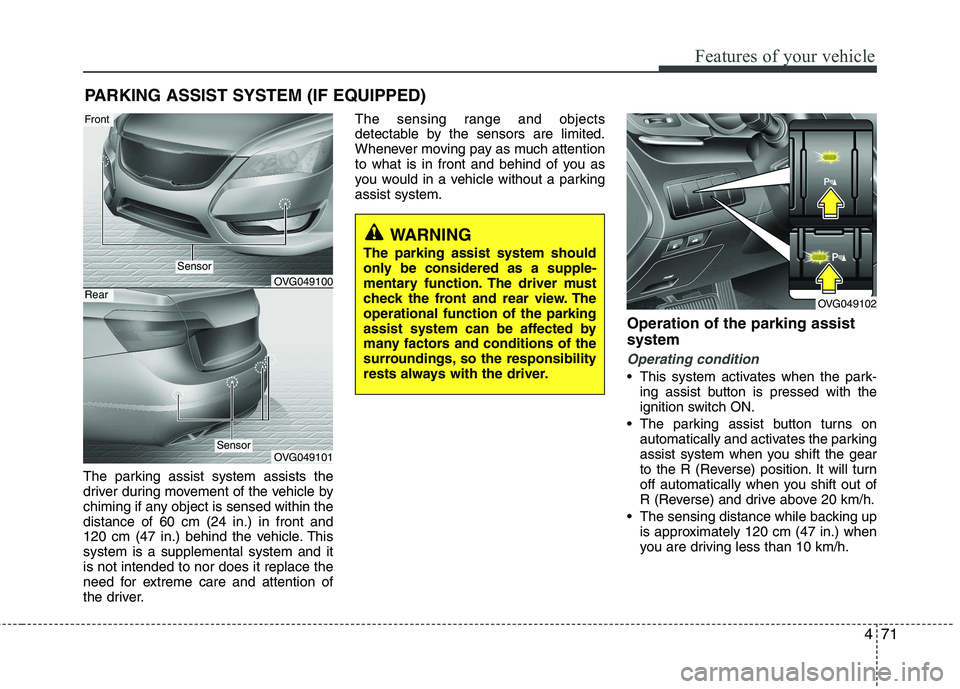
PARKING ASSIST SYSTEM (IF EQUIPPED)
The parking assist system assists the
driver during movement of the vehicle by
chiming if any object is sensed within thedistance of 60 cm (24 in.) in front and
120 cm (47 in.) behind the vehicle. Thissystem is a supplemental system and itis not intended to nor does it replace the
need for extreme care and attention of
the driver. The sensing range and objects
detectable by the sensors are limited.
Whenever moving pay as much attention
to what is in front and behind of you as
you would in a vehicle without a parkingassist system.
Operation of the parking assist system
Operating condition
This system activates when the park-ing assist button is pressed with the
ignition switch ON.
The parking assist button turns on automatically and activates the parking
assist system when you shift the gear
to the R (Reverse) position. It will turn
off automatically when you shift out of
R (Reverse) and drive above 20 km/h.
The sensing distance while backing up is approximately 120 cm (47 in.) when
you are driving less than 10 km/h.
WARNING
The parking assist system should
only be considered as a supple-
mentary function. The driver must
check the front and rear view. Theoperational function of the parking
assist system can be affected by
many factors and conditions of the
surroundings, so the responsibility
rests always with the driver.
OVG049102
OVG049100
OVG049101
Sensor
Front
Rear
Sensor
Page 135 of 352
Features of your vehicle
74
4
✽✽
NOTICE
This system can only sense objects with-
in the range and location of the sensors,
it can not detect objects in other areas
where sensors are not installed. Also,
small or slim objects, or objects located
between sensors may not be detected.
Always visually check in front and
behind the vehicle when driving.
Be sure to inform any drivers in the
vehicle that may be unfamiliar with the
system regarding the systems capabili-
ties and limitations.Self-diagnosis
If you don’t hear an audible warning
sound or if the buzzer sounds intermit-
tently when shifting the shift lever into the
R (Reverse) position, this may indicate a
malfunction in the parking assist system.
If this occurs, have your vehicle checked
by an authorized KIA dealer as soon as
possible.
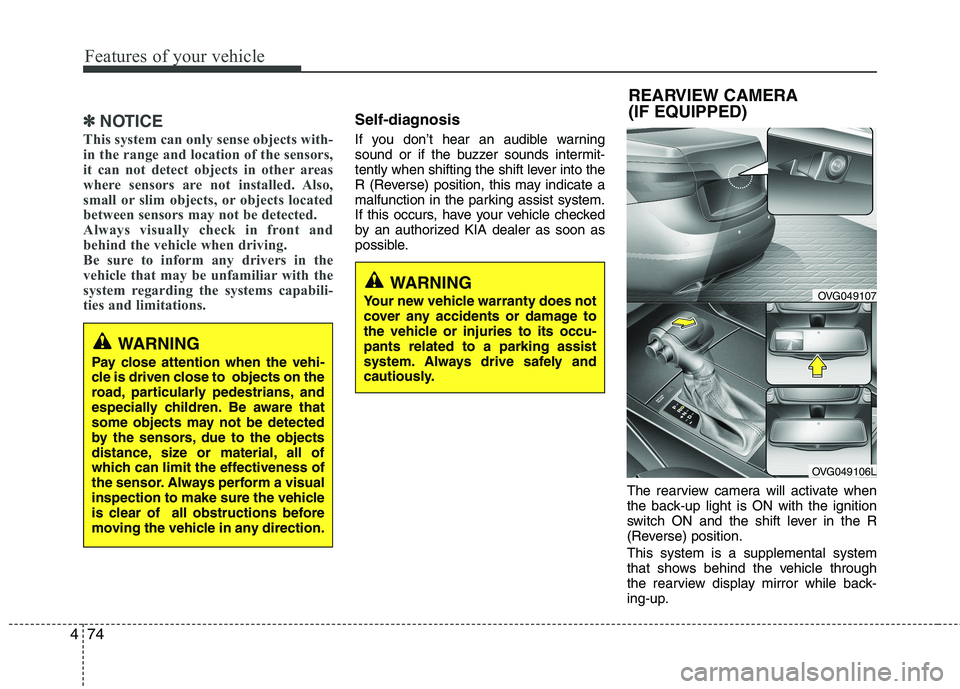
The rearview camera will activate when
the back-up light is ON with the ignition
switch ON and the shift lever in the R
(Reverse) position. This system is a supplemental system
that shows behind the vehicle through
the rearview display mirror while back-
ing-up.
OVG049107
OVG049106L
REARVIEW CAMERA
(IF EQUIPPED)
WARNING
Your new vehicle warranty does not
cover any accidents or damage to
the vehicle or injuries to its occu-pants related to a parking assist
system. Always drive safely and
cautiously.
WARNING
Pay close attention when the vehi-
cle is driven close to objects on the
road, particularly pedestrians, and
especially children. Be aware that
some objects may not be detected
by the sensors, due to the objects
distance, size or material, all of
which can limit the effectiveness of
the sensor. Always perform a visual
inspection to make sure the vehicle
is clear of all obstructions before
moving the vehicle in any direction.
Page 136 of 352
475
Features of your vehicle
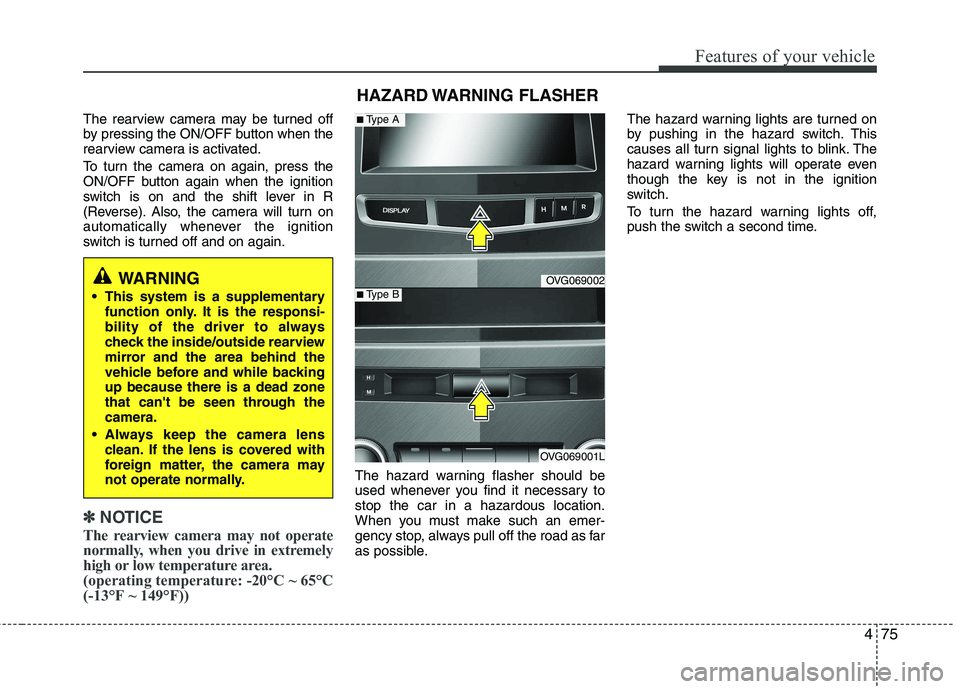
The rearview camera may be turned off
by pressing the ON/OFF button when the
rearview camera is activated.
To turn the camera on again, press the
ON/OFF button again when the ignition
switch is on and the shift lever in R
(Reverse). Also, the camera will turn on
automatically whenever the ignition
switch is turned off and on again.
✽✽NOTICE
The rearview camera may not operate
normally, when you drive in extremely
high or low temperature area.
(operating temperature: -20°C ~ 65°C
(-13°F ~ 149°F))
The hazard warning flasher should be
used whenever you find it necessary tostop the car in a hazardous location.
When you must make such an emer-
gency stop, always pull off the road as far
as possible. The hazard warning lights are turned on
by pushing in the hazard switch. This
causes all turn signal lights to blink. The
hazard warning lights will operate even
though the key is not in the ignition
switch.
To turn the hazard warning lights off,
push the switch a second time.
HAZARD WARNING FLASHER
OVG069002
OVG069001L
■
Type A
■Type BWARNING
This system is a supplementary function only. It is the responsi-
bility of the driver to always
check the inside/outside rearview
mirror and the area behind the
vehicle before and while backingup because there is a dead zone
that can't be seen through thecamera.
Always keep the camera lens clean. If the lens is covered with
foreign matter, the camera may
not operate normally.
Page 168 of 352
4107
Features of your vehicle
For maximum defrosting, set the tem-perature control to the extreme
right/hot position and the fan speedcontrol to the highest speed.
If warm air to the floor is desired while defrosting or defogging, set the modeto the floor-defrost position.
Before driving, clear all snow and ice from the windshield, rear window, out-
side rear view mirrors, and all side win-
dows.
Clear all snow and ice from the hood and air inlet in the cowl grill to improveheater and defroster efficiency and to
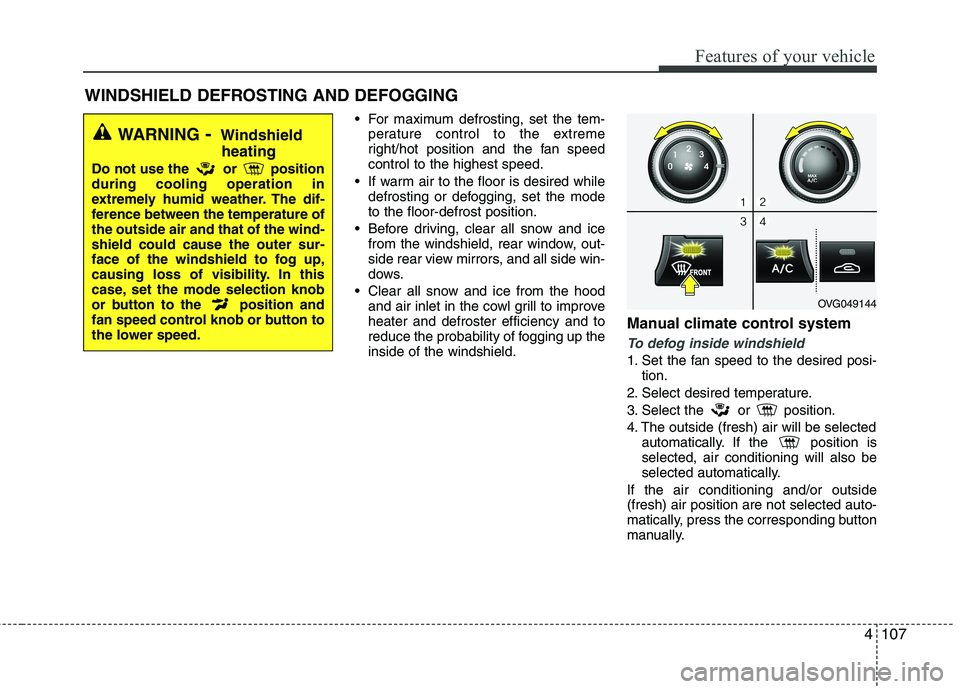
reduce the probability of fogging up theinside of the windshield. Manual climate control system
To defog inside windshield
1. Set the fan speed to the desired posi-
tion.
2. Select desired temperature.
3. Select the or position.
4. The outside (fresh) air will be selected automatically. If the position is selected, air conditioning will also be
selected automatically.
If the air conditioning and/or outside(fresh) air position are not selected auto-
matically, press the corresponding button
manually.
WINDSHIELD DEFROSTING AND DEFOGGING
WARNING - Windshield
heating
Do not use the or position during cooling operation in
extremely humid weather. The dif-
ference between the temperature ofthe outside air and that of the wind-shield could cause the outer sur-
face of the windshield to fog up,
causing loss of visibility. In this
case, set the mode selection knob
or button to the position and
fan speed control knob or button to
the lower speed.
OVG049144
Page 169 of 352
Features of your vehicle
108
4
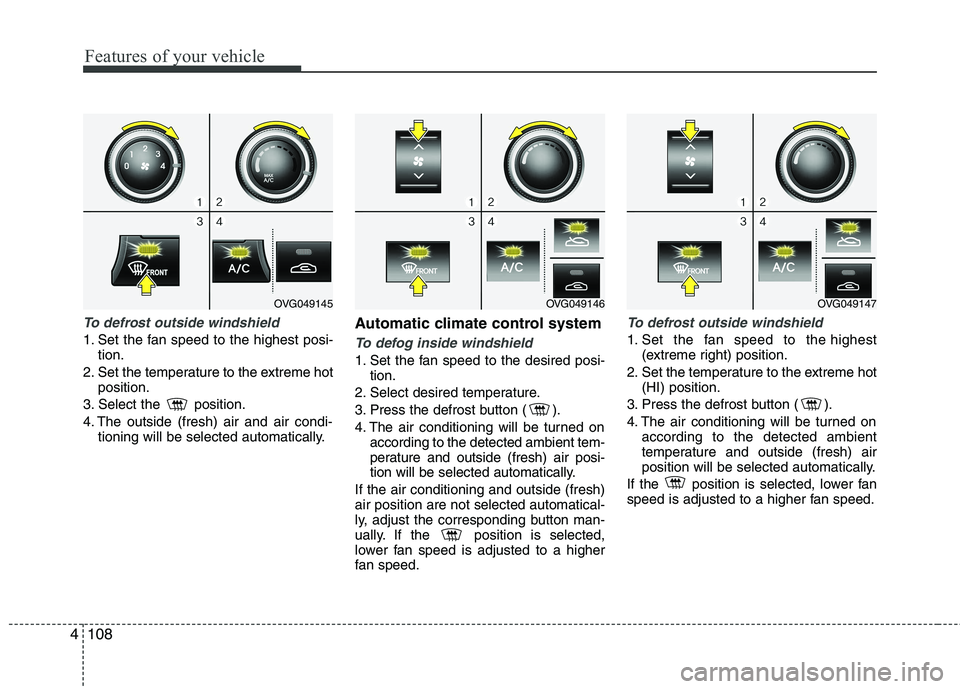
To defrost outside windshield
1. Set the fan speed to the highest posi-
tion.
2. Set the temperature to the extreme hot position.
3. Select the position.
4. The outside (fresh) air and air condi- tioning will be selected automatically. Automatic climate control systemTo defog inside windshield
1. Set the fan speed to the desired posi-
tion.
2. Select desired temperature.
3. Press the defrost button ( ).
4. The air conditioning will be turned on according to the detected ambient tem-
perature and outside (fresh) air posi-
tion will be selected automatically.
If the air conditioning and outside (fresh)air position are not selected automatical-
ly, adjust the corresponding button man-
ually. If the position is selected,
lower fan speed is adjusted to a higher
fan speed.
To defrost outside windshield
1. Set the fan speed to the highest (extreme right) position.
2. Set the temperature to the extreme hot (HI) position.
3. Press the defrost button ( ).
4. The air conditioning will be turned on according to the detected ambient
temperature and outside (fresh) air
position will be selected automatically.
If the position is selected, lower fan
speed is adjusted to a higher fan speed.
OVG049146OVG049147OVG049145
Page 187 of 352
![KIA CADENZA 2011 User Guide Knowing your vehicle
126
4
Using RADIO, SETUP, VOLUME
and AUDIO CONTROL
1. AM Button
Pressing the [AM] button selects the AM
band. AM Mode is displayed on the LCD.
2. FM Button
Turns to FM mode a](/img/2/57935/w960_57935-186.png "KIA CADENZA 2011 User Guide Knowing your vehicle
126
4
Using RADIO, SETUP, VOLUME
and AUDIO CONTROL
1. AM Button
Pressing the [AM] button selects the AM
band. AM Mode is displayed on the LCD.
2. FM Button
Turns to FM mode a")
Knowing your vehicle
126
4
Using RADIO, SETUP, VOLUME
and AUDIO CONTROL
1. AM Button
Pressing the [AM] button selects the AM
band. AM Mode is displayed on the LCD.
2. FM Button
Turns to FM mode and toggles FM1and
FM2 when the button is pressed each time.
3. SEEK Button
When the [SEEK ] button is pressed,
it increases the band frequency to auto-
matically select channel. Stops at the
previous frequency if no channel is
found.
When the [TRACK ] button is press- ed, it reduces the band frequency to
automatically select channel. Stops at
the previous frequency if no channel is
found. 4. POWER ON/OFF Button
Turns on/off the set when the IGNITION
SWITCH is on ACC or ON.
5. PRESET Buttons
Push [1]~[6] buttons less than 0.8 sec-
onds to play the channel saved in each
button. Push Preset button for 0.8 sec-
onds or longer to save current channel to
the respective button with a beep.
6. AST(AUTO STORE Button)
When the button is pressed, it automati-
cally selects and saves channels with
high reception rate to PRESET buttons
[1]~[6] and plays the channel saved in
PRESET1. If no channel is saved after
AST, it will play the previous channel.
7. SETUP Button ■
PA710VG
Press this button to turn to the SCROLL
option and the other adjustment mode. If
no action is taken for 5 seconds after
pressing the button, it will return to the
play mode. (After entering SETUP mode,
select Manual tune Button and push OK
Button. )The setup change in the order ofSOUND ↔SDVC ↔CLOCK ↔TEMP ↔
SCROLL ↔RETURN
■ PA760VG
The setup change in the order ofSOUND ↔V-EQ ↔SDVC ↔CLOCK ↔
TEMP ↔SCROLL ↔PHONE ↔RETURN
In the case of JBL AMP SOUND ↔SDVC ↔CLOCK ↔TEMP ↔SCR
OLL ↔PHONE