display KIA CADENZA 2011 User Guide
[x] Cancel search | Manufacturer: KIA, Model Year: 2011, Model line: CADENZA, Model: KIA CADENZA 2011Pages: 352, PDF Size: 28.17 MB
Page 124 of 352
463
Features of your vehicle
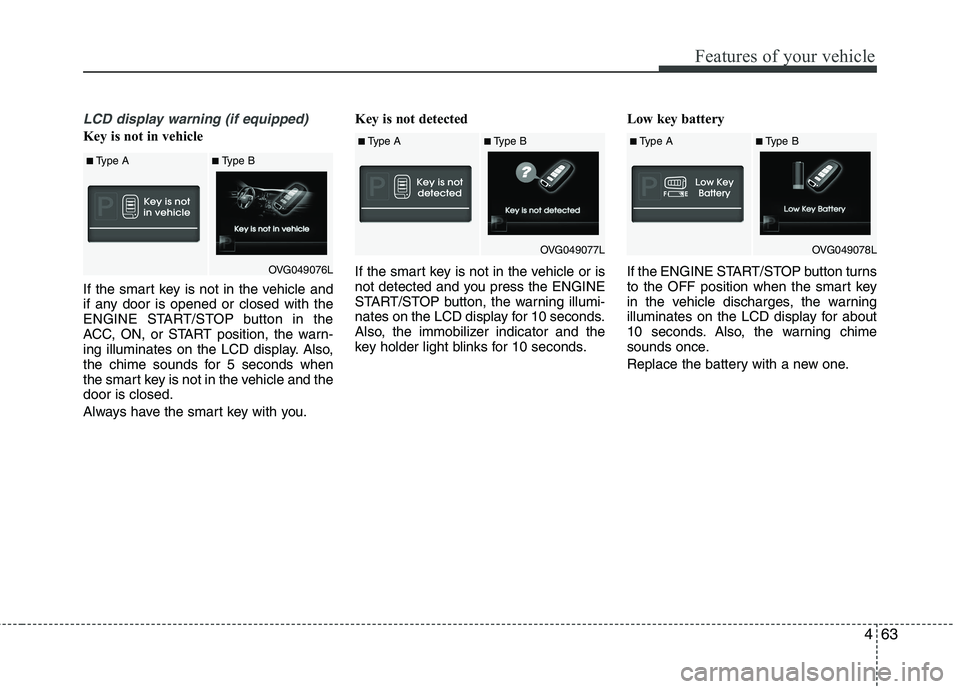
LCD display warning (if equipped)
Key is not in vehicle
If the smart key is not in the vehicle and
if any door is opened or closed with the
ENGINE START/STOP button in the
ACC, ON, or START position, the warn-
ing illuminates on the LCD display. Also,
the chime sounds for 5 seconds when
the smart key is not in the vehicle and thedoor is closed.
Always have the smart key with you.Key is not detected
If the smart key is not in the vehicle or is
not detected and you press the ENGINE
START/STOP button, the warning illumi-
nates on the LCD display for 10 seconds.
Also, the immobilizer indicator and the
key holder light blinks for 10 seconds.
Low key battery
If the ENGINE START/STOP button turns
to the OFF position when the smart key
in the vehicle discharges, the warning
illuminates on the LCD display for about
10 seconds. Also, the warning chime
sounds once.
Replace the battery with a new one.
■
Type A■Type B
OVG049076L
■Type A■Type B
OVG049077L■Type A■ Type B
OVG049078L
Page 125 of 352
Features of your vehicle
64
4
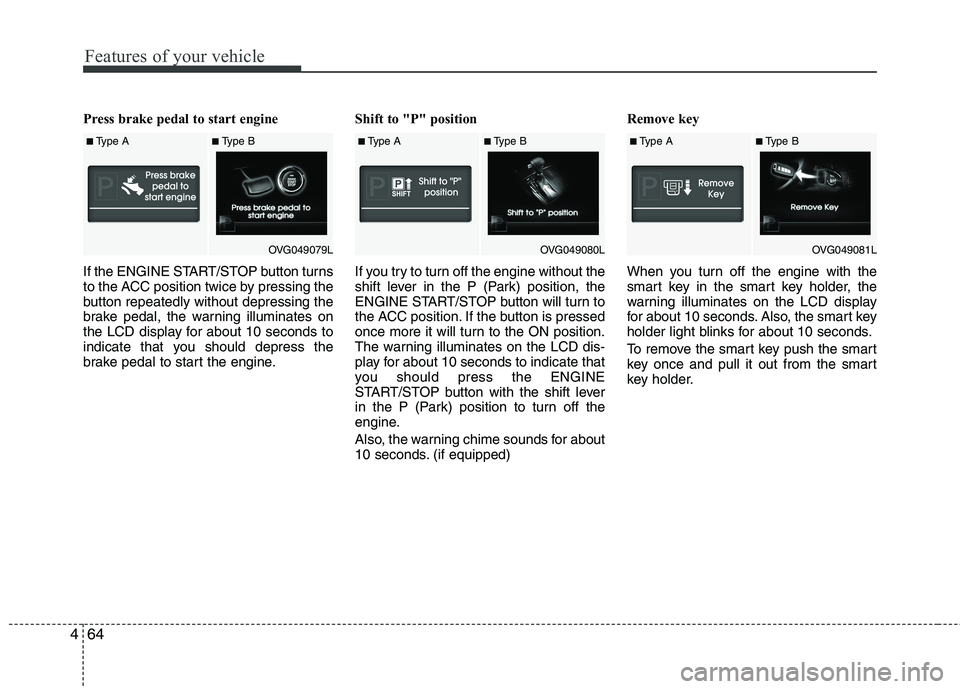
Press brake pedal to start engine
If the ENGINE START/STOP button turns
to the ACC position twice by pressing the
button repeatedly without depressing the
brake pedal, the warning illuminates on
the LCD display for about 10 seconds to
indicate that you should depress the
brake pedal to start the engine. Shift to "P" position
If you try to turn off the engine without the
shift lever in the P (Park) position, the
ENGINE START/STOP button will turn to
the ACC position. If the button is pressed
once more it will turn to the ON position.
The warning illuminates on the LCD dis-
play for about 10 seconds to indicate that
you should press the ENGINE
START/STOP button with the shift lever
in the P (Park) position to turn off the
engine.
Also, the warning chime sounds for about
10 seconds. (if equipped)Remove key
When you turn off the engine with the
smart key in the smart key holder, the
warning illuminates on the LCD display
for about 10 seconds. Also, the smart key
holder light blinks for about 10 seconds.
To remove the smart key push the smart
key once and pull it out from the smart
key holder.
■
Type A■Type B
OVG049079L■Type A■Type B
OVG049080L■Type A■Type B
OVG049081L
Page 126 of 352
465
Features of your vehicle
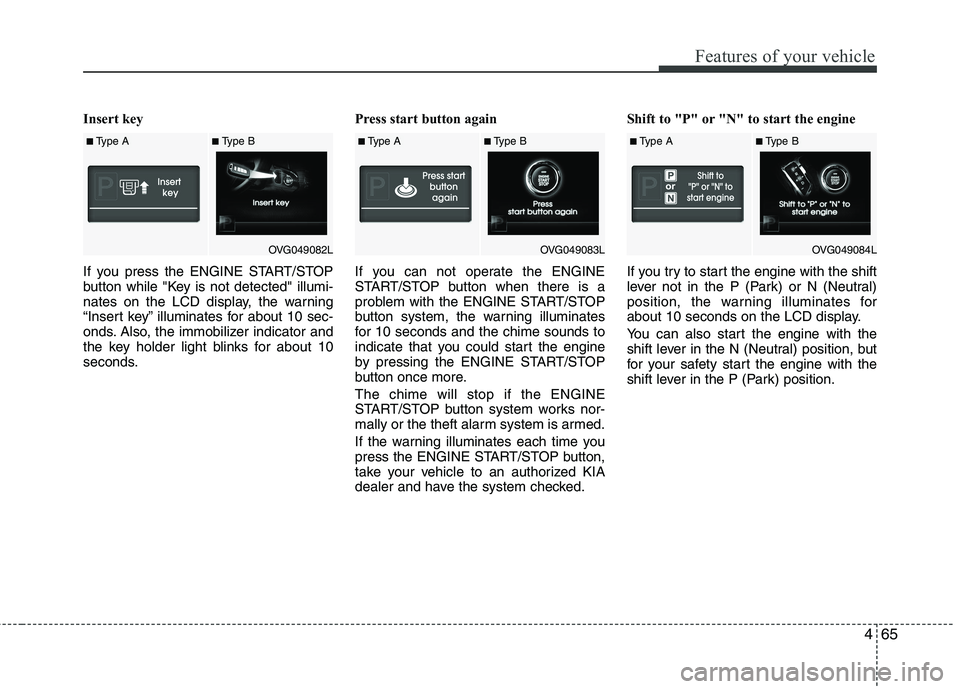
Insert key
If you press the ENGINE START/STOP
button while "Key is not detected" illumi-
nates on the LCD display, the warning
“Insert key” illuminates for about 10 sec-
onds. Also, the immobilizer indicator and
the key holder light blinks for about 10
seconds.Press start button again
If you can not operate the ENGINE
START/STOP button when there is a
problem with the ENGINE START/STOP
button system, the warning illuminates
for 10 seconds and the chime sounds to
indicate that you could start the engine
by pressing the ENGINE START/STOP
button once more. The chime will stop if the ENGINE
START/STOP button system works nor-
mally or the theft alarm system is armed.
If the warning illuminates each time you
press the ENGINE START/STOP button,
take your vehicle to an authorized KIA
dealer and have the system checked.Shift to "P" or "N" to start the engine
If you try to start the engine with the shift
lever not in the P (Park) or N (Neutral)
position, the warning illuminates for
about 10 seconds on the LCD display.
You can also start the engine with the
shift lever in the N (Neutral) position, but
for your safety start the engine with the
shift lever in the P (Park) position.
■
Type A■Type B
OVG049082L■Type A■Type B
OVG049083L■Type A■Type B
OVG049084L
Page 127 of 352
Features of your vehicle
66
4
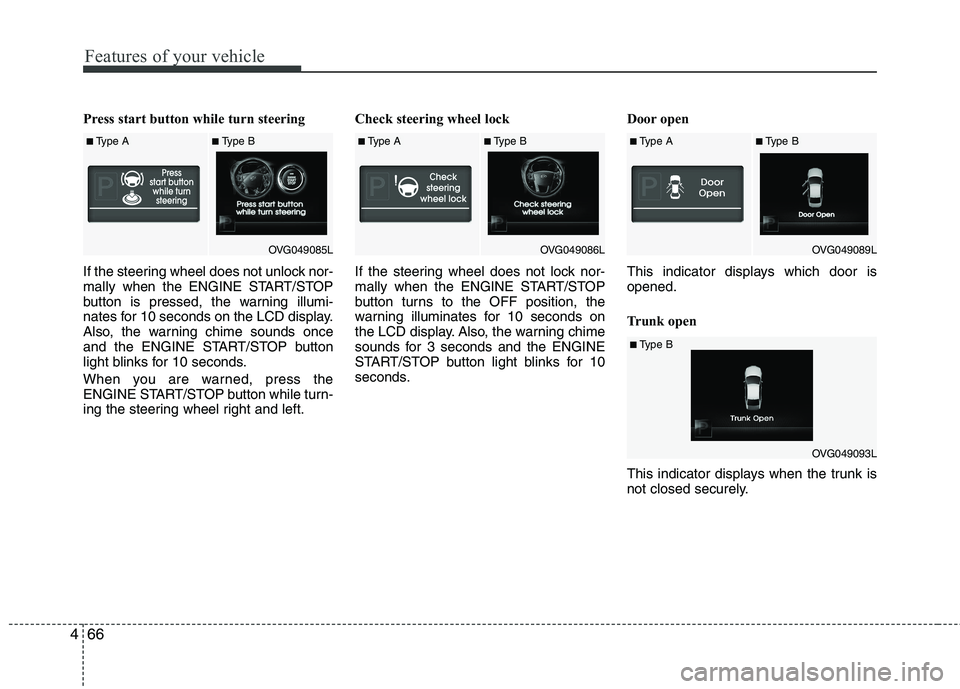
Press start button while turn steering
If the steering wheel does not unlock nor-
mally when the ENGINE START/STOP
button is pressed, the warning illumi-
nates for 10 seconds on the LCD display.
Also, the warning chime sounds once
and the ENGINE START/STOP button
light blinks for 10 seconds.
When you are warned, press the
ENGINE START/STOP button while turn-
ing the steering wheel right and left. Check steering wheel lock
If the steering wheel does not lock nor-
mally when the ENGINE START/STOP
button turns to the OFF position, the
warning illuminates for 10 seconds on
the LCD display. Also, the warning chime
sounds for 3 seconds and the ENGINE
START/STOP button light blinks for 10
seconds.
Door open
This indicator displays which door is opened.
Trunk open
This indicator displays when the trunk is
not closed securely.
■
Type A■Type B
OVG049085L■Type A■Type B
OVG049086L■Type A■Type B
OVG049089L
■Type B
OVG049093L
Page 128 of 352
467
Features of your vehicle
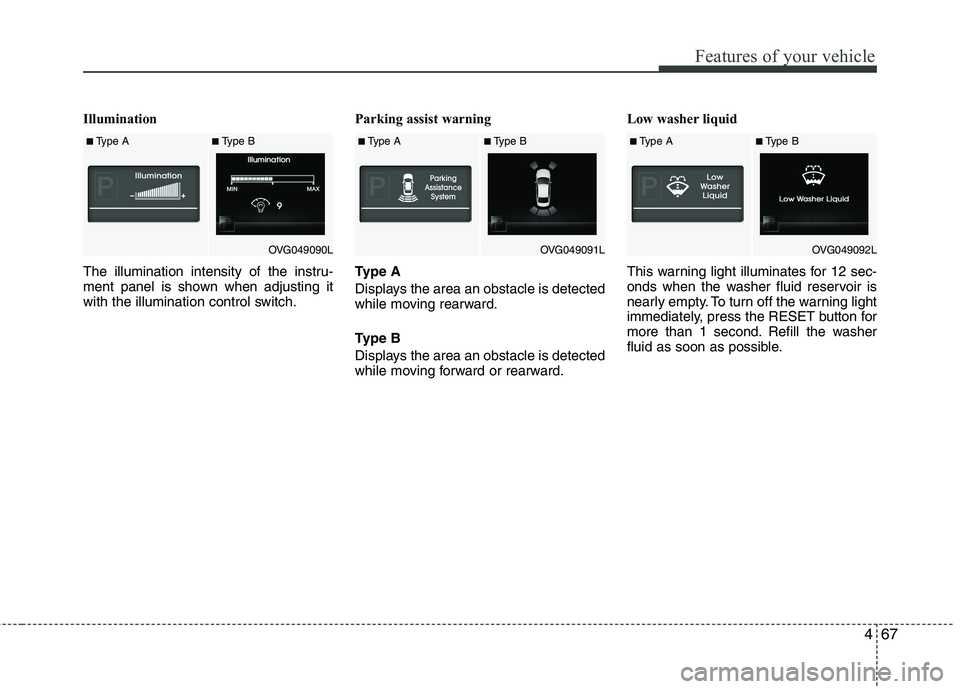
Illumination
The illumination intensity of the instru-
ment panel is shown when adjusting it
with the illumination control switch.Parking assist warning
Type A
Displays the area an obstacle is detected
while moving rearward.
Type B
Displays the area an obstacle is detected
while moving forward or rearward.Low washer liquid
This warning light illuminates for 12 sec-
onds when the washer fluid reservoir is
nearly empty. To turn off the warning light
immediately, press the RESET button for
more than 1 second. Refill the washer
fluid as soon as possible.
■
Type A■Type B
OVG049090L■Type A■Type B
OVG049091L■Type A■Type B
OVG049092L
Page 135 of 352
Features of your vehicle
74
4
✽✽
NOTICE
This system can only sense objects with-
in the range and location of the sensors,
it can not detect objects in other areas
where sensors are not installed. Also,
small or slim objects, or objects located
between sensors may not be detected.
Always visually check in front and
behind the vehicle when driving.
Be sure to inform any drivers in the
vehicle that may be unfamiliar with the
system regarding the systems capabili-
ties and limitations.Self-diagnosis
If you don’t hear an audible warning
sound or if the buzzer sounds intermit-
tently when shifting the shift lever into the
R (Reverse) position, this may indicate a
malfunction in the parking assist system.
If this occurs, have your vehicle checked
by an authorized KIA dealer as soon as
possible.
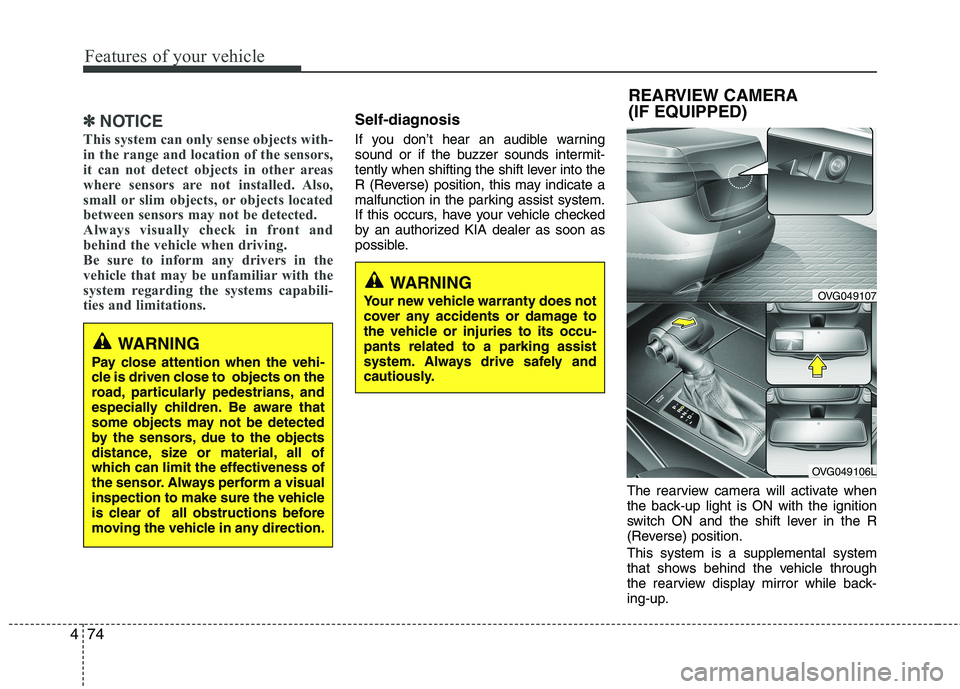
The rearview camera will activate when
the back-up light is ON with the ignition
switch ON and the shift lever in the R
(Reverse) position. This system is a supplemental system
that shows behind the vehicle through
the rearview display mirror while back-
ing-up.
OVG049107
OVG049106L
REARVIEW CAMERA
(IF EQUIPPED)
WARNING
Your new vehicle warranty does not
cover any accidents or damage to
the vehicle or injuries to its occu-pants related to a parking assist
system. Always drive safely and
cautiously.
WARNING
Pay close attention when the vehi-
cle is driven close to objects on the
road, particularly pedestrians, and
especially children. Be aware that
some objects may not be detected
by the sensors, due to the objects
distance, size or material, all of
which can limit the effectiveness of
the sensor. Always perform a visual
inspection to make sure the vehicle
is clear of all obstructions before
moving the vehicle in any direction.
Page 167 of 352
Features of your vehicle
106
4
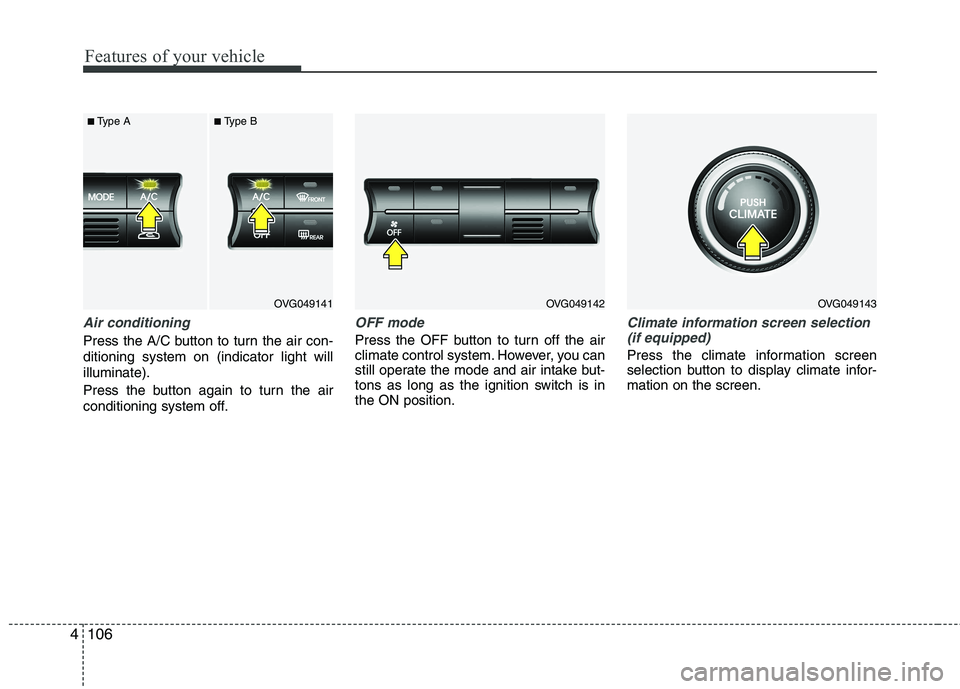
Air conditioning
Press the A/C button to turn the air con- ditioning system on (indicator light willilluminate).
Press the button again to turn the air
conditioning system off.
OFF mode
Press the OFF button to turn off the air
climate control system. However, you can
still operate the mode and air intake but-
tons as long as the ignition switch is inthe ON position.
Climate information screen selection
(if equipped)
Press the climate information screen
selection button to display climate infor-mation on the screen.
OVG049141
■
Type A ■Type BOVG049142OVG049143
Page 170 of 352
4109
Features of your vehicle
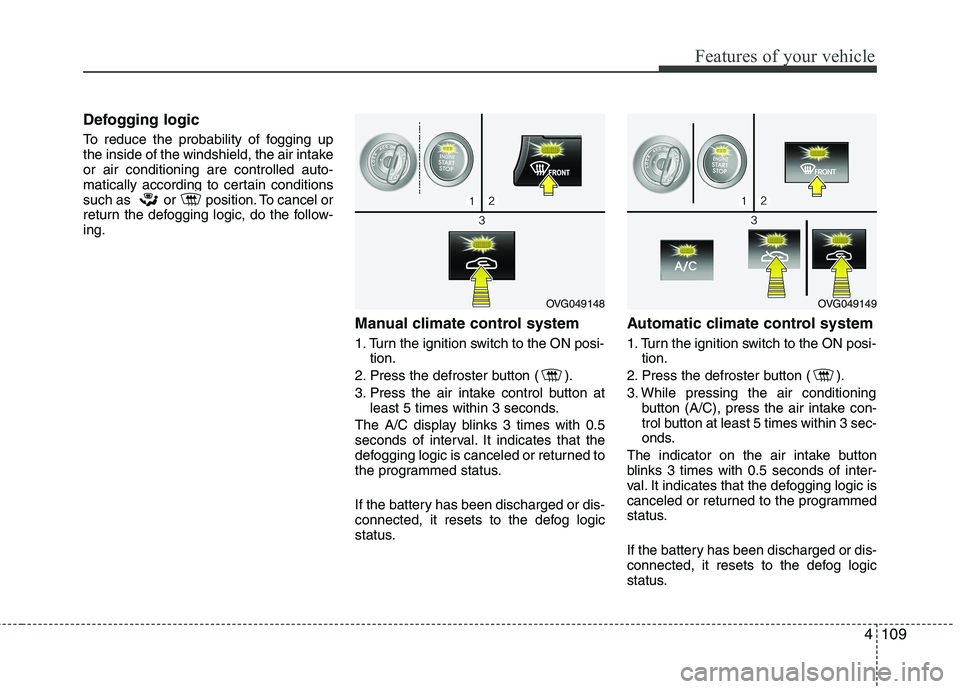
Defogging logic
To reduce the probability of fogging up
the inside of the windshield, the air intakeor air conditioning are controlled auto-
matically according to certain conditions
such as or position. To cancel or
return the defogging logic, do the follow-ing.Manual climate control system
1. Turn the ignition switch to the ON posi-tion.
2. Press the defroster button ( ).
3. Press the air intake control button at least 5 times within 3 seconds.
The A/C display blinks 3 times with 0.5
seconds of interval. It indicates that the
defogging logic is canceled or returned to
the programmed status.
If the battery has been discharged or dis-
connected, it resets to the defog logic
status. Automatic climate control system
1. Turn the ignition switch to the ON posi-
tion.
2. Press the defroster button ( ).
3. While pressing the air conditioning button (A/C), press the air intake con-
trol button at least 5 times within 3 sec-
onds.
The indicator on the air intake button
blinks 3 times with 0.5 seconds of inter-
val. It indicates that the defogging logic is
canceled or returned to the programmed
status.
If the battery has been discharged or dis-
connected, it resets to the defog logic
status.
OVG049148OVG049149
Page 177 of 352
Features of your vehicle
116
4
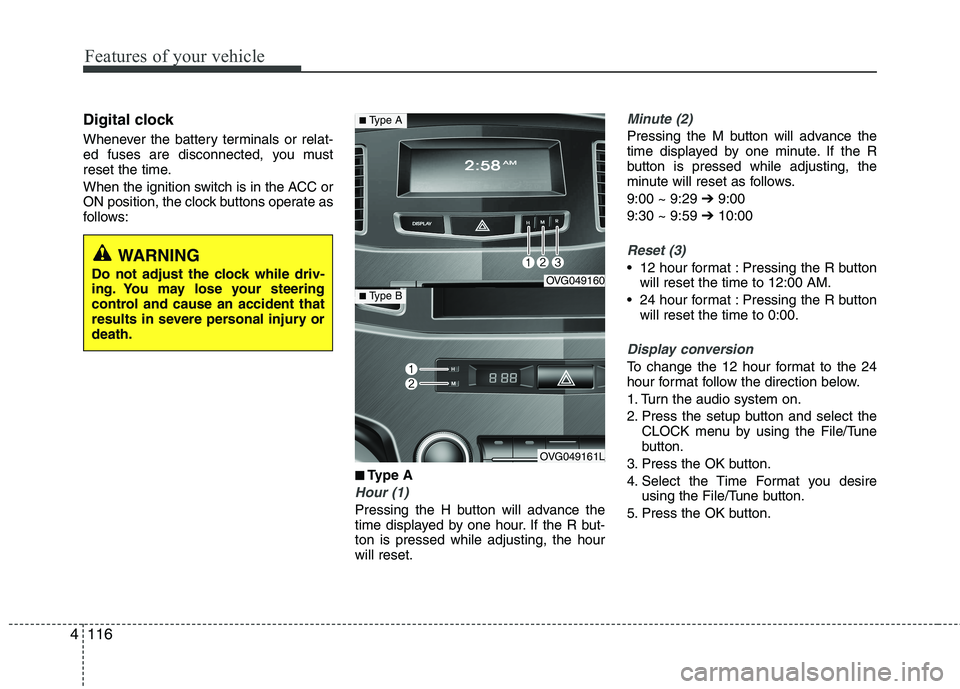
Digital clock
Whenever the battery terminals or relat-
ed fuses are disconnected, you must
reset the time.
When the ignition switch is in the ACC or
ON position, the clock buttons operate as
follows:
■
■Type A
Hour (1)
Pressing the H button will advance the
time displayed by one hour. If the R but-ton is pressed while adjusting, the hourwill reset.
Minute (2)
Pressing the M button will advance the
time displayed by one minute. If the R
button is pressed while adjusting, the
minute will reset as follows. 9:00 ~ 9:29 ➔9:00
9:30 ~ 9:59 ➔10:00
Reset (3)
12 hour format : Pressing the R button
will reset the time to 12:00 AM.
24 hour format : Pressing the R button will reset the time to 0:00.
Display conversion
To change the 12 hour format to the 24
hour format follow the direction below.
1. Turn the audio system on.
2. Press the setup button and select the CLOCK menu by using the File/Tune
button.
3. Press the OK button.
4. Select the Time Format you desire using the File/Tune button.
5. Press the OK button.
WARNING
Do not adjust the clock while driv-
ing. You may lose your steering
control and cause an accident that
results in severe personal injury ordeath.
OVG049160
OVG049161L
■ Type A
■Type B
Page 178 of 352
4117
Features of your vehicle
■■
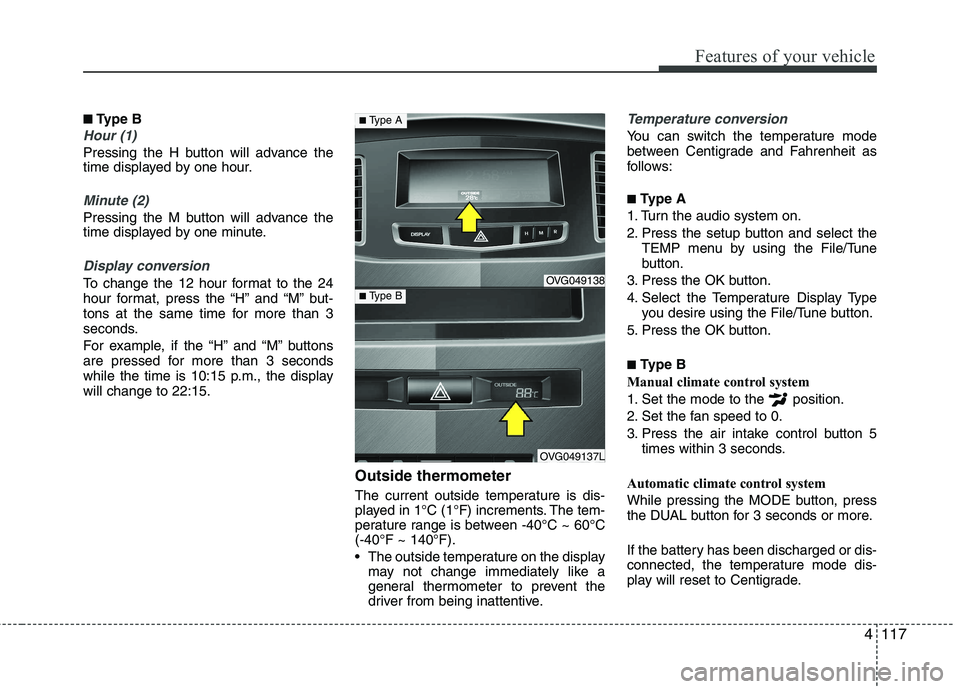
Type B
Hour (1)
Pressing the H button will advance the
time displayed by one hour.
Minute (2)
Pressing the M button will advance the
time displayed by one minute.
Display conversion
To change the 12 hour format to the 24
hour format, press the “H” and “M” but-
tons at the same time for more than 3
seconds.
For example, if the “H” and “M” buttons
are pressed for more than 3 seconds
while the time is 10:15 p.m., the displaywill change to 22:15.
Outside thermometer
The current outside temperature is dis-
played in 1°C (1°F) increments. The tem-
perature range is between -40°C ~ 60°C(-40°F ~ 140°F).
The outside temperature on the displaymay not change immediately like a
general thermometer to prevent the
driver from being inattentive.
Temperature conversion
You can switch the temperature mode
between Centigrade and Fahrenheit as
follows: ■ Type A
1. Turn the audio system on.
2. Press the setup button and select the TEMP menu by using the File/Tune
button.
3. Press the OK button.
4. Select the Temperature Display Type you desire using the File/Tune button.
5. Press the OK button. ■ Type B
Manual climate control system
1. Set the mode to the position.
2. Set the fan speed to 0.
3. Press the air intake control button 5 times within 3 seconds.
Automatic climate control system
While pressing the MODE button, press
the DUAL button for 3 seconds or more.
If the battery has been discharged or dis-
connected, the temperature mode dis-
play will reset to Centigrade.
OVG049138
OVG049137L
■ Type A
■Type B