instrument cluster KIA CADENZA 2011 Owners Manual
[x] Cancel search | Manufacturer: KIA, Model Year: 2011, Model line: CADENZA, Model: KIA CADENZA 2011Pages: 352, PDF Size: 28.17 MB
Page 4 of 352
1
How to use this manual / 1-2
Fuel requirements / 1-2
Vehicle break-in process / 1-4Indicator symbols on the instrument cluster / 1-5
Introduction
Page 8 of 352
15
Introduction
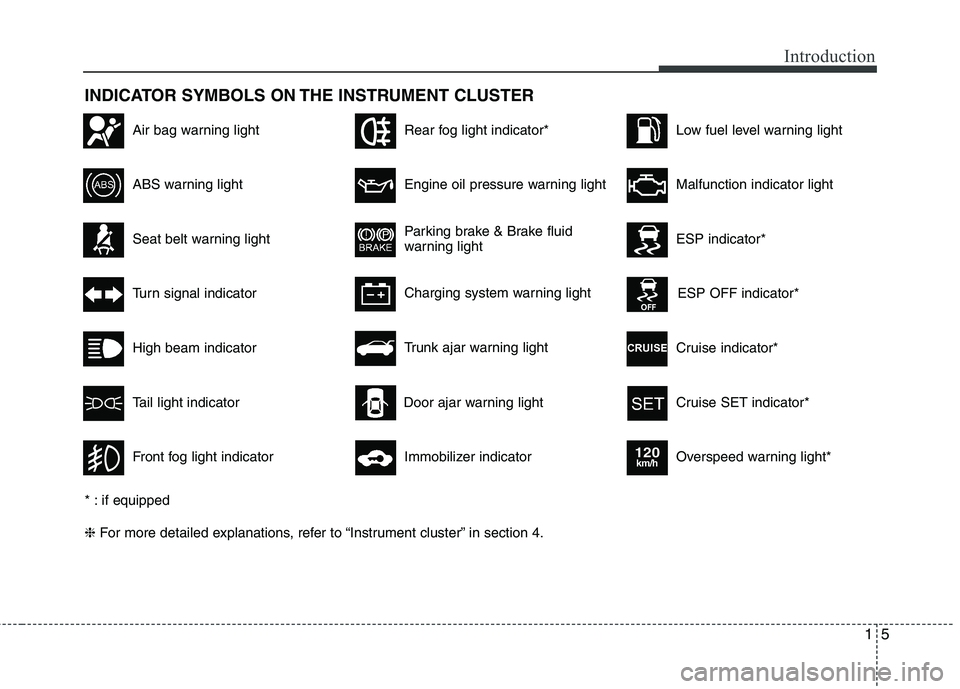
INDICATOR SYMBOLS ON THE INSTRUMENT CLUSTER
Seat belt warning light
High beam indicator
Turn signal indicator
ABS warning light
Parking brake & Brake fluid
warning light
Engine oil pressure warning light
ESP indicator*
ESP OFF indicator*
Malfunction indicator light
Air bag warning light
Cruise indicator*
Cruise SET indicator*
Immobilizer indicator
Low fuel level warning light
* : if equipped ❈ For more detailed explanations, refer to “Instrument cluster” in section 4.
Charging system warning light
Overspeed warning light*
120km/h
Tail light indicator
Trunk ajar warning light
Front fog light indicator
Rear fog light indicator*
Door ajar warning light
Page 11 of 352
23
Your vehicle at a glance
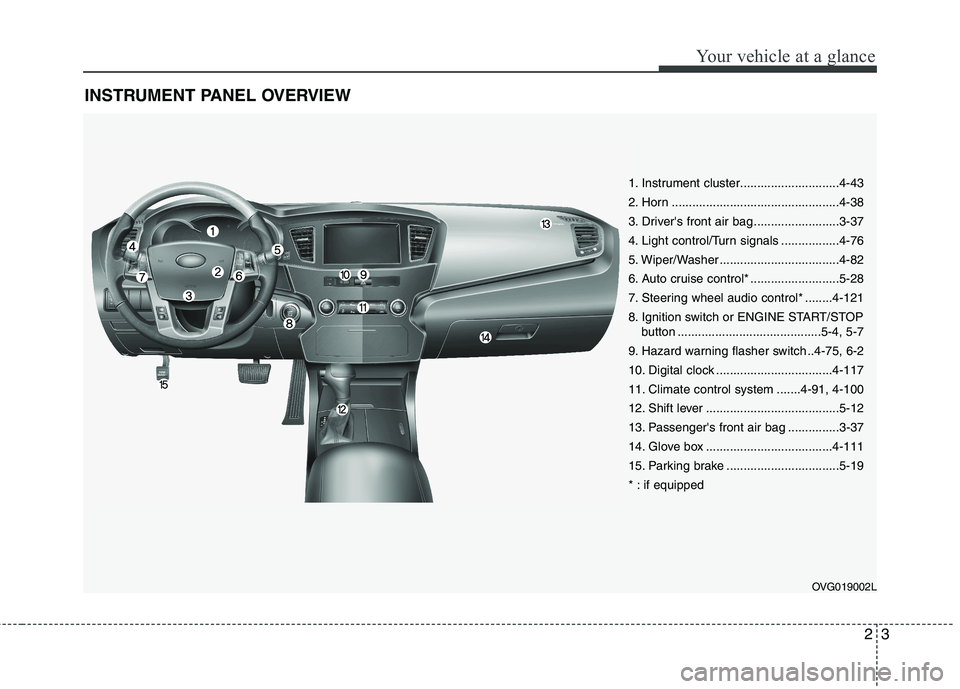
INSTRUMENT PANEL OVERVIEW
OVG019002L
1. Instrument cluster.............................4-43
2. Horn .................................................4-38
3. Driver's front air bag .........................3-37
4. Light control/Turn signals .................4-76
5. Wiper/Washer ...................................4-82
6. Auto cruise control* ..........................5-28
7. Steering wheel audio control* ........4-121
8. Ignition switch or ENGINE START/STOPbutton ..........................................5-4, 5-7
9. Hazard warning flasher switch ..4-75, 6-2
10. Digital clock ..................................4-117
11. Climate control system .......4-91, 4-100
12. Shift lever .......................................5-12
13. Passenger's front air bag ...............3-37
14. Glove box .....................................4-111
15. Parking brake .................................5-19
* : if equipped
Page 48 of 352
Safety features of your vehicle
36
3
WARNING
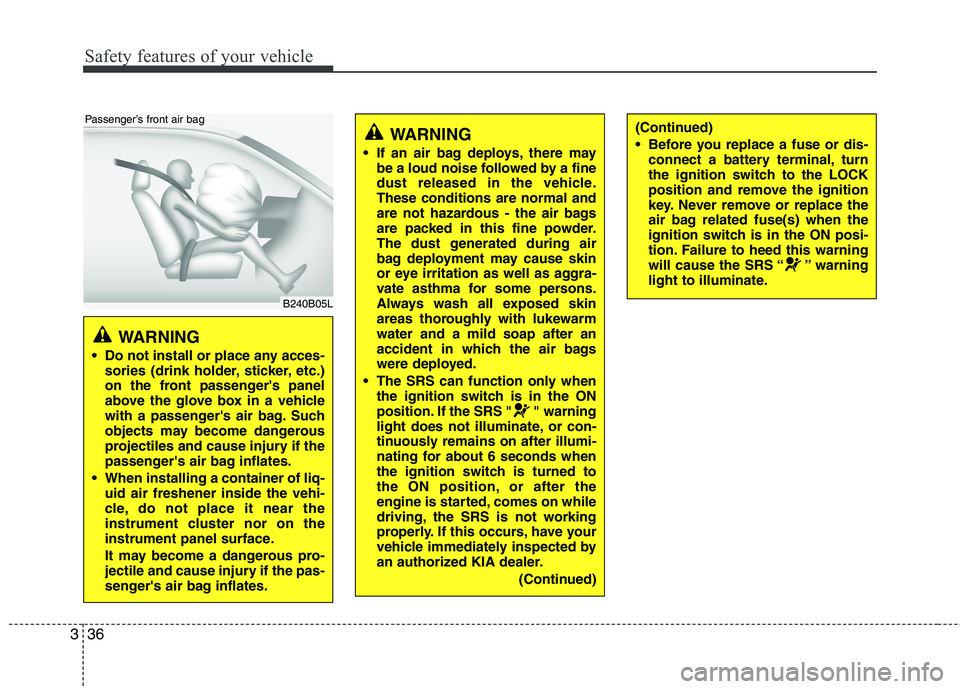
Do not install or place any acces- sories (drink holder, sticker, etc.)
on the front passenger's panel
above the glove box in a vehicle
with a passenger's air bag. Such
objects may become dangerous
projectiles and cause injury if the
passenger's air bag inflates.
When installing a container of liq- uid air freshener inside the vehi-
cle, do not place it near the
instrument cluster nor on the
instrument panel surface.
It may become a dangerous pro-
jectile and cause injury if the pas-
senger's air bag inflates.
B240B05L
Passenger’s front air bag
WARNING
If an air bag deploys, there may be a loud noise followed by a fine
dust released in the vehicle.These conditions are normal and
are not hazardous - the air bags
are packed in this fine powder.
The dust generated during air
bag deployment may cause skin
or eye irritation as well as aggra-
vate asthma for some persons.
Always wash all exposed skin
areas thoroughly with lukewarmwater and a mild soap after an
accident in which the air bags
were deployed.
The SRS can function only when the ignition switch is in the ON
position. If the SRS " " warning
light does not illuminate, or con-
tinuously remains on after illumi-
nating for about 6 seconds when
the ignition switch is turned to
the ON position, or after the
engine is started, comes on while
driving, the SRS is not working
properly. If this occurs, have your
vehicle immediately inspected by
an authorized KIA dealer.
(Continued)(Continued)
Before you replace a fuse or dis-connect a battery terminal, turn
the ignition switch to the LOCK
position and remove the ignition
key. Never remove or replace the
air bag related fuse(s) when the
ignition switch is in the ON posi-
tion. Failure to heed this warning
will cause the SRS “ ” warning
light to illuminate.
Page 62 of 352
4
Keys / 4-3
Remote keyless entry / 4-7
Smart key / 4-10
Theft-alarm system / 4-12
Door locks / 4-15
Trunk / 4-19
Windows / 4-21
Hood / 4-25
Fuel filler lid / 4-27
Panoramic sunroof / 4-30
Driver position memory system / 4-34
Steering wheel / 4-36
Mirrors / 4-39
Instrument cluster / 4-43
Rear parking assist system / 4-68
Parking assist system / 4-71
Rearview camera / 4-74
Hazard warning flasher / 4-75
Lighting / 4-76
Wipers and washers / 4-82
Interior light / 4-85
Welcome system / 4-89
Defroster / 4-90
Features of your vehicle
Page 95 of 352
Features of your vehicle
34
4
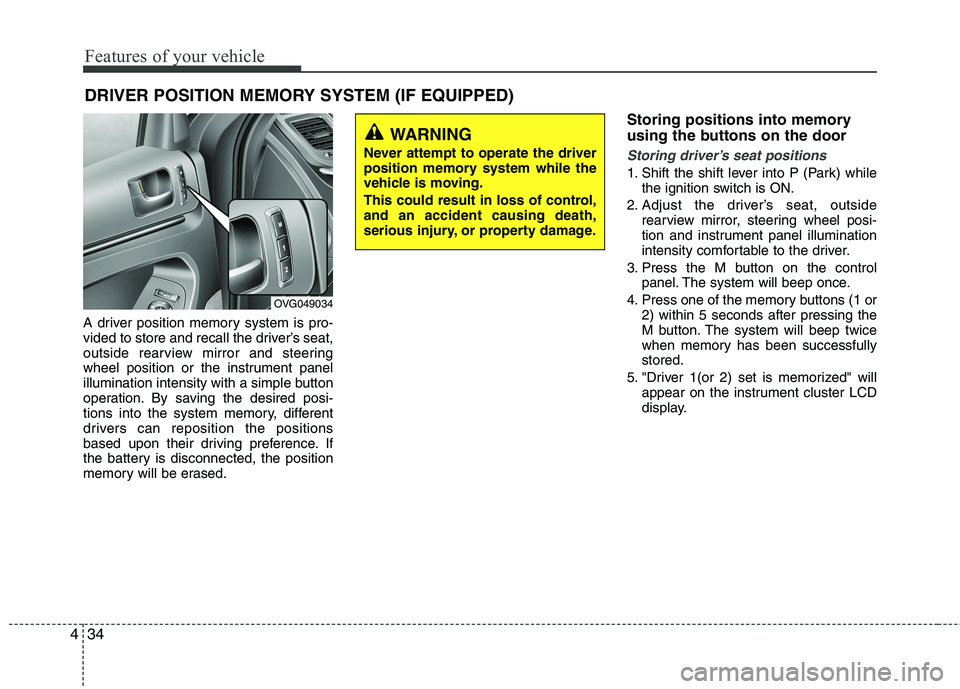
A driver position memory system is pro-
vided to store and recall the driver’s seat,
outside rearview mirror and steering
wheel position or the instrument panel
illumination intensity with a simple button
operation. By saving the desired posi-
tions into the system memory, different
drivers can reposition the positions
based upon their driving preference. If
the battery is disconnected, the position
memory will be erased. Storing positions into memory
using the buttons on the door
Storing driver’s seat positions
1. Shift the shift lever into P (Park) while
the ignition switch is ON.
2. Adjust the driver’s seat, outside rearview mirror, steering wheel posi-
tion and instrument panel illumination
intensity comfortable to the driver.
3. Press the M button on the control panel. The system will beep once.
4. Press one of the memory buttons (1 or 2) within 5 seconds after pressing the
M button. The system will beep twice
when memory has been successfullystored.
5. "Driver 1(or 2) set is memorized" will appear on the instrument cluster LCD
display.
DRIVER POSITION MEMORY SYSTEM (IF EQUIPPED)
WARNING
Never attempt to operate the driver
position memory system while the
vehicle is moving.
This could result in loss of control, and an accident causing death,
serious injury, or property damage.
OVG049034
Page 96 of 352
435
Features of your vehicle
Recalling positions from memory
1. Shift the shift lever into P (Park) whilethe ignition switch is ON.
2. To recall the position in memory, press the desired memory button (1 or 2).
The system will beep once, then the
driver’s seat, outside rearview mirror,
steering wheel and the instrumentpanel illumination will automatically
adjust to the stored positions.
3. "Driver 1 (or 2) set is changed" will appear on the instrument cluster LCD
display.
Adjusting the control switch for the dri-
ver’s seat, outside rearview mirror, steer-
ing wheel and the instrument panel illu-mination while the system is recalling the
stored position will cause the movement
to stop and move in the direction that the
control switch is moved. Easy access function (if equipped)
With the shift lever in the P (Park) posi-
tion, the system will move the driver's
seat and steering wheel automatically so
you can comfortably enter and exit the
vehicle.
Without smart key system
- The steering wheel will move awayfrom the driver and the seat will move
rearward, when the ignition key is
removed.
- The steering wheel will move toward the driver and the seat will move for-
ward, when the ignition key is insert-ed.
With smart key system - The steering wheel will move awayfrom the driver and the seat will move
rearward, when the ENGINE START/
STOP button is in the OFF position.
- The steering wheel will move toward the driver and the seat will move for-
ward, when the ENGINE START/
STOP button is in the ACC position.
You can activate or deactivate this fea-
ture. Refer to “Vehicle Option" in this
chapter.
WARNING
Use caution when recalling adjust-
ment memory while sitting in the
vehicle. Push the seat position con-
trol knob to the desired position
immediately if the seat moves too
far in any direction.
Page 104 of 352
443
Features of your vehicle
INSTRUMENT CLUSTER
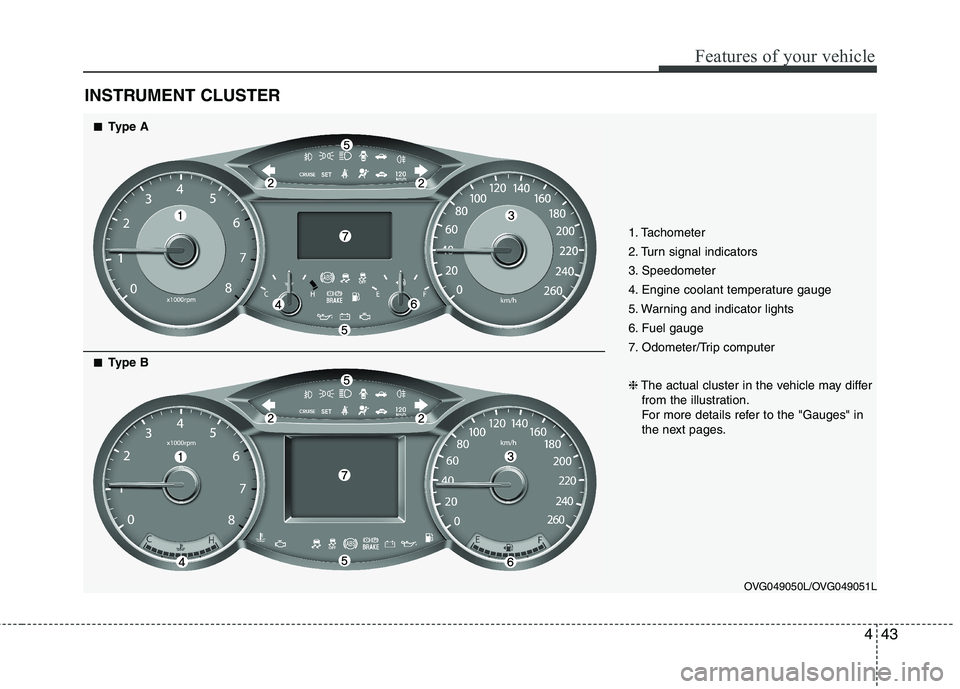
1. Tachometer
2. Turn signal indicators
3. Speedometer
4. Engine coolant temperature gauge
5. Warning and indicator lights
6. Fuel gauge
7. Odometer/Trip computer ❈The actual cluster in the vehicle may differ
from the illustration.
For more details refer to the "Gauges" in
the next pages.
OVG049050L/OVG049051L
■■Type A
■
■ Type B
Page 105 of 352
Features of your vehicle
44
4
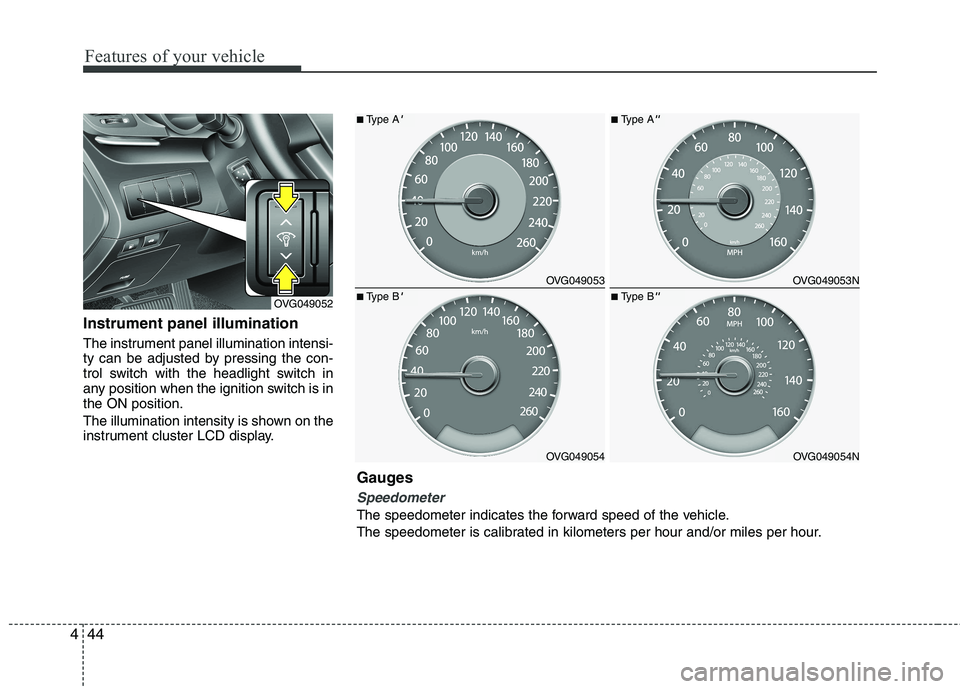
Instrument panel illumination
The instrument panel illumination intensi-
ty can be adjusted by pressing the con-
trol switch with the headlight switch in
any position when the ignition switch is inthe ON position.
The illumination intensity is shown on the
instrument cluster LCD display.
OVG049052
OVG049053
OVG049054
■ Type A'
■Type B'
OVG049053N
OVG049054N
■Type A''
■Type B''
Gauges
Speedometer
The speedometer indicates the forward speed of the vehicle.
The speedometer is calibrated in kilometers per hour and/or miles per hour.
Page 123 of 352
Features of your vehicle
62
4
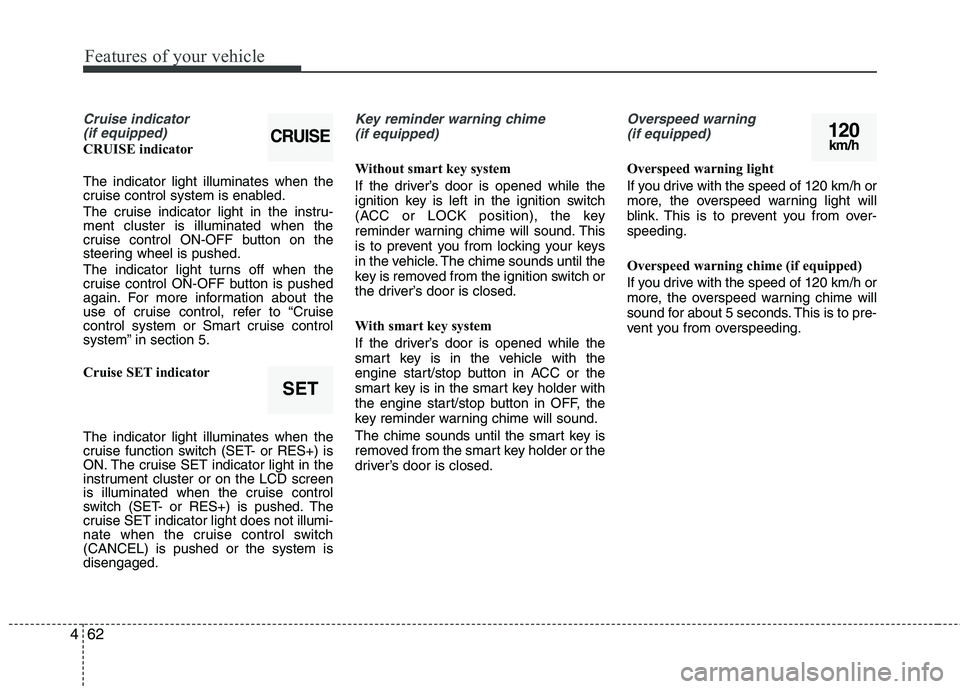
Cruise indicator
(if equipped)
CRUISE indicator The indicator light illuminates when the
cruise control system is enabled.
The cruise indicator light in the instru- ment cluster is illuminated when the
cruise control ON-OFF button on the
steering wheel is pushed.
The indicator light turns off when the
cruise control ON-OFF button is pushed
again. For more information about the
use of cruise control, refer to “Cruise
control system or Smart cruise control
system” in section 5.
Cruise SET indicator The indicator light illuminates when the
cruise function switch (SET- or RES+) is
ON. The cruise SET indicator light in the
instrument cluster or on the LCD screen
is illuminated when the cruise control
switch (SET- or RES+) is pushed. The
cruise SET indicator light does not illumi-
nate when the cruise control switch(CANCEL) is pushed or the system isdisengaged.
Key reminder warning chime
(if equipped)
Without smart key system
If the driver’s door is opened while the
ignition key is left in the ignition switch
(ACC or LOCK position), the key
reminder warning chime will sound. This
is to prevent you from locking your keys
in the vehicle. The chime sounds until the
key is removed from the ignition switch or
the driver’s door is closed.
With smart key system
If the driver’s door is opened while the
smart key is in the vehicle with the
engine start/stop button in ACC or the
smart key is in the smart key holder with
the engine start/stop button in OFF, the
key reminder warning chime will sound.
The chime sounds until the smart key is
removed from the smart key holder or the
driver’s door is closed.
Overspeed warning (if equipped)
Overspeed warning light
If you drive with the speed of 120 km/h or
more, the overspeed warning light will
blink. This is to prevent you from over-speeding.
Overspeed warning chime (if equipped)
If you drive with the speed of 120 km/h or
more, the overspeed warning chime will
sound for about 5 seconds. This is to pre-
vent you from overspeeding.
120km/h
SET
CRUISE