maintenance KIA CADENZA 2011 Owners Manual
[x] Cancel search | Manufacturer: KIA, Model Year: 2011, Model line: CADENZA, Model: KIA CADENZA 2011Pages: 352, PDF Size: 28.17 MB
Page 1 of 352
F1
OOWW NNEERR ''SS MM AANN UUAA LL
Operation MaintenanceSpecifications
All information in this Owner's Manual is current at the time of
publication. However, KIA reserves the right to make changes at
any time so that our policy of continual product improvement maybe carried out.
This manual applies to all KIA models and includes descriptions
and explanations of optional as well as standard equipment. As a
result, you may find material in this manual that does not apply to
your specific vehicle.
Page 2 of 352
i
Thank you for choosing a KIA vehicle.
When you require service, remember that your dealer
knows your vehicle best. Your dealer has factory-trained
technicians, recommended special tools, genuine KIA
replacement parts and is dedicated to your complete sat-
isfaction.
Because subsequent owners require this important infor-
mation as well, this publication should remain with the
vehicle if it is sold.
This manual will familiarize you with operational, main-
tenance and safety information about your new vehicle. It
is supplemented by a Warranty and Maintenance book
that provides important information on all warranties
regarding your vehicle. We urge you to read these publi-
cations carefully and follow the recommendations to help
assure enjoyable and safe operation of your new vehicle.
KIA offers a great variety of options, components and
features for its various models. Therefore, some of the
equipment described in this manual, along with the vari-
ous illustrations, may not be applicable to your particular
vehicle.
The information and specifications provided in this man-
ual were accurate at the time of printing. KIA reserves
the right to discontinue or change specifications or design
at any time without notice and without incurring any
obligation. If you have questions, always check with your
authorized KIA dealer.
We assure you of our continuing interest in your motor-
ing pleasure and satisfaction in your KIA vehicle.
© 2010 KIA MOTORS Corp.
All rights reserved. Reproduction by any means, elec-
tronic or mechanical, including photocopying, recording,
or by any information storage and retrieval system or
translation in whole or part is not permitted without writ-
ten authorization from KIA MOTORS Corporation.
Printed in Korea
Foreword
Page 3 of 352
ii
1 2 3 4 5 6 78IIntroduction
Your vehicle at a glance
Safety features of your vehicle
Features of your vehicle
Driving your vehicle
What to do in an emergency
Maintenance
Specifications & Consumer information
Index
table of contents
Page 55 of 352
343
Safety features of your vehicle
Air bag inflation conditions
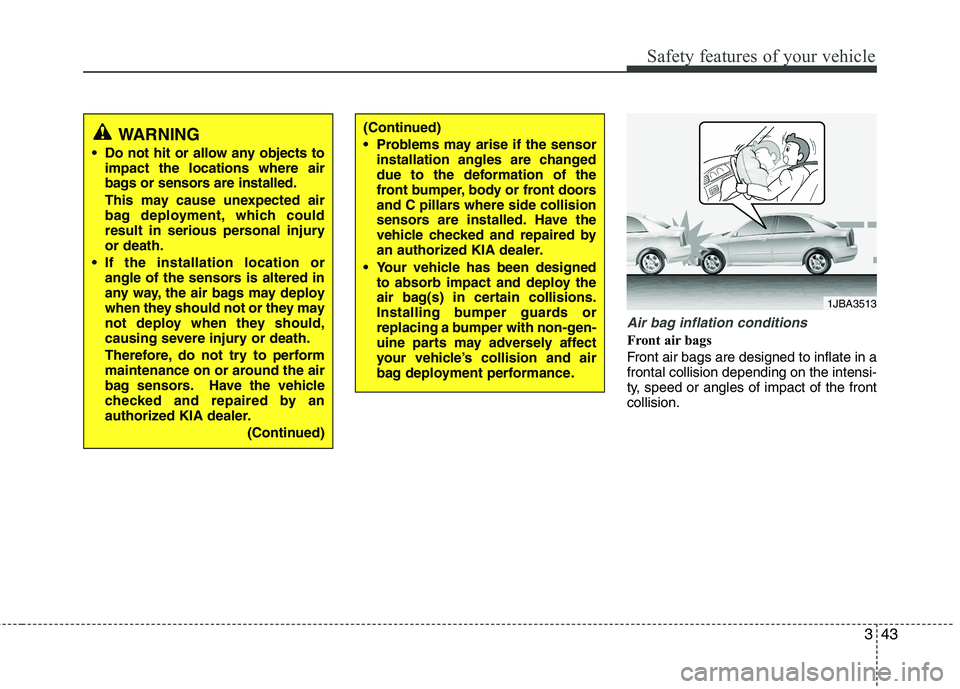
Front air bags
Front air bags are designed to inflate in a frontal collision depending on the intensi-
ty, speed or angles of impact of the frontcollision.
1JBA3513
(Continued)
Problems may arise if the sensorinstallation angles are changed
due to the deformation of the
front bumper, body or front doors
and C pillars where side collision
sensors are installed. Have the
vehicle checked and repaired by
an authorized KIA dealer.
Your vehicle has been designed to absorb impact and deploy the
air bag(s) in certain collisions.
Installing bumper guards or
replacing a bumper with non-gen-
uine parts may adversely affect
your vehicle’s collision and air
bag deployment performance.WARNING
Do not hit or allow any objects to impact the locations where air
bags or sensors are installed.
This may cause unexpected air
bag deployment, which could
result in serious personal injuryor death.
If the installation location or angle of the sensors is altered in
any way, the air bags may deploy
when they should not or they may
not deploy when they should,
causing severe injury or death.
Therefore, do not try to perform
maintenance on or around the air
bag sensors. Have the vehicle
checked and repaired by an
authorized KIA dealer.
(Continued)
Page 59 of 352
347
Safety features of your vehicle
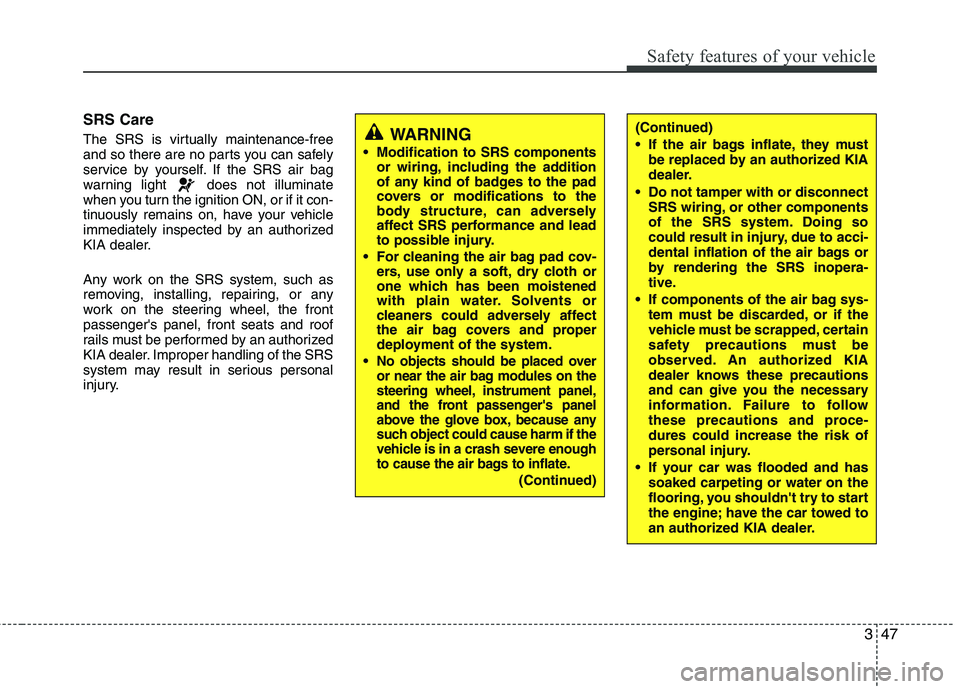
SRS Care
The SRS is virtually maintenance-free
and so there are no parts you can safely
service by yourself. If the SRS air bag
warning light does not illuminate
when you turn the ignition ON, or if it con-
tinuously remains on, have your vehicle
immediately inspected by an authorized
KIA dealer.
Any work on the SRS system, such as
removing, installing, repairing, or any
work on the steering wheel, the frontpassenger's panel, front seats and roof
rails must be performed by an authorized
KIA dealer. Improper handling of the SRS
system may result in serious personal
injury.
WARNING
Modification to SRS components or wiring, including the addition
of any kind of badges to the pad
covers or modifications to the
body structure, can adversely
affect SRS performance and lead
to possible injury.
For cleaning the air bag pad cov- ers, use only a soft, dry cloth or
one which has been moistened
with plain water. Solvents or
cleaners could adversely affect
the air bag covers and proper
deployment of the system.
No objects should be placed over
or near the air bag modules on the
steering wheel, instrument panel,
and the front passenger's panel
above the glove box, because any
such object could cause harm if the
vehicle is in a crash severe enough
to cause the air bags to inflate.
(Continued)
(Continued)
If the air bags inflate, they must be replaced by an authorized KIA
dealer.
Do not tamper with or disconnect SRS wiring, or other components
of the SRS system. Doing so
could result in injury, due to acci-
dental inflation of the air bags or
by rendering the SRS inopera-
tive.
If components of the air bag sys- tem must be discarded, or if the
vehicle must be scrapped, certain
safety precautions must be
observed. An authorized KIA
dealer knows these precautions
and can give you the necessary
information. Failure to follow
these precautions and proce-dures could increase the risk of
personal injury.
If your car was flooded and has soaked carpeting or water on the
flooring, you shouldn't try to start
the engine; have the car towed to
an authorized KIA dealer.
Page 108 of 352
447
Features of your vehicle
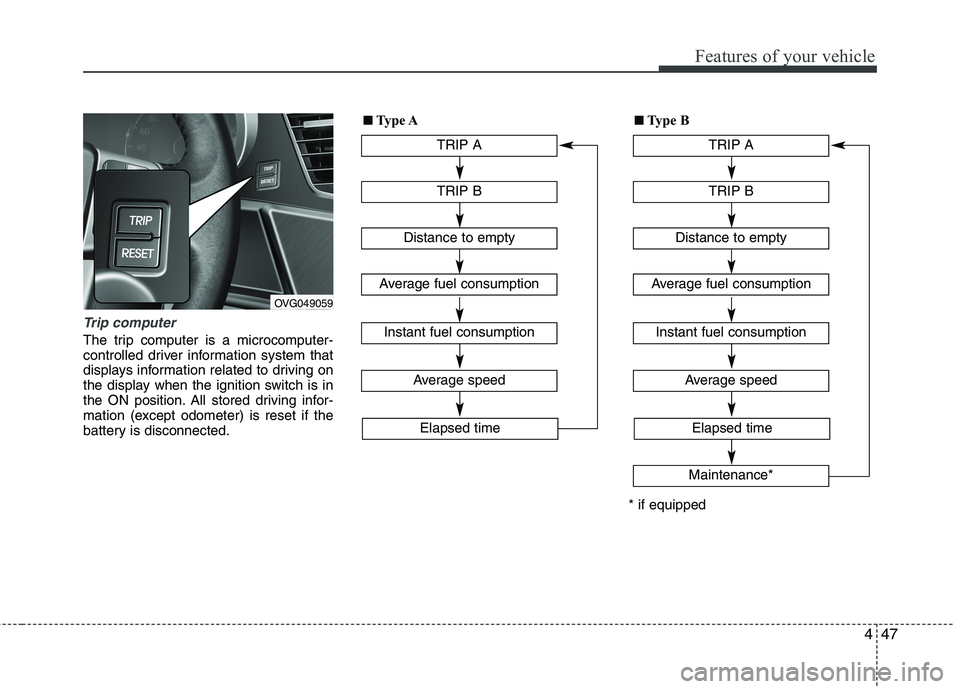
Trip computer
The trip computer is a microcomputer-
controlled driver information system that
displays information related to driving on
the display when the ignition switch is in
the ON position. All stored driving infor-
mation (except odometer) is reset if the
battery is disconnected.
OVG049059TRIP A
TRIP B
Average speed
Elapsed time
Distance to empty
Average fuel consumption
Instant fuel consumption
■■
Type A
TRIP A
TRIP B
Average speed
Elapsed time
Distance to empty
Average fuel consumption
Instant fuel consumption
Maintenance*
* if equipped■
■
Type B
Page 109 of 352
Features of your vehicle
48
4
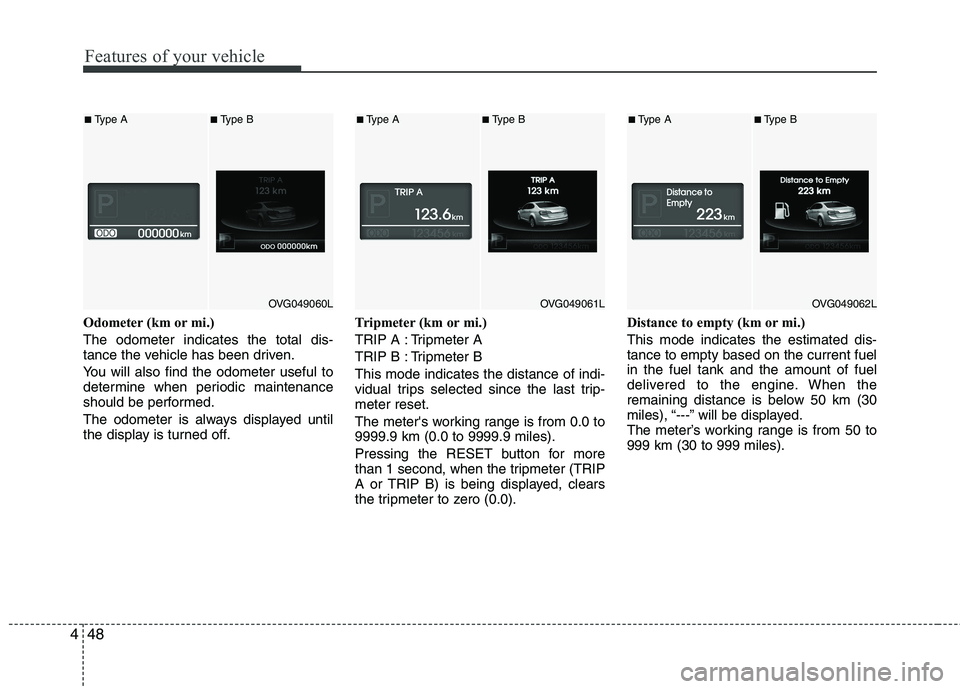
Odometer (km or mi.) The odometer indicates the total dis-
tance the vehicle has been driven.
You will also find the odometer useful to
determine when periodic maintenance
should be performed.
The odometer is always displayed until
the display is turned off. Tripmeter (km or mi.)
TRIP A : Tripmeter A
TRIP B : Tripmeter BThis mode indicates the distance of indi-
vidual trips selected since the last trip-meter reset.
The meter's working range is from 0.0 to 9999.9 km (0.0 to 9999.9 miles).
Pressing the RESET button for more
than 1 second, when the tripmeter (TRIP
A or TRIP B) is being displayed, clears
the tripmeter to zero (0.0).Distance to empty (km or mi.) This mode indicates the estimated dis- tance to empty based on the current fuelin the fuel tank and the amount of fuel
delivered to the engine. When the
remaining distance is below 50 km (30
miles), “---” will be displayed.
The meter’s working range is from 50 to999 km (30 to 999 miles).
OVG049060L
■
Type A■Type B
OVG049061L
■Type A■Type B
OVG049062L
■Type A■ Type B
Page 111 of 352
Features of your vehicle
50
4
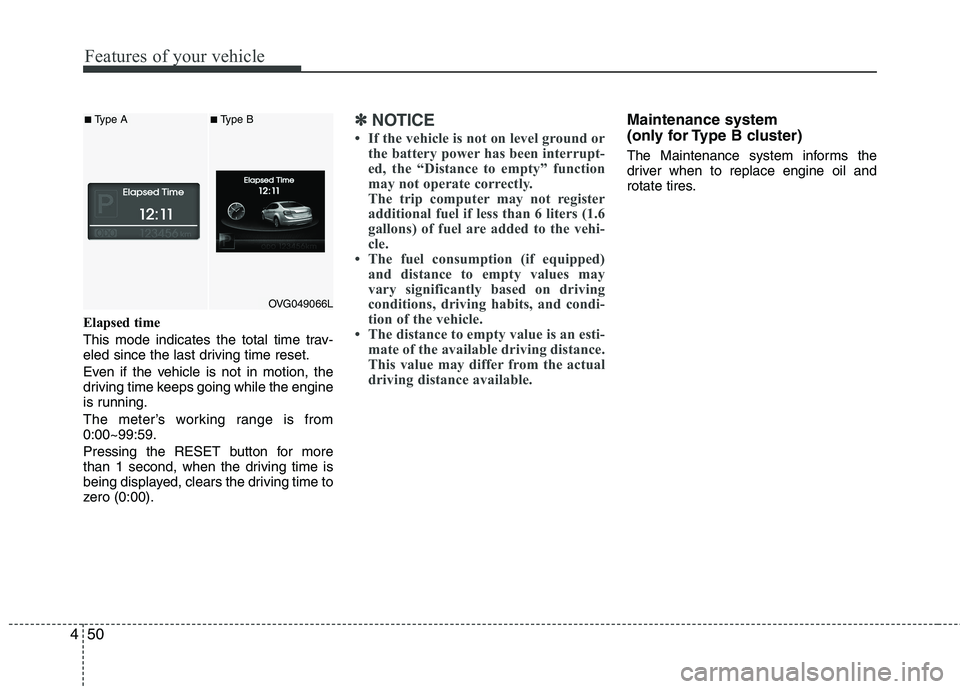
Elapsed time
This mode indicates the total time trav-
eled since the last driving time reset.
Even if the vehicle is not in motion, the
driving time keeps going while the engine
is running.
The meter’s working range is from 0:00~99:59.
Pressing the RESET button for more
than 1 second, when the driving time is
being displayed, clears the driving time to
zero (0:00).
✽✽
NOTICE
If the vehicle is not on level ground or the battery power has been interrupt-
ed, the “Distance to empty” function
may not operate correctly.
The trip computer may not register
additional fuel if less than 6 liters (1.6
gallons) of fuel are added to the vehi-
cle.
The fuel consumption (if equipped)
and distance to empty values may
vary significantly based on driving
conditions, driving habits, and condi-
tion of the vehicle.
The distance to empty value is an esti- mate of the available driving distance.
This value may differ from the actual
driving distance available.Maintenance system
(only for Type B cluster)
The Maintenance system informs the
driver when to replace engine oil and
rotate tires.
OVG049066L
■Type A■Type B
Page 112 of 352
451
Features of your vehicle
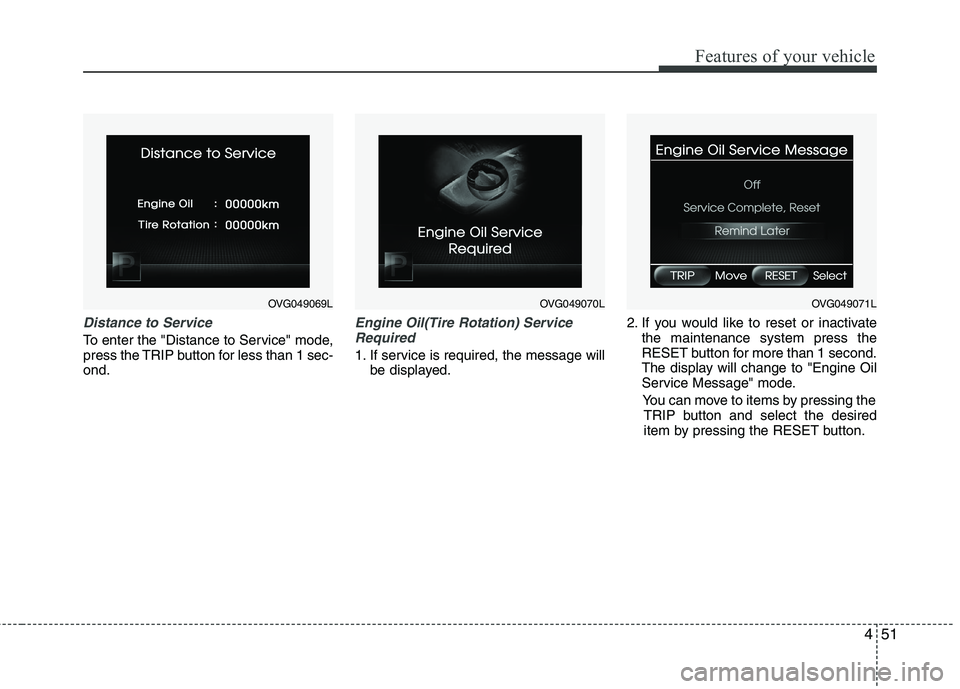
Distance to Service
To enter the "Distance to Service" mode,
press the TRIP button for less than 1 sec-ond.
Engine Oil(Tire Rotation) ServiceRequired
1. If service is required, the message will be displayed. 2. If you would like to reset or inactivate
the maintenance system press the
RESET button for more than 1 second.
The display will change to "Engine Oil
Service Message" mode.
You can move to items by pressing the TRIP button and select the desired
item by pressing the RESET button.
OVG049069LOVG049070LOVG049071L
Page 113 of 352
Features of your vehicle
52
4
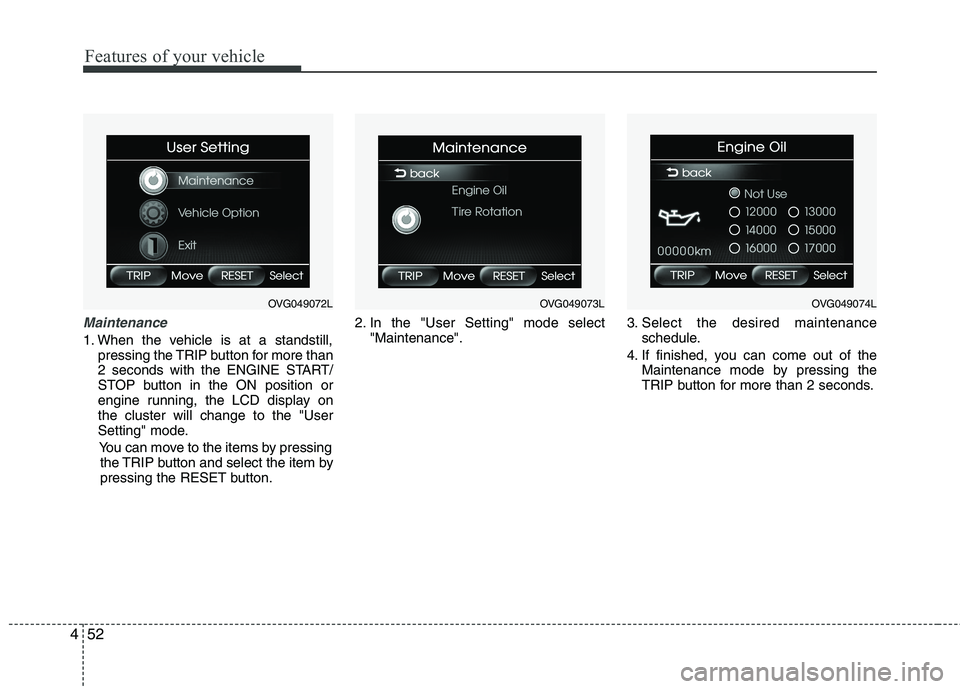
Maintenance
1. When the vehicle is at a standstill,
pressing the TRIP button for more than
2 seconds with the ENGINE START/
STOP button in the ON position or
engine running, the LCD display onthe cluster will change to the "User
Setting" mode.
You can move to the items by pressing the TRIP button and select the item by
pressing the RESET button. 2. In the "User Setting" mode select
"Maintenance". 3. Select the desired maintenance
schedule.
4. If finished, you can come out of the Maintenance mode by pressing the
TRIP button for more than 2 seconds.
OVG049072LOVG049073LOVG049074L