lock KIA Cadenza 2014 1.G Workshop Manual
[x] Cancel search | Manufacturer: KIA, Model Year: 2014, Model line: Cadenza, Model: KIA Cadenza 2014 1.GPages: 415, PDF Size: 5.09 MB
Page 163 of 415

495
Features of your vehicle
Welcome light (if equipped)
When all the doors (and trunk) are
locked and closed, the puddle lamp
and door handle lamp will come on
for about 15 seconds if any of the
below is performed. Without smart key system
- When the door unlock button ispressed on the transmitter.
With the smart key system - When the door unlock button ispressed on the smart key.
- When the button of the outside door handle is pressed.
- When the vehicle is approached with the smart key in possession.
Also, if the outside rearview mirror
folding switch is in the AUTO posi-
tion, the outside rearview mirror will
unfold automatically.
Interior light
When the interior light switch is in the
DOOR position and all doors (and
trunk) are locked and closed, the
room lamp will come on for 30 sec-
onds if any of the below is performed.
When the door unlock button is
pressed on the smart key.
When the button of the outside door
handle is pressed.
At this time, if you press the door lock
or unlock button, the room lamp will
turn off immediately.
WELCOME SYSTEM (IF EQUIPPED)
OVG043191L
Page 165 of 415
497
Features of your vehicle
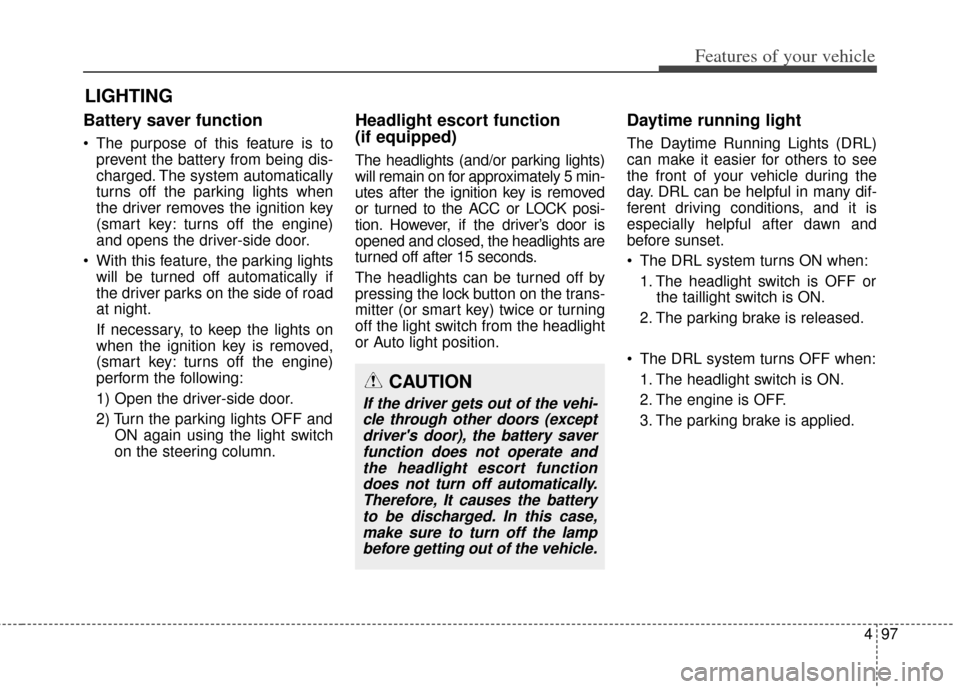
Battery saver function
The purpose of this feature is toprevent the battery from being dis-
charged. The system automatically
turns off the parking lights when
the driver removes the ignition key
(smart key: turns off the engine)
and opens the driver-side door.
With this feature, the parking lights will be turned off automatically if
the driver parks on the side of road
at night.
If necessary, to keep the lights on
when the ignition key is removed,
(smart key: turns off the engine)
perform the following:
1) Open the driver-side door.
2) Turn the parking lights OFF and ON again using the light switch
on the steering column.
Headlight escort function
(if equipped)
The headlights (and/or parking lights)
will remain on for approximately 5 min-
utes after the ignition key is removed
or turned to the ACC or LOCK posi-
tion. However, if the driver’s door is
opened and closed, the headlights are
turned off after 15 seconds.
The headlights can be turned off by
pressing the lock button on the trans-
mitter (or smart key) twice or turning
off the light switch from the headlight
or Auto light position.
Daytime running light
The Daytime Running Lights (DRL)
can make it easier for others to see
the front of your vehicle during the
day. DRL can be helpful in many dif-
ferent driving conditions, and it is
especially helpful after dawn and
before sunset.
The DRL system turns ON when:
1. The headlight switch is OFF or the taillight switch is ON.
2. The parking brake is released.
The DRL system turns OFF when: 1. The headlight switch is ON.
2. The engine is OFF.
3. The parking brake is applied.
LIGHTING
CAUTION
If the driver gets out of the vehi-cle through other doors (exceptdriver's door), the battery saverfunction does not operate andthe headlight escort functiondoes not turn off automatically.Therefore, It causes the batteryto be discharged. In this case,make sure to turn off the lampbefore getting out of the vehicle.
Page 176 of 415

Features of your vehicle
108
4
When doors are unlocked by
the transmitter (or smart
key), the map lamp and the
room lamp come on for
approximately 30 seconds
as long as any door is not
open.
The map lamp and the room
lamp goes out gradually
after approximately 30 sec-
onds if the door is closed.
However, if the ignition
switch is ON or all doors are
locked, the map lamp and
the room lamp will turn off
immediately. If a door is
opened with the ignition
switch in the ACC or LOCK
position, the map lamp and
the room lamp stays on for
about 20 minutes. However,
if a door is opened with the
ignition switch in the ON
position, the map lamp and
the room lamp stays on con-
tinuously. : The lights turn off even if a
door is opened.
When the lamp is turned
ON by pressing the lens
(1), the lamp does not turn
off even if the switch (2) is
in the OFF position.
: The map lamp and the room lamp stay on at all times.Room lamp
To turn the room lamp push lens (3).
OVG049111
Page 190 of 415
Features of your vehicle
122
4
Climate information screen selec-
tion (if equipped)
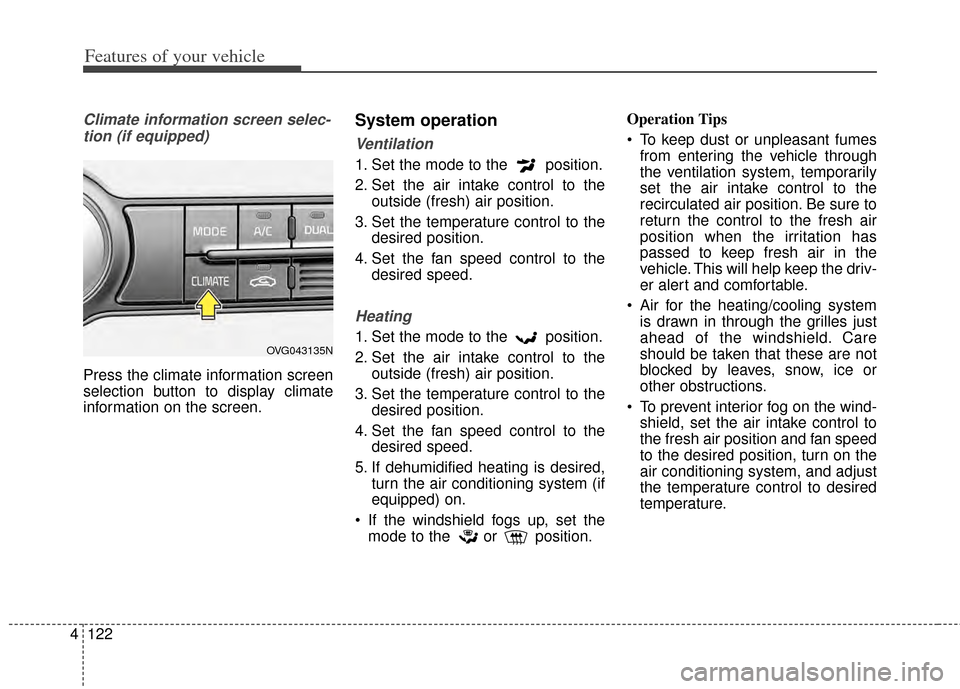
Press the climate information screen
selection button to display climate
information on the screen.
System operation
Ventilation
1. Set the mode to the position.
2. Set the air intake control to the outside (fresh) air position.
3. Set the temperature control to the desired position.
4. Set the fan speed control to the desired speed.
Heating
1. Set the mode to the position.
2. Set the air intake control to theoutside (fresh) air position.
3. Set the temperature control to the desired position.
4. Set the fan speed control to the desired speed.
5. If dehumidified heating is desired, turn the air conditioning system (if
equipped) on.
If the windshield fogs up, set the mode to the or position. Operation Tips
To keep dust or unpleasant fumes
from entering the vehicle through
the ventilation system, temporarily
set the air intake control to the
recirculated air position. Be sure to
return the control to the fresh air
position when the irritation has
passed to keep fresh air in the
vehicle. This will help keep the driv-
er alert and comfortable.
Air for the heating/cooling system is drawn in through the grilles just
ahead of the windshield. Care
should be taken that these are not
blocked by leaves, snow, ice or
other obstructions.
To prevent interior fog on the wind- shield, set the air intake control to
the fresh air position and fan speed
to the desired position, turn on the
air conditioning system, and adjust
the temperature control to desired
temperature.OVG043135N
Page 198 of 415

Features of your vehicle
130
4
STORAGE COMPARTMENTS
These compartments can be used to
store small items required by the
driver or passengers.Center console storage
To open the center console storage,
pull up the lever.
Glove box
The glove box can be locked and
unlocked with a master key (or
mechanical key of smart key) (1).
To open the glove box, press the but-
ton (2) and the glove box will auto-
matically open. Close the glove box
after use.
WARNING - Flammable
materials
Do not store cigarette lighters,
propane cylinders, or other
flammable/explosive materials
in the vehicle. These items may
catch fire and/or explode if the
vehicle is exposed to hot tem-
peratures for extended periods.
CAUTION
To avoid possible theft, do not leave valuables in the storagecompartments.
Always keep the storage com- partment covers closed whiledriving. Do not attempt toplace so many items in thestorage compartment that thestorage compartment covercannot close securely.
OVG043152OVG043151
Page 199 of 415

4131
Features of your vehicle
Sunglass holder
To open the sunglass holder, press
the cover and the holder will slowly
open. Place your sunglasses with the
lenses facing out.
To close the sunglass holder push it
up.
WARNING
To reduce the risk of injury in an
accident or sudden stop, always
keep the glove box door closed
while driving.
WARNING
Do not keep food in the glove
box for a long time.
OVG049153
WARNING
Do not keep objects exceptsunglasses inside the sun-
glass holder. Such objects
can be thrown from the holder
in the event of a sudden stop
or an accident, possibly injur-
ing the passengers in the
vehicle.
Do not open the sunglass holder while the vehicle is
moving. The rear view mirror
of the vehicle can be blocked
by an open sunglass holder.
Do not put the glasses forcibly into a sunglass holder to pre-
vent breakage or deformation
of glasses. It may cause per-
sonal injury if you try to open
it forcibly when the glasses
are jammed in holder.■ Type A■Type B
Page 204 of 415
Features of your vehicle
136
4
Clock
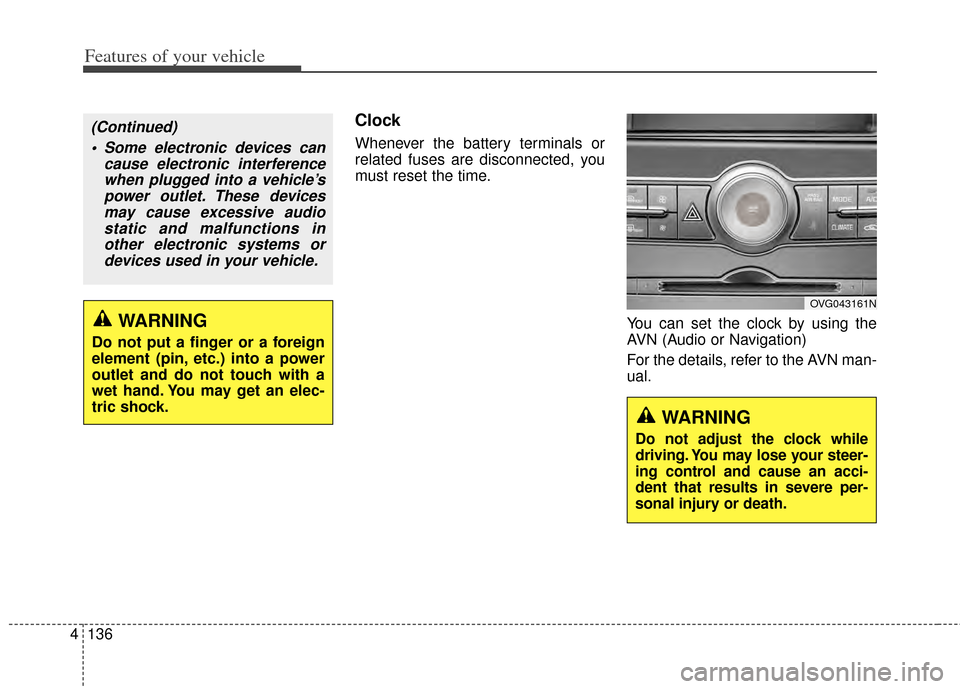
Whenever the battery terminals or
related fuses are disconnected, you
must reset the time.
You can set the clock by using the
AVN (Audio or Navigation)
For the details, refer to the AVN man-
ual.
OVG043161N
WARNING
Do not adjust the clock while
driving. You may lose your steer-
ing control and cause an acci-
dent that results in severe per-
sonal injury or death.
WARNING
Do not put a finger or a foreign
element (pin, etc.) into a power
outlet and do not touch with a
wet hand. You may get an elec-
tric shock.
(Continued) Some electronic devices can cause electronic interferencewhen plugged into a vehicle’spower outlet. These devicesmay cause excessive audiostatic and malfunctions inother electronic systems ordevices used in your vehicle.
Page 213 of 415
Before entering vehicle
• Be sure that all windows, outsidemirror(s), and outside lights are
clean.
Check the condition of the tires.
Check under the vehicle for any sign of leaks.
Be sure there are no obstacles behind you if you intend to back up.
Necessary inspections
Fluid levels, such as engine oil,
engine coolant, brake fluid, and
washer fluid should be checked on a
regular basis, with the exact interval
depending on the fluid. Further
details are provided in Section 7,
“Maintenance”.
Before starting
Close and lock all doors.
Position the seat so that all con-trols are easily reached.
Buckle your seat belt.
Adjust the inside and outside rearview mirrors.
Be sure that all lights work.
Check all gauges.
Check the operation of warning lights when the ignition switch is
turned to the ON position.
Release the parking brake and make sure the brake warning light
goes off.
For safe operation, be sure you are
familiar with your vehicle and its
equipment.
BEFORE DRIVING
53
Driving your vehicle
WARNING - Distracted driving
Focus on the road while driving.
The driver's primary responsi-
bility is in the safe and legal
operation of the vehicle. Use of
any hand held devices, other
equipment or vehicle systems
that distract the driver should
not be used during vehicle
operation.
WARNING
- Check surrounding
Always check the surrounding
areas near your vehicle for peo-
ple, especially children, before
putting a vehicle into D (Drive)
or R (Reverse).
Page 216 of 415

Driving your vehicle
65
ACC(Accessory)
Press the ENGINE START/STOP
button while it is in the OFF position
without depressing the brake pedal.
The steering wheel unlocks and
electrical accessories are opera-
tional.
If the ENGINE START/STOP button
is in the ACC position for more than
1 hour, the button is turned off auto-
matically to prevent battery dis-
charge.
ON
Press the ENGINE START/STOP
button while it is in the ACC position
without depressing the brake pedal.
The warning lights can be checked
before the engine is started. Do not
leave the ENGINE START/STOP
button in the ON position for a long
time. The battery may discharge,
because the engine is not running.
START/RUN
To start the engine, depress the
brake pedal and press the ENGINE
START/STOP button with the shift
lever in the P (Park) or the N
(Nuetral) position. For your safety,
start the engine with the shift lever in
the P (Park) position.
If you press the ENGINE
START/STOP button without
depressing the brake pedal, the
engine will not start and the button
will change as follows:
OFF ➔ ACC ➔ON ➔OFF
OrangeRedNot illuminated
Page 219 of 415
59
Driving your vehicle
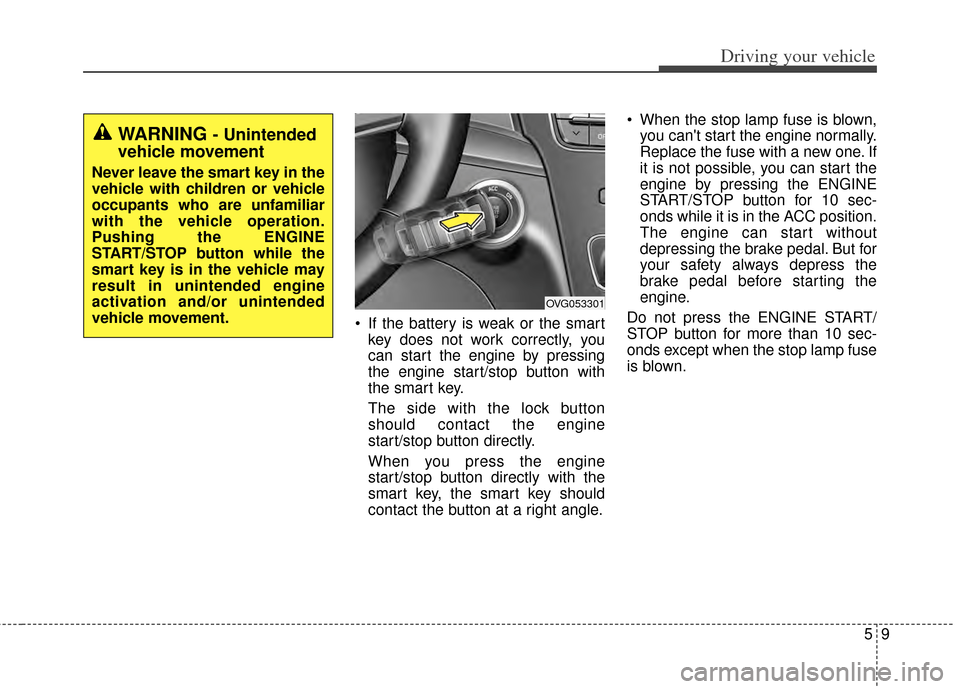
If the battery is weak or the smartkey does not work correctly, you
can start the engine by pressing
the engine start/stop button with
the smart key.
The side with the lock button
should contact the engine
start/stop button directly.
When you press the engine
start/stop button directly with the
smart key, the smart key should
contact the button at a right angle. When the stop lamp fuse is blown,
you can't start the engine normally.
Replace the fuse with a new one. If
it is not possible, you can start the
engine by pressing the ENGINE
START/STOP button for 10 sec-
onds while it is in the ACC position.
The engine can start without
depressing the brake pedal. But for
your safety always depress the
brake pedal before starting the
engine.
Do not press the ENGINE START/
STOP button for more than 10 sec-
onds except when the stop lamp fuse
is blown.
WARNING - Unintended
vehicle movement
Never leave the smart key in the
vehicle with children or vehicle
occupants who are unfamiliar
with the vehicle operation.
Pushing the ENGINE
START/STOP button while the
smart key is in the vehicle may
result in unintended engine
activation and/or unintended
vehicle movement.
OVG053301