wheel KIA Cadenza 2015 1.G Owner's Guide
[x] Cancel search | Manufacturer: KIA, Model Year: 2015, Model line: Cadenza, Model: KIA Cadenza 2015 1.GPages: 429, PDF Size: 5.47 MB
Page 123 of 429
439
Features of your vehicle
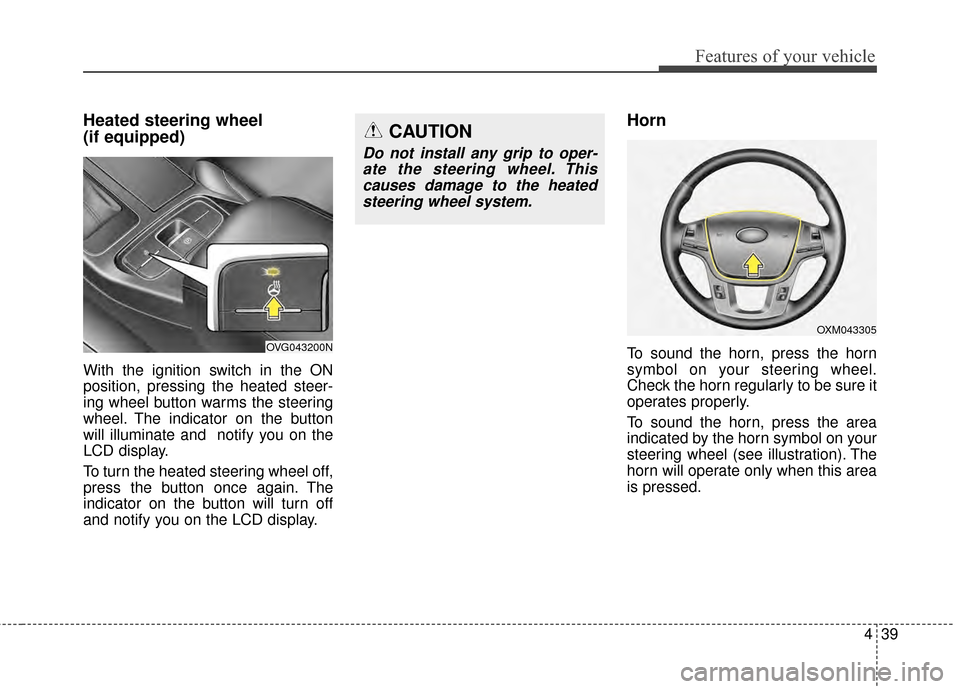
Heated steering wheel
(if equipped)
With the ignition switch in the ON
position, pressing the heated steer-
ing wheel button warms the steering
wheel. The indicator on the button
will illuminate and notify you on the
LCD display.
To turn the heated steering wheel off,
press the button once again. The
indicator on the button will turn off
and notify you on the LCD display.
Horn
To sound the horn, press the horn
symbol on your steering wheel.
Check the horn regularly to be sure it
operates properly.
To sound the horn, press the area
indicated by the horn symbol on your
steering wheel (see illustration). The
horn will operate only when this area
is pressed.
CAUTION
Do not install any grip to oper-ate the steering wheel. Thiscauses damage to the heatedsteering wheel system.
OVG043200N
OXM043305
Page 137 of 429
453
Features of your vehicle
Instrument Cluster Control
Adjusting Instrument ClusterIllumination
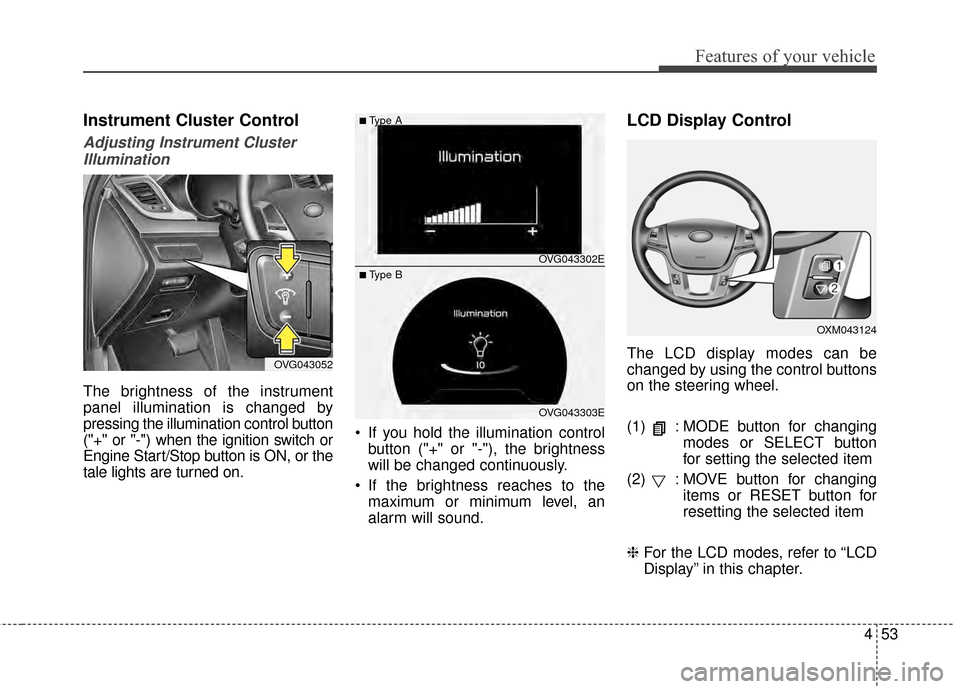
The brightness of the instrument
panel illumination is changed by
pressing the illumination control button
("+" or "-") when the ignition switch or
Engine Start/Stop button is ON, or the
tale lights are turned on. If you hold the illumination control
button ("+" or "-"), the brightness
will be changed continuously.
If the brightness reaches to the maximum or minimum level, an
alarm will sound.
LCD Display Control
The LCD display modes can be
changed by using the control buttons
on the steering wheel.
(1) : MODE button for changing modes or SELECT button
for setting the selected item
(2) : MOVE button for changing items or RESET button for
resetting the selected item
❈ For the LCD modes, refer to “LCD
Display” in this chapter.OVG043052
OXM043124
OVG043302E
OVG043303E
■Type A
■ Type B
Page 148 of 429
Features of your vehicle
64
4
Lamp
One touch turn lamp
If this item is checked, the lane
change signals will blink 3, 5 or 7
times when the turn signal lever is
moved slightly.
Head Lamp Delay
If this item is checked, the headlamp
delay and headlamp welcome func-
tion will be activated.
Welcome Light (if equipped)
If this item is checked, the welcome
light function of the pocket lamp will
be activated.
Settings
Temperature Unit
Convert the temperature unit from °C
to °F or from °F to °C.
Speed Unit (for type B cluster)
Convert the speedometer unit km/h
to MPH or MPH to km/h
At this time MPH or km/h unit dis-
played in the upper-right corner.
Speedometer Size (for type B cluster)
Adjust the size of the numbers on the
cluster you prefer (normal or large)
AVG Fuel Eco Reset
Auto Reset:
The average fuel economy will
reset automatically when refueling.
Manual Reset: The average fuel economy will not
reset automatically whenever refu-
eling.
For more details, refer to “Trip
Computer” in this chapter. Seat Easy Access (if equipped)
If this item is checked, the driver’s
seat will automatically move forward
or rearward for the driver to enter or
exit the vehicle comfortably.
Steering Easy Access (if equipped)
If this item is checked, the steering
wheel will automatically move upward
or downward for driver to enter or exit
the vehicle comfortably.
Welcome Sound
If this item is checked, the welcome
sound function will be activated.
Steering Position
If this item is checked, the warning
function regarding the steering wheel
alignment will be activated.
For more details, refer to "Warning
Messages" in this chapter.
Page 150 of 429
Features of your vehicle
66
4
Warning Messages
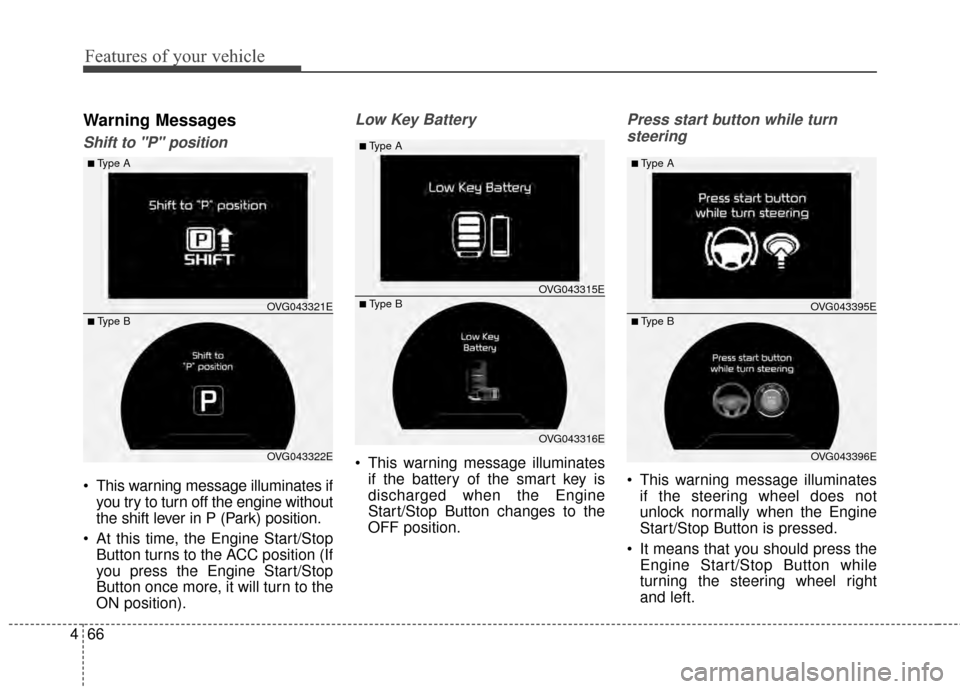
Shift to "P" position
This warning message illuminates if
you try to turn off the engine without
the shift lever in P (Park) position.
At this time, the Engine Start/Stop Button turns to the ACC position (If
you press the Engine Start/Stop
Button once more, it will turn to the
ON position).
Low Key Battery
This warning message illuminatesif the battery of the smart key is
discharged when the Engine
Start/Stop Button changes to the
OFF position.
Press start button while turn
steering
This warning message illuminates if the steering wheel does not
unlock normally when the Engine
Start/Stop Button is pressed.
It means that you should press the Engine Start/Stop Button while
turning the steering wheel right
and left.
OVG043322E
■Type A
■ Type B OVG043321E
OVG043316E
■Type A
■ Type BOVG043315E
OVG043396E
■Type A
■ Type BOVG043395E
Page 151 of 429
467
Features of your vehicle
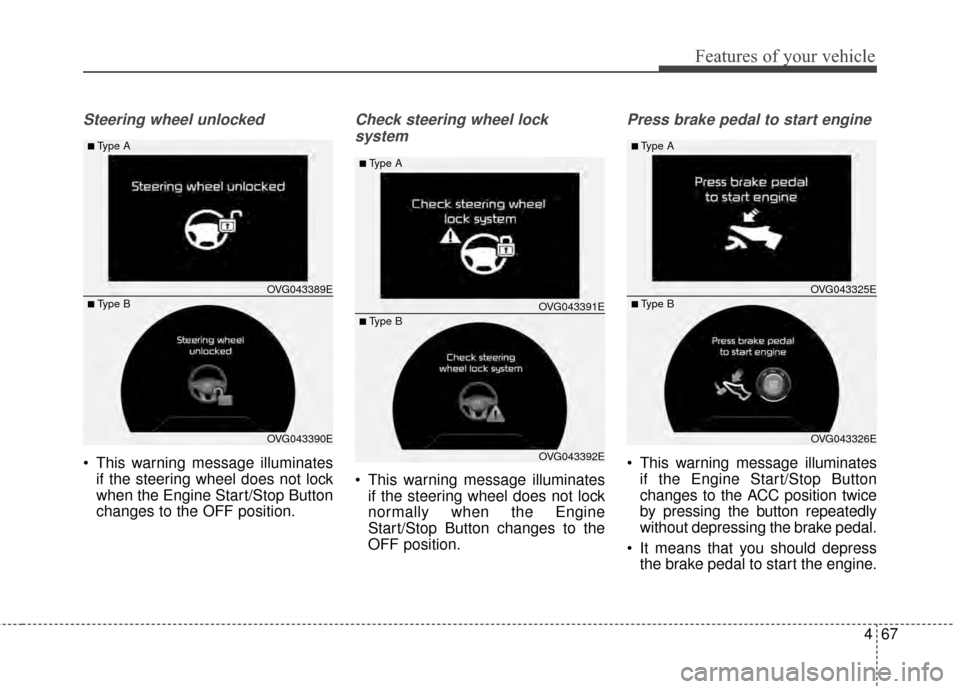
Steering wheel unlocked
This warning message illuminatesif the steering wheel does not lock
when the Engine Start/Stop Button
changes to the OFF position.
Check steering wheel lock
system
This warning message illuminates if the steering wheel does not lock
normally when the Engine
Start/Stop Button changes to the
OFF position.
Press brake pedal to start engine
This warning message illuminatesif the Engine Start/Stop Button
changes to the ACC position twice
by pressing the button repeatedly
without depressing the brake pedal.
It means that you should depress the brake pedal to start the engine.
OVG043390E
■Type A
■ Type B OVG043389E
OVG043392E
■Type A
■ Type BOVG043391E
OVG043326E
■Type A
■ Type BOVG043325E
Page 155 of 429
471
Features of your vehicle
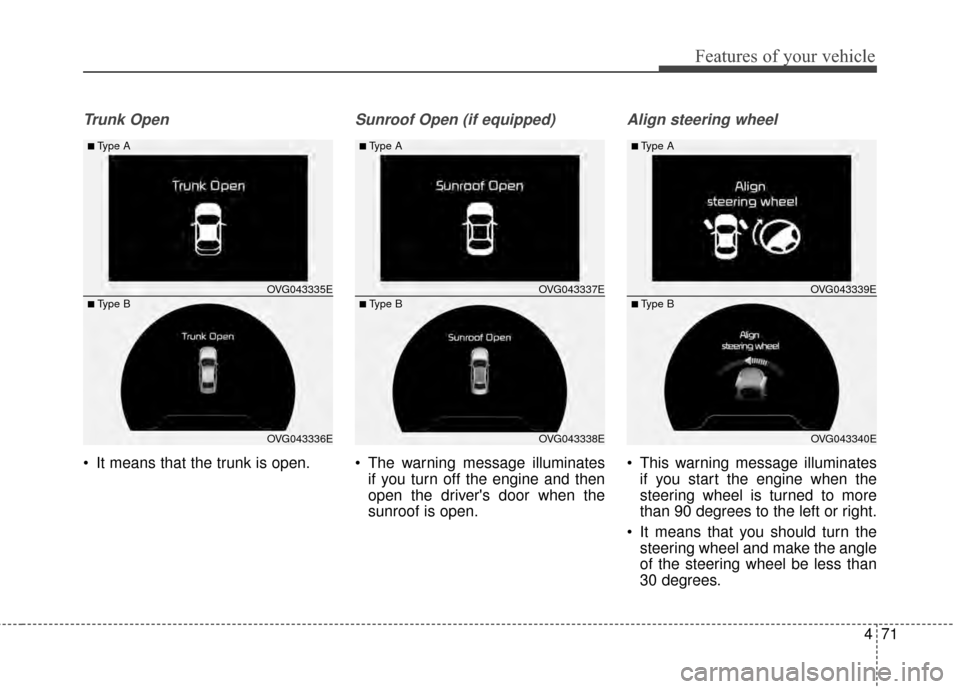
Trunk Open
It means that the trunk is open.
Sunroof Open (if equipped)
The warning message illuminatesif you turn off the engine and then
open the driver's door when the
sunroof is open.
Align steering wheel
This warning message illuminatesif you start the engine when the
steering wheel is turned to more
than 90 degrees to the left or right.
It means that you should turn the steering wheel and make the angle
of the steering wheel be less than
30 degrees.
OVG043336E
■Type A
■ Type B OVG043335E
OVG043338E
■Type A
■ Type BOVG043337E
OVG043340E
■Type A
■ Type BOVG043339E
Page 158 of 429
Features of your vehicle
74
4
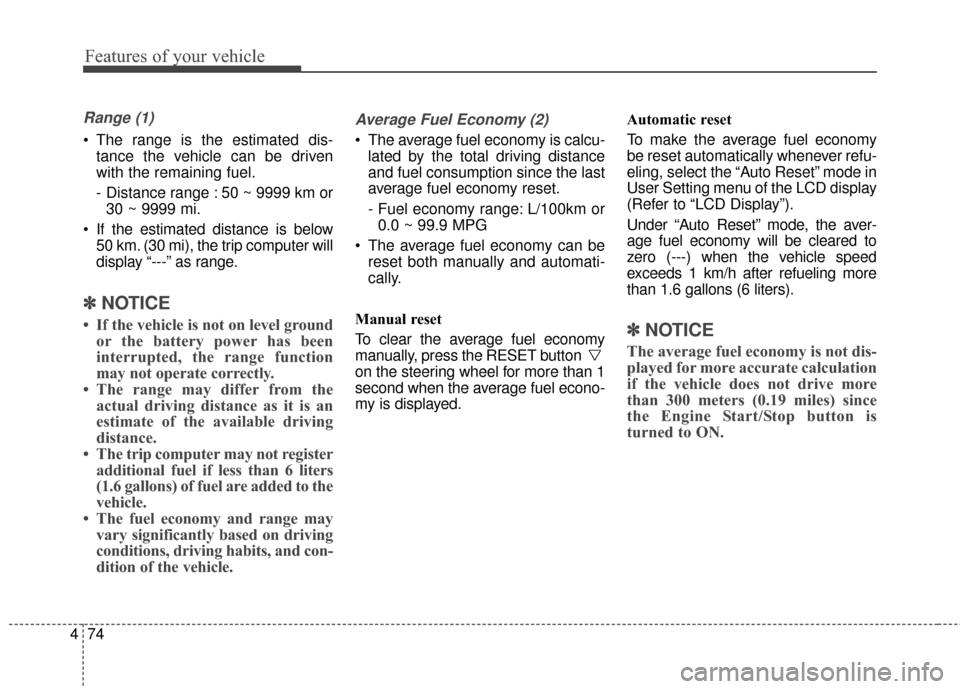
Range (1)
The range is the estimated dis-
tance the vehicle can be driven
with the remaining fuel.
- Distance range : 50 ~ 9999 km or30 ~ 9999 mi.
If the estimated distance is below 50 km. (30 mi), the trip computer will
display “---” as range.
✽ ✽ NOTICE
• If the vehicle is not on level ground
or the battery power has been
interrupted, the range function
may not operate correctly.
• The range may differ from the actual driving distance as it is an
estimate of the available driving
distance.
• The trip computer may not register additional fuel if less than 6 liters
(1.6 gallons) of fuel are added to the
vehicle.
• The fuel economy and range may vary significantly based on driving
conditions, driving habits, and con-
dition of the vehicle.
Average Fuel Economy (2)
The average fuel economy is calcu-
lated by the total driving distance
and fuel consumption since the last
average fuel economy reset.
- Fuel economy range: L/100km or0.0 ~ 99.9 MPG
The average fuel economy can be reset both manually and automati-
cally.
Manual reset
To clear the average fuel economy
manually, press the RESET button
on the steering wheel for more than 1
second when the average fuel econo-
my is displayed. Automatic reset
To make the average fuel economy
be reset automatically whenever refu-
eling, select the “Auto Reset” mode in
User Setting menu of the LCD display
(Refer to “LCD Display”).
Under “Auto Reset” mode, the aver-
age fuel economy will be cleared to
zero (---) when the vehicle speed
exceeds 1 km/h after refueling more
than 1.6 gallons (6 liters).
✽ ✽
NOTICE
The average fuel economy is not dis-
played for more accurate calculation
if the vehicle does not drive more
than 300 meters (0.19 miles) since
the Engine Start/Stop button is
turned to ON.
Page 159 of 429
475
Features of your vehicle
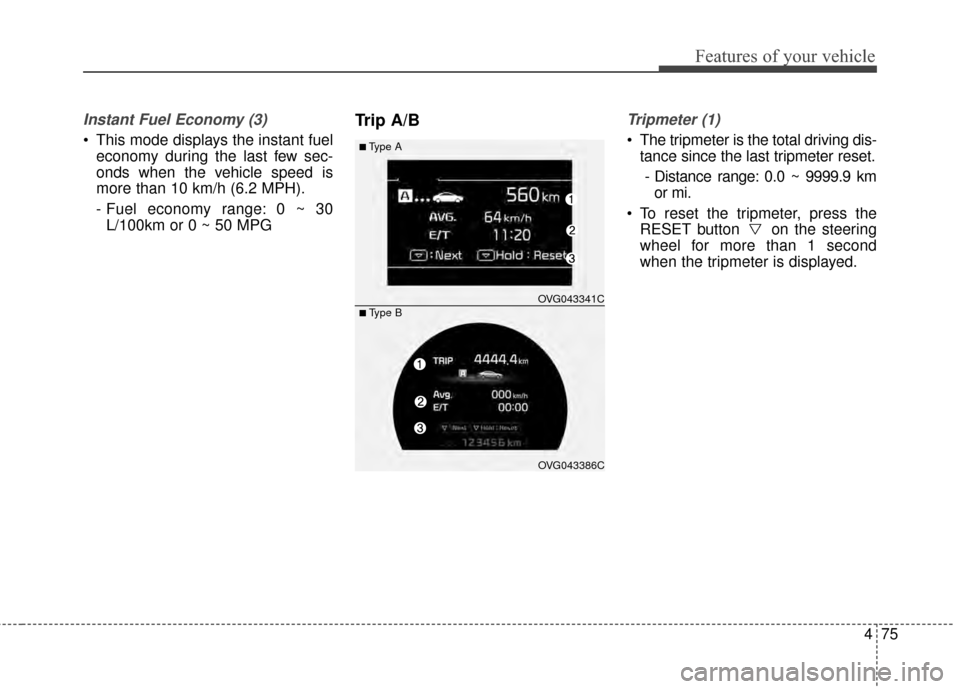
Instant Fuel Economy (3)
This mode displays the instant fueleconomy during the last few sec-
onds when the vehicle speed is
more than 10 km/h (6.2 MPH).
- Fuel economy range: 0 ~ 30L/100km or 0 ~ 50 MPG
Trip A/BTripmeter (1)
The tripmeter is the total driving dis- tance since the last tripmeter reset.
- Distance range: 0.0 ~ 9999.9 km or mi.
To reset the tripmeter, press the RESET button on the steering
wheel for more than 1 second
when the tripmeter is displayed.■Type A
OVG043341C
OVG043386C
■ Type B
Page 160 of 429
Features of your vehicle
76
4
Average Vehicle Speed (2)
The average vehicle speed is cal-
culated by the total driving dis-
tance and driving time since the
last average vehicle speed reset.
- Speed range: 0 ~ 999 km/h or MPH
To reset the average vehicle speed, press the RESET button on the
steering wheel for more than 1 sec-
ond when the average vehicle
speed is displayed.
✽ ✽ NOTICE
• The average vehicle speed is not dis-
played if the driving distance is less
than 300 meters (0.19 miles) since
the Engine Start/Stop button is
turned to ON.
• Even if the vehicle is not in motion, the average vehicle speed keeps
going while the engine is running.
Elapsed Time (3)
The elapsed time is the total driv-
ing time since the last elapsed time
reset.
- Time range (hh:mm): 00:00 ~ 99:59
To reset the elapsed time, press the RESET button on the steering
wheel for more than 1 second when
the elapsed time is displayed.
✽ ✽ NOTICE
Even if the vehicle is not in motion,
the elapsed time keeps going while
the engine is running.
Page 162 of 429
Features of your vehicle
78
4
Parking Brake & Brake
Fluid Warning Light
This warning light illuminates:
Once you set the ignition switch or Engine Start/Stop Button to the ON
position.
- It illuminates for approximately 3seconds
- It remains on if the parking brake is applied.
When the parking brake is applied.
When the brake fluid level in the reservoir is low.
- If the warning light illuminateswith the parking brake released, it
indicates the brake fluid level in
reservoir is low. If the brake fluid level in the reservoir
is low:
1. Drive carefully to the nearest safe
location and stop your vehicle.
2. With the engine stopped, check the brake fluid level immediately and add
fluid as required (For more details,
refer to “Brake Fluid” in chapter 7).
Then check all brake components
for fluid leaks. If any leaks in the
brake system is still found, the
warning light remains on, or the
brakes do not operate properly, do
not drive the vehicle.
In this case, have your vehicle towed
to an authorized Kia Premium deal-
er and inspected. Dual-diagonal braking system
Your vehicle is equipped with dual-
diagonal braking systems. This
means you still have braking on two
wheels even if one of the dual sys-
tems should fail.
With only one of the dual systems
working, more than normal pedal
travel and greater pedal pressure are
required to stop the vehicle.
Also, the vehicle will not stop in as
short a distance with only a portion
of the brake system working.
If the brakes fail while you are driv-
ing, shift to a lower gear for addition-
al engine braking and stop the vehi-
cle as soon as it is safe to do so.