steering KIA CADENZA 2020 Service Manual
[x] Cancel search | Manufacturer: KIA, Model Year: 2020, Model line: CADENZA, Model: KIA CADENZA 2020Pages: 560, PDF Size: 11.37 MB
Page 318 of 560
565
Driving your vehicle
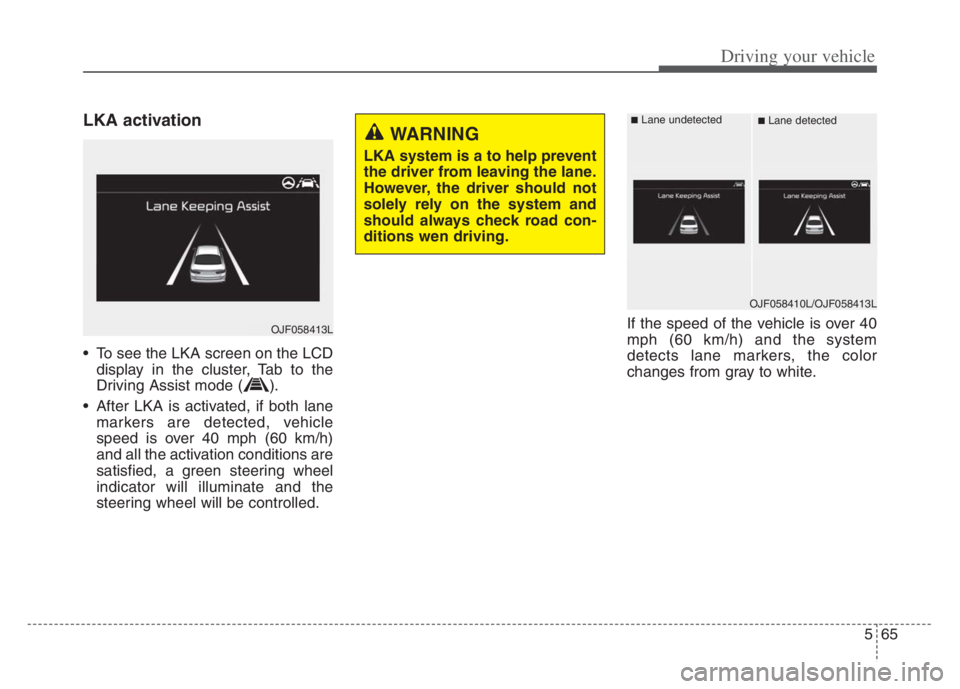
LKA activation
To see the LKA screen on the LCD
display in the cluster, Tab to the
Driving Assist mode ( ).
After LKA is activated, if both lane
markers are detected, vehicle
speed is over 40 mph (60 km/h)
and all the activation conditions are
satisfied, a green steering wheel
indicator will illuminate and the
steering wheel will be controlled.If the speed of the vehicle is over 40
mph (60 km/h) and the system
detects lane markers, the color
changes from gray to white.
WARNING
LKA system is a to help prevent
the driver from leaving the lane.
However, the driver should not
solely rely on the system and
should always check road con-
ditions wen driving.
OJF058413L
OJF058410L/OJF058413L
■Lane undetected■Lane detected
Page 319 of 560

Driving your vehicle
66 5
Warning
If the vehicle leaves a lane, the lane
marker you cross will blink on the
LCD display and the warning sound
is provided.If the driver takes hands off the steer-
ing wheel for several seconds while
LKA is activated, the system will
warn the driver.
OJF058414L/OJF058415L
■Left lane departure■Right lane departure
OYG059285L
■Hands off warning message while LKA is acti-
vated
WARNING
The hands-off warning mes-
sage may be delayed accord-
ing to road conditions.
Therefore, always have your
hands on the steering wheel
while driving.
If you hold the steering wheel
lightly, the system may dis-
play the hands off warning
because LKA may believe you
are not grabbing the wheel.
Page 320 of 560
567
Driving your vehicle
The driver is responsible for accu-
rate steering.
Even though the steering is assist-
ed by the system, the driver may
control the steering wheel.
Turn off the system and drive the
vehicle in the below situations:
- In bad weather
- In bad road conditions
- When the steering wheel needs
to be controlled by the driver fre-
quently.
- When towing a vehicle or trailer.
The steering wheel may feel heav-
ier when the steering wheel is
assisted by the system than when
it is not.✽ ✽
NOTICE
• Even though the steering is assist-
ed by the system, the driver may
control the steering.
• The steering wheel may feel heav-
ier when the steering wheel is
assisted by the system than when it
is not.
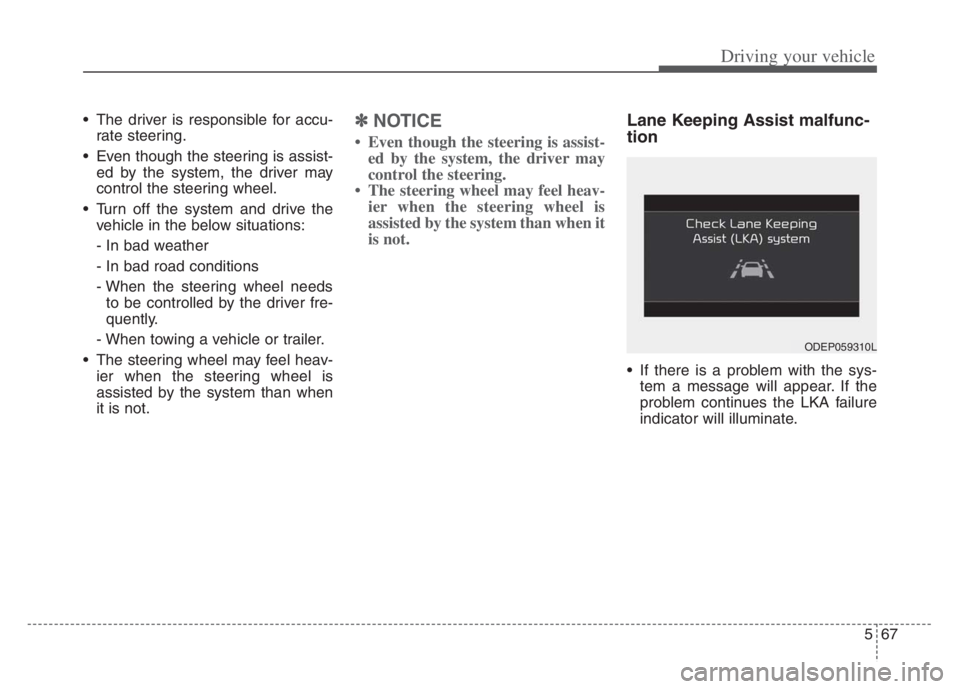
Lane Keeping Assist malfunc-
tion
If there is a problem with the sys-
tem a message will appear. If the
problem continues the LKA failure
indicator will illuminate.
ODEP059310L
Page 321 of 560
Driving your vehicle
68 5
LKA failure indicator
LKA failure indicator (yellow) will illu-
minate if LKA is not working properly.
If this occurs, have the system
checked by an authorized Kia dealer.LKA will be canceled when:
You change lanes with the turn sig-
nal.
- Using the turn signal to change
lanes.
- If you change lanes without the
turn signal on, the steering wheel
might be controlled.
LKA can transit to steering assist
mode when the car is near to mid-
dle of the lane after system on or
the lane was changed. LKA can
not assist steering if the vehicle fol-
lows lane marker too close contin-
uously before transition to steering
assist mode.
The control of ESC (Electronic
Stability Control) or VSM (Vehicle
Stability Management) is activated.
The steering will not be assisted
when your drive fast on a sharp
curve. The steering will not be assisted
when vehicle speed is below 40
mph (60 km/h) and over 110 mph
(180 km/h)
The steering will not be assisted
when you change lanes fast.
The steering will not be assisted
when you brake suddenly.
The steering will not be assisted
when the lane is very wide or nar-
row.
The steering will not be assisted
when only one side lane marker is
detected.
There are more than two lane
markers such as a construction
area.
Radius of a curve is too small.
When you turn steering wheel sud-
denly, LKA will be disabled tem-
porarily.
Driving on a steep slope or hill.
Page 330 of 560
577
Driving your vehicle
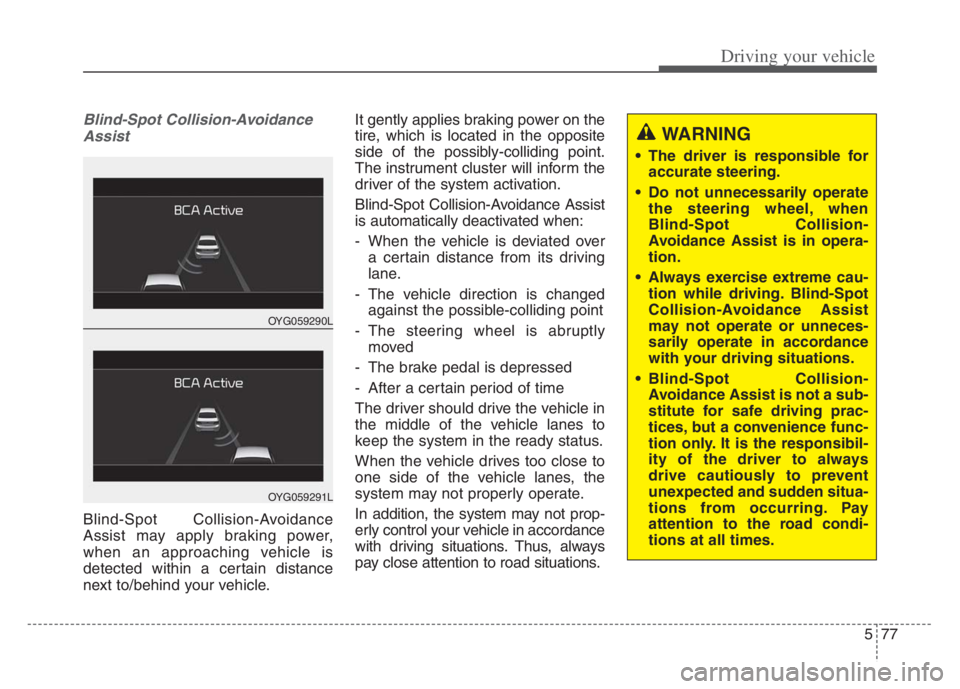
Blind-Spot Collision-Avoidance
Assist
Blind-Spot Collision-Avoidance
Assist may apply braking power,
when an approaching vehicle is
detected within a certain distance
next to/behind your vehicle.It gently applies braking power on the
tire, which is located in the opposite
side of the possibly-colliding point.
The instrument cluster will inform the
driver of the system activation.
Blind-Spot Collision-Avoidance Assist
is automatically deactivated when:
- When the vehicle is deviated over
a certain distance from its driving
lane.
- The vehicle direction is changed
against the possible-colliding point
- The steering wheel is abruptly
moved
- The brake pedal is depressed
- After a certain period of time
The driver should drive the vehicle in
the middle of the vehicle lanes to
keep the system in the ready status.
When the vehicle drives too close to
one side of the vehicle lanes, the
system may not properly operate.
In addition, the system may not prop-
erly control your vehicle in accordance
with driving situations. Thus, always
pay close attention to road situations.
OYG059290L
OYG059291L
WARNING
The driver is responsible for
accurate steering.
Do not unnecessarily operate
the steering wheel, when
Blind-Spot Collision-
Avoidance Assist is in opera-
tion.
Always exercise extreme cau-
tion while driving. Blind-Spot
Collision-Avoidance Assist
may not operate or unneces-
sarily operate in accordance
with your driving situations.
Blind-Spot Collision-
Avoidance Assist is not a sub-
stitute for safe driving prac-
tices, but a convenience func-
tion only. It is the responsibil-
ity of the driver to always
drive cautiously to prevent
unexpected and sudden situa-
tions from occurring. Pay
attention to the road condi-
tions at all times.
Page 357 of 560
Driving your vehicle
104 5
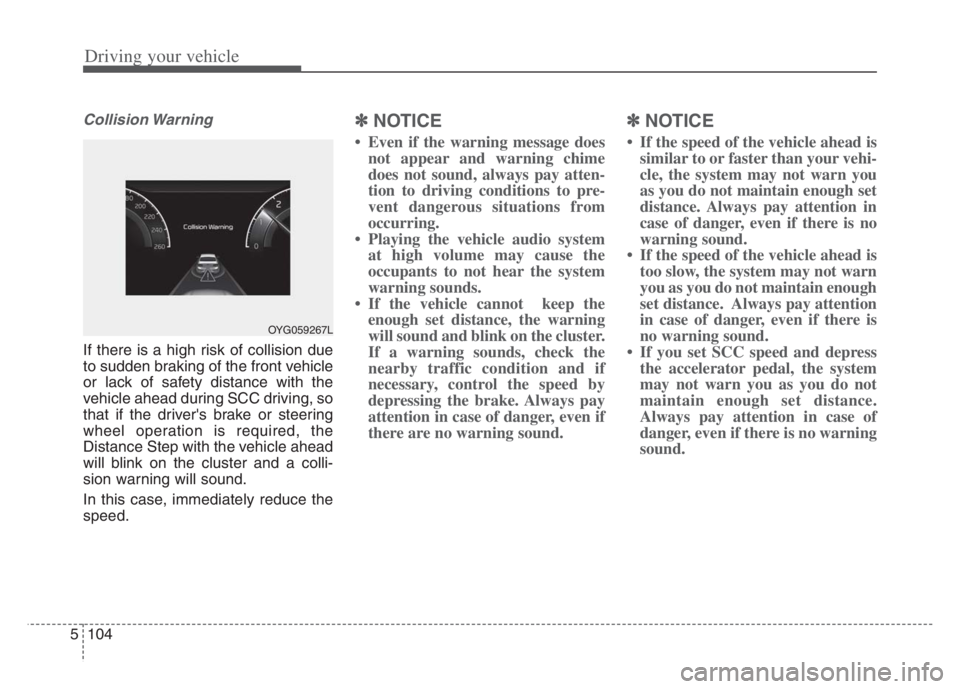
Collision Warning
If there is a high risk of collision due
to sudden braking of the front vehicle
or lack of safety distance with the
vehicle ahead during SCC driving, so
that if the driver's brake or steering
wheel operation is required, the
Distance Step with the vehicle ahead
will blink on the cluster and a colli-
sion warning will sound.
In this case, immediately reduce the
speed.
✽ ✽
NOTICE
• Even if the warning message does
not appear and warning chime
does not sound, always pay atten-
tion to driving conditions to pre-
vent dangerous situations from
occurring.
• Playing the vehicle audio system
at high volume may cause the
occupants to not hear the system
warning sounds.
• If the vehicle cannot keep the
enough set distance, the warning
will sound and blink on the cluster.
If a warning sounds, check the
nearby traffic condition and if
necessary, control the speed by
depressing the brake. Always pay
attention in case of danger, even if
there are no warning sound.
✽ ✽
NOTICE
• If the speed of the vehicle ahead is
similar to or faster than your vehi-
cle, the system may not warn you
as you do not maintain enough set
distance. Always pay attention in
case of danger, even if there is no
warning sound.
• If the speed of the vehicle ahead is
too slow, the system may not warn
you as you do not maintain enough
set distance. Always pay attention
in case of danger, even if there is
no warning sound.
• If you set SCC speed and depress
the accelerator pedal, the system
may not warn you as you do not
maintain enough set distance.
Always pay attention in case of
danger, even if there is no warning
sound.
OYG059267L
Page 365 of 560

Driving your vehicle
112 5
A vehicle ahead cannot be recog-
nized correctly by the sensor if any of
following occurs:
- When the vehicle is pointing
upwards due to overloading in the
liftgate (tailgate)
- While making turns by steering
- When driving to one side of the lane
- When driving on narrow lanes or on
curves
Adjust your vehicle speed by
depressing the brake pedal accord-
ing to the road condition ahead and
driving condition. When vehicles are at a standstill
and the vehicle in front of you
changes to the next lane, be care-
ful when your vehicle starts to
move because it may not recognize
the stopped vehicle in front of you.
In this case, you must maintain a
safe braking distance, and if nec-
essary, depress the brake pedal to
reduce your driving speed in order
to maintain a safe distance. Always look out for pedestrians
when your vehicle is maintaining a
distance with the vehicle ahead.
OJF055029OJF055050
Page 373 of 560
Driving your vehicle
120 5
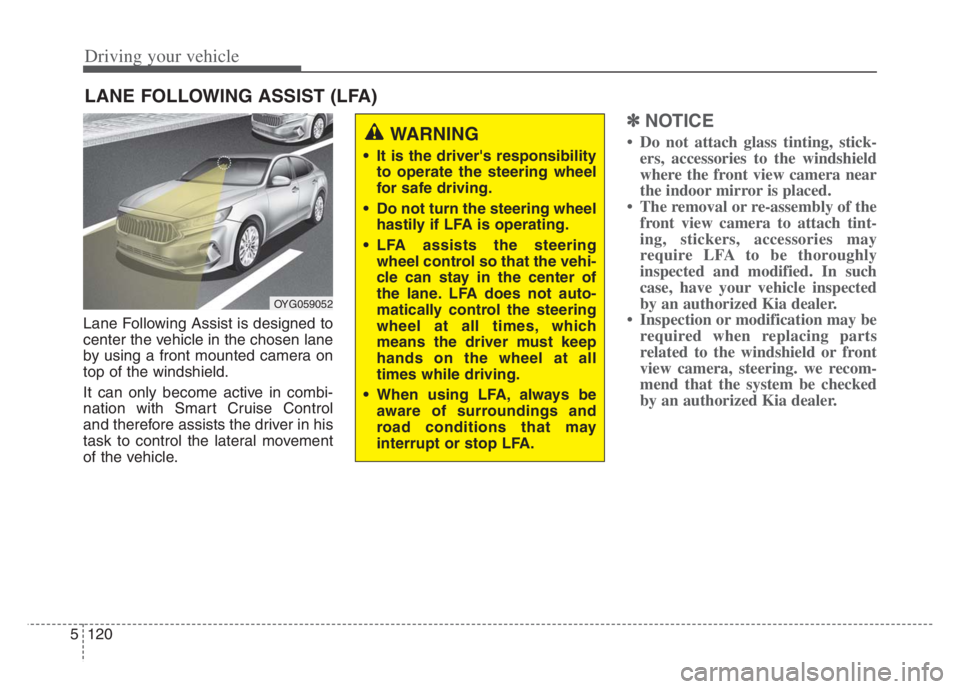
Lane Following Assist is designed to
center the vehicle in the chosen lane
by using a front mounted camera on
top of the windshield.
It can only become active in combi-
nation with Smart Cruise Control
and therefore assists the driver in his
task to control the lateral movement
of the vehicle.
✽ ✽
NOTICE
• Do not attach glass tinting, stick-
ers, accessories to the windshield
where the front view camera near
the indoor mirror is placed.
• The removal or re-assembly of the
front view camera to attach tint-
ing, stickers, accessories may
require LFA to be thoroughly
inspected and modified. In such
case, have your vehicle inspected
by an authorized Kia dealer.
• Inspection or modification may be
required when replacing parts
related to the windshield or front
view camera, steering. we recom-
mend that the system be checked
by an authorized Kia dealer.
LANE FOLLOWING ASSIST (LFA)
OYG059052
WARNING
It is the driver's responsibility
to operate the steering wheel
for safe driving.
Do not turn the steering wheel
hastily if LFA is operating.
LFA assists the steering
wheel control so that the vehi-
cle can stay in the center of
the lane. LFA does not auto-
matically control the steering
wheel at all times, which
means the driver must keep
hands on the wheel at all
times while driving.
When using LFA, always be
aware of surroundings and
road conditions that may
interrupt or stop LFA.
Page 374 of 560

5121
Driving your vehicle
LFA operation
With the ENGINE START/STOP but-
ton is
in the ON or START position, the
Lane Following Assist can be activat-
ed by pressing the button.
(Continued)
Keeping your hands off the
wheel while driving will trigger
the hands-off warning and
deactivate the steering-assist
system. Put your hands back
on the wheel, then the steer-
ing-assist system will be re-
activated.
When driving at a high speed,
the steering assist force can
become weak and the vehicle
can drive out of its lane. Extra
caution is required, and com-
ply with the speed limit.
Attaching an object to the
steering wheel could deter
steering assistance.
Attaching an object to the
steering wheel could deter the
hands-off alarming system.
OYG059312
CAUTION
Depending on your surround-
ings and road conditions, LFA
could fail to recognize the
lane and stop working. In turn,
extra caution is required
while driving with LFA on.
Be sure to check the non-
operating conditions and cau-
tions for the driver before
using LFA.
Do not place reflective materi-
als such as white paper or
mirror on the crash pad.
Sunlight reflections can cause
a malfunction in LFA.
Too big sound from the sound
system can interrupt the
alarming sound from LFA.
(Continued)
Page 375 of 560

Driving your vehicle
122 5
Operating conditions
When the system is activated, the
indicator ( ) on the cluster will illu-
minate.
While LFA is activated, if press the
button again, the system is
released and indicator ( ) light will
go off.
The color of the indicator will change
depending on the condition of LFA.
- Green : Steering assist mode is
ON
- White :Steering assist mode is
OFF
LFA activation
After LFA is activated, if the vehicle
is within the lane and both lane
markers are detected (lane color
changes grey to white) and there is
no abrupt steering by the driver,
indicator light will change from
white to green. This indicates that
the LFA is in the ENABLED state
and the steering wheel will be able
to be controlled.
The indicator light changes from
green to white when the control is
temporarily cancelled.
When the system does not recog-
nize the lane or depending on the
vehicle condition in front (presence
of the vehicle, driving status, etc.).
the steering wheel is controlled
restrictively.
When the control of the steering
wheel is stopped temporarily the
activation indicator blinks in green
and then changes to white.WARNING
LFA ensures the vehicle stays
in its lane. LFA does not guar-
antee 100% safety. Make sure
you make decisions on the road
after checking the road condi-
tions and safety matters while
driving. Never completely rely
on your LFA.