air KIA CADENZA 2020 Workshop Manual
[x] Cancel search | Manufacturer: KIA, Model Year: 2020, Model line: CADENZA, Model: KIA CADENZA 2020Pages: 560, PDF Size: 11.37 MB
Page 196 of 560
Features of your vehicle
114 4
Objects generating excessive
noise, such as vehicle horns, loud
motorcycle engines, or truck air
brakes, are near the vehicle.
The vehicle is backing towards a
narrow passage or parking space.
The vehicle is backing towards an
uneven road surface, such as
unpaved road, gravel, bump, gradi-
ent, etc.
A trailer is attached to the vehicle
Page 202 of 560
Features of your vehicle
120 4
The driver must be cautious in the
below situations may not work prop-
erly when recognition of light from
on-coming or front vehicle is poor or
limited :
When the light from on-coming or
front vehicle is poor
- When the light from the on-com-
ing or front vehicle is not detected
because of lamp damage, hidden
from sight, etc.
- When the lamp of the on-coming
or front vehicle is covered with
dust, snow or water.
- When the front vehicle’s head-
lamps are off but the fog lamps
on and etc.
When external condition is inter-
vened
- When there is a similar shape
lamp with the front vehicle’s
lamps.
- When the headlamp is not
repaired or replaced at an author-
ized dealer.- When headlamp aiming is not
properly adjusted.
- When driving on a narrow curved
road, rough road, downhill or
uphill.
- When only part of the vehicle in
front is visible on a crossroad or
curved road.
- When there is a traffic light,
reflecting sign, flashing sign or
mirror ahead.
- When there is a temporary reflec-
tor or flash ahead (construction
area).
- When the road conditions are bad
such as being wet, iced or cov-
ered with snow.
- When a vehicle suddenly
appears from a curve.
- When the vehicle is tilted from a
flat tire or being towed.
- When Lane Keeping Assist failure
indicator (yellow) illuminates (if
equipped) and etc.When front visibility is poor
- When the lamp of the on-coming
or front vehicle is covered with
dust, snow or water.
- When the light from the on-com-
ing or front vehicle is not detected
because of exhaust fume, smoke,
fog, snow, etc.
- When the front window is covered
with foreign matters.
- When it is hard to see because of
fog, heavy rain or snow and etc.
- The system may not work around
15 seconds after starting the
vehicle or the initialization or
rebooting of the front vehicle
camera.
- Do not disassemble a front view
camera temporarily for tinted win-
dow or attaching any types of
coatings and accessories. If you
disassemble the camera and
assemble it again, take your vehi-
cle to an authorized Kia dealer
and have the system checked to
need a calibration.
Page 215 of 560

4133
Features of your vehicle
AUTOMATIC CLIMATE CONTROL SYSTEM
OYG040345N/OYG040616N
System Overview
1. Front windshield defroster button
2. Rear window defroster button
3. SYNC temperature control selection button
4. Passenger's temperature control button
5. Driver’s temperature control button
6. AUTO (automatic control) button
7. OFF button
8. Air conditioning button
9. Fan speed control button
10. Mode selection button
11. Air intake control button
12. Climate information screen selection but-
ton
■ ■
Type B
■ ■
Type A
CAUTION
Operating the blower when the
Engine Start/Stop button is in
the ON position could cause the
battery to discharge. Operate
the blower when the engine is
running.
Page 216 of 560

Features of your vehicle
134 4
Automatic heating and air con-
ditioning
1. Press the AUTO button. The
modes, fan speeds, air intake and
air-conditioning will be controlled
automatically by setting the tem-
perature.2. Turn the temperature control but-
ton to the desired temperature.
✽ ✽
NOTICE
• To turn the automatic operation
off, select any button or switch of
the following:
- Mode selection button
- Air conditioning button
- Front windshield defroster button
(Press the button one more time
to deselect the front windshield
defroster function. The ‘AUTO’
sign will illuminate on the infor-
mation display once again.)
- Air intake control button
- Fan speed control switch
The selected function will be con-
trolled manually while other func-
tions operate automatically.
• For your convenience and to
improve the effectiveness of the
climate control, use the AUTO
button and set the temperature to
73°F (23°C).
OYG049343
■Driver’s side■Passenger’s side
OYG049348
Page 218 of 560
Features of your vehicle
136 4
Manual heating and air condi-
tioning
The heating and cooling system can
be controlled manually by pressing
buttons or turning knob(s) other than
the AUTO button. In this case, the
system works sequentially according
to the order of buttons or knob(s)
selected.
1. Start the engine.
2. Set the mode to the desired posi-
tion.
For improving the effectiveness of
heating and cooling;
- Heating:
- Cooling:
3. Set the temperature control to the
desired position.
4. Set the air intake control to the
outside (fresh) air position.
5. Set the fan speed control to the
desired speed.
6. If air conditioning is desired, turn
the air conditioning system on.
Press the AUTO button in order to
convert to full automatic control of
the system.
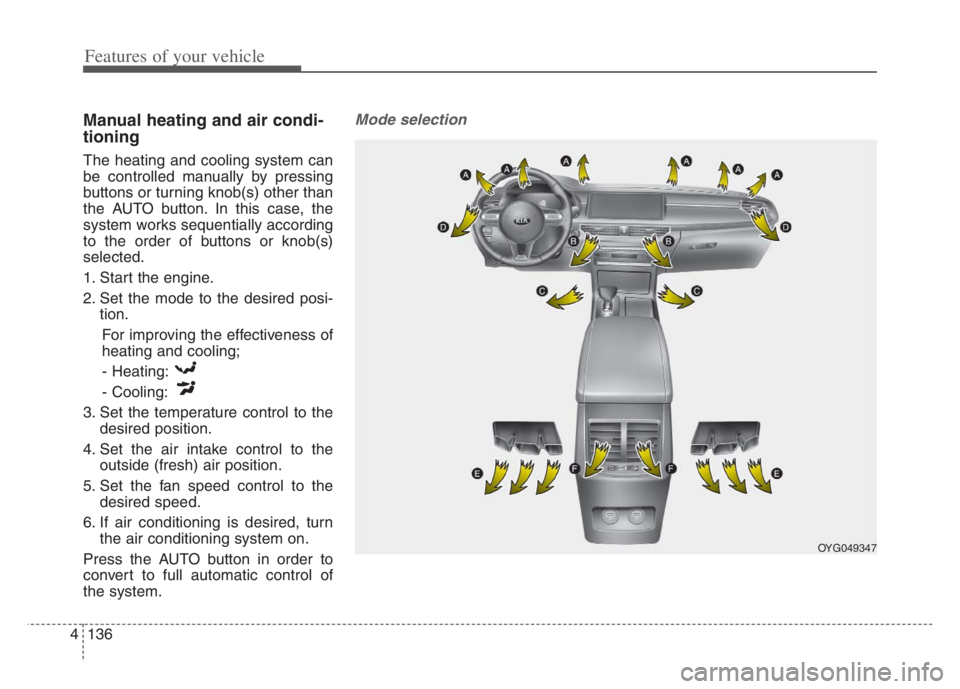
Mode selection
OYG049347
Page 219 of 560

4137
Features of your vehicle
The mode selection button controls
the direction of the air flow through
the ventilation system.
The air flow outlet port is converted
as follows:Face-Level (B, D, F)
Air flow is directed toward the upper
body and face. Additionally, each
outlet can be controlled to direct the
air discharged from the outlet.
Bi-Level (B, C, D, E, F)
Air flow is directed towards the face
and the floor.Floor-Level (A, C, D, E)
Most of the air flow is directed to the
floor, with a small amount of the air
being directed to the windshield and
side window defrosters.
Floor/Defrost-Level (A, C, D, E)
Most of the air flow is directed to the
floor and the windshield with a small
amount directed to the side window
defrosters.
OYG049344
Page 220 of 560

Features of your vehicle
138 4
Defrost-Level
Most of the air flow is directed to the
windshield with a small amount of air
directed to the side window defrosters.Instrument panel vents
The outlet vents can be opened or
closed separately using the thumb-
wheel (if equipped).
Also, you can adjust the direction of
air delivery from these vents using
the vent control lever as shown.
Temperature control
The temperature will increase to the
maximum (HI) by raise the toggle
switch to the extreme up.
The temperature will decrease to the
minimum (Lo) by depress the toggle
switch to the extreme down.
When raise and depress the toggle
switch, the temperature will increase
or decrease by 1°F/0.5°C. When set
to the lowest temperature setting, the
air conditioning will operate continu-
ously.
OYG049346 OYG049349
■Driver’s side■Passenger’s side
OYG049348
Page 221 of 560
4139
Features of your vehicle
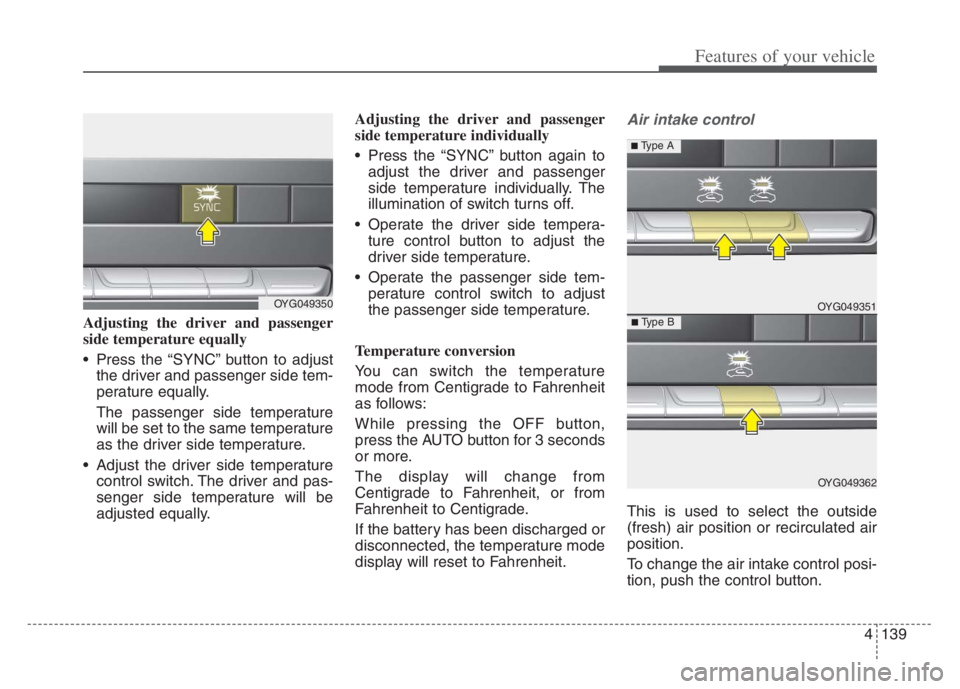
Adjusting the driver and passenger
side temperature equally
Press the “SYNC” button to adjust
the driver and passenger side tem-
perature equally.
The passenger side temperature
will be set to the same temperature
as the driver side temperature.
Adjust the driver side temperature
control switch. The driver and pas-
senger side temperature will be
adjusted equally.Adjusting the driver and passenger
side temperature individually
Press the “SYNC” button again to
adjust the driver and passenger
side temperature individually. The
illumination of switch turns off.
Operate the driver side tempera-
ture control button to adjust the
driver side temperature.
Operate the passenger side tem-
perature control switch to adjust
the passenger side temperature.
Temperature conversion
You can switch the temperature
mode from Centigrade to Fahrenheit
as follows:
While pressing the OFF button,
press the AUTO button for 3 seconds
or more.
The display will change from
Centigrade to Fahrenheit, or from
Fahrenheit to Centigrade.
If the battery has been discharged or
disconnected, the temperature mode
display will reset to Fahrenheit.
Air intake control
This is used to select the outside
(fresh) air position or recirculated air
position.
To change the air intake control posi-
tion, push the control button.
OYG049350 OYG049351
OYG049362
■ Type B
■ Type A
Page 222 of 560

Features of your vehicle
140 4
Outside (fresh) air position
With the outside (fresh)
air position selected, air
enters the vehicle from
outside and is heated or
cooled according to the
function selected.
Recirculated air position
With the recirculated air
position selected, air
from the passenger
compartment will be
drawn through the heat-
ing system and heated
or cooled according to
the function selected.Prolonged operation of the heater in
the recirculated air position (without
air conditioning selected) may cause
fogging of the windshield and side
windows and the air within the pas-
senger compartment may become
stale.
In addition, prolonged use of the air
conditioning with the recirculated air
position selected will result in exces-
sively dry air in the passenger com-
partment.Fan speed control
The fan speed can be set to the
desired speed by operating the fan
speed control switch.
To change the fan speed, raise the
switch for higher speed or depress the
switch for lower speed. To turn the fan
speed control off, press the front
blower OFF button.
OYG049352 ■Type B
■ Type A
Page 223 of 560
4141
Features of your vehicle
Air conditioning
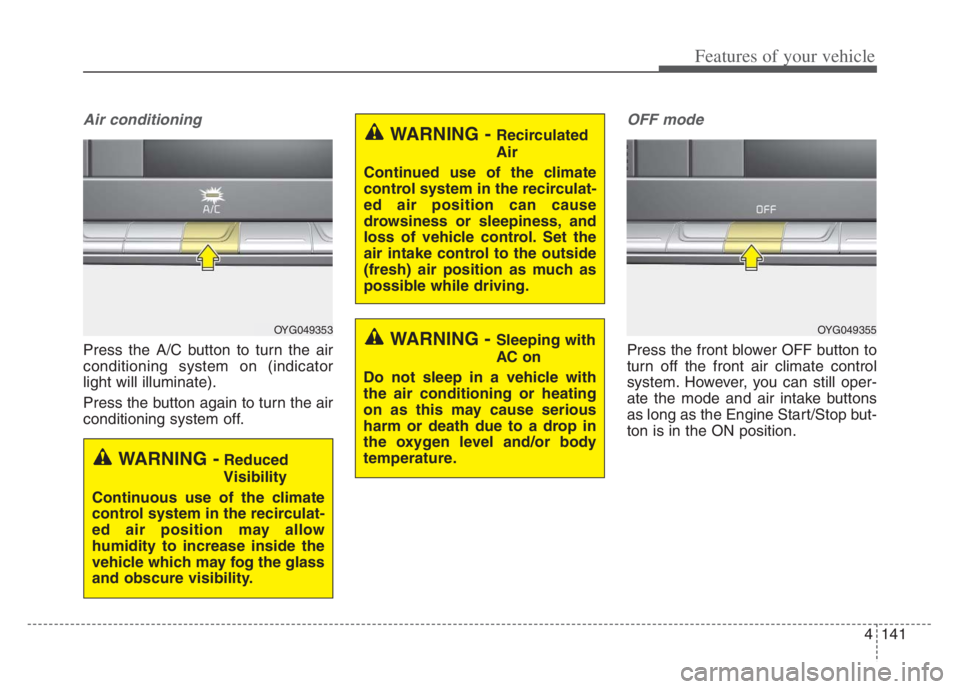
Press the A/C button to turn the air
conditioning system on (indicator
light will illuminate).
Press the button again to turn the air
conditioning system off.
OFF mode
Press the front blower OFF button to
turn off the front air climate control
system. However, you can still oper-
ate the mode and air intake buttons
as long as the Engine Start/Stop but-
ton is in the ON position.
OYG049353
WARNING -Reduced
Visibility
Continuous use of the climate
control system in the recirculat-
ed air position may allow
humidity to increase inside the
vehicle which may fog the glass
and obscure visibility.
WARNING - Recirculated
Air
Continued use of the climate
control system in the recirculat-
ed air position can cause
drowsiness or sleepiness, and
loss of vehicle control. Set the
air intake control to the outside
(fresh) air position as much as
possible while driving.
WARNING - Sleeping with
AC on
Do not sleep in a vehicle with
the air conditioning or heating
on as this may cause serious
harm or death due to a drop in
the oxygen level and/or body
temperature.OYG049355