air KIA CADENZA 2020 Manual PDF
[x] Cancel search | Manufacturer: KIA, Model Year: 2020, Model line: CADENZA, Model: KIA CADENZA 2020Pages: 560, PDF Size: 11.37 MB
Page 234 of 560

Features of your vehicle
152 4
This indicator illuminates
when the auto defogging
system senses the mois-
ture on the inside of the
windshield and operates.
The Auto defogging system address-
es excess moisture on the inside of
the windshield in stages. For exam-
ple, if auto defogging does not defog
inside the windshield at step 1
Outside air position, it tries to defog
again at step 2 Operating the air con-
ditioning.
Step 1 : Outside air position
Step 2 : Operating the air condition-
ing
Step 3 : Blowing air flow toward the
windshield
Step 4 : Increasing air flow toward
the windshieldTo cancel or reset the Auto Defogging
System
To cancel or set the Auto Defogging
System, press the Front Windshield
Defroster button for 3 seconds while
Engine Start/Stop button is On.
The indicator of Front Windshield
Defroster button or “ADS OFF” mes-
sage will blink or display 3 times in
0.5 second interval and the system
will be cancelled or set.
CAUTION
Do not remove the sensor cover
located on the upper end of the
passenger side windshield
glass. Damage to the system
parts could occur and may not
be covered by your vehicle war-
ranty.
Page 235 of 560

4153
Features of your vehicle
When the Engine Start/Stop button
is in the ON position, the clean air
function turns on automatically.
Also, the clean air function turns off
automatically, when the Engine
Start/Stop button is in the OFF posi-
tion.
CLEAN AIR (IF EQUIPPED)
OYG040320N
Page 237 of 560

4155
Features of your vehicle
✽ ✽
NOTICE
If the temperature control knob is in
the warm or hot position, warm or
hot air will flow into the glove box.
Sunglass holder
To open the sunglass holder, press
the cover and the holder will slowly
open. Place your sunglasses with the
lenses facing out.
To close the sunglass holder push it up.
WARNING - Glove Box
To reduce the risk of injury in an
accident or sudden stop, always
keep the glove box door closed
while driving.WARNING- Sunglass
holder
Do not keep objects except sun-
glasses inside the sunglass
holder. Heavier objects can be
thrown from the holder in the
event of a sudden stop or an
accident, possibly injuring the
passengers.
OYG049517
Page 240 of 560
Features of your vehicle
158 4
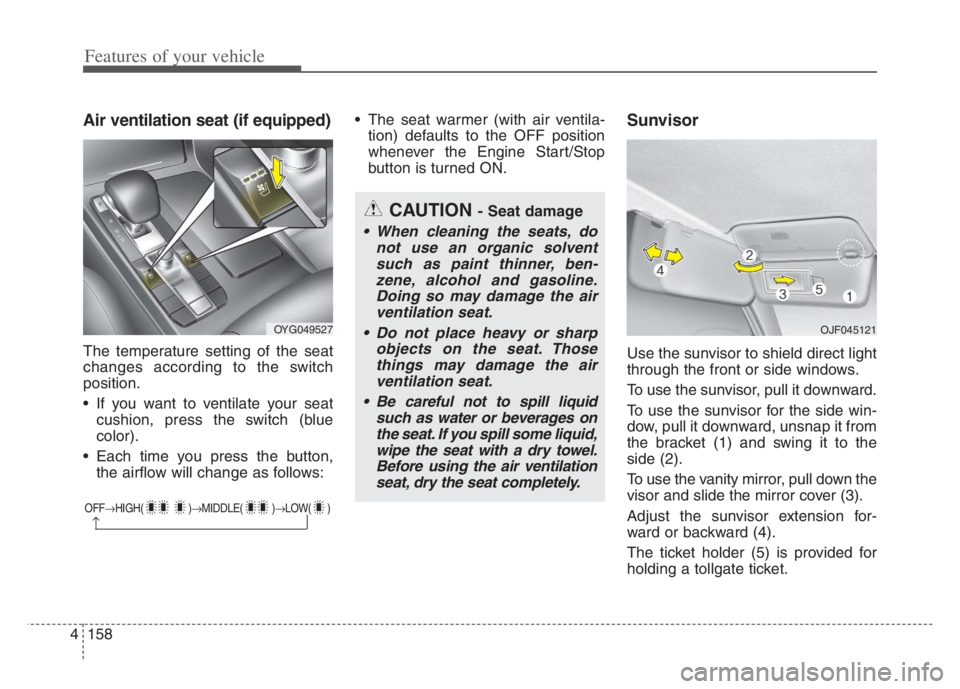
Air ventilation seat (if equipped)
The temperature setting of the seat
changes according to the switch
position.
If you want to ventilate your seat
cushion, press the switch (blue
color).
Each time you press the button,
the airflow will change as follows: The seat warmer (with air ventila-
tion) defaults to the OFF position
whenever the Engine Start/Stop
button is turned ON.
Sunvisor
Use the sunvisor to shield direct light
through the front or side windows.
To use the sunvisor, pull it downward.
To use the sunvisor for the side win-
dow, pull it downward, unsnap it from
the bracket (1) and swing it to the
side (2).
To use the vanity mirror, pull down the
visor and slide the mirror cover (3).
Adjust the sunvisor extension for-
ward or backward (4).
The ticket holder (5) is provided for
holding a tollgate ticket.
OFFHIGH( )MIDDLE( )LOW( )
CAUTION - Seat damage
When cleaning the seats, do
not use an organic solvent
such as paint thinner, ben-
zene, alcohol and gasoline.
Doing so may damage the air
ventilation seat.
Do not place heavy or sharp
objects on the seat. Those
things may damage the air
ventilation seat.
Be careful not to spill liquid
such as water or beverages on
the seat. If you spill some liquid,
wipe the seat with a dry towel.
Before using the air ventilation
seat, dry the seat completely.
OYG049527 OJF045121
Page 241 of 560
4159
Features of your vehicle
* The actual sunvisor lamp in the vehi-
cle may differ from the illustration.Power outlet
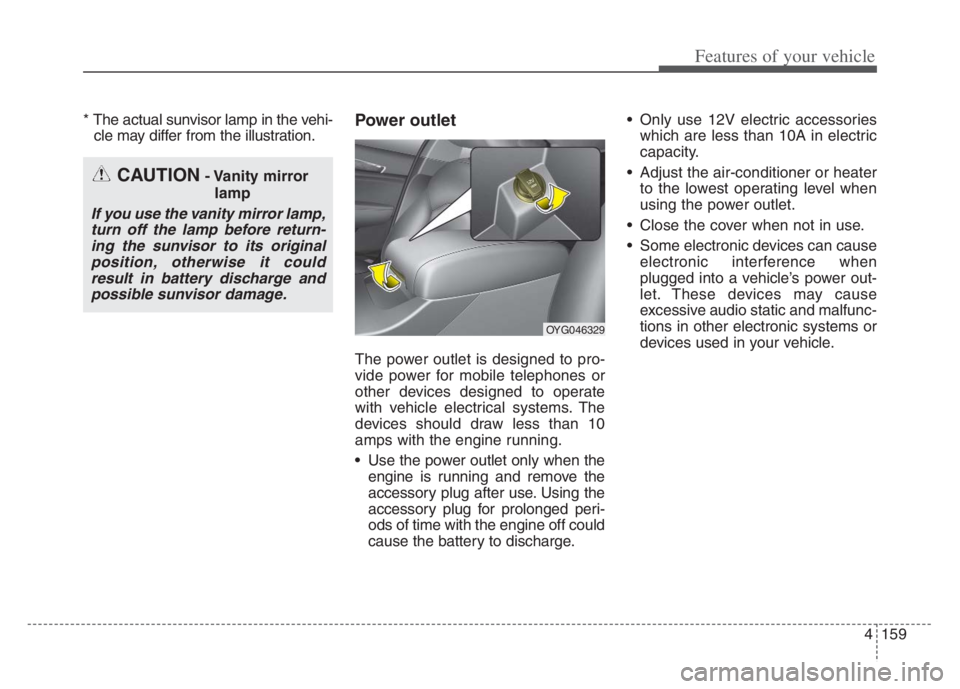
The power outlet is designed to pro-
vide power for mobile telephones or
other devices designed to operate
with vehicle electrical systems. The
devices should draw less than 10
amps with the engine running.
Use the power outlet only when the
engine is running and remove the
accessory plug after use. Using the
accessory plug for prolonged peri-
ods of time with the engine off could
cause the battery to discharge. Only use 12V electric accessories
which are less than 10A in electric
capacity.
Adjust the air-conditioner or heater
to the lowest operating level when
using the power outlet.
Close the cover when not in use.
Some electronic devices can cause
electronic interference when
plugged into a vehicle’s power out-
let. These devices may cause
excessive audio static and malfunc-
tions in other electronic systems or
devices used in your vehicle.
CAUTION- Vanity mirror
lamp
If you use the vanity mirror lamp,
turn off the lamp before return-
ing the sunvisor to its original
position, otherwise it could
result in battery discharge and
possible sunvisor damage.
OYG046329
Page 248 of 560
Features of your vehicle
166 4
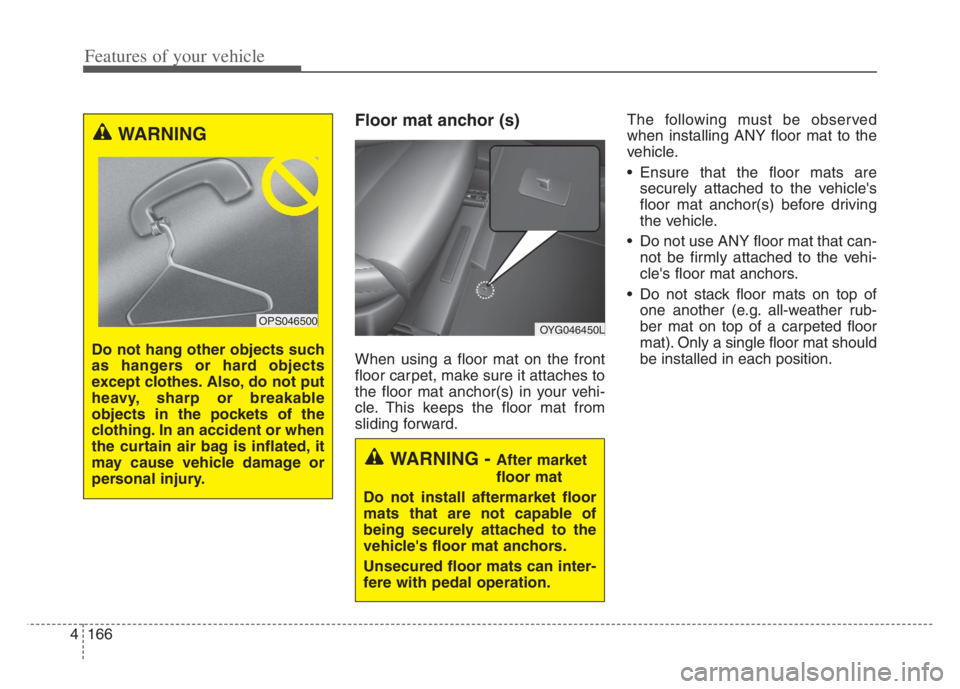
Floor mat anchor (s)
When using a floor mat on the front
floor carpet, make sure it attaches to
the floor mat anchor(s) in your vehi-
cle. This keeps the floor mat from
sliding forward.The following must be observed
when installing ANY floor mat to the
vehicle.
Ensure that the floor mats are
securely attached to the vehicle's
floor mat anchor(s) before driving
the vehicle.
Do not use ANY floor mat that can-
not be firmly attached to the vehi-
cle's floor mat anchors.
Do not stack floor mats on top of
one another (e.g. all-weather rub-
ber mat on top of a carpeted floor
mat). Only a single floor mat should
be installed in each position.
WARNING
Do not hang other objects such
as hangers or hard objects
except clothes. Also, do not put
heavy, sharp or breakable
objects in the pockets of the
clothing. In an accident or when
the curtain air bag is inflated, it
may cause vehicle damage or
personal injury.
OPS046500OYG046450L
WARNING - After market
floor mat
Do not install aftermarket floor
mats that are not capable of
being securely attached to the
vehicle's floor mat anchors.
Unsecured floor mats can inter-
fere with pedal operation.
Page 256 of 560
53
Driving your vehicle
Be sure the exhaust system does
not leak.
The exhaust system should be
checked whenever the vehicle is
raised to change the oil or for any
other purpose. If you hear a change in
the sound of the exhaust or if you drive
over something that strikes the under-
neath side of the vehicle, have the
exhaust system checked as soon as
possible by an authorized Kia dealer.
WARNING- Engine
exhaust
Do not inhale exhaust fumes or
leave your engine running in a
enclosed area for a prolonged
time. Exhaust fumes contain
carbon monoxide, a colorless,
odorless gas that can cause
unconsciousness and death by
asphyxiation.
WARNING- Open trunk
Do not drive with the trunk
open. Poisonous exhaust gases
can enter the passenger com-
partment. If you must drive with
the liftgate open proceed as fol-
lows:
1. Close all windows.
2. Open side vents.
3. Set the air intake control at
"Fresh", the air flow control at
"Floor" or "Face" and the fan
at the highest speed.
Page 270 of 560
517
Driving your vehicle
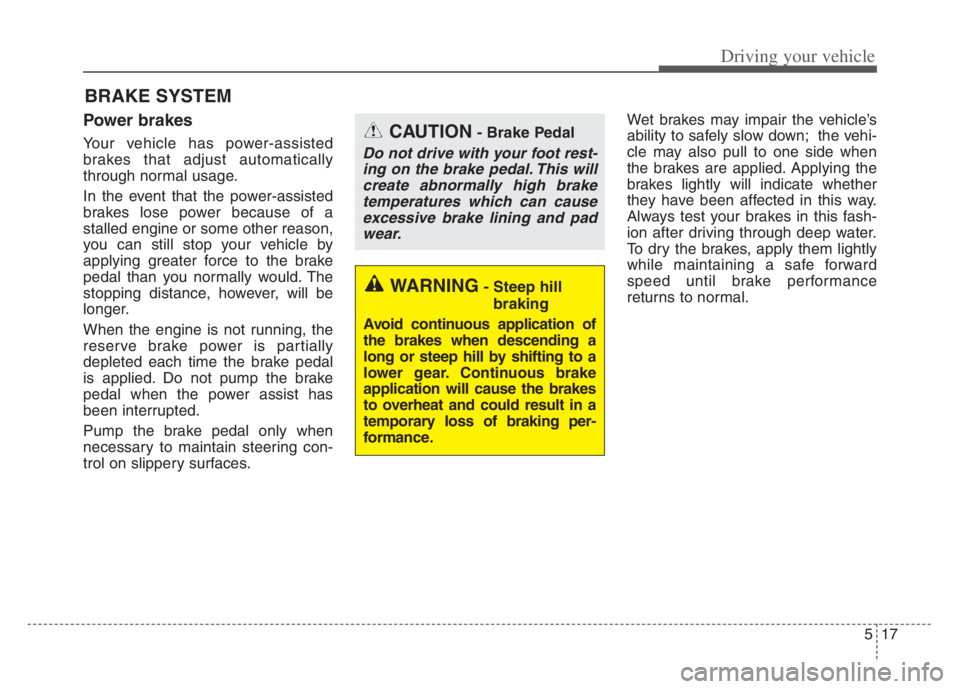
Power brakes
Your vehicle has power-assisted
brakes that adjust automatically
through normal usage.
In the event that the power-assisted
brakes lose power because of a
stalled engine or some other reason,
you can still stop your vehicle by
applying greater force to the brake
pedal than you normally would. The
stopping distance, however, will be
longer.
When the engine is not running, the
reserve brake power is partially
depleted each time the brake pedal
is applied. Do not pump the brake
pedal when the power assist has
been interrupted.
Pump the brake pedal only when
necessary to maintain steering con-
trol on slippery surfaces.Wet brakes may impair the vehicle’s
ability to safely slow down; the vehi-
cle may also pull to one side when
the brakes are applied. Applying the
brakes lightly will indicate whether
they have been affected in this way.
Always test your brakes in this fash-
ion after driving through deep water.
To dry the brakes, apply them lightly
while maintaining a safe forward
speed until brake performance
returns to normal.
BRAKE SYSTEM
WARNING- Steep hill
braking
Avoid continuous application of
the brakes when descending a
long or steep hill by shifting to a
lower gear. Continuous brake
application will cause the brakes
to overheat and could result in a
temporary loss of braking per-
formance.
CAUTION- Brake Pedal
Do not drive with your foot rest-
ing on the brake pedal. This will
create abnormally high brake
temperatures which can cause
excessive brake lining and pad
wear.
Page 271 of 560
Driving your vehicle
18 5
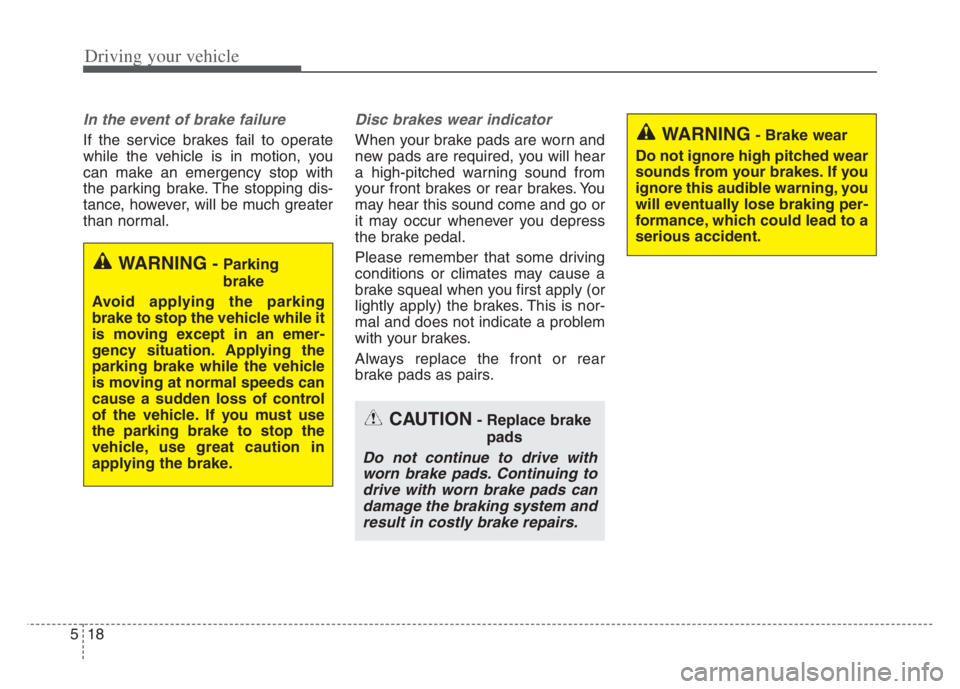
In the event of brake failure
If the service brakes fail to operate
while the vehicle is in motion, you
can make an emergency stop with
the parking brake. The stopping dis-
tance, however, will be much greater
than normal.
Disc brakes wear indicator
When your brake pads are worn and
new pads are required, you will hear
a high-pitched warning sound from
your front brakes or rear brakes. You
may hear this sound come and go or
it may occur whenever you depress
the brake pedal.
Please remember that some driving
conditions or climates may cause a
brake squeal when you first apply (or
lightly apply) the brakes. This is nor-
mal and does not indicate a problem
with your brakes.
Always replace the front or rear
brake pads as pairs.
WARNING- Parking
brake
Avoid applying the parking
brake to stop the vehicle while it
is moving except in an emer-
gency situation. Applying the
parking brake while the vehicle
is moving at normal speeds can
cause a sudden loss of control
of the vehicle. If you must use
the parking brake to stop the
vehicle, use great caution in
applying the brake.
WARNING- Brake wear
Do not ignore high pitched wear
sounds from your brakes. If you
ignore this audible warning, you
will eventually lose braking per-
formance, which could lead to a
serious accident.
CAUTION- Replace brake
pads
Do not continue to drive with
worn brake pads. Continuing to
drive with worn brake pads can
damage the braking system and
result in costly brake repairs.
Page 272 of 560

519
Driving your vehicle
Check the brake warning light by
turning the ENGINE START/STOP
button ON (do not start the engine).
This light will be illuminated when the
parking brake is applied with the
ENGINE START/STOP button in the
START or ON position.
Before driving, be sure the parking
brake is fully released and the brake
warning light is off.
If the brake warning light remains on
after the parking brake is released
while the engine is running, there
may be a malfunction in the brake
system. Immediate attention is nec-
essary.If at all possible, cease driving the
vehicle immediately. If that is not pos-
sible, use extreme caution while
operating the vehicle and only con-
tinue to drive the vehicle until you
can reach a safe location or repair
shop.
Electronic Parking Brake
(EPB)
Applying the parking brake
To apply the EPB (Electronic Parking
Brake):
1. Depress the brake pedal.
2. Pull up the EPB switch.
3. Make sure the warning light
comes on. Also, the EPB is
applied automatically if the Auto
Hold button is on when the engine
is turned off. However, if you pull
up the EPB switch after the engine
is turned off, the EPB will not be
Applied.
W-75
OYG050018N