warning light KIA CADENZA 2020 Manual PDF
[x] Cancel search | Manufacturer: KIA, Model Year: 2020, Model line: CADENZA, Model: KIA CADENZA 2020Pages: 560, PDF Size: 11.37 MB
Page 300 of 560

547
Driving your vehicle
FCA warning message and
control
FCA produces warning messages
and warning alarms in accordance
with the collision risk levels of follow-
ings like vehicle’s sudden braking in
front or lack of headway or collision
to pedestrians or cyclist. Also, it con-
trols the brakes in accordance with
the collision risk levels.
The driver can select the initial warn-
ing activation time in the Settings
menu in the Infotainment System
screen. The options for the initial
Forward Collision Warning include
Normal or Late initial warning time.
Collision Warning (1st warning)
The warning message appears on
the LCD display with the warning
alarms.
The Vehicle may slow down slightly
- It will operate if the vehicle speed
is greater than 6 mph (10 km/h)
and less than or equal to 110
mph (180 km/h) on a forward
vehicle. (Depending on the condi-
tion of the vehicle ahead and the
environment surrounding it, the
possible maximum operating
speed may be reduced.)
WARNING
Completely stop the vehicle in
a safe location before operat-
ing the switch on the steering
wheel to activate/deactivate
FCA.
FCA automatically activates
upon placing the ENGINE
START/STOP button in the ON
position. The driver can deac-
tivate FCA by canceling the
system setting on the
Infotainment System screen.
FCA automatically deacti-
vates upon canceling the
ESC. When the ESC is can-
celed, FCA cannot be activat-
ed on the Infotainment
System screen.
FCA warning light will illumi-
nate, which is normal.
OYG059267L
Page 303 of 560

Driving your vehicle
50 5
Detecting sensors (front view
camera/front radar)
The sensors are that detecting the
distance to vehicles ahead, pedestri-
an or cyclist.In bad weather conditions such as
heavy rain, heavy snow, and fog, or
when sensor is covered by foreign
material, dust, tec., the sensors will
be degraded and the system will be
temporarily disabled.
Always keep the sensor clean.
✽ ✽
NOTICE
• Do not install any accessories,
such as license plate molding or
sticker, on the sensor area. Nor
arbitrarily replace the bumper.
Those may adversely affect the
sensing performance.
• Always keep the sensor/bumper
area clean.
• Use only soft cloths to wash the
vehicle. Also, do not spray highly-
pressurized water on the sensor
installed on the bumper.
• Be careful not to apply unneces-
sary force on the frontal sensor
area. When the sensor moves out
of the correct position due to
external force, the system may not
normally operate even without the
warning light or message. In this
case, have your vehicle inspected
by an authorized Kia dealer.
• Use only the genuine Kia sensor
cover. Do not arbitrarily apply
paint on the sensor cover.
(Continued)
OYG059052
OYG059025L
Page 304 of 560
551
Driving your vehicle
(Continued)
• Do not tint the window or install
stickers, accessories around the
inside mirror where the camera is
installed.
• Make sure the frontal camera
installation point does not get wet.
• Do not impact or arbitrarily
remove any radar/camera compo-
nents.
• Do not place reflective
objects(white paper or mirror etc.)
on the crash pad.
The system may activate unneces-
sarily due to reflect of the sunlight.
• Excessive audio volume may dis-
turb the sound of the system warn-
ing alarm.
• For more cautions for the camera
sensor, refer to the “Lane Keeping
Assist (LKA)” in this chapter.Warning message and warning
light
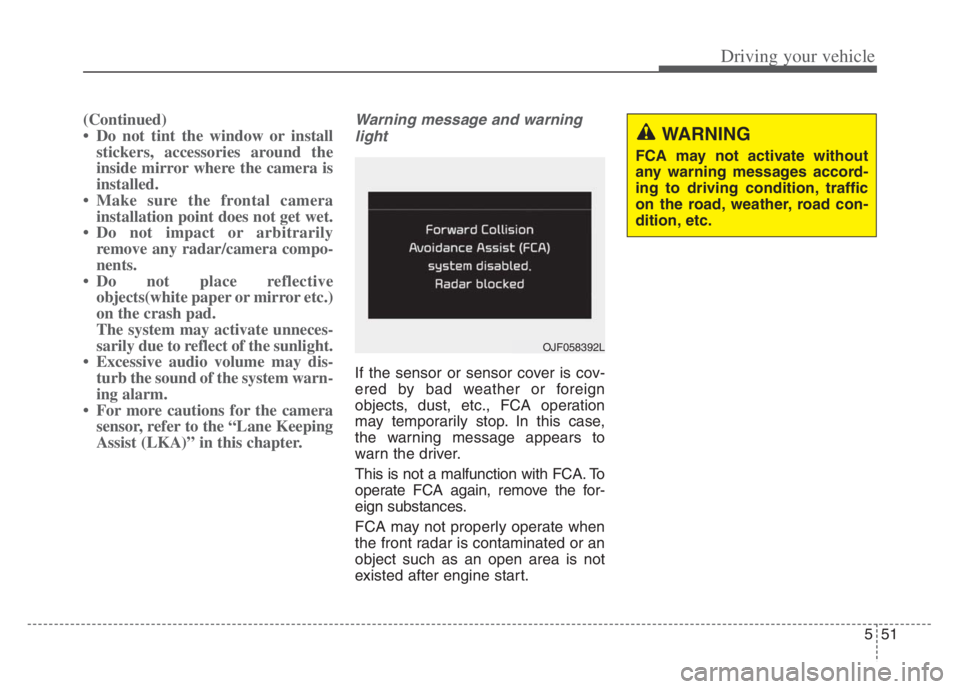
If the sensor or sensor cover is cov-
ered by bad weather or foreign
objects, dust, etc., FCA operation
may temporarily stop. In this case,
the warning message appears to
warn the driver.
This is not a malfunction with FCA. To
operate FCA again, remove the for-
eign substances.
FCA may not properly operate when
the front radar is contaminated or an
object such as an open area is not
existed after engine start.
WARNING
FCA may not activate without
any warning messages accord-
ing to driving condition, traffic
on the road, weather, road con-
dition, etc.
OJF058392L
Page 305 of 560
Driving your vehicle
52 5
System malfunction
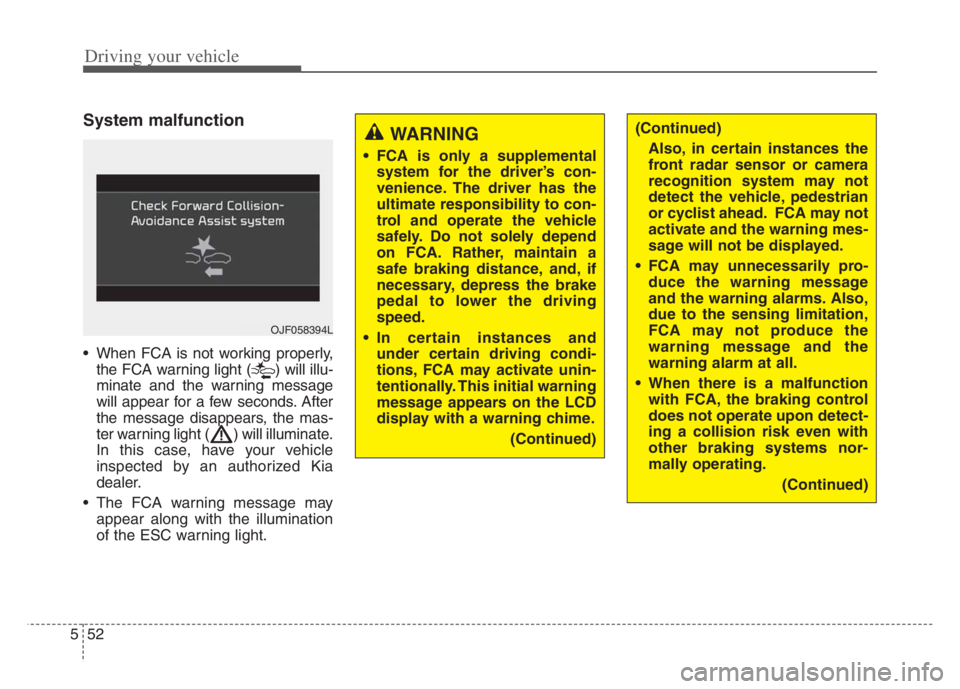
When FCA is not working properly,
the FCA warning light ( ) will illu-
minate and the warning message
will appear for a few seconds. After
the message disappears, the mas-
ter warning light ( ) will illuminate.
In this case, have your vehicle
inspected by an authorized Kia
dealer.
The FCA warning message may
appear along with the illumination
of the ESC warning light.
WARNING
FCA is only a supplemental
system for the driver’s con-
venience. The driver has the
ultimate responsibility to con-
trol and operate the vehicle
safely. Do not solely depend
on FCA. Rather, maintain a
safe braking distance, and, if
necessary, depress the brake
pedal to lower the driving
speed.
In certain instances and
under certain driving condi-
tions, FCA may activate unin-
tentionally. This initial warning
message appears on the LCD
display with a warning chime.
(Continued)
OJF058394L
(Continued)
Also, in certain instances the
front radar sensor or camera
recognition system may not
detect the vehicle, pedestrian
or cyclist ahead. FCA may not
activate and the warning mes-
sage will not be displayed.
FCA may unnecessarily pro-
duce the warning message
and the warning alarms. Also,
due to the sensing limitation,
FCA may not produce the
warning message and the
warning alarm at all.
When there is a malfunction
with FCA, the braking control
does not operate upon detect-
ing a collision risk even with
other braking systems nor-
mally operating.
(Continued)
Page 315 of 560
Driving your vehicle
62 5
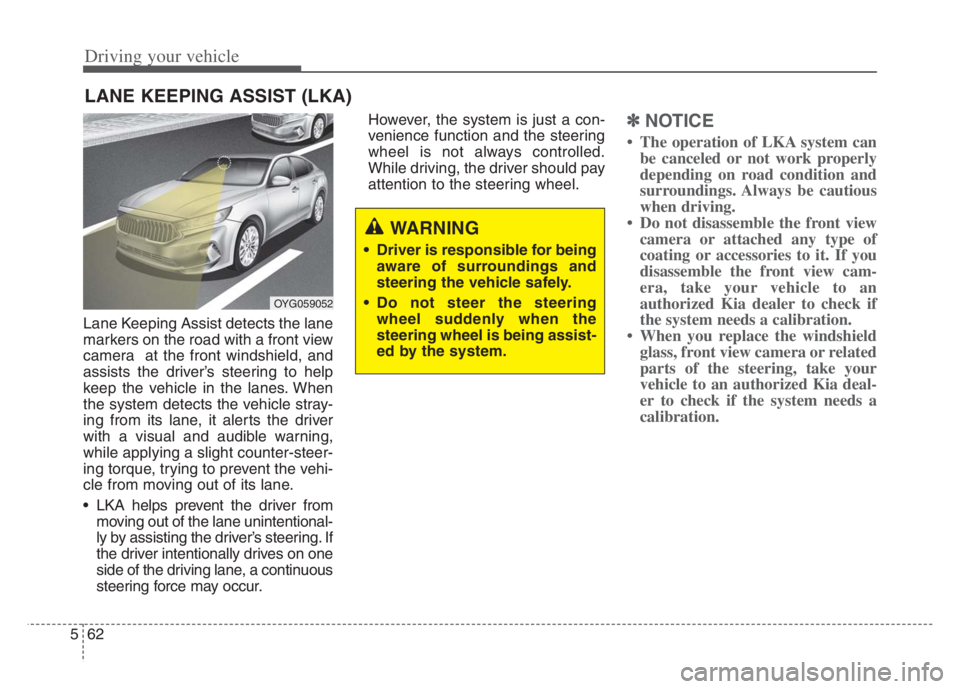
Lane Keeping Assist detects the lane
markers on the road with a front view
camera at the front windshield, and
assists the driver’s steering to help
keep the vehicle in the lanes. When
the system detects the vehicle stray-
ing from its lane, it alerts the driver
with a visual and audible warning,
while applying a slight counter-steer-
ing torque, trying to prevent the vehi-
cle from moving out of its lane.
LKA helps prevent the driver from
moving out of the lane unintentional-
ly by assisting the driver’s steering. If
the driver intentionally drives on one
side of the driving lane, a continuous
steering force may occur.However, the system is just a con-
venience function and the steering
wheel is not always controlled.
While driving, the driver should pay
attention to the steering wheel.
✽ ✽
NOTICE
• The operation of LKA system can
be canceled or not work properly
depending on road condition and
surroundings. Always be cautious
when driving.
• Do not disassemble the front view
camera or attached any type of
coating or accessories to it. If you
disassemble the front view cam-
era, take your vehicle to an
authorized Kia dealer to check if
the system needs a calibration.
• When you replace the windshield
glass, front view camera or related
parts of the steering, take your
vehicle to an authorized Kia deal-
er to check if the system needs a
calibration.
LANE KEEPING ASSIST (LKA)
OYG059052
WARNING
Driver is responsible for being
aware of surroundings and
steering the vehicle safely.
Do not steer the steering
wheel suddenly when the
steering wheel is being assist-
ed by the system.
Page 316 of 560
563
Driving your vehicle
The system detects lane markers
and controls the steering wheel by
a front view camera, therefore, if
the lane markers are hard to
detect, the system may not work
properly. Always be cautious when
using the system.
When the lane markers are hard to
detect, please refer to “DRIVER’S
ATTENTION”.
Do not remove or damage the
related parts of the front view cam-
era system.
Do not place objects on the crash
pad that reflect light such as mir-
rors, white paper, etc. it may cause
malfunction of LKA if sunlight is
reflected.
You may not hear warning sound of
LKA because of the excessive
audio sound.
If other beeps such as the seat belt
warning sound are in operation
and override LKA alarming, LKA
beeps may not occur. At high vehicle speeds, the steer-
ing torque needed for assistance
may not be sufficient to keep your
vehicle within the lane. If so, the
vehicle may move out of its lane.
Always obey the speed limit when
using LKA.
If you attach objects to the steering
wheel, the system may not assist
steering.
If you attach objects to the steering
wheel, hands off alarm may not
work properly.LKA operation
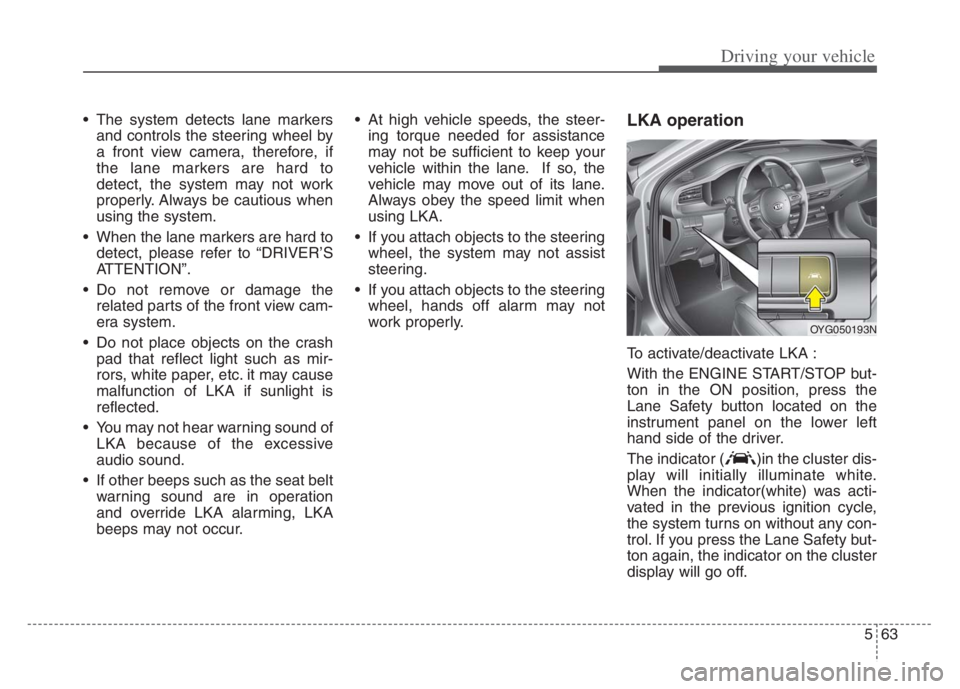
To activate/deactivate LKA :
With the ENGINE START/STOP but-
ton in the ON position, press the
Lane Safety button located on the
instrument panel on the lower left
hand side of the driver.
The indicator ( )in the cluster dis-
play will initially illuminate white.
When the indicator(white) was acti-
vated in the previous ignition cycle,
the system turns on without any con-
trol. If you press the Lane Safety but-
ton again, the indicator on the cluster
display will go off.
OYG050193N
Page 319 of 560

Driving your vehicle
66 5
Warning
If the vehicle leaves a lane, the lane
marker you cross will blink on the
LCD display and the warning sound
is provided.If the driver takes hands off the steer-
ing wheel for several seconds while
LKA is activated, the system will
warn the driver.
OJF058414L/OJF058415L
■Left lane departure■Right lane departure
OYG059285L
■Hands off warning message while LKA is acti-
vated
WARNING
The hands-off warning mes-
sage may be delayed accord-
ing to road conditions.
Therefore, always have your
hands on the steering wheel
while driving.
If you hold the steering wheel
lightly, the system may dis-
play the hands off warning
because LKA may believe you
are not grabbing the wheel.
Page 325 of 560
Driving your vehicle
72 5
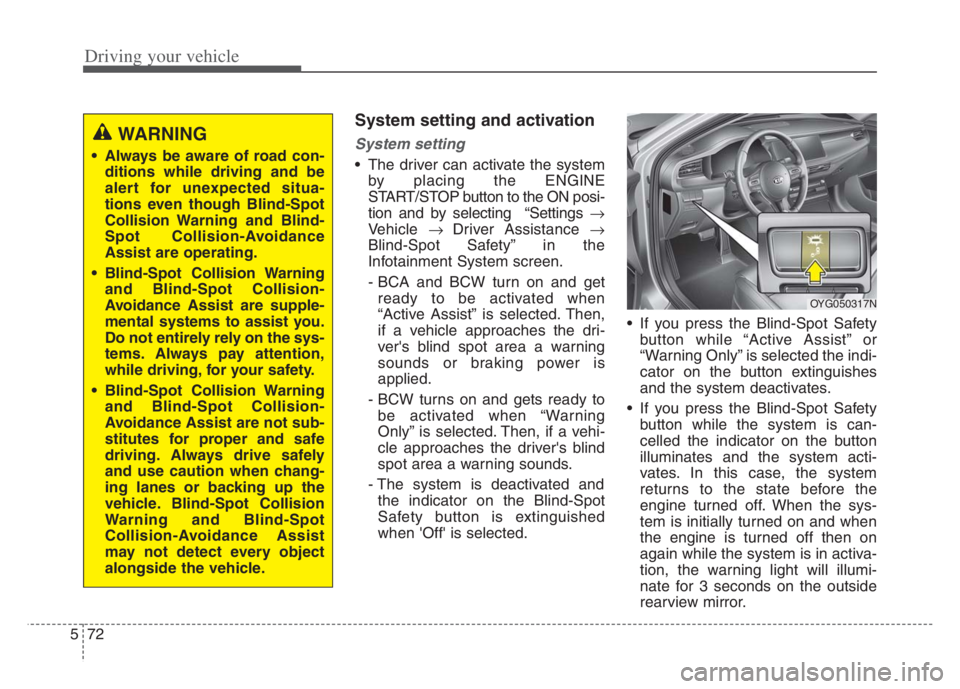
System setting and activation
System setting
The driver can activate the system
by placing the ENGINE
START/STOP button to the ON posi-
tion and by selecting “Settings
Vehicle Driver Assistance
Blind-Spot Safety” in the
Infotainment System screen.
- BCA and BCW turn on and get
ready to be activated when
“Active Assist” is selected. Then,
if a vehicle approaches the dri-
ver's blind spot area a warning
sounds or braking power is
applied.
- BCW turns on and gets ready to
be activated when “Warning
Only” is selected. Then, if a vehi-
cle approaches the driver's blind
spot area a warning sounds.
- The system is deactivated and
the indicator on the Blind-Spot
Safety button is extinguished
when 'Off' is selected. If you press the Blind-Spot Safety
button while “Active Assist” or
“Warning Only” is selected the indi-
cator on the button extinguishes
and the system deactivates.
If you press the Blind-Spot Safety
button while the system is can-
celled the indicator on the button
illuminates and the system acti-
vates. In this case, the system
returns to the state before the
engine turned off. When the sys-
tem is initially turned on and when
the engine is turned off then on
again while the system is in activa-
tion, the warning light will illumi-
nate for 3 seconds on the outside
rearview mirror.
WARNING
Always be aware of road con-
ditions while driving and be
alert for unexpected situa-
tions even though Blind-Spot
Collision Warning and Blind-
Spot Collision-Avoidance
Assist are operating.
Blind-Spot Collision Warning
and Blind-Spot Collision-
Avoidance Assist are supple-
mental systems to assist you.
Do not entirely rely on the sys-
tems. Always pay attention,
while driving, for your safety.
Blind-Spot Collision Warning
and Blind-Spot Collision-
Avoidance Assist are not sub-
stitutes for proper and safe
driving. Always drive safely
and use caution when chang-
ing lanes or backing up the
vehicle. Blind-Spot Collision
Warning and Blind-Spot
Collision-Avoidance Assist
may not detect every object
alongside the vehicle.
OYG050317N
Page 326 of 560
573
Driving your vehicle
If the engine is turned off then on
again, the system maintains the
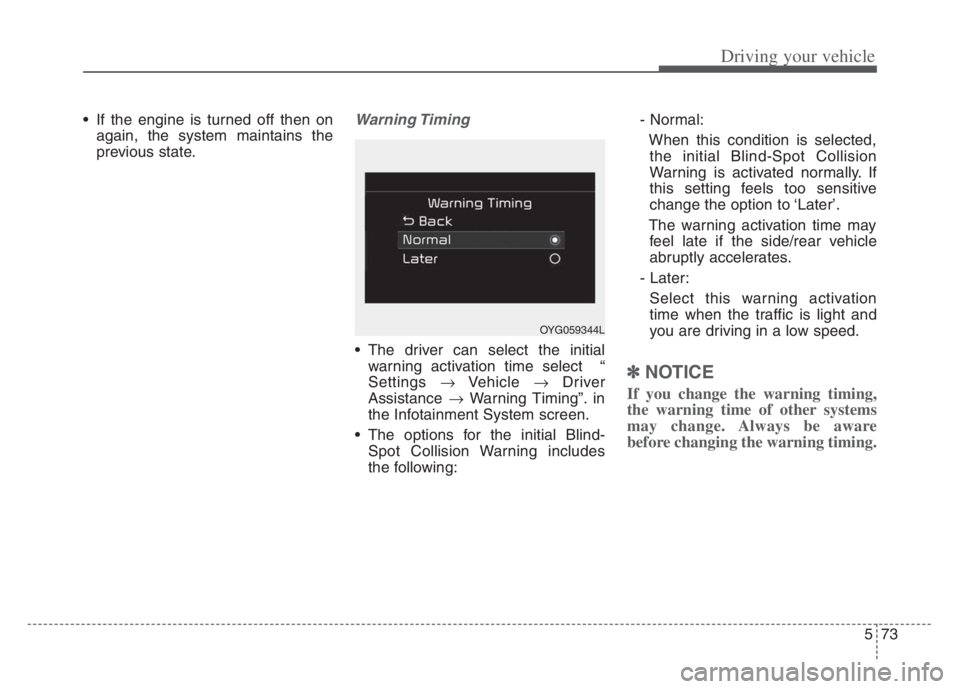
previous state.Warning Timing
The driver can select the initial
warning activation time select “
Settings Vehicle Driver
Assistance Warning Timing”. in
the Infotainment System screen.
The options for the initial Blind-
Spot Collision Warning includes
the following:- Normal:
When this condition is selected,
the initial Blind-Spot Collision
Warning is activated normally. If
this setting feels too sensitive
change the option to ‘Later’.
The warning activation time may
feel late if the side/rear vehicle
abruptly accelerates.
- Later:
Select this warning activation
time when the traffic is light and
you are driving in a low speed.
✽ ✽
NOTICE
If you change the warning timing,
the warning time of other systems
may change. Always be aware
before changing the warning timing.
OYG059344L
Page 328 of 560
575
Driving your vehicle
(1) Blind-Spot Collision Warning will
activate when:
- The vehicle speed above approxi-
mately 20 mph (30 km/h).
❈Blind-Spot Collision-Avoidance
Assist is not activate.Warning message and control
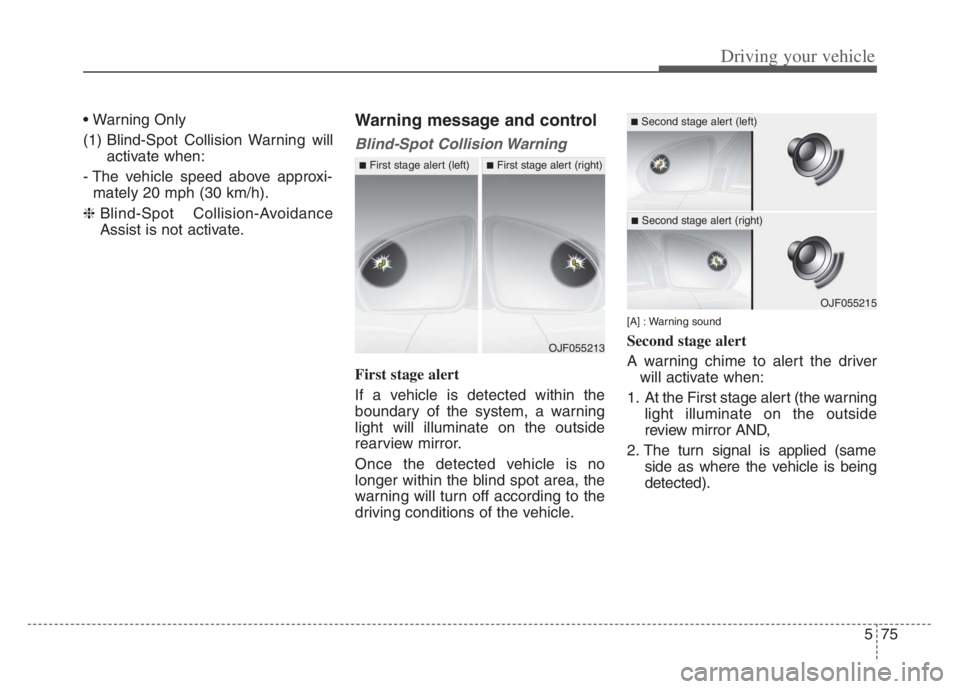
Blind-Spot Collision Warning
First stage alert
If a vehicle is detected within the
boundary of the system, a warning
light will illuminate on the outside
rearview mirror.
Once the detected vehicle is no
longer within the blind spot area, the
warning will turn off according to the
driving conditions of the vehicle.
[A] : Warning sound
Second stage alert
A warning chime to alert the driver
will activate when:
1. At the First stage alert (the warning
light illuminate on the outside
review mirror AND,
2. The turn signal is applied (same
side as where the vehicle is being
detected).OJF055213
■First stage alert (left)■First stage alert (right)
OJF055215
■Second stage alert (left)
■Second stage alert (right)