fog light KIA CADENZA 2020 Owners Manual
[x] Cancel search | Manufacturer: KIA, Model Year: 2020, Model line: CADENZA, Model: KIA CADENZA 2020Pages: 560, PDF Size: 11.37 MB
Page 85 of 560
Glove box lamp . . . . . . . . . . . . . . . . . . . . . . . . . . . . . 4-129
Welcome system . . . . . . . . . . . . . . . . . . . . . . . . . . 4-130
Interior light . . . . . . . . . . . . . . . . . . . . . . . . . . . . . . . 4-131
Defroster . . . . . . . . . . . . . . . . . . . . . . . . . . . . . . . . 4-132
Rear window defroster . . . . . . . . . . . . . . . . . . . . . . . 4-132
Automatic climate control system . . . . . . . . . . . 4-133
Automatic heating and air conditioning . . . . . . . . . 4-134
Manual heating and air conditioning . . . . . . . . . . . 4-136
System operation . . . . . . . . . . . . . . . . . . . . . . . . . . . . 4-142
Automatic air ventilation . . . . . . . . . . . . . . . . . . . . . 4-144
Sunroof inside air recirculation . . . . . . . . . . . . . . . . 4-145
Activate upon washer fluid use . . . . . . . . . . . . . . . . 4-145
Climate control air filter . . . . . . . . . . . . . . . . . . . . . . 4-146
Air Conditioning refrigerant label . . . . . . . . . . . . . 4-146
Checking the amount of air conditioner refrigerant
and compressor lubricant . . . . . . . . . . . . . . . . . . . . 4-147
Windshield defrosting and defogging . . . . . . . . . 4-149
Automatic climate control system . . . . . . . . . . . . . . 4-149
Defogging logic. . . . . . . . . . . . . . . . . . . . . . . . . . . . . . 4-150
Auto defogging system . . . . . . . . . . . . . . . . . . . . . . . 4-151
Clean air . . . . . . . . . . . . . . . . . . . . . . . . . . . . . . . . 4-153
Storage compartments . . . . . . . . . . . . . . . . . . . . . 4-154
Center console storage . . . . . . . . . . . . . . . . . . . . . . . 4-154
Glove box . . . . . . . . . . . . . . . . . . . . . . . . . . . . . . . . . . 4-154
Sunglass holder . . . . . . . . . . . . . . . . . . . . . . . . . . . . . 4-155
Interior features . . . . . . . . . . . . . . . . . . . . . . . . . . 4-156
Cup holder . . . . . . . . . . . . . . . . . . . . . . . . . . . . . . . . . 4-156
Seat warmer . . . . . . . . . . . . . . . . . . . . . . . . . . . . . . . . 4-156
Air ventilation seat . . . . . . . . . . . . . . . . . . . . . . . . . . 4-158
Sunvisor . . . . . . . . . . . . . . . . . . . . . . . . . . . . . . . . . . . 4-158
Power outlet . . . . . . . . . . . . . . . . . . . . . . . . . . . . . . . 4-159
USB charger . . . . . . . . . . . . . . . . . . . . . . . . . . . . . . . 4-160
Wireless smart phone charging system . . . . . . . . . 4-161
Coat hook . . . . . . . . . . . . . . . . . . . . . . . . . . . . . . . . . . 4-165
Floor mat anchor (s) . . . . . . . . . . . . . . . . . . . . . . . . . 4-166
Luggage net (holder) . . . . . . . . . . . . . . . . . . . . . . . . . 4-167
Infotainment system . . . . . . . . . . . . . . . . . . . . . . . 4-168
Antenna . . . . . . . . . . . . . . . . . . . . . . . . . . . . . . . . . . . 4-168
USB port . . . . . . . . . . . . . . . . . . . . . . . . . . . . . . . . . . . 4-169
Declaration of conformity . . . . . . . . . . . . . . . . . . 4-170
FCC . . . . . . . . . . . . . . . . . . . . . . . . . . . . . . . . . . . . . . 4-170
4
Page 194 of 560

Features of your vehicle
112 4
Rear camera error or blockage/
Parking sensor error or blockage
This warning message may appear
when :
The rear view camera or the ultra-
sonic sensor(s) is blocked by dirt,
snow, or a foreign object.
There is inclement weather, such
as heavy snow, rain, etc.
If any of these conditions occur,
the system may turn off automati-
cally or not operate properly.
When the warning message is dis-
played in the cluster, make sure that
the rear view camera and the rear
ultrasonic sensors are clean.System Malfunction
Check Parking Collision-
Avoidance Assist system
If there is a problem with Reverse
Parking Collision-Avoidance Assist
or other related systems, a warning
message will appear and the system
will turn off automatically. Have the
vehicle inspected by an authorized
Kia dealer.
Limitations of the System
Reverse Parking Collision-Avoidance
Assist may not assist braking or alert
the driver under the following condi-
tions even if there are pedestrians or
objects.
Any non-factory equipment or
accessories have been installed.
The condition of the vehicle is
unstable due to an accident or
other causes.
The height of the bumper or the
sensor installation has been modi-
fied.
The rear view camera or the ultra-
sonic sensor(s) is damaged.
The rear view camera or the ultra-
sonic sensor(s) is stained with for-
eign matter, such as snow, dirt, etc.
The rear view camera is obscured
by a light source or by bad weath-
er conditions, such as heavy rain,
fog, snow, etc.
The surrounding is either too dark
or too bright.
OYG040535N
Page 202 of 560
Features of your vehicle
120 4
The driver must be cautious in the
below situations may not work prop-
erly when recognition of light from
on-coming or front vehicle is poor or
limited :
When the light from on-coming or
front vehicle is poor
- When the light from the on-com-
ing or front vehicle is not detected
because of lamp damage, hidden
from sight, etc.
- When the lamp of the on-coming
or front vehicle is covered with
dust, snow or water.
- When the front vehicle’s head-
lamps are off but the fog lamps
on and etc.
When external condition is inter-
vened
- When there is a similar shape
lamp with the front vehicle’s
lamps.
- When the headlamp is not
repaired or replaced at an author-
ized dealer.- When headlamp aiming is not
properly adjusted.
- When driving on a narrow curved
road, rough road, downhill or
uphill.
- When only part of the vehicle in
front is visible on a crossroad or
curved road.
- When there is a traffic light,
reflecting sign, flashing sign or
mirror ahead.
- When there is a temporary reflec-
tor or flash ahead (construction
area).
- When the road conditions are bad
such as being wet, iced or cov-
ered with snow.
- When a vehicle suddenly
appears from a curve.
- When the vehicle is tilted from a
flat tire or being towed.
- When Lane Keeping Assist failure
indicator (yellow) illuminates (if
equipped) and etc.When front visibility is poor
- When the lamp of the on-coming
or front vehicle is covered with
dust, snow or water.
- When the light from the on-com-
ing or front vehicle is not detected
because of exhaust fume, smoke,
fog, snow, etc.
- When the front window is covered
with foreign matters.
- When it is hard to see because of
fog, heavy rain or snow and etc.
- The system may not work around
15 seconds after starting the
vehicle or the initialization or
rebooting of the front vehicle
camera.
- Do not disassemble a front view
camera temporarily for tinted win-
dow or attaching any types of
coatings and accessories. If you
disassemble the camera and
assemble it again, take your vehi-
cle to an authorized Kia dealer
and have the system checked to
need a calibration.
Page 223 of 560
4141
Features of your vehicle
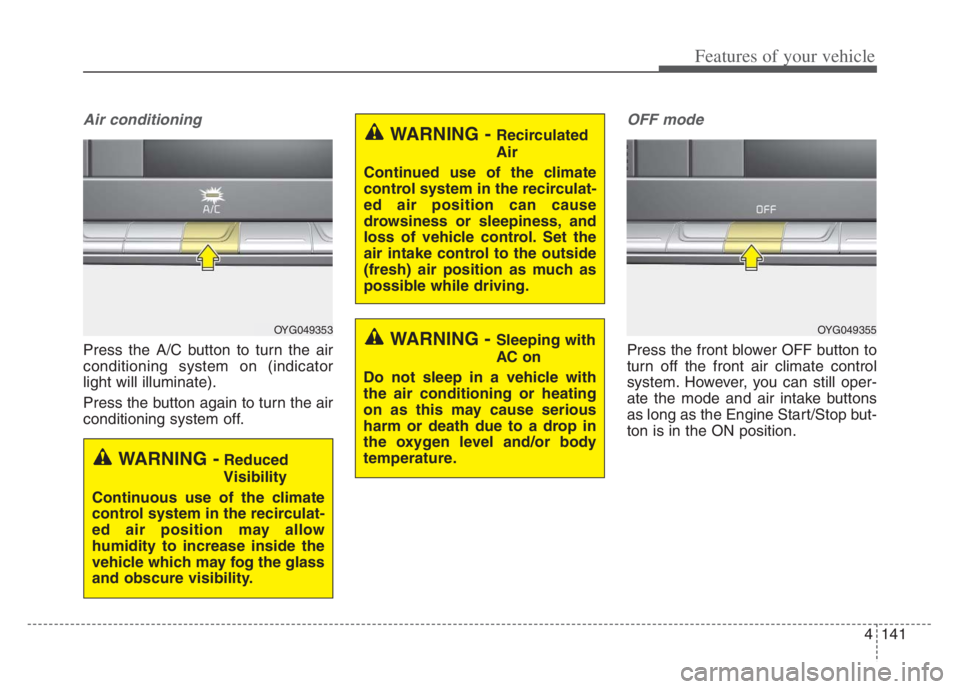
Air conditioning
Press the A/C button to turn the air
conditioning system on (indicator
light will illuminate).
Press the button again to turn the air
conditioning system off.
OFF mode
Press the front blower OFF button to
turn off the front air climate control
system. However, you can still oper-
ate the mode and air intake buttons
as long as the Engine Start/Stop but-
ton is in the ON position.
OYG049353
WARNING -Reduced
Visibility
Continuous use of the climate
control system in the recirculat-
ed air position may allow
humidity to increase inside the
vehicle which may fog the glass
and obscure visibility.
WARNING - Recirculated
Air
Continued use of the climate
control system in the recirculat-
ed air position can cause
drowsiness or sleepiness, and
loss of vehicle control. Set the
air intake control to the outside
(fresh) air position as much as
possible while driving.
WARNING - Sleeping with
AC on
Do not sleep in a vehicle with
the air conditioning or heating
on as this may cause serious
harm or death due to a drop in
the oxygen level and/or body
temperature.OYG049355
Page 303 of 560

Driving your vehicle
50 5
Detecting sensors (front view
camera/front radar)
The sensors are that detecting the
distance to vehicles ahead, pedestri-
an or cyclist.In bad weather conditions such as
heavy rain, heavy snow, and fog, or
when sensor is covered by foreign
material, dust, tec., the sensors will
be degraded and the system will be
temporarily disabled.
Always keep the sensor clean.
✽ ✽
NOTICE
• Do not install any accessories,
such as license plate molding or
sticker, on the sensor area. Nor
arbitrarily replace the bumper.
Those may adversely affect the
sensing performance.
• Always keep the sensor/bumper
area clean.
• Use only soft cloths to wash the
vehicle. Also, do not spray highly-
pressurized water on the sensor
installed on the bumper.
• Be careful not to apply unneces-
sary force on the frontal sensor
area. When the sensor moves out
of the correct position due to
external force, the system may not
normally operate even without the
warning light or message. In this
case, have your vehicle inspected
by an authorized Kia dealer.
• Use only the genuine Kia sensor
cover. Do not arbitrarily apply
paint on the sensor cover.
(Continued)
OYG059052
OYG059025L
Page 308 of 560
555
Driving your vehicle
The vehicle drives inside a build-
ing, such as a basement parking
lot
The front view camera does not
recognize the entire vehicle in
front.
The front view camera is damaged.
The brightness outside is too low
such as when the headlamps are
not on at night or the vehicle is
going through a tunnel.
The shadow is on the road by a
median strip, trees, etc.
The vehicle drives through a toll-
gate.
The windshield glass is fogged up;
a clear view of the road is obstruct-
ed.
The rear part of the vehicle in front
is not normally visible. (the vehicle
turns in other direction or the vehi-
cle is overturned.)
The adverse road conditions cause
excessive vehicle vibrations while
driving
The sensor recognition changes
suddenly when passing over a
speed bump The vehicle in front is moving lon-
gitudinally to the driving direction
The vehicle in front is stopped lon-
gitudinally
The vehicle in front is driving
towards your vehicle or reversing
You are on a roundabout and the
vehicle in front circles
It is difficult to secure the field of
view of the front view camera such
as backlight, reflected light, and
darkness.
When the front view camera is
blocked by continuous washer
spray and wiper operation.
The vehicle in front is a special
purpose vehicle, a trailer, or a truck
loading with unusual shape of lug-
gage.
The ambient light is too high or low.
The front view camera is contami-
nated by front glass tinting, attach-
ing film, water proof coating, dam-
aged, foreign material such as a
sticker, worm, etc.
When the front view camera
(including lens) or front radar is
damaged. If not using headlamp or using
weak light in the night or in a tun-
nel.
Backlight is shining in the driving
direction of the vehicle. (Including
oncoming vehicle headlights.)
When the rear part of the front
vehicle is small or low.
When a trailer or other vehicle is
towing the front vehicle.
When the ground clearance of the
front vehicle is high.
When a front vehicle makes sud-
den lane changes unexpectedly.
Page 312 of 560

559
Driving your vehicle
Detecting pedestrian or cyclist
The sensor may be limited when:
The pedestrian or cyclist is not fully
detected by the camera recogni-
tion system, for example, if the
pedestrian is leaning over or is not
fully walking upright
The pedestrian or cyclist is moving
very quickly or appears abruptly in
the front view camera detection
area
The pedestrian or cyclist is wear-
ing clothing that easily blends into
the background, making it difficult
to be detected by the front view
camera recognition system
The outside lighting is too bright
(e.g. when driving in bright sunlight
or in sun glare) or too dark (e.g.
when driving on a dark rural road
at night) It is difficult to detect and distin-
guish the pedestrian or cyclist from
other objects in the surroundings,
for example, when there is a group
of pedestrians, cyclists or a large
crowd
There is an item similar in shape or
appearance to a person
The pedestrian or cyclist is below
the sensor's viewing range
The sensor can not identify the
pedestrian's outline because of
other items changing their profile,
such as mobility assistance devices
The front view camera or front
radar is obstructed by a foreign
object or debris
Inclement weather such as heavy
rain or snow obscures the field of
view of the radar sensor or camera
When light coming from a street
light or an oncoming vehicle is
reflected on a wet road surface
such as a puddle in the road The field of view in front is
obstructed by sun glare
The windshield glass is fogged up;
a clear view of the road is obstruct-
ed
The adverse road conditions cause
excessive vehicle vibrations while
driving
When the pedestrian or cyclist
suddenly enters the path of travel
of the vehicle
When the cyclist in front is riding
perpendicular to the direction of
travel
When there is any electromagnetic
interference
When the cyclist is near areas con-
taining metal objects such as a
construction zone, railroad, etc.
If the bicycle material is not reflect-
ed well on the radar
When a pedestrian or cyclist’s
height is small.
When a pedestrian or cyclist’s
behavior is unstable.
Page 512 of 560
767
Maintenance
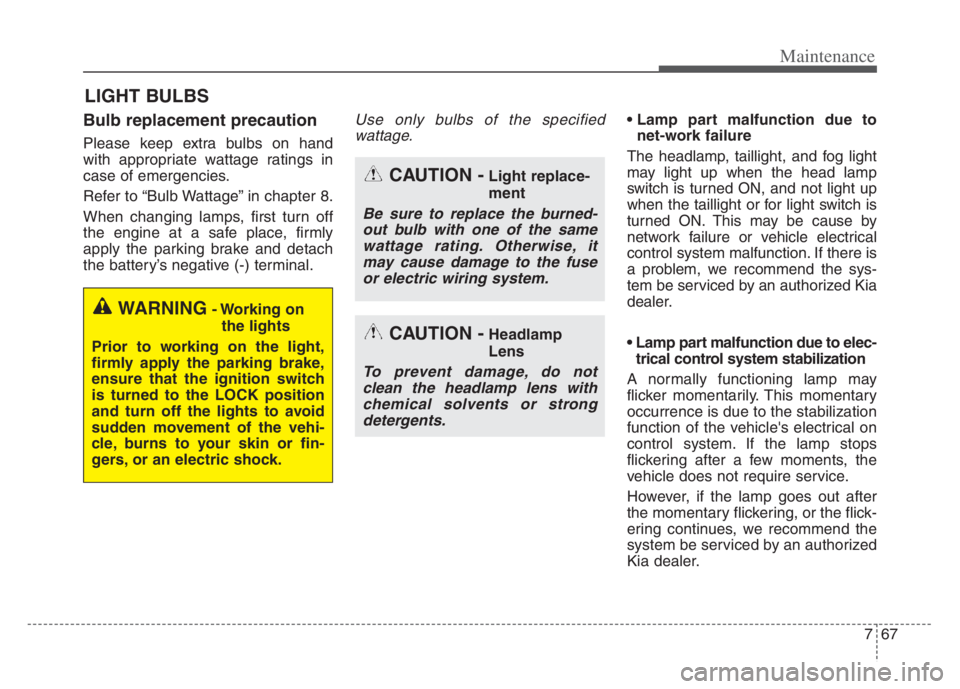
LIGHT BULBS
Bulb replacement precaution
Please keep extra bulbs on hand
with appropriate wattage ratings in
case of emergencies.
Refer to “Bulb Wattage” in chapter 8.
When changing lamps, first turn off
the engine at a safe place, firmly
apply the parking brake and detach
the battery’s negative (-) terminal.
Use only bulbs of the specified
wattage.
net-work failure
The headlamp, taillight, and fog light
may light up when the head lamp
switch is turned ON, and not light up
when the taillight or for light switch is
turned ON. This may be cause by
network failure or vehicle electrical
control system malfunction. If there is
a problem, we recommend the sys-
tem be serviced by an authorized Kia
dealer.
trical control system stabilization
A normally functioning lamp may
flicker momentarily. This momentary
occurrence is due to the stabilization
function of the vehicle's electrical on
control system. If the lamp stops
flickering after a few moments, the
vehicle does not require service.
However, if the lamp goes out after
the momentary flickering, or the flick-
ering continues, we recommend the
system be serviced by an authorized
Kia dealer.
WARNING- Working on
the lights
Prior to working on the light,
firmly apply the parking brake,
ensure that the ignition switch
is turned to the LOCK position
and turn off the lights to avoid
sudden movement of the vehi-
cle, burns to your skin or fin-
gers, or an electric shock.
CAUTION -Light replace-
ment
Be sure to replace the burned-
out bulb with one of the same
wattage rating. Otherwise, it
may cause damage to the fuse
or electric wiring system.
CAUTION -Headlamp
Lens
To prevent damage, do not
clean the headlamp lens with
chemical solvents or strong
detergents.
Page 559 of 560
Index
10I
Washer fluid ..................................................................7-24
Checking the washer fluid level..................................7-24
Welcome system ..........................................................4-130
Interior light ............................................................4-131
Windows ........................................................................4-29
Power windows ..........................................................4-30
Windshield defrosting and defogging..........................4-149
Auto defogging system ............................................4-151
Automatic climate control system ............................4-149
Defogging logic ........................................................4-150
Winter driving ..............................................................5-155
Carry emergency equipment ....................................5-158
Change to "winter weight" oil if necessary ..............5-157
Check battery and cables ..........................................5-157
Check spark plugs and ignition system ....................5-157
Don’t let your parking brake freeze..........................5-158
Don't let ice and snow accumulate underneath ........5-158
Snowy or icy conditions ..........................................5-155
To keep locks from freezing ....................................5-158
Use approved window washer anti-freeze in system..5-158
Use high quality ethylene glycol coolant ................5-157
Wiper blades ..................................................................7-29
Blade inspection ..........................................................7-29
Blade replacement ......................................................7-29
Wipers and washers ....................................................4-124
Front windshield washers ........................................4-126
Windshield wipers ..................................................4-124