park assist KIA CADENZA 2020 Owners Manual
[x] Cancel search | Manufacturer: KIA, Model Year: 2020, Model line: CADENZA, Model: KIA CADENZA 2020Pages: 560, PDF Size: 11.37 MB
Page 6 of 560
Introduction
2 1
HOW TO USE THIS MANUAL
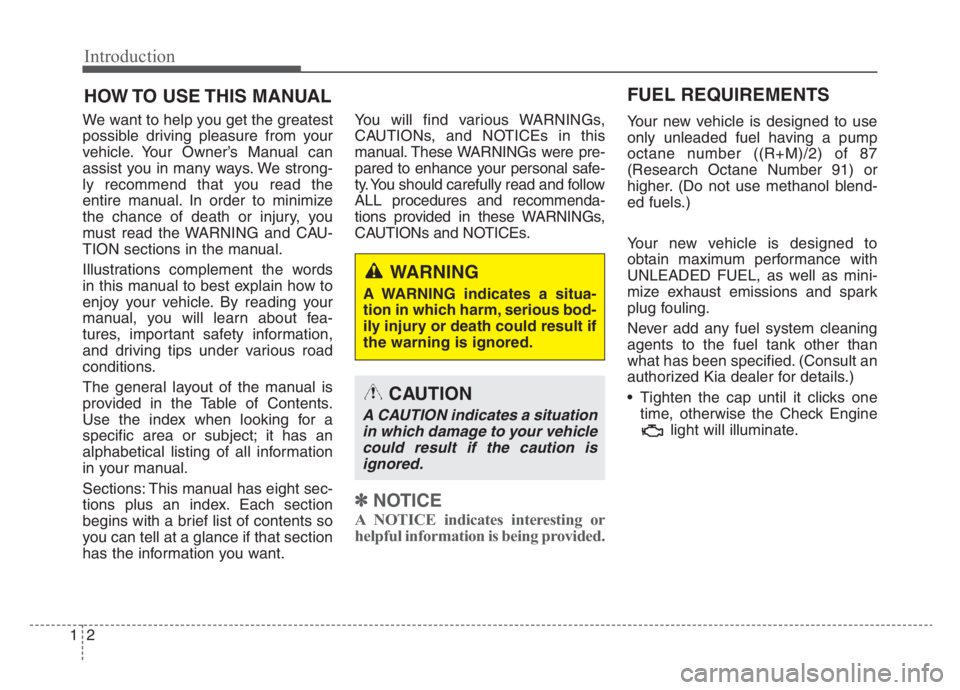
We want to help you get the greatest
possible driving pleasure from your
vehicle. Your Owner’s Manual can
assist you in many ways. We strong-
ly recommend that you read the
entire manual. In order to minimize
the chance of death or injury, you
must read the WARNING and CAU-
TION sections in the manual.
Illustrations complement the words
in this manual to best explain how to
enjoy your vehicle. By reading your
manual, you will learn about fea-
tures, important safety information,
and driving tips under various road
conditions.
The general layout of the manual is
provided in the Table of Contents.
Use the index when looking for a
specific area or subject; it has an
alphabetical listing of all information
in your manual.
Sections: This manual has eight sec-
tions plus an index. Each section
begins with a brief list of contents so
you can tell at a glance if that section
has the information you want.You will find various WARNINGs,
CAUTIONs, and NOTICEs in this
manual. These WARNINGs were pre-
pared to enhance your personal safe-
ty. You should carefully read and follow
ALL procedures and recommenda-
tions provided in these WARNINGs,
CAUTIONs and NOTICEs.
✽ ✽
NOTICE
A NOTICE indicates interesting or
helpful information is being provided.
Your new vehicle is designed to use
only unleaded fuel having a pump
octane number ((R+M)/2) of 87
(Research Octane Number 91) or
higher. (Do not use methanol blend-
ed fuels.)
Your new vehicle is designed to
obtain maximum performance with
UNLEADED FUEL, as well as mini-
mize exhaust emissions and spark
plug fouling.
Never add any fuel system cleaning
agents to the fuel tank other than
what has been specified. (Consult an
authorized Kia dealer for details.)
Tighten the cap until it clicks one
time, otherwise the Check Engine
light will illuminate.
WARNING
A WARNING indicates a situa-
tion in which harm, serious bod-
ily injury or death could result if
the warning is ignored.
CAUTION
A CAUTION indicates a situation
in which damage to your vehicle
could result if the caution is
ignored.
FUEL REQUIREMENTS
Page 15 of 560
25
Your vehicle at a glance
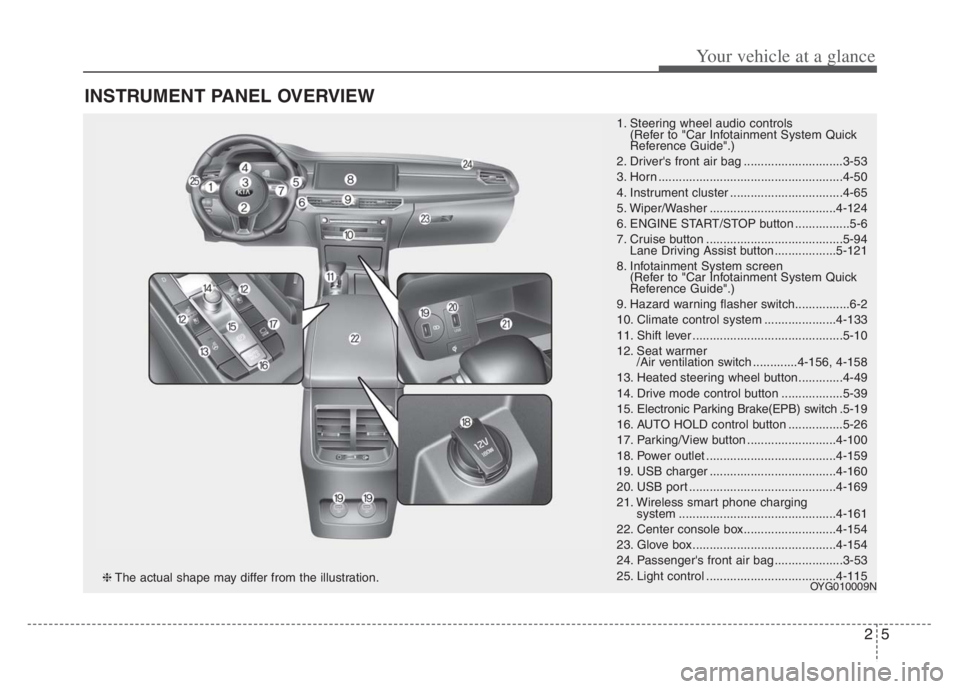
INSTRUMENT PANEL OVERVIEW
1. Steering wheel audio controls
(Refer to "Car Infotainment System Quick
Reference Guide".)
2. Driver's front air bag .............................3-53
3. Horn ......................................................4-50
4. Instrument cluster .................................4-65
5. Wiper/Washer .....................................4-124
6. ENGINE START/STOP button ................5-6
7. Cruise button ........................................5-94
Lane Driving Assist button..................5-121
8. Infotainment System screen
(Refer to "Car Infotainment System Quick
Reference Guide".)
9. Hazard warning flasher switch................6-2
10. Climate control system .....................4-133
11. Shift lever ............................................5-10
12. Seat warmer
/Air ventilation switch .............4-156, 4-158
13. Heated steering wheel button.............4-49
14. Drive mode control button ..................5-39
15. Electronic Parking Brake(EPB) switch.5-19
16. AUTO HOLD control button ................5-26
17. Parking/View button ..........................4-100
18. Power outlet ......................................4-159
19. USB charger .....................................4-160
20. USB port ...........................................4-169
21. Wireless smart phone charging
system ..............................................4-161
22. Center console box...........................4-154
23. Glove box ..........................................4-154
24. Passenger's front air bag ....................3-53
25. Light control ......................................4-115
OYG010009N❈The actual shape may differ from the illustration.
Page 84 of 560
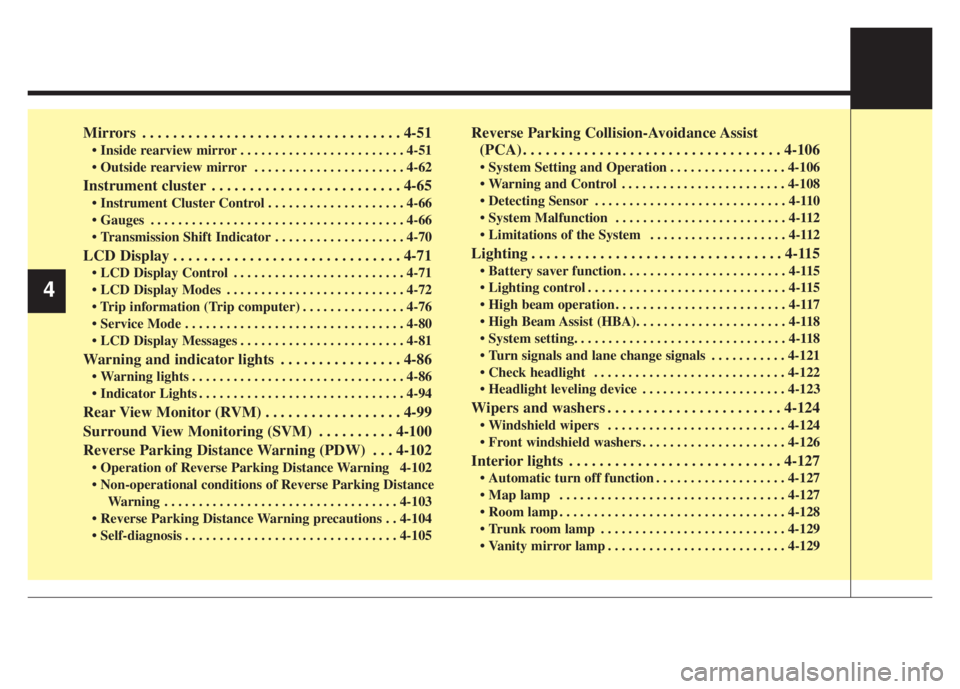
Mirrors . . . . . . . . . . . . . . . . . . . . . . . . . . . . . . . . . . 4-51
Inside rearview mirror . . . . . . . . . . . . . . . . . . . . . . . . 4-51
Outside rearview mirror . . . . . . . . . . . . . . . . . . . . . . 4-62
Instrument cluster . . . . . . . . . . . . . . . . . . . . . . . . . 4-65
Instrument Cluster Control . . . . . . . . . . . . . . . . . . . . 4-66
Gauges . . . . . . . . . . . . . . . . . . . . . . . . . . . . . . . . . . . . . 4-66
Transmission Shift Indicator . . . . . . . . . . . . . . . . . . . 4-70
LCD Display . . . . . . . . . . . . . . . . . . . . . . . . . . . . . . 4-71
LCD Display Control . . . . . . . . . . . . . . . . . . . . . . . . . 4-71
LCD Display Modes . . . . . . . . . . . . . . . . . . . . . . . . . . 4-72
. . . . . . . . . . . . . . . 4-76
Service Mode . . . . . . . . . . . . . . . . . . . . . . . . . . . . . . . . 4-80
LCD Display Messages . . . . . . . . . . . . . . . . . . . . . . . . 4-81
Warning and indicator lights . . . . . . . . . . . . . . . . 4-86
Warning lights . . . . . . . . . . . . . . . . . . . . . . . . . . . . . . . 4-86
Indicator Lights . . . . . . . . . . . . . . . . . . . . . . . . . . . . . . 4-94
Rear View Monitor (RVM) . . . . . . . . . . . . . . . . . . 4-99
Surround View Monitoring (SVM) . . . . . . . . . . 4-100
Reverse Parking Distance Warning (PDW) . . . 4-102
Operation of Reverse Parking Distance Warning 4-102
Non-operational conditions of Reverse Parking Distance
Warning . . . . . . . . . . . . . . . . . . . . . . . . . . . . . . . . . . 4-103
Reverse Parking Distance Warning precautions . . 4-104
Self-diagnosis . . . . . . . . . . . . . . . . . . . . . . . . . . . . . . . 4-105
Reverse Parking Collision-Avoidance Assist
(PCA) . . . . . . . . . . . . . . . . . . . . . . . . . . . . . . . . . . 4-106
System Setting and Operation . . . . . . . . . . . . . . . . . 4-106
Warning and Control . . . . . . . . . . . . . . . . . . . . . . . . 4-108
Detecting Sensor . . . . . . . . . . . . . . . . . . . . . . . . . . . . 4-110
System Malfunction . . . . . . . . . . . . . . . . . . . . . . . . . 4-112
Limitations of the System . . . . . . . . . . . . . . . . . . . . 4-112
Lighting . . . . . . . . . . . . . . . . . . . . . . . . . . . . . . . . . 4-115
Battery saver function . . . . . . . . . . . . . . . . . . . . . . . . 4-115
Lighting control . . . . . . . . . . . . . . . . . . . . . . . . . . . . . 4-115
High beam operation . . . . . . . . . . . . . . . . . . . . . . . . . 4-117
High Beam Assist (HBA). . . . . . . . . . . . . . . . . . . . . . 4-118
System setting. . . . . . . . . . . . . . . . . . . . . . . . . . . . . . . 4-118
Turn signals and lane change signals . . . . . . . . . . . 4-121
Check headlight . . . . . . . . . . . . . . . . . . . . . . . . . . . . 4-122
Headlight leveling device . . . . . . . . . . . . . . . . . . . . . 4-123
Wipers and washers . . . . . . . . . . . . . . . . . . . . . . . 4-124
Windshield wipers . . . . . . . . . . . . . . . . . . . . . . . . . . 4-124
Front windshield washers . . . . . . . . . . . . . . . . . . . . . 4-126
Interior lights . . . . . . . . . . . . . . . . . . . . . . . . . . . . 4-127
Automatic turn off function . . . . . . . . . . . . . . . . . . . 4-127
Map lamp . . . . . . . . . . . . . . . . . . . . . . . . . . . . . . . . . 4-127
Room lamp . . . . . . . . . . . . . . . . . . . . . . . . . . . . . . . . . 4-128
Trunk room lamp . . . . . . . . . . . . . . . . . . . . . . . . . . . 4-129
Vanity mirror lamp . . . . . . . . . . . . . . . . . . . . . . . . . . 4-129
4
Page 182 of 560

Features of your vehicle
100 4
Surround View Monitoring is not a
substitute for proper and safe park-
ing procedures. Surround View
Monitoring may not detect every
object surrounding the vehicle.
Always drive safely and use caution
when parking.Surround View Monitoring can assist
in parking by allowing the driver to
see around the vehicle. Push the but-
ton into the [ON] position to operate
the system.
To cancel the system, push the but-
ton again.Operating conditions
- When the ENGINE START/STOP
button is ON position
- When the transaxle is on D, N or R
- When the vehicle speed is not over
9 mph (15 km/h).
When the vehicle speed is over 9
mph, SVM is turned off. If the vehicle
speed then decreases below over 9
mph (15 km/h) SVM will not auto-
matically turn on again. To operate
again, push the button.
When the vehicle moves back-
wards, regardless of On/Off of but-
ton and vehicle speed, SVM oper-
ates automatically.
SURROUND VIEW MONITORING (SVM) (IF EQUIPPED)
OYG040405N
OYG049406
Page 183 of 560

4101
Features of your vehicle
Surround View Monitor auto activa-
tion is activated or deactivated
when you select ‘Settings →
Vehicle →Driver Assistance →
Parking safety →Surround View
Monitor Auto On’ from the Settings
menu in the Infotainment System
screen.
For more details, please scan the
QR code in a separately supplied
Car Infotainment System Quick
Reference Guide.
When the trunk and driver/passen-
ger door are opened and the out-
side mirror is folded, the warning is
illuminated in SVM
If SVM is not operating normally, the
system should be checked by an
authorized Kia dealer.
WARNING
This system is a supplementary
system only. It is the responsi-
bility of the driver to always
check the area around the vehi-
cle before and while moving.
Page 184 of 560

Features of your vehicle
102 4
Reverse Parking Distance Warning
assists the driver during backward
movement of the vehicle by chiming if
any object is sensed within a distance
of 48 in. (120 cm) behind the vehicle.
This system is a supplemental system
and it is not intended to nor does it
replace the need for extreme care and
attention of the driver. The sensing
range and objects detectable by rear
ultrasonic sensors are limited.
Whenever backing-up, pay as much
attention to what is behind you as you
would in a vehicle without Reverse
Parking Distance Warning.
Operation of Reverse Parking
Distance Warning
Operating condition
This system will activate when
backing up with the Engine
Start/Stop button is turned ON.
If the vehicle is moving at a speed
over 3 mph (5 km/h), the system
may not be activated.
The sensing distance while the
back-up warning system is in oper-
ation is approximately 48 in. (120
cm) at the rear bumper center
area, 24 in. (60 cm) at the rear
bumper side areas.
When more than two objects are
sensed at the same time, the clos-
est one will be recognized first.
REVERSE PARKING DISTANCE WARNING (PDW)
WARNING -Reverse
Parking Distance Warning
Never rely solely on Reverse
Parking Distance Warning.
Always perform a visual inspec-
tion to make sure the vehicle is
clear of all obstructions before
moving the vehicle in any direc-
tion. Stop immediately if you are
aware of a child anywhere near
your vehicle. Some objects may
not be detected by the sensors,
due to the object's size or mate-
rial.
OYG049400
Ultrasonic sensors
Page 188 of 560

Features of your vehicle
106 4
Reverse Parking Collision-Avoidance
Assist is a supplemental system that
can warn the driver or apply braking
force to reduce the possibility of col-
lision with pedestrians when the
vehicle is reversing.System Setting and Operation
System setting
Reverse Parking Collision-Avoidance
Assist can be activated from the
Settings menu in the LCD display or
infotainment system display by fol-
lowing the procedure below.
1. Set the Engine Start/Stop button
to the ON or START position.
2. Select ‘Settings →Driver
Assistance →Parking Safety →
Active Assist / Warning Only / Off’
in the infotainment system display.
REVERSE PARKING COLLISION-AVOIDANCE ASSIST (PCA) (IF EQUIPPED)
WARNING
Always look around your vehi-
cle to make sure there are no
objects or pedestrian before
moving the vehicle in any
direction to prevent a colli-
sion.
Do not solely rely on Reverse
Parking Collision-Avoidance
Assist.
The system might not assist
the driver leading to pedestri-
an injury or vehicle damage.
Be aware that some objects
may not be visible on the
screen or be detected by the
rear ultrasonic sensors, due
to the objects’ distance, size
or material, all of which can
limit the effectiveness of the
sensors.
Page 189 of 560

4107
Features of your vehicle
- The system is ready for operation
when ‘Active Assist’ is selected. In
the event of an imminent collision
with a pedestrian or an object,
the system warns the driver or
applies braking force to help
avoid the collision.
- The system is ready for operation
when ‘Warning Only’ is selected.
In the event of an imminent colli-
sion with a pedestrian, the sys-
tem warns the driver but does not
assist in braking.
- The system deactivates when
‘Off’ is selected.Operating conditions
Reverse Parking Collision-Avoidance
Assist enters the ready status, when
‘Active Assist’ or ‘Warning Only’ is
selected in the AVN system screen
and the following conditions are sat-
isfied :
The trunk is closed
The shift lever is in R (Reverse)
Vehicle speed is below 6 mph (10
km/h)
The rear view camera and the rear
ultrasonic sensors are in normal
conditions The driver needs to select ‘Active
Assist’ on the infotainment system
display for collision-avoidance assist.
The solid lines behind the vehicle in
the cluster LCD display indicates that
the system is ready to assist the driv-
er.
Note that the system assists the driv-
er only once. The driver has to shift
the gear to R (Reverse) from another
gear position to reactivate the sys-
tem.
The performance of Reverse Parking
Collision-Avoidance Assist may vary
under certain conditions. If the vehi-
cle speed exceeds 2 mph (3 km/h),
the system can assist only pedestri-
an collision avoidance.
As always, be careful when backing
up your vehicle and be aware of your
surroundings.
Page 190 of 560
Features of your vehicle
108 4
Warning and Control
Active assist
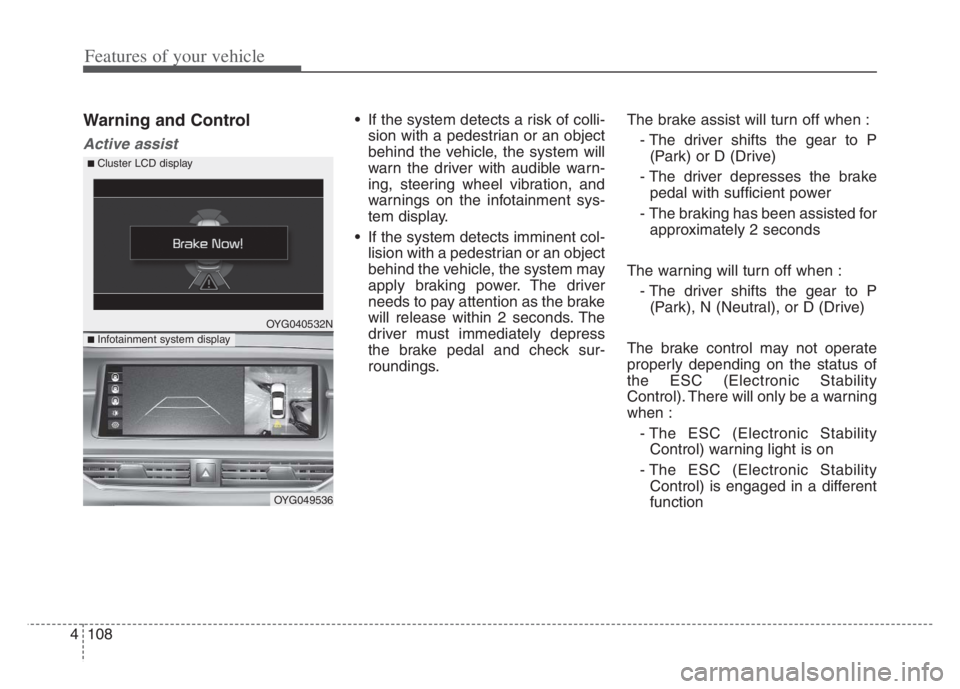
If the system detects a risk of colli-
sion with a pedestrian or an object
behind the vehicle, the system will
warn the driver with audible warn-
ing, steering wheel vibration, and
warnings on the infotainment sys-
tem display.
If the system detects imminent col-
lision with a pedestrian or an object
behind the vehicle, the system may
apply braking power. The driver
needs to pay attention as the brake
will release within 2 seconds. The
driver must immediately depress
the brake pedal and check sur-
roundings.The brake assist will turn off when :
- The driver shifts the gear to P
(Park) or D (Drive)
- The driver depresses the brake
pedal with sufficient power
- The braking has been assisted for
approximately 2 seconds
The warning will turn off when :
- The driver shifts the gear to P
(Park), N (Neutral), or D (Drive)
The brake control may not operate
properly depending on the status of
the ESC (Electronic Stability
Control). There will only be a warning
when :
- The ESC (Electronic Stability
Control) warning light is on
- The ESC (Electronic Stability
Control) is engaged in a different
function
OYG040532N
OYG049536
■ Infotainment system display
■ Cluster LCD display
Page 191 of 560
4109
Features of your vehicle
Warning only
If the system detects a risk of colli-
sion with a pedestrian or an object,
the system will warn the driver with
audible warning and warnings on
the infotainment system display.
If ‘Warning Only’ is selected, brak-
ing will not be assisted.
The warning will turn off when :
- The driver shifts the gear to P
(Park), N (Neutral), or D (Drive)
✽ ✽
NOTICE
• Always pay attention to road and
traffic conditions while driving,
whether or not there is a warning.
• Playing the vehicle audio system
at high volume may prevent occu-
pants from hearing Reverse
Parking Collision-Avoidance
Assist warning sounds.
• If any other warning sound, such
as seat belt warning chime, is
already generated, Reverse
Parking Collision Avoidance
Assist warning may not sound.
✽ ✽
NOTICE
The system can detect a pedestrian or
an object when :
• A pedestrian is standing behind
the vehicle.
• A large obstacle, such as a vehicle,
is parked in the rear center of the
vehicle.
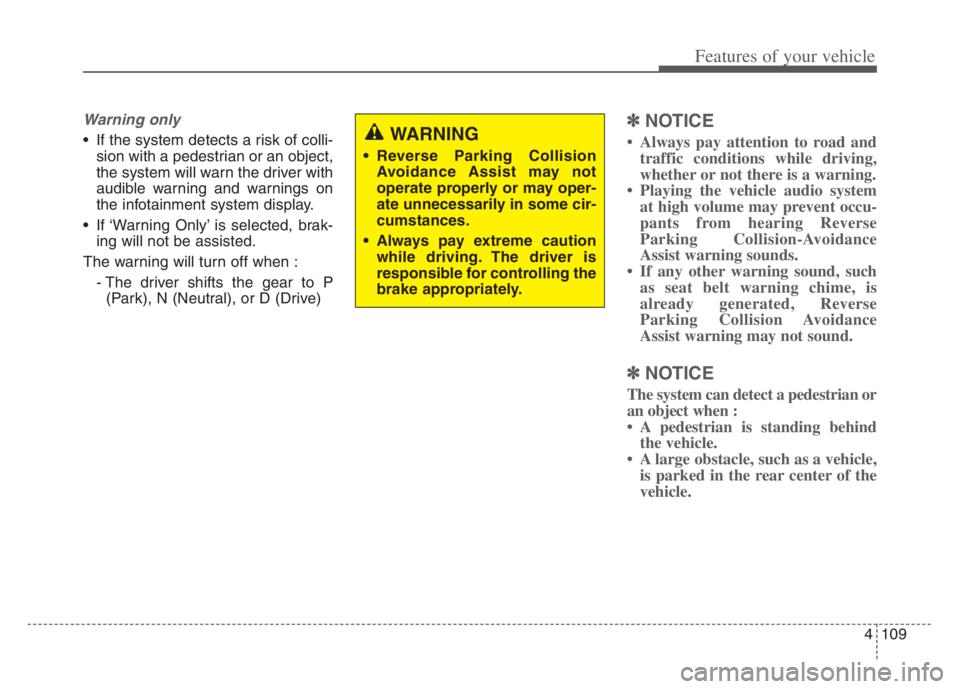
WARNING
Reverse Parking Collision
Avoidance Assist may not
operate properly or may oper-
ate unnecessarily in some cir-
cumstances.
Always pay extreme caution
while driving. The driver is
responsible for controlling the
brake appropriately.