heating KIA Carens 2008 2.G User Guide
[x] Cancel search | Manufacturer: KIA, Model Year: 2008, Model line: Carens, Model: KIA Carens 2008 2.GPages: 341, PDF Size: 6.23 MB
Page 155 of 341
Features of your vehicle76 4✽
✽
NOTICEProlonged operation of the heater in the
recirculated air position (without air
conditioning selected) may cause fog-
ging of the windshield and side windows
and the air within the passenger com-
partment may become stale.
In addition, prolonged use of the air
conditioning with the recirculated air
position selected will result in excessive-
ly dry air in the passenger compart-
ment.
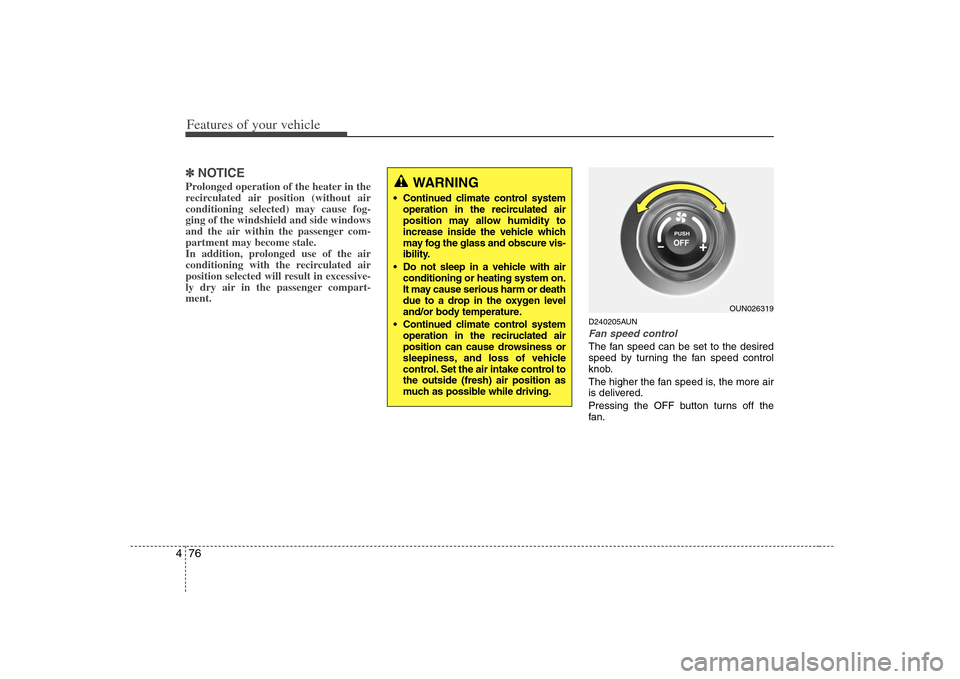
D240205AUNFan speed controlThe fan speed can be set to the desired
speed by turning the fan speed control
knob.
The higher the fan speed is, the more air
is delivered.
Pressing the OFF button turns off the
fan.
WARNING
Continued climate control system
operation in the recirculated air
position may allow humidity to
increase inside the vehicle which
may fog the glass and obscure vis-
ibility.
Do not sleep in a vehicle with air
conditioning or heating system on.
It may cause serious harm or death
due to a drop in the oxygen level
and/or body temperature.
Continued climate control system
operation in the reciruclated air
position can cause drowsiness or
sleepiness, and loss of vehicle
control. Set the air intake control to
the outside (fresh) air position as
much as possible while driving.
OUN026319
Page 157 of 341
Features of your vehicle78 4D250000AUN
For maximum defrosting, set the tem-
perature control to the extreme
right/hot position and the fan speed
control to the highest speed.
If warm air to the floor is desired while
defrosting or defogging, set the mode
to the floor-defrost position.
Before driving, clear all snow and ice
from the windshield, rear window, out-
side rear view mirrors, and all side win-
dows.
Clear all snow and ice from the hood
and air inlet in the cowl grill to improve
heater and defroster efficiency and to
reduce the probability of fogging up
inside of the windshield.
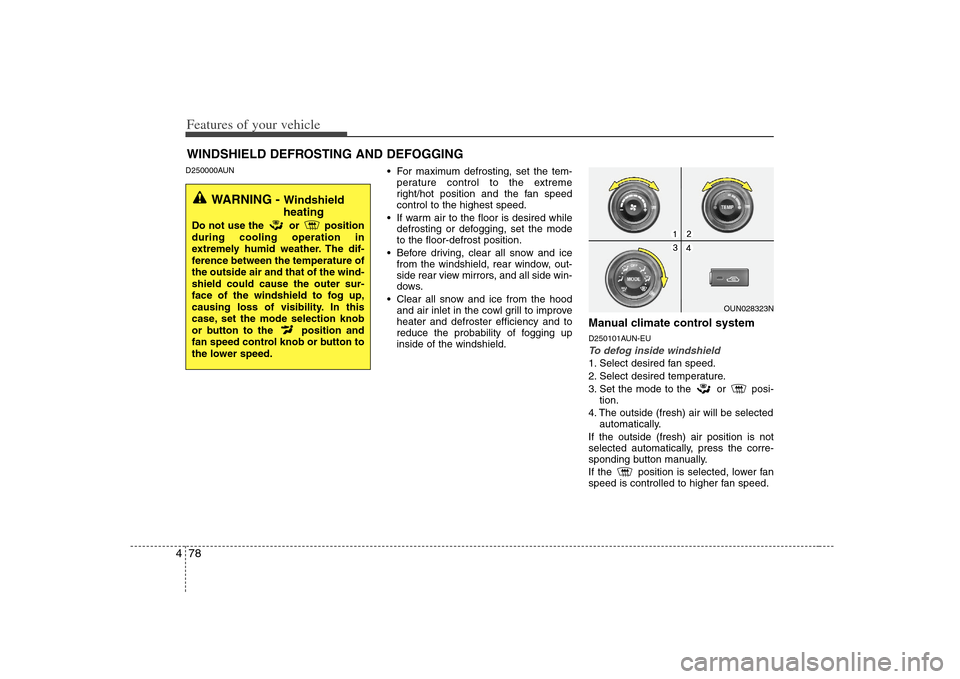
Manual climate control systemD250101AUN-EUTo defog inside windshield 1. Select desired fan speed.
2. Select desired temperature.
3. Set the mode to the or posi-
tion.
4. The outside (fresh) air will be selected
automatically.
If the outside (fresh) air position is not
selected automatically, press the corre-
sponding button manually.
If the position is selected, lower fan
speed is controlled to higher fan speed.
WINDSHIELD DEFROSTING AND DEFOGGING
OUN028323N
WARNING -
Windshield
heating
Do not use the or position
during cooling operation in
extremely humid weather. The dif-
ference between the temperature of
the outside air and that of the wind-
shield could cause the outer sur-
face of the windshield to fog up,
causing loss of visibility. In this
case, set the mode selection knob
or button to the position and
fan speed control knob or button to
the lower speed.
Page 163 of 341
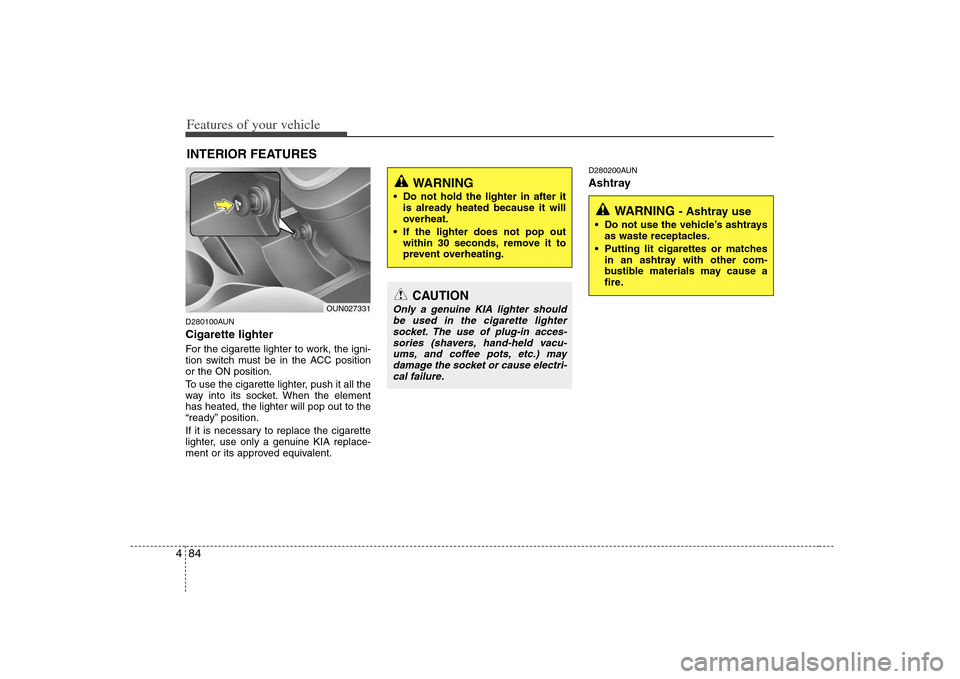
Features of your vehicle84 4D280100AUNCigarette lighterFor the cigarette lighter to work, the igni-
tion switch must be in the ACC position
or the ON position.
To use the cigarette lighter, push it all the
way into its socket. When the element
has heated, the lighter will pop out to the
“ready” position.
If it is necessary to replace the cigarette
lighter, use only a genuine KIA replace-
ment or its approved equivalent.
D280200AUNAshtray
INTERIOR FEATURES
CAUTION
Only a genuine KIA lighter should
be used in the cigarette lighter
socket. The use of plug-in acces-
sories (shavers, hand-held vacu-
ums, and coffee pots, etc.) may
damage the socket or cause electri-
cal failure.
WARNING
Do not hold the lighter in after it
is already heated because it will
overheat.
If the lighter does not pop out
within 30 seconds, remove it to
prevent overheating.
OUN027331
WARNING
- Ashtray use
Do not use the vehicle’s ashtrays
as waste receptacles.
Putting lit cigarettes or matches
in an ashtray with other com-
bustible materials may cause a
fire.
Page 182 of 341
4103
Features of your vehicle
2. TRACK UP/DOWN Button The desired track on the disc currently
being played can be selected using the
track number.
Press button once to skip forward
to the beginning of the next track.
Press within a second after play-
back begins to quickly move backward
through a CD.
If you press after more than a sec-
ond, it will take you to the beginning of
the track you are now listening to.3. FF/REW Button If you want to fast forward or reverse
through the compact disc track, push and
hold the or button.
When you release the button, the com-
pact disc player will resume playing.4. REPEAT (RPT) Button To repeat the track you are currently
listening to, press the RPT button. To
cancel, press it again.
If you do not release RPT operation
when the track ends, it will automati-
cally be replayed.
This process will be continued until you
push the button again or turn the
Power OFF then ON.
5. CD SCAN Button To playback the first 10 seconds of
each track, press the CD SCAN button.
Press the CD SCAN button again with-
in 10 sec. when you have reached the
desired track.6. CD EJECT ButtonWhen the button is pressed with a CD
loaded, the CD will eject.
Forcing to eject : To force to eject a CD,
press this button for more than 3 sec-
onds.
(Do this only when a CD is jammed and
you can not eject it in the normal way -
e.g.) in case that you have inserted 2
CDs by mistake)7. RANDOM (RDM) ButtonWith random, you can listen to the tracks
in random, rather than sequential order.
To use random, do the following:
Press the RDM button to listen to record-
ed tracks in random sequence. Press
RDM again to cancel or turn the power
OFF then ON. The unit defaults to playing
tracks in sequential order.
✽ ✽
NOTICE• To assure proper operation of the unit,
keep the vehicle interior temperature
within a normal range by using the
vehicle's air conditioning or heating
system.
• When replacing the fuse, replace it
with a fuse having the correct capaci-
ty.
• All stored bookmarks are all erased
when the car battery is disconnected
or power to the vehicle is lost. If this
occurs, the bookmarks will have to be
reset.
• This equipment is designed to be used
only in a 12 volt DC battery system
with negative ground.
• This unit is made of precision parts.
Do not attempt to disassemble or
adjust any parts.
• Do not expose this equipment (includ-
ing the speakers and CD) to water or
excessive moisture.
Page 191 of 341
Features of your vehicle112 4✽
✽
NOTICE• To assure proper operation of the unit,
keep the vehicle interior temperature
within a normal range by using the
vehicle's air conditioning or heating
system.
• When replacing the fuse, replace it
with a fuse having the correct capaci-
ty.
• All stored bookmarks are all erased
when the car battery is disconnected
or power to the vehicle is lost. If this
occurs, the bookmarks will have to be
reset.
• This equipment is designed to be used
only in a 12 volt DC battery system
with negative ground.
• This unit is made of precision parts.
Do not attempt to disassemble or
adjust any parts.
• Do not expose this equipment (includ-
ing the speakers and tape) to water or
excessive moisture.
✽ ✽
NOTICE• Do not insert warped or poor quality
discs into the CD player as damage to
the unit may occur.
• Do not insert anything like coins into
the player slot as damage to the unit
may occur.
• Do not place beverages close to the
audio system. The playback mecha-
nism may be damaged if you spill
them.
• Do not strike or allow anything to
impact the audio system, damage to
the system mechanisms could occur.
• Off-road or rough surface driving
may cause the compact disc to skip.
Do not use the compact disc when
driving in such conditions as damage
to the compact disc face could occur.
• Do not attempt to grab or pull the
compact disc out while the disc is
being pulled into the audio unit by the
self-loading mechanism. Damage to
the audio unit and compact disc could
occur.
• Avoid using recorded compact discs in
your audio unit. Original compact
discs are recommended.
WARNING
When driving your vehicle, be sure
to keep the volume of the unit set
low enough to allow you to hear
sounds coming from the outside.
Page 200 of 341
4121
Features of your vehicle
✽ ✽
NOTICE• To assure proper operation of the unit,
keep the vehicle interior temperature
within a normal range by using the
vehicle's air conditioning or heating
system.
• When replacing the fuse, replace it
with a fuse having the correct capaci-
ty.
• Stored bookmarks are all erased when
the car battery is disconnected or
power to the vehicle is lost. If this
occurs, the bookmarks will have to be
reset.
• This equipment is designed to be used
only in a 12 volt DC battery system
with negative ground.
• This unit is made of precision parts.
Do not attempt to disassemble or
adjust any parts.
• Do not expose this equipment (includ-
ing the speakers and tape) to water or
excessive moisture.
✽ ✽
NOTICE• Do not insert warped or poor quality
discs into the CD player as damage to
the unit may occur.
• Do not insert anything like coins into
the player slot as damage to the unit
may occur.
• Do not place beverages close to the
audio system. The playback mecha-
nism may be damaged if you spill
them.
• Do not strike or allow anything to
impact the audio system, damage to
the system mechanisms could occur.
• Off-road or rough surface driving
may cause the compact disc to skip.
Do not use the compact disc when
driving in such conditions as damage
to the compact disc face could occur.
• Do not attempt to grab or pull the
compact disc out while the disc is
being pulled into the audio unit by the
self-loading mechanism. Damage to
the audio unit and compact disc could
occur.
• Avoid using recorded compact discs in
your audio unit. Original compact
discs are recommended.
WARNING
When driving your vehicle, be sure
to keep the volume of the unit set
low enough to allow you to hear
sounds coming from the outside.
Page 222 of 341
Driving your vehicle22 5
E070600AUN-EUGood braking practices After parking the vehicle, check to be
sure the parking brake is not engaged
and that the parking brake indicator
light is out before driving away.
Driving through water may get the
brakes wet. They can also get wet
when the car is washed. Wet brakes
can be dangerous! Your car will not
stop as quickly if the brakes are wet.
Wet brakes may cause the car to pull
to one side.
To dry the brakes, apply the brakes
lightly until the braking action returns to
normal, taking care to keep the car
under control at all times. If the braking
action does not return to normal, stop
as soon as it is safe to do so and call
an authorized KIA dealer for assis-
tance. Don't coast down hills with the car out
of gear. This is extremely hazardous.
Keep the car in gear at all times, use
the brakes to slow down, then shift to a
lower gear so that engine braking will
help you maintain a safe speed.
Don't "ride" the brake pedal. Resting
your foot on the brake pedal while driv-
ing can be dangerous because it can
result in the brakes overheating and
losing their effectiveness. It also
increases the wear of the brake com-
ponents.
If a tire goes flat while you are driving,
apply the brakes gently and keep the
car pointed straight ahead while you
slow down. When you are moving
slowly enough for it to be safe to do so,
pull off the road and stop in a safe
place.
WARNING
Never press the ESC OFF button
while ESC is operating.
If the ESC is turned off while ESC is
operating, the vehicle may go out of
control.
To turn ESC off while driving, press
the ESC OFF button while driving
on a flat road surface.
Page 230 of 341
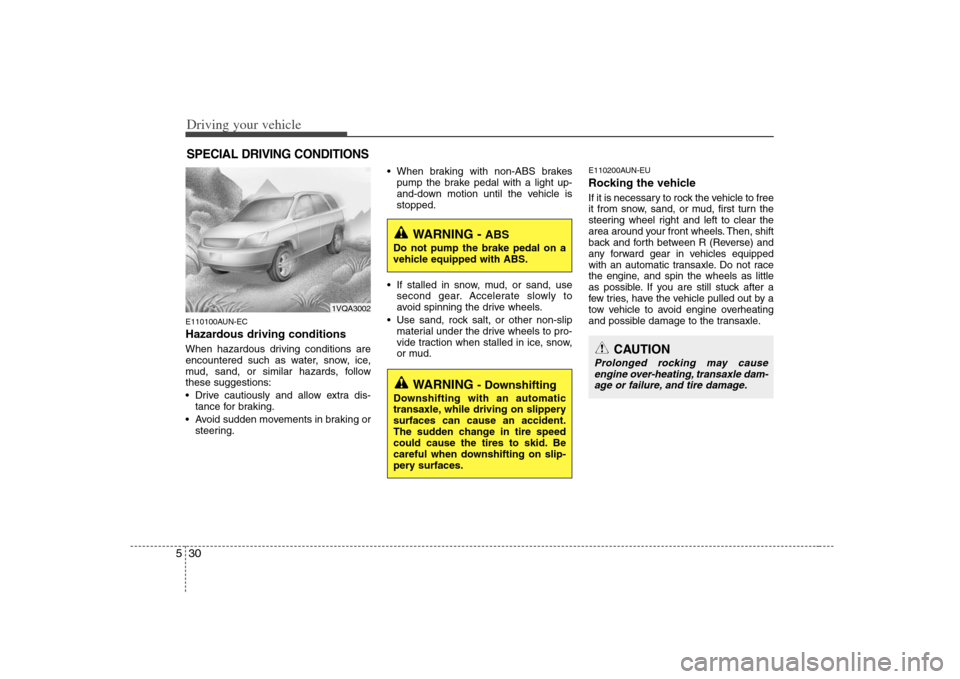
Driving your vehicle30 5E110100AUN-ECHazardous driving conditions When hazardous driving conditions are
encountered such as water, snow, ice,
mud, sand, or similar hazards, follow
these suggestions:
Drive cautiously and allow extra dis-
tance for braking.
Avoid sudden movements in braking or
steering. When braking with non-ABS brakes
pump the brake pedal with a light up-
and-down motion until the vehicle is
stopped.
If stalled in snow, mud, or sand, use
second gear. Accelerate slowly to
avoid spinning the drive wheels.
Use sand, rock salt, or other non-slip
material under the drive wheels to pro-
vide traction when stalled in ice, snow,
or mud.
E110200AUN-EURocking the vehicle If it is necessary to rock the vehicle to free
it from snow, sand, or mud, first turn the
steering wheel right and left to clear the
area around your front wheels. Then, shift
back and forth between R (Reverse) and
any forward gear in vehicles equipped
with an automatic transaxle. Do not race
the engine, and spin the wheels as little
as possible. If you are still stuck after a
few tries, have the vehicle pulled out by a
tow vehicle to avoid engine overheating
and possible damage to the transaxle.
SPECIAL DRIVING CONDITIONS
1VQA3002
WARNING -
ABS
Do not pump the brake pedal on a
vehicle equipped with ABS.
WARNING
- Downshifting
Downshifting with an automatic
transaxle, while driving on slippery
surfaces can cause an accident.
The sudden change in tire speed
could cause the tires to skid. Be
careful when downshifting on slip-
pery surfaces.
CAUTION
Prolonged rocking may cause
engine over-heating, transaxle dam-
age or failure, and tire damage.
Page 233 of 341
533
Driving your vehicle
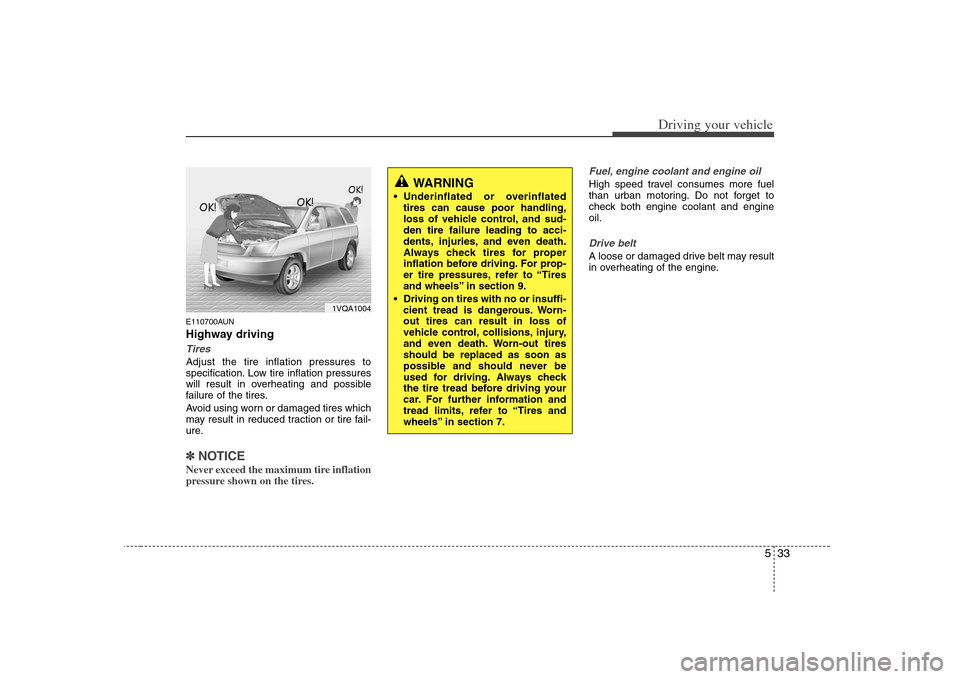
E110700AUNHighway drivingTiresAdjust the tire inflation pressures to
specification. Low tire inflation pressures
will result in overheating and possible
failure of the tires.
Avoid using worn or damaged tires which
may result in reduced traction or tire fail-
ure.✽ ✽
NOTICENever exceed the maximum tire inflation
pressure shown on the tires.
Fuel, engine coolant and engine oilHigh speed travel consumes more fuel
than urban motoring. Do not forget to
check both engine coolant and engine
oil.Drive beltA loose or damaged drive belt may result
in overheating of the engine.
WARNING
Underinflated or overinflated
tires can cause poor handling,
loss of vehicle control, and sud-
den tire failure leading to acci-
dents, injuries, and even death.
Always check tires for proper
inflation before driving. For prop-
er tire pressures, refer to “Tires
and wheels” in section 9.
Driving on tires with no or insuffi-
cient tread is dangerous. Worn-
out tires can result in loss of
vehicle control, collisions, injury,
and even death. Worn-out tires
should be replaced as soon as
possible and should never be
used for driving. Always check
the tire tread before driving your
car. For further information and
tread limits, refer to “Tires and
wheels” in section 7.
1VQA1004
Page 240 of 341
Driving your vehicle40 5An authorized KIA dealer can assist you
in installing the wiring harness.E140406AUNDriving on grades Reduce speed and shift to a lower gear
before you start down a long or steep
downgrade. If you don’t shift down, you
might have to use your brakes so much
that they would get hot and no longer
operate efficiently.
On a long uphill grade, shift down and
reduce your speed to around 70 km/h (45
mph) to reduce the possibility of engine
and transaxle overheating.
If your trailer weighs more than the max-
imum trailer weight without trailer brakes
and you have an automatic transaxle,
you should drive in D (Drive) when tow-
ing a trailer.
Operating your vehicle in D (Drive) when
towing a trailer will minimize heat build up
and extend the life of your transaxle.
E140407AUN-EUParking on hills Generally, you should not park your vehi-
cle with a trailer attached on a hill. People
can be seriously or fatally injured, and
both your vehicle and the trailer can be
damaged if they begin a downhill trajec-
tory.
However, if you ever have to park your
trailer on a hill, here’s how to do it:
1. Apply your brakes, but don’t shift into
gear.
2. Have someone place chocks under
the trailer wheels.
3. When the wheel chocks are in place,
release the brakes until the chocks
absorb the load.
4. Reapply the brakes. Apply your park-
ing brake, and then shift to P (Park) for
an automatic transaxle.
5. Release the brakes.
CAUTION
When towing a trailer on steep
grades (in excess of 6%) pay
close attention to the engine
coolant temperature gauge to
ensure the engine does not over-
heat. If the needle of the coolant
temperature gauge moves across
the dial towards “H” (HOT), pull
over and stop as soon as it is safe
to do so, and allow the engine to
idle until it cools down. You may
proceed once the engine has
cooled sufficiently.
You must decide driving speed
depending on trailer weight and
uphill grade to reduce the possi-
bility of engine and transaxle
overheating.
WARNING
Failure to use an approved trailer
wiring harness could result in dam-
age to the vehicle electrical system
and/or personal injury.
WARNING
- Parking on a
hill
Parking your vehicle on a hill with a
trailer attached could cause seri-
ous injury or death should the trail-
er break lose.