audio KIA Carens 2011 2.G User Guide
[x] Cancel search | Manufacturer: KIA, Model Year: 2011, Model line: Carens, Model: KIA Carens 2011 2.GPages: 338, PDF Size: 6.51 MB
Page 185 of 338
Features of your vehicle
106
4
CAUTION - Using USB
device
• To use an external USB device,
make sure the device is not con-nected when starting up the vehi-cle and connect the device afterstarting up.
If you start the vehicle when the USB device is connected, it maydamage the USB device. (USBflash drives are very sensitive toelectric shock.)
If the vehicle is started up or turned off while the external USBdevice is connected, the externalUSB device may not work.
It may not play inauthentic MP3 or WMA files.
1) It can only play MP3 files with the compression rate between8Kbps~320Kbps.
2) It can only play WMA music files with the compression ratebetween 8Kbps~320Kbps.
Take precautions for static elec- tricity when counting or discount-ing the external USB device.
An encoded MP3 PLAYER is not recognizable.
(Continued)
(Continued) Depending on the condition of the external USB device, the con-nected external USB device canbe unrecognizable.
When the formatted byte/sector setting of External USB devices isnot either 512BYTE or 2048BYTE,then the device will not be recog-nized.
Use only a USB device formatted to FAT 12/16/32.
USB devices without USB IF authentication may not be recog-nizable.
Make sure the USB connection terminal does not come in contactwith the human body or anyobject.
If you repeatedly connecting or disconnecting USB device in ashort period of time, it may breakthe device.
You might hear a strange noise when connecting or disconnect-ing USB device.
(Continued)(Continued) If you disconnect the external USB device during playback in USBmode, the external USB device canbe damaged or malfunction. Therefore, disconnect the externalUSB device when the audic is turned off or in another mode.
Depending on the type and capac- ity of the external USB device orthe type of the files stored in thedevice, there is a difference in thetime taken for recognition of the device, but this is not an indicatorof trouble and you only have to wait.
Do not use the USB device for pur- pose other than playing music files.
Use of USB accessories such as recharger or heater using USB I/Fmay lower performance or causetrouble.
If you use devices such as a USB hub you purchased separately,the vehicle’s audio system may not recognize the USB device.Connect the USB device directlyto the multimedia terminal of the vehicle.
(Continued)
Page 186 of 338
4107
Features of your vehicle
(Continued) If the USB device is divided by logical drives, only the music fileson the highest-priority drive arerecognized by car audio.
Devices such as MP3 Player/ Cellular phone/Digital camera andthose that are not recognizable bystandard USB I/F can be unrecog-nizable.
USB devices other than standard- ized goods (METAL COVER TYPEUSB) can be unrecognizable.
USB flash memory reader (such as CF, SD, microSD, etc.) or exter-nal-HDD type devices can be unrecognizable.
Music files protected by DRM (DIGITAL RIGHTS MANAGEMENT)are not recognizalbe.
The data in the USB memory may lost while using this AUDIO, It isrecommeded to back up impor-tant data on a personal.
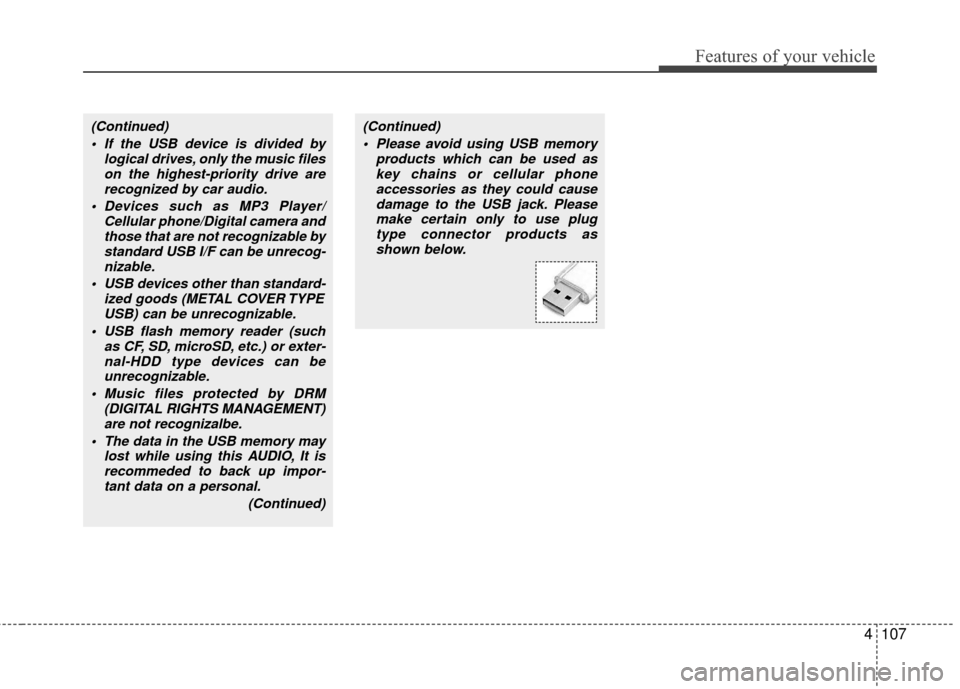
(Continued)(Continued) Please avoid using USB memory products which can be used askey chains or cellular phoneaccessories as they could causedamage to the USB jack. Pleasemake certain only to use plug type connector products asshown below.
Page 193 of 338
Features of your vehicle
114
4
✽
✽
NOTICE - Using the iPod
device
• Some iPod models might not support the communication protocol and the
files will not be played. (iPod models
supported: Mini, 4G, Photo, Nano,
5G)
• The order of search or playback of songs in the iPod can be different
from the order searched in the audio
system.
• If the iPod crashes due to its own trou- ble, reset the iPod. (Reset: Refer to
iPod manual)
• An iPod may not operate normally on low battery.
CAUTION IN USING THE
iPod DEVICE
You need the power cable exclu-
sive for an iPod in order to operatethe iPod with the buttons on theaudio system. The PC cable pro-vided by Apple may cause a mal-function and should not be usedin the vehicle.
When connecting the device with the iPod cable, push in the jackfully.
When adjusting the sound effects of the iPod and the audio system,the sound effects of both devices may overlap and distort the quali-ty of the sound.
Deactivate (turn off) the equalizer function of the iPod when adjust-ing the audio system's volume, and turn off the equalizer of theaudio system when using the equalizer of the iPod.
(Continued)
(Continued) When the iPod cable is connect- ed, the system can be switched tothe AUX mode even without theiPod device and may cause noise. Disconnect the iPod cable whennot using the iPod device.
When the iPod is not used with the audio system, the iPod cableshould be removed from the iPod.
Page 201 of 338
Driving your vehicle
45
E030100AUN
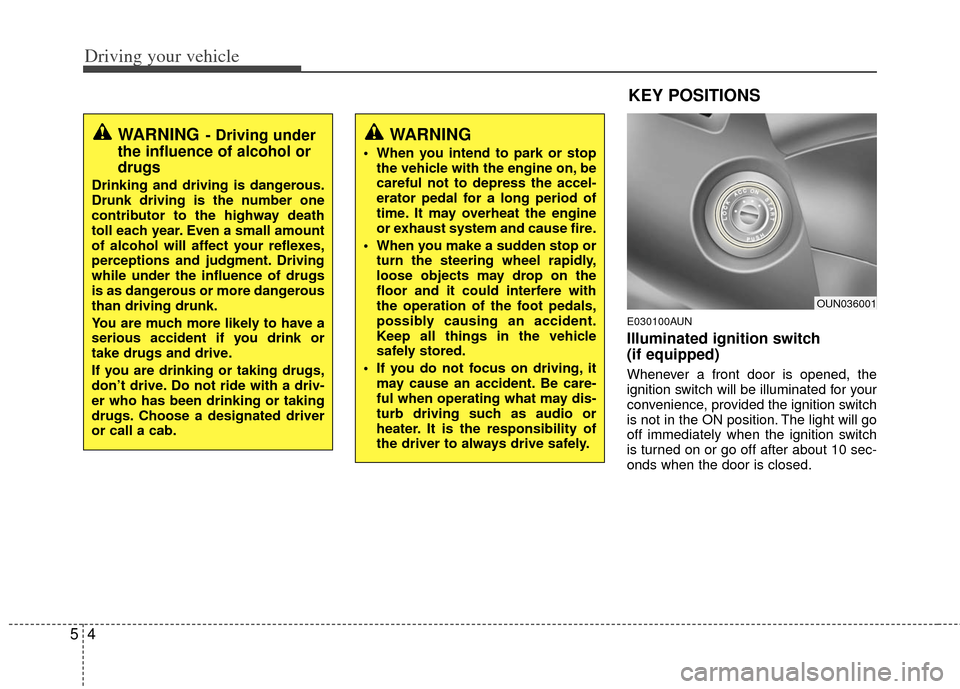
Illuminated ignition switch
(if equipped)
Whenever a front door is opened, the
ignition switch will be illuminated for your
convenience, provided the ignition switch
is not in the ON position. The light will go
off immediately when the ignition switch
is turned on or go off after about 10 sec-
onds when the door is closed.
WARNING- Driving under
the influence of alcohol or
drugs
Drinking and driving is dangerous.
Drunk driving is the number one
contributor to the highway death
toll each year. Even a small amount
of alcohol will affect your reflexes,
perceptions and judgment. Driving
while under the influence of drugs
is as dangerous or more dangerous
than driving drunk.
You are much more likely to have a
serious accident if you drink or
take drugs and drive.
If you are drinking or taking drugs,
don’t drive. Do not ride with a driv-
er who has been drinking or taking
drugs. Choose a designated driver
or call a cab.
OUN036001
KEY POSITIONS
WARNING
When you intend to park or stop
the vehicle with the engine on, be
careful not to depress the accel-
erator pedal for a long period of
time. It may overheat the engine
or exhaust system and cause fire.
When you make a sudden stop or turn the steering wheel rapidly,
loose objects may drop on the
floor and it could interfere with
the operation of the foot pedals,
possibly causing an accident.
Keep all things in the vehicle
safely stored.
If you do not focus on driving, it may cause an accident. Be care-
ful when operating what may dis-
turb driving such as audio or
heater. It is the responsibility of
the driver to always drive safely.
Page 296 of 338
Maintenance
30
7
G190300AUN
Reset items
Items should be reset after the battery
has been discharged or the battery has
been disconnected.
Auto up/down window (See section 4)
Sunroof (See section 4)
Trip computer (See section 4)
Climate control system
(See section 4)
Clock (See section 4)
Audio (See section 4)
WARNING
Before performing maintenance or recharging the battery, turn off
all accessories and stop the
engine.
The negative battery cable must be removed first and installed
last when the battery is discon-
nected.
Page 312 of 338
Maintenance
46
7
G210101AUN
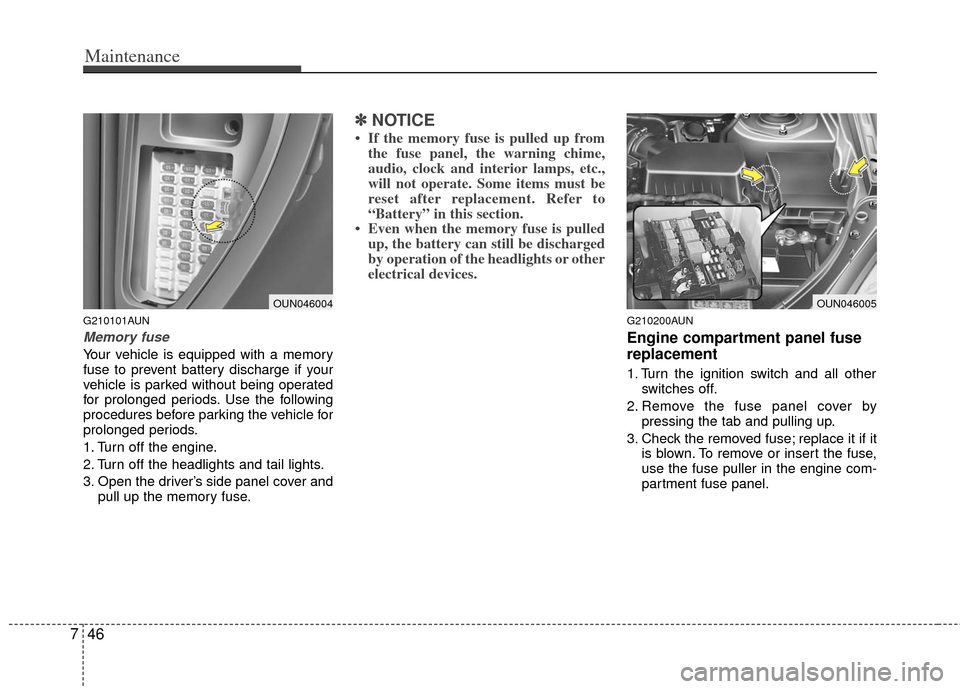
Memory fuse
Your vehicle is equipped with a memory
fuse to prevent battery discharge if your
vehicle is parked without being operated
for prolonged periods. Use the following
procedures before parking the vehicle for
prolonged periods.
1. Turn off the engine.
2. Turn off the headlights and tail lights.
3. Open the driver’s side panel cover and
pull up the memory fuse.
✽ ✽NOTICE
• If the memory fuse is pulled up from
the fuse panel, the warning chime,
audio, clock and interior lamps, etc.,
will not operate. Some items must be
reset after replacement. Refer to
“Battery” in this section.
• Even when the memory fuse is pulled up, the battery can still be discharged
by operation of the headlights or other
electrical devices.
G210200AUN
Engine compartment panel fuse
replacement
1. Turn the ignition switch and all other
switches off.
2. Remove the fuse panel cover by pressing the tab and pulling up.
3. Check the removed fuse; replace it if it is blown. To remove or insert the fuse,
use the fuse puller in the engine com-
partment fuse panel.
OUN046004OUN046005
Page 315 of 338
749
Maintenance
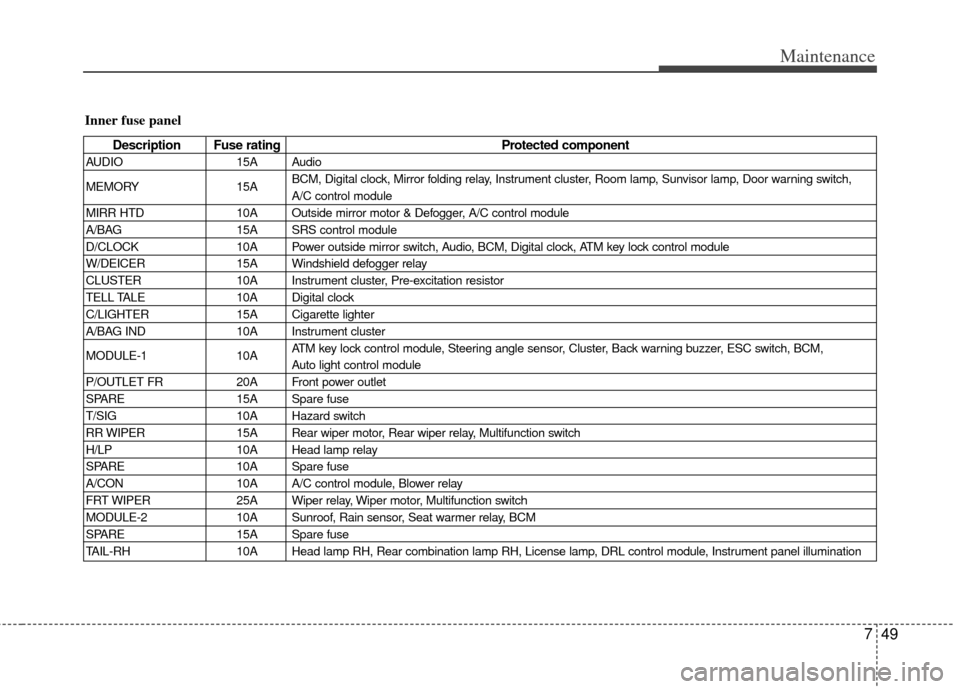
Inner fuse panel
Description Fuse ratingProtected component
AUDIO15A Audio
MEMORY 15ABCM, Digital clock, Mirror folding relay, Instrument cluster, Room lamp, Sunvisor lamp, Door warning switch,
A/C control module
MIRR HTD 10A Outside mirror motor & Defogger, A/C control module
A/BAG 15A SRS control module
D/CLOCK 10A Power outside mirror switch, Audio, BCM, Digital clock, ATM key lock control module
W/DEICER 15A Windshield defogger relay
CLUSTER 10A Instrument cluster, Pre-excitation resistor
TELL TALE 10A Digital clock
C/LIGHTER 15A Cigarette lighter
A/BAG IND 10A Instrument cluster
MODULE-1 10AATM key lock control module, Steering angle sensor, Cluster, Back warning buzzer, ESC switch, BCM,
Auto light control module
P/OUTLET FR 20A Front power outlet
SPARE 15A Spare fuse
T/SIG 10A Hazard switch
RR WIPER 15A Rear wiper motor, Rear wiper relay, Multifunction switch
H/LP 10A Head lamp relay
SPARE 10A Spare fuse
A/CON 10A A/C control module, Blower relay
FRT WIPER 25A Wiper relay, Wiper motor, Multifunction switch
MODULE-2 10A Sunroof, Rain sensor, Seat warmer relay, BCM
SPARE 15A Spare fuse
TAIL-RH 10A Head lamp RH, Rear combination lamp RH, License lamp, DRL control module, Instrument panel illumination
Page 336 of 338

Index
2I
Air bag-advanced supplemental restraint system ··········3-40
Air cleaner ··················\
··················\
··················\
···············7-25
Appearance care··················\
··················\
··················\
·······7-53
Audio system ··················\
··················\
··················\
···········4-92
Automatic climate control system ··················\
···············4-70
Automatic transaxle ··················\
··················\
··················\
···5-7
Automatic transaxle fluid ··················\
··················\
··········7-22
Battery··················\
··················\
··················\
··················\
····7-28
Before driving ··················\
··················\
··················\
············5-3
Brake system··················\
··················\
··················\
············5-14
Brakes fluid··················\
··················\
··················\
··············7-20
Bulb wattage ··················\
··················\
··················\
··············8-2
Child restraint system ··················\
··················\
················3-32
Climate control air filter ··················\
··················\
············7-25
Cruise control system ··················\
··················\
················5-24
Defroster ··················\
··················\
··················\
··················\
4-59
Dimensions ··················\
··················\
··················\
················8-2Door locks··················\
··················\
··················\
··················\
4-9
Economical operation ··················\
··················\
················5-28
Emergency starting ··················\
··················\
··················\
····6-4
Emission control system ··················\
··················\
············7-59
Engine compartment ··················\
··················\
·············2-4/7-2
Engine coolant ··················\
··················\
··················\
·········7-17
Engine number ··················\
··················\
··················\
···········8-7
Engine oil ··················\
··················\
··················\
·················7-16\
Explanation of scheduled maintenance items ···············7-12
Exterior feature ··················\
··················\
··················\
········4-90
Fuel filler lid ··················\
··················\
··················\
············4-20
Fuel requirements ··················\
··················\
··················\
······1-3
Fuses ··················\
··················\
··················\
··················\
······7-44
Hazard warning flasher ··················\
··················\
··············4-50
Hood··················\
··················\
··················\
··················\
·······4-18
How to use this manual ··················\
··················\
···············1-2
A
B
C
D
E
F
H