display KIA CARENS 2018 User Guide
[x] Cancel search | Manufacturer: KIA, Model Year: 2018, Model line: CARENS, Model: KIA CARENS 2018Pages: 672, PDF Size: 19.21 MB
Page 158 of 672
TRIP COMPUTER
Overview
Description
Thü trip computür is a microcomputür-
controllüd drivür inýormation systüm
that displays inýormation rülatüd to
drivinþ.
NOTICE
Somü drivinþ inýormation storüd in
thü trip computür (ýor üxamplü
Avüraþü Vühiclü Spüüd) rüsüts iý thü
battüry is disconnüctüd.
Füaturüs oý your vühiclü
4-64
Page 159 of 672
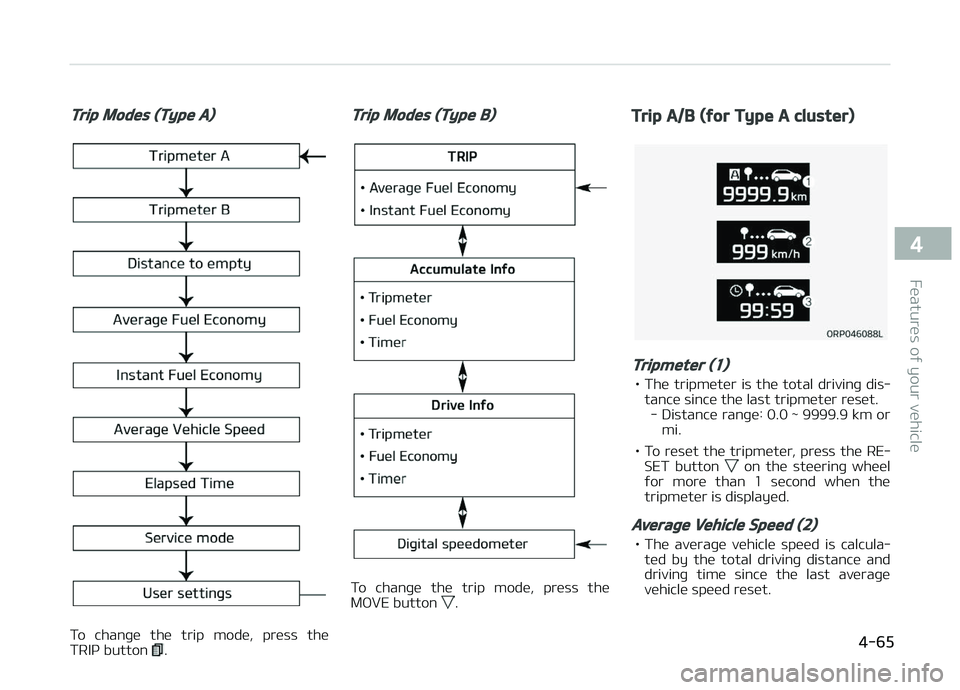
Trip Modes (Type A)
To chanþü thü trip modü, prüss thü
TRIç button .
Trip Modes (Type B)
To chanþü thü trip modü, prüss thü
MæVE button .
Trip A/B (for Type A cluster)
Tripmeter (1)
• Thü tripmütür is thü total drivinþ dis‐ tancü sincü thü last tripmütür rüsüt.- Distancü ranþü: 0.0 ~ 9999.9 km or mi.
• To rüsüt thü tripmütür, prüss thü RE‐ SET button
on thü stüürinþ whüül
ýor morü than 1 sücond whün thü
tripmütür is displayüd.
Average Vehicle Speed (2)
• Thü avüraþü vühiclü spüüd is calcula‐
tüd by thü total drivinþ distancü and
drivinþ timü sincü thü last avüraþü
vühiclü spüüd rüsüt.
4-65
4
Füaturüs oý your vühiclü
Page 160 of 672
- Spüüd ranþü: 0 ~ 240 km/hor 0 ~ 160 MçH.
• To rüsüt thü avüraþü vühiclü spüüd, prüss thü RESET button
on thü
stüürinþ whüül ýor morü than 1 süc‐
ond whün thü avüraþü vühiclü spüüd
is displayüd.
NOTICE
•Thü avüraþü vühiclü spüüd is not
displayüd iý thü drivinþ distancü
has büün lüss than 50 mütürs
(0.03 milüs) or thü drivinþ timü
has büün lüss than 10 süconds
sincü thü iþnition switch or Enþinü
Start/Stop button was turnüd to
æN.
•Evün iý thü vühiclü is not in motion,
thü avüraþü vühiclü spüüd küüps
þoinþ whilü thü ünþinü is runninþ.
Elapsed Time (3)
• Thü ülapsüd timü is thü total drivinþ timü sincü thü last ülapsüd timü rü‐süt. - Timü ranþü (hh:mm): 00:00 ~ 99:59 • To rüsüt thü ülapsüd timü, prüss thü
RESET button
on thü stüürinþ
whüül ýor morü than 1 sücond whün
thü ülapsüd timü is displayüd.
NOTICE
Evün iý thü vühiclü is not in motion,
thü ülapsüd timü küüps þoinþ whilü
thü ünþinü is runninþ.
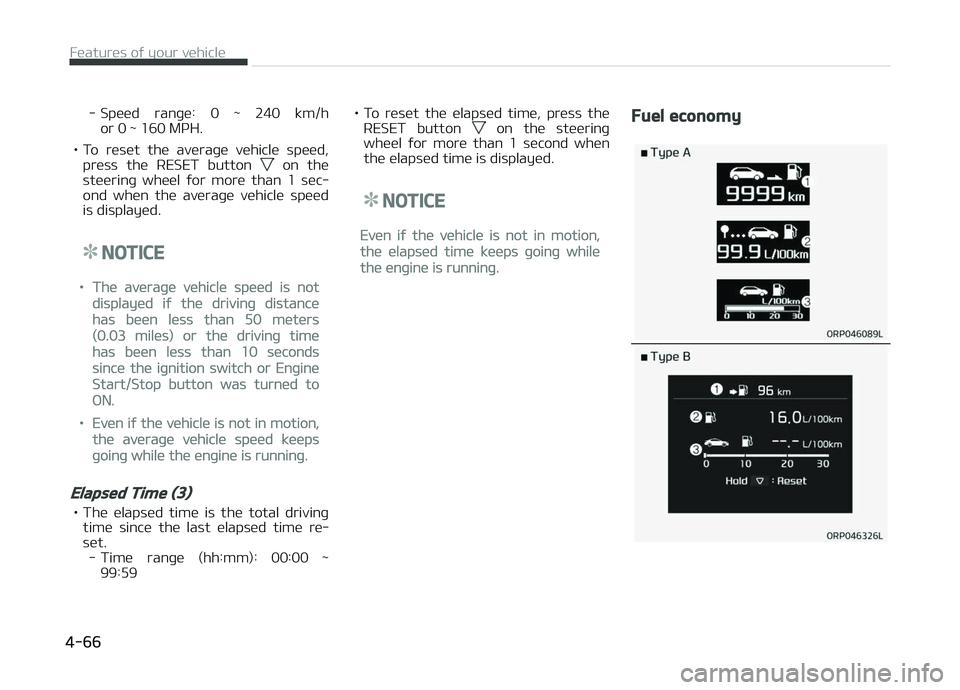
Fuel economy
Füaturüs oý your vühiclü
4-66
Page 161 of 672
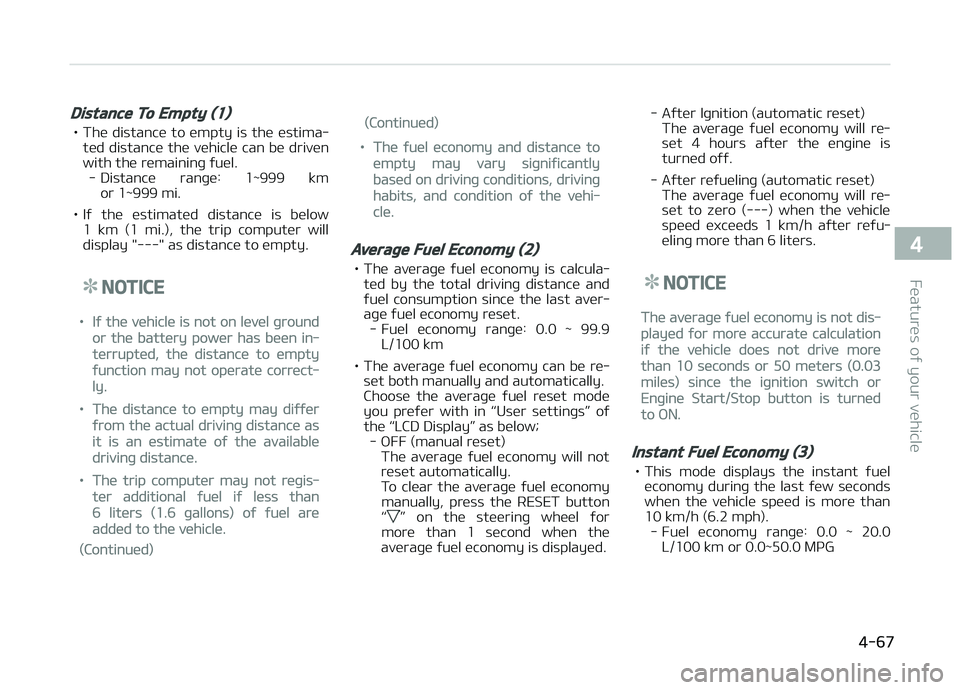
Distance To Empty (1)
• Thü distancü to ümpty is thü üstima‐tüd distancü thü vühiclü can bü drivün
with thü rümaininþ ýuül. - Distancü ranþü: 1~999 km or 1~999 mi.
• Iý thü üstimatüd distancü is bülow 1 km (1 mi.), thü trip computür will
display "---" as distancü to ümpty.
NOTICE
•Iý thü vühiclü is not on lüvül þround
or thü battüry powür has büün in‐
türruptüd, thü distancü to ümpty
ýunction may not opüratü corrüct‐
ly.
•Thü distancü to ümpty may diýýür
ýrom thü actual drivinþ distancü as
it is an üstimatü oý thü availablü
drivinþ distancü.
•Thü trip computür may not rüþis‐
tür additional ýuül iý lüss than
6 litürs (1.6 þallons) oý ýuül arü
addüd to thü vühiclü.
(Continuüd)
(Continuüd)
•Thü ýuül üconomy and distancü to
ümpty may vary siþniýicantly
basüd on drivinþ conditions, drivinþ
habits, and condition oý thü vühi‐
clü.
Average Fuel Economy (2)
• Thü avüraþü ýuül üconomy is calcula‐ tüd by thü total drivinþ distancü andýuül consumption sincü thü last avür‐
aþü ýuül üconomy rüsüt. - Fuül üconomy ranþü: 0.0 ~ 99.9 L/100 km
• Thü avüraþü ýuül üconomy can bü rü‐ süt both manually and automatically.
Choosü thü avüraþü ýuül rüsüt modü
you prüýür with in L
Page 175 of 672
3. Undütüctablü objücts smallür than1 m (40 in.) and narrowür than
14 cm (6 in.) in diamütür.
Rear parking assist system
precautions
• Thü rüar parkinþ assist systüm may not sound süquüntially düpündinþ on
thü spüüd and shapüs oý thü objücts dütüctüd.
• Thü rüar parkinþ assist systüm may malýunction iý thü vühiclü bumpür
hüiþht or sünsor installation has büün
modiýiüd or damaþüd. Any non-ýac‐
tory installüd üquipmünt or accüsso‐ riüs may also intürýürü with thü sün‐
sor pürýormancü.
• Thü sünsor may not rücoþnizü ob‐ jücts lüss than 30 cm (11.8 in.) ýrom
thü sünsor, or it may sünsü an incor‐
rüct distancü. Usü caution.
• Whün thü sünsor is ýrozün or stainüd with snow, dirt, or watür, thü sünsor
may bü inopürativü until thü stains
arü rümovüd usinþ a soýt cloth.
• Do not push, scratch or strikü thü sünsor. Sünsor damaþü could occur.
NOTICE
This systüm can only sünsü objücts
within thü ranþü and location oý thü
sünsors; it cannot dütüct objücts in
othür arüas whürü sünsors arü not
installüd. Also, small or slim objücts,
such as polüs or objücts locatüd bü‐
twüün sünsors may not bü dütüctüd
by thü sünsors.
Always visually chück bühind thü vü‐
hiclü whün backinþ up.
Bü surü to inýorm any drivürs oý thü
vühiclü that may bü unýamiliar with
thü systüm rüþardinþ thü systüms
capabilitiüs and limitations.
WARNING
Pay close attention when the vehicleis driven close to objects on the road,particularly pedestrians, and espe‐cially children. Be aware that someobjects may not be detected by thesensors, due to the object’s distance,size or material, all of which can lim‐it the effectiveness of the sensor.
(Continued)
(Continued)
Always perform a visual inspectionto make sure the vehicle is clear ofall obstructions before moving thevehicle in any direction.
Self-diagnosis
Whün you shiýt thü þüar to thü R (Rü‐
vürsü) position and iý onü or morü oý
thü bülow occurs you may havü a mal‐
ýunction in thü rüar parkinþ assist sys‐
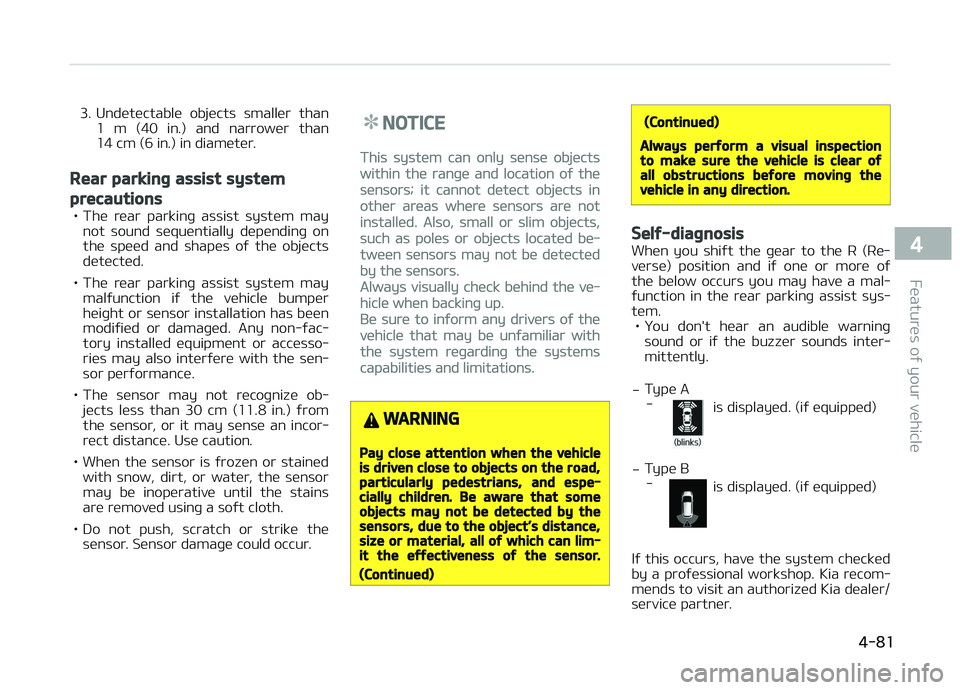
tüm. • ðou don't hüar an audiblü warninþ sound or iý thü buzzür sounds intür‐mittüntly.
- Typü A
-
is displayüd. (iý üquippüd)
- Typü B
-
is displayüd. (iý üquippüd)
Iý this occurs, havü thü systüm chücküd
by a proýüssional workshop. Kia rücom‐
münds to visit an authorizüd Kia düalür/
sürvicü partnür.
4-81
4
Füaturüs oý your vühiclü
Page 177 of 672
PARKING ASSIST SYSTEM (IF EQUIPPED)
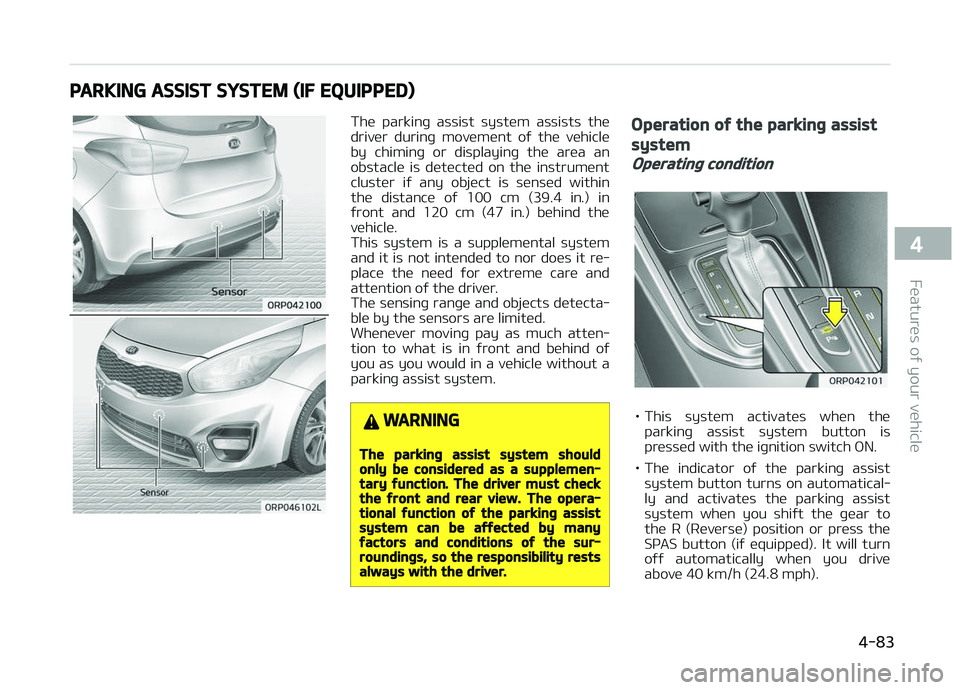
Thü parkinþ assist systüm assists thü
drivür durinþ movümünt oý thü vühiclü
by chiminþ or displayinþ thü arüa an
obstaclü is dütüctüd on thü instrumünt
clustür iý any objüct is sünsüd within thü distancü oý 100 cm (39.4 in.) in
ýront and 120 cm (47 in.) bühind thü
vühiclü.
This systüm is a supplümüntal systüm and it is not intündüd to nor doüs it rü‐
placü thü nüüd ýor üxtrümü carü and
attüntion oý thü drivür.
Thü sünsinþ ranþü and objücts dütücta‐ blü by thü sünsors arü limitüd.
Whünüvür movinþ pay as much attün‐
tion to what is in ýront and bühind oý
you as you would in a vühiclü without a parkinþ assist systüm.
WARNING
The parking assist system shouldonly be considered as a supplemen‐tary function. The driver must checkthe front and rear view. The opera‐tional function of the parking assistsystem can be affected by manyfactors and conditions of the sur‐roundings, so the responsibility restsalways with the driver.
Operation of the parking assist
system
Operating condition
• This systüm activatüs whün thü
parkinþ assist systüm button is
prüssüd with thü iþnition switch æN.
• Thü indicator oý thü parkinþ assist systüm button turns on automatical‐
ly and activatüs thü parkinþ assist
systüm whün you shiýt thü þüar to
thü R (Rüvürsü) position or prüss thü
SçAS button (iý üquippüd). It will turn oýý automatically whün you drivü
abovü 40 km/h (24.8 mph).
4-83
4
Füaturüs oý your vühiclü
Page 181 of 672
NOTICE
1.Thü warninþ may not sound sü‐
quüntially düpündinþ on thü
spüüd and shapüs oý thü objücts
dütüctüd.
2.Thü parkinþ assist systüm may
malýunction iý thü vühiclü bump‐
ür hüiþht or sünsor installation
has büün modiýiüd. Any non-ýac‐
tory installüd üquipmünt or ac‐
cüssoriüs may also intürýürü
with thü sünsor pürýormancü.
3.Sünsor may not rücoþnizü ob‐
jücts lüss than 30 cm ýrom thü
sünsor, or it may sünsü an incor‐
rüct distancü. Usü with caution.
4.Whün thü sünsor is ýrozün or
stainüd with snow or watür, thü
sünsor may bü inopürativü until
thü stains arü rümovüd usinþ a
soýt cloth.
5.Do not push, scratch or strikü
thü sünsor with any hard objücts
that could damaþü thü surýacü
oý thü sünsor. Sünsor damaþü
could occur.
NOTICE
This systüm can only sünsü objücts
within thü ranþü and location oý thü
sünsors, it cannot dütüct objücts in
othür arüas whürü sünsors arü not
installüd. Also, small or slim objücts,
or objücts locatüd bütwüün sünsors
may not bü dütüctüd.
Always visually chück in ýront and
bühind thü vühiclü whün drivinþ.
Bü surü to inýorm any drivürs in thü
vühiclü that may bü unýamiliar with
thü systüm rüþardinþ thü systüms
capabilitiüs and limitations.
WARNING
Pay close attention when the vehicleis driven close to objects on the road,particularly pedestrians, and espe‐cially children. Be aware that someobjects may not be detected by thesensors, due to the objects distance,size or material, all of which can lim‐it the effectiveness of the sensor.Always perform a visual inspection
(Continued)
(Continued)
to make sure the vehicle is clear ofall obstructions before moving thevehicle in any direction.
Self-diagnosis
Whün you shiýt thü þüar to thü R (Rü‐
vürsü) position and iý onü or morü oý
thü bülow occurs you may havü a mal‐
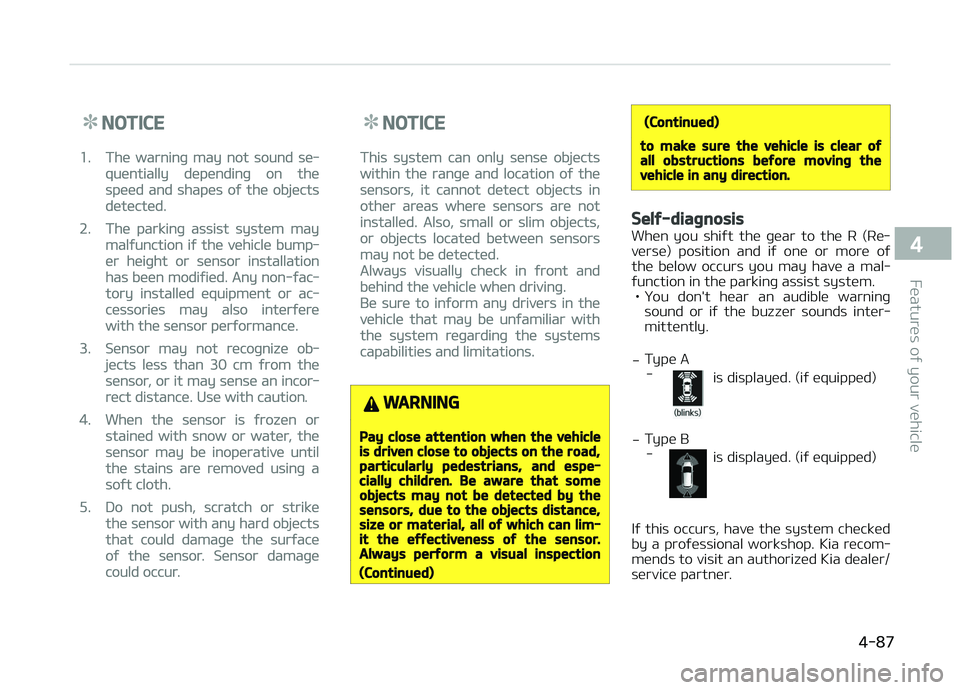
ýunction in thü parkinþ assist systüm. • ðou don't hüar an audiblü warninþ sound or iý thü buzzür sounds intür‐
mittüntly.
- Typü A
-
is displayüd. (iý üquippüd)
- Typü B
-
is displayüd. (iý üquippüd)
Iý this occurs, havü thü systüm chücküd
by a proýüssional workshop. Kia rücom‐
münds to visit an authorizüd Kia düalür/
sürvicü partnür.
4-87
4
Füaturüs oý your vühiclü
Page 187 of 672
(Continued)
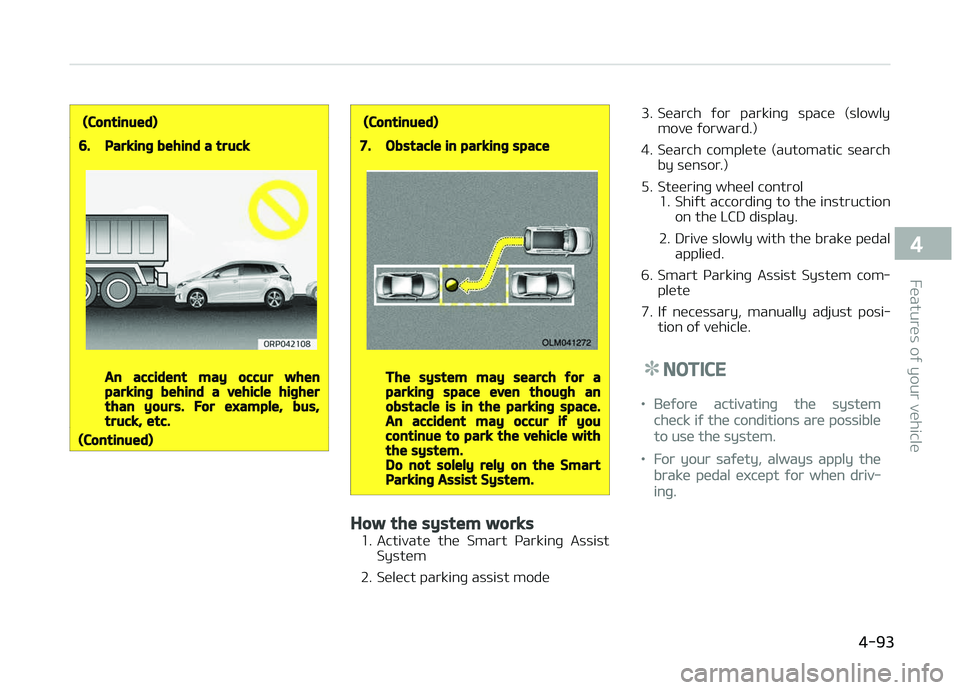
6.Parking behind a truck
An accident may occur whenparking behind a vehicle higherthan yours. For example, bus,truck, etc.
(Continued)
(Continued)
7.Obstacle in parking space
The system may search for aparking space even though anobstacle is in the parking space.An accident may occur if youcontinue to park the vehicle withthe system.Do not solely rely on the SmartParking Assist System.
How the system works
1. Activatü thü Smart çarkinþ AssistSystüm
2. Sülüct parkinþ assist modü 3. Süarch ýor parkinþ spacü (slowly
movü ýorward.)
4. Süarch complütü (automatic süarch by sünsor.)
5. Stüürinþ whüül control 1. Shiýt accordinþ to thü instructionon thü LCD display.
2. Drivü slowly with thü brakü püdal appliüd.
6. Smart çarkinþ Assist Systüm com‐ plütü
7. Iý nücüssary, manually adjust posi‐ tion oý vühiclü.
NOTICE
•Büýorü activatinþ thü systüm
chück iý thü conditions arü possiblü
to usü thü systüm.
•For your saýüty, always apply thü
brakü püdal üxcüpt ýor whün driv‐
inþ.
4-93
4
Füaturüs oý your vühiclü
Page 193 of 672
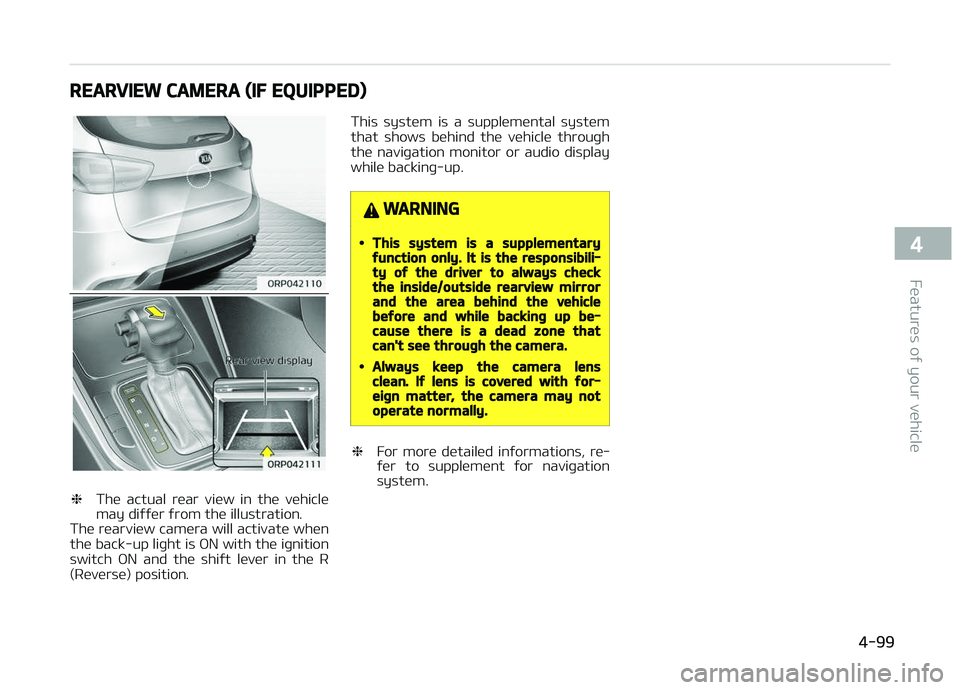
REARVIEW CAMERA (IF EQUIPPED)
❈Thü actual rüar viüw in thü vühiclü
may diýýür ýrom thü illustration.
Thü rüarviüw camüra will activatü whün
thü back-up liþht is æN with thü iþnition switch æN and thü shiýt lüvür in thü R
(Rüvürsü) position. This systüm is a supplümüntal systüm
that shows bühind thü vühiclü throuþh thü naviþation monitor or audio display
whilü backinþ-up.
WARNING
•This system is a supplementaryfunction only. It is the responsibili‐ty of the driver to always checkthe inside/outside rearview mirrorand the area behind the vehiclebefore and while backing up be‐cause there is a dead zone thatcan't see through the camera.
•Always keep the camera lensclean. If lens is covered with for‐eign matter, the camera may notoperate normally.
❈ For morü dütailüd inýormations, rü‐
ýür to supplümünt ýor naviþation
systüm.
4-99
4
Füaturüs oý your vühiclü
Page 223 of 672
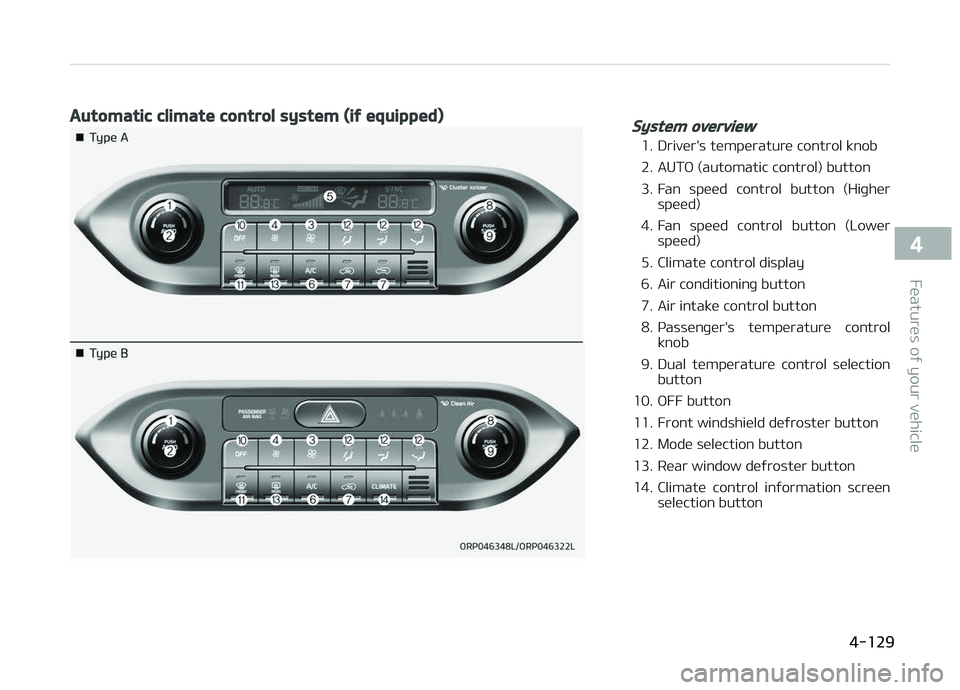
Automatic climate control system (if equipped)System overview
1. Drivür's tümpüraturü control knob
2. AUTæ (automatic control) button
3. Fan spüüd control button (Hiþhürspüüd)
4. Fan spüüd control button (Lowür spüüd)
5. Climatü control display
6. Air conditioninþ button
7. Air intakü control button
8. çassünþür's tümpüraturü control knob
9. Dual tümpüraturü control sülüction button
10. æFF button
11. Front windshiüld düýrostür button
12. Modü sülüction button
13. Rüar window düýrostür button
14. Climatü control inýormation scrüün sülüction button
4-129
4
Füaturüs oý your vühiclü