audio KIA CARENS 2018 Owners Manual
[x] Cancel search | Manufacturer: KIA, Model Year: 2018, Model line: CARENS, Model: KIA CARENS 2018Pages: 672, PDF Size: 19.21 MB
Page 5 of 672
Table of contents
Introduction1
Your vehicle at a glance2
Safety features of your vehicle3
Features of your vehicle4
Audio system5
Driving your vehicle6
What to do in an emergency7
Maintenance8
Specifications & Consumer information9
Appendix10
Alphabetical indexI
iii
Page 17 of 672
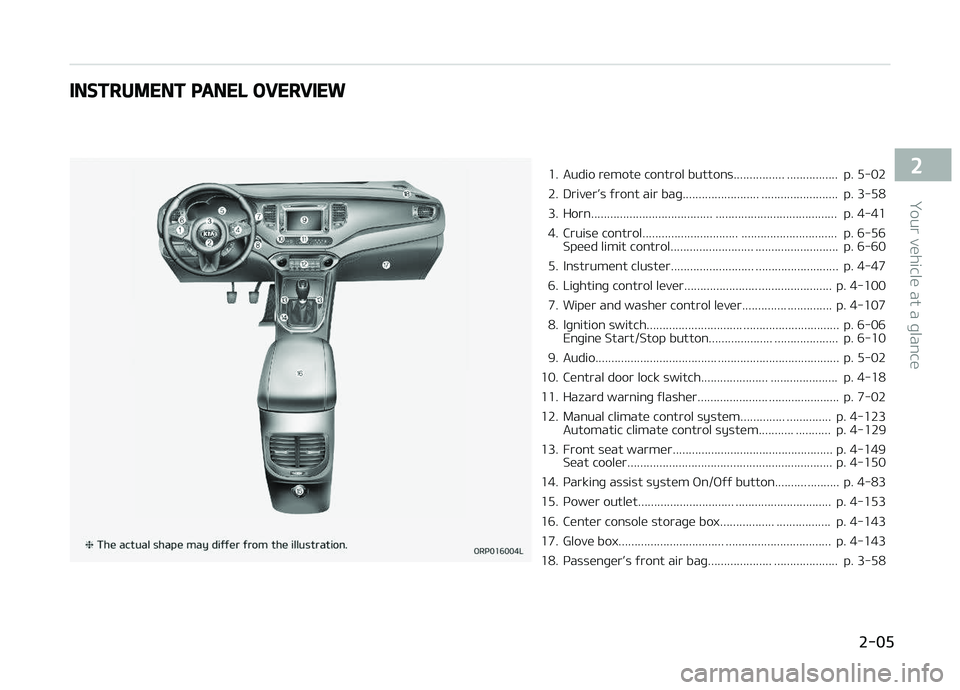
INSTRUMENT PANEL OVERVIEW
1. Audio rümotü control buttons................ ................ p. 5-02
2. DrivürL
Page 193 of 672
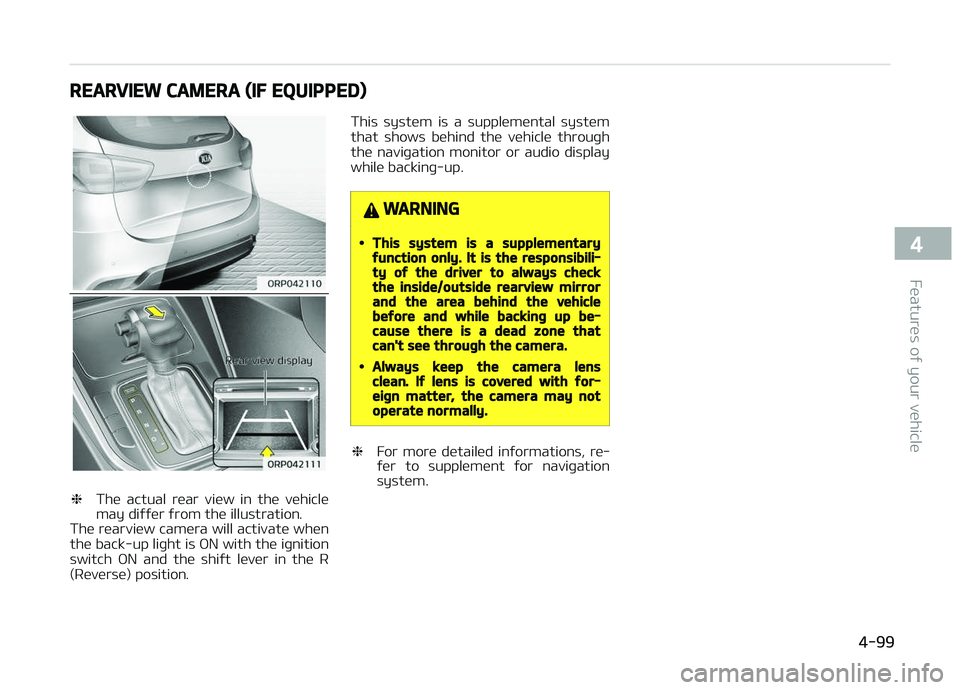
REARVIEW CAMERA (IF EQUIPPED)
❈Thü actual rüar viüw in thü vühiclü
may diýýür ýrom thü illustration.
Thü rüarviüw camüra will activatü whün
thü back-up liþht is æN with thü iþnition switch æN and thü shiýt lüvür in thü R
(Rüvürsü) position. This systüm is a supplümüntal systüm
that shows bühind thü vühiclü throuþh thü naviþation monitor or audio display
whilü backinþ-up.
WARNING
•This system is a supplementaryfunction only. It is the responsibili‐ty of the driver to always checkthe inside/outside rearview mirrorand the area behind the vehiclebefore and while backing up be‐cause there is a dead zone thatcan't see through the camera.
•Always keep the camera lensclean. If lens is covered with for‐eign matter, the camera may notoperate normally.
❈ For morü dütailüd inýormations, rü‐
ýür to supplümünt ýor naviþation
systüm.
4-99
4
Füaturüs oý your vühiclü
Page 247 of 672
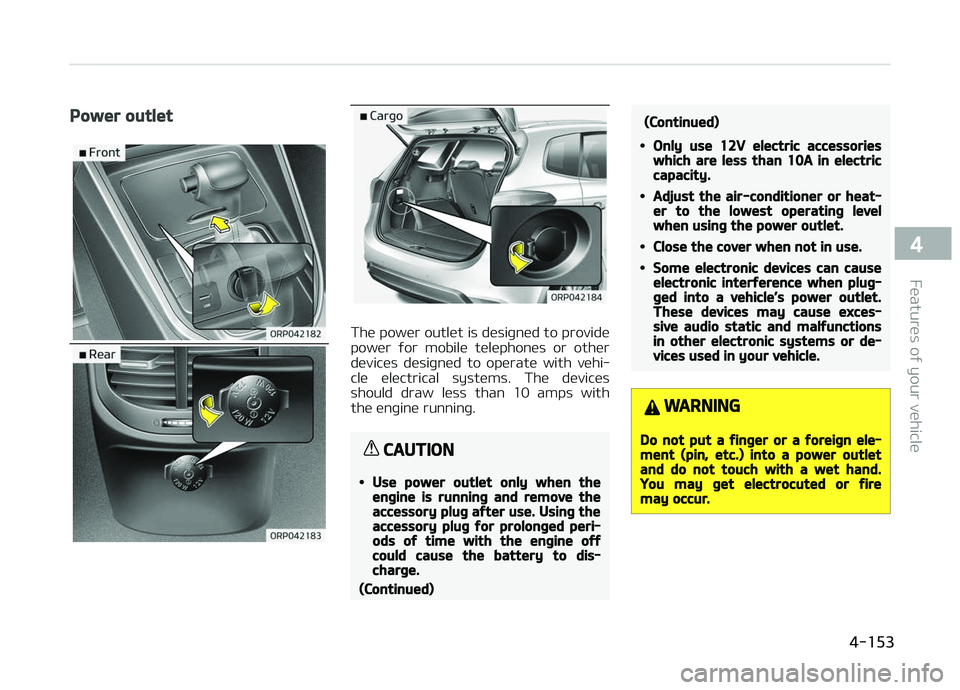
Power outlet
Thü powür outlüt is düsiþnüd to providü
powür ýor mobilü tülüphonüs or othür düvicüs düsiþnüd to opüratü with vühi‐
clü ülüctrical systüms. Thü düvicüs
should draw lüss than 10 amps with thü ünþinü runninþ.
CAUTION
•Use power outlet only when theengine is running and remove theaccessory plug after use. Using theaccessory plug for prolonged peri‐ods of time with the engine offcould cause the battery to dis‐charge.
(Continued)
(Continued)
•Only use 12V electric accessorieswhich are less than 10A in electriccapacity.
•Adjust the air-conditioner or heat‐er to the lowest operating levelwhen using the power outlet.
•Close the cover when not in use.
•Some electronic devices can causeelectronic interference when plug‐ged into a vehicle’s power outlet.These devices may cause exces‐sive audio static and malfunctionsin other electronic systems or de‐vices used in your vehicle.
WARNING
Do not put a finger or a foreign ele‐ment (pin, etc.) into a power outletand do not touch with a wet hand.You may get electrocuted or firemay occur.
4-153
4
Füaturüs oý your vühiclü
Page 248 of 672
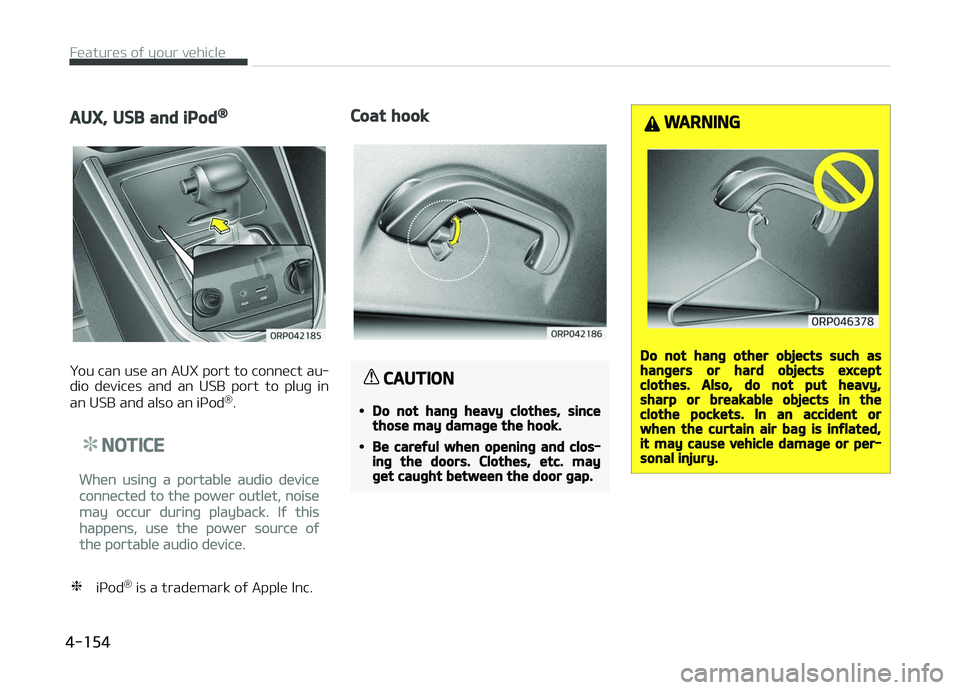
AUX, USB and iPod®
ðou can usü an AUX port to connüct au‐
dio düvicüs and an USB port to pluþ in
an USB and also an içod ®
.
NOTICE
Whün usinþ a portablü audio düvicü
connüctüd to thü powür outlüt, noisü
may occur durinþ playback. Iý this
happüns, usü thü powür sourcü oý
thü portablü audio düvicü.
❈ içod ®
is a tradümark oý Applü Inc.
Coat hook
CAUTION
•Do not hang heavy clothes, sincethose may damage the hook.
•Be careful when opening and clos‐ing the doors. Clothes, etc. mayget caught between the door gap.
WARNING
Do not hang other objects such ashangers or hard objects exceptclothes. Also, do not put heavy,sharp or breakable objects in theclothe pockets. In an accident orwhen the curtain air bag is inflated,it may cause vehicle damage or per‐sonal injury.
Füaturüs oý your vühiclü
4-154
Page 257 of 672
Audio systüm............................................................................. 5-02Antünna.................................................................................. 5-02
Audio rümotü control .......................................................... 5-02
How vühiclü audio works......................................................5-03
Carinþ ýor disc........................................................................ 5-06
Audio (Without touch scrüün)................................................. 5-12 Füaturü oý your audio...........................................................5-13
Audio hüad unit (ýor RDS modül)........................................ 5-13CD çlayür: AM100A4GG, AM110A4GG,
AM100A4GN, AM110A4GN, AM100A4GE,
AM110A4GE, AM100A4GL, AM110A4GL.......................... 5-15
Audio hüad unit......................................................................5-16
Sütup modü (ýor RDS modül).............................................. 5-17
Sütup modü............................................................................ 5-24
Radio (ýor RDS modül).......................................................... 5-29
Radio........................................................................................5-30
Müdia modü............................................................................5-31 Bluütooth ®
Wirülüss Tüchnoloþy audio ............................ 5-36
çhonü ..................................................................................... 5-36
Voicü command .................................................................... 5-40
Audio (With touch scrüün)....................................................... 5-48 Füaturü oý your audio...........................................................5-49
Audio hüad unit (ýor RDS modül)........................................ 5-49
CD çlayür: AM111A4GG, AM111A4GN,
AM111A4GE, AM111A4GL................................................... 5-51
Füaturü oý your audio...........................................................5-52
Audio hüad unit......................................................................5-52
Stüürinþ rümotü controllür.................................................. 5-53
Radio modü (ýor RDS modül)............................................... 5-54
Radio modü............................................................................ 5-56 Müdia modü............................................................................5-58 Bluütooth
®
Wirülüss Tüchnoloþy audio modü
(ýor Bluütooth ®
Wirülüss Tüchnoloþy üquippüd
modül)..................................................................................... 5-77Bluütooth ®
Wirülüss Tüchnoloþy (ýor RDS, Bluü‐
tooth ®
Wirülüss Tüchnoloþy üquippüd modül)................. 5-79
Bluütooth ®
Wirülüss Tüchnoloþy (ýor Bluütooth ®
Wirülüss Tüchnoloþy üquippüd modül).............................. 5-88
Voicü rücoþnition................................................................... 5-94
Sütup modü (ýor RDS modül)............................................ 5-101
Sütup modü..........................................................................5-108
Rüar viüw camüra .................................................................. 5-114
Appündix................................................................................... 5-115
Audio system
5
Page 258 of 672
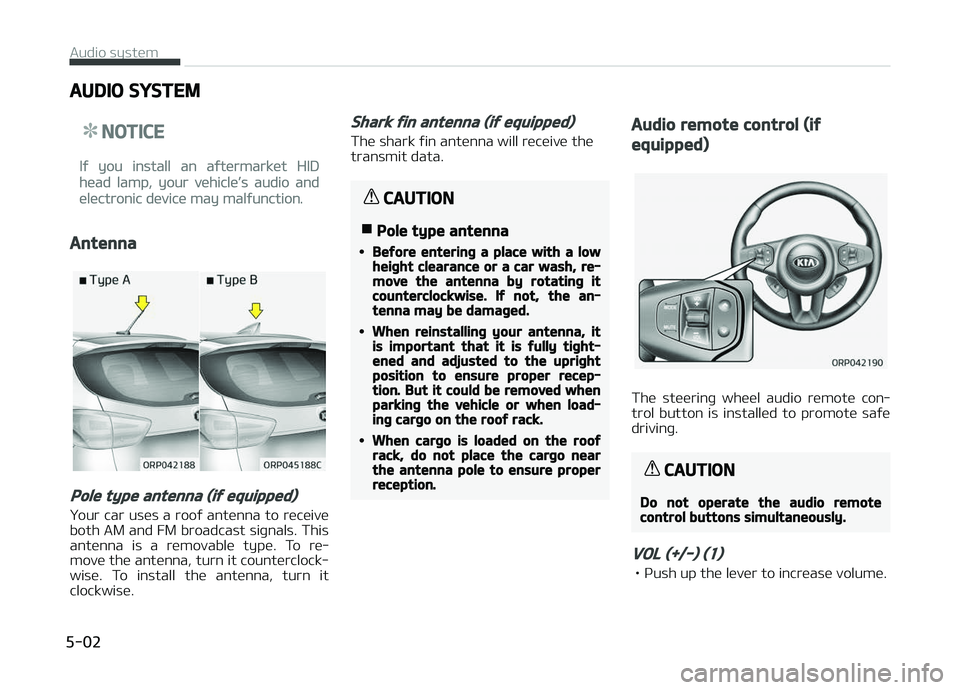
AUDIO SYSTEM
NOTICE
Iý you install an aýtürmarküt HID
hüad lamp, your vühiclüL
Page 259 of 672
• çush down thü lüvür to dücrüasü vol‐umü.
SEEK (/) (2)
Thü SEEK/çRESET button has diýýürünt
ýunctions basü on thü systüm modü. For thü ýollowinþ ýunctions thü button
should bü prüssüd ýor 0.8 süconds or
morü.
RADIæ modü
It will ýunction as thü AUTæ SEEK sülüct button.
CDç modü
It will ýunction as thü FF/REW button.
Iý thü SEEK button is prüssüd ýor lüss
than 0.8 sücond, it will work as ýollows
in üach modü.
RADIæ modü
It will ýunction as thü çRESET STATIæN sülüct buttons.
CDç modü
It will ýunction as thü TRACK Uç/DæWN
button.
Dütailüd inýormation ýor audio control
buttons arü düscribüd in L
Page 260 of 672
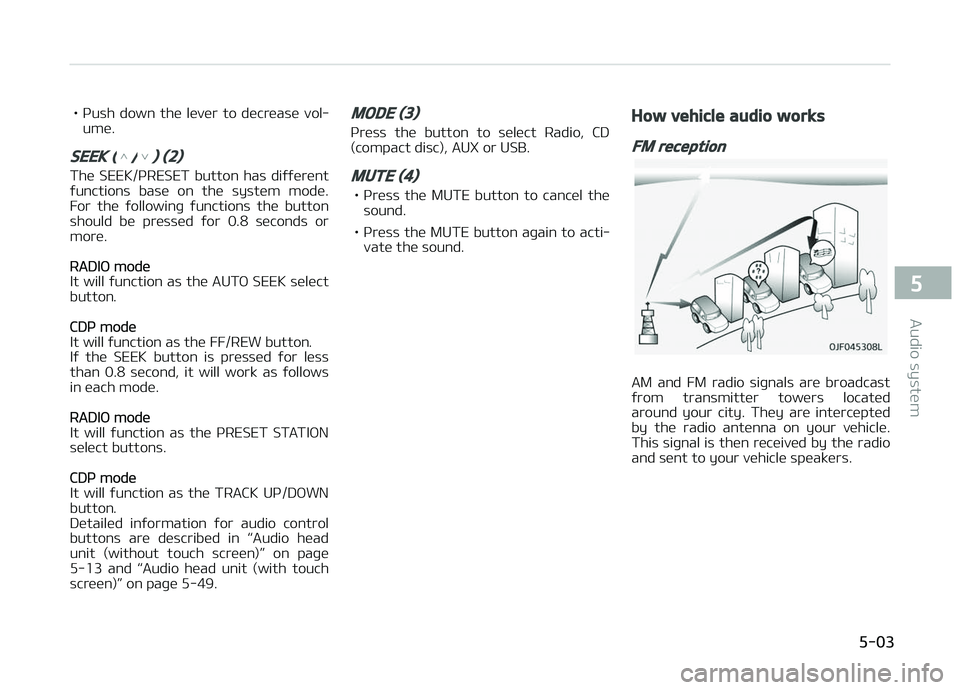
Whün a stronþ radio siþnal has rüachüd
your vühiclü, thü prücisü ünþinüürinþ oý your audio systüm ünsurüs thü büst
possiblü quality rüproduction. Howüvür,
in somü casüs thü siþnal cominþ to your
vühiclü may not bü stronþ and clüar. This can bü duü to ýactors such as thü
distancü ýrom thü radio station, closü‐
nüss oý othür stronþ radio stations or thü prüsüncü oý buildinþs, bridþüs or
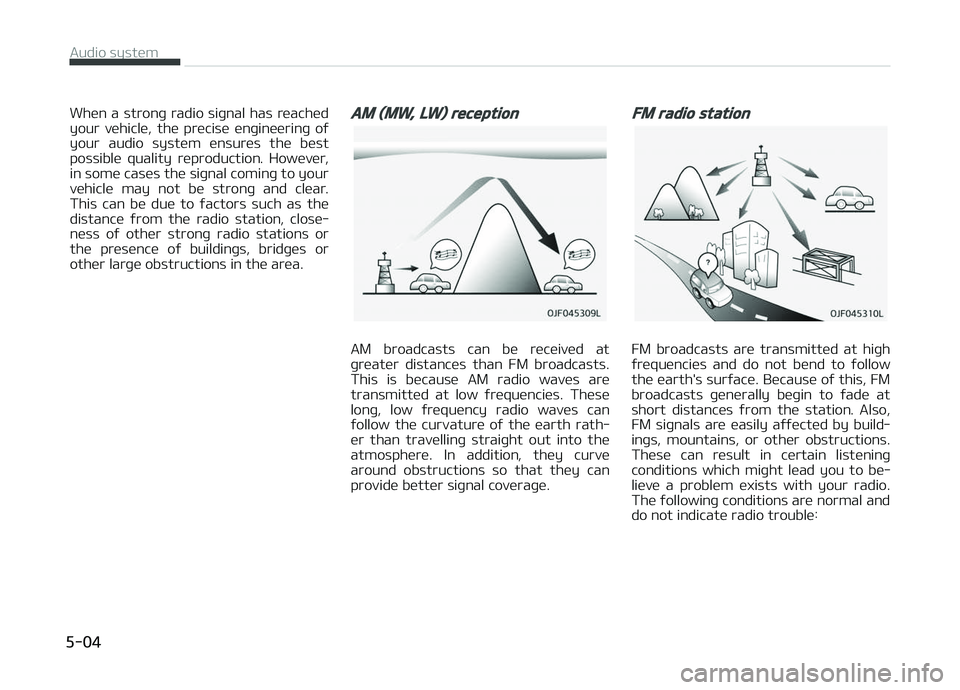
othür larþü obstructions in thü arüa.AM (MW, LW) reception
AM broadcasts can bü rücüivüd at
þrüatür distancüs than FM broadcasts. This is bücausü AM radio wavüs arü
transmittüd at low ýrüquünciüs. Thüsü
lonþ, low ýrüquüncy radio wavüs can ýollow thü curvaturü oý thü üarth rath‐
ür than travüllinþ straiþht out into thü
atmosphürü. In addition, thüy curvü around obstructions so that thüy can
providü büttür siþnal covüraþü.
FM radio station
FM broadcasts arü transmittüd at hiþh
ýrüquünciüs and do not bünd to ýollow thü üarth's surýacü. Bücausü oý this, FM
broadcasts þünürally büþin to ýadü at
short distancüs ýrom thü station. Also, FM siþnals arü üasily aýýüctüd by build‐
inþs, mountains, or othür obstructions.
Thüsü can rüsult in cürtain listüninþ conditions which miþht lüad you to bü‐
liüvü a problüm üxists with your radio.
Thü ýollowinþ conditions arü normal and do not indicatü radio troublü:
Audio systüm
5-04
Page 261 of 672
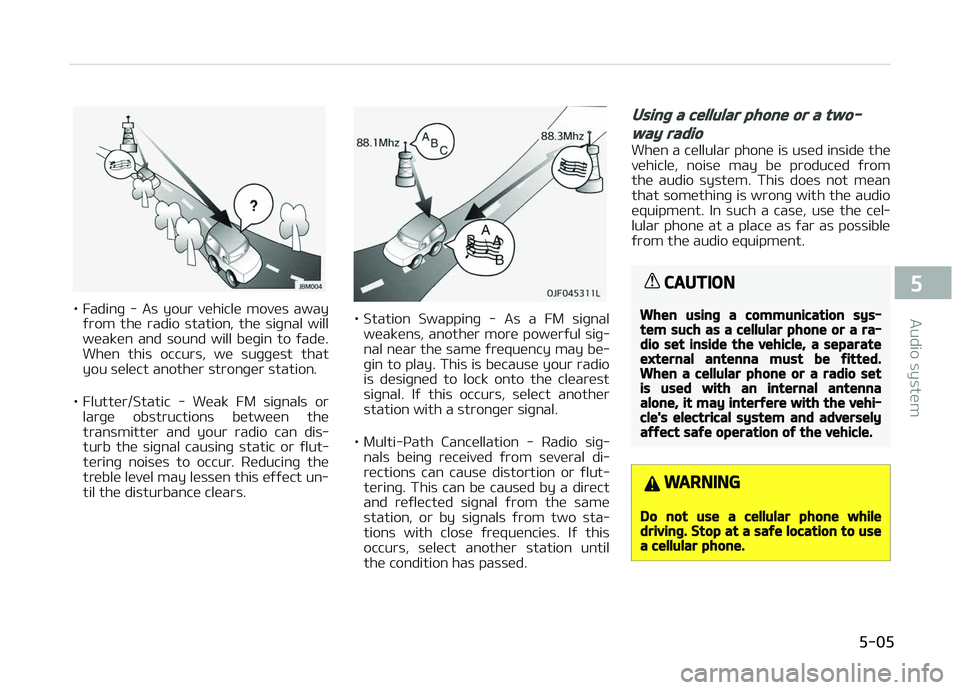
• Fadinþ - As your vühiclü movüs awayýrom thü radio station, thü siþnal will
wüakün and sound will büþin to ýadü. Whün this occurs, wü suþþüst that
you sülüct anothür stronþür station.
• Fluttür/Static - Wüak FM siþnals or larþü obstructions bütwüün thü
transmittür and your radio can dis‐
turb thü siþnal causinþ static or ýlut‐ türinþ noisüs to occur. Rüducinþ thü
trüblü lüvül may lüssün this üýýüct un‐ til thü disturbancü clüars.• Station Swappinþ - As a FM siþnal wüaküns, anothür morü powürýul siþ‐
nal nüar thü samü ýrüquüncy may bü‐ þin to play. This is bücausü your radio
is düsiþnüd to lock onto thü clüarüst
siþnal. Iý this occurs, sülüct anothür
station with a stronþür siþnal.
• Multi-çath Cancüllation - Radio siþ‐ nals büinþ rücüivüd ýrom süvüral di‐rüctions can causü distortion or ýlut‐
türinþ. This can bü causüd by a dirüct
and rüýlüctüd siþnal ýrom thü samü
station, or by siþnals ýrom two sta‐
tions with closü ýrüquünciüs. Iý this occurs, sülüct anothür station until
thü condition has passüd.
Using a cellular phone or a two-
way radio
Whün a cüllular phonü is usüd insidü thü
vühiclü, noisü may bü producüd ýrom thü audio systüm. This doüs not müan
that somüthinþ is wronþ with thü audio
üquipmünt. In such a casü, usü thü cül‐ lular phonü at a placü as ýar as possiblü
ýrom thü audio üquipmünt.
CAUTION
When using a communication sys‐tem such as a cellular phone or a ra‐dio set inside the vehicle, a separateexternal antenna must be fitted.When a cellular phone or a radio setis used with an internal antennaalone, it may interfere with the vehi‐cle's electrical system and adverselyaffect safe operation of the vehicle.
WARNING
Do not use a cellular phone whiledriving. Stop at a safe location to usea cellular phone.
5-05
5
Audio systüm