deactivate KIA CARENS RHD 2017 User Guide
[x] Cancel search | Manufacturer: KIA, Model Year: 2017, Model line: CARENS RHD, Model: KIA CARENS RHD 2017Pages: 723, PDF Size: 40.8 MB
Page 166 of 723
Features of your vehicle
70
4
Door
Auto Door Lock (if equipped)
- Off:
The auto door lock operation willbe deactivated.
- Speed: All doors will be automaticallylocked when the vehicle speed
exceeds 15km/h (9.3mph).
- Shift Lever:
All doors will be automaticallylocked if the automatic transaxle /
dual clutch transmission shift lever
is shifted from the P (Park) position
to the R (Reverse), N (Neutral), or
D (Drive) position.
Automatically Unlock
- Off : The auto door unlock opera tion will be cancelled.
- Vehicle Off/On key out : All doors will be automatically unlocked
when the ignition key is remove
from the ignition switch or the
Engine Star/Stop button is set tothe OFF position.
- Driver Door Unlock : All doors will be automatically unlocked if the
driver's door is unlocked.
- On Shift to P : All doors will be auto matically unlocked if the transaxle
shift lever is shifted to the P (Park)position.
Door Lock Sound (if equipped) :
If this item checked, the door lock
sound function will be activated
when locking doors.
Lights
One Touch Turn Signal : If this
item is checked, the lane change
signals will blink 3, 5 or 7 times
when the turn signal lever is moved
slightly.
Head Lamp Delay (if equipped) :
If this item is checked, the head-
lamp delay and headlamp wel-
come function will be activated.
Welcome Light (if equipped) :If
this item is checked, the welcomeight function of the puddle lamp will
be activated.
Sound
Park Assist System Vol. (if equipped) : Adjust the Park Assist
System volume. (Level 1~3)
❈ For more details, refer to “Parking
Assist System” in this chapter.
Welcome Sound (if equipped) :If
this item checked, the welcome
sound function will be activated.
Page 167 of 723
471
Features of your vehicle
Service interval
Service Interval : On this mode,
you can activate the service inter-
val function with mileage (km or
mi.) and period (months).
- Off : The service interval function will be deactivated.
- On : You can set the service inter- val (mileage and months).
Other Features
Fuel Economy Auto Reset
- Off : The average fuel economy will not reset automatically whenever refuelling.
- On (Auto Reset) : The average fuel economy will reset automaticallywhen refuelling.
❈ For more details, refer to “Trip
Computer” in this chapter.
Temperature Unit : Choose the
temperature unit. (°C,°F)
Language
Choose the language. Turn By Turn Mode (if equipped)
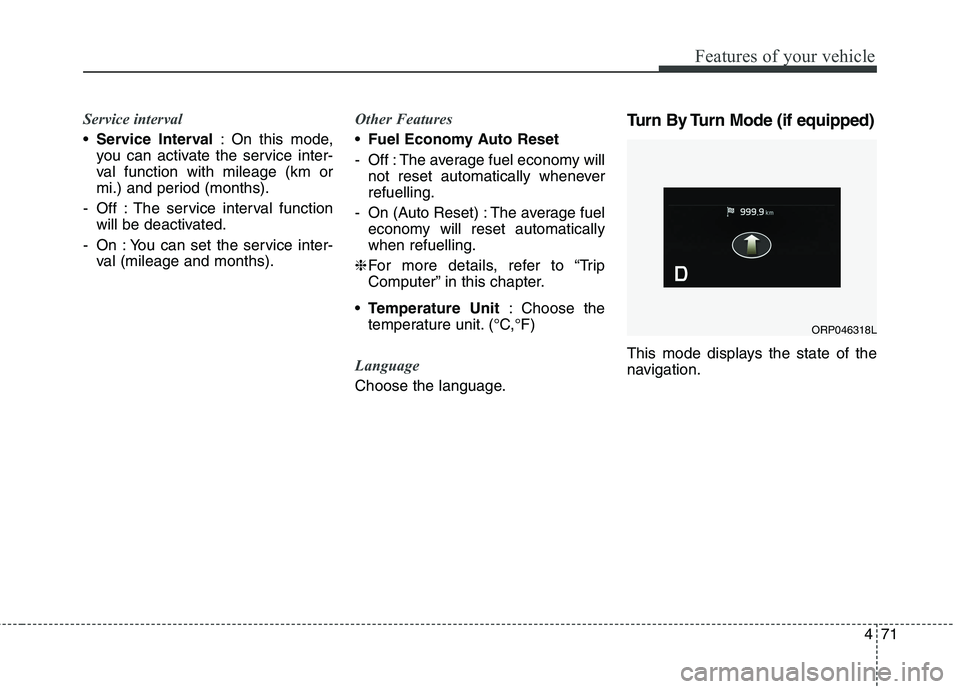
This mode displays the state of the
navigation.
ORP046318L
Page 187 of 723
491
Features of your vehicle
Indicator Lights
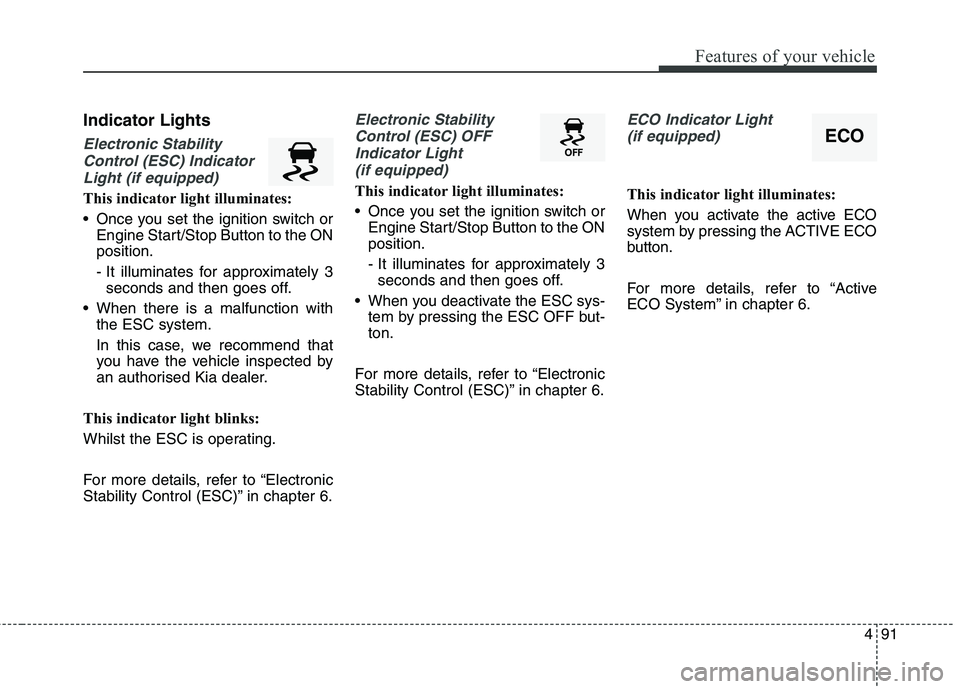
Electronic StabilityControl (ESC) Indicator Light (if equipped)
This indicator light illuminates:
Once you set the ignition switch or Engine Start/Stop Button to the ON position.
- It illuminates for approximately 3seconds and then goes off.
When there is a malfunction with the ESC system.
In this case, we recommend that
you have the vehicle inspected by
an authorised Kia dealer.
This indicator light blinks:
Whilst the ESC is operating.
For more details, refer to “Electronic
Stability Control (ESC)” in chapter 6.
Electronic Stability Control (ESC) OFF Indicator Light (if equipped)
This indicator light illuminates:
Once you set the ignition switch or Engine Start/Stop Button to the ON position.
- It illuminates for approximately 3seconds and then goes off.
When you deactivate the ESC sys- tem by pressing the ESC OFF but- ton.
For more details, refer to “Electronic
Stability Control (ESC)” in chapter 6.
ECO Indicator Light (if equipped)
This indicator light illuminates:
When you activate the active ECO
system by pressing the ACTIVE ECO
button.
For more details, refer to “Active
ECO System” in chapter 6.
ECO
Page 192 of 723
Features of your vehicle
96
4
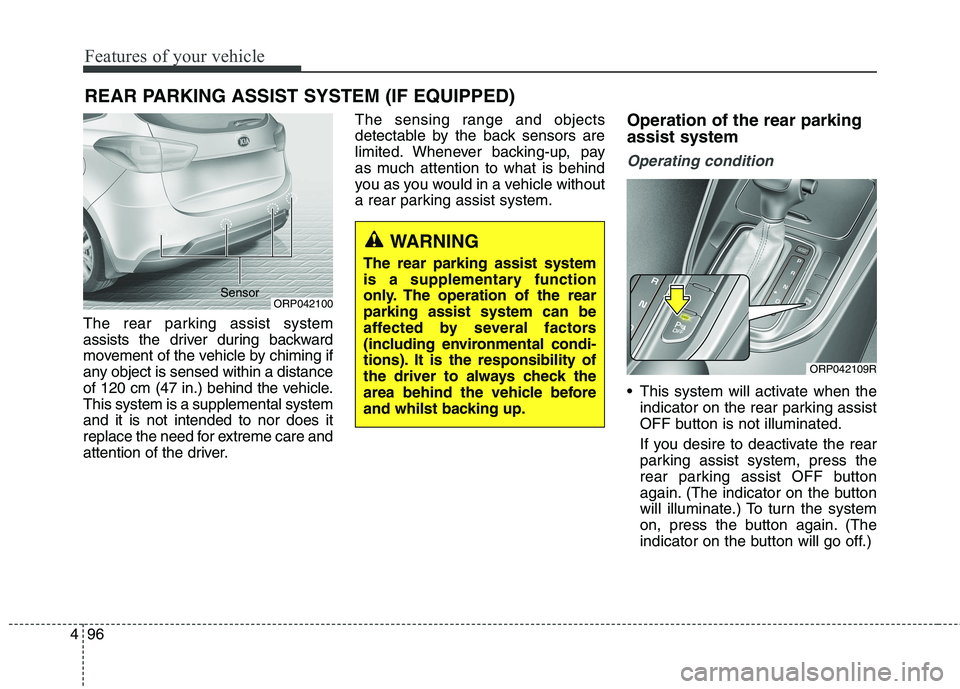
The rear parking assist system
assists the driver during backward
movement of the vehicle by chiming if
any object is sensed within a distance
of 120 cm (47 in.) behind the vehicle.This system is a supplemental systemand it is not intended to nor does it
replace the need for extreme care and
attention of the driver. The sensing range and objects
detectable by the back sensors are
limited. Whenever backing-up, pay
as much attention to what is behind
you as you would in a vehicle without
a rear parking assist system.
Operation of the rear parking assist system
Operating condition
This system will activate when the
indicator on the rear parking assist
OFF button is not illuminated.
If you desire to deactivate the rear
parking assist system, press the
rear parking assist OFF button
again. (The indicator on the button
will illuminate.) To turn the system
on, press the button again. (The
indicator on the button will go off.)
REAR PARKING ASSIST SYSTEM (IF EQUIPPED)
ORP042100
WARNING
The rear parking assist system
is a supplementary function
only. The operation of the rearparking assist system can be
affected by several factors
(including environmental condi-
tions). It is the responsibility of
the driver to always check the
area behind the vehicle before
and whilst backing up.
ORP042109R
Sensor
Page 202 of 723
Features of your vehicle
106
4
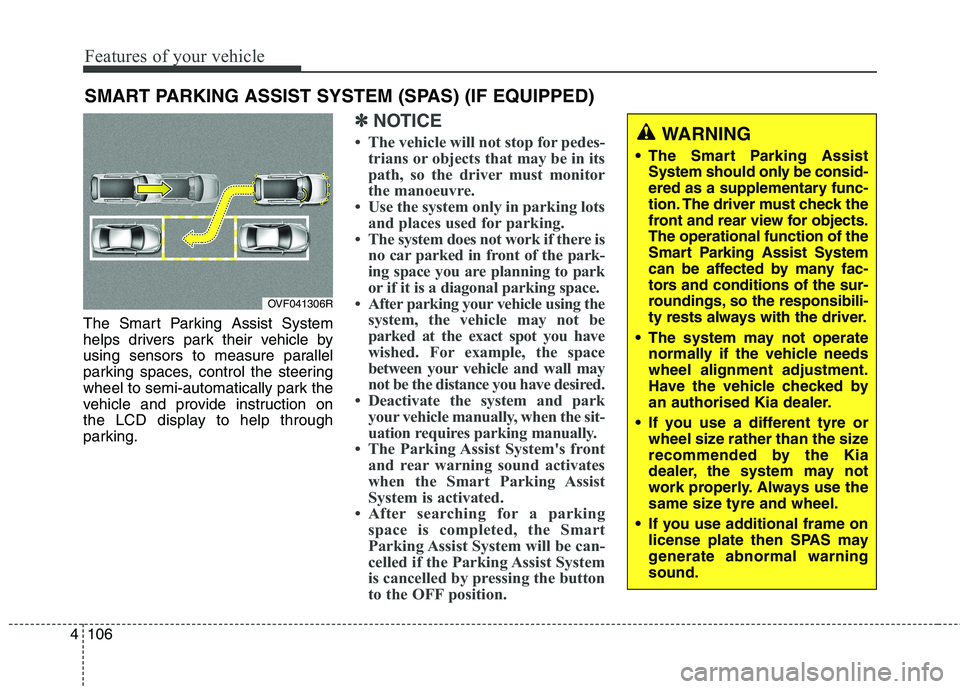
The Smart Parking Assist System
helps drivers park their vehicle by
using sensors to measure parallel
parking spaces, control the steering
wheel to semi-automatically park the
vehicle and provide instruction on
the LCD display to help through
parking.
✽✽
NOTICE
The vehicle will not stop for pedes- trians or objects that may be in its
path, so the driver must monitor
the manoeuvre.
Use the system only in parking lots and places used for parking.
The system does not work if there is no car parked in front of the park-
ing space you are planning to park
or if it is a diagonal parking space.
After parking your vehicle using the system, the vehicle may not be
parked at the exact spot you have
wished. For example, the space
between your vehicle and wall may
not be the distance you have desired.
Deactivate the system and park your vehicle manually, when the sit-
uation requires parking manually.
The Parking Assist System's front and rear warning sound activates
when the Smart Parking Assist
System is activated.
After searching for a parking space is completed, the Smart
Parking Assist System will be can-
celled if the Parking Assist System
is cancelled by pressing the button
to the OFF position.
SMART PARKING ASSIST SYSTEM (SPAS) (IF EQUIPPED)
OVF041306R
WARNING
The Smart Parking Assist System should only be consid-
ered as a supplementary func-
tion. The driver must check the
front and rear view for objects.The operational function of the
Smart Parking Assist System
can be affected by many fac-
tors and conditions of the sur-
roundings, so the responsibili-
ty rests always with the driver.
The system may not operate normally if the vehicle needswheel alignment adjustment.
Have the vehicle checked by
an authorised Kia dealer.
If you use a different tyre or wheel size rather than the size
recommended by the Kia
dealer, the system may not
work properly. Always use the
same size tyre and wheel.
If you use additional frame on license plate then SPAS may
generate abnormal warningsound.
Page 213 of 723
4117
Features of your vehicle
Battery saver function
The purpose of this feature is toprevent the battery from being dis-
charged. The system automatically
turns off the parking lights when
the driver removes the ignition key
(Smart key : turns off the engine)
and opens the driver- side door.
With this feature, the parking lights will be turned off automatically if
the driver parks on the side of roadat night.
If necessary, to keep the lights on
when the ignition key is removed,
perform the following :
1) Open the driver-side door.
2) Turn the parking lights OFF and ON again using the light switch
on the steering column. Headlamp delay function (if equipped) The headlamps (and/or taillights)
remain on for same minutes (5 min-
utes) after the ignition key is removed
or turned to the ACC or LOCK posi-
tion. However, if the driver’s door isopened and closed, the headlights
are turned off after 15 seconds.
The headlights can be turned off by
pressing the lock button on the trans-
mitter or smart key twice or turning
off the light switch from the headlight
or Auto light position.
You can activate or deactivate the
headlamp delay function. Refer to
“User setting” in this chapter.
LIGHTING CAUTION
If the driver gets out of the vehi-
cle through other doors (exceptdriver’s door), the battery saverfunction does not operate and the headlamp delay functiondoes not turn off automatically.Therefore, it causes the battery to be discharged. In this case,make sure to turn off the lampbefore getting out of the vehicle.
Page 214 of 723
Features of your vehicle
118
4
Headlight (Headlamp) welcome function (if equipped)
When the headlight switch is in the
ON or AUTO position and all doors
(and tailgate) are closed and locked,
if you press the door unlock button
on the transmitter or smart key, the
headlights will come on for about 15
seconds.
If the headlight switch is in the AUTO position, the function can only oper-ate at night.
At this time, if you press the door
unlock button again or door lock but-
ton on the transmitter or smart key,
the headlights will turn off immedi-
ately.
You can activate or deactivate the
headlamp welcome fuction. Refer to
“User setting” in this chapter. Static bending light (if equipped)
Whilst driving the corner, for your
sight and safety, the static bending
light turns on automatically. The sys-
tem will operate automatically as fol-
lows:
When vehicle speed is under
10km/h and steering wheel angle
approximately 80 degrees.
When vehicle speed is over 10km/h and steering wheel angle
approximately 35 degrees.
When the vehicle is at a standstill.
When moving rearwards with one of the above conditions satisfied the lights will light up the oppositedirection. Daytime running light (if equipped)
Daytime Running Lights (DRL) can
make it easier for others to see the
front of your vehicle during the day.
DRL can be helpful in many different
driving conditions, and it is especially
helpful after dawn and before sunset.
The DRL system will turn off when:
1. The front fog light or headlight (low
beam) switch is ON.
2. The engine is OFF.
Page 295 of 723
Audio system
12
5
✽✽
NOTICE - USING THE iPod ®
DEVICE
Some iPod models may not sup- port communication protocol and
files may not properly play.
Supported iPod models:
- iPhone 3GS/4
- iPod touch 1st~4th generation
- iPod nano 1st~6th generation
- iPod classic
The order of search or playback of songs in the iPod can be different
from the order searched in the
audio system.
If the iPod disabled due to its own malfunction, reset the iPod.
(Reset: Refer to iPod manual)
An iPod may not operate normal- ly on low battery. (Continued)(Continued)
Some iPod devices, such as the
iPhone, can be connected through
the Bluetooth ®
Wireless Technology
interface. The device must have
audio Bluetooth®
Wireless
Technology capability (such as for
stereo headphone Bluetooth®
Wireless Technology ). The device
can play, but it will not be con-
trolled by the audio system.
To use iPod features within the audio, use the cable provided upon purchas-
ing an iPod device.
Skipping or improper operation may occur depending on the characteris-
tics of your iPod/Phone device.
If your iPhone is connected to both the Bluetooth ®
Wireless Technology
and USB, the sound may not be prop-
erly played. In your iPhone, select the
Dock connector or Bluetooth®
Wireless Technology to change the
sound output (source). (Continued)(Continued)
When connecting iPod with the
iPod Power Cable, insert the con-
nector to the multimedia socket
completely. If not inserted com-
pletely, communications between
iPod and audio may be interrupted.
When adjusting the sound effects of the iPod and the audio system,
the sound effects of both devices
will overlap and might reduce or
distort the quality of the sound.
Deactivate (turn off) the equalizer function of an iPod when adjust-
ing the audio system’s volume, and
turn off the equalizer of the audio
system when using the equalizer of
an iPod.
When not using iPod with car audio, detach the iPod cable from
iPod. Otherwise, iPod may remain
in accessory mode, and may not
work properly.
Page 453 of 723
Driving your vehicle
18
6
✽✽
NOTICE
If you unfasten the seatbelt or open
the driver's door (or engine bonnet)
in auto stop mode, the following will
happen:
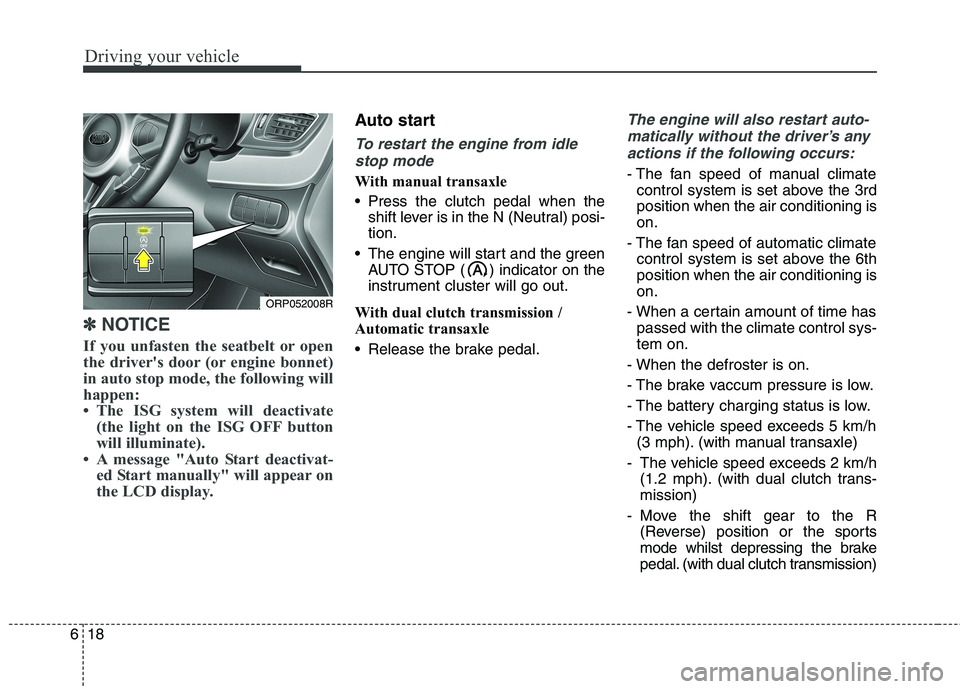
The ISG system will deactivate (the light on the ISG OFF button
will illuminate).
A message "Auto Start deactivat- ed Start manually" will appear on
the LCD display.
Auto start
To restart the engine from idle
stop mode
With manual transaxle
Press the clutch pedal when the shift lever is in the N (Neutral) posi- tion.
The engine will start and the green AUTO STOP ( ) indicator on the
instrument cluster will go out.
With dual clutch transmission /
Automatic transaxle
Release the brake pedal.
The engine will also restart auto- matically without the driver’s any actions if the following occurs:
- The fan speed of manual climate control system is set above the 3rd position when the air conditioning ison.
- The fan speed of automatic climate control system is set above the 6thposition when the air conditioning ison.
- When a certain amount of time has passed with the climate control sys-tem on.
- When the defroster is on.
- The brake vaccum pressure is low.
- The battery charging status is low.
- The vehicle speed exceeds 5 km/h (3 mph). (with manual transaxle)
- The vehicle speed exceeds 2 km/h (1.2 mph). (with dual clutch trans- mission)
- Move the shift gear to the R (Reverse) position or the sports
mode whilst depressing the brake
pedal. (with dual clutch transmission)
ORP052008R
Page 454 of 723
619
Driving your vehicle
The green AUTO STOP ( ) indica-
tor on the instrument cluster will blink
for 5 seconds for auto start. Condition of ISG system operation
The ISG system will operateunder the following condition:
- The driver’s seat belt is fastened.
- The driver’s door and engine bon- net are closed.
- The brake vaccum pressure is ade- quate.
- The battery is sufficiently charged.
- The engine coolant temperature is not too low.
- The slope way is gentle. (with dual clutch transmission)
✽✽ NOTICE
If the ISG system does not meet the operation condition, the ISG
system is deactivated. The light on
the ISG OFF button will illumi-
nate and a message “Auto Stop
deactivated. Start manually” will
appear on the LCD display.
If the light or notice comes on con- tinuously, please check the opera-
tion condition.
ISG system deactivation
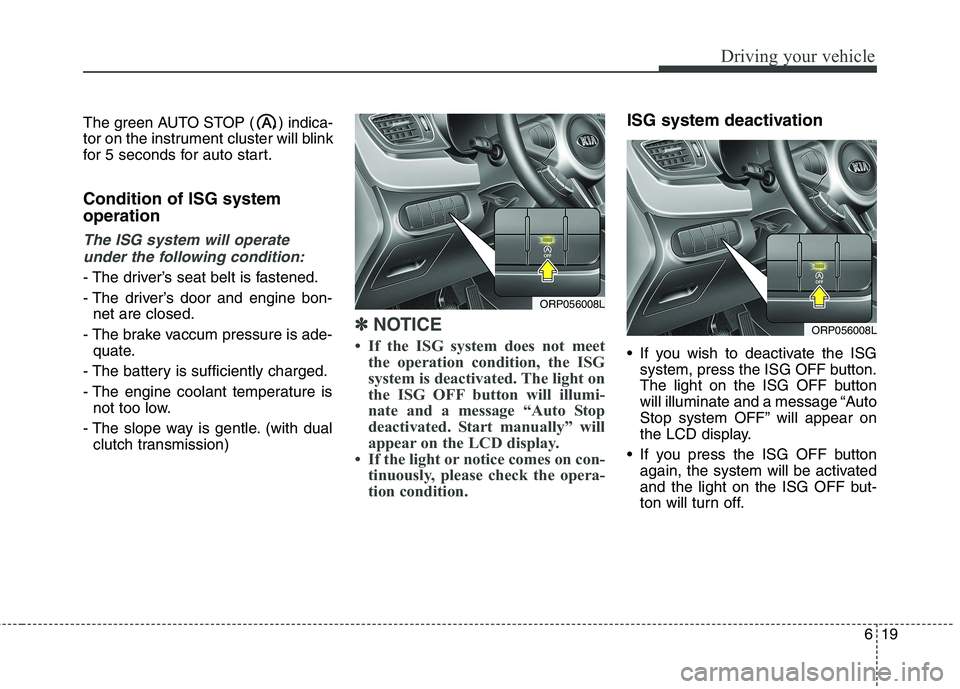
If you wish to deactivate the ISGsystem, press the ISG OFF button.
The light on the ISG OFF button
will illuminate and a message “Auto
Stop system OFF” will appear on
the LCD display.
If you press the ISG OFF button again, the system will be activated
and the light on the ISG OFF but-
ton will turn off.
ORP056008L
ORP056008L