mirror KIA CARENS RHD 2017 User Guide
[x] Cancel search | Manufacturer: KIA, Model Year: 2017, Model line: CARENS RHD, Model: KIA CARENS RHD 2017Pages: 723, PDF Size: 40.8 MB
Page 152 of 723
Features of your vehicle
56
4
Centre (AUTO, 3) :
The mirror will fold or unfold automat-
ically as follows:
Without smart key system - The mirror will fold or unfold whenthe door is locked or unlocked by
the transmitter.
With smart key system - The mirror will fold or unfold whenthe door is locked or unlocked by
the smart key.
- The mirror will fold or unfold when the door is locked or unlocked by
the button on the outside door
handle.
- The mirror will unfold when you approach the vehicle (all doors
closed and locked) with a smart
key in possession.
CAUTION
In case it is an electric type out-
side rearview mirror, don’t fold itby hand. It could cause motor failure.
CAUTION
The electric type outsiderearview mirror operates eventhough the ignition switch is in the OFF position. However, toprevent unnecessary batterydischarge, do not adjust the mirrors longer than necessarywhilst the engine is not running.
Page 212 of 723
Features of your vehicle
116
4
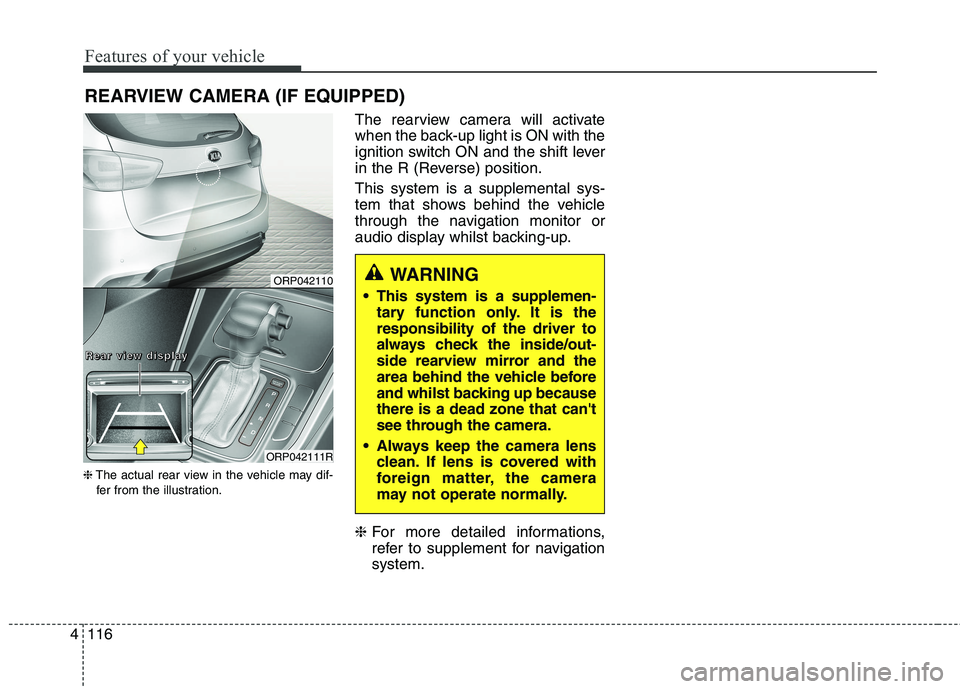
REARVIEW CAMERA (IF EQUIPPED)
❈ The actual rear view in the vehicle may dif-
fer from the illustration. The rearview camera will activate
when the back-up light is ON with the
ignition switch ON and the shift lever
in the R (Reverse) position. This system is a supplemental sys-
tem that shows behind the vehicle
through the navigation monitor or
audio display whilst backing-up. ❈
For more detailed informations,
refer to supplement for navigationsystem.
WARNING
This system is a supplemen- tary function only. It is the responsibility of the driver to
always check the inside/out-
side rearview mirror and the
area behind the vehicle before
and whilst backing up becausethere is a dead zone that can't
see through the camera.
Always keep the camera lens clean. If lens is covered with
foreign matter, the camera
may not operate normally.ORP042110
ORP042111R
RRRReeeeaaaarrrr vvvviiiieeeewwww ddddiiiissssppppllllaaaayyyy
Page 232 of 723
Features of your vehicle
136
4
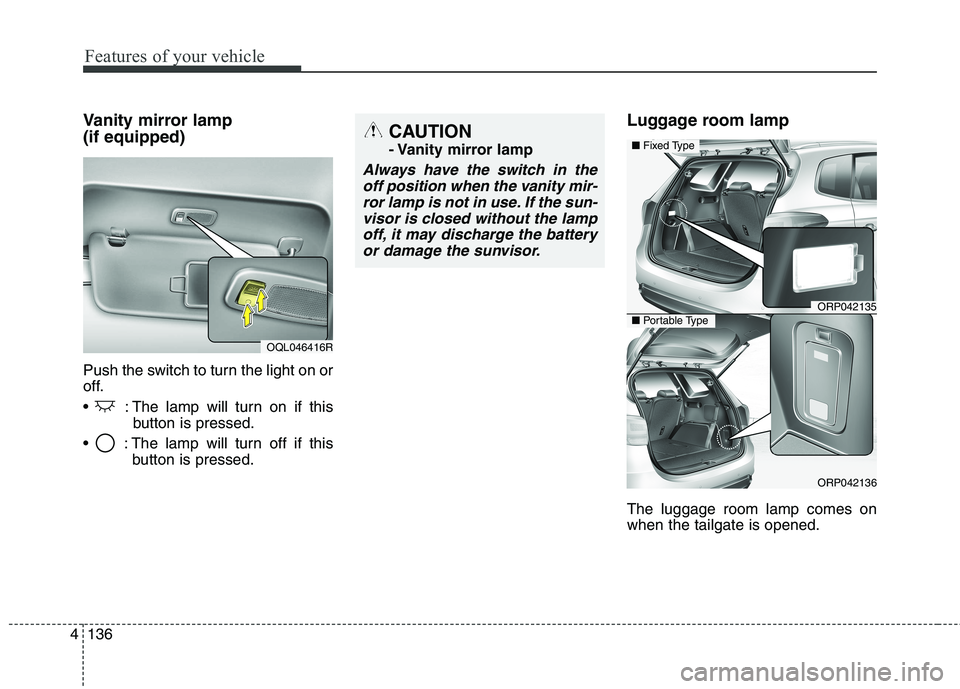
Vanity mirror lamp (if equipped)
Push the switch to turn the light on or
off.
: The lamp will turn on if this
button is pressed.
: The lamp will turn off if this button is pressed. Luggage room lamp The luggage room lamp comes on when the tailgate is opened.
OQL046416R
CAUTION
- Vanity mirror lamp
Always have the switch in the
off position when the vanity mir-ror lamp is not in use. If the sun- visor is closed without the lampoff, it may discharge the batteryor damage the sunvisor.
ORP042135
ORP042136
■ Fixed Type
■Portable Type
Page 235 of 723
4139
Features of your vehicle
Outside mirror defroster (if equipped)
The outside mirror defroster will
operate at the same time you turn on
the rear window defroster.
Front wiper deicer (if equipped)
The front wiper deicer will operate at
the same time you turn on the rear
window defroster.
Page 259 of 723
4163
Features of your vehicle
For maximum defrosting, set thetemperature control to the hottest
position and the fan speed controlto the highest speed.
If warm air to the floor is desired whilst defrosting or defogging, setthe mode to the floor-defrost posi-tion. Before driving, clear all snow and
ice from the windscreen, rear win-
dow, outside rear view mirrors, and
all side windows.
Clear all snow and ice from the bonnet and air inlet in the cowl grill
to improve heater and defrosterefficiency and to reduce the proba-
bility of fogging up the inside of thewindscreen. Manual climate control system
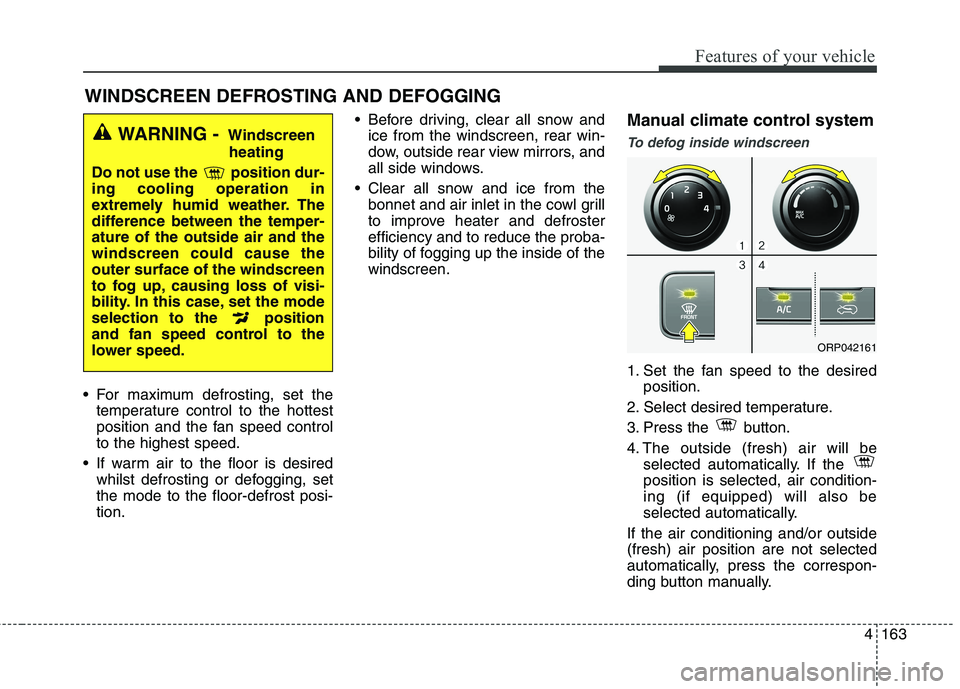
To defog inside windscreen
1. Set the fan speed to the desired
position.
2. Select desired temperature.
3. Press the button.
4. The outside (fresh) air will be selected automatically. If the position is selected, air condition-ing (if equipped) will also be
selected automatically.
If the air conditioning and/or outside(fresh) air position are not selected
automatically, press the correspon-
ding button manually.
WINDSCREEN DEFROSTING AND DEFOGGING
WARNING - Windscreen
heating
Do not use the position dur- ing cooling operation in
extremely humid weather. The
difference between the temper-ature of the outside air and thewindscreen could cause theouter surface of the windscreen
to fog up, causing loss of visi-
bility. In this case, set the mode
selection to the position
and fan speed control to the
lower speed.
ORP042161
Page 266 of 723
Features of your vehicle
170
4
Sunglass holder (if equipped)
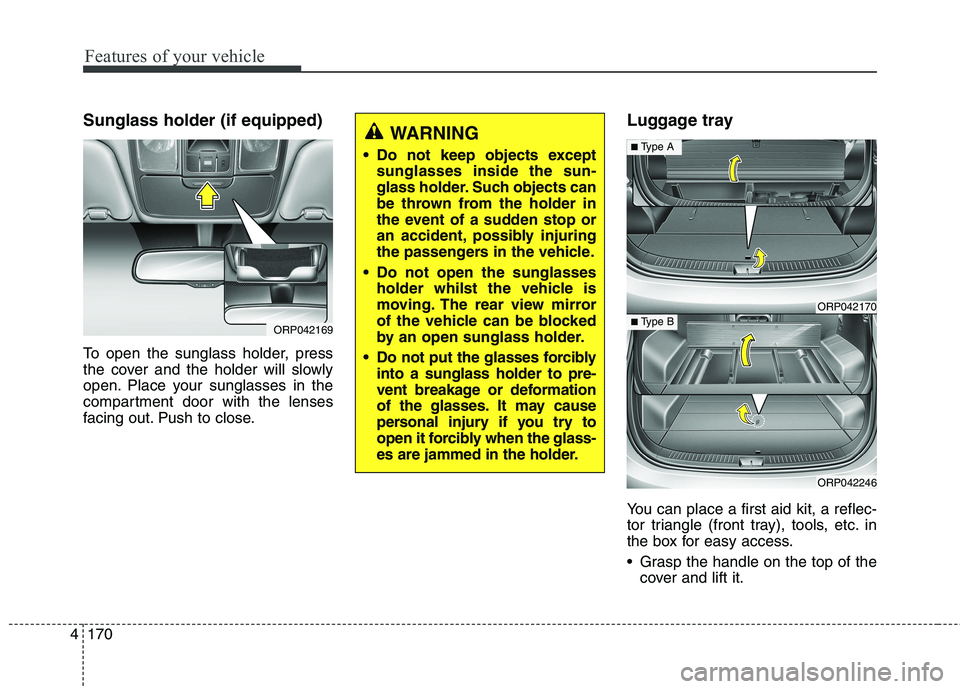
To open the sunglass holder, press
the cover and the holder will slowly
open. Place your sunglasses in the
compartment door with the lenses
facing out. Push to close. Luggage tray
You can place a first aid kit, a reflec-
tor triangle (front tray), tools, etc. in
the box for easy access.
Grasp the handle on the top of the
cover and lift it.
ORP042169
WARNING
Do not keep objects except sunglasses inside the sun-
glass holder. Such objects can
be thrown from the holder in
the event of a sudden stop or
an accident, possibly injuring
the passengers in the vehicle.
Do not open the sunglasses holder whilst the vehicle is
moving. The rear view mirror
of the vehicle can be blocked
by an open sunglass holder.
Do not put the glasses forcibly into a sunglass holder to pre-
vent breakage or deformation
of the glasses. It may cause
personal injury if you try to
open it forcibly when the glass-
es are jammed in the holder.
ORP042170
ORP042246
■Type A
■ Type B
Page 273 of 723
4177
Features of your vehicle
When the operation of the air ventila-
tion is not needed, keep the switchesin the OFF position.
Each time you press the switch,the airflow will change as follows:
When pressing the switch for more than 1.5 seconds with the seat
cooler operating, the seat cooler
will turn OFF.
When the air ventilation seat is turned on, the seat may get cooler
after about 5 minutes.
Because the air ventilation uses the air in the vehicle, cooling effi-
ciency depends on the tempera-
ture of the air. In order to improve
cooling efficiency, use the air con-
ditioning system together.
The air ventilation seat defaults to the OFF position whenever the
ignition switch is turned to the ONposition. Sunvisor
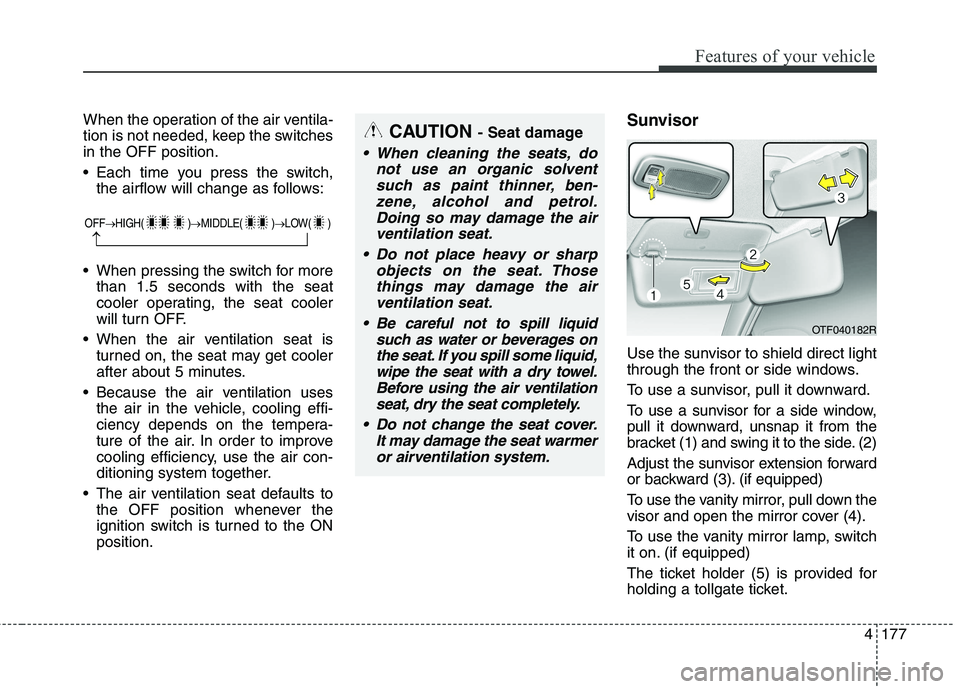
Use the sunvisor to shield direct light
through the front or side windows.
To use a sunvisor, pull it downward.
To use a sunvisor for a side window,
pull it downward, unsnap it from the
bracket (1) and swing it to the side. (2)
Adjust the sunvisor extension forward
or backward (3). (if equipped)
To use the vanity mirror, pull down the
visor and open the mirror cover (4).
To use the vanity mirror lamp, switch
it on. (if equipped)
The ticket holder (5) is provided for
holding a tollgate ticket.CAUTION
- Seat damage
When cleaning the seats, do
not use an organic solventsuch as paint thinner, ben-zene, alcohol and petrol.Doing so may damage the air ventilation seat.
Do not place heavy or sharp objects on the seat. Thosethings may damage the airventilation seat.
Be careful not to spill liquid such as water or beverages onthe seat. If you spill some liquid,wipe the seat with a dry towel.Before using the air ventilation seat, dry the seat completely.
Do not change the seat cover. It may damage the seat warmeror airventilation system.
OTF040182R
OFF HIGH( ) MIDDLE( ) LOW( )
Page 274 of 723
Features of your vehicle
178
4
✽✽
NOTICE
Close the vanity mirror cover
securely and return the sunvisor to
its original position after use.
❈ To learn how to use the vanity mir-
ror lamp, refer to "Interior light" in
this chapter. Seatback table (if equipped)
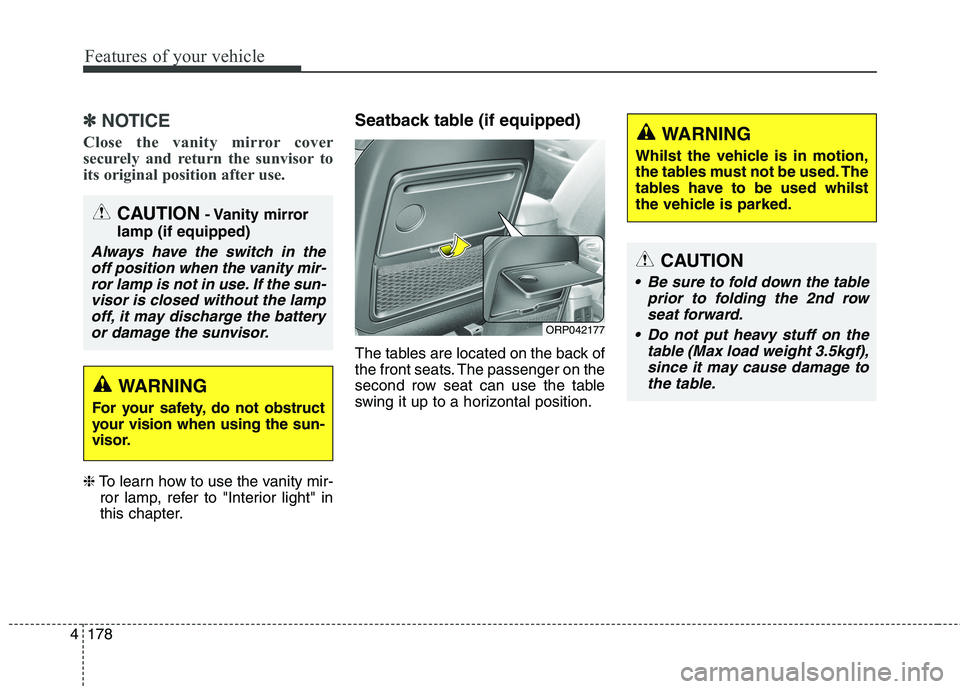
The tables are located on the back of
the front seats. The passenger on the
second row seat can use the table
swing it up to a horizontal position.
CAUTION
Be sure to fold down the table
prior to folding the 2nd rowseat forward.
Do not put heavy stuff on the table (Max load weight 3.5kgf),since it may cause damage tothe table.
WARNING
Whilst the vehicle is in motion,
the tables must not be used. The
tables have to be used whilst
the vehicle is parked.
ORP042177
CAUTION - Vanity mirror
lamp (if equipped)
Always have the switch in the off position when the vanity mir-ror lamp is not in use. If the sun- visor is closed without the lampoff, it may discharge the batteryor damage the sunvisor.
WARNING
For your safety, do not obstruct
your vision when using the sun-
visor.
Page 439 of 723
Driving your vehicle
4
6
Before entering vehicle
• Be sure that all windows, outside
mirror(s), and outside lights are clean.
Check the condition of the tyres.
Check under the vehicle for any sign of leaks.
Be sure there are no obstacles behind you if you intend to back up. Necessary inspections
Fluid levels, such as engine oil,
engine coolant, brake fluid, and
washer fluid should be checked on a
regular basis, with the exact interval
depending on the fluid. Further
details are provided in chapter 8,“Maintenance”.
Before starting
Close and lock all doors.
Position the seat so that all con-
trols are easily reached.
Adjust the inside and outside rearview mirrors.
Be sure that all lights work.
Check all gauges.
Check the operation of warning lights when the ignition switch is
turned to the ON position.
Release the parking brake and make sure the brake warning lightgoes out.
For safe operation, be sure you are
familiar with your vehicle and itsequipment.
BEFORE DRIVING
WARNING
Driving whilst distracted can
result in a loss of vehicle con-
trol, that may lead to an acci-
dent, severe personal injury,
and death. The driver’s primary
responsibility is in the safe and
legal operation of a vehicle, and
use of any handheld devices,
other equipment, or vehicle sys-
tems which take the driver’s
eyes, attention and focus away
from the safe operation of a
vehicle or which are not permis-
sible by law should never beused during operation of the
vehicle.
Page 507 of 723
Driving your vehicle
72
6
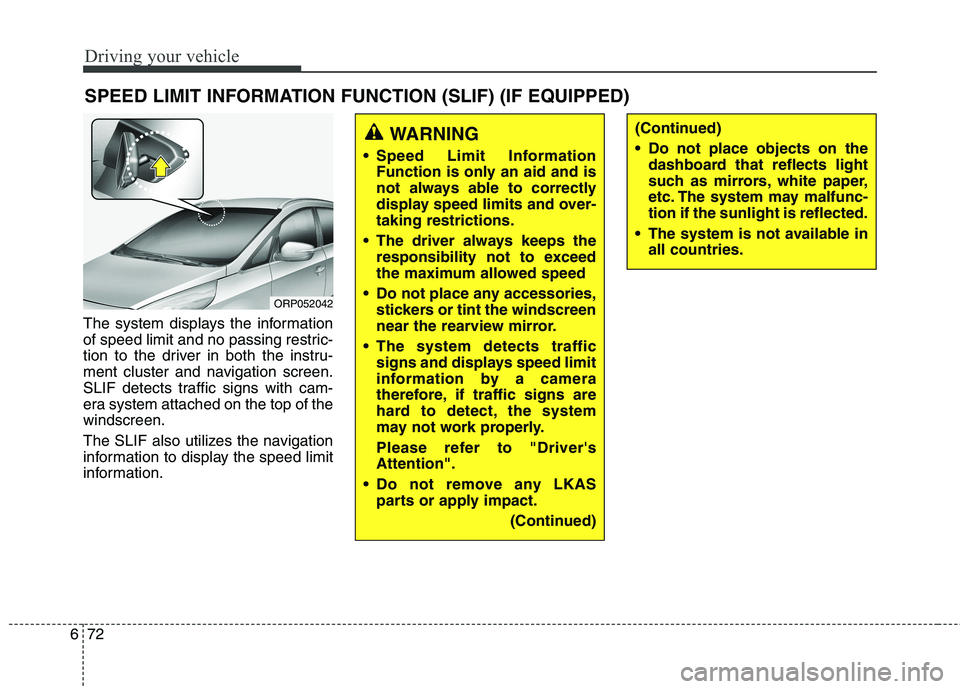
The system displays the information
of speed limit and no passing restric-
tion to the driver in both the instru-
ment cluster and navigation screen.
SLIF detects traffic signs with cam-
era system attached on the top of thewindscreen.
The SLIF also utilizes the navigation
information to display the speed limit
information. SPEED LIMIT INFORMATION FUNCTION (SLIF) (IF EQUIPPED)
WARNING
Speed Limit Information Function is only an aid and is
not always able to correctly
display speed limits and over-taking restrictions.
The driver always keeps the responsibility not to exceed
the maximum allowed speed
Do not place any accessories, stickers or tint the windscreen
near the rearview mirror.
The system detects traffic signs and displays speed limit
information by a camera
therefore, if traffic signs are
hard to detect, the system
may not work properly.
Please refer to "Driver's Attention".
Do not remove any LKAS parts or apply impact.
(Continued)(Continued)
Do not place objects on thedashboard that reflects light
such as mirrors, white paper,
etc. The system may malfunc-tion if the sunlight is reflected.
The system is not available in all countries.
ORP052042