start stop button KIA CARENS RHD 2017 Owner's Manual
[x] Cancel search | Manufacturer: KIA, Model Year: 2017, Model line: CARENS RHD, Model: KIA CARENS RHD 2017Pages: 723, PDF Size: 40.8 MB
Page 186 of 723
Features of your vehicle
90
4
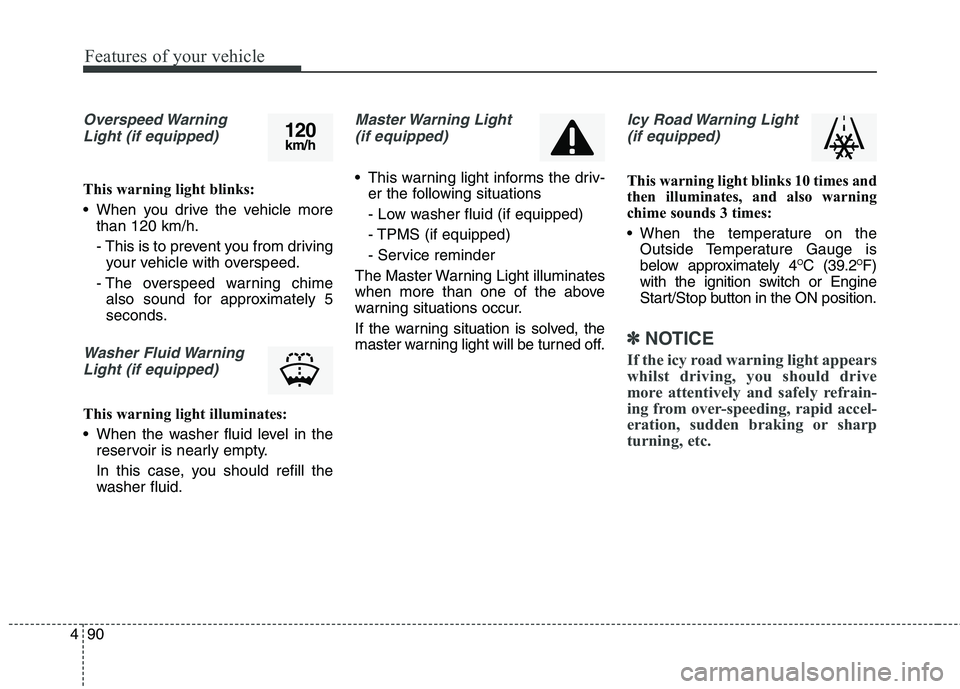
Overspeed Warning
Light (if equipped)
This warning light blinks:
When you drive the vehicle more than 120 km/h.
- This is to prevent you from drivingyour vehicle with overspeed.
- The overspeed warning chime also sound for approximately 5
seconds.
Washer Fluid Warning
Light (if equipped)
This warning light illuminates:
When the washer fluid level in the reservoir is nearly empty.
In this case, you should refill the
washer fluid.
Master Warning Light
(if equipped)
This warning light informs the driv- er the following situations
- Low washer fluid (if equipped)
- TPMS (if equipped)
- Service reminder
The Master Warning Light illuminates
when more than one of the above
warning situations occur.
If the warning situation is solved, the
master warning light will be turned off.
Icy Road Warning Light (if equipped)
This warning light blinks 10 times and
then illuminates, and also warning
chime sounds 3 times:
When the temperature on the Outside Temperature Gauge is
below approximately 4 O
C (39.2 O
F)
with the ignition switch or Engine
Start/Stop button in the ON position.
✽✽ NOTICE
If the icy road warning light appears
whilst driving, you should drive
more attentively and safely refrain-
ing from over-speeding, rapid accel-
eration, sudden braking or sharp
turning, etc.
120 km/h
Page 187 of 723
491
Features of your vehicle
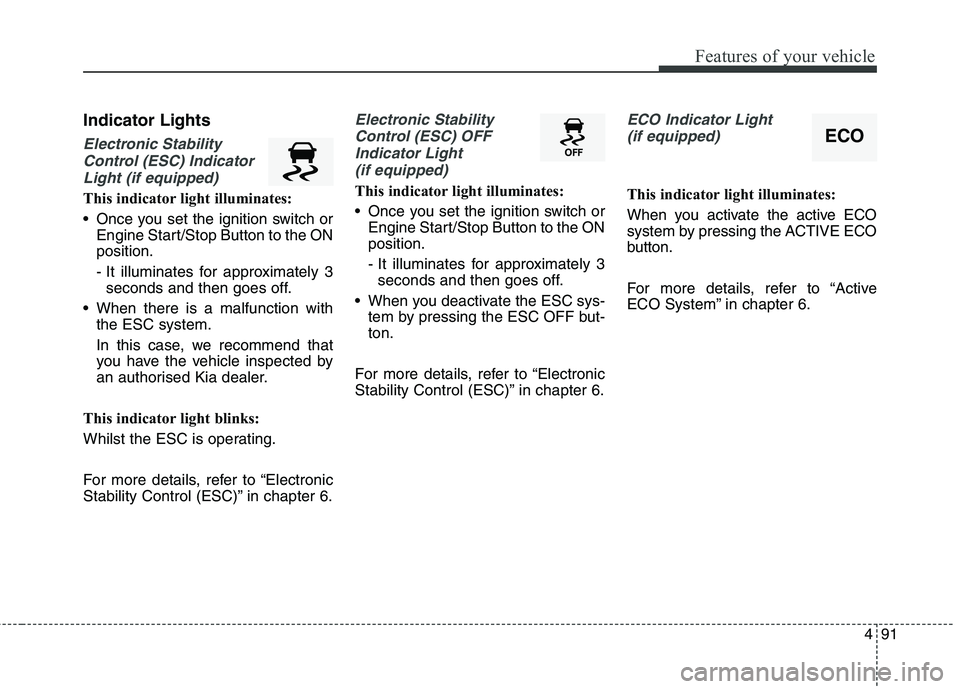
Indicator Lights
Electronic StabilityControl (ESC) Indicator Light (if equipped)
This indicator light illuminates:
Once you set the ignition switch or Engine Start/Stop Button to the ON position.
- It illuminates for approximately 3seconds and then goes off.
When there is a malfunction with the ESC system.
In this case, we recommend that
you have the vehicle inspected by
an authorised Kia dealer.
This indicator light blinks:
Whilst the ESC is operating.
For more details, refer to “Electronic
Stability Control (ESC)” in chapter 6.
Electronic Stability Control (ESC) OFF Indicator Light (if equipped)
This indicator light illuminates:
Once you set the ignition switch or Engine Start/Stop Button to the ON position.
- It illuminates for approximately 3seconds and then goes off.
When you deactivate the ESC sys- tem by pressing the ESC OFF but- ton.
For more details, refer to “Electronic
Stability Control (ESC)” in chapter 6.
ECO Indicator Light (if equipped)
This indicator light illuminates:
When you activate the active ECO
system by pressing the ACTIVE ECO
button.
For more details, refer to “Active
ECO System” in chapter 6.
ECO
Page 188 of 723
Features of your vehicle
92
4
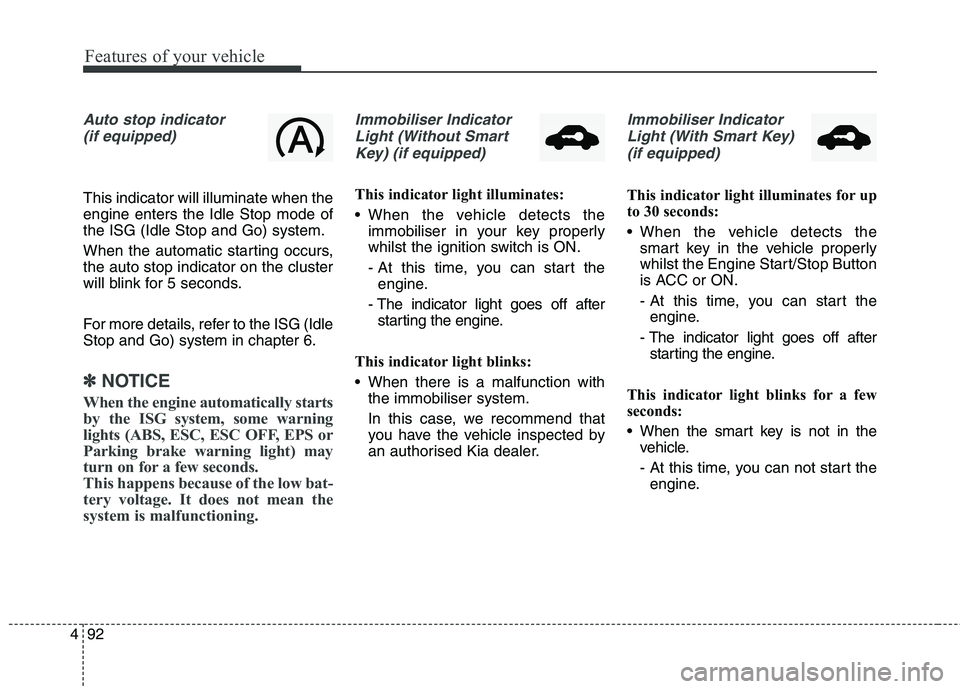
Auto stop indicator
(if equipped)
This indicator will illuminate when the engine enters the Idle Stop mode ofthe ISG (Idle Stop and Go) system.
When the automatic starting occurs, the auto stop indicator on the cluster
will blink for 5 seconds.
For more details, refer to the ISG (Idle Stop and Go) system in chapter 6.
✽✽ NOTICE
When the engine automatically starts
by the ISG system, some warning
lights (ABS, ESC, ESC OFF, EPS or
Parking brake warning light) may
turn on for a few seconds.
This happens because of the low bat-
tery voltage. It does not mean the
system is malfunctioning.
Immobiliser Indicator Light (Without Smart Key) (if equipped)
This indicator light illuminates:
When the vehicle detects the immobiliser in your key properly
whilst the ignition switch is ON.
- At this time, you can start theengine.
- The indicator light goes off after starting the engine.
This indicator light blinks:
When there is a malfunction with the immobiliser system.
In this case, we recommend that
you have the vehicle inspected by
an authorised Kia dealer.
Immobiliser Indicator
Light (With Smart Key) (if equipped)
This indicator light illuminates for up
to 30 seconds:
When the vehicle detects the smart key in the vehicle properly
whilst the Engine Start/Stop Button
is ACC or ON.
- At this time, you can start theengine.
- The indicator light goes off after starting the engine.
This indicator light blinks for a few
seconds:
When the smart key is not in the vehicle.
- At this time, you can not start theengine.
Page 189 of 723
493
Features of your vehicle
This indicator light illuminates for 2
seconds and goes off:
When the vehicle can not detectthe smart key which is in the vehi-
cle whilst the Engine Start/StopButton is ON.
In this case, we recommend that
you have the vehicle inspected by
an authorised Kia dealer.
This indicator light blinks:
When the battery of the smart key is weak.
- At this time, you can not start theengine. However, you can start the
engine if you press the Engine
Start/Stop Button with the smart
key. (For more details, refer to
“Starting the Engine” in chapter 6).
When there is a malfunction with the immobiliser system.
In this case, we recommend that
you have the vehicle inspected by
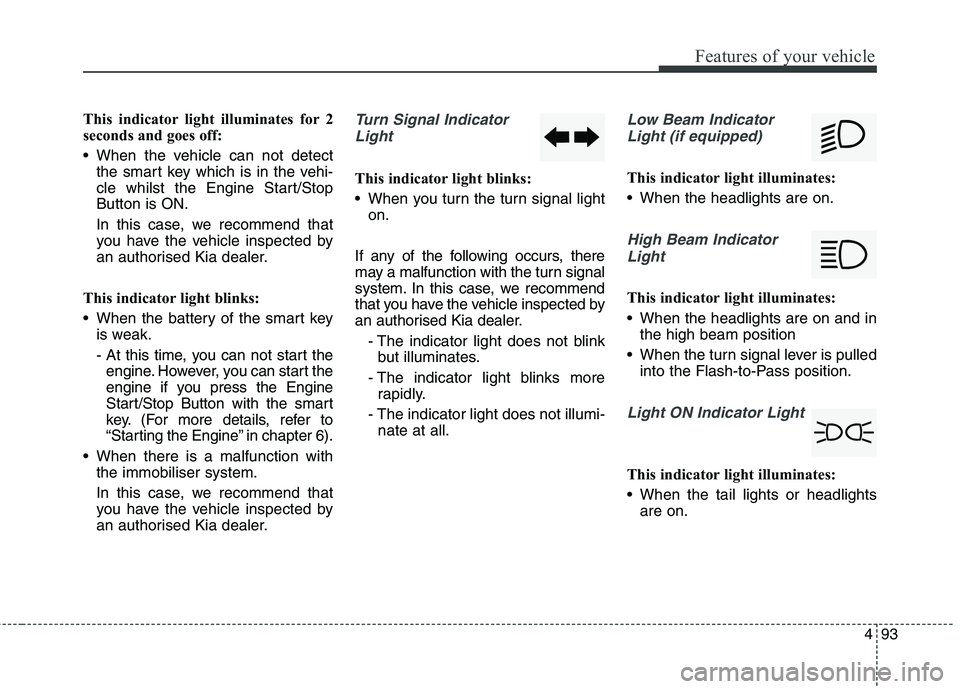
an authorised Kia dealer.Turn Signal Indicator
Light
This indicator light blinks:
When you turn the turn signal light on.
If any of the following occurs, there
may a malfunction with the turn signal
system. In this case, we recommend
that you have the vehicle inspected by
an authorised Kia dealer. - The indicator light does not blinkbut illuminates.
- The indicator light blinks more rapidly.
- The indicator light does not illumi- nate at all.
Low Beam Indicator
Light (if equipped)
This indicator light illuminates:
When the headlights are on.
High Beam IndicatorLight
This indicator light illuminates:
When the headlights are on and in the high beam position
When the turn signal lever is pulled into the Flash-to-Pass position.
Light ON Indicator Light
This indicator light illuminates:
When the tail lights or headlightsare on.
Page 190 of 723
Features of your vehicle
94
4
Front Fog Indicator
Light (if equipped)
This indicator light illuminates:
When the front fog lights are on.
Rear Fog Indicator Light (if equipped)
This indicator light illuminates:
When the rear fog lights are on.
Glow Indicator Light(Diesel Engine)
This indicator light illuminates:
When the engine is being preheat- ed with the ignition switch or
Engine Start/Stop Button in the ONposition.
- The engine can be started afterthe glow indicator light goes off.
- The illumination time varies with the engine coolant temperature,
air temperature, and battery con-dition.
If the indicator light remains on or
blinks after the engine has warmed
up or whilst driving, there may a mal-function with the engine preheatingsystem.
In this case, we recommend that you
have the vehicle inspected by an
authorised Kia dealer.
✽✽ NOTICE - Engine Preheating
If the engine does not start within 10
seconds after the preheating is com-
pleted, set the ignition switch or
Engine Start/Stop Button to the
LOCK or OFF position for 10 sec-
onds and then to the ON position in
order to preheat the engine again.
Page 271 of 723
4175
Features of your vehicle
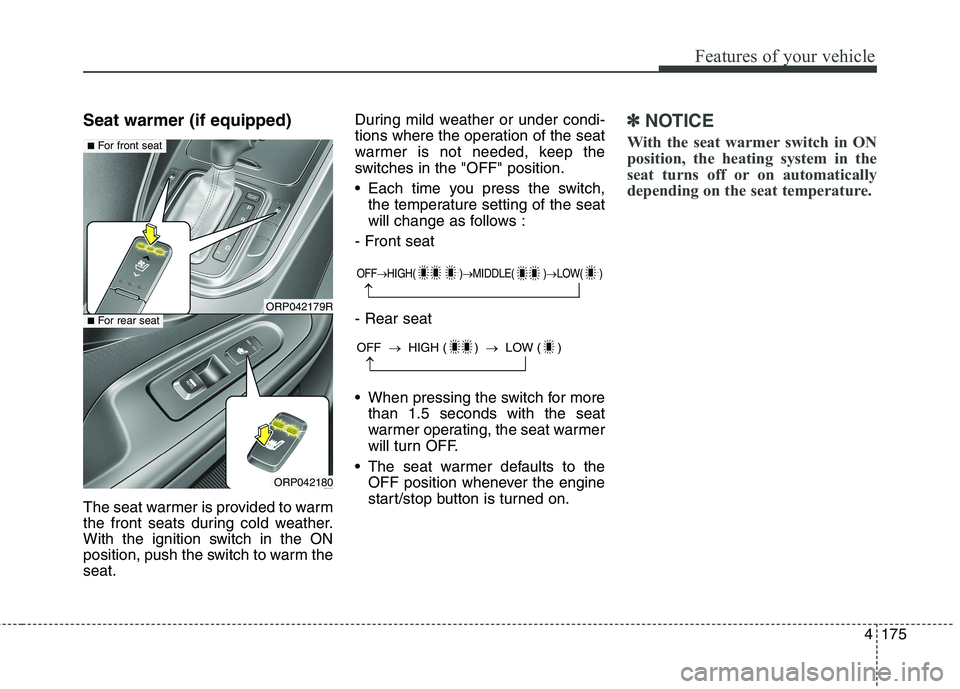
Seat warmer (if equipped)
The seat warmer is provided to warm
the front seats during cold weather.
With the ignition switch in the ON
position, push the switch to warm theseat.During mild weather or under condi-
tions where the operation of the seat
warmer is not needed, keep the
switches in the "OFF" position.
Each time you press the switch,
the temperature setting of the seat
will change as follows :
- Front seat - Rear seat
When pressing the switch for more than 1.5 seconds with the seat
warmer operating, the seat warmer
will turn OFF.
The seat warmer defaults to the OFF position whenever the engine
start/stop button is turned on.✽✽ NOTICE
With the seat warmer switch in ON
position, the heating system in the
seat turns off or on automatically
depending on the seat temperature.
OFF HIGH( ) MIDDLE( ) LOW( )
OFF HIGH ( ) LOW ( )
ORP042179R
ORP042180
■For front seat
■For rear seat
Page 280 of 723
Features of your vehicle
184
4
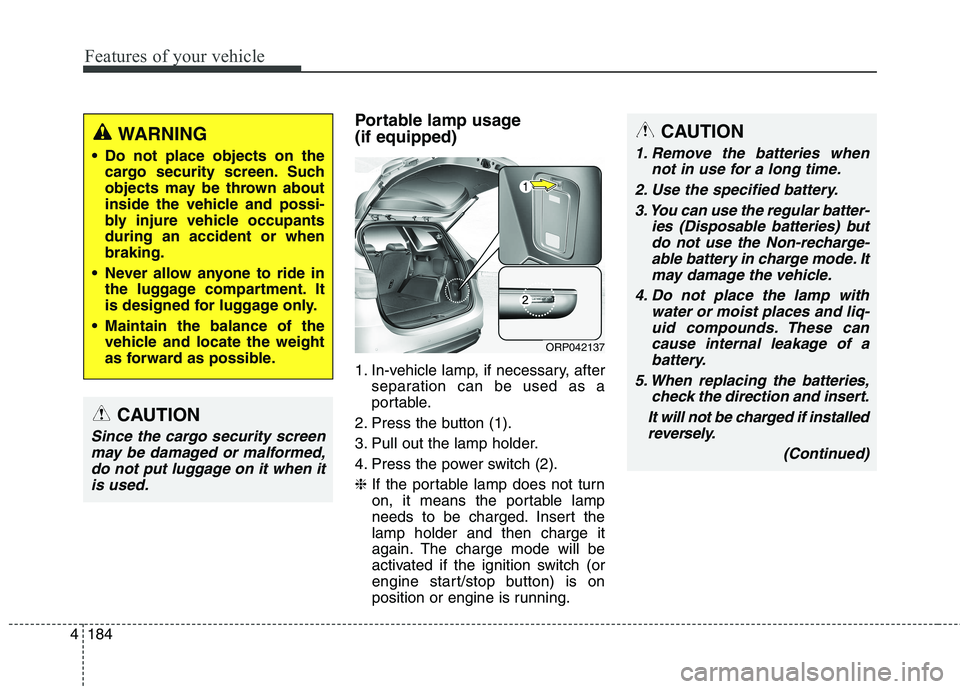
Portable lamp usage (if equipped)
1. In-vehicle lamp, if necessary, after
separation can be used as a
portable.
2. Press the button (1).
3. Pull out the lamp holder.
4. Press the power switch (2).❈ If the portable lamp does not turn
on, it means the portable lamp
needs to be charged. Insert thelamp holder and then charge it
again. The charge mode will be
activated if the ignition switch (or
engine start/stop button) is on
position or engine is running.CAUTION
1. Remove the batteries when
not in use for a long time.
2. Use the specified battery. 3. You can use the regular batter- ies (Disposable batteries) butdo not use the Non-recharge-able battery in charge mode. It may damage the vehicle.
4. Do not place the lamp with water or moist places and liq-uid compounds. These cancause internal leakage of a battery.
5. When replacing the batteries, check the direction and insert.
It will not be charged if installed reversely.
(Continued)
ORP042137
WARNING
Do not place objects on the cargo security screen. Such
objects may be thrown about
inside the vehicle and possi-
bly injure vehicle occupantsduring an accident or whenbraking.
Never allow anyone to ride in the luggage compartment. It
is designed for luggage only.
Maintain the balance of the vehicle and locate the weight
as forward as possible.
CAUTION
Since the cargo security screen
may be damaged or malformed,do not put luggage on it when it is used.
Page 387 of 723
Audio system
104
5
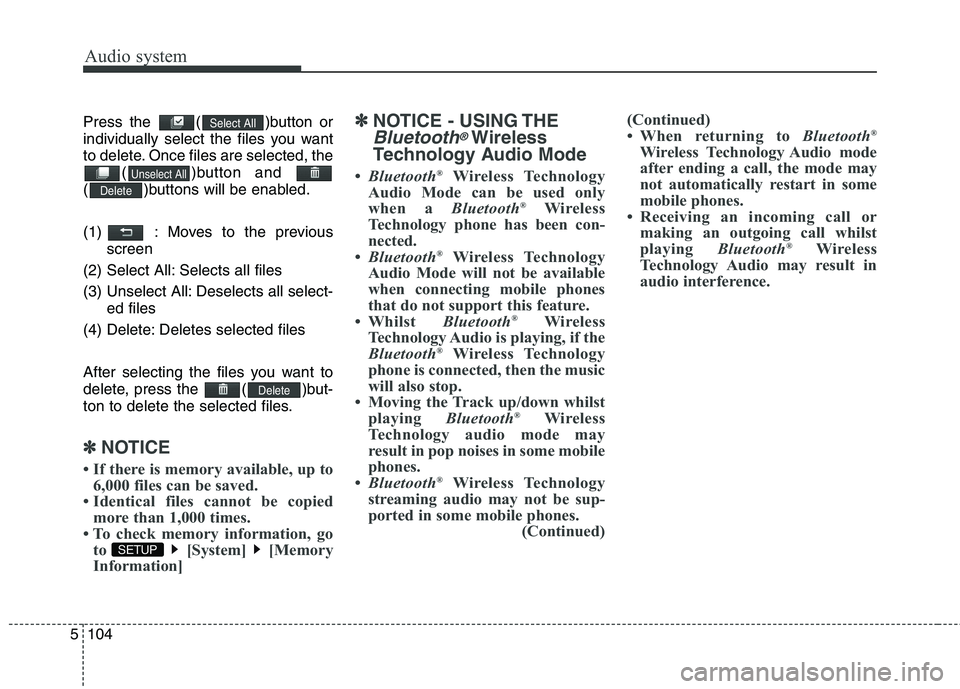
Press the ( )button or
individually select the files you want
to delete. Once files are selected, the
( )button and
( )buttons will be enabled.
(1) : Moves to the previous screen
(2) Select All: Selects all files
(3) Unselect All: Deselects all select- ed files
(4) Delete: Deletes selected files
After selecting the files you want to
delete, press the ( )but-
ton to delete the selected files.
✽✽ NOTICE
If there is memory available, up to 6,000 files can be saved.
Identical files cannot be copied more than 1,000 times.
To check memory information, go to [System] [Memory
Information] ✽
✽
NOTICE - USING THE
Bluetooth®Wireless
Technology Audio Mode
Bluetooth ®
Wireless Technology
Audio Mode can be used only
when a Bluetooth®
Wireless
Technology phone has been con-
nected.
Bluetooth ®
Wireless Technology
Audio Mode will not be available
when connecting mobile phones
that do not support this feature.
Whilst Bluetooth®
Wireless
Technology Audio is playing, if the
Bluetooth ®
Wireless Technology
phone is connected, then the music
will also stop.
Moving the Track up/down whilst playing Bluetooth®
Wireless
Technology audio mode may
result in pop noises in some mobile
phones.
Bluetooth ®
Wireless Technology
streaming audio may not be sup-
ported in some mobile phones. (Continued)(Continued)
When returning to
Bluetooth®
Wireless Technology Audio mode
after ending a call, the mode may
not automatically restart in some
mobile phones.
Receiving an incoming call or making an outgoing call whilst
playing Bluetooth®
Wireless
Technology Audio may result in
audio interference.
SETUP
Delete
Delete
Unselect All
Select All
Page 436 of 723
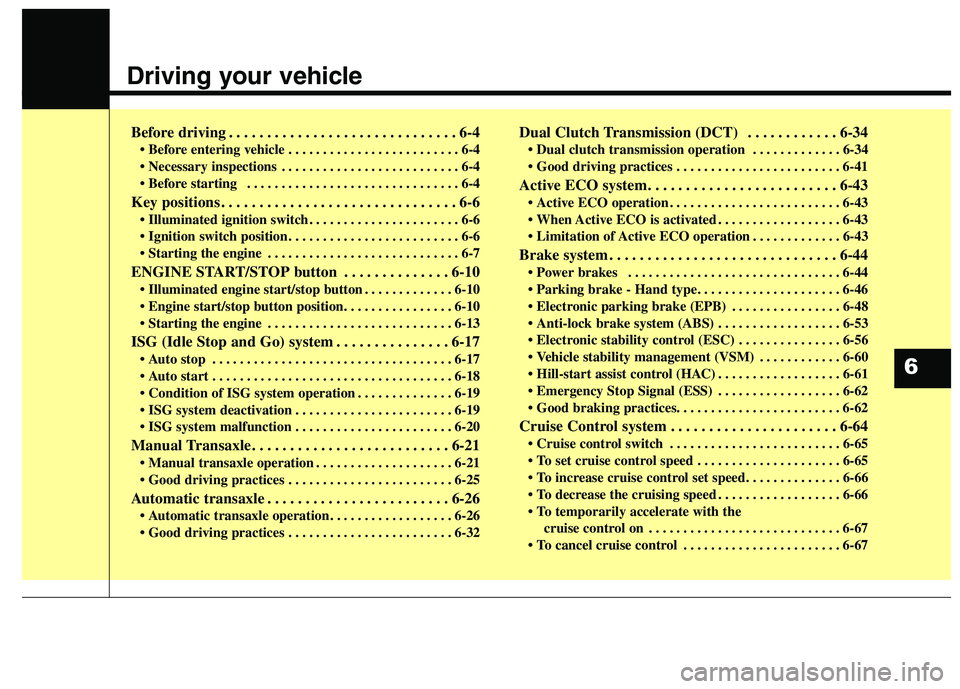
Driving your vehicle
Before driving . . . . . . . . . . . . . . . . . . . . . . . . . . . . . . 6-4• Before entering vehicle . . . . . . . . . . . . . . . . . . . . . . . . . 6-4
. . . . . . . . . . . . . . . . . . . . . . . . . . 6-4
. . . . . . . . . . . . . . . . . . . . . . . . . . . . . . . 6-4
Key positions . . . . . . . . . . . . . . . . . . . . . . . . . . . . . . . 6-6 . . . . . . . . . . . . . . . . . . . . . . 6-6
. . . . . . . . . . . . . . . . . . . . . . . . . 6-6
. . . . . . . . . . . . . . . . . . . . . . . . . . . . 6-7
ENGINE START/STOP button . . . . . . . . . . . . . . 6-10 . . . . . . . . . . . . . 6-10
. . . . . . . . . . . . . . . . . . . . . . . . . . . 6-13
ISG (Idle Stop and Go) system . . . . . . . . . . . . . . . 6-17 . . . . . . . . . . . . . . . . . . . . . . . . . . . . . . . . . . . 6-17
. . . . . . . . . . . . . . . . . . . . . . . . . . . . . . . . . . . 6-18
. . . . . . . . . . . . . . 6-19
. . . . . . . . . . . . . . . . . . . . . . . 6-19
. . . . . . . . . . . . . . . . . . . . . . . 6-20
Manual Transaxle . . . . . . . . . . . . . . . . . . . . . . . . . . 6-21 . . . . . . . . . . . . . . . . . . . . 6-21
. . . . . . . . . . . . . . . . . . . . . . . . 6-25
Automatic transaxle . . . . . . . . . . . . . . . . . . . . . . . . 6-26 . . . . . . . . . . . . . . . . . . 6-26
. . . . . . . . . . . . . . . . . . . . . . . . 6-32 Dual Clutch Transmission (DCT) . . . . . . . . . . . . 6-34
. . . . . . . . . . . . . 6-34
. . . . . . . . . . . . . . . . . . . . . . . . 6-41
Active ECO system. . . . . . . . . . . . . . . . . . . . . . . . . 6-43 . . . . . . . . . . . . . . . . . . . . . . . . . 6-43
. . . . . . . . . . . . . . . . . . 6-43
. . . . . . . . . . . . . 6-43
Brake system . . . . . . . . . . . . . . . . . . . . . . . . . . . . . . 6-44 . . . . . . . . . . . . . . . . . . . . . . . . . . . . . . . 6-44
. . . . . . . . . . . . . . . . 6-48
. . . . . . . . . . . . . . . 6-56
. . . . . . . . . . . . 6-60
. . . . . . . . . . . . . . . . . . 6-61
. . . . . . . . . . . . . . . . . . 6-62
Cruise Control system . . . . . . . . . . . . . . . . . . . . . . 6-64 . . . . . . . . . . . . . . . . . . . . . . . . . 6-65
. . . . . . . . . . . . . . . . . . . . . 6-65
. . . . . . . . . . . . . . . . . . 6-66
cruise control on . . . . . . . . . . . . . . . . . . . . . . . . . . . . 6-67
. . . . . . . . . . . . . . . . . . . . . . . 6-67
6
Page 445 of 723
Driving your vehicle
10
6
ENGINE START/STOP BUTTON (IF EQUIPPED)
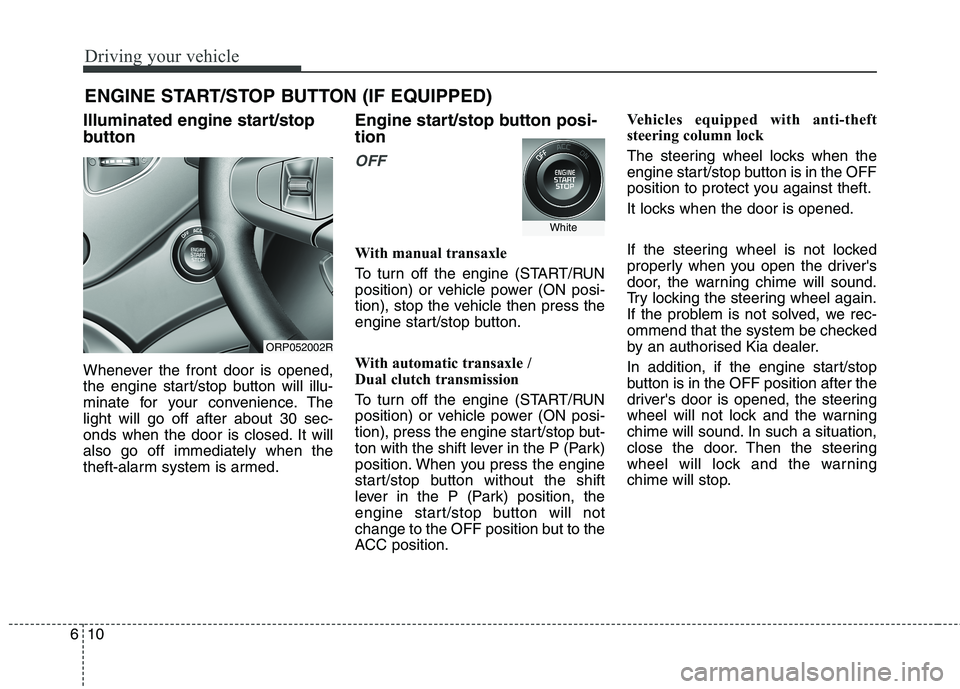
Illuminated engine start/stop
button
Whenever the front door is opened,
the engine start/stop button will illu-
minate for your convenience. Thelight will go off after about 30 sec-
onds when the door is closed. It willalso go off immediately when the
theft-alarm system is armed. Engine start/stop button posi- tion
OFF
With manual transaxle
To turn off the engine (START/RUN
position) or vehicle power (ON posi-
tion), stop the vehicle then press the
engine start/stop button.
With automatic transaxle /
Dual clutch transmission
To turn off the engine (START/RUN
position) or vehicle power (ON posi-
tion), press the engine start/stop but-
ton with the shift lever in the P (Park)
position. When you press the engine
start/stop button without the shift
lever in the P (Park) position, the
engine start/stop button will not
change to the OFF position but to the
ACC position.Vehicles equipped with anti-theft
steering column lock
The steering wheel locks when the
engine start/stop button is in the OFF
position to protect you against theft.
It locks when the door is opened.
If the steering wheel is not locked
properly when you open the driver's
door, the warning chime will sound.
Try locking the steering wheel again.
If the problem is not solved, we rec-
ommend that the system be checked
by an authorised Kia dealer.
In addition, if the engine start/stop
button is in the OFF position after the
driver's door is opened, the steering
wheel will not lock and the warning
chime will sound. In such a situation,
close the door. Then the steering
wheel will lock and the warning
chime will stop.
ORP052002R
White