idle KIA CARENS RHD 2018 User Guide
[x] Cancel search | Manufacturer: KIA, Model Year: 2018, Model line: CARENS RHD, Model: KIA CARENS RHD 2018Pages: 723, PDF Size: 40.94 MB
Page 462 of 723
627
Driving your vehicle
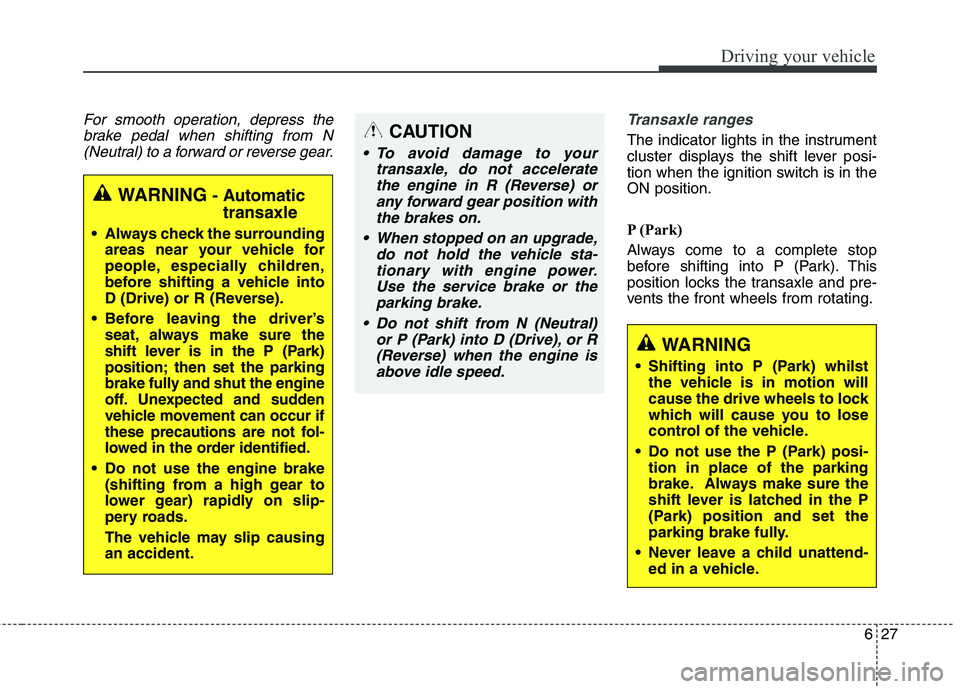
For smooth operation, depress thebrake pedal when shifting from N(Neutral) to a forward or reverse gear.Transaxle ranges
The indicator lights in the instrument
cluster displays the shift lever posi-
tion when the ignition switch is in theON position.
P (Park)
Always come to a complete stop
before shifting into P (Park). This
position locks the transaxle and pre-
vents the front wheels from rotating.
WARNING - Automatic
transaxle
Always check the surrounding areas near your vehicle for
people, especially children,
before shifting a vehicle into
D (Drive) or R (Reverse).
Before leaving the driver’s seat, always make sure the
shift lever is in the P (Park)
position; then set the parking
brake fully and shut the engine
off. Unexpected and sudden
vehicle movement can occur if
these precautions are not fol-
lowed in the order identified.
Do not use the engine brake (shifting from a high gear to
lower gear) rapidly on slip-
pery roads.
The vehicle may slip causing an accident.
CAUTION
To avoid damage to your
transaxle, do not acceleratethe engine in R (Reverse) orany forward gear position withthe brakes on.
When stopped on an upgrade, do not hold the vehicle sta-tionary with engine power.Use the service brake or theparking brake.
Do not shift from N (Neutral) or P (Park) into D (Drive), or R(Reverse) when the engine isabove idle speed.
WARNING
Shifting into P (Park) whilst the vehicle is in motion will
cause the drive wheels to lock
which will cause you to lose
control of the vehicle.
Do not use the P (Park) posi- tion in place of the parking
brake. Always make sure the
shift lever is latched in the P
(Park) position and set the
parking brake fully.
Never leave a child unattend- ed in a vehicle.
Page 525 of 723
Driving your vehicle
90
6
ECONOMICAL OPERATION
Your vehicle's fuel economy depends
mainly on your style of driving, where
you drive and when you drive.
Each of these factors affects how
many kilometers (miles) you can get
from a litre (gallon) of fuel. To operate
your vehicle as economically as pos-
sible, use the following driving sug-
gestions to help save money in bothfuel and repairs:
Drive smoothly. Accelerate at a moderate rate. Do not make "jack-
rabbit" starts or full-throttle shifts
and maintain a steady cruising
speed. Do not race between stop-
lights. Try to adjust your speed to
the traffic so you do not have to
change speeds unnecessarily.
Avoid heavy traffic whenever pos-
sible. Always maintain a safe dis-
tance from other vehicles so you
can avoid unnecessary braking.
This also reduces brake wear.
Drive at a moderate speed. The faster you drive, the more fuel your
vehicle uses. Driving at a moderate
speed, especially on the highway,
is one of the most effective ways toreduce fuel consumption. Do not "ride" the brake or clutch
pedal. This can increase fuel con-
sumption and also increase wear
on these components. In addition,
driving with your foot resting on the
brake pedal may cause the brakes
to overheat, which reduces their
effectiveness and may lead to
more serious consequences.
Take care of your tyres. Keep them inflated to the recommended pres-
sure. Incorrect inflation, either too
much or too little, results in unnec-
essary tyre wear. Check the tyrepressures at least once a month.
Be sure that the wheels are aligned correctly. Improper align-
ment can result from hitting kerbs
or driving too fast over irregular
surfaces. Poor alignment causes
faster tyre wear and may also
result in other problems as well as
greater fuel consumption. Keep your vehicle in good condi-
tion. For better fuel economy and
reduced maintenance costs, main-
tain your vehicle in accordance
with the maintenance schedule. If
you drive your vehicle in severe
conditions, more frequent mainte-nance is required.
Keep your vehicle clean. For maxi- mum service, your vehicle should
be kept clean and free of corrosive
materials. It is especially important
that mud, dirt, ice, etc. not be
allowed to accumulate on the
underside of the vehicle. This extra
weight can result in increased fuel
consumption and also contribute tocorrosion.
Travel lightly. Do not carry unnec- essary weight in your vehicle.
Weight reduces fuel economy.
Do not let the engine idle longer than necessary. If you are waiting
(and not in traffic), turn off your
engine and restart only when
you're ready to go.
Page 540 of 723
6105
Driving your vehicle
Driving on grades
Reduce speed and shift to a lower
gear before you start down a long or
steep downgrade. If you don’t shift
down, you might have to use your
brakes so much that they would get
hot and no longer operate efficiently.
On a long uphill grade, shift down
and reduce your speed to around 70km/h (45 mph) to reduce the possi-
bility of engine and transaxle over-heating.
If your trailer weighs more than the
maximum trailer weight without trail-
er brakes and you have an automat-
ic transaxle / dual clutch transmis-
sion, you should drive in D (Drive)
when towing a trailer.
Operating your vehicle in D (Drive)
when towing a trailer will minimise
heat build up and extend the life of
your transaxle.CAUTION
When towing a trailer on steepgrades (in excess of 6%) payclose attention to the enginecoolant temperature gauge toensure the engine does not overheat.
If the needle of the coolanttemperature gauge movesacross the dial towards “130/H(HOT)”, pull over and stop as soon as it is safe to do so, andallow the engine to idle until itcools down. You may proceedonce the engine has cooled sufficiently.
You must decide driving speed depending on trailerweight and uphill grade toreduce the possibility of engine and transaxle over-heating.
CAUTION - Dual Clutch
Transmission
When towing a trailer on steepgrades, the clutch in the trans-mission could overheat.
When the clutch is overheated,the safe protection mode engages. If the safe protectionmode engages, the gear posi-tion indicator on the cluster blinks with a chime sound.
At this time, a warning messagewill appear on the LCD displayand driving may not be smooth.
If you ignore this warning, thedriving condition may become worse.
To return the normal drivingcondition, stop the vehicle onflat road and apply the footbrake for a few minutes before driving off.
Page 599 of 723
Maintenance
12
8
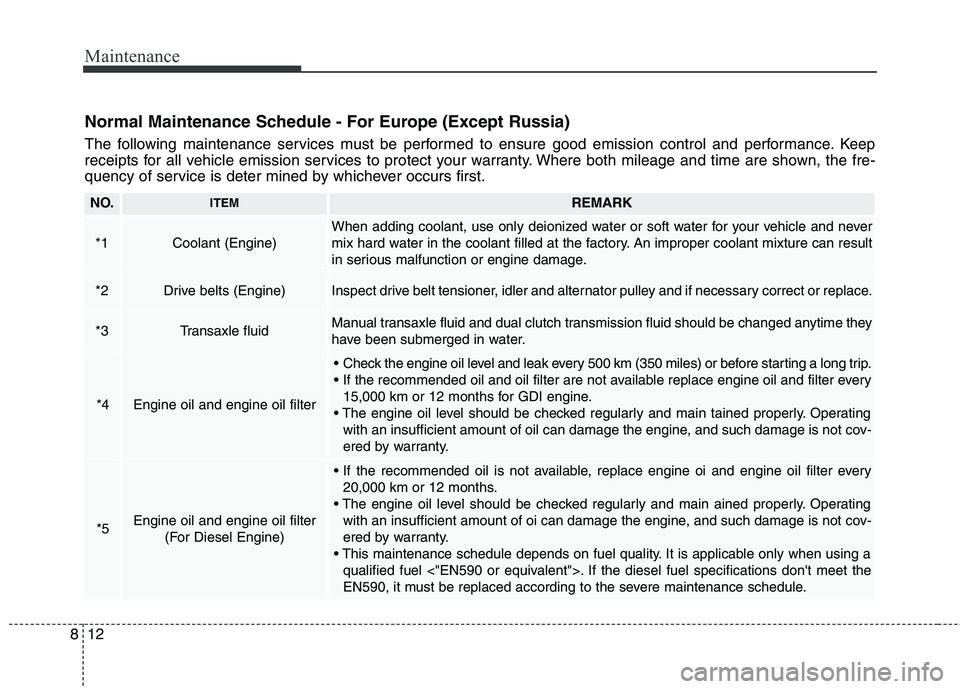
Normal Maintenance Schedule - For Europe (Except Russia)
The following maintenance services must be performed to ensure good emission control and performance. Keep
receipts for all vehicle emission services to protect your warranty. Where both mileage and time are shown, the fre-
quency of service is deter mined by whichever occurs first.
NO.ITEMREMARK
*1Coolant (Engine)
When adding coolant, use only deionized water or soft water for your vehicle and never
mix hard water in the coolant filled at the factory. An improper coolant mixture can result
in serious malfunction or engine damage.
*2Drive belts (Engine)Inspect drive belt tensioner, idler and alternator pulley and if necessary correct or replace.
*3Transaxle fluidManual transaxle fluid and dual clutch transmission fluid should be changed anytime they
have been submerged in water.
*4Engine oil and engine oil filter
Check the engine oil level and leak every 500 km (350 miles) or before starting a long trip.
15,000 km or 12 months for GDI engine.
Operating with an insufficient amount of oil can damage the engine, and such damage is not cov-
ered by warranty.
*5Engine oil and engine oil filter (For Diesel Engine)
20,000 km or 12 months.
Operating with an insufficient amount of oi can damage the engine, and such damage is not cov-
ered by warranty.
It is applicable only when using a qualified fuel <"EN590 or equivalent">. If the diesel fuel specifications don't meet the
EN590, it must be replaced according to the severe maintenance schedule.
Page 606 of 723
819
Maintenance
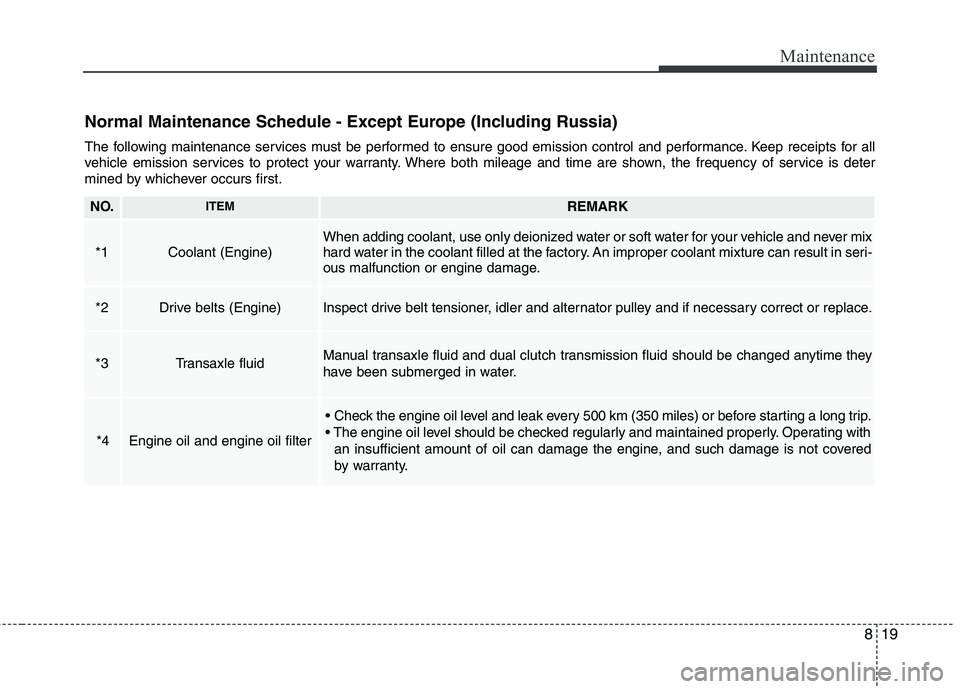
Normal Maintenance Schedule - Except Europe (Including Russia)
The following maintenance services must be performed to ensure good emission control and performance. Keep receipts for all
vehicle emission services to protect your warranty. Where both mileage and time are shown, the frequency of service is deter
mined by whichever occurs first.
NO.ITEMREMARK
*1Coolant (Engine)When adding coolant, use only deionized water or soft water for your vehicle and never mix
hard water in the coolant filled at the factory. An improper coolant mixture can result in seri-
ous malfunction or engine damage.
*2Drive belts (Engine)Inspect drive belt tensioner, idler and alternator pulley and if necessary correct or replace.
*3Transaxle fluidManual transaxle fluid and dual clutch transmission fluid should be changed anytime they
have been submerged in water.
*4Engine oil and engine oil filter
Operating withan insufficient amount of oil can damage the engine, and such damage is not covered
by warranty.
Page 698 of 723
8111
Maintenance
Operating precautions for catalyt-ic converters (if equipped)Your vehicle is equipped with a cat-
alytic converter emission control
device.
Therefore, the following precautions
must be observed:
Make sure to refuel your vehicle according to the "Fuel require- ments" suggested in chapter 1.
Do not operate the vehicle when there are signs of engine malfunc-
tion, such as misfire or a noticeable
loss of performance.
Do not misuse or abuse the engine. Examples of misuse arecoasting with the ignition off and
descending steep grades in gear
with the ignition off.
Do not operate the engine at high idle speed for extended periods (5
minutes or more).
Do not modify or tamper with any park of the engine or emission con-
trol system. All inspections and
adjustments must be made by a
professional workshop. Kia recom-
mends to visit an authorised Kia
dealer/service center. Avoid driving with an extremely low
fuel level. Running out of fuel
cause the engine to misfire, dam-
aging the catalytic converter.
Failure to observe these precautionscould result in damage to the catalyt-
ic converter and to your vehicle.
Additionally, such actions could void
your warranties.
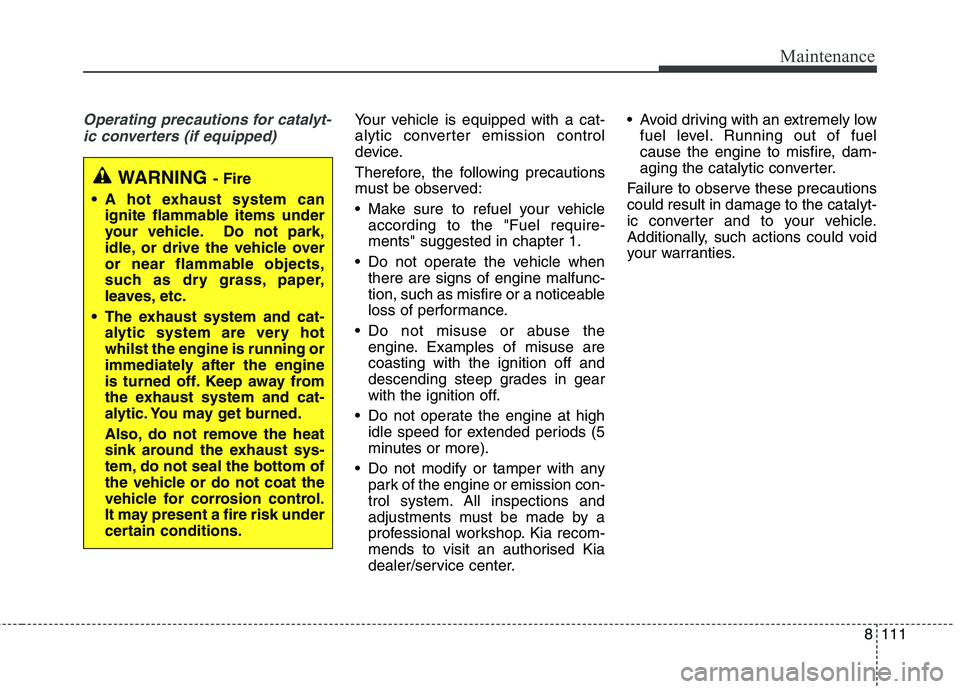
WARNING - Fire
A hot exhaust system can ignite flammable items under
your vehicle. Do not park,
idle, or drive the vehicle over
or near flammable objects,
such as dry grass, paper,
leaves, etc.
The exhaust system and cat- alytic system are very hotwhilst the engine is running or
immediately after the engine
is turned off. Keep away from
the exhaust system and cat-
alytic. You may get burned.
Also, do not remove the heat
sink around the exhaust sys-
tem, do not seal the bottom of
the vehicle or do not coat the
vehicle for corrosion control.
It may present a fire risk under
certain conditions.
Page 718 of 723
Index
6
I
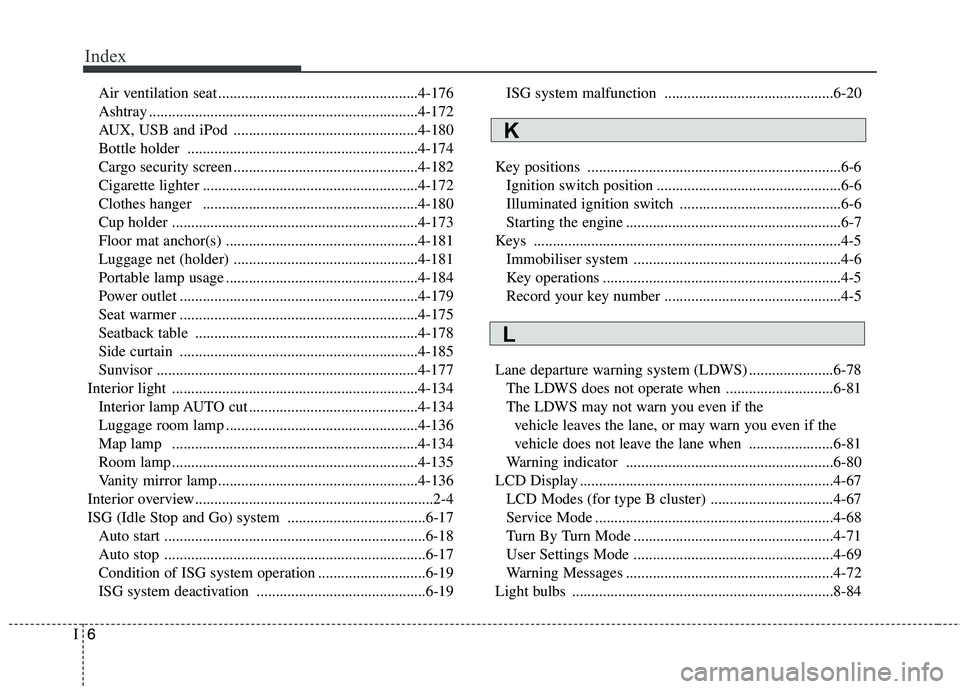
Air ventilation seat ....................................................4-176
Ashtray ......................................................................4-172
AUX, USB and iPod ................................................4-180
Bottle holder ............................................................4-174
Cargo security screen ................................................4-182
Cigarette lighter ........................................................4-172
Clothes hanger ........................................................4-180
Cup holder ................................................................4-173
Floor mat anchor(s) ..................................................4-181
Luggage net (holder) ................................................4-181
Portable lamp usage ..................................................4-184
Power outlet ..............................................................4-179
Seat warmer ..............................................................4-175
Seatback table ..........................................................4-178
Side curtain ..............................................................4-185
Sunvisor ....................................................................4-177
Interior light ................................................................4-134 Interior lamp AUTO cut ............................................4-134
Luggage room lamp ..................................................4-136
Map lamp ................................................................4-134
Room lamp ................................................................4-135
Vanity mirror lamp ....................................................4-136
Interior overview..............................................................2-4
ISG (Idle Stop and Go) system ....................................6-17 Auto start ....................................................................6-18
Auto stop ....................................................................6-17
Condition of ISG system operation ............................6-19
ISG system deactivation ............................................6-19 ISG system malfunction ............................................6-20
Key positions ..................................................................6-6 Ignition switch position ................................................6-6
Illuminated ignition switch ..........................................6-6
Starting the engine ........................................................6-7
Keys ................................................................................4-5 Immobiliser system ......................................................4-6
Key operations ..............................................................4-5
Record your key number ..............................................4-5
Lane departure warning system (LDWS) ......................6-78 The LDWS does not operate when ............................6-81
The LDWS may not warn you even if the vehicle leaves the lane, or may warn you even if the
vehicle does not leave the lane when ......................6-81
Warning indicator ......................................................6-80
LCD Display ..................................................................4-67 LCD Modes (for type B cluster) ................................4-67
Service Mode ..............................................................4-68
Turn By Turn Mode ....................................................4-71
User Settings Mode ....................................................4-69
Warning Messages ......................................................4-72
Light bulbs ....................................................................8-84
L
K