battery KIA CARENS RHD 2018 Owner's Manual
[x] Cancel search | Manufacturer: KIA, Model Year: 2018, Model line: CARENS RHD, Model: KIA CARENS RHD 2018Pages: 723, PDF Size: 40.94 MB
Page 236 of 723
Features of your vehicle
140
4
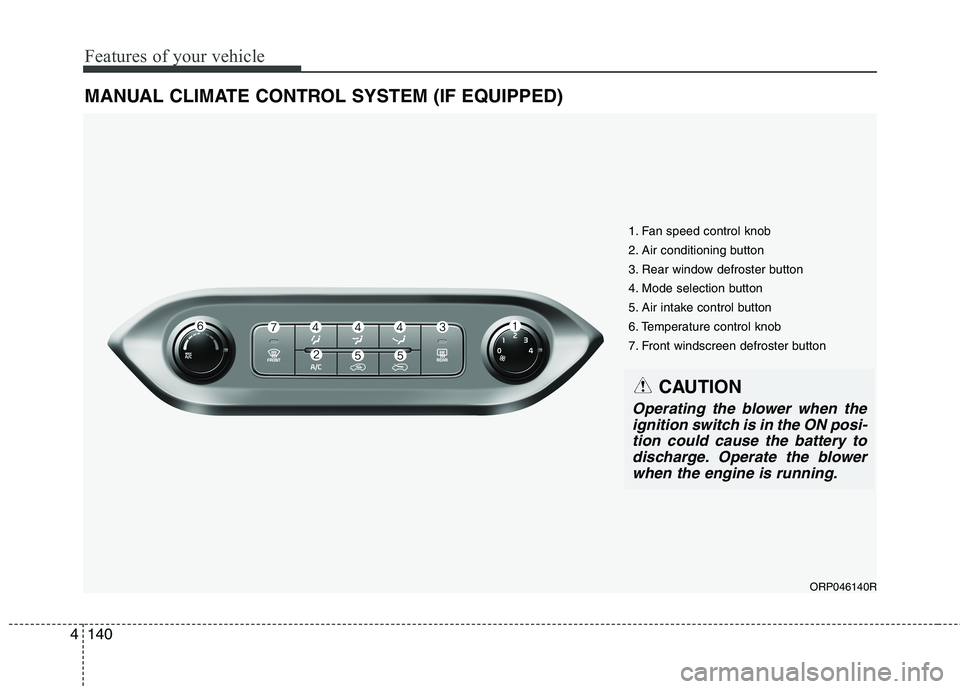
MANUAL CLIMATE CONTROL SYSTEM (IF EQUIPPED)
ORP046140R
1. Fan speed control knob
2. Air conditioning button
3. Rear window defroster button
4. Mode selection button
5. Air intake control button
6. Temperature control knob
7. Front windscreen defroster button
CAUTION
Operating the blower when the
ignition switch is in the ON posi-tion could cause the battery todischarge. Operate the blower when the engine is running.
Page 247 of 723
4151
Features of your vehicle
Automatic heating and air con- ditioning The automatic climate control sys-
tem is controlled by simply setting
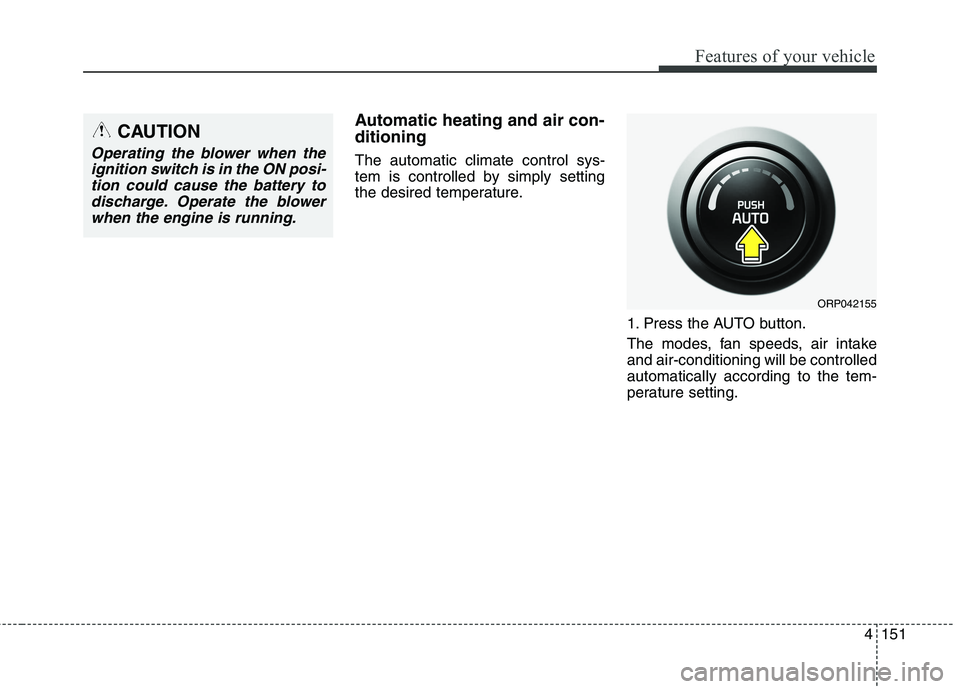
the desired temperature.1. Press the AUTO button.
The modes, fan speeds, air intake and air-conditioning will be controlledautomatically according to the tem-
perature setting.
ORP042155
CAUTION
Operating the blower when theignition switch is in the ON posi-tion could cause the battery to discharge. Operate the blowerwhen the engine is running.
Page 252 of 723
Features of your vehicle
156
4
Adjusting the driver and passenger
side temperature individually
Press the "SYNC" button again to
adjust the driver and passenger
side temperature individually. The
illumination of button turns off.
Operate the driver side tempera- ture control knob to adjust the driv-
er side temperature.
Operate the passenger side tem- perature control knob to adjust the
passenger side temperature. Temperature conversion
You can switch the temperature
mode between Centigrade to
Fahrenheit as follows:
Whilst pressing the OFF button,
press the AUTO button for 3 seconds
or more.
The display will change from
Centigrade to Fahrenheit, or from
Fahrenheit to Centigrade.
✽✽
NOTICE
If the battery has been discharged or disconnected, the temperature
mode display will reset to
Centigrade.
If you re-connect the battery after it has been completely discharged
or after it has been disconnected
from the vehicle, the system will
be initiated and the display will
first show 22°C on the screen
which is the initial setting.
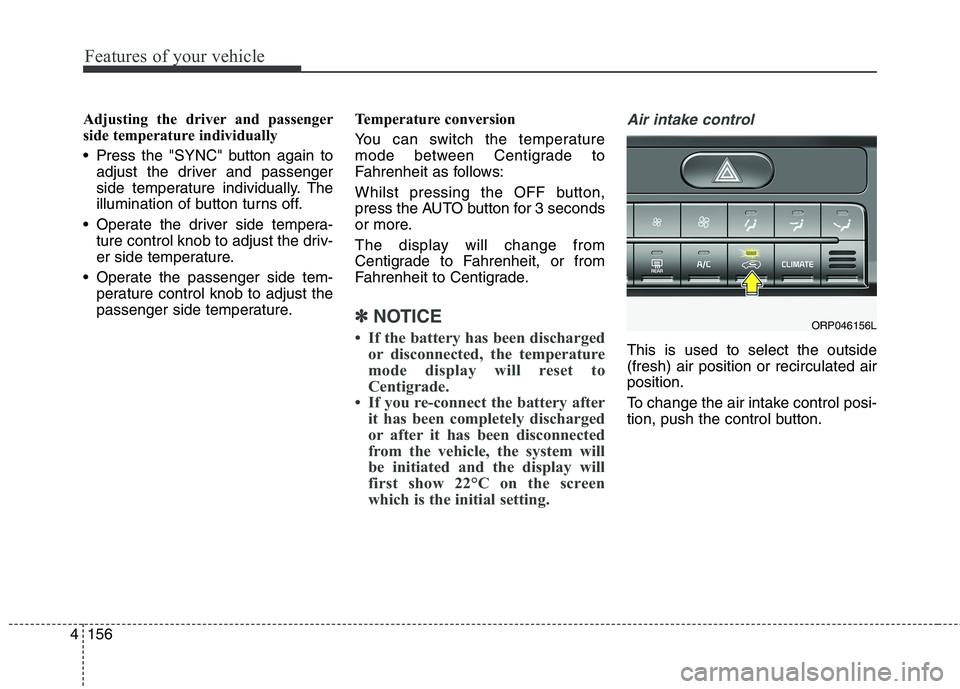
Air intake control
This is used to select the outside (fresh) air position or recirculated airposition.
To change the air intake control posi-
tion, push the control button.
ORP046156L
Page 262 of 723
Features of your vehicle
166
4
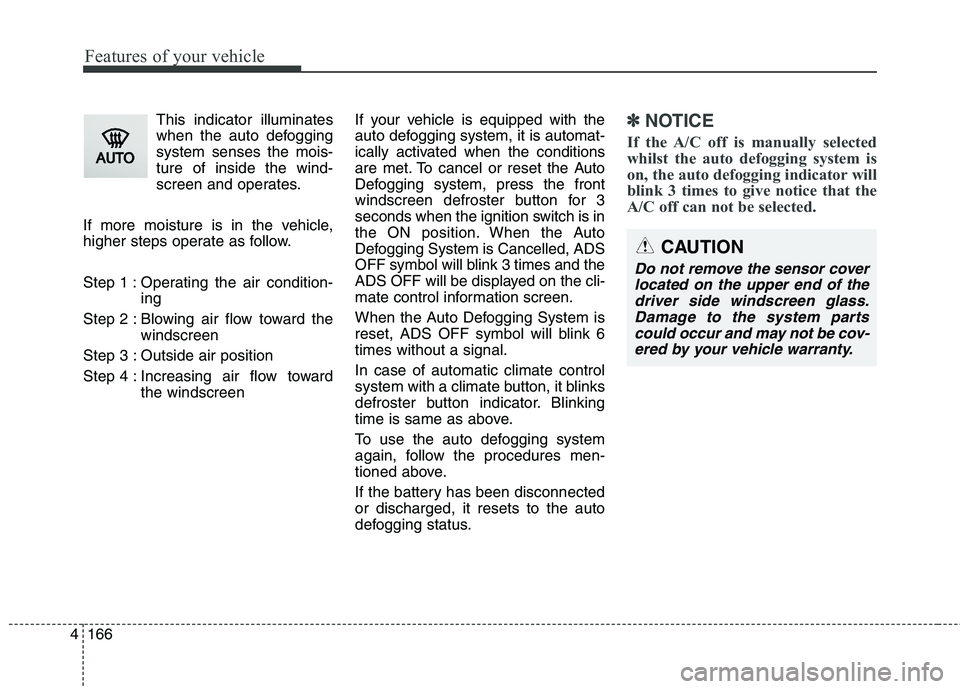
This indicator illuminates
when the auto defoggingsystem senses the mois-ture of inside the wind-
screen and operates.
If more moisture is in the vehicle,
higher steps operate as follow.
Step 1 : Operating the air condition- ing
Step 2 : Blowing air flow toward the windscreen
Step 3 : Outside air position
Step 4 : Increasing air flow toward the windscreen If your vehicle is equipped with the
auto defogging system, it is automat-
ically activated when the conditions
are met. To cancel or reset the Auto
Defogging system, press the front
windscreen defroster button for 3
seconds when the ignition switch is in
the ON position. When the Auto
Defogging System is Cancelled, ADS
OFF symbol will blink 3 times and the
ADS OFF will be displayed on the cli-
mate control information screen.
When the Auto Defogging System is
reset, ADS OFF symbol will blink 6times without a signal. In case of automatic climate control
system with a climate button, it blinks
defroster button indicator. Blinking
time is same as above.
To use the auto defogging system
again, follow the procedures men-
tioned above.
If the battery has been disconnected or discharged, it resets to the auto
defogging status.✽✽
NOTICE
If the A/C off is manually selected
whilst the auto defogging system is
on, the auto defogging indicator will
blink 3 times to give notice that the
A/C off can not be selected.
CAUTION
Do not remove the sensor cover located on the upper end of thedriver side windscreen glass. Damage to the system partscould occur and may not be cov-ered by your vehicle warranty.
Page 274 of 723
Features of your vehicle
178
4
✽✽
NOTICE
Close the vanity mirror cover
securely and return the sunvisor to
its original position after use.
❈ To learn how to use the vanity mir-
ror lamp, refer to "Interior light" in
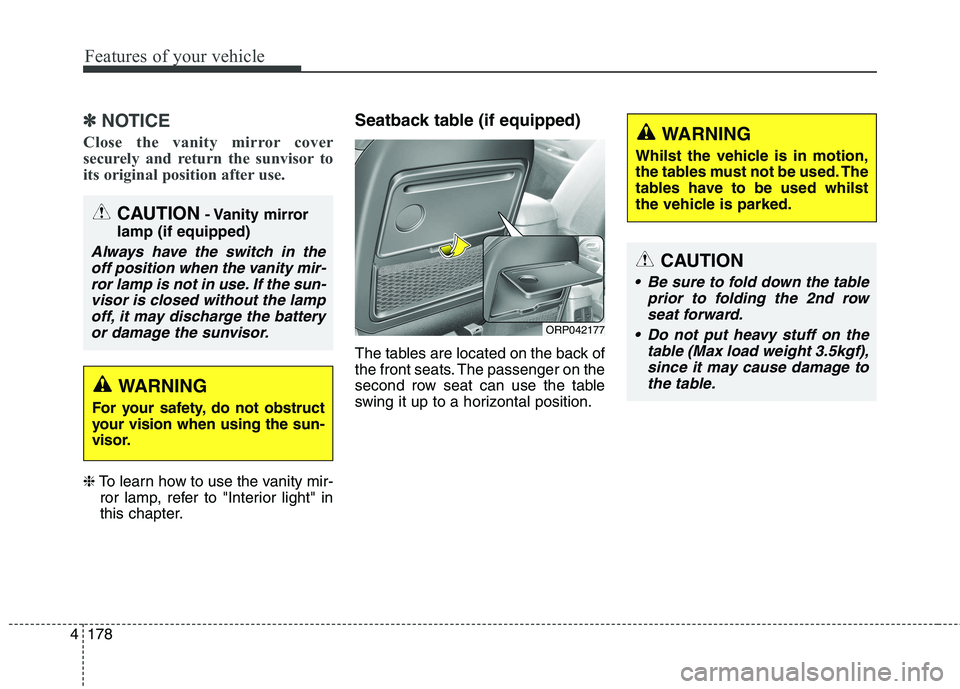
this chapter. Seatback table (if equipped)
The tables are located on the back of
the front seats. The passenger on the
second row seat can use the table
swing it up to a horizontal position.
CAUTION
Be sure to fold down the table
prior to folding the 2nd rowseat forward.
Do not put heavy stuff on the table (Max load weight 3.5kgf),since it may cause damage tothe table.
WARNING
Whilst the vehicle is in motion,
the tables must not be used. The
tables have to be used whilst
the vehicle is parked.
ORP042177
CAUTION - Vanity mirror
lamp (if equipped)
Always have the switch in the off position when the vanity mir-ror lamp is not in use. If the sun- visor is closed without the lampoff, it may discharge the batteryor damage the sunvisor.
WARNING
For your safety, do not obstruct
your vision when using the sun-
visor.
Page 275 of 723
4179
Features of your vehicle
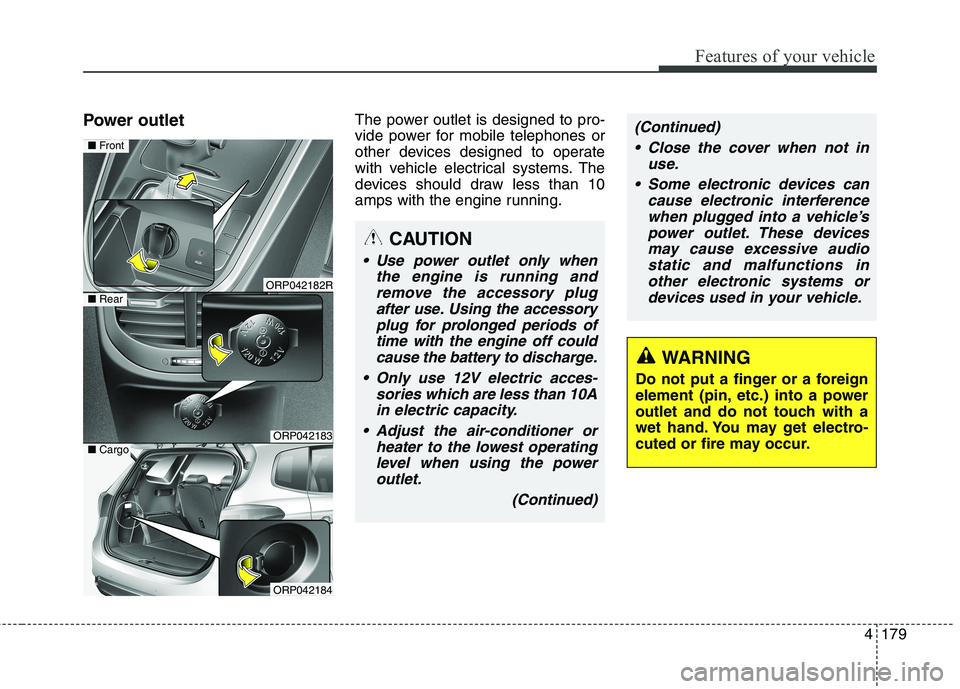
Power outletThe power outlet is designed to pro-
vide power for mobile telephones or
other devices designed to operate
with vehicle electrical systems. The
devices should draw less than 10
amps with the engine running.
CAUTION
Use power outlet only when
the engine is running andremove the accessory plugafter use. Using the accessoryplug for prolonged periods of time with the engine off couldcause the battery to discharge.
Only use 12V electric acces- sories which are less than 10Ain electric capacity.
Adjust the air-conditioner or heater to the lowest operatinglevel when using the poweroutlet.
(Continued)
(Continued)
Close the cover when not in use.
Some electronic devices can cause electronic interferencewhen plugged into a vehicle’spower outlet. These devicesmay cause excessive audio static and malfunctions inother electronic systems ordevices used in your vehicle.
WARNING
Do not put a finger or a foreign
element (pin, etc.) into a power
outlet and do not touch with a
wet hand. You may get electro-
cuted or fire may occur.
ORP042182R
ORP042183
■ Front
■Rear
ORP042184
■Cargo
Page 280 of 723
Features of your vehicle
184
4
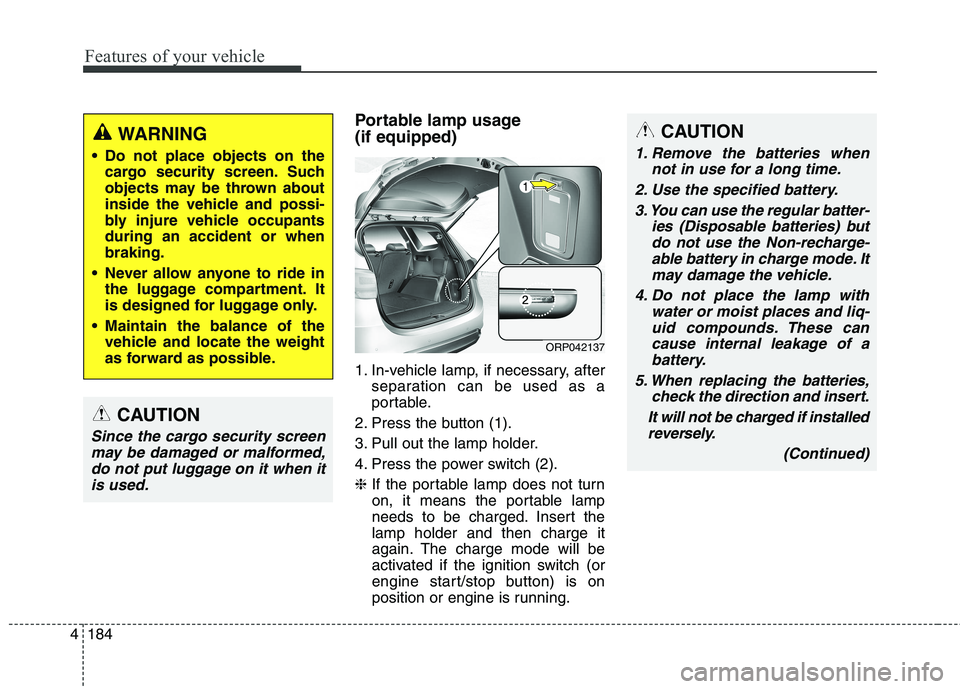
Portable lamp usage (if equipped)
1. In-vehicle lamp, if necessary, after
separation can be used as a
portable.
2. Press the button (1).
3. Pull out the lamp holder.
4. Press the power switch (2).❈ If the portable lamp does not turn
on, it means the portable lamp
needs to be charged. Insert thelamp holder and then charge it
again. The charge mode will be
activated if the ignition switch (or
engine start/stop button) is on
position or engine is running.CAUTION
1. Remove the batteries when
not in use for a long time.
2. Use the specified battery. 3. You can use the regular batter- ies (Disposable batteries) butdo not use the Non-recharge-able battery in charge mode. It may damage the vehicle.
4. Do not place the lamp with water or moist places and liq-uid compounds. These cancause internal leakage of a battery.
5. When replacing the batteries, check the direction and insert.
It will not be charged if installed reversely.
(Continued)
ORP042137
WARNING
Do not place objects on the cargo security screen. Such
objects may be thrown about
inside the vehicle and possi-
bly injure vehicle occupantsduring an accident or whenbraking.
Never allow anyone to ride in the luggage compartment. It
is designed for luggage only.
Maintain the balance of the vehicle and locate the weight
as forward as possible.
CAUTION
Since the cargo security screen
may be damaged or malformed,do not put luggage on it when it is used.
Page 281 of 723
4185
Features of your vehicle
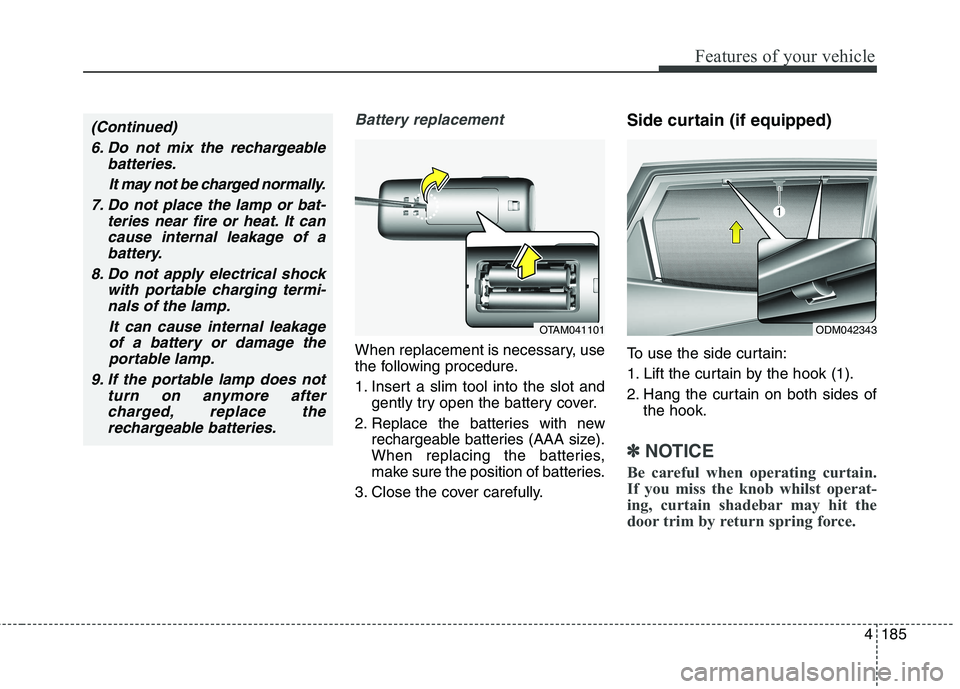
Battery replacement
When replacement is necessary, use
the following procedure.
1. Insert a slim tool into the slot andgently try open the battery cover.
2. Replace the batteries with new rechargeable batteries (AAA size).
When replacing the batteries,
make sure the position of batteries.
3. Close the cover carefully. Side curtain (if equipped)
To use the side curtain:
1. Lift the curtain by the hook (1).
2. Hang the curtain on both sides of
the hook.
✽✽ NOTICE
Be careful when operating curtain.
If you miss the knob whilst operat-
ing, curtain shadebar may hit the
door trim by return spring force.
ODM042343OTAM041101
(Continued)
6. Do not mix the rechargeable batteries.
It may not be charged normally.
7. Do not place the lamp or bat- teries near fire or heat. It cancause internal leakage of abattery.
8. Do not apply electrical shock with portable charging termi-nals of the lamp.
It can cause internal leakageof a battery or damage theportable lamp.
9. If the portable lamp does not turn on anymore aftercharged, replace the rechargeable batteries.
Page 291 of 723
Audio system
8
5
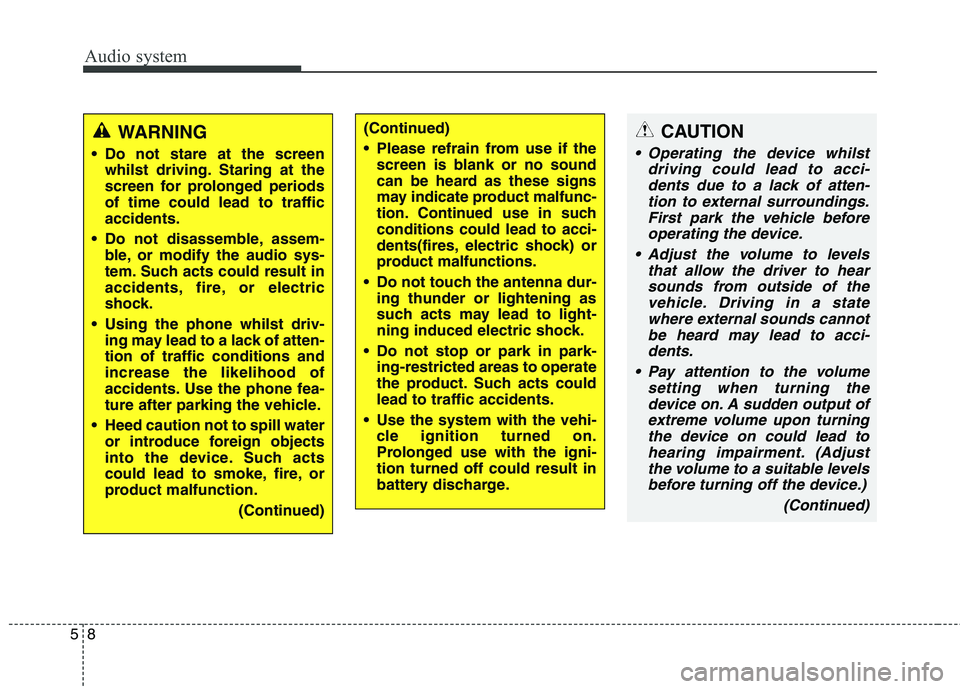
CAUTION
Operating the device whilst
driving could lead to acci-dents due to a lack of atten- tion to external surroundings.First park the vehicle beforeoperating the device.
Adjust the volume to levels that allow the driver to hearsounds from outside of thevehicle. Driving in a statewhere external sounds cannot be heard may lead to acci-dents.
Pay attention to the volume setting when turning thedevice on. A sudden output of extreme volume upon turningthe device on could lead tohearing impairment. (Adjust the volume to a suitable levelsbefore turning off the device.)
(Continued)
WARNING
Do not stare at the screen whilst driving. Staring at the
screen for prolonged periodsof time could lead to trafficaccidents.
Do not disassemble, assem- ble, or modify the audio sys-
tem. Such acts could result in
accidents, fire, or electric
shock.
Using the phone whilst driv- ing may lead to a lack of atten-tion of traffic conditions andincrease the likelihood of
accidents. Use the phone fea-
ture after parking the vehicle.
Heed caution not to spill water or introduce foreign objects
into the device. Such acts
could lead to smoke, fire, or
product malfunction.
(Continued)(Continued)
Please refrain from use if thescreen is blank or no sound
can be heard as these signs
may indicate product malfunc-
tion. Continued use in suchconditions could lead to acci-
dents(fires, electric shock) or
product malfunctions.
Do not touch the antenna dur- ing thunder or lightening as
such acts may lead to light-
ning induced electric shock.
Do not stop or park in park- ing-restricted areas to operate
the product. Such acts couldlead to traffic accidents.
Use the system with the vehi- cle ignition turned on.
Prolonged use with the igni-tion turned off could result in
battery discharge.
Page 292 of 723
59
Audio system
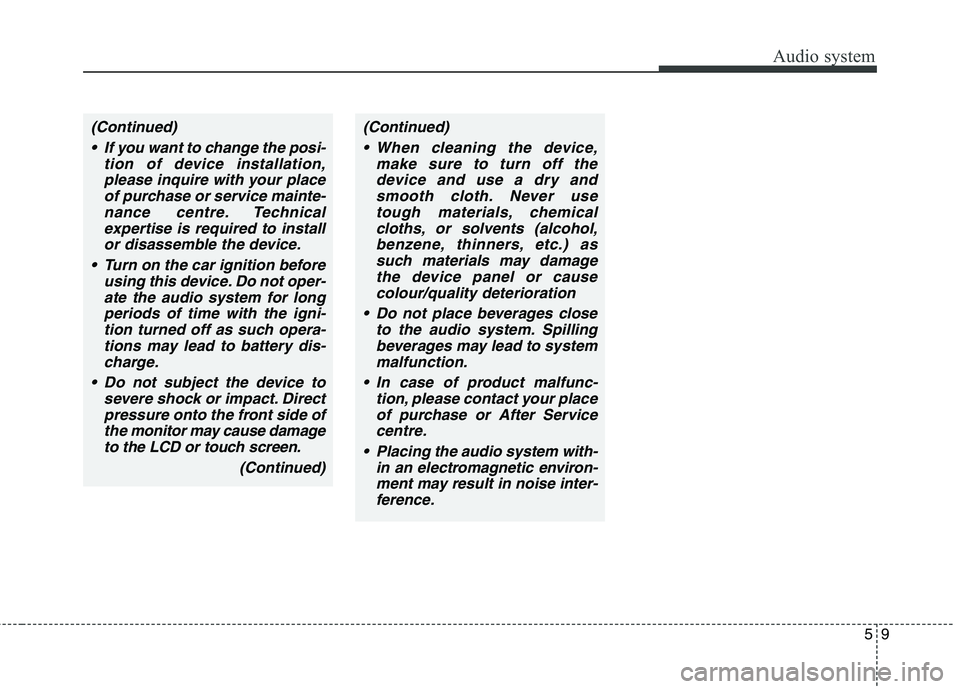
(Continued) If you want to change the posi- tion of device installation,please inquire with your place of purchase or service mainte-nance centre. Technicalexpertise is required to install or disassemble the device.
Turn on the car ignition before using this device. Do not oper-ate the audio system for longperiods of time with the igni- tion turned off as such opera-tions may lead to battery dis-charge.
Do not subject the device to severe shock or impact. Directpressure onto the front side ofthe monitor may cause damageto the LCD or touch screen.
(Continued)(Continued) When cleaning the device, make sure to turn off thedevice and use a dry and smooth cloth. Never usetough materials, chemicalcloths, or solvents (alcohol,benzene, thinners, etc.) as such materials may damagethe device panel or causecolour/quality deterioration
Do not place beverages close to the audio system. Spillingbeverages may lead to systemmalfunction.
In case of product malfunc- tion, please contact your placeof purchase or After Service centre.
Placing the audio system with- in an electromagnetic environ-ment may result in noise inter-ference.