lights KIA CARENS RHD 2018 Owner's Manual
[x] Cancel search | Manufacturer: KIA, Model Year: 2018, Model line: CARENS RHD, Model: KIA CARENS RHD 2018Pages: 723, PDF Size: 40.94 MB
Page 180 of 723
Features of your vehicle
84
4
✽✽
NOTICE- Electronic Brake
force Distribution(EBD) System
Warning Light
When the ABS Warning Light is on
or both ABS and Parking Brake &
Brake Fluid Warning Lights are on,
the speedometer, odometer, or trip-
meter may not work. Also, the EPS
Warning Light may illuminate and
the steering effort may increase or
decrease.
In this case, have the vehicle inspect-
ed by a professional workshop. Kia
recommends to visit an authorised
Kia dealer/service partner.Electronic Parking Brake (EPB) Warning Light (if equipped)
This warning light illuminates:
Once you set the ignition switch or Engine Start/Stop Button to the ON position.
- It illuminates for approximately 3seconds and then goes off.
When there is a malfunction with the EPB.
In this case, have the vehicle
inspected by a professional work-
shop. Kia recommends to visit an
authorised Kia dealer/service part-
ner.
✽✽ NOTICE - Electronic Parking
Brake (EPB) Warning Light
The Electronic Parking Brake
(EPB) Warning Light may illumi-
nates when the Electronic Stability
control (ESC) Indicator Light comes
on to indicates that the ESC is not
working properly (This does not
indicate malfunction of the EPB).
Electronic Power Steering (EPS) Warning Light
This warning light illuminates:
Once you set the ignition switch or Engine Start/Stop Button to the ON position.
- It remains on until the engine isstarted.
When there is a malfunction with the EPS.
In this case, have the vehicle
inspected by a professional work-
shop. Kia recommends to visit an
authorised Kia dealer/service part-
ner.
EPB
Page 187 of 723
491
Features of your vehicle
Indicator Lights
Electronic StabilityControl (ESC) Indicator Light (if equipped)
This indicator light illuminates:
Once you set the ignition switch or Engine Start/Stop Button to the ON position.
- It illuminates for approximately 3seconds and then goes off.
When there is a malfunction with the ESC system.
In this case, have the vehicle
inspected by a professional work-
shop. Kia recommends to visit an
authorised Kia dealer/service part-
ner.
This indicator light blinks:
Whilst the ESC is operating.
For more details, refer to “Electronic
Stability Control (ESC)” in chapter 6.
Electronic Stability Control (ESC) OFF Indicator Light (if equipped)
This indicator light illuminates:
Once you set the ignition switch or Engine Start/Stop Button to the ON position.
- It illuminates for approximately 3seconds and then goes off.
When you deactivate the ESC sys- tem by pressing the ESC OFF but- ton.
For more details, refer to “Electronic
Stability Control (ESC)” in chapter 6.
ECO Indicator Light (if equipped)
This indicator light illuminates:
When you activate the active ECO
system by pressing the ACTIVE ECO
button.
For more details, refer to “Active
ECO System” in chapter 6.
ECO
Page 188 of 723
Features of your vehicle
92
4
Auto stop indicator
(if equipped)
This indicator will illuminate when the engine enters the Idle Stop mode ofthe ISG (Idle Stop and Go) system.
When the automatic starting occurs, the auto stop indicator on the cluster
will blink for 5 seconds.
For more details, refer to the ISG (Idle Stop and Go) system in chapter 6.
✽✽ NOTICE
When the engine automatically starts
by the ISG system, some warning
lights (ABS, ESC, ESC OFF, EPS or
Parking brake warning light) may
turn on for a few seconds.
This happens because of the low bat-
tery voltage. It does not mean the
system is malfunctioning.
Immobiliser Indicator Light (Without Smart Key) (if equipped)
This indicator light illuminates:
When the vehicle detects the immobiliser in your key properly
whilst the ignition switch is ON.
- At this time, you can start theengine.
- The indicator light goes off after starting the engine.
This indicator light blinks:
When there is a malfunction with the immobiliser system.
In this case, have the vehicle
inspected by a professional work-
shop. Kia recommends to visit an
authorised Kia dealer/service part-
ner.
Immobiliser Indicator
Light (With Smart Key) (if equipped)
This indicator light illuminates for up
to 30 seconds:
When the vehicle detects the smart key in the vehicle properly
whilst the Engine Start/Stop Button
is ACC or ON.
- At this time, you can start theengine.
- The indicator light goes off after starting the engine.
This indicator light blinks for a few
seconds:
When the smart key is not in the vehicle.
- At this time, you can not start theengine.
Page 189 of 723
493
Features of your vehicle
This indicator light illuminates for 2
seconds and goes off:
When the vehicle can not detectthe smart key which is in the vehi-
cle whilst the Engine Start/StopButton is ON.
In this case, have the vehicle
inspected by a professional work-
shop. Kia recommends to visit an
authorised Kia dealer/service part-
ner.
This indicator light blinks:
When the battery of the smart key is weak.
- At this time, you can not start theengine. However, you can start the
engine if you press the Engine
Start/Stop Button with the smart
key. (For more details, refer to
“Starting the Engine” in chapter 6).
When there is a malfunction with the immobiliser system.
In this case, have the vehicle
inspected by a professional work-
shop. Kia recommends to visit an
authorised Kia dealer/service part-
ner.Turn Signal Indicator
Light
This indicator light blinks:
When you turn the turn signal light on.
If any of the following occurs, there
may a malfunction with the turn signal
system. In this case, have the vehicle
inspected by a professional work-
shop. Kia recommends to visit an
authorised Kia dealer/service partner. - The indicator light does not blinkbut illuminates.
- The indicator light blinks more rapidly.
- The indicator light does not illumi- nate at all.
Low Beam Indicator
Light (if equipped)
This indicator light illuminates:
When the headlights are on.
High Beam IndicatorLight
This indicator light illuminates:
When the headlights are on and in the high beam position
When the turn signal lever is pulled into the Flash-to-Pass position.
Light ON Indicator Light
This indicator light illuminates:
When the tail lights or headlightsare on.
Page 190 of 723
Features of your vehicle
94
4
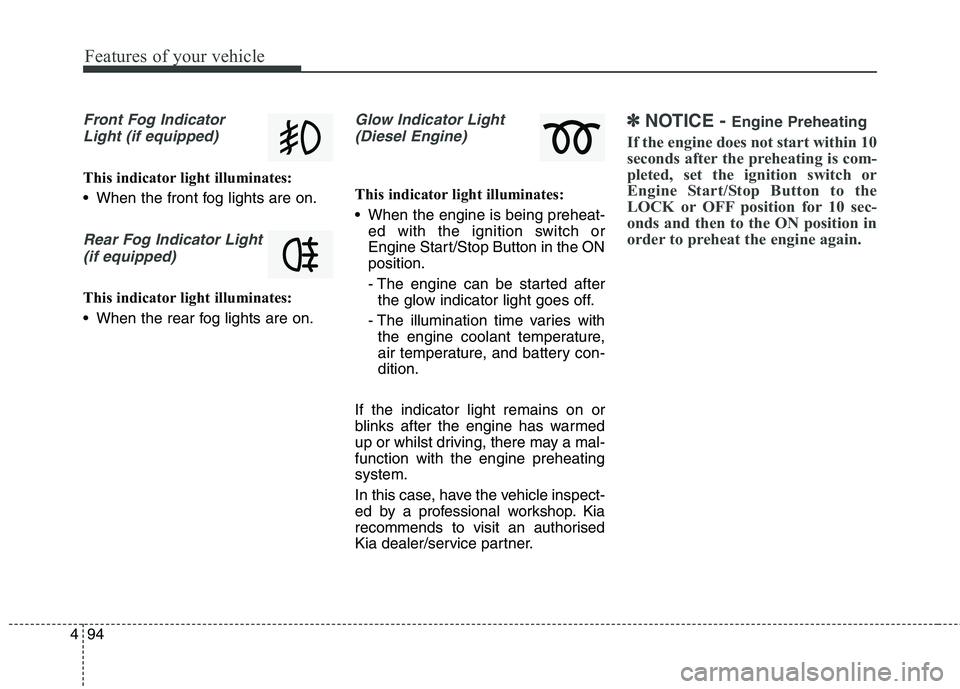
Front Fog Indicator
Light (if equipped)
This indicator light illuminates:
When the front fog lights are on.
Rear Fog Indicator Light (if equipped)
This indicator light illuminates:
When the rear fog lights are on.
Glow Indicator Light(Diesel Engine)
This indicator light illuminates:
When the engine is being preheat- ed with the ignition switch or
Engine Start/Stop Button in the ONposition.
- The engine can be started afterthe glow indicator light goes off.
- The illumination time varies with the engine coolant temperature,
air temperature, and battery con-dition.
If the indicator light remains on or
blinks after the engine has warmed
up or whilst driving, there may a mal-function with the engine preheatingsystem.
In this case, have the vehicle inspect-
ed by a professional workshop. Kia
recommends to visit an authorised
Kia dealer/service partner.
✽✽ NOTICE - Engine Preheating
If the engine does not start within 10
seconds after the preheating is com-
pleted, set the ignition switch or
Engine Start/Stop Button to the
LOCK or OFF position for 10 sec-
onds and then to the ON position in
order to preheat the engine again.
Page 213 of 723
4117
Features of your vehicle
Battery saver function
The purpose of this feature is toprevent the battery from being dis-
charged. The system automatically
turns off the parking lights when
the driver removes the ignition key
(Smart key : turns off the engine)
and opens the driver- side door.
With this feature, the parking lights will be turned off automatically if
the driver parks on the side of roadat night.
If necessary, to keep the lights on
when the ignition key is removed,
perform the following :
1) Open the driver-side door.
2) Turn the parking lights OFF and ON again using the light switch
on the steering column. Headlamp delay function (if equipped) The headlamps (and/or taillights)
remain on for same minutes (5 min-
utes) after the ignition key is removed
or turned to the ACC or LOCK posi-
tion. However, if the driver’s door isopened and closed, the headlights
are turned off after 15 seconds.
The headlights can be turned off by
pressing the lock button on the trans-
mitter or smart key twice or turning
off the light switch from the headlight
or Auto light position.
You can activate or deactivate the
headlamp delay function. Refer to
“User setting” in this chapter.
LIGHTING CAUTION
If the driver gets out of the vehi-
cle through other doors (exceptdriver’s door), the battery saverfunction does not operate and the headlamp delay functiondoes not turn off automatically.Therefore, it causes the battery to be discharged. In this case,make sure to turn off the lampbefore getting out of the vehicle.
Page 214 of 723
Features of your vehicle
118
4
Headlight (Headlamp) welcome function (if equipped)
When the headlight switch is in the
ON or AUTO position and all doors
(and tailgate) are closed and locked,
if you press the door unlock button
on the transmitter or smart key, the
headlights will come on for about 15
seconds.
If the headlight switch is in the AUTO position, the function can only oper-ate at night.
At this time, if you press the door
unlock button again or door lock but-
ton on the transmitter or smart key,
the headlights will turn off immedi-
ately.
You can activate or deactivate the
headlamp welcome fuction. Refer to
“User setting” in this chapter. Static bending light (if equipped)
Whilst driving the corner, for your
sight and safety, the static bending
light turns on automatically. The sys-
tem will operate automatically as fol-
lows:
When vehicle speed is under
10km/h and steering wheel angle
approximately 80 degrees.
When vehicle speed is over 10km/h and steering wheel angle
approximately 35 degrees.
When the vehicle is at a standstill.
When moving rearwards with one of the above conditions satisfied the lights will light up the oppositedirection. Daytime running light (if equipped)
Daytime Running Lights (DRL) can
make it easier for others to see the
front of your vehicle during the day.
DRL can be helpful in many different
driving conditions, and it is especially
helpful after dawn and before sunset.
The DRL system turns OFF when:
1. The headlight switch is ON.
2. The engine is OFF.
3. The fog light is ON.
4. Engaging the Parking Brake.
Page 215 of 723
4119
Features of your vehicle
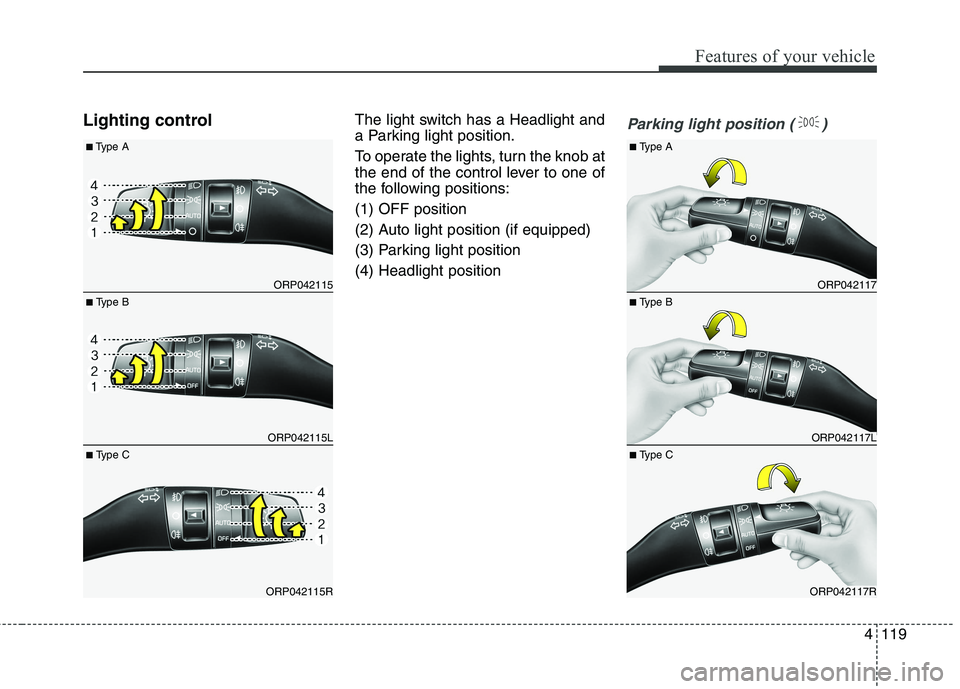
Lighting controlThe light switch has a Headlight and
a Parking light position.
To operate the lights, turn the knob at
the end of the control lever to one of
the following positions: (1) OFF position
(2) Auto light position (if equipped)
(3) Parking light position(4) Headlight positionParking light position ( )
ORP042117
ORP042117L
ORP042117R
■
Type B
■
Type A
■ Type C
ORP042115
ORP042115L
ORP042115R
■ Type B
■
Type A
■ Type C
Page 216 of 723
Features of your vehicle
120
4
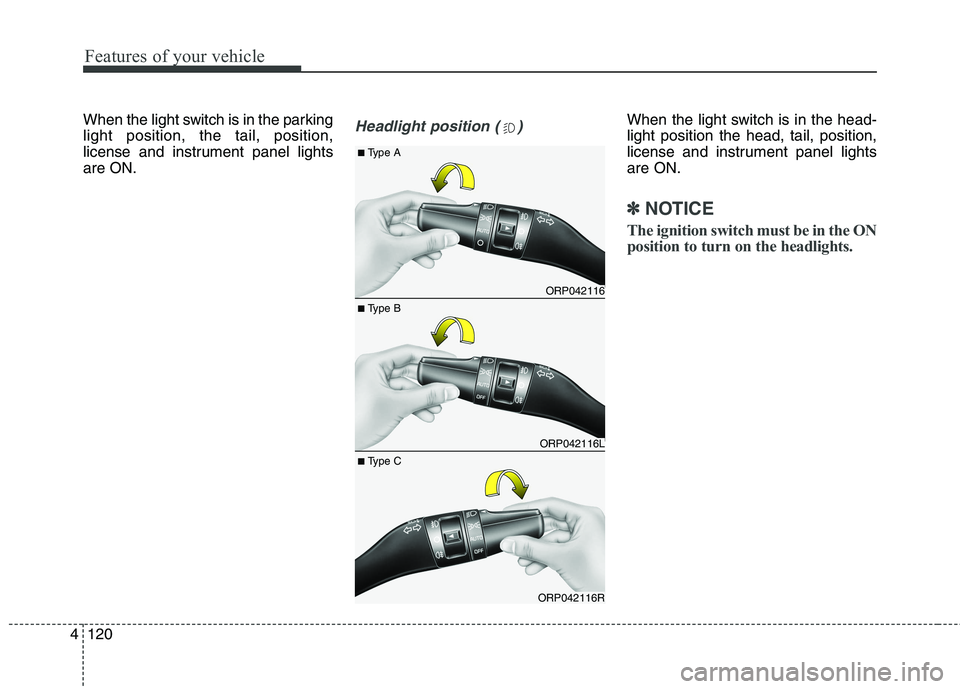
When the light switch is in the parking light position, the tail, position,
license and instrument panel lightsare ON.Headlight position ( )When the light switch is in the head- light position the head, tail, position,
license and instrument panel lightsare ON.
✽✽
NOTICE
The ignition switch must be in the ON
position to turn on the headlights.
ORP042116
ORP042116L
ORP042116R
■ Type B
■
Type A
■ Type C
Page 217 of 723
4121
Features of your vehicle
Auto light (if equipped)
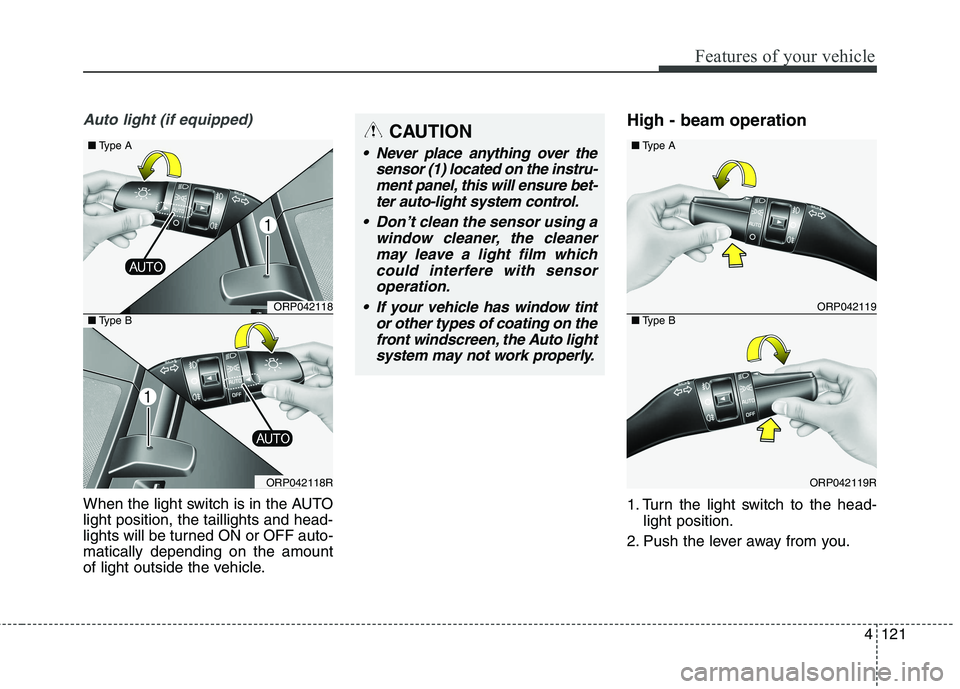
When the light switch is in the AUTO light position, the taillights and head-
lights will be turned ON or OFF auto-matically depending on the amount
of light outside the vehicle.High - beam operation
1. Turn the light switch to the head-
light position.
2. Push the lever away from you.
CAUTION
Never place anything over the sensor (1) located on the instru-ment panel, this will ensure bet-ter auto-light system control.
Don’t clean the sensor using a window cleaner, the cleanermay leave a light film which could interfere with sensoroperation.
If your vehicle has window tint or other types of coating on thefront windscreen, the Auto light system may not work properly.
ORP042119
ORP042119R
■ Type A
■Type BORP042118
ORP042118R
■ Type A
■Type B