lights KIA CARENS RHD 2018 Service Manual
[x] Cancel search | Manufacturer: KIA, Model Year: 2018, Model line: CARENS RHD, Model: KIA CARENS RHD 2018Pages: 723, PDF Size: 40.94 MB
Page 452 of 723
617
Driving your vehicle
Your vehicle may be equipped with the ISG system, which reduces fuel
consumption by automatically shut-
ting down the engine, when the vehi-
cle is at a standstill. (For example :
red light, stop sign and traffic jam)
The engine starts automatically as
soon as the starting conditions aremet.
The ISG system is ON whenever the
engine is running.
✽✽NOTICE
When the engine automatically
starts by the ISG system, some
warning lights (ABS, ESC, ESC
OFF, EPS or Parking brake warn-
ing light) may turn on for a few sec-
onds.
This happens because of low battery
voltage. It does not mean the system
has malfunctioned.
Auto stop
To stop the engine in idle stop mode
With manual transaxle
1.Decrease the vehicle speed to less than 5 km/h (3 mph).
2.Shift into N (Neutral) position.
3.Release the clutch pedal. With dual clutch transmission
1. Decrease the vehicle speed to 0
km/h.
2. Shift into D (Drive) or N (Neutral) position.
3. Press the brake pedal.
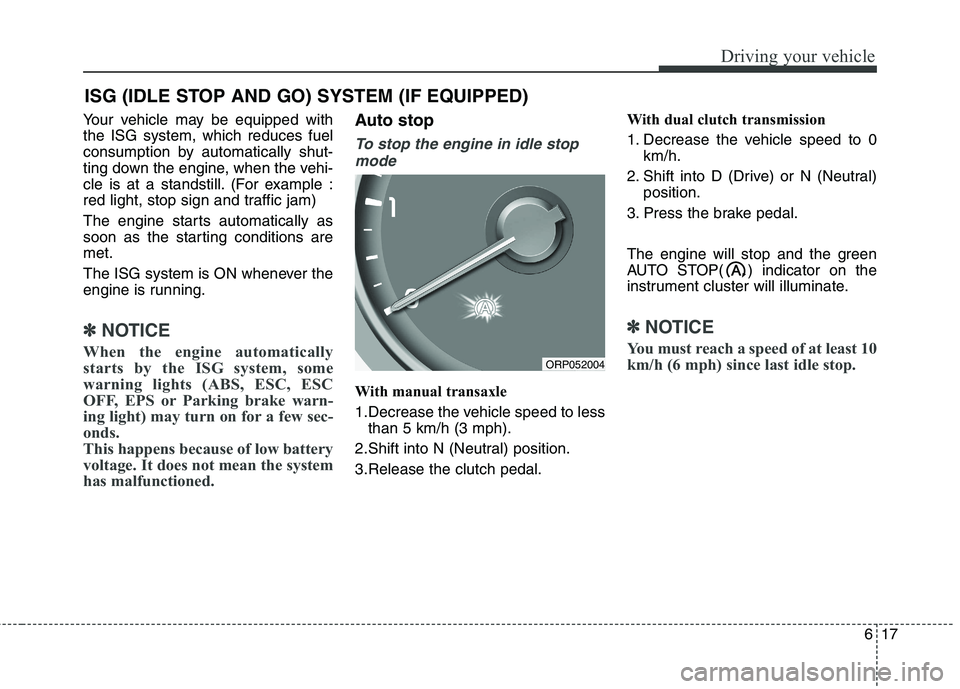
The engine will stop and the green
AUTO STOP( ) indicator on the
instrument cluster will illuminate.
✽✽ NOTICE
You must reach a speed of at least 10
km/h (6 mph) since last idle stop.
ISG (IDLE STOP AND GO) SYSTEM (IF EQUIPPED)
ORP052004
Page 462 of 723
627
Driving your vehicle
For smooth operation, depress thebrake pedal when shifting from N(Neutral) to a forward or reverse gear.Transaxle ranges
The indicator lights in the instrument
cluster displays the shift lever posi-
tion when the ignition switch is in theON position.
P (Park)
Always come to a complete stop
before shifting into P (Park). This
position locks the transaxle and pre-
vents the front wheels from rotating.
WARNING - Automatic
transaxle
Always check the surrounding areas near your vehicle for
people, especially children,
before shifting a vehicle into
D (Drive) or R (Reverse).
Before leaving the driver’s seat, always make sure the
shift lever is in the P (Park)
position; then set the parking
brake fully and shut the engine
off. Unexpected and sudden
vehicle movement can occur if
these precautions are not fol-
lowed in the order identified.
Do not use the engine brake (shifting from a high gear to
lower gear) rapidly on slip-
pery roads.
The vehicle may slip causing an accident.
CAUTION
To avoid damage to your
transaxle, do not acceleratethe engine in R (Reverse) orany forward gear position withthe brakes on.
When stopped on an upgrade, do not hold the vehicle sta-tionary with engine power.Use the service brake or theparking brake.
Do not shift from N (Neutral) or P (Park) into D (Drive), or R(Reverse) when the engine isabove idle speed.
WARNING
Shifting into P (Park) whilst the vehicle is in motion will
cause the drive wheels to lock
which will cause you to lose
control of the vehicle.
Do not use the P (Park) posi- tion in place of the parking
brake. Always make sure the
shift lever is latched in the P
(Park) position and set the
parking brake fully.
Never leave a child unattend- ed in a vehicle.
Page 492 of 723
657
Driving your vehicle
The Electronic stability control (ESC) system is an electronic system
designed to help the driver maintain
vehicle control under adverse condi-
tions. It is not a substitute for safe
driving practices. Factors including
speed, road conditions and driver
steering input can all affect whether
ESC will be effective in preventing a
loss of control. It is still your respon-
sibility to drive and corner at reason-
able speeds and to leave a sufficient
margin of safety.
When you apply your brakes under
conditions which may lock the
wheels, you may hear a “tik-tik’’
sound from the brakes, or feel a cor-
responding sensation in the brake
pedal. This is normal and it means
your ESC is active.✽✽NOTICE
A click sound may be heard in the
engine compartment when the vehi-
cle begins to move after the engine is
started. These conditions are normal
and indicate that the Electronic sta-
bility control (ESC) System is func-
tioning properly. ESC operation
ESC ON condition ON, ESC and ESC OFF
indicator lights illuminate for
approximately 3 seconds,
then ESC is turned on.
ton for at least half a sec-
ond after turning the igni-
tion ON to turn ESC off.(ESC OFF indicator will
illuminate). To turn theESC on, press the ESC
OFF button (ESC OFFindicator light will go off).
you may hear a slight tick-
ing sound. This is the ESC
performing an automatic
system self-check anddoes not indicate a prob-lem.
-
Page 511 of 723
Driving your vehicle
76
6
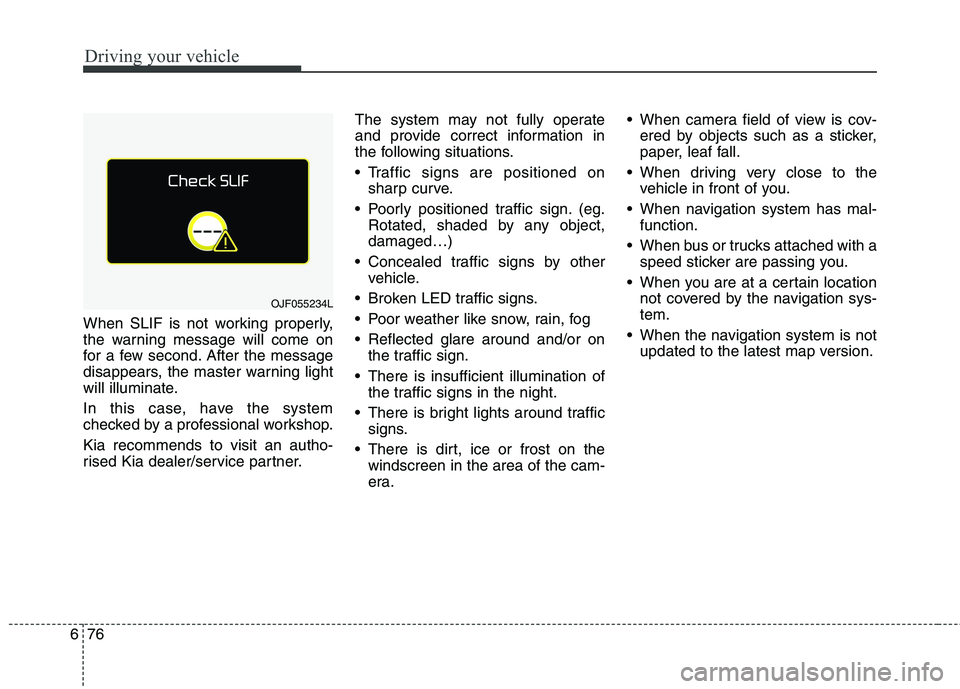
When SLIF is not working properly,
the warning message will come on
for a few second. After the message
disappears, the master warning light
will illuminate.
In this case, have the system
checked by a professional workshop. Kia recommends to visit an autho-
rised Kia dealer/service partner. The system may not fully operate
and provide correct information in
the following situations.
Traffic signs are positioned on
sharp curve.
Poorly positioned traffic sign. (eg. Rotated, shaded by any object, damaged…)
Concealed traffic signs by other vehicle.
Broken LED traffic signs.
Poor weather like snow, rain, fog
Reflected glare around and/or on the traffic sign.
There is insufficient illumination of the traffic signs in the night.
There is bright lights around traffic signs.
There is dirt, ice or frost on the windscreen in the area of the cam-
era. When camera field of view is cov-
ered by objects such as a sticker,
paper, leaf fall.
When driving very close to the vehicle in front of you.
When navigation system has mal- function.
When bus or trucks attached with a speed sticker are passing you.
When you are at a certain location not covered by the navigation sys-tem.
When the navigation system is not updated to the latest map version.
OJF055234L
Page 525 of 723
Driving your vehicle
90
6
ECONOMICAL OPERATION
Your vehicle's fuel economy depends
mainly on your style of driving, where
you drive and when you drive.
Each of these factors affects how
many kilometers (miles) you can get
from a litre (gallon) of fuel. To operate
your vehicle as economically as pos-
sible, use the following driving sug-
gestions to help save money in bothfuel and repairs:
Drive smoothly. Accelerate at a moderate rate. Do not make "jack-
rabbit" starts or full-throttle shifts
and maintain a steady cruising
speed. Do not race between stop-
lights. Try to adjust your speed to
the traffic so you do not have to
change speeds unnecessarily.
Avoid heavy traffic whenever pos-
sible. Always maintain a safe dis-
tance from other vehicles so you
can avoid unnecessary braking.
This also reduces brake wear.
Drive at a moderate speed. The faster you drive, the more fuel your
vehicle uses. Driving at a moderate
speed, especially on the highway,
is one of the most effective ways toreduce fuel consumption. Do not "ride" the brake or clutch
pedal. This can increase fuel con-
sumption and also increase wear
on these components. In addition,
driving with your foot resting on the
brake pedal may cause the brakes
to overheat, which reduces their
effectiveness and may lead to
more serious consequences.
Take care of your tyres. Keep them inflated to the recommended pres-
sure. Incorrect inflation, either too
much or too little, results in unnec-
essary tyre wear. Check the tyrepressures at least once a month.
Be sure that the wheels are aligned correctly. Improper align-
ment can result from hitting kerbs
or driving too fast over irregular
surfaces. Poor alignment causes
faster tyre wear and may also
result in other problems as well as
greater fuel consumption. Keep your vehicle in good condi-
tion. For better fuel economy and
reduced maintenance costs, main-
tain your vehicle in accordance
with the maintenance schedule. If
you drive your vehicle in severe
conditions, more frequent mainte-nance is required.
Keep your vehicle clean. For maxi- mum service, your vehicle should
be kept clean and free of corrosive
materials. It is especially important
that mud, dirt, ice, etc. not be
allowed to accumulate on the
underside of the vehicle. This extra
weight can result in increased fuel
consumption and also contribute tocorrosion.
Travel lightly. Do not carry unnec- essary weight in your vehicle.
Weight reduces fuel economy.
Do not let the engine idle longer than necessary. If you are waiting
(and not in traffic), turn off your
engine and restart only when
you're ready to go.
Page 528 of 723
693
Driving your vehicle
✽✽NOTICE
The ESC system should be turned
OFF prior to rocking the vehicle.
Smooth cornering
Avoid braking or gear changing in
corners, especially when roads are
wet. Ideally, corners should always
be taken under gentle acceleration. If
you follow these suggestions, tyre
wear will be held to a minimum. Driving at night
Because night driving presents more
hazards than driving in the daylight,
here are some important tips to
remember:
Slow down and keep more distance between you and other vehicles, as
it may be more difficult to see atnight, especially in areas where
there may not be any street lights.
Adjust your mirrors to reduce the glare from other driver's headlights.WARNING - Spinning
tyres
Do not spin the wheels, espe-
cially at speeds more than 56
km/h (35 mph). Spinning thewheels at high speeds when the
vehicle is stationary could
cause a tyre to overheat which
could result in tyre damage that
may injure bystanders.WARNING
If your vehicle becomes stuck in
snow, mud, sand, etc., then you
may attempt to rock the vehicle
free by moving it forward and
backward. Do not attempt this
procedure if people or objects
are anywhere near the vehicle.
During the rocking operation
the vehicle may suddenly move
forward or backward as it
becomes unstuck, causing
injury or damage to nearby peo-ple or objects.
Page 529 of 723
Driving your vehicle
94
6
Keep your headlights clean and
properly aimed on vehicles not equipped with the automatic head-
light aiming feature. Dirty or
improperly aimed headlights will
make it much more difficult to seeat night.
Avoid staring directly at the head- lights of oncoming vehicles. You
could be temporarily blinded, and it
will take several seconds for your
eyes to readjust to the darkness. Driving in the rain
Rain and wet roads can make driving
dangerous, especially if you’re not
prepared for the slick pavement.
Here are a few things to consider
when driving in the rain:
A heavy rainfall will make it harder
to see and will increase the dis-
tance needed to stop your vehicle,
so slow down.
Keep your windscreen wiping equipment in good shape. Replace
your windscreen wiper blades when
they show signs of streaking ormissing areas on the windscreen.
If your tyres are not in good condi- tion, making a quick stop on wet
pavement can cause a skid and
possibly lead to an accident. Be
sure your tyres are in good shape.
Turn on your headlights to make it easier for others to see you.
Driving too fast through large pud- dles can affect your brakes. If you
must go through puddles, try to
drive through them slowly. If you believe you may have gotten
your brakes wet, apply them lightly
whilst driving until normal braking
operation returns.
Driving in flooded areas
Avoid driving through flooded areas
unless you are sure the water is nohigher than the bottom of the wheel
hub. Drive through any water slowly.
Allow adequate stopping distance
because brake performance may be
affected.
After driving through water, dry the
brakes by gently applying them sev-
eral times whilst the vehicle is mov-
ing slowly.
Driving off-road
Drive carefully off-road because your
vehicle may be damaged by rocks or
roots of trees. Become familiar with
the off-road conditions where you
are going to drive before you begin
driving.
Page 538 of 723
6103
Driving your vehicle
Loading the trailer
The weight distribution between the
car and trailer should be balanced.
Make sure that the load in the trailer
is equally distributed and it is not
front-heavy or tail-heavy.
The heavy load in the trailer should
be placed above the axle or as close
as possible to the axle. And, secure
loads properly on the trailer.
Tyre pressure
Follow the trailer manufacturer’s tyre
pressure recommendations for the
trailer tyres.
When towing, inflate tyres in vehicle
to the maximum permissible pres-
sure referring to the tyre pressurelabel.Driving with a trailer
Towing a trailer requires a certain
amount of experience. Before setting
out for the open road, you must get to
know your trailer. Acquaint yourself
with the feel of handling and braking
with the added weight of the trailer.
And always keep in mind that the
vehicle you are driving is now a good
deal longer and not nearly so respon-
sive as your vehicle is by itself.
Before you start, check the trailer
hitch and platform, safety chains,
electrical connector(s), lights, tyres
and mirror adjustment. If the trailer
has electric brakes, start your vehicle
and trailer moving and then apply the
trailer brake controller by hand to be
sure the brakes are working. This lets
you check your electrical connection
at the same time.
During your trip, check occasionally
to be sure that the load is secure,
and that the lights and any trailer
brakes are still working.Following distance
Stay at least twice as far behind the
vehicle ahead as you would when
driving your vehicle without a trailer.
This can help you avoid situations
that require heavy braking and sud-
den turns.
Passing
You’ll need more passing distance
up ahead when you’re towing a trail-
er. And, because of the increased
vehicle length, you’ll need to go
much farther beyond the passed
vehicle before you can return to your
lane.
Page 539 of 723
Driving your vehicle
104
6
Backing up
Hold the bottom of the steering
wheel with one hand. Then, to move
the trailer to the left, just move your
hand to the left. To move the trailer to
the right, move your hand to the
right. Always back up slowly and, if
possible, have someone guide you.
Making turns
When you’re turning with a trailer,
make wider turns than normal. Do
this so your trailer won’t strike soft
shoulders, kerbs, road signs, trees,
or other objects. Avoid jerky or sud-
den manoeuvres. Signal well in
advance.
Turn signals when towing a trailer
When you tow a trailer, your vehicle
has to have a different turn signal
flasher and extra wiring. The green
arrows on your instrument panel will
flash whenever you signal a turn or
lane change. Properly connected,
the trailer lights will also flash to alert
other drivers you’re about to turn,
change lanes, or stop.
When towing a trailer, the green
arrows on your instrument panel will
flash for turns even if the bulbs on the
trailer are burned out. Thus, you may
think drivers behind you are seeing
your signals when, in fact, they are
not. It is important to check occasion-
ally to be sure the trailer bulbs are still
working. You must also check the
lights every time you disconnect and
then reconnect the wires.
Do not connect a trailer lighting sys-
tem directly to your vehicle’s lighting
system. Use only an approved trailer
wiring harness. Have yourself assist-
ed by a professional workshop in
installing the wiring harness. Kia recommends to visit an autho-
rised Kia dealer/service partner.WARNING
Failure to use an approved trail- er wiring harness could result
in damage to the vehicle electri-
cal system and/or personal
injury.
Page 552 of 723
What to do in an emergency
2
7
ROAD WARNING
Hazard warning flasher
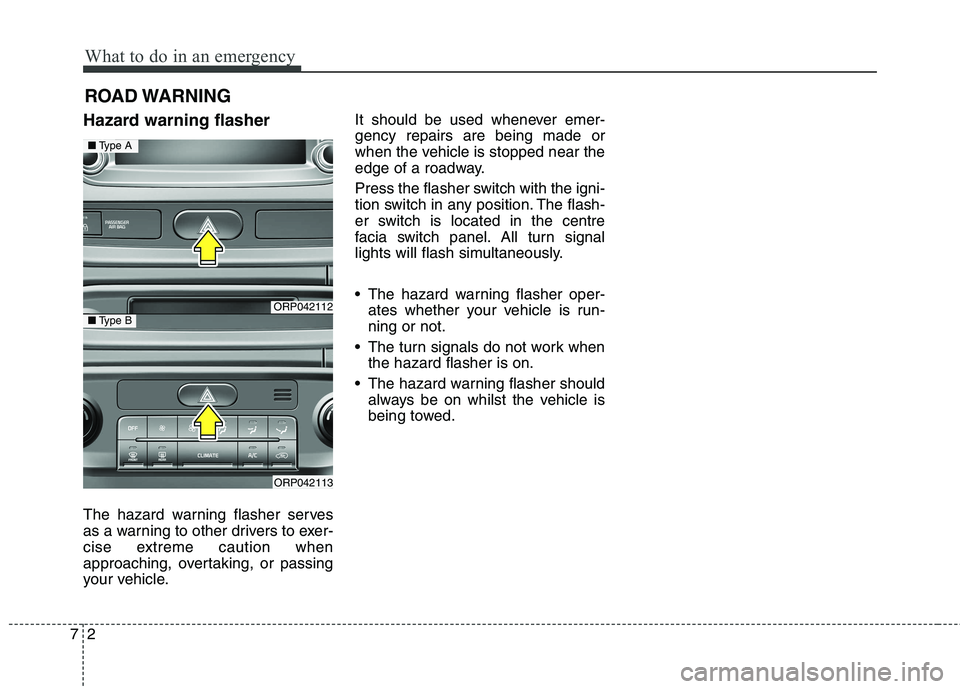
The hazard warning flasher serves
as a warning to other drivers to exer-
cise extreme caution when
approaching, overtaking, or passing
your vehicle. It should be used whenever emer-gency repairs are being made or
when the vehicle is stopped near the
edge of a roadway.
Press the flasher switch with the igni-
tion switch in any position. The flash-
er switch is located in the centre
facia switch panel. All turn signal
lights will flash simultaneously.
• The hazard warning flasher oper-
ates whether your vehicle is run- ning or not.
The turn signals do not work when the hazard flasher is on.
The hazard warning flasher should always be on whilst the vehicle is
being towed.
ORP042112
ORP042113
■Type A
■Type B