ECU KIA CARNIVAL 2007 Manual Online
[x] Cancel search | Manufacturer: KIA, Model Year: 2007, Model line: CARNIVAL, Model: KIA CARNIVAL 2007Pages: 1575, PDF Size: 44.86 MB
Page 1040 of 1575
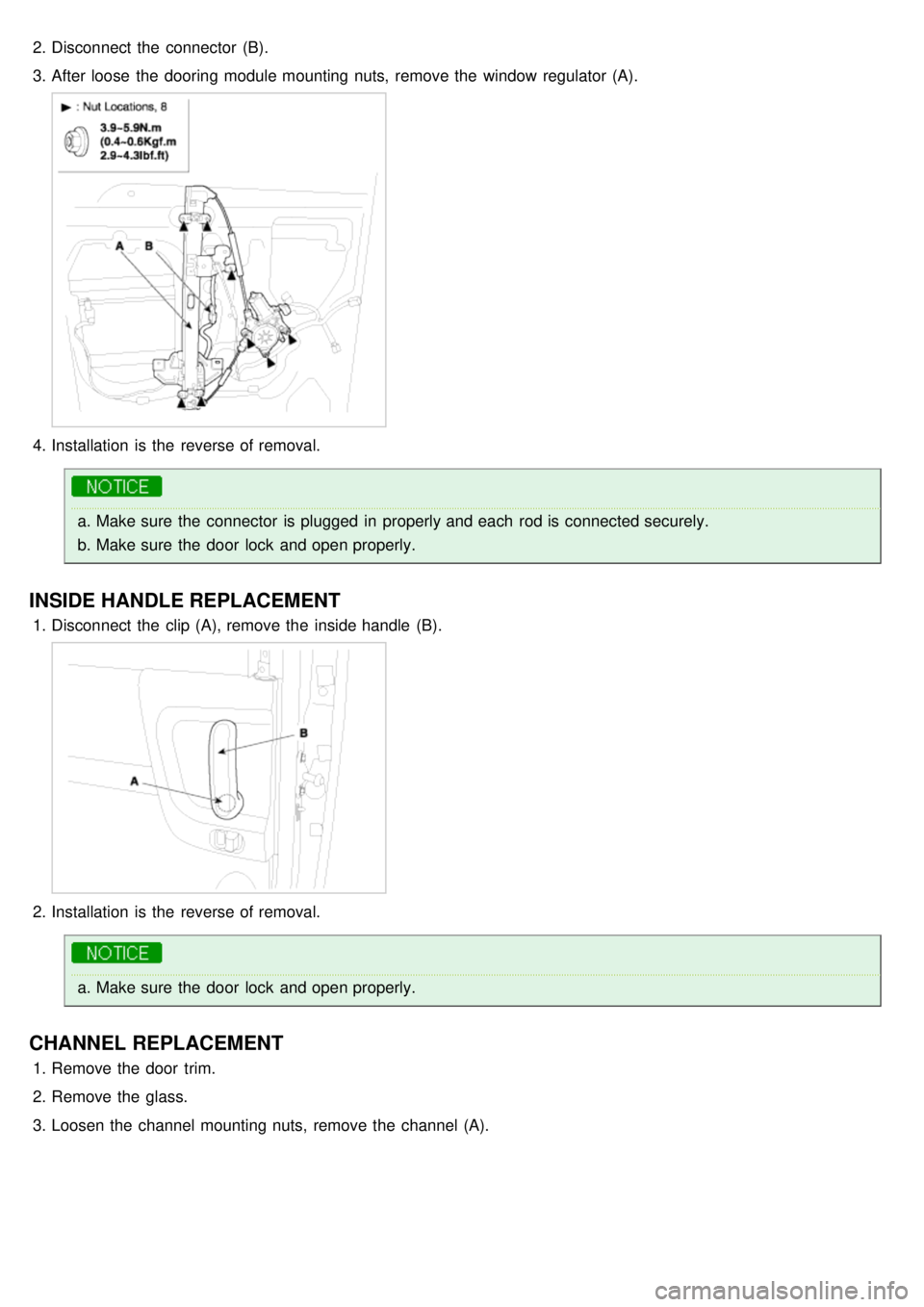
2.Disconnect the connector (B).
3. After loose the dooring module mounting nuts, remove the window regulator (A).
4.Installation is the reverse of removal.
a.Make sure the connector is plugged in properly and each rod is connected securely.
b. Make sure the door lock and open properly.
INSIDE HANDLE REPLACEMENT
1.Disconnect the clip (A), remove the inside handle (B).
2.Installation is the reverse of removal.
a.Make sure the door lock and open properly.
CHANNEL REPLACEMENT
1.Remove the door trim.
2. Remove the glass.
3. Loosen the channel mounting nuts, remove the channel (A).
Page 1045 of 1575

DOOR STRIKER ADJUSTMENT
Make sure the door latches securely without slamming It.
If necessary, adjust the striker (A): The strike nuts Are fixed. The strike can be fine adjusted up or down, and in or out.
striker ceater to be adjusted max ± 1.5mm1. Loosen the screws (B), then insert a shop towel between the body and striker(A).
2.Lightly tighten the screws.
3. Wrap the striker with a shop towel, then adjust the striker by tapping it with a plastic hammer.
Do not tap the striker too hard.
4. Loosen the screws and remove the shop towel.
5. Lightly tighten the screws.
6. Hold the outer handle out, and push the door against the body to be sure the striker allows a flush fit. If the door
latches properly, tighten the screws and recheck.
Page 1118 of 1575
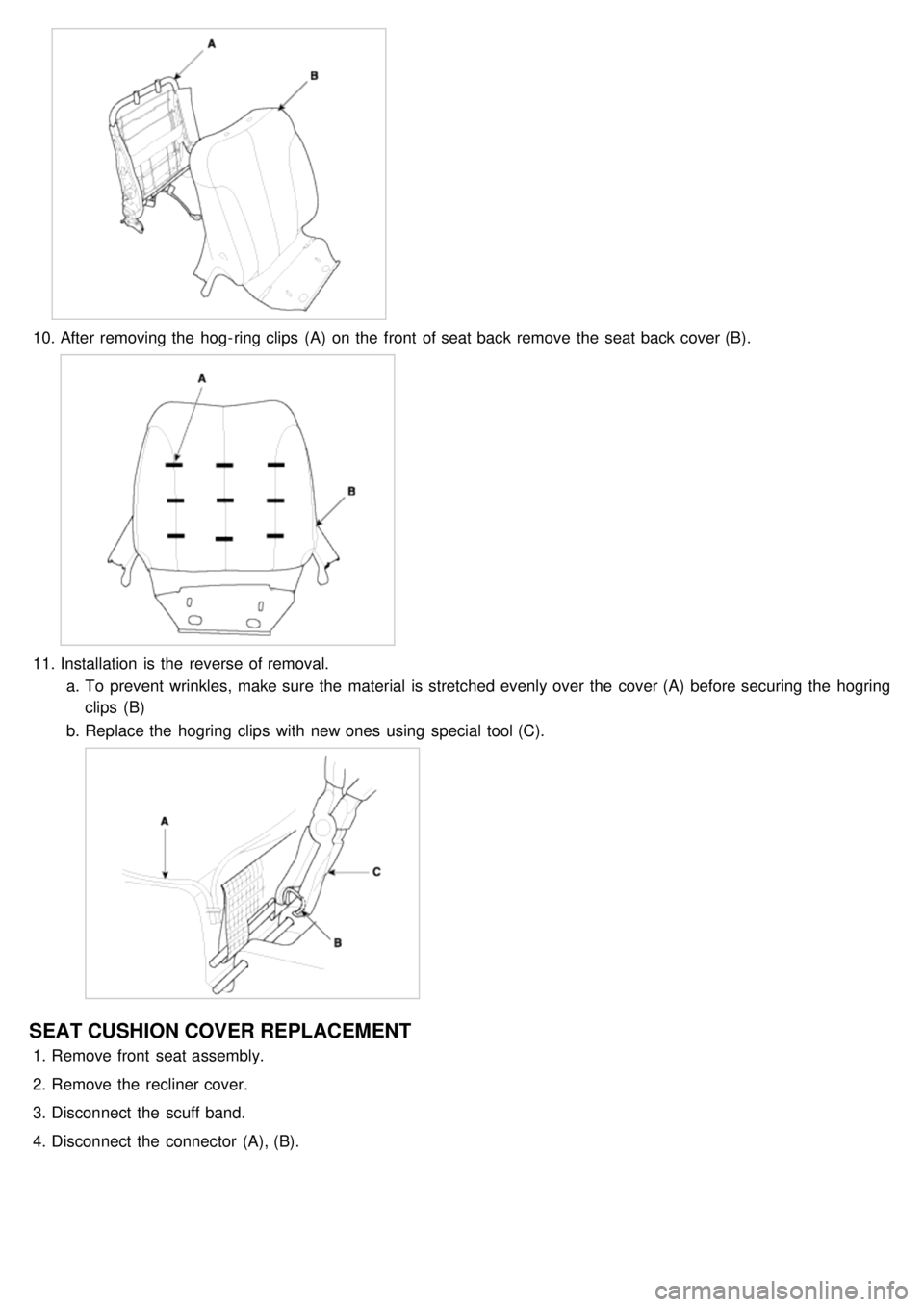
10.After removing the hog- ring clips (A) on the front of seat back remove the seat back cover (B).
11.Installation is the reverse of removal.
a. To prevent wrinkles, make sure the material is stretched evenly over the cover (A) before securing the hogring
clips (B)
b. Replace the hogring clips with new ones using special tool (C).
SEAT CUSHION COVER REPLACEMENT
1.Remove front seat assembly.
2. Remove the recliner cover.
3. Disconnect the scuff band.
4. Disconnect the connector (A), (B).
Page 1120 of 1575
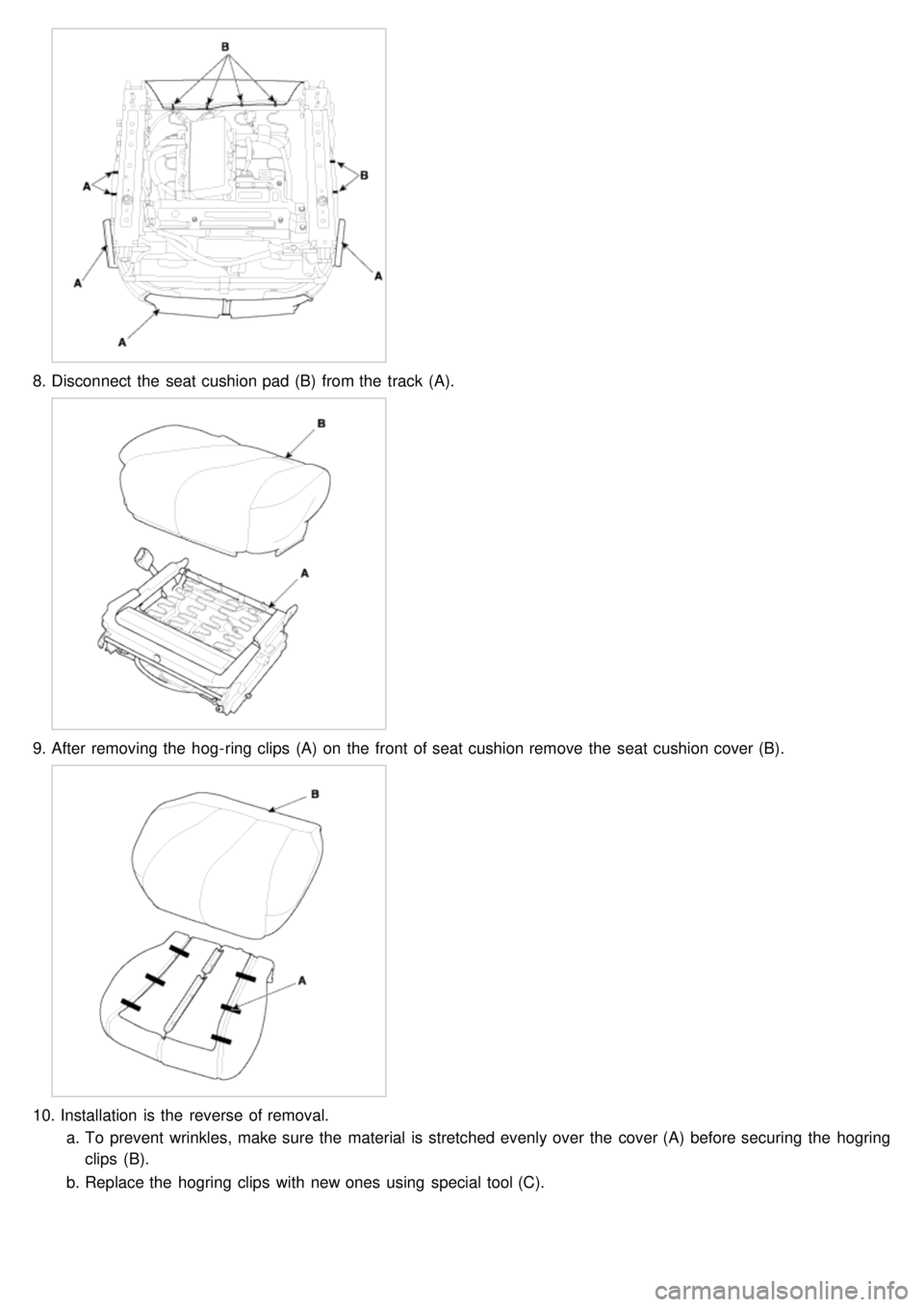
8.Disconnect the seat cushion pad (B) from the track (A).
9.After removing the hog- ring clips (A) on the front of seat cushion remove the seat cushion cover (B).
10. Installation is the reverse of removal.
a. To prevent wrinkles, make sure the material is stretched evenly over the cover (A) before securing the hogring
clips (B).
b. Replace the hogring clips with new ones using special tool (C).
Page 1130 of 1575

5.Remove the hog- ring clips (A).
6.Remove the headrest and headrest guide.
7. After removing the hog- ring clips (A) on the front of seat back remove the seat back cover (B).
8.Installation is the reverse of removal.
a.To prevent wrinkles, make sure the material is stretched evenly over the cover (A) before securing the
hogring clips (B)
b. Replace the hogring clips with new ones using special tool (C).
Page 1133 of 1575
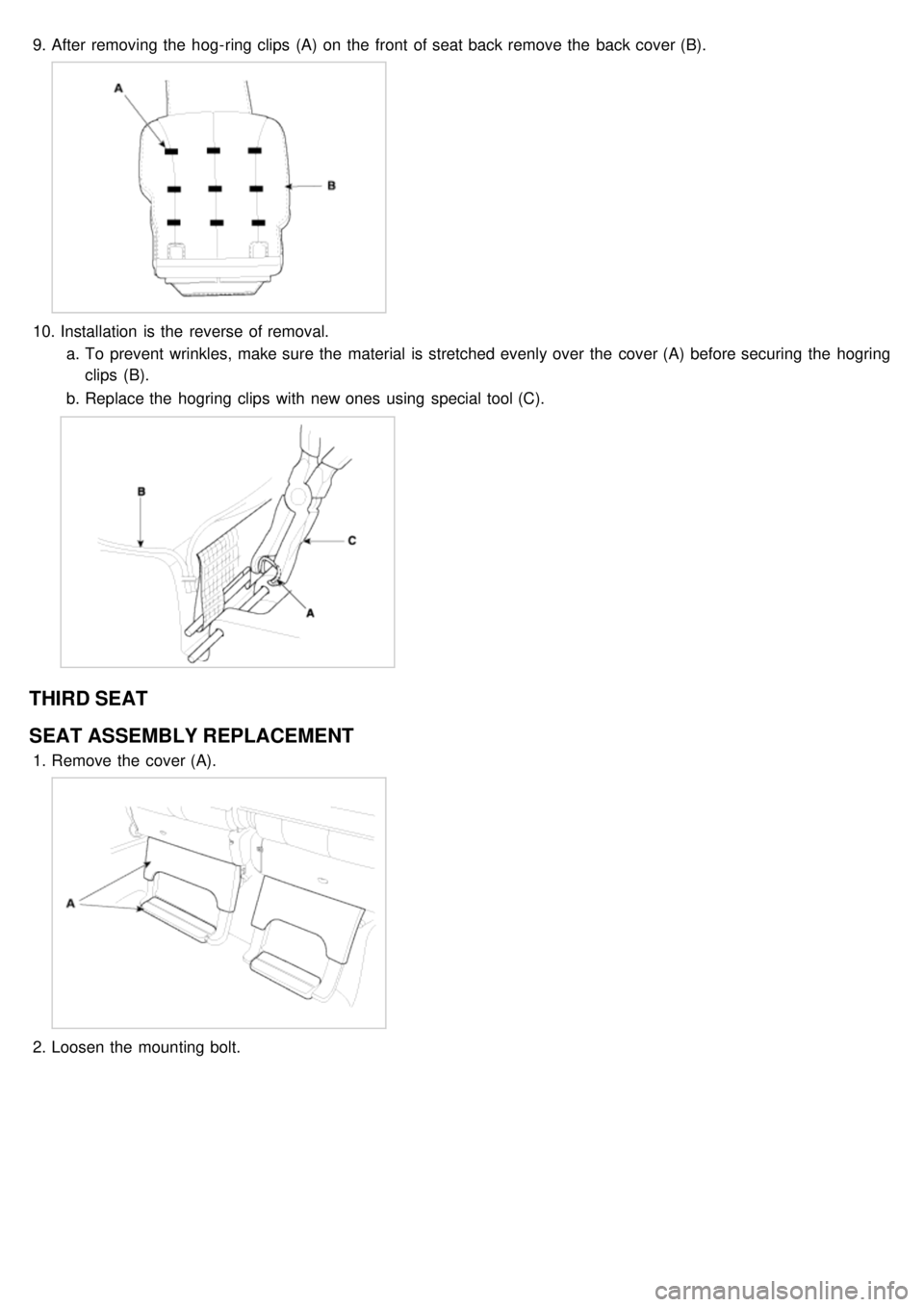
9.After removing the hog- ring clips (A) on the front of seat back remove the back cover (B).
10. Installation is the reverse of removal.
a. To prevent wrinkles, make sure the material is stretched evenly over the cover (A) before securing the hogring
clips (B).
b. Replace the hogring clips with new ones using special tool (C).
THIRD SEAT
SEAT ASSEMBLY REPLACEMENT
1.Remove the cover (A).
2.Loosen the mounting bolt.
Page 1153 of 1575
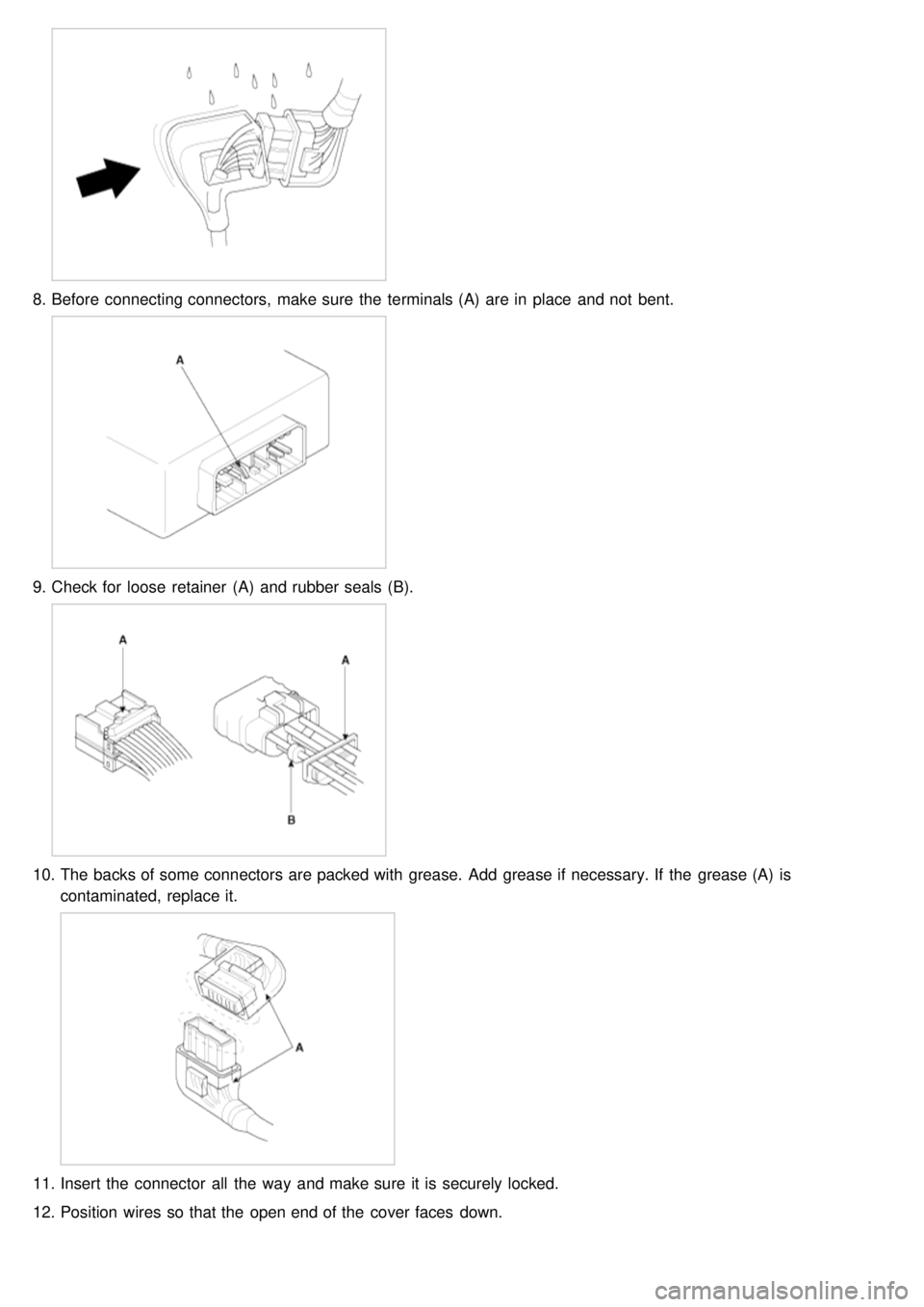
8.Before connecting connectors, make sure the terminals (A) are in place and not bent.
9.Check for loose retainer (A) and rubber seals (B).
10. The backs of some connectors are packed with grease. Add grease if necessary. If the grease (A) is
contaminated, replace it.
11.Insert the connector all the way and make sure it is securely locked.
12. Position wires so that the open end of the cover faces down.
Page 1154 of 1575
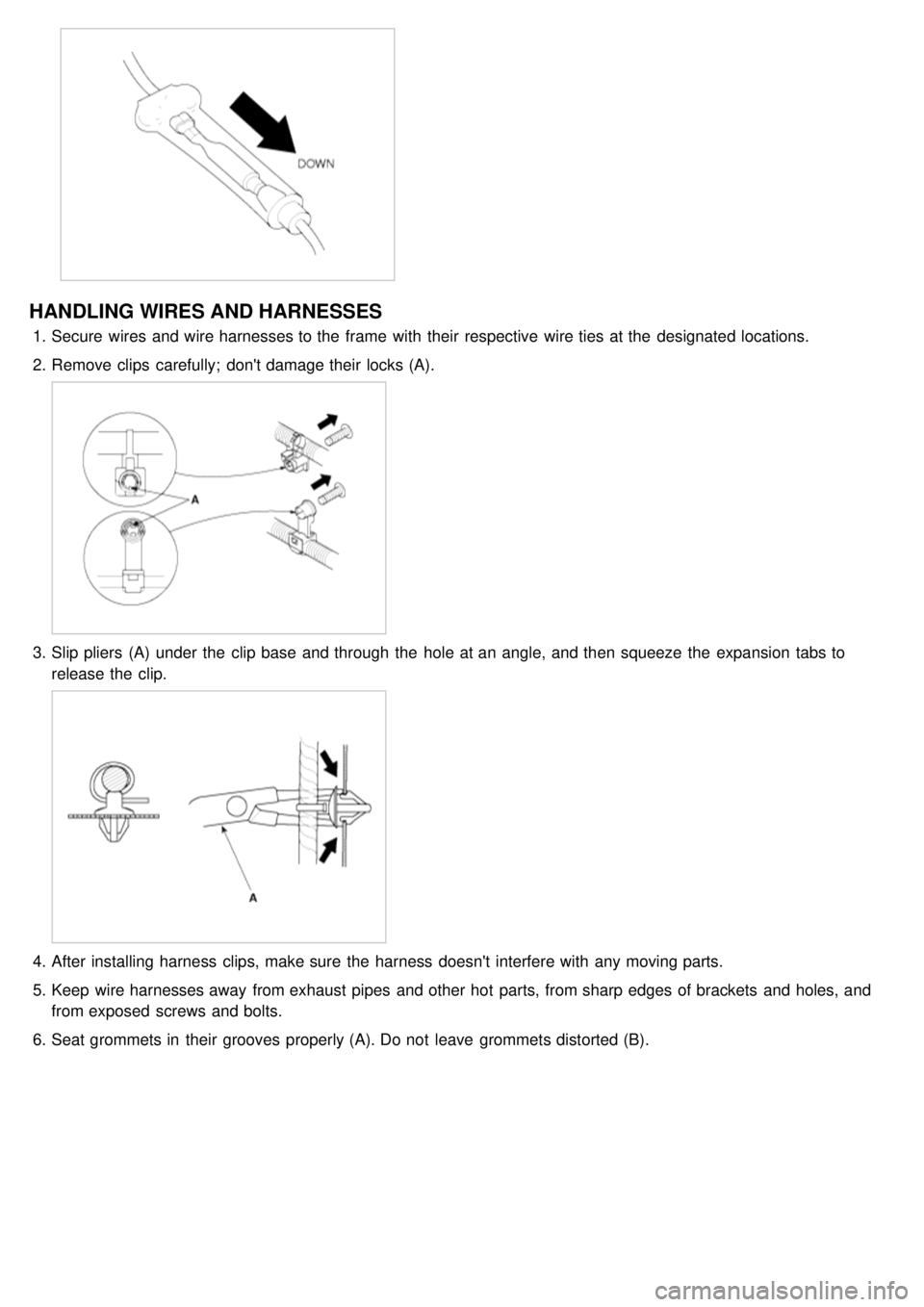
HANDLING WIRES AND HARNESSES
1.Secure wires and wire harnesses to the frame with their respective wire ties at the designated locations.
2. Remove clips carefully; don't damage their locks (A).
3.Slip pliers (A) under the clip base and through the hole at an angle, and then squeeze the expansion tabs to
release the clip.
4.After installing harness clips, make sure the harness doesn't interfere with any moving parts.
5. Keep wire harnesses away from exhaust pipes and other hot parts, from sharp edges of brackets and holes, and
from exposed screws and bolts.
6. Seat grommets in their grooves properly (A). Do not leave grommets distorted (B).
Page 1156 of 1575
3.Isolate the problem by testing the circuit
Make circuit tests to check the diagnosis you made in step 2. Keep in mind that a logical, simple procedure is the
key to efficient troubleshooting.
Test for the most likely cause of failure first. Try to make tests at points that are easily accessible.
4. Fix the problem
Once the specific problem is identified, make the repair. Be sure to use proper tools and safe procedures.
5. Make sure the circuit works
Turn on all components in the repaired circuit in all modes to make sure you've fixed the entire problem. If the
problem was a blown fuse, be sure to test all of the circuits on the fuse. Make sure no new problems turn up and
the original problem does not recur
Page 1230 of 1575

g.7th : Light ON warning
h. 8th : Key learning sound
3. If two different warning condition happen at the same time, chime should work only for the highest warning
condition.
4. Cluster indicators should work for two warning behavior.
5. Behavior Description
Seat Belt Warning
The IPM receives on digital input the status of the seat belt switch.
The chime is activated during 6 second when the seat belt is not fastened.
The chime will stop immediately if the seat belt is fastened during the 6 seconds of the chime.
Park Brake Warning
The IPM receives on digital input the status of the parking brake switch.
The IPM receives the speed of the vehicle by the CAN network.
The chime is activated when the parking brake is on, ignition switch is on RUN and speed vehicle is over 10 km/h.
The park brake indicator is blinking at the same time that the chime is ringing.
Over Speed Warning
The IPM receives the overspeed warning by the CAN network.
The chime is actived when the overspeed speed warning is on the state Overspeed.
Key Reminder Warning
The IPM receives the status of the key on digital input.
The IPM receives the status of the driver door open switch by the CAN network.
The chime is activated when key is inserted and the driver door is open.
Light Warning
The IPM receives the status of the driver door open switch by the CAN network.
The light chime warning is activated when the driver door is open and the park and tail lamps are turned on.
Doors Open Warning
The RAM receives on digital input the status of the driver / passenger / left sliding / right sliding door open switch and
sends it on the CAn network.
The IPM receives by CAN network the speed of the vehicle.
The doors open warning chime is activated when one or several of the 4 doors is opened and the speed of vehicle is
over 10km/h.
Tailgate Open Warning
The RAM receives on digital input the status of the tailgate open switch and sends it on the CAN network.
The IPM receives by CAN network the speed of the vehicle.
The tailgate open warning chime is activated when the tailgate is opened and the speed of vehicle is over 10km/h.
Safety And Security Function
Remote Keyless Entry