ignition KIA CEED 2013 Owners Manual
[x] Cancel search | Manufacturer: KIA, Model Year: 2013, Model line: CEED, Model: KIA CEED 2013Pages: 1168, PDF Size: 48.01 MB
Page 706 of 1168
443
Features of your vehicle
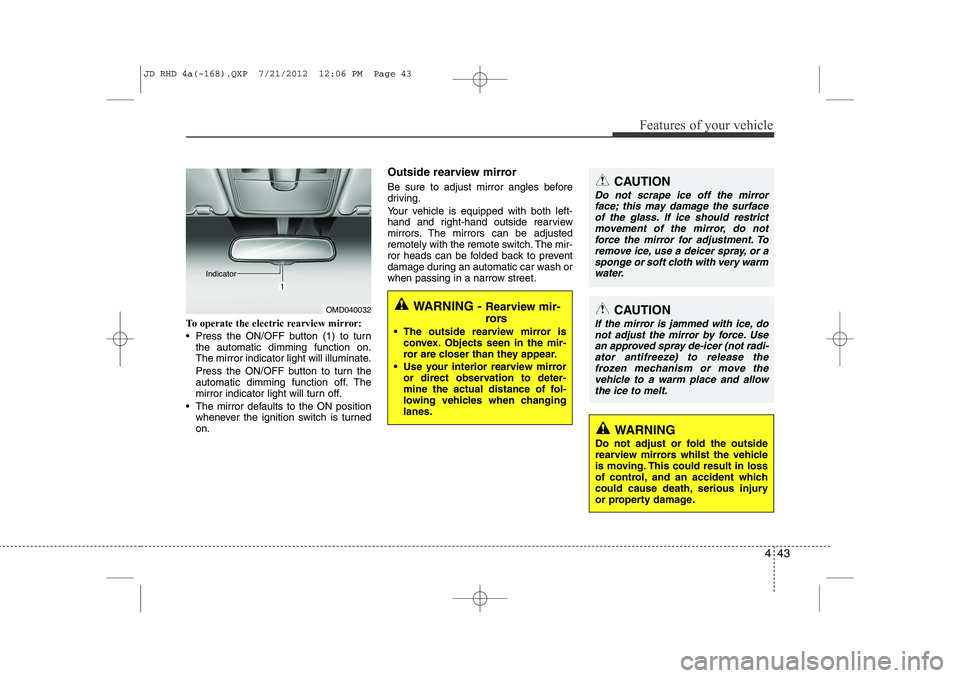
To operate the electric rearview mirror:
Press the ON/OFF button (1) to turnthe automatic dimming function on.
The mirror indicator light will illuminate.
Press the ON/OFF button to turn the
automatic dimming function off. The
mirror indicator light will turn off.
The mirror defaults to the ON position whenever the ignition switch is turnedon. Outside rearview mirror
Be sure to adjust mirror angles before
driving.
Your vehicle is equipped with both left-
hand and right-hand outside rearview
mirrors. The mirrors can be adjusted
remotely with the remote switch. The mir-
ror heads can be folded back to prevent
damage during an automatic car wash or
when passing in a narrow street.
OMD040032
IndicatorWARNING -
Rearview mir-
rors
The outside rearview mirror is convex. Objects seen in the mir-
ror are closer than they appear.
Use your interior rearview mirror or direct observation to deter-
mine the actual distance of fol-
lowing vehicles when changinglanes.
CAUTION
Do not scrape ice off the mirror
face; this may damage the surface
of the glass. If ice should restrict movement of the mirror, do notforce the mirror for adjustment. To remove ice, use a deicer spray, or a
sponge or soft cloth with very warmwater.
CAUTION
If the mirror is jammed with ice, do not adjust the mirror by force. Usean approved spray de-icer (not radi-
ator antifreeze) to release thefrozen mechanism or move the vehicle to a warm place and allow
the ice to melt.
WARNING
Do not adjust or fold the outside
rearview mirrors whilst the vehicle
is moving. This could result in loss
of control, and an accident which
could cause death, serious injury
or property damage.
JD RHD 4a(~168).QXP 7/21/2012 12:06 PM Page 43
Page 708 of 1168
445
Features of your vehicle
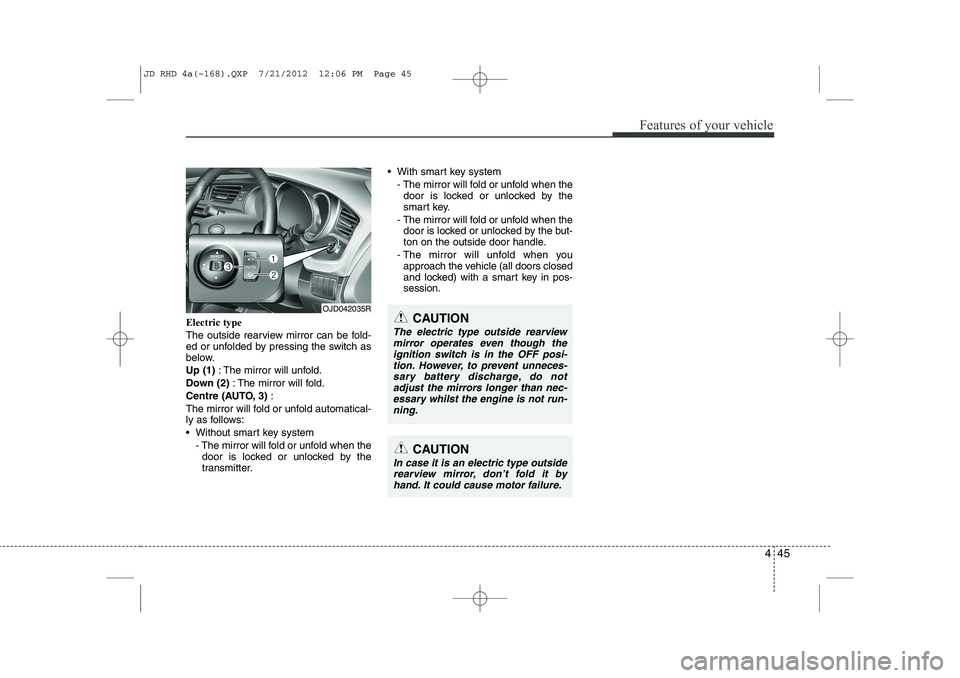
Electric type
The outside rearview mirror can be fold-
ed or unfolded by pressing the switch as
below. Up (1): The mirror will unfold.
Down (2) : The mirror will fold.
Centre (AUTO, 3) :
The mirror will fold or unfold automatical-
ly as follows:
Without smart key system - The mirror will fold or unfold when thedoor is locked or unlocked by the
transmitter. With smart key system
- The mirror will fold or unfold when thedoor is locked or unlocked by the
smart key.
- The mirror will fold or unfold when the door is locked or unlocked by the but-
ton on the outside door handle.
- The mirror will unfold when you approach the vehicle (all doors closed
and locked) with a smart key in pos-session.
OJD042035R
CAUTION
In case it is an electric type outside
rearview mirror, don’t fold it byhand. It could cause motor failure.
CAUTION
The electric type outside rearviewmirror operates even though the
ignition switch is in the OFF posi-tion. However, to prevent unneces- sary battery discharge, do notadjust the mirrors longer than nec-
essary whilst the engine is not run-ning.
JD RHD 4a(~168).QXP 7/21/2012 12:06 PM Page 45
Page 710 of 1168
447
Features of your vehicle
CAUTION
Do not operate the engine withinthe tachometer's RED ZONE. This may cause severe engine damage.
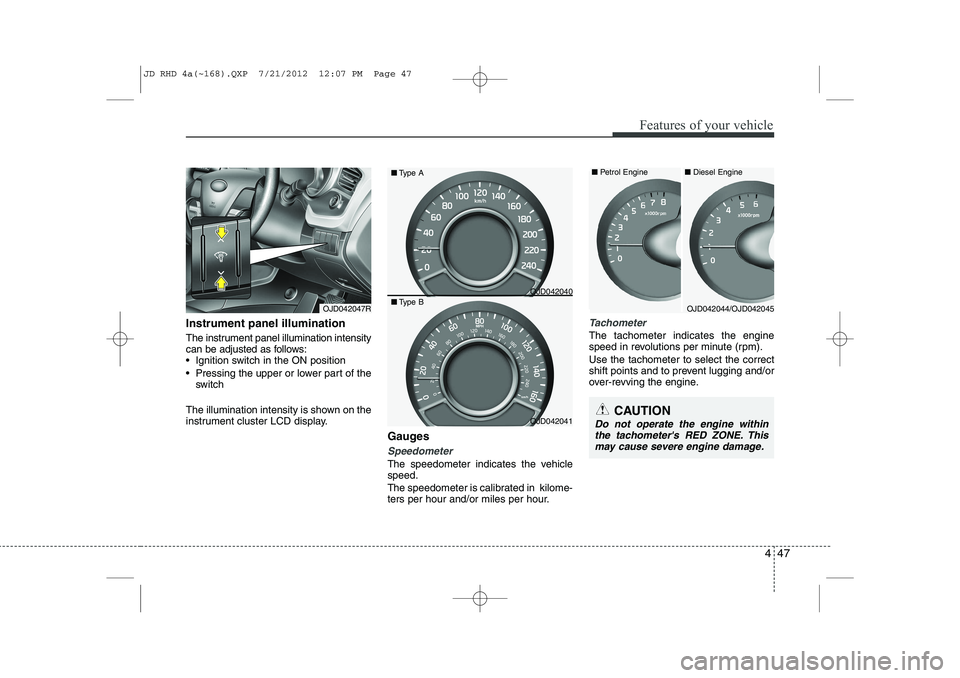
Instrument panel illumination
The instrument panel illumination intensity
can be adjusted as follows:
Ignition switch in the ON position
Pressing the upper or lower part of the switch
The illumination intensity is shown on the
instrument cluster LCD display. Gauges
Speedometer
The speedometer indicates the vehicle speed.
The speedometer is calibrated in kilome-
ters per hour and/or miles per hour.
Tachometer
The tachometer indicates the engine
speed in revolutions per minute (rpm). Use the tachometer to select the correct
shift points and to prevent lugging and/or
over-revving the engine.
OJD042047ROJD042044/OJD042045
OJD042040
OJD042041■
Diesel Engine
■ Petrol Engine
■ Type A
■ Type B
JD RHD 4a(~168).QXP 7/21/2012 12:07 PM Page 47
Page 714 of 1168
451
Features of your vehicle
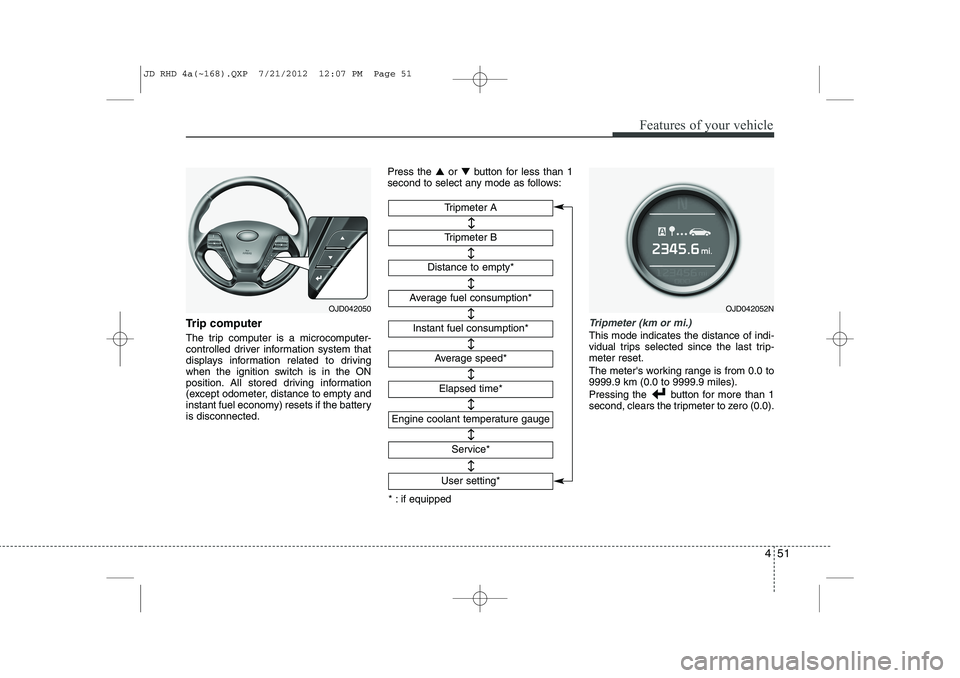
Trip computer
The trip computer is a microcomputer-
controlled driver information system that
displays information related to driving
when the ignition switch is in the ON
position. All stored driving information
(except odometer, distance to empty and
instant fuel economy) resets if the batteryis disconnected.Press the
▲or ▼ button for less than 1
second to select any mode as follows:Tripmeter (km or mi.)
This mode indicates the distance of indi-
vidual trips selected since the last trip-meter reset.
The meter's working range is from 0.0 to 9999.9 km (0.0 to 9999.9 miles).
Pressing the button for more than 1
second, clears the tripmeter to zero (0.0).
Tripmeter B
Instant fuel consumption*
Tripmeter A
Distance to empty*
Average fuel consumption*
Engine coolant temperature gauge
* : if equipped Elapsed time*
Average speed*
↔↔
↔
↔
↔
↔
↔
↔
Service*
↔
User setting*
↔
OJD042050OJD042052N
JD RHD 4a(~168).QXP 7/21/2012 12:07 PM Page 51
Page 717 of 1168
Features of your vehicle
54
4
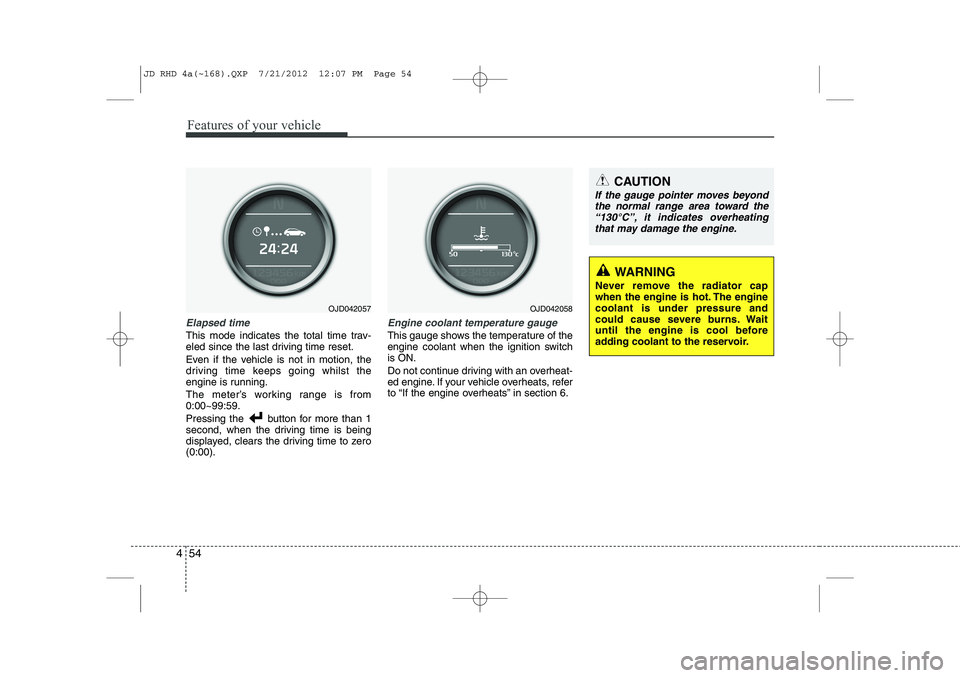
Elapsed time
This mode indicates the total time trav-
eled since the last driving time reset.
Even if the vehicle is not in motion, the
driving time keeps going whilst the
engine is running.
The meter’s working range is from 0:00~99:59.
Pressing the button for more than 1
second, when the driving time is being
displayed, clears the driving time to zero(0:00).
Engine coolant temperature gauge
This gauge shows the temperature of the
engine coolant when the ignition switchis ON.
Do not continue driving with an overheat-
ed engine. If your vehicle overheats, refer
to “If the engine overheats” in section 6.
CAUTION
If the gauge pointer moves beyond
the normal range area toward the
“130°C”, it indicates overheatingthat may damage the engine.
WARNING
Never remove the radiator cap
when the engine is hot. The enginecoolant is under pressure and
could cause severe burns. Wait
until the engine is cool before
adding coolant to the reservoir.
OJD042057OJD042058
JD RHD 4a(~168).QXP 7/21/2012 12:07 PM Page 54
Page 719 of 1168
Features of your vehicle
56
4
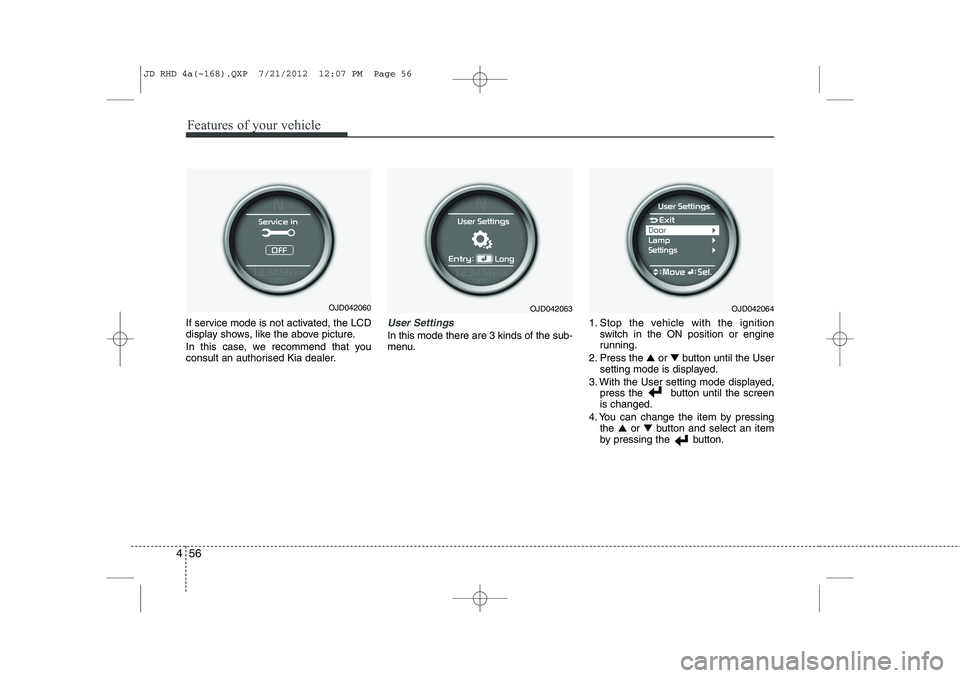
If service mode is not activated, the LCD
display shows, like the above picture.
In this case, we recommend that you
consult an authorised Kia dealer.User Settings
In this mode there are 3 kinds of the sub-
menu. 1. Stop the vehicle with the ignition
switch in the ON position or engine
running.
2. Press the ▲ or ▼ button until the User
setting mode is displayed.
3. With the User setting mode displayed, press the button until the screenis changed.
4. You can change the item by pressing the ▲ or ▼ button and select an item
by pressing the button.
OJD042063OJD042064OJD042060
JD RHD 4a(~168).QXP 7/21/2012 12:07 PM Page 56
Page 723 of 1168
Features of your vehicle
60
4
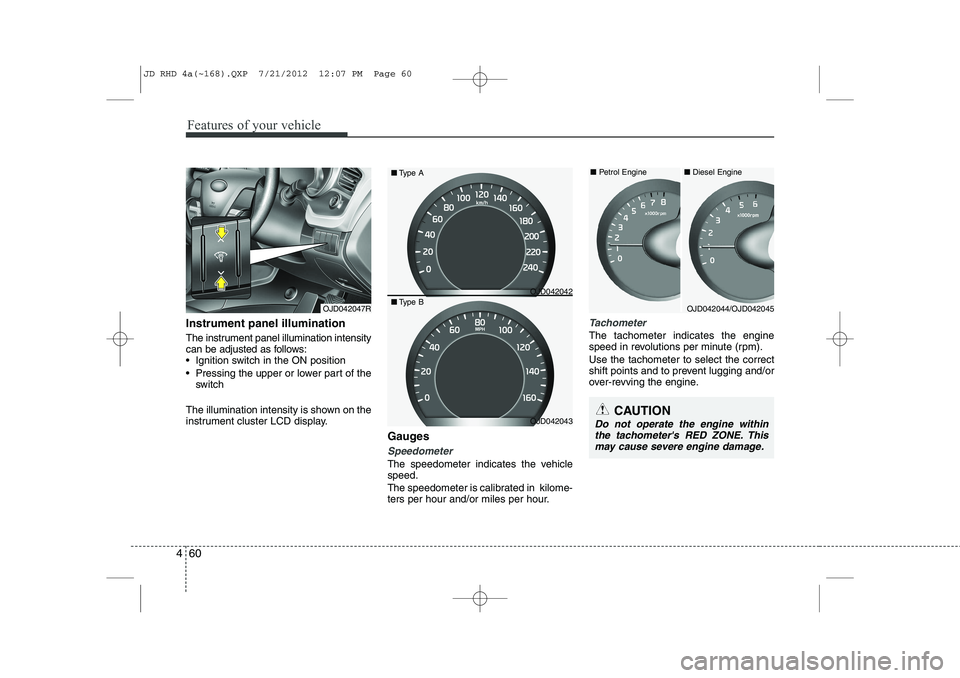
Instrument panel illumination
The instrument panel illumination intensity
can be adjusted as follows:
Ignition switch in the ON position
Pressing the upper or lower part of the
switch
The illumination intensity is shown on the
instrument cluster LCD display. Gauges
Speedometer
The speedometer indicates the vehicle speed.
The speedometer is calibrated in kilome-
ters per hour and/or miles per hour.
Tachometer
The tachometer indicates the engine
speed in revolutions per minute (rpm). Use the tachometer to select the correct
shift points and to prevent lugging and/or
over-revving the engine.
OJD042047R
CAUTION
Do not operate the engine withinthe tachometer's RED ZONE. This may cause severe engine damage.
OJD042044/OJD042045
■
Diesel Engine
■ Petrol Engine
OJD042042
OJD042043
■
Type A
■ Type B
JD RHD 4a(~168).QXP 7/21/2012 12:07 PM Page 60
Page 727 of 1168
Features of your vehicle
64
4
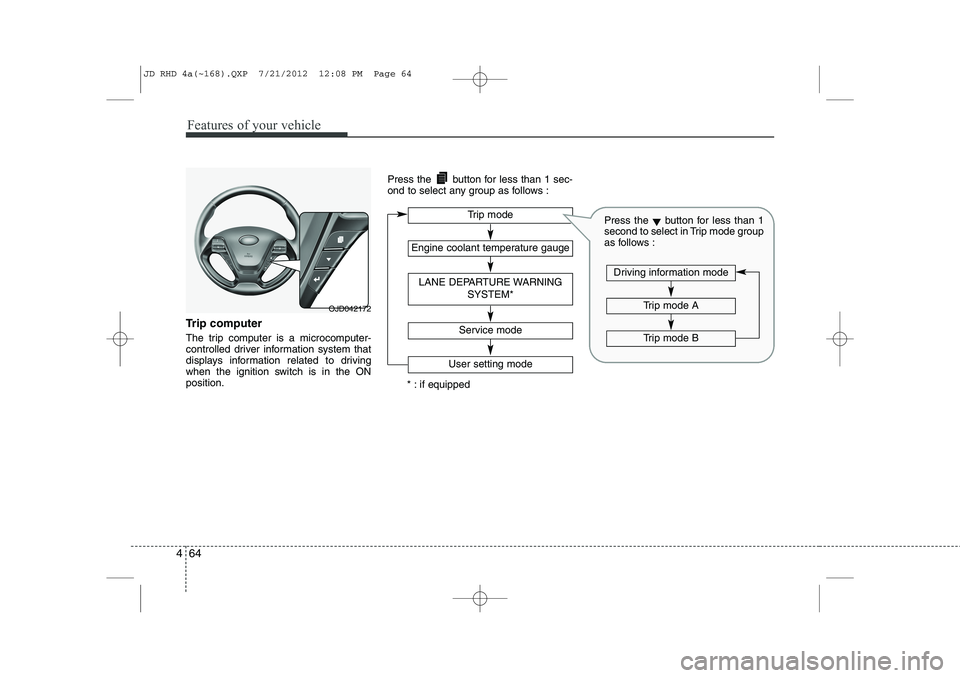
Trip computer
The trip computer is a microcomputer-
controlled driver information system that
displays information related to driving
when the ignition switch is in the ONposition. Press the button for less than 1 sec-
ond to select any group as follows :
OJD042172
Engine coolant temperature gauge
User setting mode
Service mode
LANE DEPARTURE WARNING
SYSTEM*
Trip mode
* : if equipped
Trip mode A
Trip mode B
Driving information mode
Press the▼button for less than 1
second to select in Trip mode group
as follows :
JD RHD 4a(~168).QXP 7/21/2012 12:08 PM Page 64
Page 730 of 1168
467
Features of your vehicle
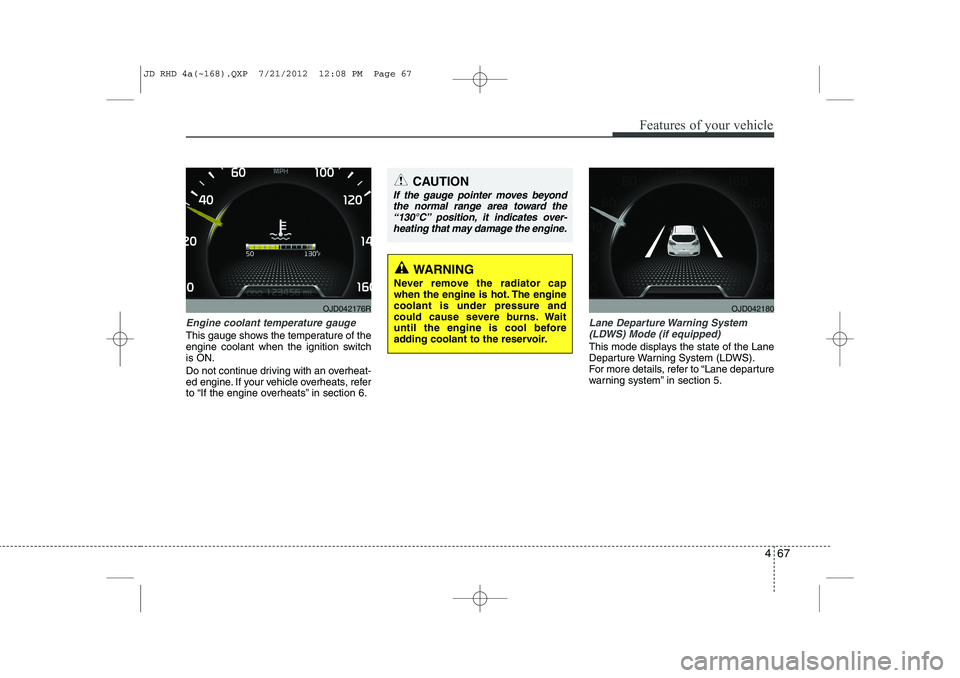
Engine coolant temperature gauge
This gauge shows the temperature of the
engine coolant when the ignition switchis ON.
Do not continue driving with an overheat-
ed engine. If your vehicle overheats, refer
to “If the engine overheats” in section 6.
Lane Departure Warning System(LDWS) Mode (if equipped)
This mode displays the state of the Lane
Departure Warning System (LDWS).
For more details, refer to “Lane departure
warning system” in section 5.
CAUTION
If the gauge pointer moves beyondthe normal range area toward the
“130°C” position, it indicates over-heating that may damage the engine.
WARNING
Never remove the radiator cap
when the engine is hot. The enginecoolant is under pressure and
could cause severe burns. Wait
until the engine is cool before
adding coolant to the reservoir.
OJD042176ROJD042180
JD RHD 4a(~168).QXP 7/21/2012 12:08 PM Page 67
Page 732 of 1168
469
Features of your vehicle
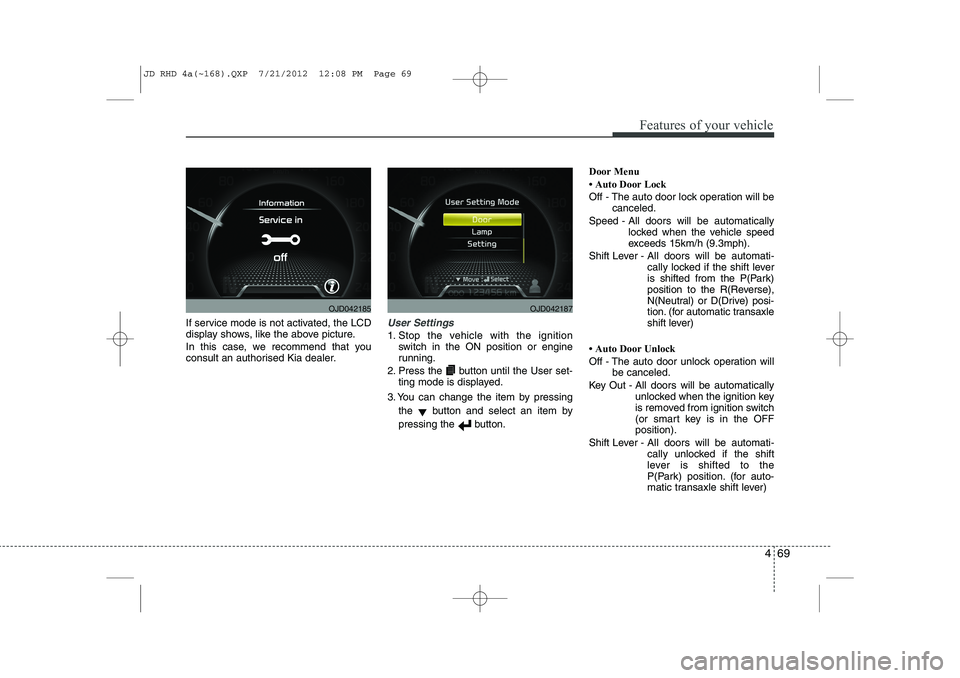
If service mode is not activated, the LCD
display shows, like the above picture.
In this case, we recommend that you
consult an authorised Kia dealer.User Settings
1. Stop the vehicle with the ignitionswitch in the ON position or engine
running.
2. Press the button until the User set- ting mode is displayed.
3. You can change the item by pressing the ▼button and select an item by
pressing the button. Door Menu