ignition KIA CEED 2013 Owners Manual
[x] Cancel search | Manufacturer: KIA, Model Year: 2013, Model line: CEED, Model: KIA CEED 2013Pages: 1168, PDF Size: 48.01 MB
Page 751 of 1168
Features of your vehicle
88
4
LCD DISPLAY WARNINGS AND INDICATORS (INSTRUMENT PANEL DISPLAY)
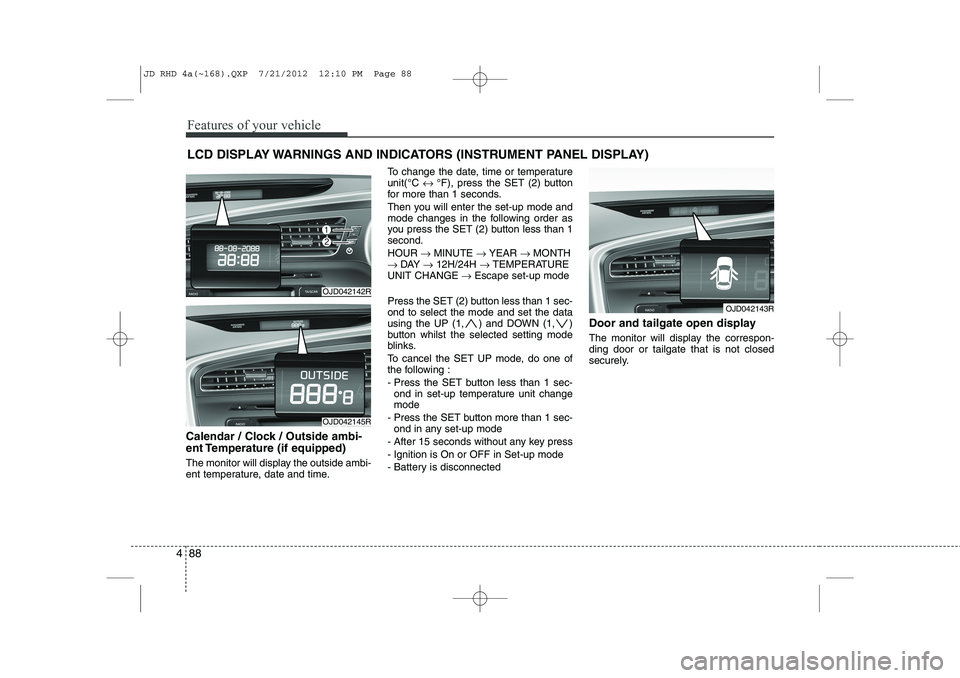
Calendar / Clock / Outside ambi-
ent Temperature (if equipped)
The monitor will display the outside ambi-
ent temperature, date and time. To change the date, time or temperatureunit(°C
↔ °F), press the SET (2) button
for more than 1 seconds.
Then you will enter the set-up mode and
mode changes in the following order as
you press the SET (2) button less than 1second. HOUR → MINUTE → YEAR → MONTH
→ DAY → 12H/24H → TEMPERATURE
UNIT CHANGE → Escape set-up mode
Press the SET (2) button less than 1 sec- ond to select the mode and set the data
using the UP (1, ) and DOWN (1, )
button whilst the selected setting mode
blinks.
To cancel the SET UP mode, do one of
the following :
- Press the SET button less than 1 sec- ond in set-up temperature unit change mode
- Press the SET button more than 1 sec- ond in any set-up mode
- After 15 seconds without any key press
- Ignition is On or OFF in Set-up mode
- Battery is disconnected Door and tailgate open display
The monitor will display the correspon- ding door or tailgate that is not closed
securely.
OJD042142R
OJD042145R
OJD042143R
JD RHD 4a(~168).QXP 7/21/2012 12:10 PM Page 88
Page 752 of 1168
489
Features of your vehicle
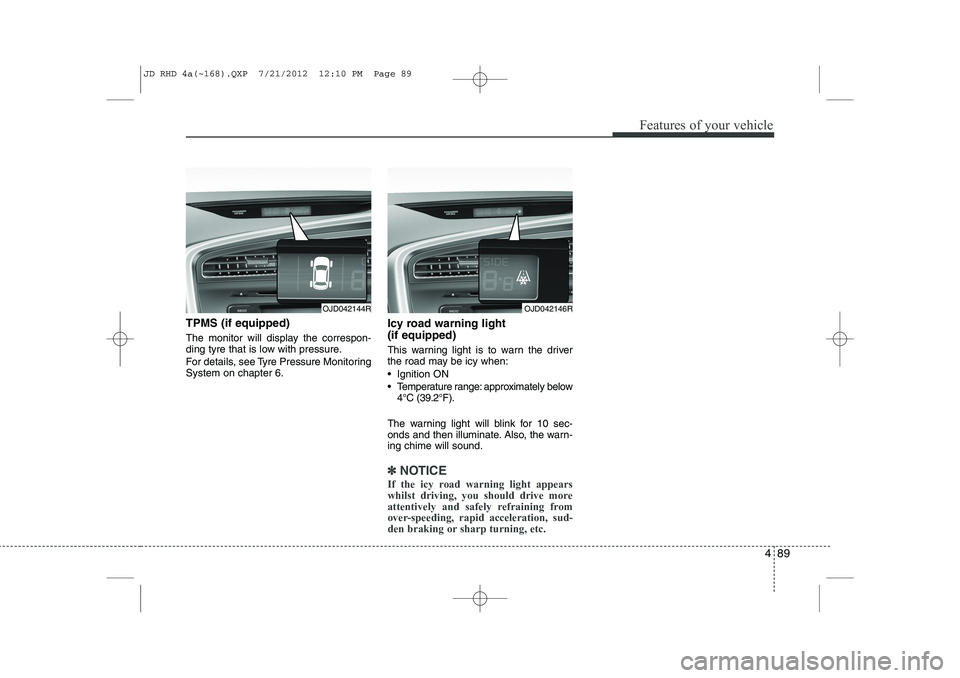
TPMS (if equipped)
The monitor will display the correspon-
ding tyre that is low with pressure.
For details, see Tyre Pressure Monitoring System on chapter 6.Icy road warning light (if equipped)
This warning light is to warn the driver
the road may be icy when:
Ignition ON
Temperature range: approximately below
4°C (39.2°F).
The warning light will blink for 10 sec-
onds and then illuminate. Also, the warn-ing chime will sound.
✽✽ NOTICE
If the icy road warning light appears
whilst driving, you should drive more
attentively and safely refraining from
over-speeding, rapid acceleration, sud-
den braking or sharp turning, etc.
OJD042144ROJD042146R
JD RHD 4a(~168).QXP 7/21/2012 12:10 PM Page 89
Page 753 of 1168
Features of your vehicle
90
4
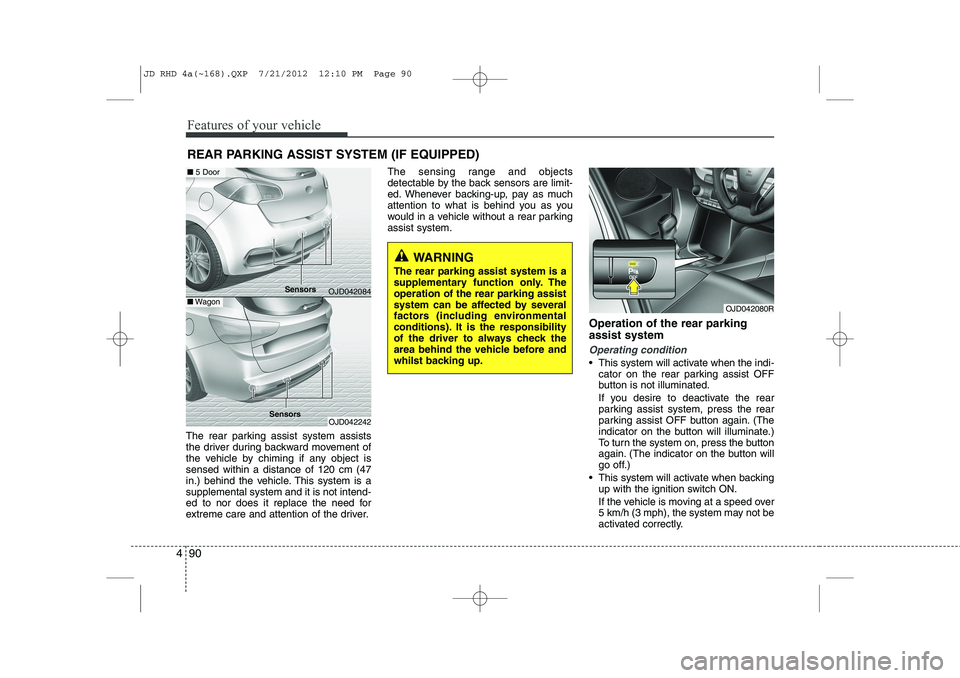
The rear parking assist system assists
the driver during backward movement of
the vehicle by chiming if any object issensed within a distance of 120 cm (47
in.) behind the vehicle. This system is asupplemental system and it is not intend-
ed to nor does it replace the need for
extreme care and attention of the driver. The sensing range and objects
detectable by the back sensors are limit-
ed. Whenever backing-up, pay as much
attention to what is behind you as you
would in a vehicle without a rear parkingassist system.
Operation of the rear parking assist system
Operating condition
This system will activate when the indi-cator on the rear parking assist OFF
button is not illuminated.
If you desire to deactivate the rear
parking assist system, press the rear
parking assist OFF button again. (The
indicator on the button will illuminate.)
To turn the system on, press the button
again. (The indicator on the button will
go off.)
This system will activate when backing up with the ignition switch ON.
If the vehicle is moving at a speed over
5 km/h (3 mph), the system may not be
activated correctly.
REAR PARKING ASSIST SYSTEM (IF EQUIPPED)
WARNING
The rear parking assist system is a
supplementary function only. Theoperation of the rear parking assist
system can be affected by several
factors (including environmental
conditions). It is the responsibility
of the driver to always check the
area behind the vehicle before and
whilst backing up.
OJD042080R
OJD042084
OJD042242
■ 5 Door
■Wagon
Sensors
Sensors
JD RHD 4a(~168).QXP 7/21/2012 12:10 PM Page 90
Page 757 of 1168
Features of your vehicle
94
4
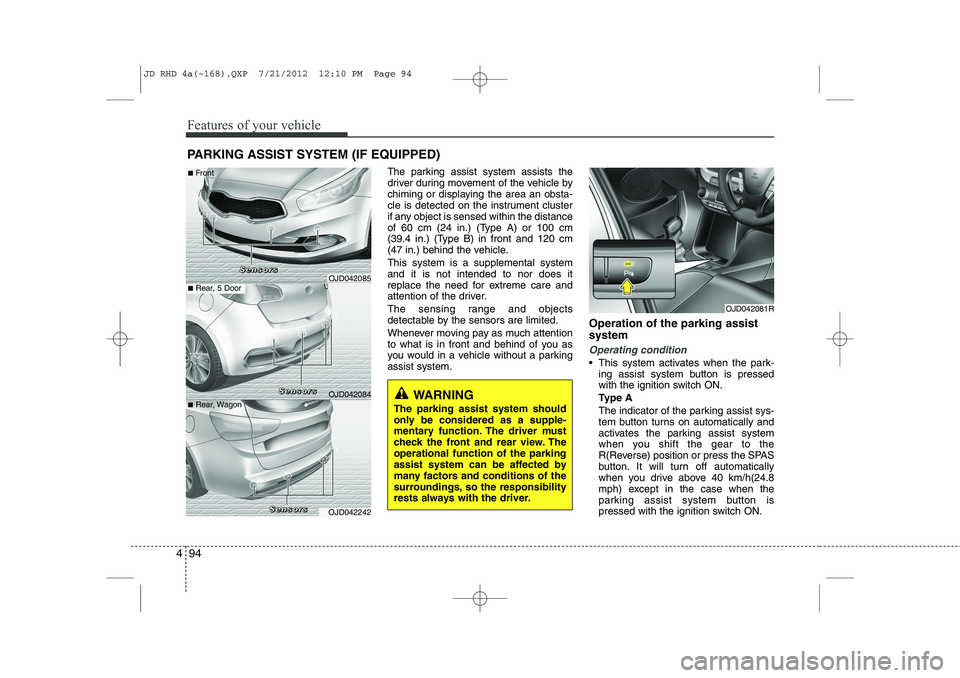
The parking assist system assists the
driver during movement of the vehicle by
chiming or displaying the area an obsta-
cle is detected on the instrument cluster
if any object is sensed within the distance
of 60 cm (24 in.) (Type A) or 100 cm
(39.4 in.) (Type B) in front and 120 cm
(47 in.) behind the vehicle. This system is a supplemental system and it is not intended to nor does it
replace the need for extreme care and
attention of the driver.
The sensing range and objects
detectable by the sensors are limited.
Whenever moving pay as much attention
to what is in front and behind of you as
you would in a vehicle without a parkingassist system. Operation of the parking assist system
Operating condition
This system activates when the park-
ing assist system button is pressed
with the ignition switch ON.
Type A
The indicator of the parking assist sys-
tem button turns on automatically and
activates the parking assist system
when you shift the gear to the
R(Reverse) position or press the SPAS
button. It will turn off automatically
when you drive above 40 km/h(24.8
mph) except in the case when the
parking assist system button is
pressed with the ignition switch ON.
PARKING ASSIST SYSTEM (IF EQUIPPED)
WARNING
The parking assist system should
only be considered as a supple-
mentary function. The driver must
check the front and rear view. Theoperational function of the parking
assist system can be affected by
many factors and conditions of the
surroundings, so the responsibility
rests always with the driver.
OJD042081R
OJD042085
OJD042084
OJD042242
■ Rear, 5 Door
■
Front
■ Rear, Wagon S
SSSeeeennnnssssoooorrrrssss
SSSSeeeennnnssssoooorrrrssss
SSSSeeeennnnssssoooorrrrssss
JD RHD 4a(~168).QXP 7/21/2012 12:10 PM Page 94
Page 766 of 1168
4 103
Features of your vehicle
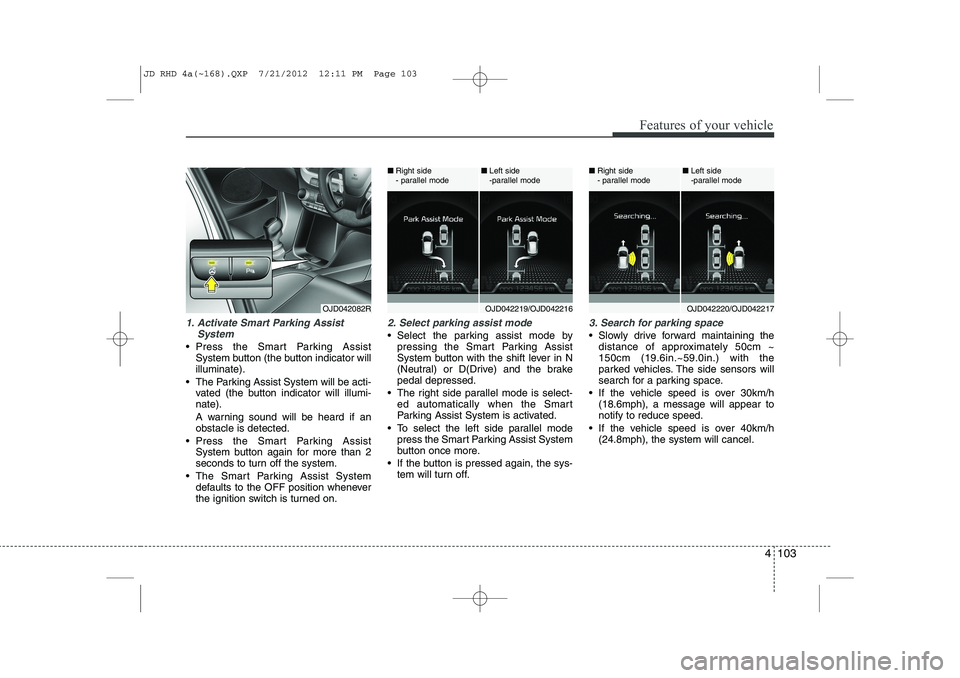
1. Activate Smart Parking AssistSystem
Press the Smart Parking AssistSystem button (the button indicator will illuminate).
The Parking Assist System will be acti- vated (the button indicator will illumi-nate).
A warning sound will be heard if an obstacle is detected.
Press the Smart Parking Assist System button again for more than 2
seconds to turn off the system.
The Smart Parking Assist System defaults to the OFF position whenever
the ignition switch is turned on.
2. Select parking assist mode
Select the parking assist mode bypressing the Smart Parking Assist
System button with the shift lever in N
(Neutral) or D(Drive) and the brakepedal depressed.
The right side parallel mode is select- ed automatically when the Smart
Parking Assist System is activated.
To select the left side parallel mode press the Smart Parking Assist System
button once more.
If the button is pressed again, the sys- tem will turn off.
3. Search for parking space
Slowly drive forward maintaining thedistance of approximately 50cm ~ 150cm (19.6in.~59.0in.) with the
parked vehicles. The side sensors will
search for a parking space.
If the vehicle speed is over 30km/h (18.6mph), a message will appear tonotify to reduce speed.
If the vehicle speed is over 40km/h (24.8mph), the system will cancel.
OJD042082ROJD042219/OJD042216
■
Right side
- parallel mode ■
Left side
-parallel modeOJD042220/OJD042217
■
Right side
- parallel mode ■
Left side
-parallel mode
JD RHD 4a(~168).QXP 7/21/2012 12:11 PM Page 103
Page 772 of 1168
4 109
Features of your vehicle
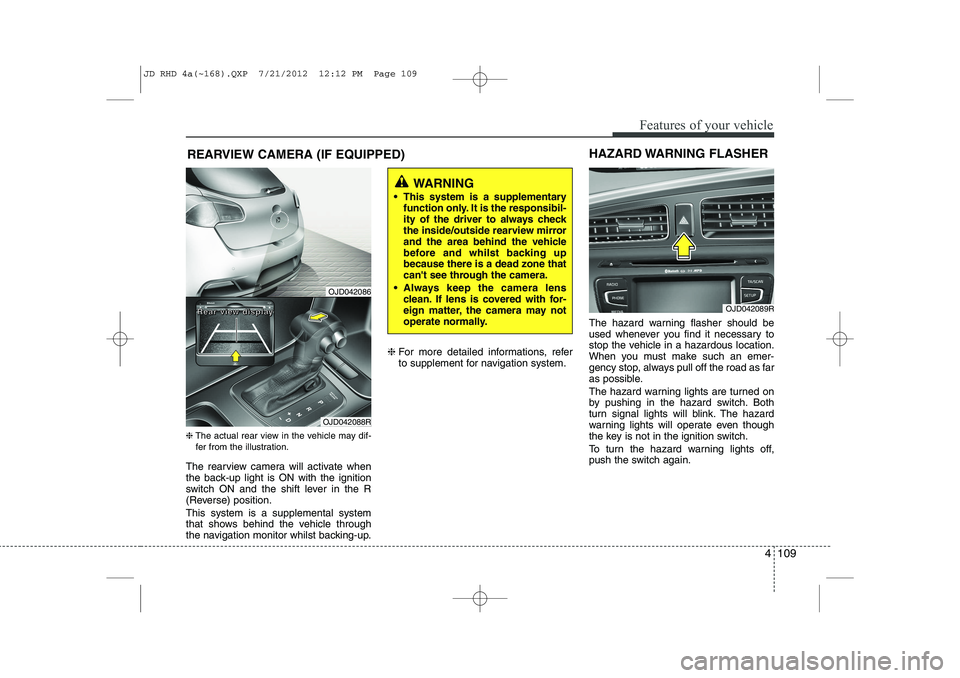
REARVIEW CAMERA (IF EQUIPPED)
❈ The actual rear view in the vehicle may dif-
fer from the illustration.
The rearview camera will activate when
the back-up light is ON with the ignition
switch ON and the shift lever in the R
(Reverse) position. This system is a supplemental system
that shows behind the vehicle through
the navigation monitor whilst backing-up. ❈
For more detailed informations, refer
to supplement for navigation system. The hazard warning flasher should be
used whenever you find it necessary to
stop the vehicle in a hazardous location.
When you must make such an emer-
gency stop, always pull off the road as far
as possible.
The hazard warning lights are turned on
by pushing in the hazard switch. Both
turn signal lights will blink. The hazard
warning lights will operate even though
the key is not in the ignition switch.
To turn the hazard warning lights off,
push the switch again.
OJD042089R
HAZARD WARNING FLASHER
WARNING
This system is a supplementary function only. It is the responsibil-
ity of the driver to always check
the inside/outside rearview mirror
and the area behind the vehicle
before and whilst backing upbecause there is a dead zone that
can't see through the camera.
Always keep the camera lens clean. If lens is covered with for-
eign matter, the camera may not
operate normally.
OJD042086
OJD042088R
RRRReeeeaaaarrrr vvvviiiieeeewwww ddddiiiissssppppllllaaaayyyy
JD RHD 4a(~168).QXP 7/21/2012 12:12 PM Page 109
Page 773 of 1168
Features of your vehicle
110
4
Battery saver function
The purpose of this feature is to pre-
vent the battery from being dis-
charged. The system automatically
turns off the parking lights when the
driver removes the ignition key (Smart
key : turns off the engine) and opens
the driver- side door.
With this feature, the parking lights will be turned off automatically if the driver
parks on the side of road at night.
If necessary, to keep the lights on
when the ignition key is removed, per-
form the following :
1) Open the driver-side door.
2) Turn the parking lights OFF and ON again using the light switch on the
steering column. Headlamp delay function (if equipped) The headlamps (and/or taillights) remain
on for same minutes (Type A: 20 minutes,
Type B: 5 minutes) after the ignition key
is removed or turned to the ACC or
LOCK position. However, if the driver’sdoor is opened and closed, the head-
lights are turned off after 15 seconds.
The headlights can be turned off by
pressing the lock button on the transmit-
ter or smart key twice or turning off the
light switch from the headlight or Autolight position.
You can activate or deactivate the head-
lamp delay fuction. Refer to “User setting”in this section.
Headlight (Headlamp) welcome function (if equipped)
When the headlight switch is in the ON or
AUTO position and all doors (and tail-
gate) are closed and locked, if you press
the door unlock button on the transmitter
or smart key, the headlights will come on
for about 15 seconds.
If the headlight switch is in the AUTO
position, the function can only operate atnight.
At this time, if you press the door unlock
button again or door lock button on the
transmitter or smart key, the headlights
will turn off immediately.
You can activate or deactivate the head-
lamp welcome fuction. Refer to “User set-
ting” in this section.
LIGHTING
CAUTION
If the driver gets out of the vehicle
through other doors (except driver’s door), the battery saver functiondoes not operate and the headlamp
delay function does not turn offautomatically. Therefore, it causes the battery to be discharged. In this case, make sure to turn off the lampbefore getting out of the vehicle.
JD RHD 4a(~168).QXP 7/21/2012 12:12 PM Page 110
Page 775 of 1168
Features of your vehicle
112
4
Headlight position ( )
When the light switch is in the headlight position the head, tail, position, license
and instrument panel lights are ON.
✽✽
NOTICE
The ignition switch must be in the ON position to turn on the headlights.
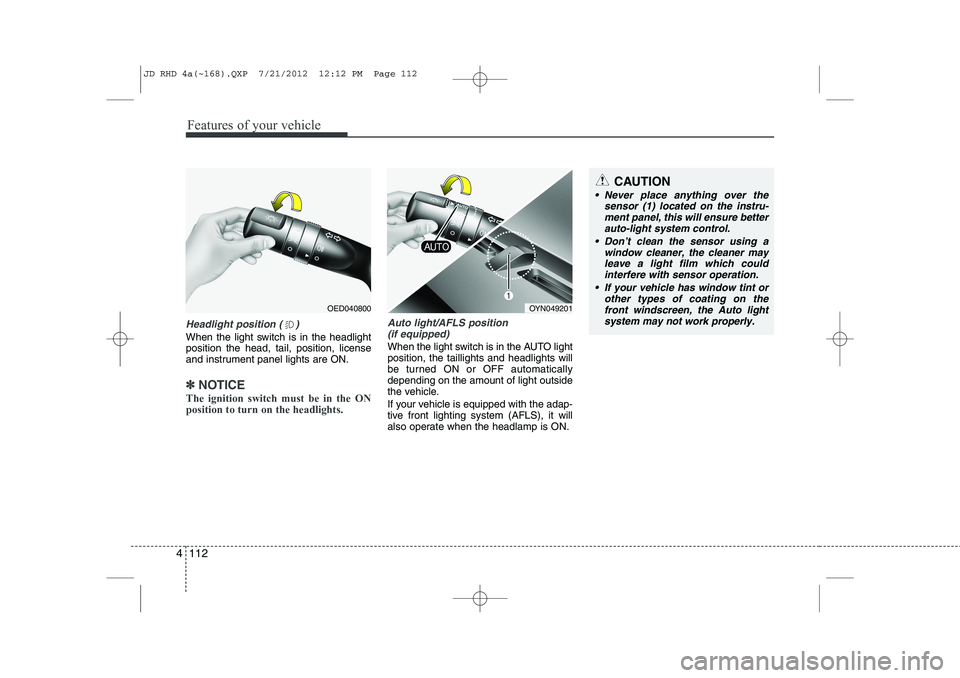
Auto light/AFLS position (if equipped)
When the light switch is in the AUTO light position, the taillights and headlights will
be turned ON or OFF automaticallydepending on the amount of light outside
the vehicle.
If your vehicle is equipped with the adap-
tive front lighting system (AFLS), it will
also operate when the headlamp is ON.
OYN049201
CAUTION
Never place anything over the sensor (1) located on the instru-
ment panel, this will ensure betterauto-light system control.
Don’t clean the sensor using a window cleaner, the cleaner may
leave a light film which couldinterfere with sensor operation.
If your vehicle has window tint or other types of coating on thefront windscreen, the Auto light
system may not work properly.
OED040800
JD RHD 4a(~168).QXP 7/21/2012 12:12 PM Page 112
Page 777 of 1168
Features of your vehicle
114
4
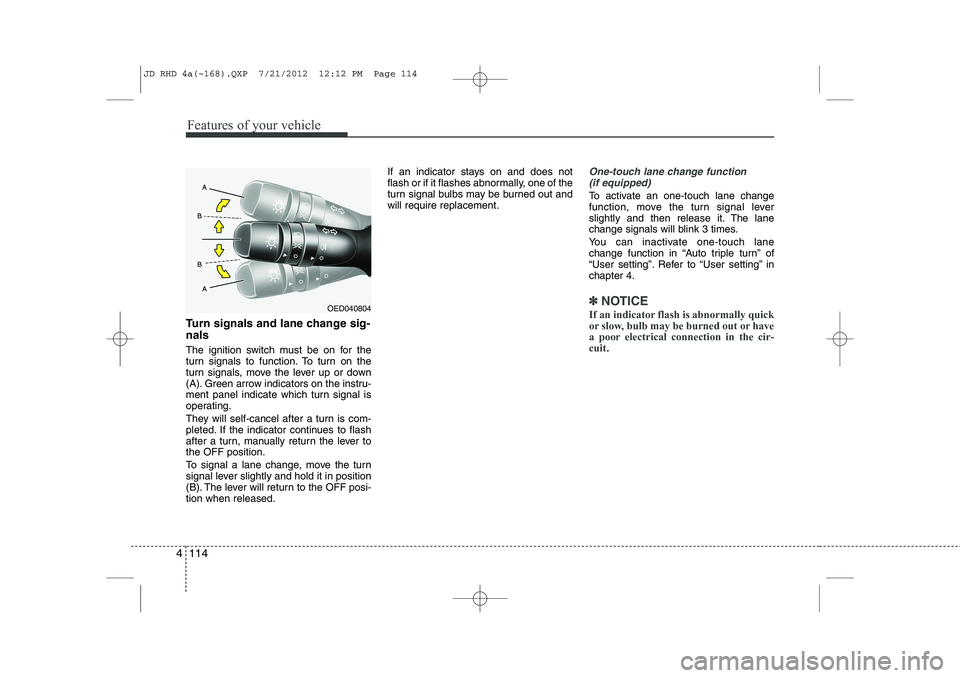
Turn signals and lane change sig- nals
The ignition switch must be on for the
turn signals to function. To turn on the
turn signals, move the lever up or down
(A). Green arrow indicators on the instru-
ment panel indicate which turn signal is
operating.
They will self-cancel after a turn is com-
pleted. If the indicator continues to flash
after a turn, manually return the lever tothe OFF position.
To signal a lane change, move the turn
signal lever slightly and hold it in position
(B). The lever will return to the OFF posi-tion when released. If an indicator stays on and does not
flash or if it flashes abnormally, one of the
turn signal bulbs may be burned out andwill require replacement.
One-touch lane change function
(if equipped)
To activate an one-touch lane change
function, move the turn signal lever
slightly and then release it. The lane
change signals will blink 3 times.
You can inactivate one-touch lane
change function in “Auto triple turn” of
“User setting”. Refer to “User setting” inchapter 4.
✽✽ NOTICE
If an indicator flash is abnormally quick
or slow, bulb may be burned out or have
a poor electrical connection in the cir-cuit.OED040804
JD RHD 4a(~168).QXP 7/21/2012 12:12 PM Page 114
Page 781 of 1168
Features of your vehicle
118
4
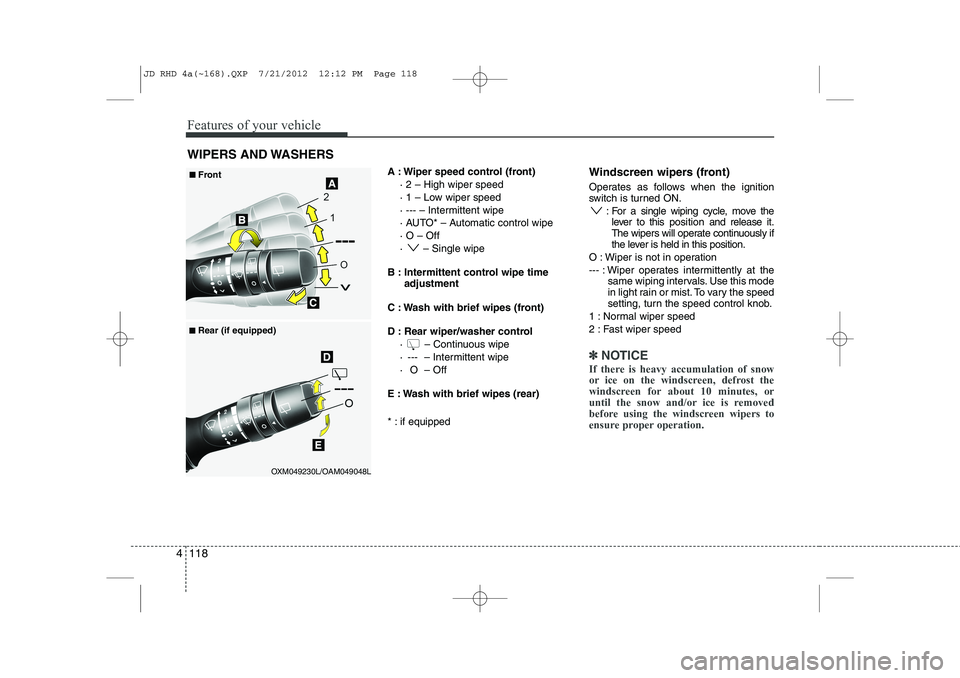
A : Wiper speed control (front)
· 2 – High wiper speed
· 1 – Low wiper speed
· --- – Intermittent wipe
· AUTO* – Automatic control wipe· O – Off
· – Single wipe
B : Intermittent control wipe time adjustment
C : Wash with brief wipes (front)
D : Rear wiper/washer control · – Continuous wipe
· --- – Intermittent wipe
· O – Off
E : Wash with brief wipes (rear)
* : if equipped Windscreen wipers (front)
Operates as follows when the ignition
switch is turned ON.
: For a single wiping cycle, move thelever to this position and release it.
The wipers will operate continuously if
the lever is held in this position.
O : Wiper is not in operation
--- : Wiper operates intermittently at the same wiping intervals. Use this mode
in light rain or mist. To vary the speed
setting, turn the speed control knob.
1 : Normal wiper speed
2 : Fast wiper speed
✽✽ NOTICE
If there is heavy accumulation of snow
or ice on the windscreen, defrost the
windscreen for about 10 minutes, or
until the snow and/or ice is removed
before using the windscreen wipers to
ensure proper operation.
WIPERS AND WASHERS
OXM049230L/OAM049048L
■
■
Front
■
■ Rear (if equipped)
JD RHD 4a(~168).QXP 7/21/2012 12:12 PM Page 118