display KIA CEED 2013 Manual Online
[x] Cancel search | Manufacturer: KIA, Model Year: 2013, Model line: CEED, Model: KIA CEED 2013Pages: 1168, PDF Size: 48.01 MB
Page 309 of 1168
Features of your vehicle
230
4
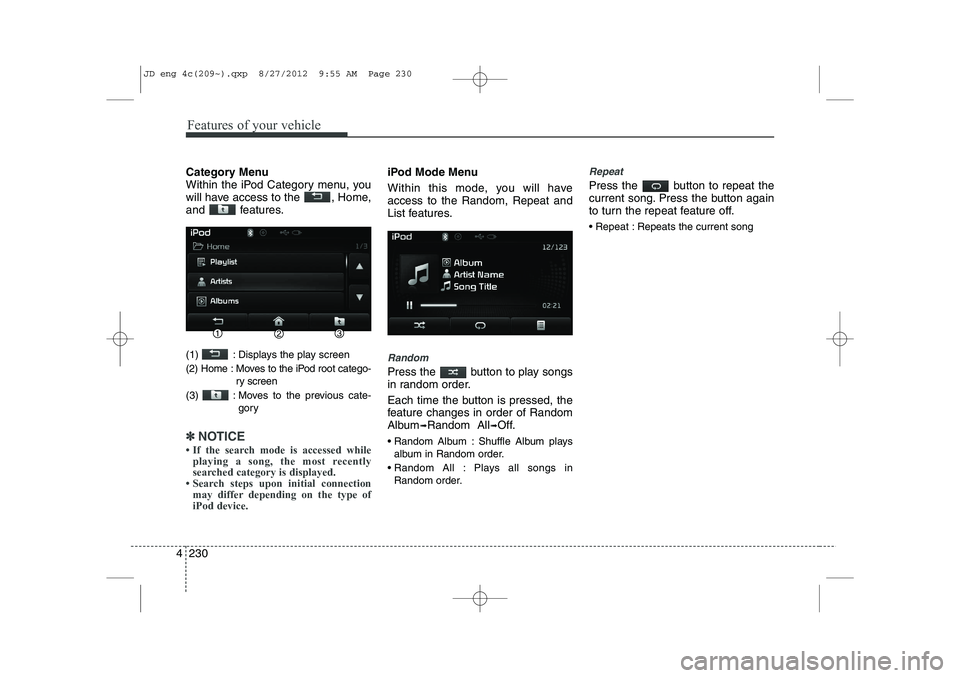
Category Menu
Within the iPod Category menu, you
will have access to the , Home,
and features.
(1) : Displays the play screen
(2) Home : Moves to the iPod root catego-
ry screen
(3) : Moves to the previous cate- gory
✽✽NOTICE
Page 310 of 1168

4 231
Features of your vehicle
List
Press the button to display the
Category Menu.
Turn the TUNE knob left/right to
search for the desired category.
Once you find the desired category,
press the TUNE knob to select
and play.AUX MODE
Using AUX Mode
Press the key Select [AUX]
An external device can be connected to
play music.
Connecting an External Device
External audio players (Camcorders, car
VCR, etc.) can be played through a ded-
icated cable.
✽✽
NOTICE
Page 311 of 1168
Features of your vehicle
232
4
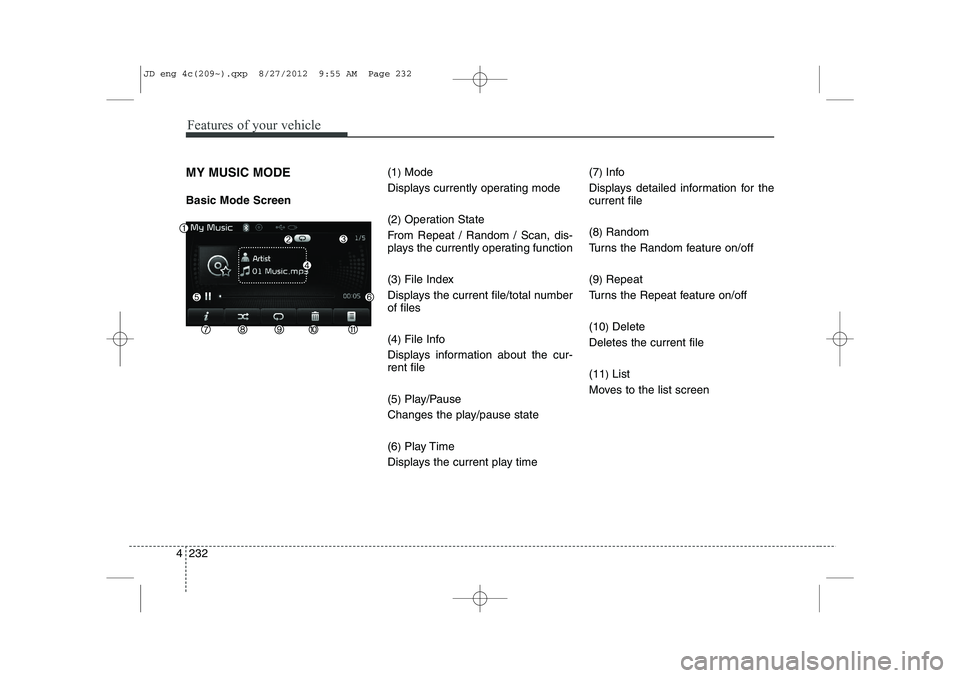
MY MUSIC MODE Basic Mode Screen (1
)Mode
Displays currently operating mode (2 )Operation State
From Repeat / Random / Scan, dis-
plays the currently operating function (3 )File Index
Displays the current file/total number of files (4 )File Info
Displays information about the cur- rent file (5 )Play/Pause
Changes the play/pause state(6 )Play Time
Displays the current play time (7
)
Info
Displays detailed information for the current file (8 )Random
Turns the Random feature on/off(9 )Repeat
Turns the Repeat feature on/off(10 )Delete
Deletes the current file(11 )List
Moves to the list screen
JD eng 4c(209~).qxp 8/27/2012 9:55 AM Page 232
Page 313 of 1168
Features of your vehicle
234
4
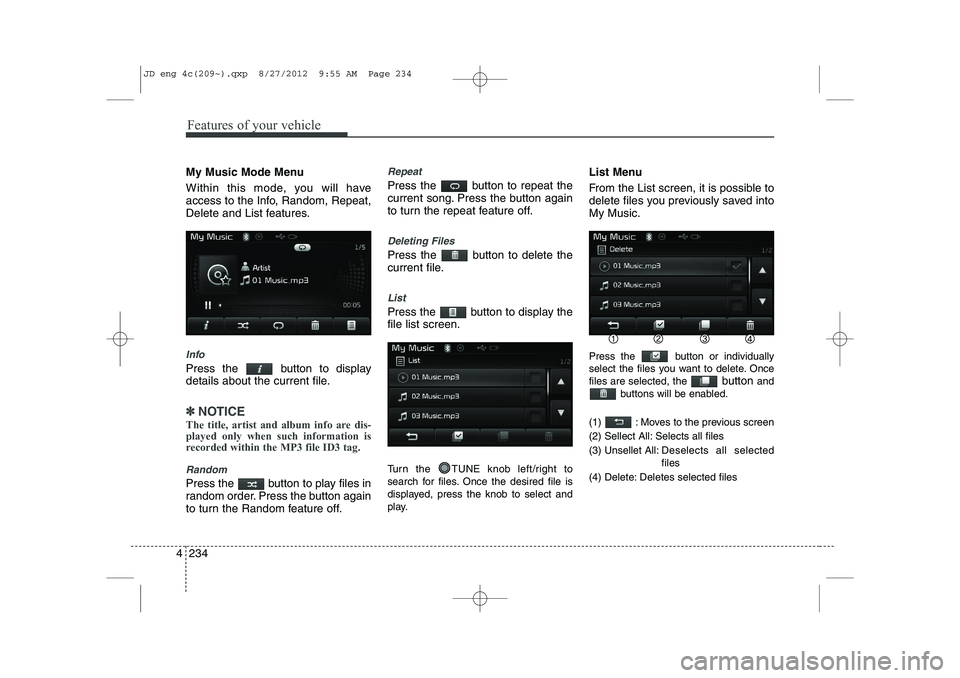
My Music Mode Menu
Within this mode, you will have
access to the Info, Random, Repeat,
Delete and List features.
Info
Press the button to display
details about the current file.
✽✽
NOTICE
The title, artist and album info are dis- played only when such information is
recorded within the MP3 file ID3 tag.
Random
Press the button to play files in
random order. Press the button again
to turn the Random feature off.
Repeat
Press the button to repeat the
current song. Press the button again
to turn the repeat feature off.
Deleting Files
Press the button to delete the
current file.
List
Press the button to display the file list screen.
Turn the TUNE knob left/right to
search for files. Once the desired file is
displayed, press the knob to select and
play. List Menu
From the List screen, it is possible to
delete files you previously saved intoMy Music.
Press the button or individually
select the files you want to delete. Oncefiles are selected, the
button and
buttons will be enabled.
(1) : Moves to the previous screen
(2) Sellect All: Selects all files
(3) Unsellet All: Des elects all selected
files
(4) Delete: Deletes selected files
JD eng 4c(209~).qxp 8/27/2012 9:55 AM Page 234
Page 315 of 1168
Features of your vehicle
236
4
✽✽
NOTICE
The play/pause feature may operate dif-
ferently depending on the mobile phone.
Changing Files
Press the key to move to
the previous or next file.
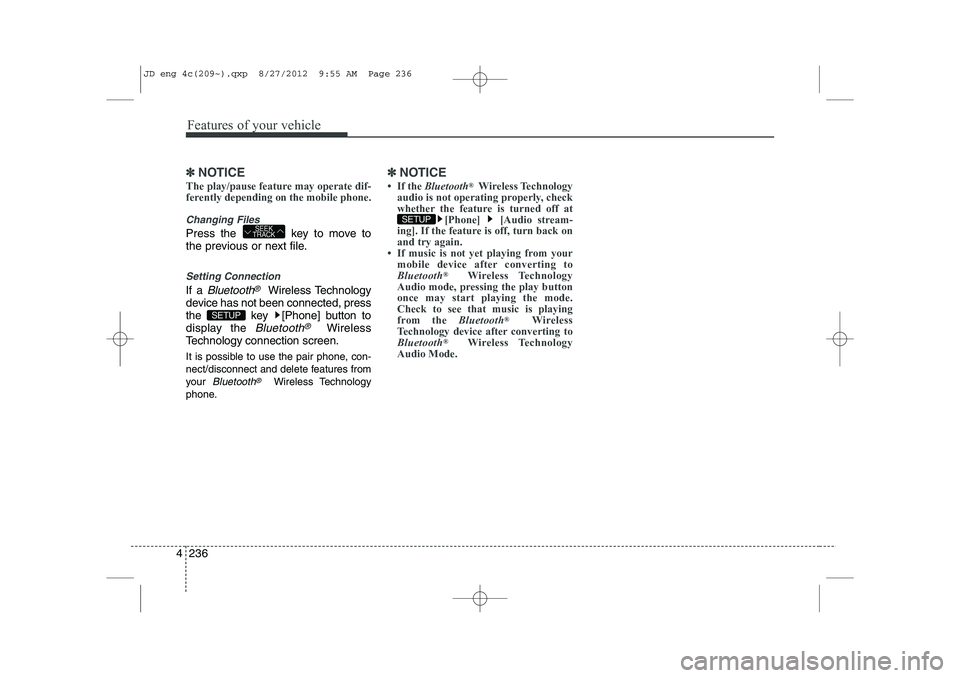
Setting Connection
If a Bluetooth®Wireless Technology
device has not been connected, press
the key [Phone] button to
display the
Bluetooth®Wireless
Technology connection screen.
It is possible to use the pair phone, con-
nect/disconnect and delete features from
your
Bluetooth®Wireless Technology
phone.
✽✽ NOTICE
Page 319 of 1168
Features of your vehicle
240
4
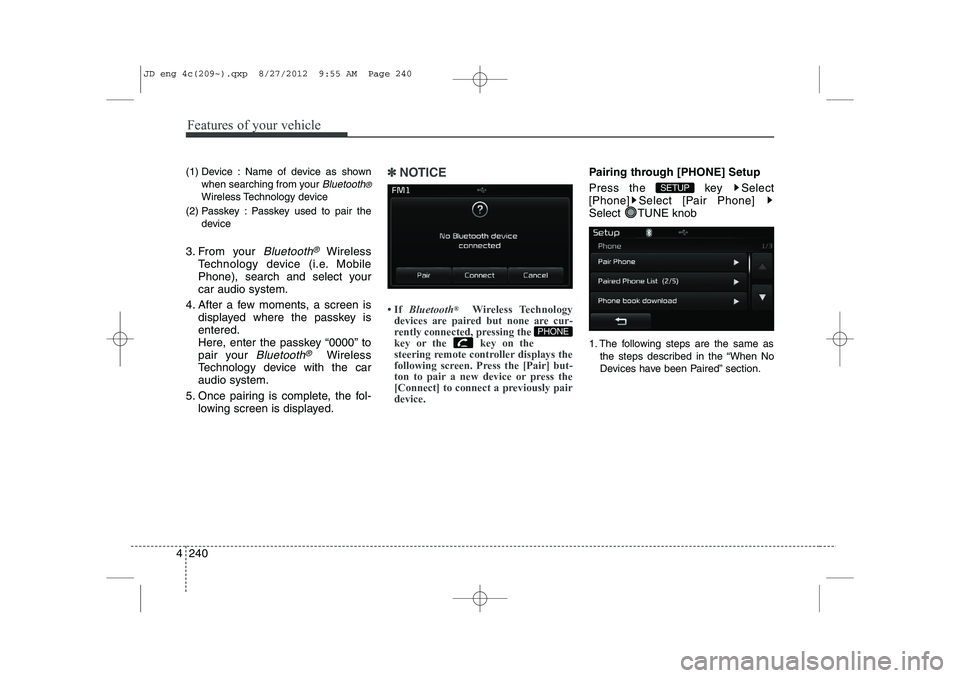
(1) Device : Name of device as shown
when searching from your
Bluetooth®
Wireless Technology device
(2) Passkey : Passkey used to pair the device
3. From your
Bluetooth®Wireless
Technology device (i.e. Mobile
Phone), search and select yourcar audio system.
4. After a few moments, a screen is displayed where the passkey isentered.
Here, enter the passkey “0000” to
pair your
Bluetooth®Wireless
Technology device with the caraudio system.
5. Once pairing is complete, the fol- lowing screen is displayed.
✽✽NOTICE
Page 323 of 1168
![KIA CEED 2013 Manual Online Features of your vehicle
244
4
Calling by Dialing a Number
Press the key Select [Dial Number]
(1) Dial Pad : Used to enter phone num-
ber
(2) Call : If a number has been entered, calls the number I](/img/2/57944/w960_57944-322.png "KIA CEED 2013 Manual Online Features of your vehicle
244
4
Calling by Dialing a Number
Press the key Select [Dial Number]
(1) Dial Pad : Used to enter phone num-
ber
(2) Call : If a number has been entered, calls the number I")
Features of your vehicle
244
4
Calling by Dialing a Number
Press the key Select [Dial Number]
(1) Dial Pad : Used to enter phone num-
ber
(2) Call : If a number has been entered, calls the number If no number has
been entered, switches to call historyscreen
(3) End : Deletes the entered phone number
(4) Delete : Deletes entered numbers one digit at a time Answering Calls
Answering a Call
Answering a call with a Bluetooth®
Wireless Technology device connect-
ed will display the following screen. (1)
Caller : Displays the other part’s name when the incoming caller is
saved within your phone book
(2) Incoming Number : Displays the
incoming number
(3) Accept : Accept the incoming call
(4) Reject : Reject the incoming call
✽✽ NOTICE
Page 324 of 1168
4 245
Features of your vehicle
During a Handsfree Call
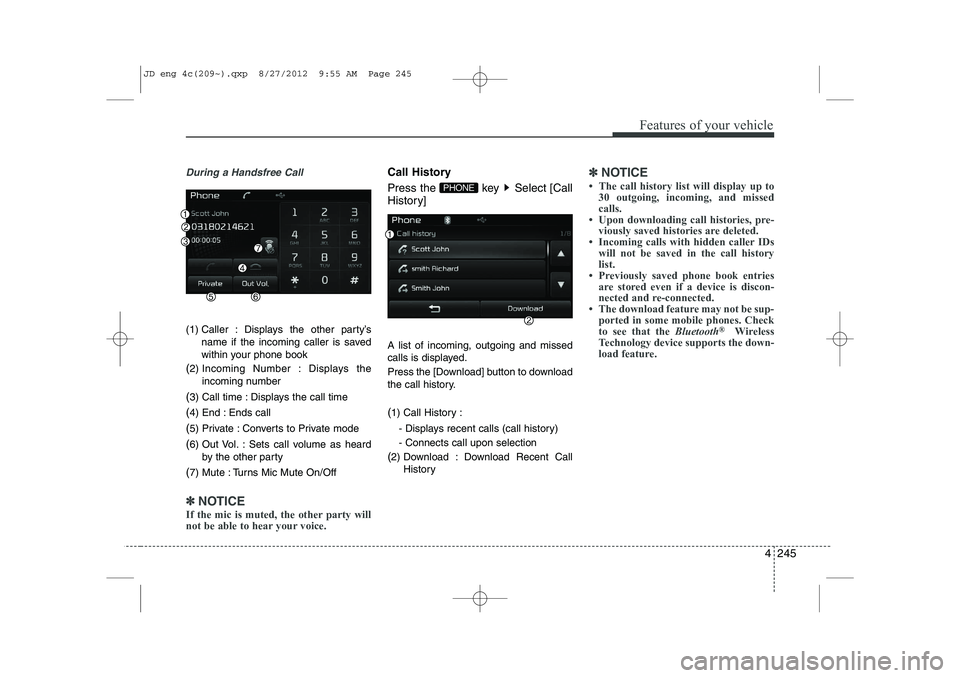
(1) Caller : Displays the other party’sname if the incoming caller is saved
within your phone book
( 2) Incoming Number : Displays the
incoming number
( 3) Call time : Displays the call time
( 4) End : Ends call
( 5) Private : Converts to Private mode
( 6) Out Vol. : Sets call volume as heard
by the other party
( 7) Mute : Turns Mic Mute On/Off
✽✽
NOTICE
If the mic is muted, the other party will
not be able to hear your voice.
Call History
Press the key Select [Call
History] A list of incoming, outgoing and missed
calls is displayed.
Press the [Download] button to download
the call history. ( 1) Call History :
- Displays recent calls (call history) - Connects call upon selection
( 2) Download : Download Recent Call
History✽✽NOTICE
Page 325 of 1168
![KIA CEED 2013 Manual Online Features of your vehicle
246
4
Phone Book
Press the key Select [Phone book]
The list of saved phone book entries is
displayed. Press the [Download] button
to download the call history. ( 1) Contac](/img/2/57944/w960_57944-324.png "KIA CEED 2013 Manual Online Features of your vehicle
246
4
Phone Book
Press the key Select [Phone book]
The list of saved phone book entries is
displayed. Press the [Download] button
to download the call history. ( 1) Contac")
Features of your vehicle
246
4
Phone Book
Press the key Select [Phone book]
The list of saved phone book entries is
displayed. Press the [Download] button
to download the call history. ( 1) Contact List :
- Displays downloaded phone bookentries
- Connects call upon selection
( 2) Download : Download phone book
entries✽✽NOTICE
Page 329 of 1168
![KIA CEED 2013 Manual Online Features of your vehicle
250
4
SETUP
Starting Mode
Press the key to display the Setup screen.
You can select and control options relat-
ed to [Display], [Sound], [Phone] and[System]. Display Sett](/img/2/57944/w960_57944-328.png "KIA CEED 2013 Manual Online Features of your vehicle
250
4
SETUP
Starting Mode
Press the key to display the Setup screen.
You can select and control options relat-
ed to [Display], [Sound], [Phone] and[System]. Display Sett")
Features of your vehicle
250
4
SETUP
Starting Mode
Press the key to display the Setup screen.
You can select and control options relat-
ed to [Display], [Sound], [Phone] and[System]. Display Settings
Adjusting the Brightness
Press the key Select
[Display] Select [Brightness]
Use the , buttons to adjust the
screen brightness or set the Brightness
on Automatic, Day, or Night mode.
Press the button to reset. (
1) Automatic : Adjusts the brightness
automatically
( 2) Day : Always maintains the bright-
ness on high
( 3) Night : Always maintains the bright-
ness on low
Pop-up Mode
Press the key Select
[Display] Select [Pop-up Mode]
This feature is used to display the Pop-up
Mode screen when entering radio and
media modes.
When this feature is turned on, pressing
the or key will display
the Pop-up Mode screen.
✽✽NOTICE
The media Pop-up Mode screen can be
displayed only when two or more mediamodes have been connected.
MEDIA RADIO
SETUP
Default
SETUP SETUP
JD eng 4c(209~).qxp 8/27/2012 9:56 AM Page 250