fuel KIA CEED 2013 Manual Online
[x] Cancel search | Manufacturer: KIA, Model Year: 2013, Model line: CEED, Model: KIA CEED 2013Pages: 1168, PDF Size: 48.01 MB
Page 695 of 1168
Features of your vehicle
32
4
(Continued)
Use only portable plastic fuel
containers designed to carry and
store petrol.
Do not use cellular phones whilst refueling. Electric current and/or
electronic interference from cel-
lular phones can potentially
ignite fuel vapours causing a fire.
When refueling, always shut the engine off. Sparks produced byelectrical components related tothe engine can ignite fuel
vapours causing a fire. Once
refueling is complete, check tomake sure the filler cap and filler
door are securely closed, before
starting the engine.
DO NOT use matches or a lighter and DO NOT SMOKE or leave a lit
cigarette in your vehicle whilst at
a gas station especially during
refueling. Automotive fuel is
highly flammable and can, when
ignited, result in fire.
(Continued)(Continued)
If a fire breaks out during refuel-ing, leave the vicinity of the vehi-
cle, and immediately contact the
manager of the gas station and
then contact the local fire depart-
ment. Follow any safety instruc-
tions they provide.CAUTION
Make sure to refuel your vehicle
according to the "Fuel require-
ments" suggested in section 1.
If the fuel filler cap requires replacement, please make surethat you use parts designed for
replacement in your vehicle. Anincorrect fuel filler cap can result in a serious malfunction of thefuel system or emission control
system. For more detailed infor-mation, we recommend that you contact an authorised Kia dealer.
Do not spill fuel on the exterior surfaces of the vehicle. Any typeof fuel spilled on painted surfacesmay damage the paint.
After refueling, make sure the fuel cap is installed securely to pre-
vent fuel spillage in the event ofan accident.
JD RHD 4a(~168).QXP 7/21/2012 12:05 PM Page 32
Page 709 of 1168
Features of your vehicle
46
4
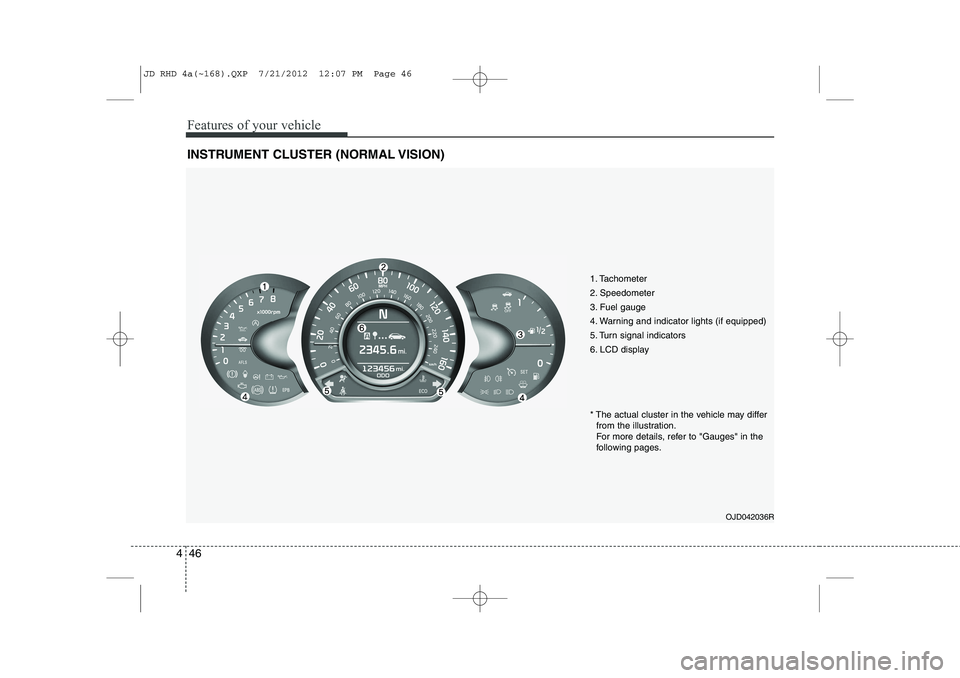
INSTRUMENT CLUSTER (NORMAL VISION)
1. Tachometer
2. Speedometer
3. Fuel gauge
4. Warning and indicator lights (if equipped)
5. Turn signal indicators
6. LCD display
OJD042036R
* The actual cluster in the vehicle may differ
from the illustration.
For more details, refer to "Gauges" in the
following pages.
JD RHD 4a(~168).QXP 7/21/2012 12:07 PM Page 46
Page 711 of 1168
Features of your vehicle
48
4
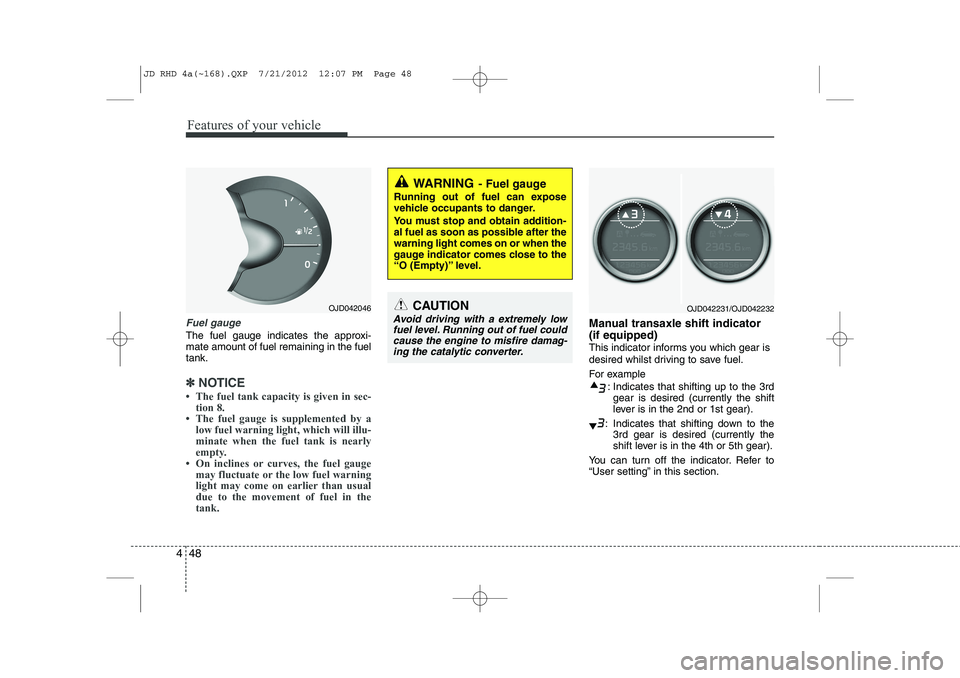
Fuel gauge
The fuel gauge indicates the approxi- mate amount of fuel remaining in the fueltank.
✽✽
NOTICE
Page 714 of 1168
451
Features of your vehicle
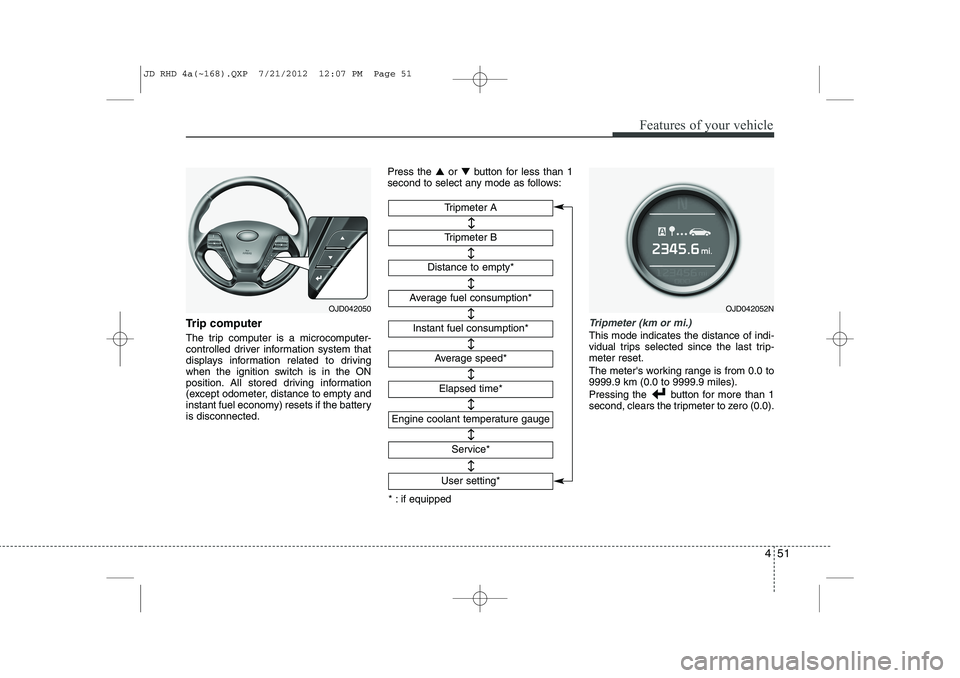
Trip computer
The trip computer is a microcomputer-
controlled driver information system that
displays information related to driving
when the ignition switch is in the ON
position. All stored driving information
(except odometer, distance to empty and
instant fuel economy) resets if the batteryis disconnected.Press the
▲or ▼ button for less than 1
second to select any mode as follows:Tripmeter (km or mi.)
This mode indicates the distance of indi-
vidual trips selected since the last trip-meter reset.
The meter's working range is from 0.0 to 9999.9 km (0.0 to 9999.9 miles).
Pressing the button for more than 1
second, clears the tripmeter to zero (0.0).
Tripmeter B
Instant fuel consumption*
Tripmeter A
Distance to empty*
Average fuel consumption*
Engine coolant temperature gauge
* : if equipped Elapsed time*
Average speed*
↔↔
↔
↔
↔
↔
↔
↔
Service*
↔
User setting*
↔
OJD042050OJD042052N
JD RHD 4a(~168).QXP 7/21/2012 12:07 PM Page 51
Page 715 of 1168
Features of your vehicle
52
4
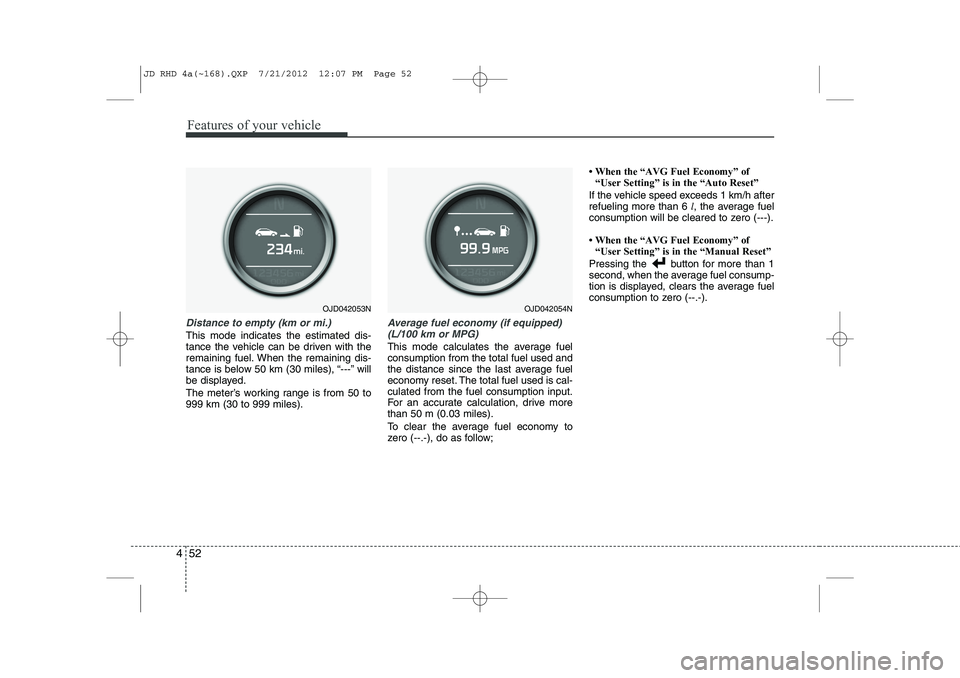
Distance to empty (km or mi.)
This mode indicates the estimated dis-
tance the vehicle can be driven with the
remaining fuel. When the remaining dis-
tance is below 50 km (30 miles), “---” will
be displayed.
The meter’s working range is from 50 to 999 km (30 to 999 miles).
Average fuel economy (if equipped)
(L/100 km or MPG)
This mode calculates the average fuel consumption from the total fuel used and
the distance since the last average fuel
economy reset. The total fuel used is cal-culated from the fuel consumption input.
For an accurate calculation, drive morethan 50 m (0.03 miles).
To clear the average fuel economy to
zero (--.-), do as follow;
Page 716 of 1168
453
Features of your vehicle
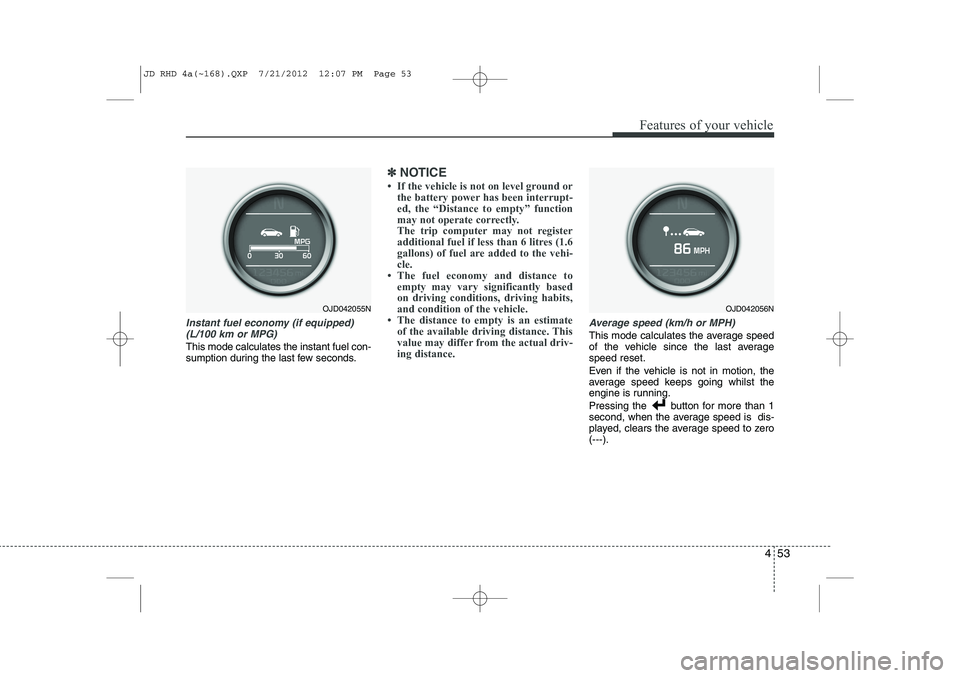
Instant fuel economy (if equipped)(L/100 km or MPG)
This mode calculates the instant fuel con-
sumption during the last few seconds.
✽✽ NOTICE
Page 722 of 1168
459
Features of your vehicle
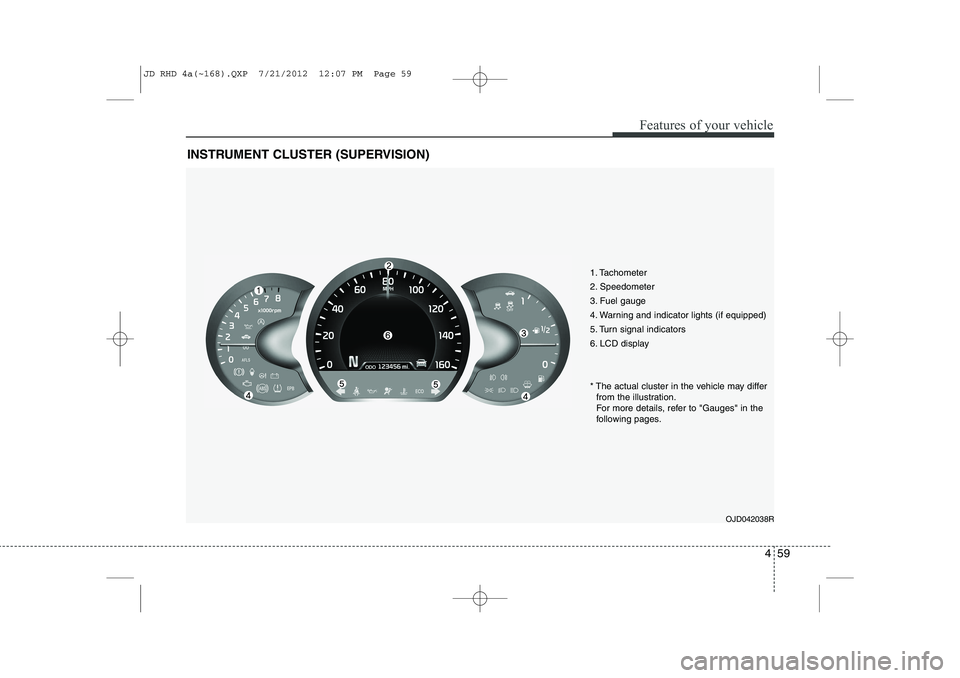
INSTRUMENT CLUSTER (SUPERVISION)
1. Tachometer
2. Speedometer
3. Fuel gauge
4. Warning and indicator lights (if equipped)
5. Turn signal indicators
6. LCD displayOJD042038R
* The actual cluster in the vehicle may differ
from the illustration.
For more details, refer to "Gauges" in the
following pages.
JD RHD 4a(~168).QXP 7/21/2012 12:07 PM Page 59
Page 724 of 1168
461
Features of your vehicle
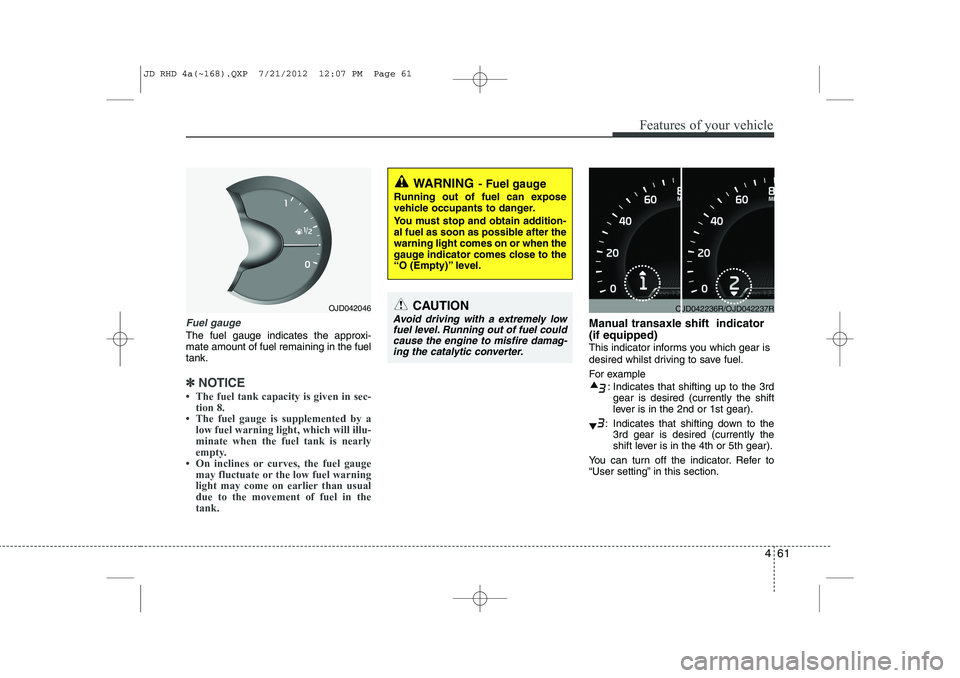
Fuel gauge
The fuel gauge indicates the approxi- mate amount of fuel remaining in the fueltank.
✽✽NOTICE
Page 728 of 1168
465
Features of your vehicle
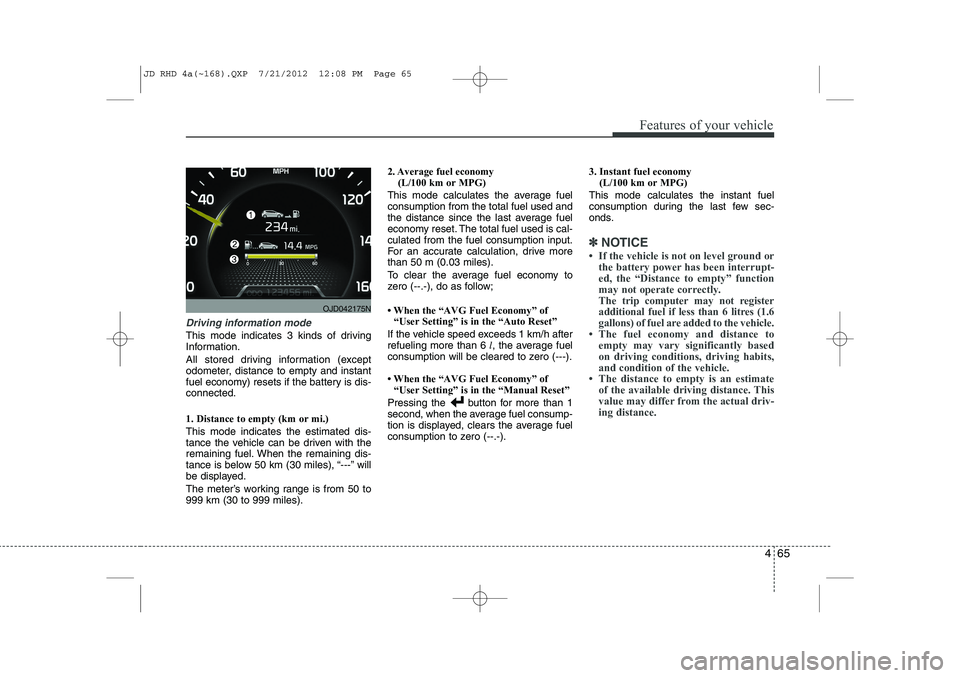
Driving information mode
This mode indicates 3 kinds of driving
Information.
All stored driving information (except
odometer, distance to empty and instant
fuel economy) resets if the battery is dis-connected. 1. Distance to empty (km or mi.) This mode indicates the estimated dis-
tance the vehicle can be driven with the
remaining fuel. When the remaining dis-
tance is below 50 km (30 miles), “---” will
be displayed.
The meter’s working range is from 50 to 999 km (30 to 999 miles).2. Average fuel economy
(L/100 km or MPG)
This mode calculates the average fuelconsumption from the total fuel used and
the distance since the last average fuel
economy reset. The total fuel used is cal-culated from the fuel consumption input.
For an accurate calculation, drive morethan 50 m (0.03 miles).
To clear the average fuel economy to
zero (--.-), do as follow;
Page 729 of 1168
Features of your vehicle
66
4
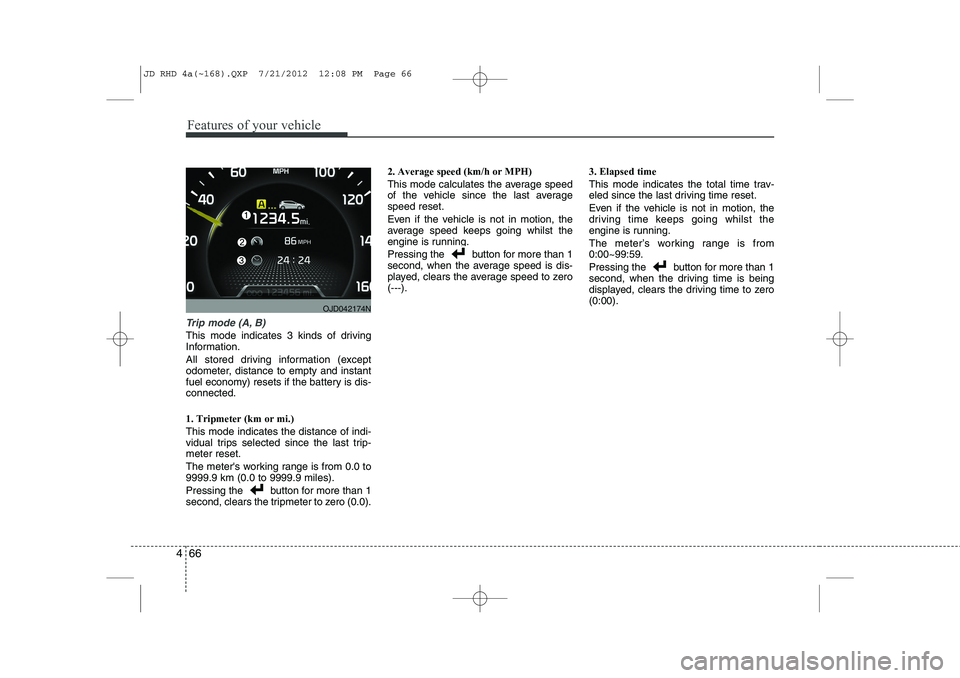
Trip mode (A, B)
This mode indicates 3 kinds of driving
Information.
All stored driving information (except
odometer, distance to empty and instant
fuel economy) resets if the battery is dis-connected. 1. Tripmeter (km or mi.) This mode indicates the distance of indi-
vidual trips selected since the last trip-meter reset.
The meter's working range is from 0.0 to 9999.9 km (0.0 to 9999.9 miles).
Pressing the button for more than 1
second, clears the tripmeter to zero (0.0). 2. Average speed (km/h or MPH)
This mode calculates the average speed
of the vehicle since the last averagespeed reset.
Even if the vehicle is not in motion, the
average speed keeps going whilst the
engine is running.
Pressing the button for more than 1
second, when the average speed is dis-
played, clears the average speed to zero(---).
3. Elapsed time
This mode indicates the total time trav-
eled since the last driving time reset.
Even if the vehicle is not in motion, the
driving time keeps going whilst the
engine is running.
The meter’s working range is from 0:00~99:59.
Pressing the button for more than 1
second, when the driving time is being
displayed, clears the driving time to zero(0:00).
OJD042174N
JD RHD 4a(~168).QXP 7/21/2012 12:08 PM Page 66