charging KIA CEED 2015 User Guide
[x] Cancel search | Manufacturer: KIA, Model Year: 2015, Model line: CEED, Model: KIA CEED 2015Pages: 1210, PDF Size: 35.92 MB
Page 513 of 1210
Maintenance
54
7
Reset items
Items should be reset after the battery
has been discharged or the battery hasbeen disconnected.
Auto up/down window (See chapter 4)
Sunroof (See chapter 4)
Trip computer (See chapter 4)
Climate control system
(See chapter 4)
Audio (See chapter 4)(Continued)
Wear eye protection when check- ing the battery during charging.
Disconnect the battery charger in the following order.
1. Turn off the battery charger
main switch.
2. Unhook the negative clamp from the negative battery ter- minal.
3. Unhook the positive clamp from the positive battery termi-nal.
Before performing maintenance or recharging the battery, turn offall accessories and stop the
engine.
The negative battery cable must be removed first and installed
last when the battery is discon-nected.
JD eng 7.QXP 3/4/2015 3:30 PM Page 54
Page 626 of 1210
Safety features of your vehicle
6
3
Automatic adjustment (if equipped)
The driver’s seat can be adjusted by
using the control switches located on the
outside of the seat cushion. Before driv-ing, adjust the seat to the proper position
so as to easily control the steering wheel,
pedals and switches on the instrumentpanel.
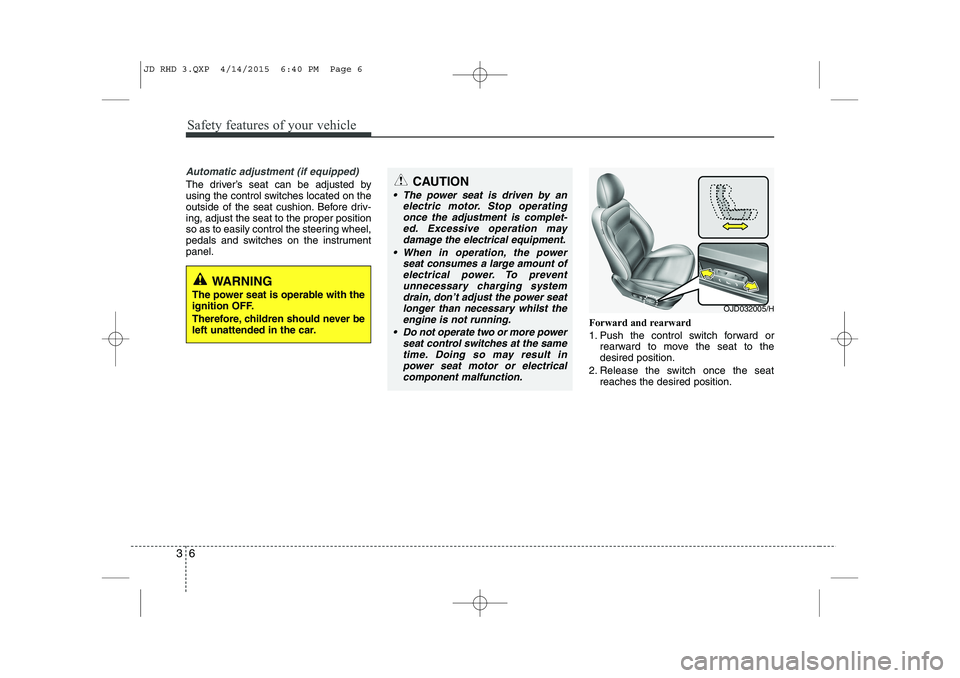
Forward and rearward
1. Push the control switch forward orrearward to move the seat to the desired position.
2. Release the switch once the seat reaches the desired position.
WARNING
The power seat is operable with the
ignition OFF.
Therefore, children should never be
left unattended in the car.
CAUTION
The power seat is driven by an electric motor. Stop operating
once the adjustment is complet- ed. Excessive operation maydamage the electrical equipment.
When in operation, the power seat consumes a large amount ofelectrical power. To preventunnecessary charging system drain, don’t adjust the power seat
longer than necessary whilst the engine is not running.
Do not operate two or more power seat control switches at the same
time. Doing so may result inpower seat motor or electrical component malfunction.
OJD032005/H
JD RHD 3.QXP 4/14/2015 6:40 PM Page 6
Page 722 of 1210
437
Features of your vehicle
Electronic power steering
Power steering uses the motor to assist
you in steering the vehicle. If the engine
is off or if the power steering system
becomes inoperative, the vehicle may
still be steered, but it will require
increased steering effort.
The electronic power steering is con-
trolled by the power steering control unit
which senses the steering wheel torque
and vehicle speed to command the
motor.
The steering effort becomes heavier as
the vehicle’s speed increases and
becomes lighter as the vehicle’s speed
decreases for better control of the steer- ing wheel.
Should you notice any change in the
effort required to steer during normal
vehicle operation, we recommend that
the system be checked by an authorised
Kia dealer.✽NOTICE
The following symptoms may occur dur-
ing normal vehicle operation:
• The EPS warning light does not illu- minate.
• The steering effort is high immediately
after turning the ignition switch on.
This happens as the system performs
the EPS system diagnostics. When the
diagnostics is completed, the steering
wheel will return to its normal condi-
tion.
• A click noise may be heard from the EPS relay after the ignition switch is
turned to the ON or LOCK/OFF posi-
tion.
• Motor noise may be heard when the
vehicle is at a stop or at a low driving
speed.
• The steering effort increases if the
steering wheel is rotated continuously
when the vehicle is not in motion.
However, after a few minutes, it will
return to its normal conditions. (Continued)(Continued)
• If an error is detected in the electric
power steering system, EPS will stop
assisting driver in steering the vehicle to
prevent accidents and the warning light
on the cluster will illuminate or blink.
We recommend that the system be
checked by an authorised Kia dealer as
soon as possible.
• When you operate the steering wheel in low temperature, abnormal noise could
occur. If temperature rises, the noise
will disappear. This is a normal condi-
tion.
• When the vehicle is stationary, if you turn the steering wheel all the way to
the left or right continuously, the
steering wheel becomes heavier from
the end. This is not a system malfunc-
tion but for your safety. As time pass-
es, the steering wheel returns to its
normal condition.
• When the charging system warning light comes on or the voltage is low
(When the alternator (or battery) does
not operate normally or it malfunc-
tions), the steering wheel may get
heavy and become difficult to control
operate abnormally.
STEERING WHEEL
JD RHD 4a(~171).QXP 4/14/2015 6:57 PM Page 37
Page 770 of 1210
485
Features of your vehicle
Auto stop indicator(if equipped)
This indicator will illuminate when the engine enters the Idle Stop mode of theISG (Idle Stop and Go) system.
When the automatic starting occurrs, the auto stop indicator on the cluster will
blink for 5 seconds.
For more details, refer to the ISG (Idle Stop and Go) system in section 5.
For vehicles equipped with instrument
cluster type B, the indicator illuminates
on the LCD display.
✽NOTICE
When the engine automatically starts by
the ISG system, some warning lights
(ABS, ESC, ESC OFF, EPS or Parking
brake warning light) may turn on for a
few seconds.
This happens because of low battery
voltage. It does not mean the system is
malfunctioning.
Cruise indicator (if equipped)
CRUISE indicator
The indicator illuminates when the cruise
control system is enabled.
The cruise indicator in the instrument
cluster is illuminated when the cruise
control ON-OFF button on the steer-ing wheel is pushed.
The indicator goes off when the cruise
control ON-OFF button is pushed
again. For more information about the
use of cruise control, refer to “Cruise
control system” in section 5.
Cruise SET indicator
The indicator illuminates when the cruise
control switch (SET- or RES+) is ON.
The cruise SET indicator in the instru-
ment cluster illuminats when the cruise
control switch (SET- or RES+) is pushed.
The cruise SET indicator does not illumi-
nate when the cruise control cancel but-ton O is pushed or the system is disen-gaged.
Charging system warning light
This warning light indicates a malfunction
of either the generator or electricalcharging system.
If the warning light comes on whilst the
vehicle is in motion:
1. Drive to the nearest safe location.
2. With the engine off, check the genera- tor drive belt for looseness or break-
age.
3. If the belt is adjusted properly, a prob- lem exists somewhere in the electrical
charging system. We recommend that
the system be checked by an autho-
rised Kia dealer.
SET
JD RHD 4a(~171).QXP 4/14/2015 7:00 PM Page 85
Page 865 of 1210
Features of your vehicle
180
4
(Continued)
Charging through the USB may not
be supported in some mobile
devices.
USB HDD or USB types that liable to connection failures due to vehicle
vibrations are not supported. (i-sticktype)
Some non-standard USB devices (METAL COVER TYPE USB) can be
unrecognizable.
Some USB flash memory readers (such as CF, SD, micro SD, etc.) or
external-HDD type devices can be
unrecognizable.
Music files protected by DRM (DIGI- TAL RIGHTS MANAGEMENT) are
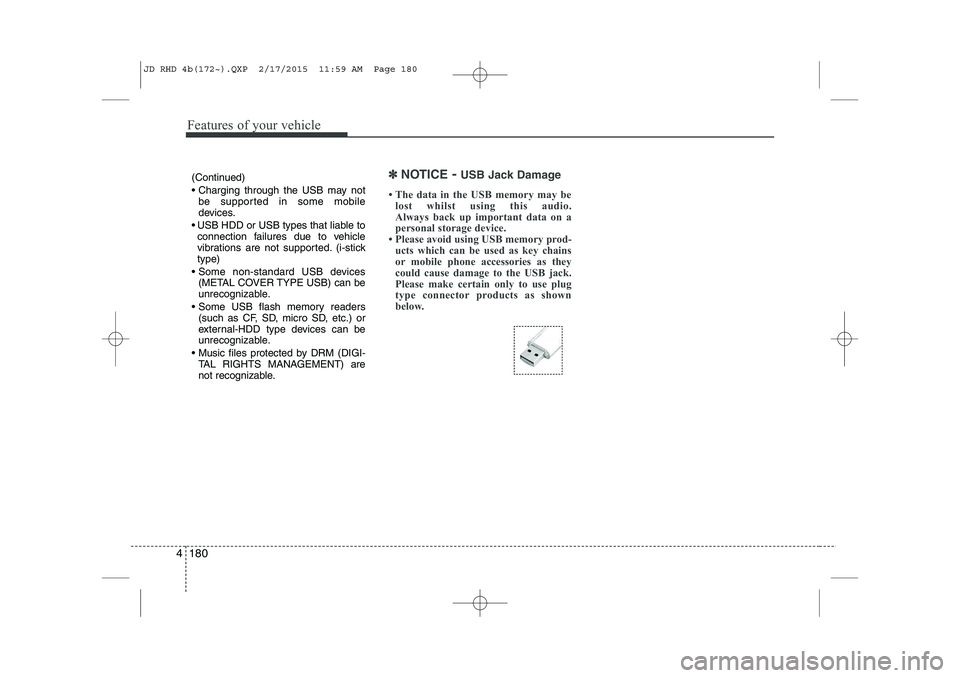
not recognizable.✽✽ NOTICE - USB Jack Damage
The data in the USB memory may be lost whilst using this audio.
Always back up important data on a
personal storage device.
Please avoid using USB memory prod-
ucts which can be used as key chains
or mobile phone accessories as they
could cause damage to the USB jack.
Please make certain only to use plug
type connector products as shown
below.
JD RHD 4b(172~).QXP 2/17/2015 11:59 AM Page 180
Page 967 of 1210
517
Driving your vehicle
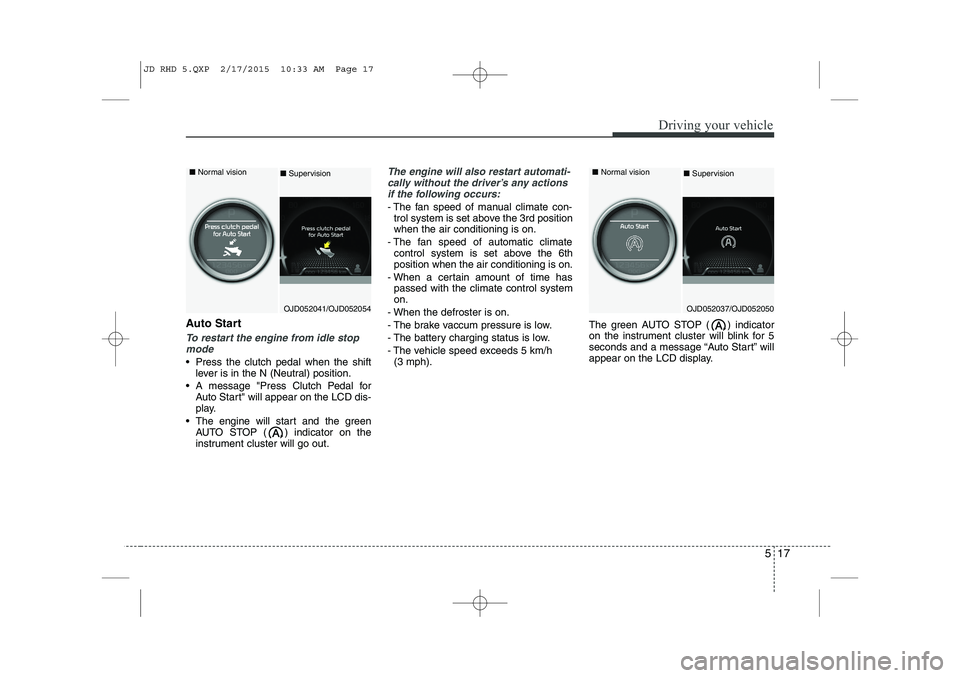
Auto Start
To restart the engine from idle stopmode
Press the clutch pedal when the shift lever is in the N (Neutral) position.
A message "Press Clutch Pedal for Auto Start" will appear on the LCD dis-
play.
The engine will start and the green AUTO STOP ( ) indicator on the
instrument cluster will go out.
The engine will also restart automati-
cally without the driver’s any actions if the following occurs:
- The fan speed of manual climate con- trol system is set above the 3rd position when the air conditioning is on.
- The fan speed of automatic climate control system is set above the 6thposition when the air conditioning is on.
- When a certain amount of time has passed with the climate control systemon.
- When the defroster is on.
- The brake vaccum pressure is low.
- The battery charging status is low.
- The vehicle speed exceeds 5 km/h (3 mph). The green AUTO STOP ( ) indicator
on the instrument cluster will blink for 5
seconds and a message “Auto Start” will
appear on the LCD display.
OJD052041/OJD052054
■
Normal vision
■Supervision
OJD052037/OJD052050
■
Normal vision
■ Supervision
JD RHD 5.QXP 2/17/2015 10:33 AM Page 17
Page 1036 of 1210

What to do in an emergency
6
6
Jump starting procedure ✽✽
NOTICE
If the battery is discharged, the engine
can be started using a battery of anoth-
er vehicle and two jumper cables. Only
use jumper cables with fully insulated
clamp handles.
To prevent personal injury or damage to
both vehicles, adhere strictly to the fol-
lowing procedure.
1. Make sure the booster battery is 12- volt and that its negative terminal is
grounded.
2. If the booster battery is in another vehicle, do not allow the vehicles totouch.
3. Turn off all unnecessary electrical loads. 4. Connect the jumper cables in the exact
sequence shown in the illustration.First connect one end of a jumper
cable to the positive terminal of the
discharged battery (1), then connect
the other end to the positive terminal
on the booster battery (2). Proceed toconnect one end of the other jumper
cable to the negative terminal of the
booster battery (3), then the other end
to a solid, stationary, metallic point (for
example, the engine lifting bracket)
away from the battery (4). Do not con-
nect it to or near any part that moves
when the engine is cranked. Make
sure that there is no contact between
the bodywork of the two vehicles; oth-
erwise, there is the danger of short cir-
cuits.
Do not allow the jumper cables to con-
tact anything except the correct battery
terminals or the correct ground. Do not
lean over the battery when making
connections.
CAUTION - Battery cables
Do not connect the jumper cable from
the negative terminal of the booster battery to the negative terminal of thedischarged battery. This can cause
the discharged battery to overheatand crack, releasing battery acid.
CAUTION -AGM battery (if equipped)
Absorbent Glass Matt (AGM) bat-
teries are maintenance-free andwe recommend that the AGM bat-
teries be serviced by an autho-rised Kia dealer. For chargingyour AGM battery, use only fully
automatic battery chargers thatare specially developed for AGMbatteries.
When replacing the AGM battery, we recommend that you use parts
for replacement from an autho-rised Kia dealer.
Do not open or remove the cap on top of the battery. This may cause
leaks of internal electrolyte thatcould result in severe injury.
If the AGM battery is reconnected or replaced, ISG function will notoperate immediately.
If you want to use the ISG func-tion, the battery sensor needs to be calibrated for approximately 4hours with the ignition off.
JD RHD 6.QXP 2/17/2015 11:15 AM Page 6
Page 1037 of 1210
67
What to do in an emergency
5. Start the engine of the vehicle with thebooster battery and let it run at 2,000
rpm, then start the engine of the vehi-
cle with the discharged battery. If the
first starting attempt is not successful,
wait a few minutes before making
another attempt in order to allow the
discharged battery to recharge.
If the cause of your battery discharging is
not apparent, we recommend that the system be checked by an authorised Kia
dealer.
Push-starting
Your manual transaxle-equipped vehicle
should not be push-started because itmight damage the emission control sys-
tem. Vehicles equipped with automatic
transaxle cannot be push-started. Follow
the directions in this section for jump-
starting.
WARNING
Never tow a vehicle to start it
because the sudden surge forward
when the engine starts could cause
a collision with the tow vehicle.
JD RHD 6.QXP 2/17/2015 11:15 AM Page 7
Page 1064 of 1210

Maintenance
Engine compartment . . . . . . . . . . . . . . . . . . . . . . . . 7-3
Maintenance services . . . . . . . . . . . . . . . . . . . . . . . . 7-6 Owner’s responsibility . . . . . . . . . . . . . . . . . . . . . . . . . 7-6
Owner maintenance precautions . . . . . . . . . . . . . . . . 7-6
Engine compartment precautions (Diesel engine). . . 7-7
Owner maintenance . . . . . . . . . . . . . . . . . . . . . . . . . 7-9 Owner maintenance schedule . . . . . . . . . . . . . . . . . . . 7-9
Scheduled maintenance service . . . . . . . . . . . . . . . 7-11 For Europe, Except Russia . . . . . . . . . . . . . . . . . . . . . 7-12
Except Russia, for Russia . . . . . . . . . . . . . . . . . . . . . . 7-23
Explanation of scheduled maintenance items . . . . 7-35
Engine oil . . . . . . . . . . . . . . . . . . . . . . . . . . . . . . . . . 7-38 Checking the engine oil level . . . . . . . . . . . . . . . . . . . . 7-38
Changing the engine oil and filter . . . . . . . . . . . . . . . 7-39
Engine coolant . . . . . . . . . . . . . . . . . . . . . . . . . . . . . 7-40 Checking the coolant level . . . . . . . . . . . . . . . . . . . . . . 7-40
Changing the coolant . . . . . . . . . . . . . . . . . . . . . . . . . . 7-42
Brake/clutch fluid . . . . . . . . . . . . . . . . . . . . . . . . . . 7-43 Checking the brake/clutch fluid level. . . . . . . . . . . . . 7-43
Washer fluid . . . . . . . . . . . . . . . . . . . . . . . . . . . . . . . 7-44 Checking the washer fluid level . . . . . . . . . . . . . . . . . 7-44
Parking brake - hand type . . . . . . . . . . . . . . . . . . . 7-44 Checking the parking brake . . . . . . . . . . . . . . . . . . . . 7-44
Fuel filter (for Diesel) . . . . . . . . . . . . . . . . . . . . . . . 7-45 Draining water from fuel filter . . . . . . . . . . . . . . . . . . 7-45 Extracting air from the fuel filter . . . . . . . . . . . . . . . . 7-45
Air cleaner . . . . . . . . . . . . . . . . . . . . . . . . . . . . . . . . 7-46 Filter replacement . . . . . . . . . . . . . . . . . . . . . . . . . . . . 7-46
Climate control air filter . . . . . . . . . . . . . . . . . . . . . 7-48 Filter inspection . . . . . . . . . . . . . . . . . . . . . . . . . . . . . . 7-48
Filter replacement . . . . . . . . . . . . . . . . . . . . . . . . . . . . 7-48
Wiper blades . . . . . . . . . . . . . . . . . . . . . . . . . . . . . . . 7-50 Blade inspection . . . . . . . . . . . . . . . . . . . . . . . . . . . . . . 7-50
Blade replacement . . . . . . . . . . . . . . . . . . . . . . . . . . . . 7-50
Battery. . . . . . . . . . . . . . . . . . . . . . . . . . . . . . . . . . . . 7-53 For best battery service . . . . . . . . . . . . . . . . . . . . . . . . 7-53
Battery capacity label . . . . . . . . . . . . . . . . . . . . . . . . . 7-54
Battery recharging . . . . . . . . . . . . . . . . . . . . . . . . . . . . 7-54
Reset items . . . . . . . . . . . . . . . . . . . . . . . . . . . . . . . . . . 7-55
Tyres and wheels . . . . . . . . . . . . . . . . . . . . . . . . . . . 7-56 Tyre care . . . . . . . . . . . . . . . . . . . . . . . . . . . . . . . . . . . . 7-56
Recommended cold tyre inflation pressures . . . . . . . 7-56
Checking tyre inflation pressure. . . . . . . . . . . . . . . . . 7-58
Tyre rotation . . . . . . . . . . . . . . . . . . . . . . . . . . . . . . . . . 7-59
Wheel alignment and tyre balance . . . . . . . . . . . . . . . 7-60
Tyre replacement . . . . . . . . . . . . . . . . . . . . . . . . . . . . . 7-60
Wheel replacement . . . . . . . . . . . . . . . . . . . . . . . . . . . . 7-62
Tyre traction . . . . . . . . . . . . . . . . . . . . . . . . . . . . . . . . . 7-62
Tyre maintenance . . . . . . . . . . . . . . . . . . . . . . . . . . . . . 7-62
Tyre sidewall labeling. . . . . . . . . . . . . . . . . . . . . . . . . . 7-62
Low aspect ratio tyre . . . . . . . . . . . . . . . . . . . . . . . . . . 7-66
7
JD RHD 7.QXP 4/14/2015 6:29 PM Page 1
Page 1116 of 1210
753
Maintenance
BATTERY
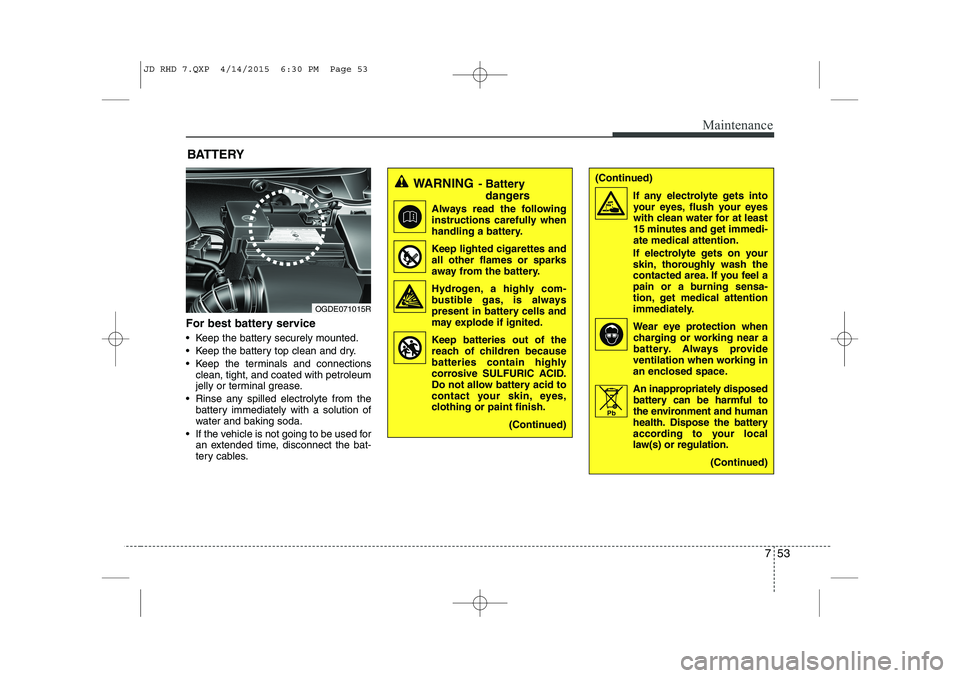
For best battery service
Keep the battery securely mounted.
Keep the battery top clean and dry.
Keep the terminals and connections clean, tight, and coated with petroleum
jelly or terminal grease.
Rinse any spilled electrolyte from the battery immediately with a solution of
water and baking soda.
If the vehicle is not going to be used for an extended time, disconnect the bat-
tery cables.
WARNING - Battery
dangers
Always read the following
instructions carefully when
handling a battery.
Keep lighted cigarettes and all other flames or sparks
away from the battery.
Hydrogen, a highly com- bustible gas, is always
present in battery cells and
may explode if ignited.
Keep batteries out of the reach of children because
batteries contain highly
corrosive SULFURIC ACID.
Do not allow battery acid to
contact your skin, eyes,
clothing or paint finish.
(Continued)
OGDE071015R
(Continued)If any electrolyte gets intoyour eyes, flush your eyes
with clean water for at least
15 minutes and get immedi-ate medical attention.
If electrolyte gets on your
skin, thoroughly wash the
contacted area. If you feel a
pain or a burning sensa-
tion, get medical attention
immediately.
Wear eye protection when charging or working near a
battery. Always provide
ventilation when working in
an enclosed space.
An inappropriately disposed battery can be harmful to
the environment and human
health. Dispose the battery
according to your local
law(s) or regulation.
(Continued)
Pb
JD RHD 7.QXP 4/14/2015 6:30 PM Page 53