stop start KIA CEED 2015 Owner's Manual
[x] Cancel search | Manufacturer: KIA, Model Year: 2015, Model line: CEED, Model: KIA CEED 2015Pages: 1210, PDF Size: 35.92 MB
Page 296 of 1210

4 215
Features of your vehicle
Steering remote controller
(1) VOLUME
Used to control volume. (2) MUTE
Mutes audio volume. (3) SEEK
When pressed shortly (under 0.8 seconds)
- Radio mode : searches broadcast fre-quencies saved to presets.
- Media (CD / USB / iPod / My Music / BT Audio) modes : changes the track, file. When pressed and held (over 0.8 seconds)
- Radio mode, automatically searches broadcast frequencies and channels
- Media(CD/USB/iPod/My Music) modes, rewinds or fast forwards the track or song(file)
(4) MODE
Each time this key is pressed, the mode is changed in order of FM1
➟FM2
➟FMA➟AM➟AMA➟USB or iPod➟AUX
➟My Music➟BT Audio
If the media is not connected or a disc is
not inserted, corresponding modes will
be disabled. (5)
When pressed shortly (under 0.8 seconds)
- Starts voice recognition
- When selecting during a voice prompt, stops the prompt and converts to voice
command waiting state
When pressed and held (over 0.8 seconds)
- Ends voice recognition (6)
When pressed shortly (under 0.8 seconds)
- When pressed in the phone screen,
displays call history screen
- When pressed in the dial screen, makes a call
- When pressed in the incoming call screen, answers the call
- When pressed during call waiting, switches to waiting call (Call Waiting)
When pressed and held (over 0.8 seconds)
- When pressed in the Bluetooth®
Wireless Technology Handsfree wait
mode, redials the last call
- When pressed during a
Bluetooth®
Wireless Technology Handsfree call,
switches call back to mobile phone
(Private)
- When pressed while calling on the mobile phone, switches call back to
Bluetooth®Wireless Technology
Handsfree (Operates only when
Bluetooth®Wireless Technology
Handsfree is connected)
(7) Ends phone call
JD eng 4c(~265).QXP 3/4/2015 4:48 PM Page 215
Page 319 of 1210
Features of your vehicle
238
4
After selecting the files you want to
delete, press the button to delete
the selected files.
✽✽
NOTICE
If there is memory available, up to 6,000 files can be saved.
Identical files cannot be copied more than 1,000 times.
To check memory information, go to [System] [Memory
Information] ✽
✽
NOTICE - USING THE
Bluetooth®Wireless
Technology Audio Mode
Bluetooth ®
Wireless Technology Audio
Mode can be used only when a
Bluetooth ®
Wireless Technology
phone has been connected.
Bluetooth ®
Wireless Technology Audio
Mode will not be available when con-
necting mobile phones that do not
support this feature.
While Bluetooth ®
Wireless Technology
Audio is playing, if the Bluetooth®
Wireless Technology phone is connect-
ed, then the music will also stop.
Moving the Track up/down while playing Bluetooth®
Wireless
Technology audio mode may result in
pop noises in some mobile phones.
Bluetooth ®
Wireless Technology
streaming audio may not be support-
ed in some mobile phones.
When returning to Bluetooth®
Wireless Technology Audio mode
after ending a call, the mode may not
automatically restart in some mobile
phones.
Receiving an incoming call or making an outgoing call while playing
Bluetooth ®
Wireless Technology Audio
may result in audio interference.
Bluetooth®Wireless Technology
AUDIO MODE Using
Bluetooth®Wireless
Technology Audio Mode
Playing/Pausing Bluetooth®Wireless
TechnologyAudio
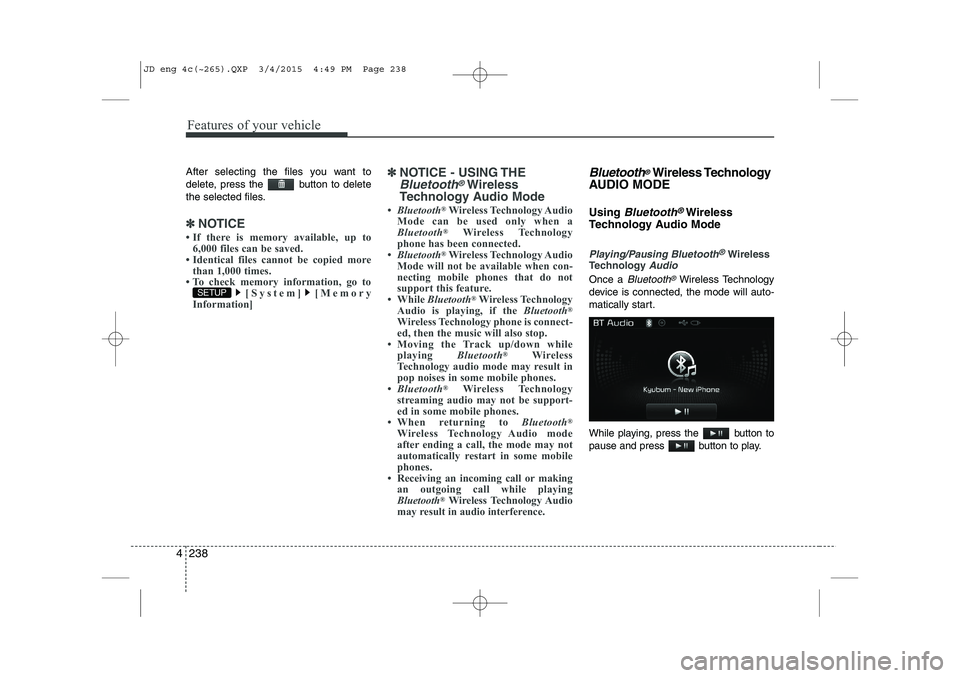
Once a Bluetooth®Wireless Technology
device is connected, the mode will auto-
matically start.
While playing, press the button to
pause and press button to play.
SETUP
JD eng 4c(~265).QXP 3/4/2015 4:49 PM Page 238
Page 347 of 1210

Driving your vehicle
Before driving . . . . . . . . . . . . . . . . . . . . . . . . . . . . . . 5-4 Before entering vehicle. . . . . . . . . . . . . . . . . . . . . . . . . 5-4
Necessary inspections . . . . . . . . . . . . . . . . . . . . . . . . . . 5-4
Before starting . . . . . . . . . . . . . . . . . . . . . . . . . . . . . . . 5-4
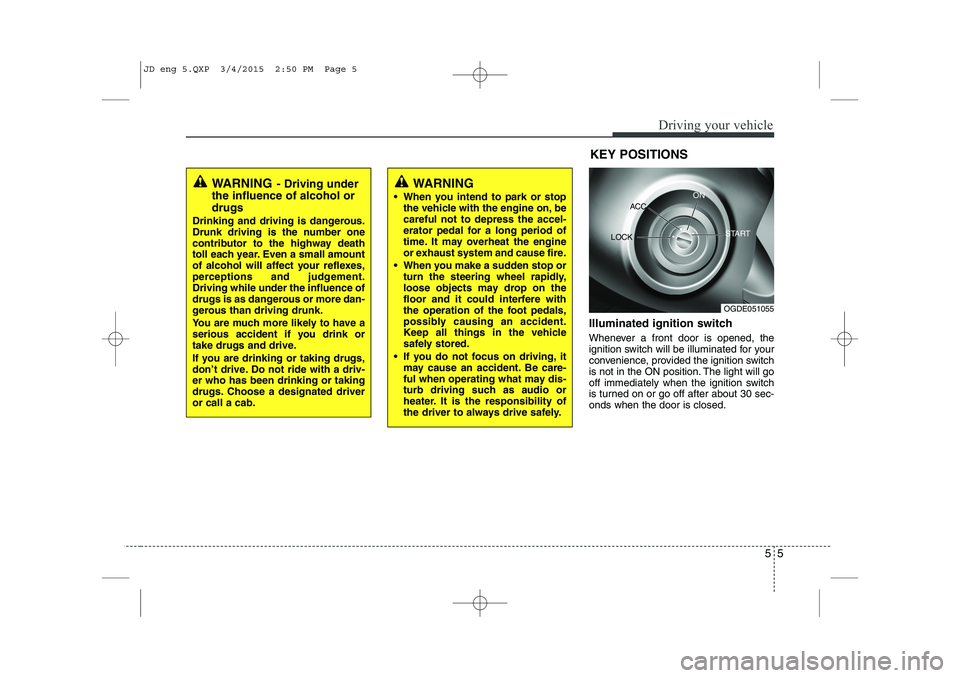
Key positions . . . . . . . . . . . . . . . . . . . . . . . . . . . . . . 5-5 Illuminated ignition switch . . . . . . . . . . . . . . . . . . . . . 5-5
Ignition switch position . . . . . . . . . . . . . . . . . . . . . . . . 5-6
Starting the engine . . . . . . . . . . . . . . . . . . . . . . . . . . . . 5-7
Engine START/STOP button . . . . . . . . . . . . . . . . . 5-9 Illuminated engine start/stop button . . . . . . . . . . . . . 5-9
Engine start/stop button position . . . . . . . . . . . . . . . . 5-9
Starting the engine . . . . . . . . . . . . . . . . . . . . . . . . . . . . 5-12
ISG (Idle Stop and Go) system . . . . . . . . . . . . . . . . 5-15 Auto stop . . . . . . . . . . . . . . . . . . . . . . . . . . . . . . . . . . . . 5-15
Auto start. . . . . . . . . . . . . . . . . . . . . . . . . . . . . . . . . . . . 5-17
Condition of ISG system operation . . . . . . . . . . . . . . 5-18
ISG system deactivation. . . . . . . . . . . . . . . . . . . . . . . . 5-18
ISG system malfunction . . . . . . . . . . . . . . . . . . . . . . . . 5-19
Manual transaxle . . . . . . . . . . . . . . . . . . . . . . . . . . . 5-20 Manual transaxle operation . . . . . . . . . . . . . . . . . . . . 5-20
Good driving practices. . . . . . . . . . . . . . . . . . . . . . . . . 5-22
Automatic transaxle/Double clutch transmission . . 5-23
Automatic transaxle/Double clutch transmission operation . . . . . . . . . . . . . . . . . . . . . . . . . . . . . . . . . . . . 5-23
Good driving practices. . . . . . . . . . . . . . . . . . . . . . . . . 5-30 Active eco system . . . . . . . . . . . . . . . . . . . . . . . . . . . 5-32
Active ECO operation . . . . . . . . . . . . . . . . . . . . . . . . . 5-32
Limitation of Active ECO operation . . . . . . . . . . . . . 5-32
Brake system . . . . . . . . . . . . . . . . . . . . . . . . . . . . . . 5-33 Power brakes. . . . . . . . . . . . . . . . . . . . . . . . . . . . . . . . . 5-33
Parking brake - Hand type . . . . . . . . . . . . . . . . . . . . . 5-35
Electric parking brake (EPB) . . . . . . . . . . . . . . . . . . . 5-37
Emergency braking . . . . . . . . . . . . . . . . . . . . . . . . . . . 5-41
Anti-lock brake system (ABS) . . . . . . . . . . . . . . . . . . . 5-41
Electronic stability control (ESC) . . . . . . . . . . . . . . . . 5-44
Vehicle stability management (VSM) . . . . . . . . . . . . . 5-47
Hill-start assist control (HAC) . . . . . . . . . . . . . . . . . . 5-48
Emergency Stop Signal (ESS) . . . . . . . . . . . . . . . . . . . 5-48
Good braking practices . . . . . . . . . . . . . . . . . . . . . . . . 5-49
Cruise control system . . . . . . . . . . . . . . . . . . . . . . . 5-51
Speed limit control system . . . . . . . . . . . . . . . . . . . 5-56
Lane departure warning system (LDWS) . . . . . . . 5-59
Economical operation . . . . . . . . . . . . . . . . . . . . . . . 5-62
Special driving conditions . . . . . . . . . . . . . . . . . . . . 5-64 Hazardous driving conditions . . . . . . . . . . . . . . . . . . . 5-64
Rocking the vehicle . . . . . . . . . . . . . . . . . . . . . . . . . . . 5-64
Smooth cornering . . . . . . . . . . . . . . . . . . . . . . . . . . . . . 5-65
Driving at night . . . . . . . . . . . . . . . . . . . . . . . . . . . . . . 5-65
Driving in the rain . . . . . . . . . . . . . . . . . . . . . . . . . . . . 5-65
Driving in flooded areas. . . . . . . . . . . . . . . . . . . . . . . . 5-66
5
JD eng 5.QXP 3/12/2015 3:04 PM Page 1
Page 351 of 1210
55
Driving your vehicle
Illuminated ignition switch
Whenever a front door is opened, the
ignition switch will be illuminated for your
convenience, provided the ignition switch
is not in the ON position. The light will go
off immediately when the ignition switch
is turned on or go off after about 30 sec-onds when the door is closed.KEY POSITIONS
WARNING
- Driving under
the influence of alcohol or drugs
Drinking and driving is dangerous.
Drunk driving is the number one
contributor to the highway death
toll each year. Even a small amount
of alcohol will affect your reflexes,
perceptions and judgement.Driving while under the influence of
drugs is as dangerous or more dan-
gerous than driving drunk.
You are much more likely to have a
serious accident if you drink or
take drugs and drive.
If you are drinking or taking drugs,
don’t drive. Do not ride with a driv-er who has been drinking or taking
drugs. Choose a designated driveror call a cab.WARNING
When you intend to park or stop the vehicle with the engine on, be careful not to depress the accel-
erator pedal for a long period of
time. It may overheat the engine
or exhaust system and cause fire.
When you make a sudden stop or turn the steering wheel rapidly,
loose objects may drop on the
floor and it could interfere with
the operation of the foot pedals,
possibly causing an accident.
Keep all things in the vehicle
safely stored.
If you do not focus on driving, it may cause an accident. Be care-
ful when operating what may dis-
turb driving such as audio or
heater. It is the responsibility of
the driver to always drive safely.
OGDE051055
ACC
ON
START
LOCK
JD eng 5.QXP 3/4/2015 2:50 PM Page 5
Page 354 of 1210
Driving your vehicle
8
5
Starting the diesel engine
To start the diesel engine when the engine is cold, it has to be pre-heated
before starting the engine and then have
to be warmed up before starting to drive.
1. Make sure the parking brake is
applied.
2. Manual Transaxle - Depress the
clutch pedal fully and shift the
transaxle into Neutral. Keep the clutch
pedal and brake pedal depressed
while turning the ignition switch to the
start position.
Automatic Transaxle - Place the
transaxle shift lever in P(park).
Depress the brake pedal fully.
You can also start the engine when the
shift lever is in the N(neutral) position.
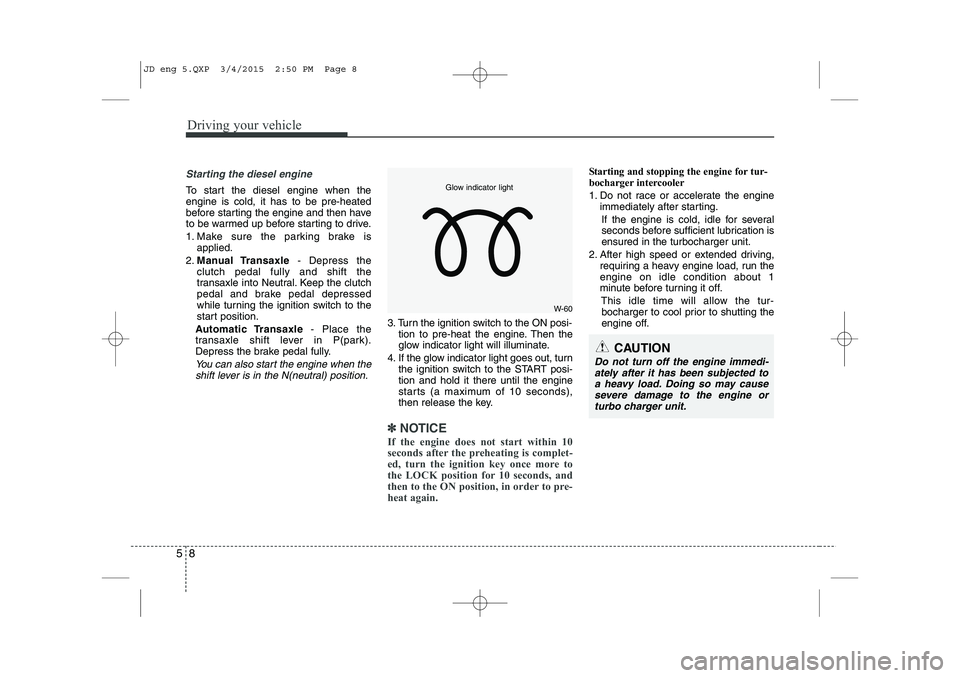
3. Turn the ignition switch to the ON posi- tion to pre-heat the engine. Then the
glow indicator light will illuminate.
4. If the glow indicator light goes out, turn the ignition switch to the START posi-tion and hold it there until the engine
starts (a maximum of 10 seconds),
then release the key.
✽✽
NOTICE
If the engine does not start within 10
seconds after the preheating is complet-
ed, turn the ignition key once more to
the LOCK position for 10 seconds, and
then to the ON position, in order to pre-
heat again.
Starting and stopping the engine for tur-
bocharger intercooler
1. Do not race or accelerate the engine immediately after starting.
If the engine is cold, idle for several
seconds before sufficient lubrication isensured in the turbocharger unit.
2. After high speed or extended driving, requiring a heavy engine load, run theengine on idle condition about 1
minute before turning it off.
This idle time will allow the tur-bocharger to cool prior to shutting the
engine off.
W-60
Glow indicator light
CAUTION
Do not turn off the engine immedi-
ately after it has been subjected to a heavy load. Doing so may causesevere damage to the engine or
turbo charger unit.
JD eng 5.QXP 3/4/2015 2:50 PM Page 8
Page 355 of 1210

59
Driving your vehicle
ENGINE START/STOP BUTTON (IF EQUIPPED)
Illuminated engine start/stop but- ton
Whenever the front door is opened, the
engine start/stop button will illuminate for
your convenience. The light will go offafter about 30 seconds when the door is
closed. It will also go off immediately
when the theft-alarm system is armed. Engine start/stop button position
OFF
With manual transaxle
To turn off the engine (START/RUN posi-
tion) or vehicle power (ON position), stop
the vehicle then press the engine
start/stop button.
With automatic transaxle/DCT*
To turn off the engine (START/RUN posi-
tion) or vehicle power (ON position),
press the engine start/stop button with
the shift lever in the P (Park) position.
When you press the engine start/stop
button without the shift lever in the P
(Park) position, the engine start/stop but-ton will not change to the OFF position
but to the ACC position.
* DCT: Double clutch transmissionVehicles equipped with anti-theft steering
column lock
The steering wheel locks when the
engine start/stop button is in the OFF
position to protect you against theft.
It locks when the door is opened.
If the steering wheel is not locked prop-
erly when you open the driver's door, the
warning chime will sound. Try locking the
steering wheel again. If the problem is
not solved, we recommend that the sys-
tem be checked by an authorized Kia
dealer.
In addition, if the engine start/stop button
is in the OFF position after the driver's
door is opened, the steering wheel will
not lock and the warning chime will
sound. In such a situation, close the door.
Then the steering wheel will lock and the
warning chime will stop.
✽✽
NOTICE
If the steering wheel doesn't unlock
properly, the engine start/stop button
will not work. Press the engine
start/stop button while turning the
steering wheel right and left to release
the tension.
OJD052001
White
JD eng 5.QXP 3/4/2015 2:50 PM Page 9
Page 356 of 1210

Driving your vehicle
10
5
ACC(Accessory)
With manual transaxle
Press the engine start/stop button when
the button is in the OFF position withoutdepressing the clutch pedal.
With automatic transaxle/DCT
Press the engine start/stop button while it is in the OFF position without depressing
the brake pedal.
The steering wheel unlocks (if equipped
with anti-theft steering column lock) and
electrical accessories are operational.
If the engine start/stop button is in the
ACC position for more than 1 hour, the
button is turned off automatically to pre-
vent battery discharge.
ON
With manual transaxle
Press the engine start/stop button when
the button is in the ACC position withoutdepressing the clutch pedal.
With automatic transaxle/DCT
Press the engine start/stop button while it
is in the ACC position without depressing
the brake pedal.
The warning lights can be checked
before the engine is started. Do not leave
the engine start/stop button in the ON
position for a long time. The battery may
discharge, because the engine is not
running.
CAUTION
You are able to turn off the engine
(START/RUN) or vehicle power (ON),
only when the vehicle is not inmotion. In an emergency situation while the vehicle is in motion, you areable to turn the engine off and to the
ACC position by pressing the engine start/stop button for more than 2 sec-onds or 3 times successively within 3
seconds. If the vehicle is still moving,you can restart the engine without depressing the brake pedal by press-ing the engine start/stop button with
the shift lever in the N (Neutral) posi-tion.
OrangeBlue
JD eng 5.QXP 3/4/2015 2:50 PM Page 10
Page 357 of 1210

511
Driving your vehicle
START/RUN
With manual transaxle
To start the engine, depress the clutch
pedal and brake pedal, then press the
engine start/stop button with the shift
lever in the N (Neutral) position.
With automatic transaxle/DCT
To start the engine, depress the brake
pedal and press the engine start/stop
button with the shift lever in the P (Park)
or the N (Neutral) position. For your safe-
ty, start the engine with the shift lever in
the P (Park) position.
✽✽
NOTICE
If you press the engine start/stop button
without depressing the clutch pedal for
manual transaxle vehicles or without
depressing the brake pedal for automat-
ic transaxle vehicles, the engine will not
start and the engine start/stop button
changes as follow:
OFF ➔
➔
ACC ➔➔
ON ➔➔
OFF or ACC ✽
✽
NOTICE
If you leave the engine start/stop button
in the ACC or ON position for a long
time, the battery will discharge.
WARNING
Never press the engine start/stop button while the vehicle is in
motion. This would result in loss
of directional control and braking
function, which could cause anaccident.
The anti-theft steering column lock (if equipped) is not a substi-
tute for the parking brake. Before
leaving the driver's seat, always
make sure the shift lever is
engaged in P (Park), set the park-
ing brake fully and shut the
engine off. Unexpected and sud-
den vehicle movement may occurif these precautions are nottaken.
(Continued)
(Continued)
Never reach for the engine start/stop button or any other controls
through the steering wheel while
the vehicle is in motion. The pres-
ence of your hand or arm in the
area could cause loss of vehicle
control, an accident and serious
bodily injury or death.
Do not place any movable objects around the driver's seat as they
may move while driving, interferewith the driver and lead to anaccident.
Not illuminated
JD eng 5.QXP 3/4/2015 2:50 PM Page 11
Page 358 of 1210

Driving your vehicle
12
5
Starting the engine
✽✽
NOTICE - Kick down mecha- nism (if equipped)
If your vehicle is equipped with a kick
down mechanism in the accelerator
pedal, it prevents you from driving at
full throttle unintentionally by making
the driver require increased effort to
depress the accelerator pedal. However,
if you depress the pedal more than
approximately 80%, the vehicle can be
at full throttle and the accelerator pedal
will be easier to depress. This is not a
malfunction but a normal condition.
Starting the gasoline engine
1. Carry the smart key or leave it inside the vehicle.
2. Make sure the parking brake is firmly applied.
3. Manual Transaxle - Depress the
clutch pedal fully and shift the
transaxle into Neutral. Keep the clutch
pedal and brake pedal depressed
while starting the engine.
Automatic transaxle/DCT* - Place the
transaxle shift lever in P (Park).
Depress the brake pedal fully.
You can also start the engine when
the shift lever is in the N (Neutral) position.
* DCT: Double clutch transmission
4. Press the engine start/stop button.
It should be started without depressing
the accelerator.
5. Do not wait for the engine to warm up while the vehicle remains stationary.
Start driving at moderate engine
speeds. (Steep accelerating and decel-
erating should be avoided.)
Starting the diesel engine
To start the diesel engine when the engine is cold, it has to be pre-heated
before starting the engine and then have
to be warmed up before starting to drive.
1. Make sure the parking brake is applied.
2. Manual Transaxle - Depress the
clutch pedal fully and shift the
transaxle into Neutral. Keep the clutch
pedal and brake pedal depressed
while pressing the engine start/stop
button to the START position.
Automatic Transaxle - Place the
transaxle shift lever in P (Park).
Depress the brake pedal fully.
You can also start the engine when the
shift lever is in the N (Neutral) position.
WARNING
Always wear appropriate shoes when operating your vehicle.
Unsuitable shoes (high heels, ski
boots,etc.) may interfere with
your ability to use the brake andaccelerator pedal.
Do not start the vehicle with the accelerator pedal depressed. The
vehicle can move and lead to anaccident.
Wait until the engine rpm is normal. The vehicle may suddenly move ifthe brake padel is released whenthe rpm is high.
JD eng 5.QXP 3/4/2015 2:50 PM Page 12
Page 359 of 1210
513
Driving your vehicle
3. Press the engine start/stop buttonwhile depressing the brake pedal.
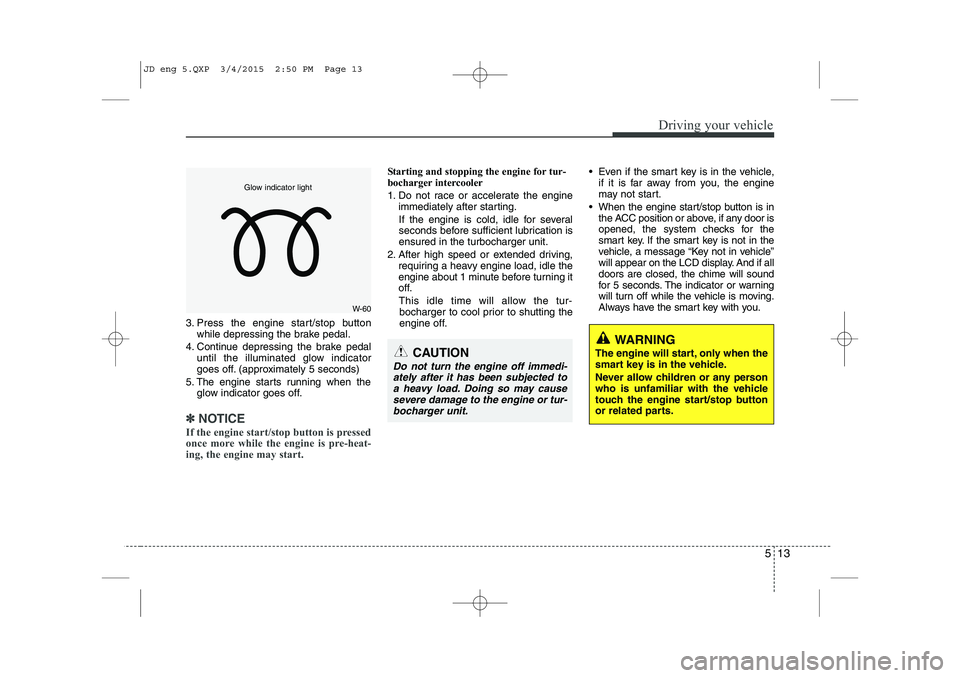
4. Continue depressing the brake pedal until the illuminated glow indicator
goes off. (approximately 5 seconds)
5. The engine starts running when the glow indicator goes off.
✽✽
NOTICE
If the engine start/stop button is pressed
once more while the engine is pre-heat-
ing, the engine may start.
Starting and stopping the engine for tur-
bocharger intercooler
1. Do not race or accelerate the engine immediately after starting.
If the engine is cold, idle for several
seconds before sufficient lubrication isensured in the turbocharger unit.
2. After high speed or extended driving, requiring a heavy engine load, idle the
engine about 1 minute before turning it
off.
This idle time will allow the tur- bocharger to cool prior to shutting the
engine off. Even if the smart key is in the vehicle,
if it is far away from you, the engine
may not start.
When the engine start/stop button is in the ACC position or above, if any door is
opened, the system checks for the
smart key. If the smart key is not in the
vehicle, a message “Key not in vehicle”
will appear on the LCD display. And if alldoors are closed, the chime will sound
for 5 seconds. The indicator or warning
will turn off while the vehicle is moving.
Always have the smart key with you.
WARNING
The engine will start, only when the
smart key is in the vehicle.
Never allow children or any person
who is unfamiliar with the vehicle
touch the engine start/stop button
or related parts.
CAUTION
Do not turn the engine off immedi- ately after it has been subjected toa heavy load. Doing so may causesevere damage to the engine or tur-
bocharger unit.
W-60
Glow indicator light
JD eng 5.QXP 3/4/2015 2:50 PM Page 13