belt KIA CEED 2015 Service Manual
[x] Cancel search | Manufacturer: KIA, Model Year: 2015, Model line: CEED, Model: KIA CEED 2015Pages: 1210, PDF Size: 35.92 MB
Page 166 of 1210

485
Features of your vehicle
Auto stop indicator(if equipped)
This indicator will illuminate when the engine enters the Idle Stop mode of theISG (Idle Stop and Go) system.
When the automatic starting occurrs, the auto stop indicator on the cluster will
blink for 5 seconds.
For more details, refer to the ISG (Idle Stop and Go) system in chapter 5.
For vehicles equipped with instrument
cluster type B, the indicator illuminates
on the LCD display.
✽NOTICE
When the engine automatically starts by
the ISG system, some warning lights
(ABS, ESC, ESC OFF, EPS or Parking
brake warning light) may turn on for a
few seconds.
This happens because of low battery
voltage. It does not mean the system is
malfunctioning.
Cruise indicator (if equipped)
CRUISE indicator
The indicator illuminates when the cruise
control system is enabled.
The cruise indicator in the instrument
cluster is illuminated when the cruise
control ON-OFF button on the steer-ing wheel is pushed.
The indicator goes off when the cruise
control ON-OFF button is pushed
again. For more information about the
use of cruise control, refer to “Cruise
control system” in chapter 5.
Cruise SET indicator
The indicator illuminates when the cruise
control switch (SET- or RES+) is ON.
The cruise SET indicator in the instru-
ment cluster illuminats when the cruise
control switch (SET- or RES+) is pushed.
The cruise SET indicator does not illumi-
nate when the cruise control cancel but-ton O is pushed or the system is disen-gaged.
Charging system warning light
This warning light indicates a malfunction
of either the generator or electricalcharging system.
If the warning light comes on while the
vehicle is in motion:
1. Drive to the nearest safe location.
2. With the engine off, check the genera- tor drive belt for looseness or break-
age.
3. If the belt is adjusted properly, a prob- lem exists somewhere in the electrical
charging system. We recommend that
the system be checked by an author-
ized Kia dealer.
SET
JD eng 4a.QXP 3/4/2015 4:26 PM Page 85
Page 246 of 1210
4 165
Features of your vehicle
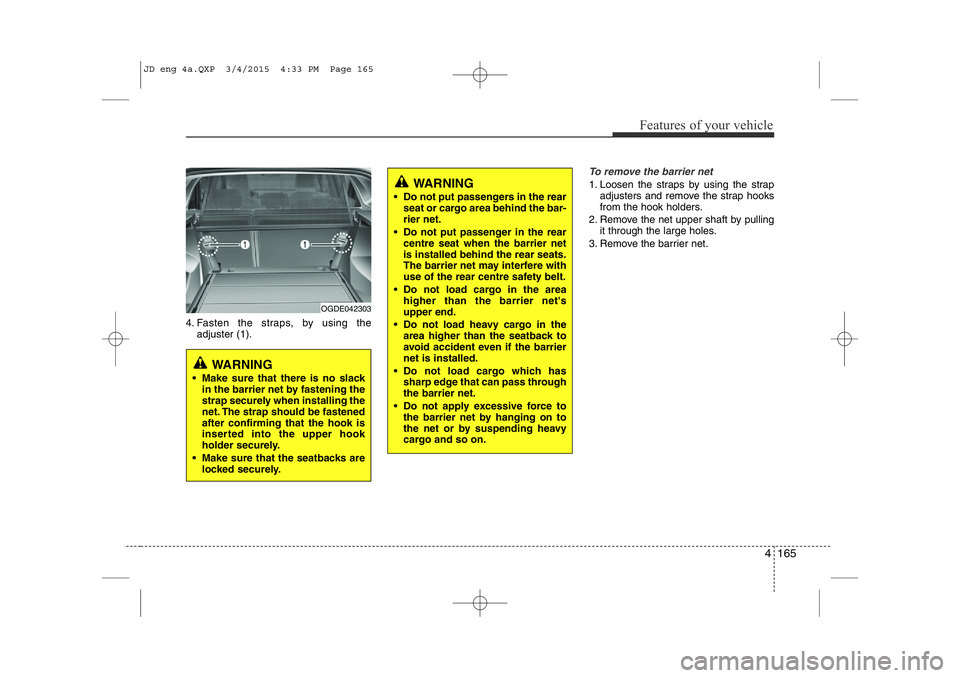
4. Fasten the straps, by using theadjuster (1).
To remove the barrier net
1. Loosen the straps by using the strapadjusters and remove the strap hooks
from the hook holders.
2. Remove the net upper shaft by pulling it through the large holes.
3. Remove the barrier net.
OGDE042303
WARNING
• Make sure that there is no slack in the barrier net by fastening the
strap securely when installing the
net. The strap should be fastenedafter confirming that the hook is
inserted into the upper hook
holder securely.
• Make sure that the seatbacks are locked securely.
WARNING
• Do not put passengers in the rear seat or cargo area behind the bar- rier net.
• Do not put passenger in the rear centre seat when the barrier netis installed behind the rear seats.
The barrier net may interfere with
use of the rear centre safety belt.
• Do not load cargo in the area higher than the barrier net'supper end.
• Do not load heavy cargo in the area higher than the seatback to
avoid accident even if the barriernet is installed.
• Do not load cargo which has sharp edge that can pass through the barrier net.
• Do not apply excessive force to the barrier net by hanging on to
the net or by suspending heavy
cargo and so on.
JD eng 4a.QXP 3/4/2015 4:33 PM Page 165
Page 249 of 1210
Features of your vehicle
168
4
Build in segmentation bar
• Put both pillars (A) from the segmenta-
tion bar in the openings from the rail.
• To move the segmentation bar, put your hand on the side of the pillar and
push down the lever arm (B).
• Make sure the pillars click into place.
• To release the belt, turn the upper ele- ment (C) to the left or right until it
clicks.
• Now you can pull the belt (D) and secure your luggage by putting the beltaround the luggage and put the hook(E) into the middle of the segmentationbar (F).
• For bulky luggage, you can hook both hooks into each other.
• To make sure the belt locks, put the upper element (C) back into the lockposition (1).
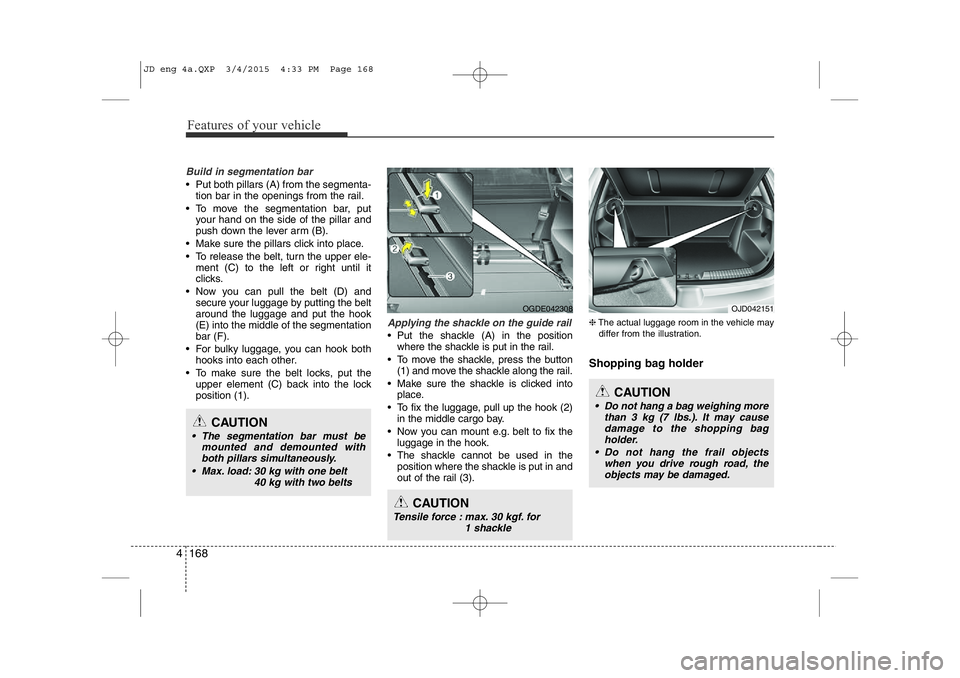
Applying the shackle on the guide rail
• Put the shackle (A) in the positionwhere the shackle is put in the rail.
• To move the shackle, press the button (1) and move the shackle along the rail.
• Make sure the shackle is clicked into place.
• To fix the luggage, pull up the hook (2) in the middle cargo bay.
• Now you can mount e.g. belt to fix the luggage in the hook.
• The shackle cannot be used in the position where the shackle is put in and
out of the rail (3). ❈
The actual luggage room in the vehicle may
differ from the illustration.
Shopping bag holder
CAUTION
• The segmentation bar must be mounted and demounted withboth pillars simultaneously.
• Max. load: 30 kg with one belt 40 kg with two belts
OGDE042308
CAUTION
• Do not hang a bag weighing morethan 3 kg (7 lbs.). It may causedamage to the shopping bag
holder.
• Do not hang the frail objects when you drive rough road, theobjects may be damaged.
OJD042151
CAUTION
Tensile force : max. 30 kgf. for
1 shackle
JD eng 4a.QXP 3/4/2015 4:33 PM Page 168
Page 350 of 1210
Driving your vehicle
4
5
Before entering vehicle
• Be sure that all windows, outside mir-
ror(s), and outside lights are clean.
Check the condition of the tires.
Check under the vehicle for any sign of leaks.
Be sure there are no obstacles behind you if you intend to back up. Necessary inspections
Fluid levels, such as engine oil, engine
coolant, brake fluid, and washer fluid
should be checked on a regular basis,
with the exact interval depending on the
fluid. Further details are provided in
chapter 7, “Maintenance”.
Before starting
Close and lock all doors.
Position the seat so that all controls are
easily reached.
Adjust the inside and outside rearview mirrors.
Be sure that all lights work.
Check all gauges.
Check the operation of warning lights when the ignition switch is turned to the ON position.
Release the parking brake and make sure the brake warning light goes out.
For safe operation, be sure you are famil-
iar with your vehicle and its equipment.
BEFORE DRIVING
WARNING
All passengers must be properly
belted whenever the vehicle is mov-
ing. Refer to “Seat belts” in chapter
3 for more information on their
proper use.
WARNING
Always check the surrounding areas
near your vehicle for people, espe-
cially children, before putting a vehi-
cle into “D (Drive)” or “R (Reverse)”.
WARNING
Driving while distracted can result
in a loss of vehicle control, that
may lead to an accident, severe
personal injury, and death. The dri-
ver’s primary responsibility is in
the safe and legal operation of a
vehicle, and use of any handheld
devices, other equipment, or vehi-
cle systems which take the driver’s
eyes, attention and focus away
from the safe operation of a vehicle
or which are not permissible by law
should never be used during oper-
ation of the vehicle.
JD eng 5.QXP 3/4/2015 2:50 PM Page 4
Page 362 of 1210
Driving your vehicle
16
5
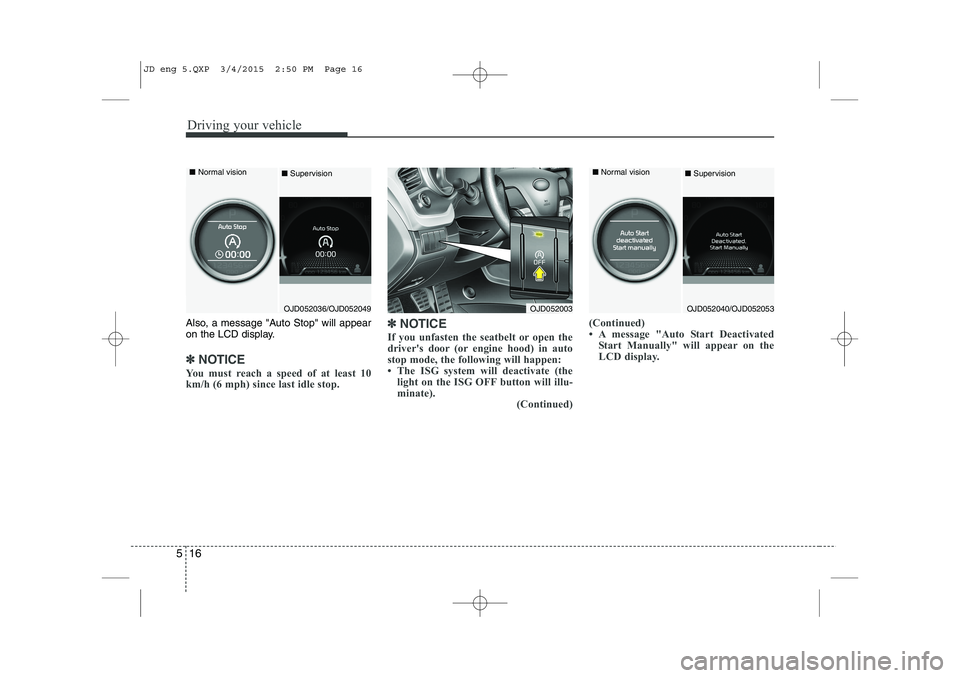
Also, a message "Auto Stop" will appear
on the LCD display.
✽✽
NOTICE
You must reach a speed of at least 10
km/h (6 mph) since last idle stop. ✽
✽
NOTICE
If you unfasten the seatbelt or open the
driver's door (or engine hood) in auto
stop mode, the following will happen:
The ISG system will deactivate (the light on the ISG OFF button will illu-
minate). (Continued)(Continued)
A message "Auto Start Deactivated
Start Manually" will appear on the
LCD display.
OJD052003OJD052040/OJD052053
■
Normal vision
■SupervisionOJD052036/OJD052049
■
Normal vision
■Supervision
JD eng 5.QXP 3/4/2015 2:50 PM Page 16
Page 364 of 1210

Driving your vehicle
18
5
Condition of ISG system opera- tion
The ISG system will operate under
the following condition:
- The driver’s seat belt is fastened.
- The driver’s door and engine hood are closed.
- The brake vaccum pressure is ade- quate.
- The battery is sufficiently charged.
- The outside temperature is between -2°C to 35°C (28.4°F to 95°F).
- The engine coolant temperature is not too low.
✽✽ NOTICE
If the ISG system does not meet the operation condition, the ISG system is
deactivated. The light on the ISG OFF
button will illuminate and a message
“Auto Stop Deactivated” will appear
on the LCD display.
If the light or notice comes on contin-
uously, please check the operation
condition.ISG system deactivation
If you wish to deactivate the ISG sys-tem, press the ISG OFF button. The
light on the ISG OFF button will illumi-
nate and a message “Auto Stop OFF”
will appear on the LCD display.
If you press the ISG OFF button again, the system will be activated and the
light on the ISG OFF button will turn off.
■Normal vision ■
Supervision
OJD052003/OJD052038/OJD052051
■ Normal vision ■
Supervision
OJD052003/OJD052039/OJD052052
JD eng 5.QXP 3/4/2015 2:50 PM Page 18
Page 368 of 1210
Driving your vehicle
22
5
Downshifting
When you must slow down in heavy traf-
fic or while driving up steep hills, down-
shift before the engine starts to labor.
Downshifting reduces the chance of
stalling and gives better acceleration
when you again need to increase your
speed. When the vehicle is traveling
down steep hills, downshifting helps
maintain safe speed and prolongs brake
life. Good driving practices
Never take the vehicle out of gear and
coast down a hill. This is extremely
hazardous. Always leave the vehicle in
gear.
Don't "ride" the brakes. This can cause them to overheat and malfunction.
Instead, when you are driving down a
long hill, slow down and shift to a lower
gear. When you do this, engine braking
will help slow down the vehicle.
Slow down before shifting to a lower gear. This will help avoid over-revving
the engine, which can cause damage.
Slow down when you encounter cross winds. This gives you much better con-
trol of your vehicle.
Be sure the vehicle is completely stopped before you attempt to shift into
R (Reverse). The transaxle can be dam-
aged if you do not. To shift into R
(Reverse), depress the clutch, move the
shift lever to neutral, wait three seconds,
then shift to the R (Reverse) position.
Exercise extreme caution when driving on a slippery surface. Be especially
careful when braking, accelerating or
shifting gears. On a slippery surface,
an abrupt change in vehicle speed can
cause the drive wheels to lose traction
and the vehicle to go out of control.WARNING
Always buckle-up! In a collision, an unbelted occupant is signifi-
cantly more likely to be seriously
injured or killed than a properlybelted occupant.
Avoid high speeds when corner- ing or turning.
Do not make quick steering wheel movements, such as sharp
lane changes or fast, sharp turns.
The risk of rollover is greatly increased if you lose control of
your vehicle at highway speeds.
Loss of control often occurs if two or more wheels drop off the
roadway and the driver over-
steers to reenter the roadway.
In the event your vehicle leaves the roadway, do not steer sharply.
Instead, slow down before pulling
back into the travel lanes.
Never exceed posted speed lim- its.
JD eng 5.QXP 3/4/2015 2:51 PM Page 22
Page 376 of 1210
Driving your vehicle
30
5
Good driving practices
Never move the shift lever from P
(Park) or N (Neutral) to any other posi-
tion with the accelerator pedaldepressed.
Never move the shift lever into P (Park) when the vehicle is in motion.
Be sure the vehicle is completely stopped before you attempt to shift into
R (Reverse) or D (Drive).
Never take the vehicle out of gear and coast down a hill. This may be
extremely hazardous. Always leave the
vehicle in gear when moving.
Do not "ride" the brakes. This can cause them to overheat and malfunc-
tion. Instead, when you are driving
down a long hill, slow down and shift to
a lower gear. When you do this, engine
braking will help slow down the vehicle.
Slow down before shifting to a lower gear. Otherwise, the lower gear maynot be engaged.
Always use the parking brake. Do not depend on placing the transaxle in P
(Park) to keep the vehicle from moving. Exercise extreme caution when driving
on a slippery surface. Be especially
careful when braking, accelerating or
shifting gears. On a slippery surface,
an abrupt change in vehicle speed can
cause the drive wheels to lose traction
and the vehicle to go out of control.
Optimum vehicle performance and economy is obtained by smoothly
depressing and releasing the accelera-tor pedal.
WARNING
Always buckle-up! In a collision, an unbelted occupant is signifi-
cantly more likely to be seriously
injured or killed than a properlybelted occupant.
Avoid high speeds when corner- ing or turning.
Do not make quick steering wheel movements, such as sharp
lane changes or fast, sharp turns.
The risk of rollover is greatly increased if you lose control of
your vehicle at highway speeds.
Loss of control often occurs if two or more wheels drop off the
roadway and the driver over-
steers to reenter the roadway.
In the event your vehicle leaves the roadway, do not steer sharply.
Instead, slow down before pulling
back into the travel lanes.
Never exceed posted speed lim- its.
JD eng 5.QXP 3/4/2015 2:51 PM Page 30
Page 384 of 1210
Driving your vehicle
38
5
To release EPB (electric parking brake)
automatically:
Manual transaxle vehicle
1. Start the engine.
2. Fasten the driver's seat belt.
3. Close the driver's door, engine hood and tailgate.
4. Depress the clutch pedal with the gear engaged.
5. Depress the accelerator pedal while releasing the clutch pedal.
Automatic transaxle vehicle 1. Start the engine.
2. Fasten the driver's seat belt.
3. Close the driver's door, engine hood and tailgate.
4. Depress the accelerator pedal while the shift lever is in R (Rear), D
(Drive).
Shift lever in P (Park) With the engine running depress thebrake pedal and shift out of P (Park) to
R (Rear) or D (Drive).
Shift lever in N (Neutral) With the engine running depress the
brake pedal and shift out of N (Neutral)
to R (Rear) or D (Drive).
Make sure the brake warning light goes
off.✽✽ NOTICE
For your safety, you can engage the EPB even though the ignition switch or
engine stop/start button is in the OFF
position, but you cannot release it.
For your safety, depress the brake
pedal and release the parking brake
manually with the EPB switch when
you drive downhill or when backing up
the vehicle.
✽
✽ NOTICE - Manual transaxle
A vehicle towing a trailer on a hill or on
an incline may slightly roll backwards
when starting the vehicle. To prevent the
situation follow the below instructions.
1. Depress the clutch pedal and select a gear.
2. Keep pulling up the EPB switch.
3. Depress the accelerator pedal and slowly release the clutch pedal.
4. If the vehicle starts off with enough driving power release the EPB switch.
Do not follow the above procedure when
driving on a flat level ground. The vehi-
cle may suddenly move forward.
CAUTION
If the parking brake warning light is still on even though the EPB
has been released, we recom-mend that the system be checkedby an authorized Kia dealer.
Do not drive your vehicle with the EPB applied. It may cause exces-sive brake pad and brake rotor wear.
JD eng 5.QXP 3/4/2015 2:51 PM Page 38
Page 385 of 1210
539
Driving your vehicle
EPB (electric parking brake) may be
automatically applied when:
The EPB is overheated
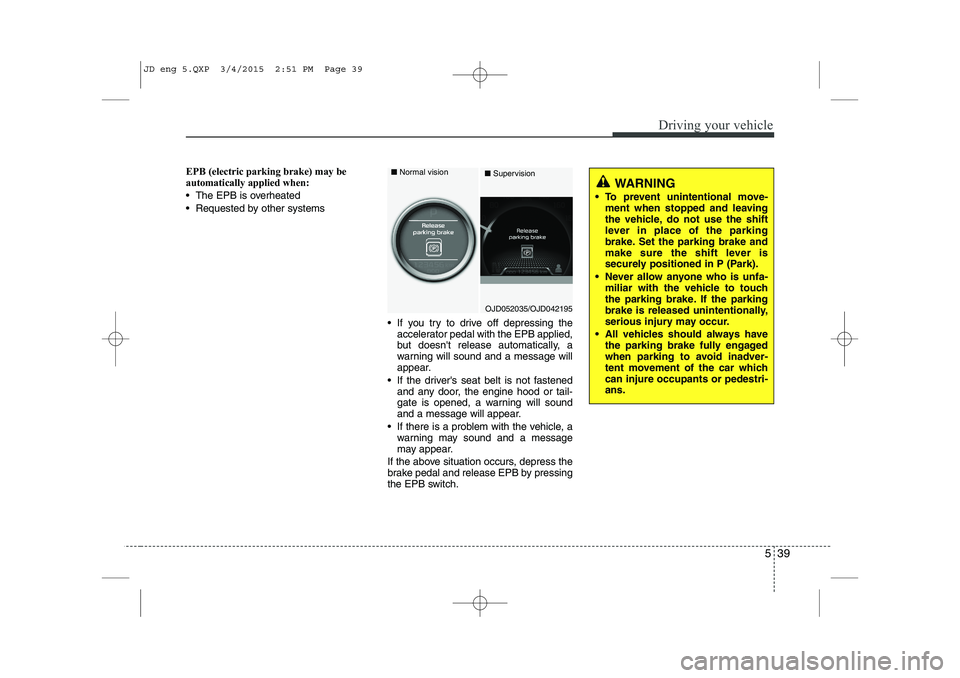
Requested by other systems If you try to drive off depressing theaccelerator pedal with the EPB applied,
but doesn't release automatically, a
warning will sound and a message will
appear.
If the driver's seat belt is not fastened and any door, the engine hood or tail-
gate is opened, a warning will sound
and a message will appear.
If there is a problem with the vehicle, a warning may sound and a message
may appear.
If the above situation occurs, depress the
brake pedal and release EPB by pressing
the EPB switch.
WARNING
To prevent unintentional move- ment when stopped and leaving
the vehicle, do not use the shift
lever in place of the parking
brake. Set the parking brake and
make sure the shift lever is
securely positioned in P (Park).
Never allow anyone who is unfa- miliar with the vehicle to touch
the parking brake. If the parking
brake is released unintentionally,
serious injury may occur.
All vehicles should always have the parking brake fully engaged
when parking to avoid inadver-
tent movement of the car whichcan injure occupants or pedestri-ans.
OJD052035/OJD042195
■
Normal vision
■Supervision
JD eng 5.QXP 3/4/2015 2:51 PM Page 39