instrument cluster KIA CEED 2016 User Guide
[x] Cancel search | Manufacturer: KIA, Model Year: 2016, Model line: CEED, Model: KIA CEED 2016Pages: 643, PDF Size: 38.19 MB
Page 169 of 643

Features of your vehicle
86
4
Auto stop indicator
(if equipped)
This indicator will illuminate when the engine enters the Idle Stop mode of theISG (Idle Stop and Go) system.
When the automatic starting occurrs, the auto stop indicator on the cluster will
blink for 5 seconds.
For more details, refer to the ISG (Idle Stop and Go) system in chapter 5.
For vehicles equipped with instrument
cluster type B, the indicator illuminates
on the LCD display.
✽✽ NOTICE
When the engine automatically starts by
the ISG system, some warning lights
(ABS, ESC, ESC OFF, EPS or Parking
brake warning light) may turn on for a
few seconds.
This happens because of low battery
voltage. It does not mean the system is
malfunctioning.
Cruise indicator (if equipped)
CRUISE indicator
The indicator illuminates when the cruise
control system is enabled.
The cruise indicator in the instrument
cluster is illuminated when the cruise
control ON-OFF button on the steer-ing wheel is pushed.
The indicator goes off when the cruise
control ON-OFF button is pushed
again. For more information about the
use of cruise control, refer to “Cruise
control system” in chapter 5.
Cruise SET indicator
The indicator illuminates when the cruise
control switch (SET- or RES+) is ON.
The cruise SET indicator in the instru-
ment cluster illuminats when the cruise
control switch (SET- or RES+) is pushed.
The cruise SET indicator does not illumi-
nate when the cruise control cancel but-ton O is pushed or the system is disen-gaged.
Charging system warning light
This warning light indicates a malfunction
of either the generator or electricalcharging system.
If the warning light comes on while the
vehicle is in motion:
1. Drive to the nearest safe location.
2. With the engine off, check the genera- tor drive belt for looseness or break-
age.
3. If the belt is adjusted properly, a prob- lem exists somewhere in the electrical
charging system. We recommend that
the system be checked by an author-
ized Kia dealer.
SET
JD PE eng 4.QXP 1/28/2016 5:18 PM Page 86
Page 180 of 643
497
Features of your vehicle
PARKING ASSIST SYSTEM (IF EQUIPPED)
WARNING
The parking assist system should
only be considered as a supple-
mentary function. The driver must
check the front and rear view. Theoperational function of the parking
assist system can be affected by
many factors and conditions of the
surroundings, so the responsibility
rests always with the driver.
OJD045243L
■ Rear (3 Door)
■ Front
OJD045085L
OJD045242L
■Rear (Wagon)
■Rear (5 Door)
OJD045084L
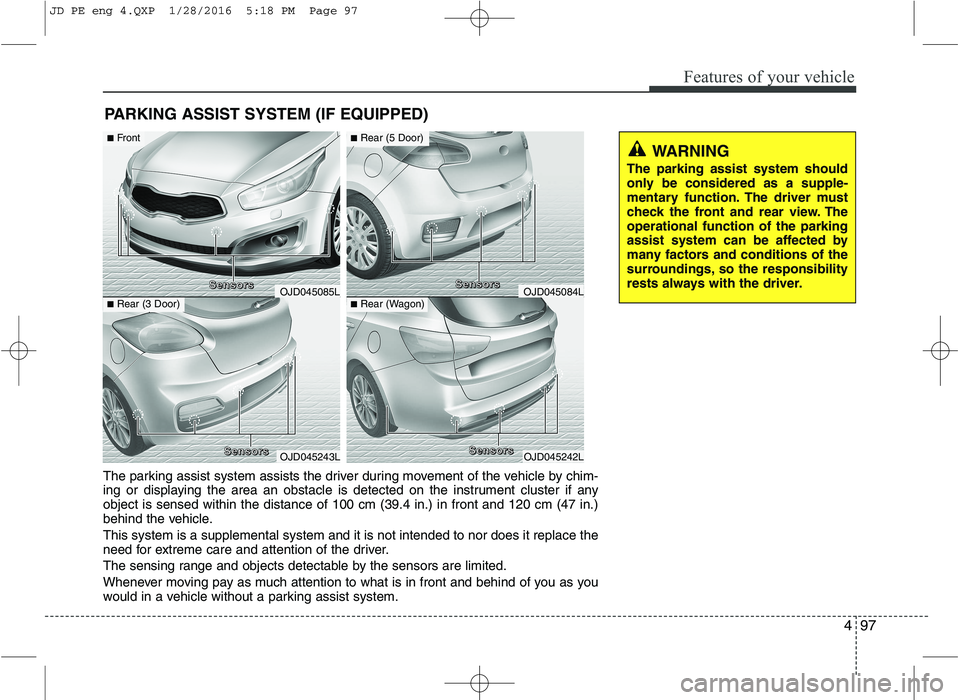
The parking assist system assists the driver during movement of the vehicle by chim-
ing or displaying the area an obstacle is detected on the instrument cluster if anyobject is sensed within the distance of 100 cm (39.4 in.) in front and 120 cm (47 in.)
behind the vehicle. This system is a supplemental system and it is not intended to nor does it replace the
need for extreme care and attention of the driver.
The sensing range and objects detectable by the sensors are limited.
Whenever moving pay as much attention to what is in front and behind of you as you
would in a vehicle without a parking assist system.SSSSeeeennnnssssoooorrrrssssSSSSeeeennnnssssoooorrrrssss
SSSSeeeennnnssssoooorrrrssssSSSSeeeennnnssssoooorrrrssss
JD PE eng 4.QXP 1/28/2016 5:18 PM Page 97
Page 388 of 643
515
Driving your vehicle
Your vehicle may be equipped with the ISG system, which reduces fuel con-
sumption by automatically shutting down
the engine, when the vehicle is at a
standstill. (For example : red light, stop
sign and traffic jam)
The engine starts automatically as soon
as the starting conditions are met.
The ISG system is ON whenever the
engine is running.
✽✽NOTICE
When the engine automatically starts by
the ISG system, some warning lights
(ABS, ESC, ESC OFF, EPS or Parking
brake warning light) may turn on for a
few seconds.
This happens because of low battery
voltage. It does not mean the system has
malfunctioned.
Auto stop
To stop the engine in idle stop mode
1. Decrease the vehicle speed to less than 5 km/h (3 mph).
2. Shift into N (Neutral) position.
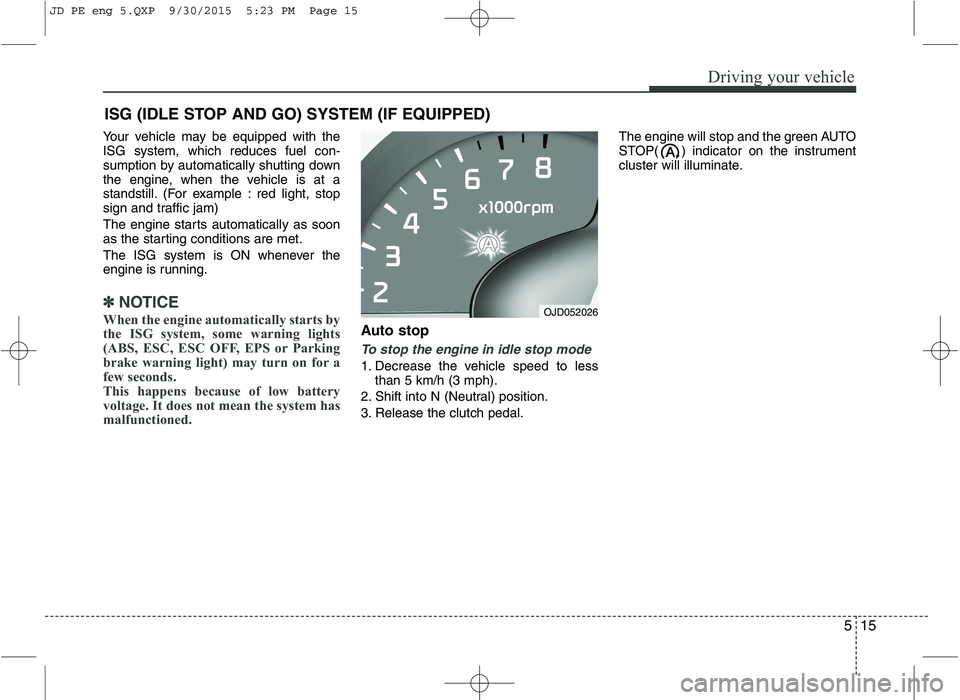
3. Release the clutch pedal. The engine will stop and the green AUTO
STOP( ) indicator on the instrument
cluster will illuminate.
ISG (IDLE STOP AND GO) SYSTEM (IF EQUIPPED)
OJD052026
JD PE eng 5.QXP 9/30/2015 5:23 PM Page 15
Page 390 of 643
517
Driving your vehicle
Auto Start
To restart the engine from idle stopmode
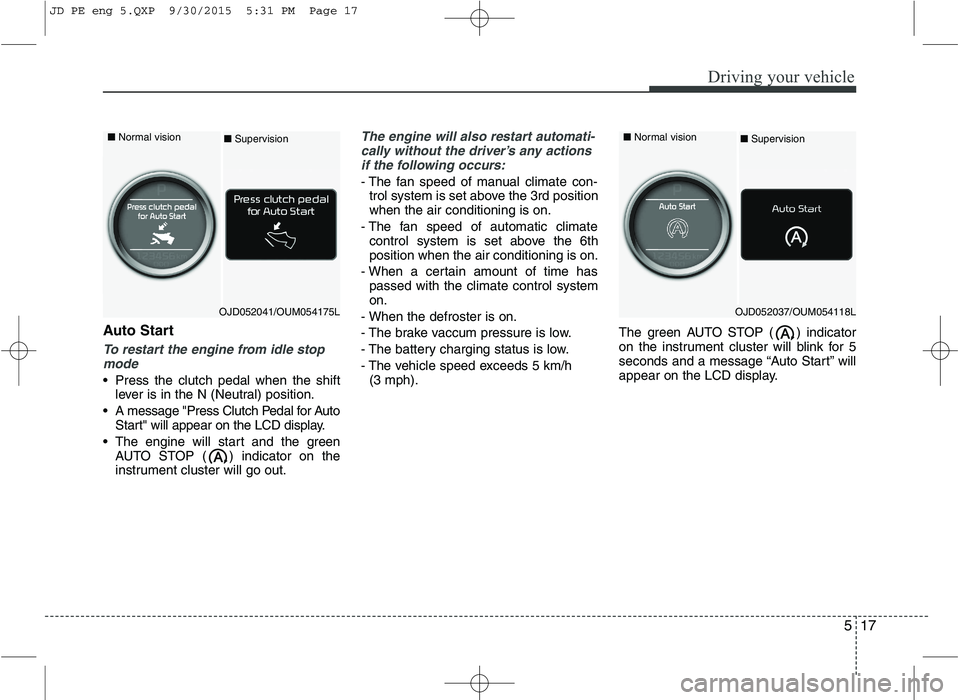
• Press the clutch pedal when the shift lever is in the N (Neutral) position.
A message "Press Clutch Pedal for Auto Start" will appear on the LCD display.
The engine will start and the green AUTO STOP ( ) indicator on the
instrument cluster will go out.
The engine will also restart automati-
cally without the driver’s any actions
if the following occurs:
- The fan speed of manual climate con- trol system is set above the 3rd position when the air conditioning is on.
- The fan speed of automatic climate control system is set above the 6thposition when the air conditioning is on.
- When a certain amount of time has passed with the climate control systemon.
- When the defroster is on.
- The brake vaccum pressure is low.
- The battery charging status is low.
- The vehicle speed exceeds 5 km/h (3 mph). The green AUTO STOP ( ) indicator
on the instrument cluster will blink for 5
seconds and a message “Auto Start” will
appear on the LCD display.
OJD052041/OUM054175L
■
Normal vision
■Supervision
OJD052037/OUM054118L
■
Normal vision
■Supervision
JD PE eng 5.QXP 9/30/2015 5:31 PM Page 17
Page 392 of 643
519
Driving your vehicle
ISG system malfunction
The system may not operate when:
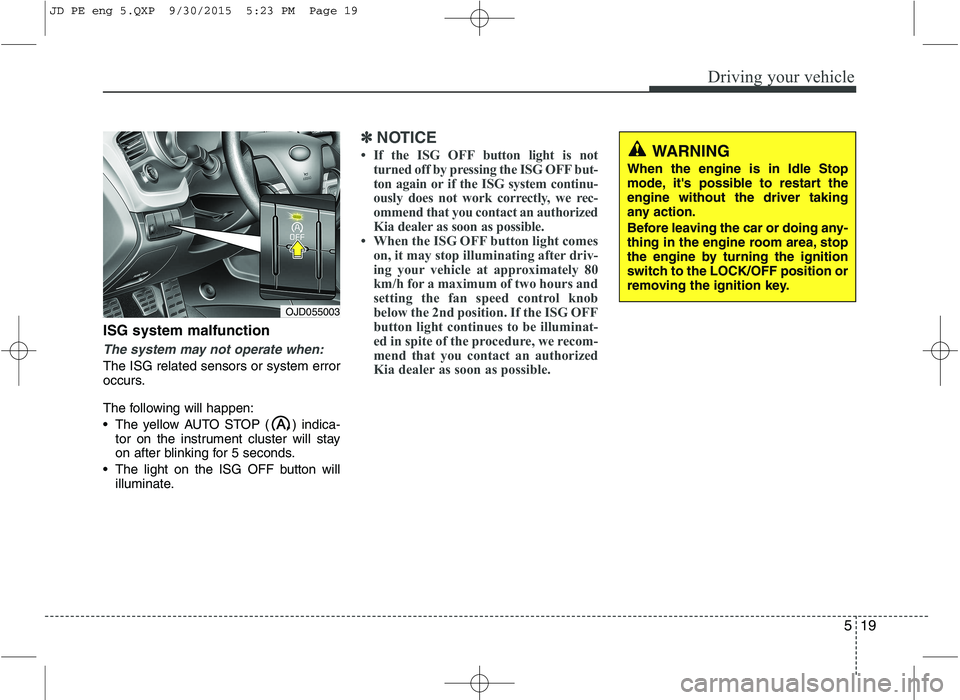
The ISG related sensors or system error
occurs.
The following will happen:
The yellow AUTO STOP ( ) indica-tor on the instrument cluster will stay
on after blinking for 5 seconds.
The light on the ISG OFF button will illuminate.
✽✽ NOTICE
If the ISG OFF button light is not turned off by pressing the ISG OFF but-
ton again or if the ISG system continu-
ously does not work correctly, we rec-
ommend that you contact an authorized
Kia dealer as soon as possible.
When the ISG OFF button light comes on, it may stop illuminating after driv-
ing your vehicle at approximately 80
km/h for a maximum of two hours and
setting the fan speed control knob
below the 2nd position. If the ISG OFF
button light continues to be illuminat-
ed in spite of the procedure, we recom-
mend that you contact an authorized
Kia dealer as soon as possible.WARNING
When the engine is in Idle Stop
mode, it's possible to restart theengine without the driver taking
any action.
Before leaving the car or doing any-
thing in the engine room area, stop
the engine by turning the ignition
switch to the LOCK/OFF position or
removing the ignition key.
OJD055003
JD PE eng 5.QXP 9/30/2015 5:23 PM Page 19
Page 405 of 643
Driving your vehicle
32
5
CAUTION
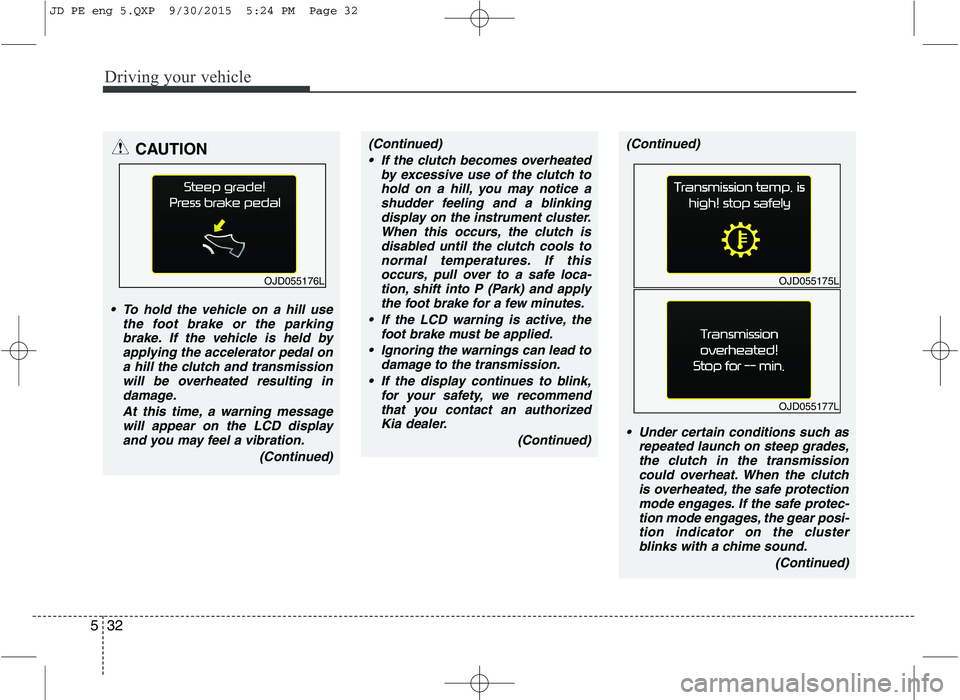
To hold the vehicle on a hill use
the foot brake or the parkingbrake. If the vehicle is held by
applying the accelerator pedal ona hill the clutch and transmission will be overheated resulting indamage.
At this time, a warning messagewill appear on the LCD displayand you may feel a vibration.
(Continued)
(Continued) If the clutch becomes overheated by excessive use of the clutch to
hold on a hill, you may notice ashudder feeling and a blinkingdisplay on the instrument cluster. When this occurs, the clutch is
disabled until the clutch cools to normal temperatures. If this occurs, pull over to a safe loca-tion, shift into P (Park) and apply
the foot brake for a few minutes.
If the LCD warning is active, the foot brake must be applied.
Ignoring the warnings can lead to damage to the transmission.
If the display continues to blink, for your safety, we recommendthat you contact an authorizedKia dealer.
(Continued)(Continued)
Under certain conditions such asrepeated launch on steep grades,the clutch in the transmission
could overheat. When the clutchis overheated, the safe protection mode engages. If the safe protec-tion mode engages, the gear posi-
tion indicator on the clusterblinks with a chime sound.
(Continued)
OJD055176LOJD055175L
OJD055177L
JD PE eng 5.QXP 9/30/2015 5:24 PM Page 32
Page 406 of 643
533
Driving your vehicle
The indicator in the instrument cluster
displays the shift lever position when the
ignition switch is in the ON position.
P (Park)
Always come to a complete stop before
shifting into P (Park).
To shift from P (Park), you must depress
firmly on the brake pedal and make sure
your foot is off the accelerator pedal.
The shift lever must be in P (Park) before
turning the engine off.
WARNING
Shifting into P (Park) while the vehicle is in motion may cause
you to lose control of the vehicle.
After the vehicle has stopped, always make sure the shift lever
is in P (Park), apply the parking
brake, and turn the engine off.
Do not use the P (Park) position in place of the parking brake.
(Continued)
At this time, a warning messagewill appear on the LCD display
and driving may not be smooth.
If you ignore this warning, thedriving condition may becomeworse. To return the normal driv-ing condition, stop the vehicle
and apply the foot brake for a fewminutes before driving off.
Gear shifts may be more notice- able than a conventional automat-
ic transmission. This is a normalcharacteristic of this type of dualclutch transmission.
The overheated Dual clutch trans- mission may change the gear
shifting characteristics, and illumi-nate the warning message on theLCD display under the conditionsthat operation of the kickdown
mechanism is repetitively used.
Do not use the kickdown mecha- nism to return to the normal driv-ing condition. Also, temporarily stop the vehicle at a safe location,
when the warning message illu-minates on the LCD display.
(Continued)(Continued) During the first 1,500 km (1,000 miles), you may feel that the vehi-
cle may not be smooth when accelerating at low speed. Duringthis break-in period, the shift qual-ity and performance of your new
vehicle is continuously optimized.
Always come to a complete stop before shifting into D (Drive) or R(Reverse).
Do not put the shift lever in N (Neutral) while driving.
JD PE eng 5.QXP 9/30/2015 5:24 PM Page 33
Page 427 of 643

Driving your vehicle
54
5
ESC OFF usage
When driving
ESC should be turned on for daily driv-
ing whenever possible.
To turn ESC off while driving, press the ESC OFF button while driving on a flat
road surface.
✽✽ NOTICE
When operating the vehicle on a dynamometer, ensure that the ESC is
turned off by pressing the ESC OFF
button for more than 3 seconds (ESC
OFF light illuminated). If the ESC is
left on, it may prevent the vehicle
speed from increasing, and result in
false diagnosis.
Turning the ESC off does not affect ABS or brake system operation.
Vehicle stability management (VSM) (if equipped)
This system provides further enhance-
ments to vehicle stability and steering
responses when a vehicle is driving on a
slippery road or a vehicle detected
changes in coefficient of friction between
right wheels and left wheels when brak-ing.
VSM operation
When the VSM is operating:
ESC (Electronic Stability Control) ( )light will blink.
The steering wheel may be controlled.
When the vehicle stability management
is operating properly, you can feel a slight
pulsation in the vehicle. This is only the
effect of brake control and indicates noth-
ing unusual.
The VSM does not operate when:
Driving on bank road such as gradient or incline
Driving rearward
ESC OFF indicator light ( ) remains on the instrument cluster
EPS (Electronic Power Steering) indi- cator light remains on the instrument cluster
CAUTION
Driving with varying tire or wheel
sizes may cause the ESC system tomalfunction. When replacing tires, make sure they are the same size as
your original tires.
WARNING
The Electronic Stability Control sys-
tem is only a driving aid; use pre-
cautions for safe driving by slowing
down on curved, snowy, or icy
roads. Drive slowly and don’t
attempt to accelerate whenever the
ESC indicator light is blinking, or
when the road surface is slippery.WARNING
Never press the ESC OFF button while ESC is operating (ESC indica-
tor light blinks). If ESC is turned off while ESC is
operating, the vehicle may slip out
of control.
JD PE eng 5.QXP 9/30/2015 5:25 PM Page 54
Page 437 of 643
Driving your vehicle
64
5
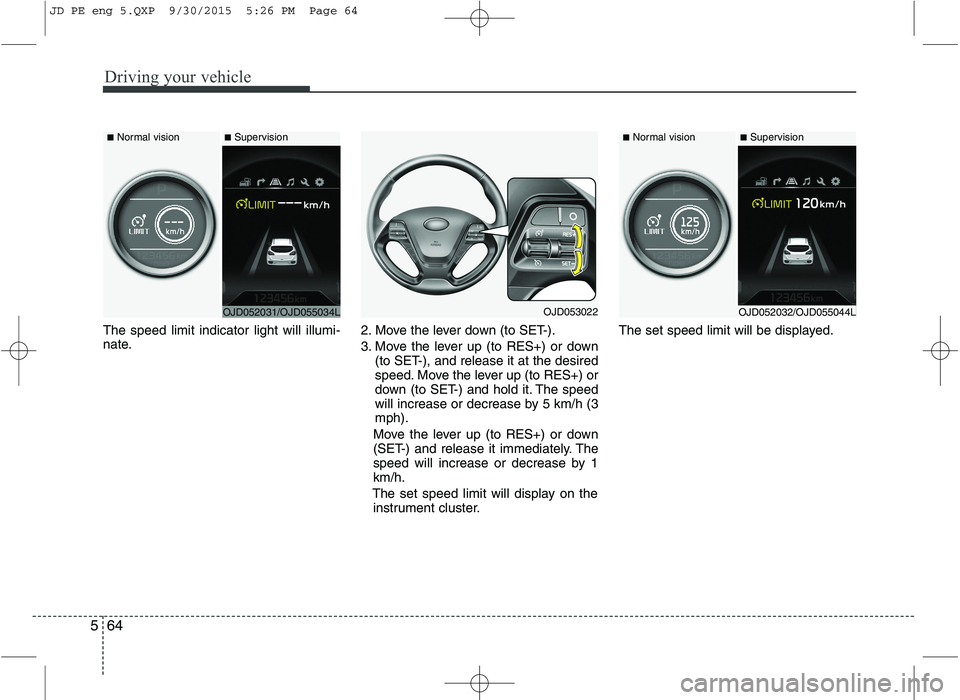
The speed limit indicator light will illumi-
nate. 2. Move the lever down (to SET-).
3. Move the lever up (to RES+) or down
(to SET-), and release it at the desired
speed. Move the lever up (to RES+) or
down (to SET-) and hold it. The speed
will increase or decrease by 5 km/h (3mph).
Move the lever up (to RES+) or down
(SET-) and release it immediately. The
speed will increase or decrease by 1km/h.
The set speed limit will display on the instrument cluster. The set speed limit will be displayed.
OJD052031/OJD055034L
■
Normal vision
■SupervisionOJD053022
■Normal vision
■Supervision
OJD052032/OJD055044L
JD PE eng 5.QXP 9/30/2015 5:26 PM Page 64
Page 442 of 643
569
Driving your vehicle
The system displays the information of
speed limit and no passing restriction to
the driver in both the instrument cluster
and navigation screen. SLIF detects traf-
fic signs with camera system attachedbehind the top of the windscreen.
The SLIF also utilizes the navigation
information to display the speed limit
information.SLIF activation / deactivation
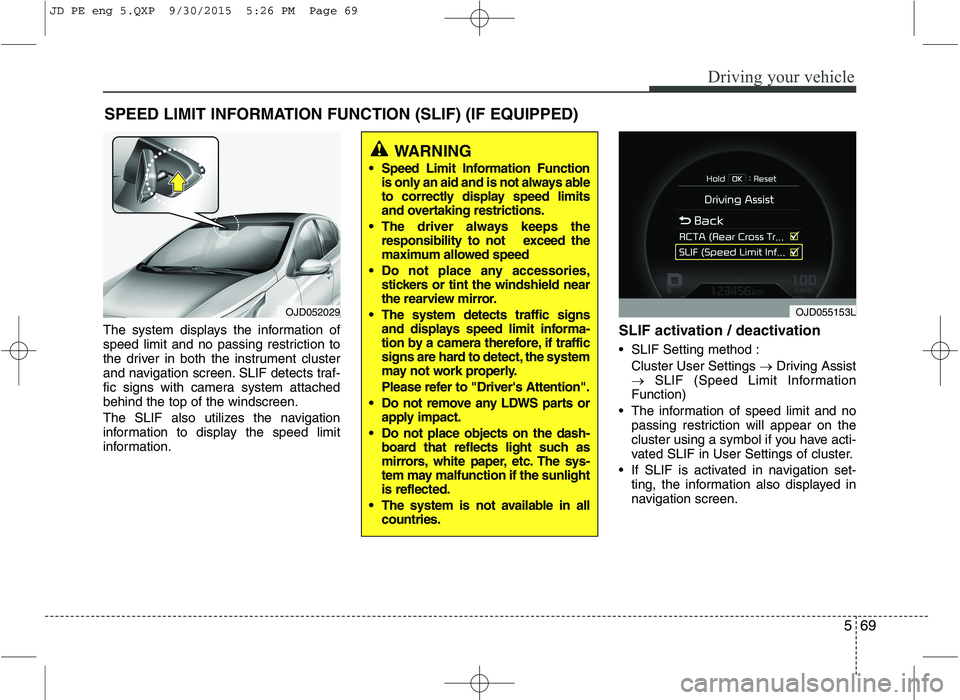
SLIF Setting method :
Cluster User Settings Driving Assist
SLIF (Speed Limit Information
Function)
The information of speed limit and no passing restriction will appear on the
cluster using a symbol if you have acti-
vated SLIF in User Settings of cluster.
If SLIF is activated in navigation set- ting, the information also displayed in
navigation screen.
SPEED LIMIT INFORMATION FUNCTION (SLIF) (IF EQUIPPED)
OJD052029
WARNING
Speed Limit Information Function is only an aid and is not always able
to correctly display speed limits
and overtaking restrictions.
The driver always keeps the responsibility to not exceed the
maximum allowed speed
Do not place any accessories, stickers or tint the windshield near
the rearview mirror.
The system detects traffic signs and displays speed limit informa-
tion by a camera therefore, if traffic
signs are hard to detect, the system
may not work properly.
Please refer to "Driver's Attention".
Do not remove any LDWS parts or apply impact.
Do not place objects on the dash- board that reflects light such as
mirrors, white paper, etc. The sys-
tem may malfunction if the sunlightis reflected.
The system is not available in all countries.
OJD055153L
JD PE eng 5.QXP 9/30/2015 5:26 PM Page 69