steering wheel KIA CEED 2016 Owner's Manual
[x] Cancel search | Manufacturer: KIA, Model Year: 2016, Model line: CEED, Model: KIA CEED 2016Pages: 643, PDF Size: 38.19 MB
Page 156 of 643

473
Features of your vehicle
Settings Menu
Seat Easy Access (for Driver PositionMemory System equipped vehicle)
(if equipped)
If the seat easy access function is
checked:
The driver's seat will automatically move
forward or rearward for the driver to enter
or exit the vehicle comfortably.
Welcome Sound
If the welcome sound function is checked :
The Welcome Sound function will be acti-
vated.
Steering Position (if equipped)
If the steering position function is
checked:
The warning illuminates on the LCD dis-
play when the steering wheel is not
aligned with the ENGINE STRAT/STOP
button in the ON position. AVG fuel ECO Reset
Auto Reset -
The average fuel economy
will reset automatically when
you drive after refueling.
Manual Reset - The average fuel econo- my will not reset auto-
matically when you drive
after refueling. You can
reset the average fuel
economy by pressing
the button for morethan 1 second when the
average fuel economy is
displayed. Speed Gauge Scale (if equipped)
- 100% : The size of the numbers on
speed gauge is normal state.
- 110% : The size of the numbers on speed gauge will increase.
Unit
You can choose the displayed unit in the
instrument cluster “km” or “mile”.
Language
Choose the language you prefer within
the LCD display.
JD PE eng 4.QXP 1/28/2016 5:17 PM Page 73
Page 157 of 643
Features of your vehicle
74
4
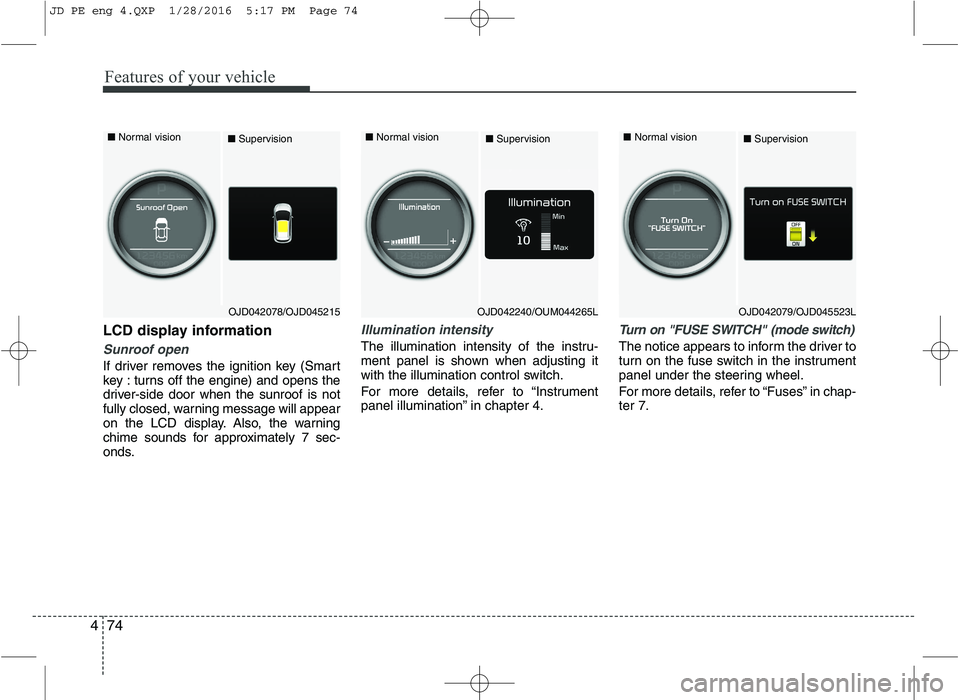
LCD display information
Sunroof open
If driver removes the ignition key (Smart
key : turns off the engine) and opens the
driver-side door when the sunroof is not
fully closed, warning message will appear
on the LCD display. Also, the warning
chime sounds for approximately 7 sec-
onds.
Illumination intensity
The illumination intensity of the instru-
ment panel is shown when adjusting it
with the illumination control switch.
For more details, refer to “Instrument
panel illumination” in chapter 4.
Turn on "FUSE SWITCH" (mode switch)
The notice appears to inform the driver to
turn on the fuse switch in the instrument
panel under the steering wheel.
For more details, refer to “Fuses” in chap- ter 7.
■ Normal vision
■Supervision■ Normal vision
■Supervision■ Normal vision
■Supervision
OJD042240/OUM044265LOJD042079/OJD045523LOJD042078/OJD045215
JD PE eng 4.QXP 1/28/2016 5:17 PM Page 74
Page 158 of 643
475
Features of your vehicle
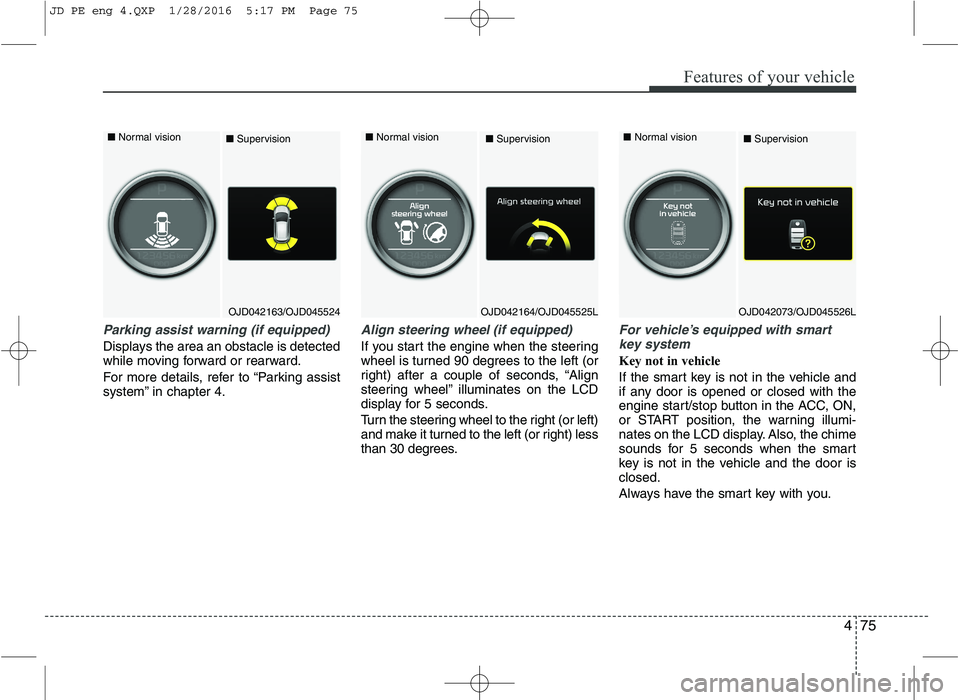
Parking assist warning (if equipped)
Displays the area an obstacle is detected
while moving forward or rearward.
For more details, refer to “Parking assist
system” in chapter 4.
Align steering wheel (if equipped)
If you start the engine when the steering
wheel is turned 90 degrees to the left (or
right) after a couple of seconds, “Align
steering wheel” illuminates on the LCD
display for 5 seconds.
Turn the steering wheel to the right (or left)
and make it turned to the left (or right) less
than 30 degrees.
For vehicle’s equipped with smartkey system
Key not in vehicle
If the smart key is not in the vehicle and
if any door is opened or closed with the
engine start/stop button in the ACC, ON,
or START position, the warning illumi-
nates on the LCD display. Also, the chime
sounds for 5 seconds when the smart
key is not in the vehicle and the door isclosed.
Always have the smart key with you.
OJD042163/OJD045524
■
Normal vision
■SupervisionOJD042164/OJD045525L
■
Normal vision
■SupervisionOJD042073/OJD045526L
■
Normal vision
■Supervision
JD PE eng 4.QXP 1/28/2016 5:17 PM Page 75
Page 161 of 643
Features of your vehicle
78
4
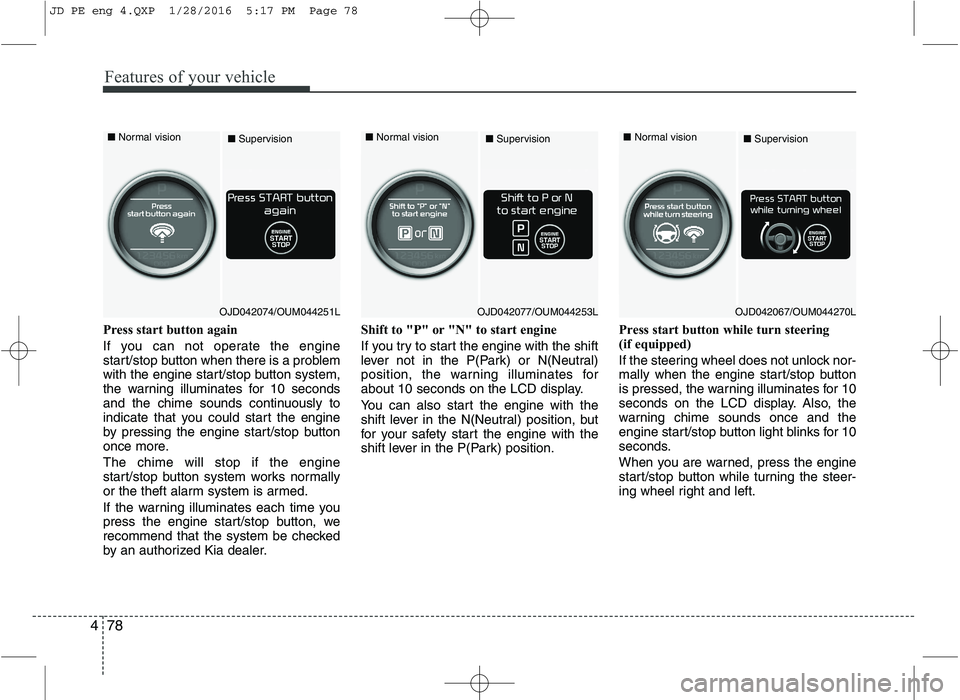
Press start button again
If you can not operate the engine
start/stop button when there is a problem
with the engine start/stop button system,
the warning illuminates for 10 seconds
and the chime sounds continuously to
indicate that you could start the engine
by pressing the engine start/stop button
once more. The chime will stop if the engine
start/stop button system works normally
or the theft alarm system is armed.
If the warning illuminates each time you
press the engine start/stop button, we
recommend that the system be checked
by an authorized Kia dealer. Shift to "P" or "N" to start engine
If you try to start the engine with the shift
lever not in the P(Park) or N(Neutral)
position, the warning illuminates for
about 10 seconds on the LCD display.
You can also start the engine with the
shift lever in the N(Neutral) position, but
for your safety start the engine with the
shift lever in the P(Park) position.
Press start button while turn steering
(if equipped)
If the steering wheel does not unlock nor-
mally when the engine start/stop button
is pressed, the warning illuminates for 10
seconds on the LCD display. Also, the
warning chime sounds once and the
engine start/stop button light blinks for 10
seconds.
When you are warned, press the engine
start/stop button while turning the steer-
ing wheel right and left.
■
Normal vision
■Supervision■ Normal vision
■Supervision■ Normal vision
■Supervision
OJD042074/OUM044251LOJD042077/OUM044253LOJD042067/OUM044270L
JD PE eng 4.QXP 1/28/2016 5:17 PM Page 78
Page 162 of 643

479
Features of your vehicle
Check steering wheel lock system
(if equipped)
If the steering wheel does not lock nor-
mally when the engine start/stop button
changes to the OFF position, the warning
illuminates for 10 seconds on the LCD
display. Also, the warning chime sounds
for 3 seconds and the engine start/stop
button light blinks for 10 seconds.Check "BRAKE SWITCH" fuse
When the brake switch fuse is discon-
nected, the warning illuminates for 10
seconds on the LCD display.
Replace the fuse with a new one. If that
is not possible you can start the engine
by pressing the engine start/stop button
for 10 seconds in ACC.Torque reduced due to overheating
(for T-GDI engine)
When the engine coolant temperature
exceeds 115°C, this message will be dis-
played and the torque will be reduced to
protect the engine.
■
Normal vision
■Supervision
OJD042076/OUM044131L
■
Normal vision
■SupervisionOJD042069/OUM044275L
JD PE eng 4.QXP 1/28/2016 5:17 PM Page 79
Page 185 of 643
Features of your vehicle
102
4
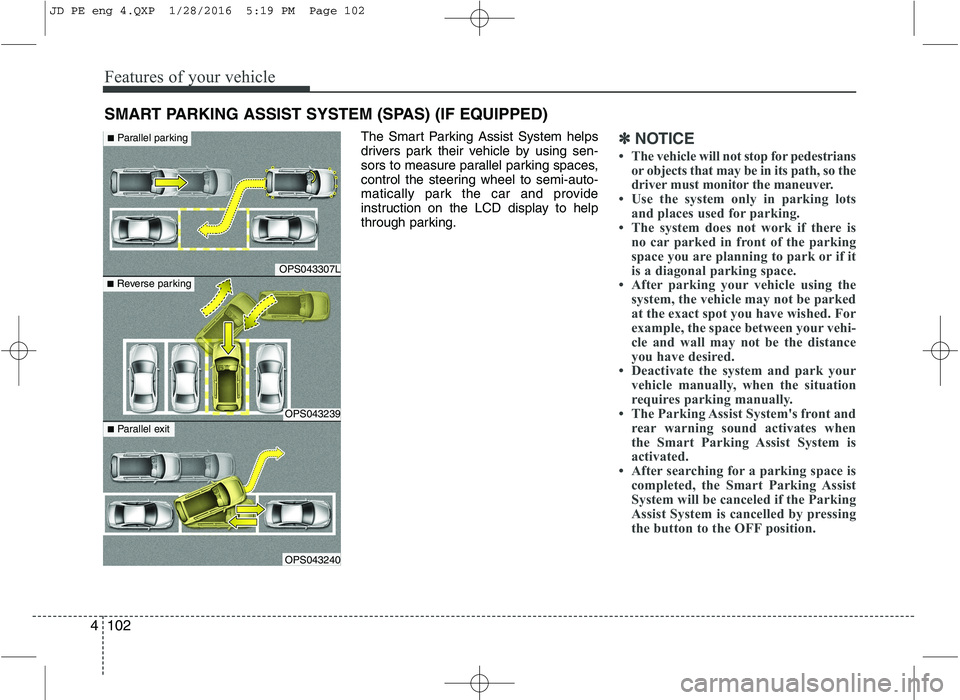
The Smart Parking Assist System helps
drivers park their vehicle by using sen-
sors to measure parallel parking spaces,
control the steering wheel to semi-auto-
matically park the car and provide
instruction on the LCD display to help
through parking.✽✽
NOTICE
The vehicle will not stop for pedestrians or objects that may be in its path, so the
driver must monitor the maneuver.
Use the system only in parking lots
and places used for parking.
The system does not work if there is
no car parked in front of the parking
space you are planning to park or if it
is a diagonal parking space.
After parking your vehicle using the
system, the vehicle may not be parked
at the exact spot you have wished. For
example, the space between your vehi-
cle and wall may not be the distance
you have desired.
Deactivate the system and park your
vehicle manually, when the situation
requires parking manually.
The Parking Assist System's front and rear warning sound activates when
the Smart Parking Assist System is
activated.
After searching for a parking space is
completed, the Smart Parking Assist
System will be canceled if the Parking
Assist System is cancelled by pressing
the button to the OFF position.
SMART PARKING ASSIST SYSTEM (SPAS) (IF EQUIPPED)
OPS043307L
OPS043239
OPS043240
■Parallel parking
■ Reverse parking
■Parallel exit
JD PE eng 4.QXP 1/28/2016 5:19 PM Page 102
Page 190 of 643
4107
Features of your vehicle
How the system works
(Parking mode)
1. Activate the Smart Parking AssistSystem The shift lever should be placed in D (Drive) or N(Neutral).
2. Select parking assist mode
3. Search for parking space (slowly move forward.)
4. Search complete (automatic search by sensor.)
5. Steering wheel control
(1) Shift according to the instruction on the LCD display.
(2) Drive slowly with the brake pedal applied.
6. Smart Parking Assist System complete
7. If necessary, manually adjust position of vehicle.
✽✽ NOTICE
Before activating the system check if the conditions are possible to use the
system.
For your safety, always apply the brake pedal except for when driving.
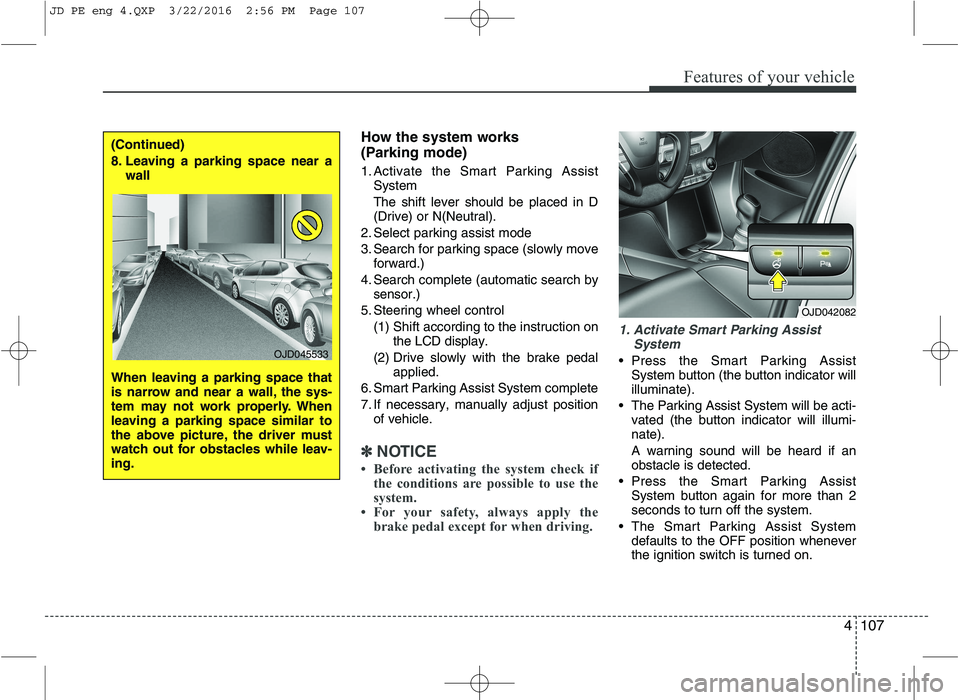
1. Activate Smart Parking Assist
System
• Press the Smart Parking AssistSystem button (the button indicator will illuminate).
The Parking Assist System will be acti- vated (the button indicator will illumi-nate). A warning sound will be heard if an obstacle is detected.
Press the Smart Parking Assist System button again for more than 2seconds to turn off the system.
The Smart Parking Assist System defaults to the OFF position wheneverthe ignition switch is turned on.
OJD042082
(Continued)
8. Leaving a parking space near a wall
When leaving a parking space that
is narrow and near a wall, the sys-
tem may not work properly. When
leaving a parking space similar to
the above picture, the driver must
watch out for obstacles while leav-ing.
OJD045533
JD PE eng 4.QXP 3/22/2016 2:56 PM Page 107
Page 193 of 643
Features of your vehicle
110
4
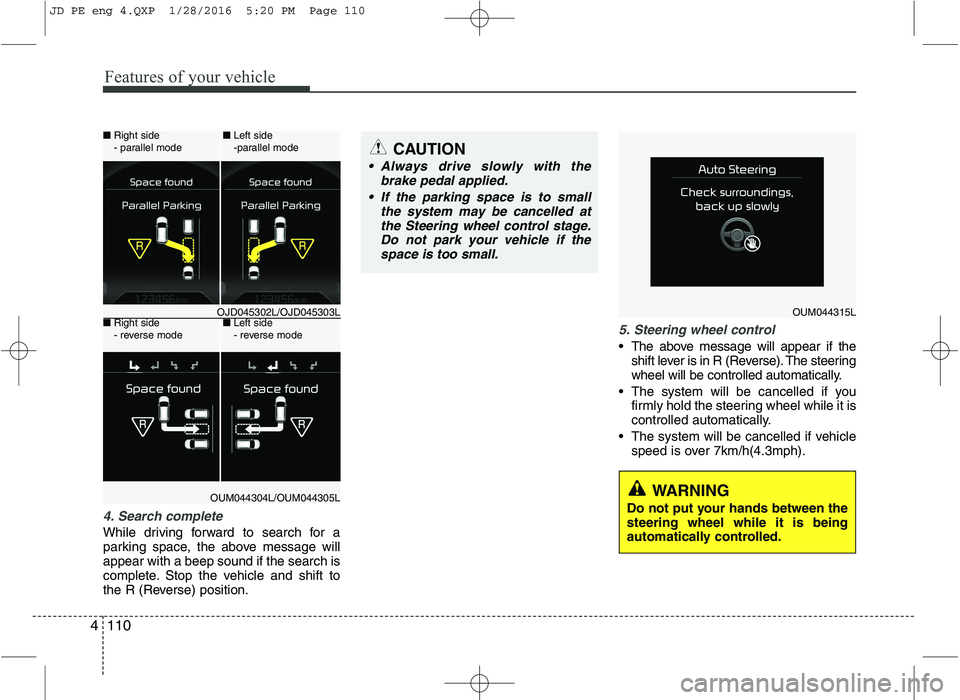
4. Search complete
While driving forward to search for a
parking space, the above message willappear with a beep sound if the search is
complete. Stop the vehicle and shift to
the R (Reverse) position.
5. Steering wheel control
The above message will appear if the
shift lever is in R (Reverse). The steering
wheel will be controlled automatically.
The system will be cancelled if you firmly hold the steering wheel while it is
controlled automatically.
The system will be cancelled if vehicle speed is over 7km/h(4.3mph).
CAUTION
Always drive slowly with the
brake pedal applied.
If the parking space is to small the system may be cancelled atthe Steering wheel control stage.
Do not park your vehicle if thespace is too small.
OUM044315L
WARNING
Do not put your hands between the steering wheel while it is being
automatically controlled.
■ Right side
- parallel mode ■
Left side
-parallel mode
■ Right side
- reverse mode ■
Left side
- reverse mode
OJD045302L/OJD045303L
OUM044304L/OUM044305L
JD PE eng 4.QXP 1/28/2016 5:20 PM Page 110
Page 194 of 643
4111
Features of your vehicle
✽✽NOTICE
If you do not follow the instructions pro- vided, you may fail to park your vehicle.
However, if the Parking Assist System
warning sound (distance from object
is within 30cm: continuous beep)
occurs, slowly drive the vehicle to the
reverse direction of the detected
object after checking the surrounding.
Always check the surrounding before driving your vehicle if the Parking
Assist System warning sound (dis-
tance from object is within 30cm: con-
tinuous beep) is heard for the object is
close to your vehicle.
To cancel the system while parking
Press the Smart Parking Assist System
button or turn the steering wheel to the
left or right.
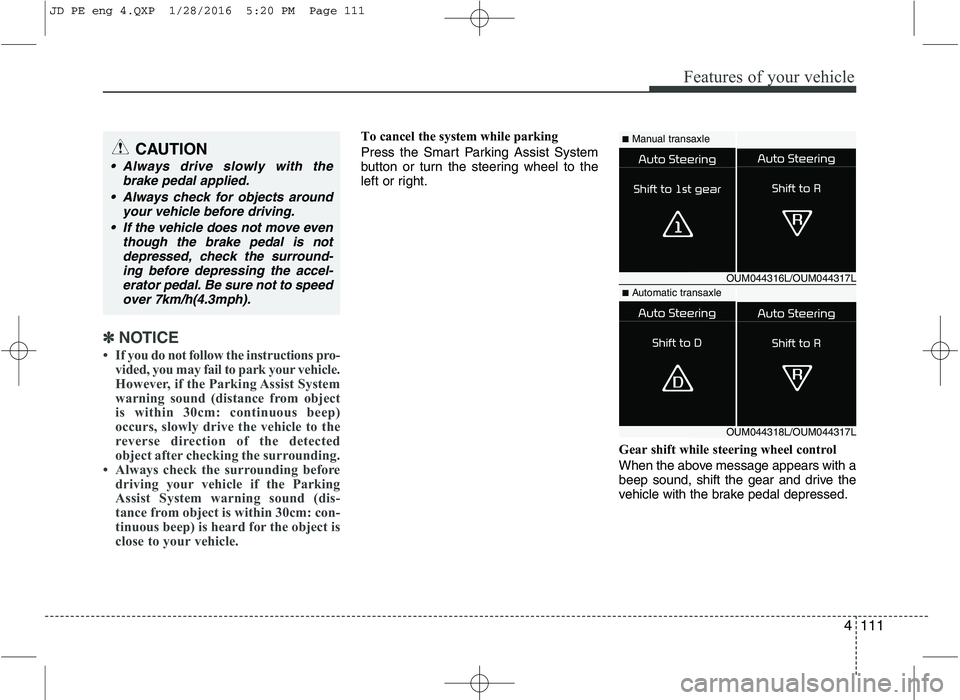
Gear shift while steering wheel control
When the above message appears with a
beep sound, shift the gear and drive the
vehicle with the brake pedal depressed.■Manual transaxle
■ Automatic transaxle
OUM044316L/OUM044317L
OUM044318L/OUM044317L
CAUTION
Always drive slowly with the
brake pedal applied.
Always check for objects around your vehicle before driving.
If the vehicle does not move even though the brake pedal is not
depressed, check the surround-ing before depressing the accel- erator pedal. Be sure not to speed over 7km/h(4.3mph).
JD PE eng 4.QXP 1/28/2016 5:20 PM Page 111
Page 195 of 643
Features of your vehicle
112
4
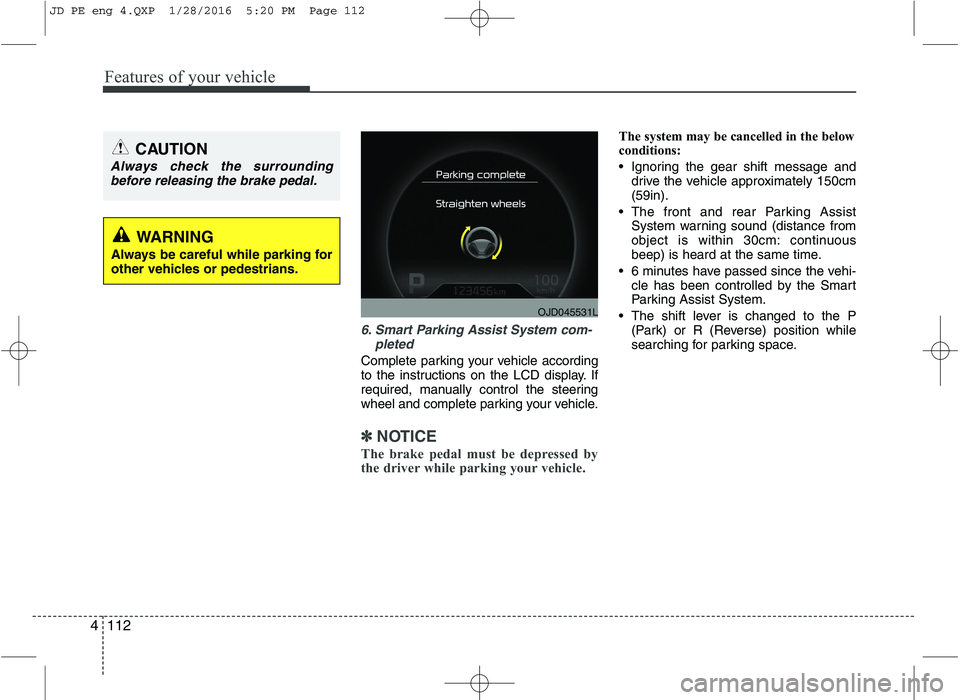
6. Smart Parking Assist System com-
pleted
Complete parking your vehicle according
to the instructions on the LCD display. If
required, manually control the steering
wheel and complete parking your vehicle.
✽✽NOTICE
The brake pedal must be depressed by
the driver while parking your vehicle.
The system may be cancelled in the below
conditions:
Ignoring the gear shift message and drive the vehicle approximately 150cm (59in).
The front and rear Parking Assist System warning sound (distance from
object is within 30cm: continuous
beep) is heard at the same time.
6 minutes have passed since the vehi- cle has been controlled by the Smart
Parking Assist System.
The shift lever is changed to the P (Park) or R (Reverse) position while
searching for parking space.
OJD045531L
WARNING
Always be careful while parking for
other vehicles or pedestrians.
CAUTION
Always check the surrounding before releasing the brake pedal.
JD PE eng 4.QXP 1/28/2016 5:20 PM Page 112